

Billtrust Review 2026: Pros, Cons, Features and Pricing
I see Billtrust as more than a way to automate receivables: this review weighs its strengths, trade-offs, features, and pricing to help you decide if it fits your AR operation.

We review tools independently, and commissions help fund our testing. See our transparency policy, our methodology, or suggest a tool.
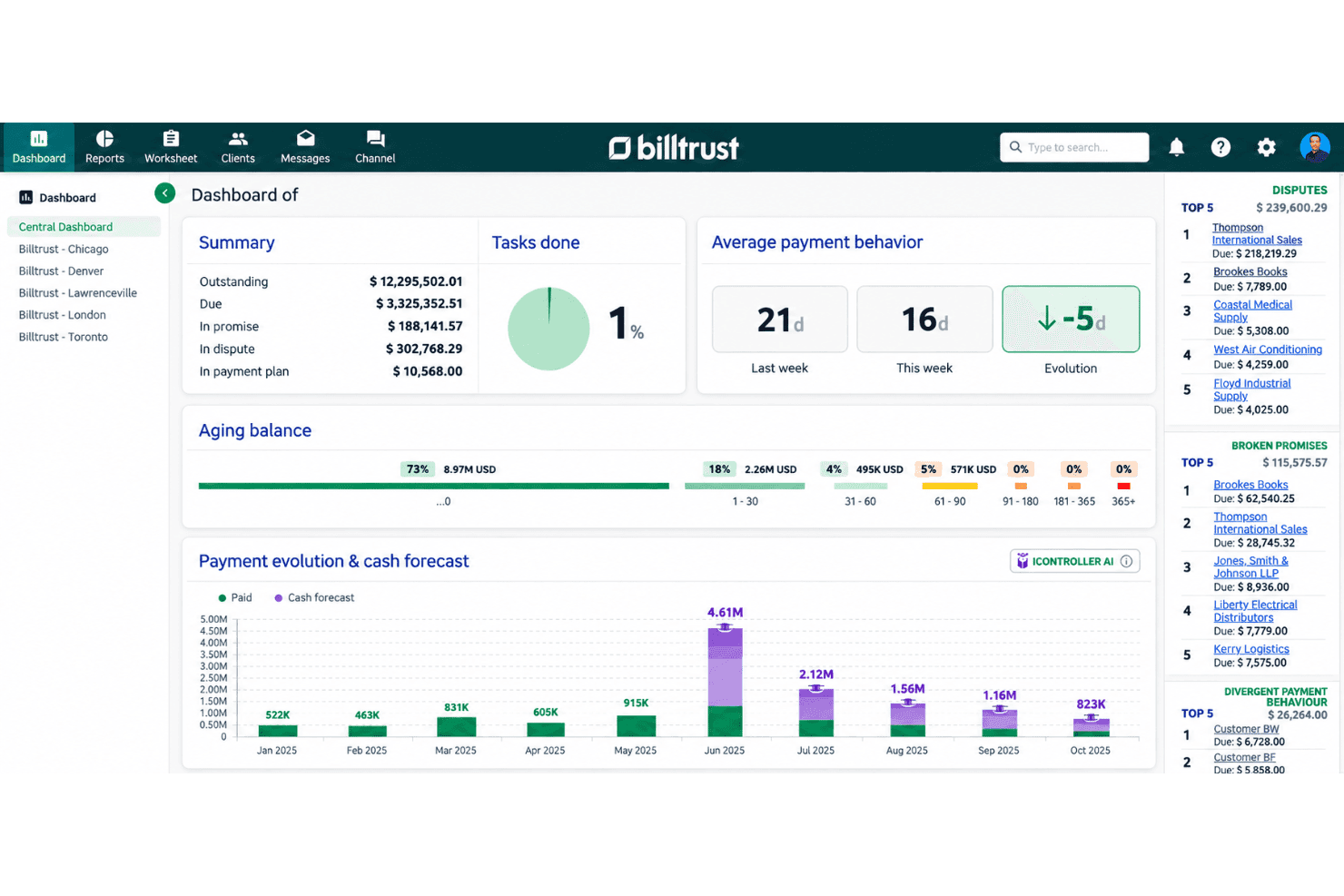
Billtrust is accounts receivable software for B2B finance teams managing high invoice volumes and looking to coordinate invoicing, payments, collections, and cash application. If broad AP portal coverage matters, I’d choose Billtrust over HighRadius for its invoice delivery through more than 260 portals, alongside credit and collections tools.
Billtrust Evaluation Summary
4.4/5
- Pricing upon request
- Free demo available
Why Trust Our Software Recommendations
6,700+
Reviews
20
Industry experts
16+
Evaluation factors
14
Years
Our team has been testing and reviewing software since 2012. As finance leaders ourselves, we know how difficult—and important—it is to choose the right software.
For this guide, we evaluated tools using hands-on testing and independent research, scoring tools using our selection criteria.
Our reviews reflect our human editorial judgment, not a sales pitch.
Billtrust Overview
I’d choose Billtrust for a high-volume B2B AR operation that needs invoicing, payments, credit, collections, and cash application in one platform. Its single interface reaches 260+ AP portals, and its network connects with 200+ ERPs, banks, and financial institutions. Compared with lighter AR tools, that breadth suits complex customer and ERP environments; for example, teams can deliver invoices through customer portals and match remittances to payments. Pricing isn’t public, so request a tailored quote. The interface is unified, but confirm onboarding plans and support commitments during evaluation, especially if your ERP setup is complex.
Pros
- Users praise invoice visibility and straightforward payment lookup.
- Automated remittance matching reduces manual cash-application work.
- Buyer portal lets customers view invoices and pay independently.
Cons
- Users report occasional invoice transmission errors and payment delays.
- Users cite slow transfers and payment-application exceptions.
- Reporting limitations can force teams into Excel exports.


How We Test & Score Tools
We’ve spent years building, refining, and improving our software testing and scoring system. The rubric is designed to capture the nuances of software selection and what makes a tool effective, focusing on critical aspects of the decision-making process.
Below, you can see exactly how our testing and scoring works across seven criteria. It allows us to provide an unbiased evaluation of the software based on core functionality, standout features, ease of use, onboarding, customer support, integrations, customer reviews, and value for money.
Core Functionality (25% of final scoring)
The starting point of our evaluation is always the core functionality of the tool. Does it have the basic features and functions that a user would expect to see? Are any of those core features locked to higher-tiered pricing plans? At its core, we expect a tool to stand up against the baseline capabilities of its competitors.
Standout Features (25% of final scoring)
Next, we evaluate uncommon standout features that go above and beyond the core functionality typically found in tools of its kind. A high score reflects specialized or unique features that make the product faster, more efficient, or offer additional value to the user.
We also evaluate how easy it is to integrate with other tools typically found in the tech stack to expand the functionality and utility of the software. Tools offering plentiful native integrations, 3rd party connections, and API access to build custom integrations score best.
Ease of Use (10% of final scoring)
We consider how quick and easy it is to execute the tasks defined in the core functionality using the tool. High scoring software is well designed, intuitive to use, offers mobile apps, provides templates, and makes relatively complex tasks seem simple.
Onboarding (10% of final scoring)
We know how important rapid team adoption is for a new platform, so we evaluate how easy it is to learn and use a tool with minimal training. We evaluate how quickly a team member can get set up and start using the tool with no experience. High scoring solutions indicate little or no support is required.
Customer Support (10% of final scoring)
We review how quick and easy it is to get unstuck and find help by phone, live chat, or knowledge base. Tools and companies that provide real-time support score best, while chatbots score worst.
Customer Reviews (10% of final scoring)
Beyond our own testing and evaluation, we consider the net promoter score from current and past customers. We review their likelihood, given the option, to choose the tool again for the core functionality. A high scoring software reflects a high net promoter score from current or past customers.
Value for Money (10% of final scoring)
Lastly, in consideration of all the other criteria, we review the average price of entry level plans against the core features and consider the value of the other evaluation criteria. Software that delivers more, for less, will score higher.
Core Features
Automated Invoicing
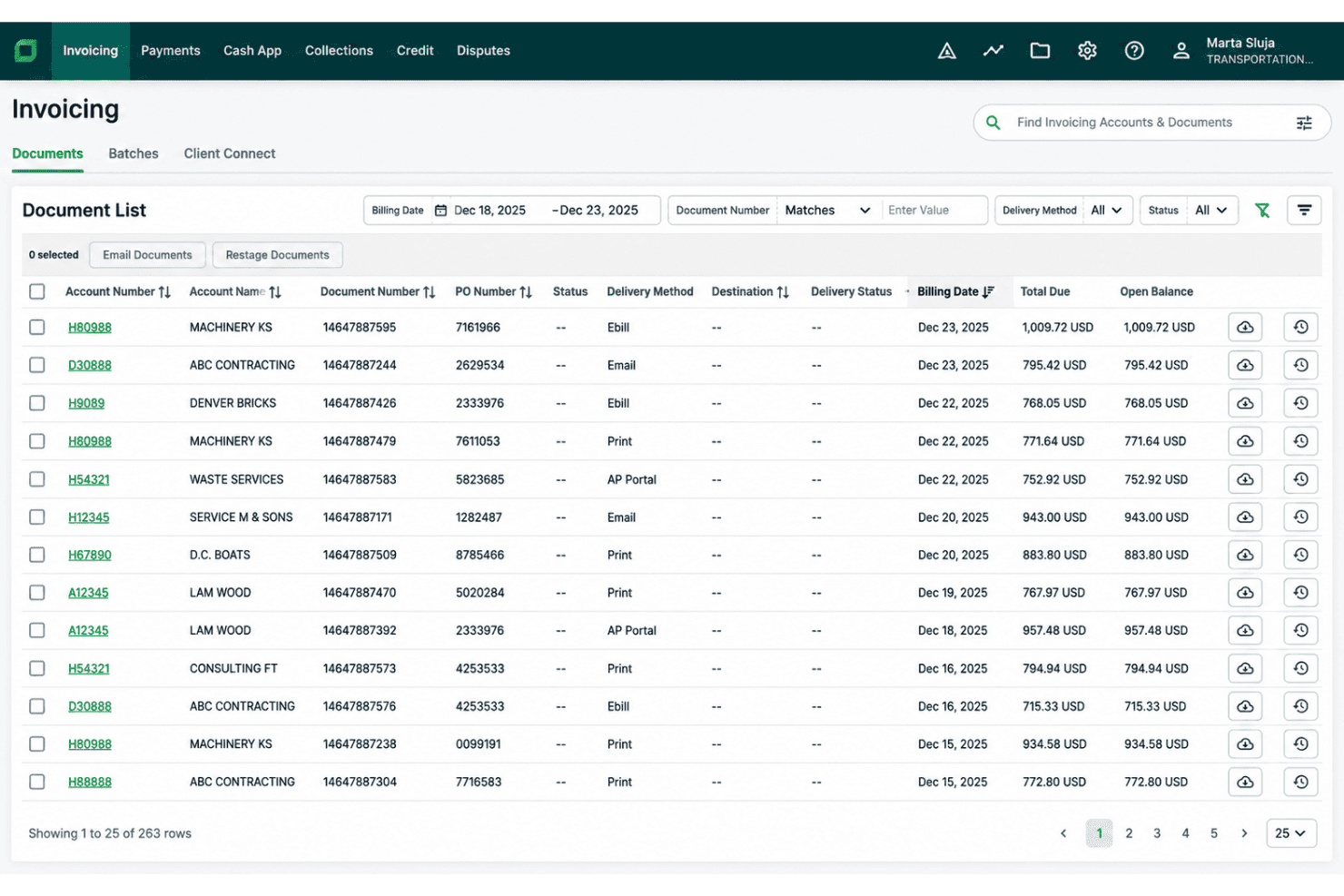
Billtrust generates invoices using customer-specific pricing, tax rules, and delivery preferences, then sends them by email, print, its buyer portal, or AP portals. Delivery tracking and bounced-email alerts help your team spot missing invoices before they hold up payment.
B2B Payment Processing
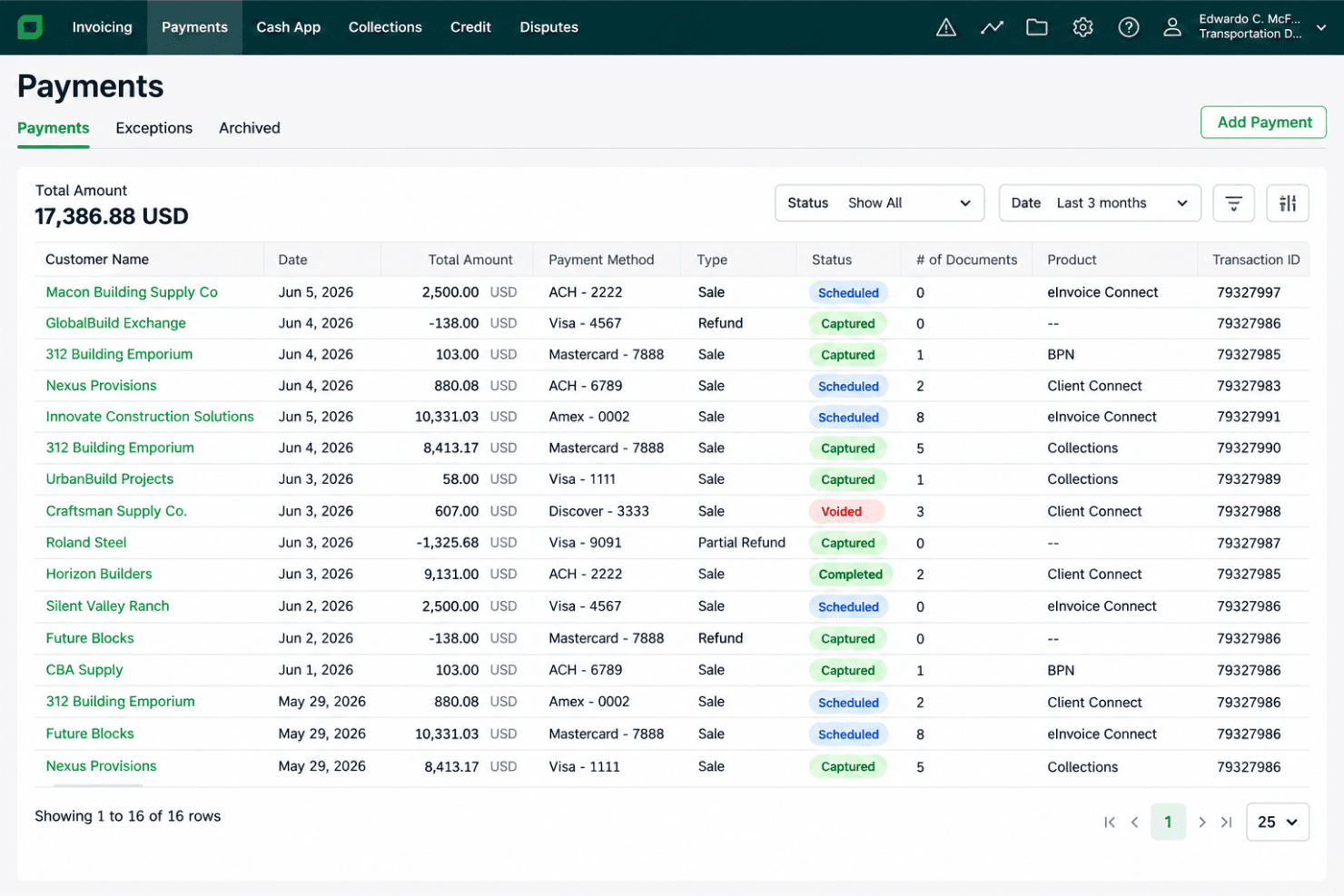
Billtrust accepts methods including ACH, EFT, cards, and international options such as SEPA and iDEAL, with payment policies to guide buyers toward preferred methods. For example, you can set card-fee rules for customer groups and use payment links for specific payment requests.
Cash Application
AI and machine learning match payments to invoices, including split remittances and payments from different channels, while OCR extracts details from remittance documents. Confidence thresholds and exception queues let your team review uncertain matches rather than treating every payment as a manual case.
Collections Management
Billtrust prioritizes overdue invoices and accounts using behavioral data to predict payment likelihood and recommend follow-up procedures. Cases and inbox tools help collectors manage disputes and customer requests alongside collection outreach.
Credit Management
Billtrust organizes credit applications and reviews in a customer portal, then uses configurable rules and financial and behavioral signals to support credit decisions. Ongoing risk alerts can help your team review an exposed account or consider a limit change, with recommendations available for human review.
Buyer Payment Portal
The branded self-service portal lets customers view, manage, and pay invoices, with AI recommendations about what and when to pay. Buyers can handle routine account checks themselves, while your team can direct customers to a shared place to resolve balances and submit payments.
Ease of Use
Billtrust provides a unified interface for managing invoicing, collections, payments, and cash application, making it suitable for complex, high-volume accounts receivable workflows. Its buyer portal lets customers access invoices and make payments, while invoice visibility and payment lookup tools simplify daily tasks. However, its extensive features can take time to navigate, and transmission errors, payment delays, and reporting limitations may require manual workarounds.
Integrations
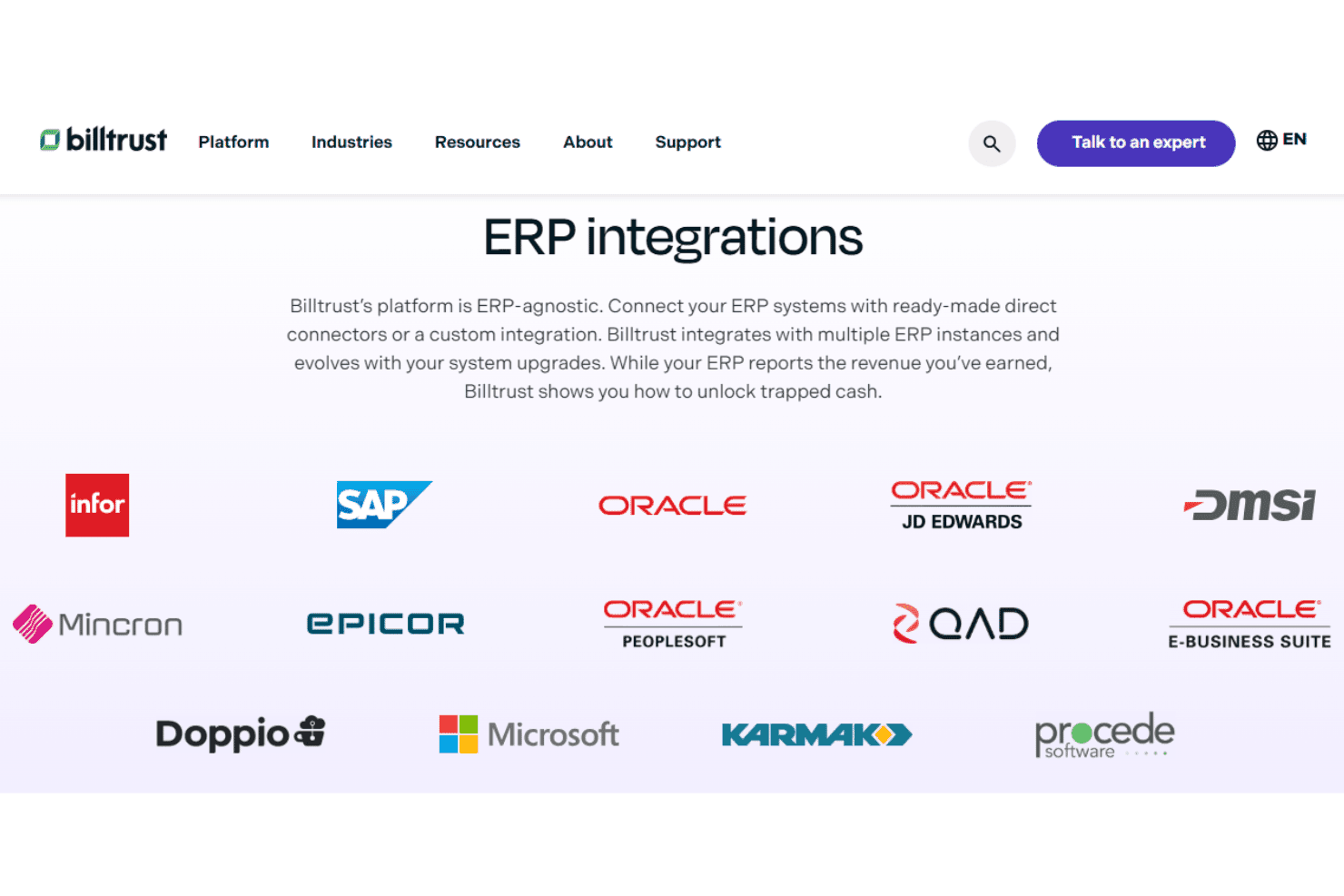
Billtrust integrates with ERP systems including SAP, Oracle, Microsoft, Infor, Epicor, Oracle JD Edwards, and QAD. It also connects with AP platforms such as SAP Ariba, Coupa, and Taulia, among others.
Billtrust provides REST APIs for custom integrations and supports connections through prebuilt connectors and integration services.
Billtrust Specs
- 2-Factor Authentication: Yes
- Accounts Payable: No
- Accounts Receivable: Yes
- API: Yes
- Balance Sheet: No
- Billing/Invoicing: Yes
- BitCoin: No
- Budgeting: No
- Calendar Management: No
- Contact Management: Yes
- CRM Integration: Yes
- Customer Management: Yes
- Dashboard: Yes
- Data Export: Yes
- Data Import: Yes
- Data Visualization: Yes
- Expense Tracking: No
- External Integrations: Yes
- Forecasting: Yes
- General Account Ledger: No
- Inventory Tracking: Yes
- Multi-Currency: Yes
- Multi-User: Yes
- Notifications: Yes
- P&L: No
- PayPal: No
- Payroll: No
- SAP Integration: Yes
- Stripe: No
- Supplier Management: No
- Tax Management: No


