

CARET Legal Review: Pros, Cons, Features, and Pricing
CARET Legal excels with its intuitive interface and robust integrations, making it an ideal choice for small to mid-sized law firms seeking efficient legal accounting solutions.

We review tools independently, and commissions help fund our testing. See our transparency policy, our methodology, or suggest a tool.
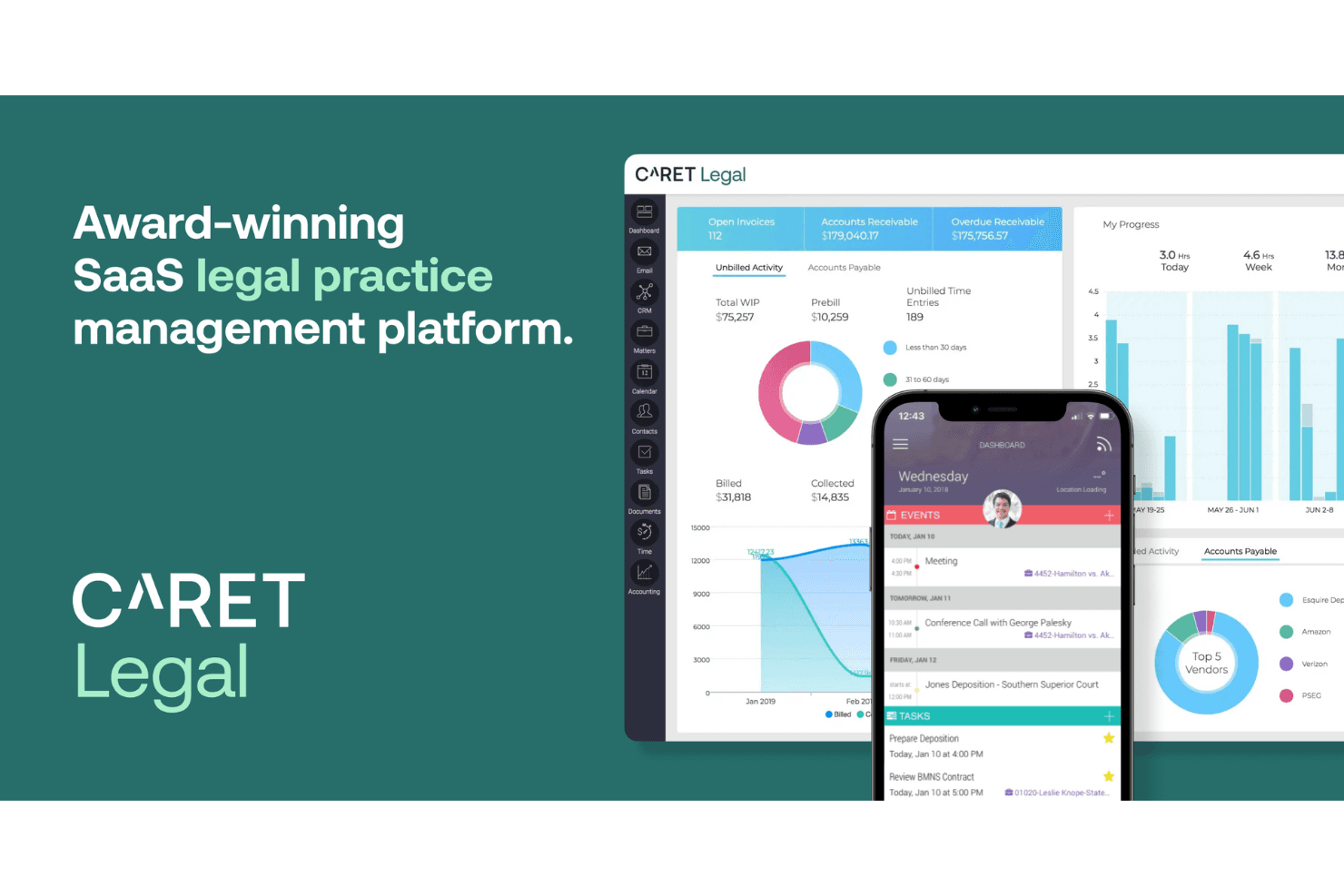
CARET Legal is a legal accounting software built for law firms that need to manage client billing, trust accounting, and financial reporting inside a single practice management system. It's a natural fit if your firm wants those financial controls to live natively within your case and matter workflows. I'd choose it over Clio Accounting if you want built-in trust accounting and billing without depending on a QuickBooks integration to handle the financial side of your practice.
CARET Legal Evaluation Summary
4.4/5
- Pricing upon request
- Free demo available
Why Trust Our Software Recommendations
6,700+
Reviews
20
Industry experts
16+
Evaluation factors
14
Years
Our team has been testing and reviewing software since 2012. As finance leaders ourselves, we know how difficult—and important—it is to choose the right software.
For this guide, we evaluated tools using hands-on testing and independent research, scoring tools using our selection criteria.
Our reviews reflect our human editorial judgment, not a sales pitch.
CARET Legal Overview
In my opinion, CARET Legal is a solid choice for legal accounting needs, offering a user-friendly interface and strong customer support. It competes well with other software by providing standout features like integration with popular legal tools, timekeeping, and matter management in one place. While its onboarding process is efficient, some users may find the ease of use slightly challenging initially due to a learning curve.
It's best suited for small to mid-sized law firms that prioritize a balance between functionality and cost. CARET Legal's pricing and feature set make it a compelling option, especially if your team values seamless billing, task management, and financial management supported by automation features.
Pros
- The interface is intuitive, helping your team quickly adapt to the software.
- Customer support is responsive and helpful when you need assistance.
- Billing features are efficient, simplifying your financial management tasks.
Cons
- Some users find the initial learning curve a bit steep for less tech-savvy teams.
- The software might feel slow at times, affecting your workflow.
- Reporting features could be more customizable to suit specific needs.
Is CARET Legal Right For Your Needs?
Who Would be a Good Fit for CARET Legal?
CARET Legal is ideal for small to mid-sized law firms and solo practitioners. Its intuitive interface and efficient billing features make it easier for your team to manage finances without much hassle. If your firm values strong customer support and needs a reliable legal practice management software solution, CARET Legal could be a solid choice. It's especially beneficial for those looking to streamline billing, time entries, calendaring, and client management inside a unified software platform.
- Small Law FirmsCARET Legal offers efficient billing and financial management tailored for smaller operations with specific legal services needs.
- Solo PractitionersIts user-friendly tools help you manage all aspects of your legal accounting without extra staff, including intake forms and contact management.
- Boutique FirmszYou can benefit from its specialized features designed for niche legal practices, with templates and automation features ready to use.
- In-House Legal DepartmentsThe software's billing efficiency can streamline your internal financial processes and document management workflows.
- Legal Aid ServicesCARET Legal's cost-effective features suit organizations with tight budgets that still need robust document storage.
- Startup Law OfficesIt provides a scalable solution as your firm grows, starting with essential features like dashboard views, task management, and client intake.
Who Would be a Bad Fit for CARET Legal?
CARET Legal might not suit large law firms or enterprises with complex and diverse accounting needs. Its features may lack the depth required for handling extensive legal and financial operations or advanced CRM capabilities. If your team needs highly customizable reporting, advanced analytics, or deeper payment processing integrations, you might find CARET Legal limiting. It's also less ideal for firms with large-scale operations requiring extensive integration with other enterprise systems or practice management system ecosystems.
- Large EnterprisesIts features may not handle the scale and complexity of large corporate legal departments or multi-office matter management.
- Complex Law FirmsFirms needing advanced analytics and highly customizable reports might find it lacking compared to more all-in-one competitors.
- Tech-Savvy TeamsTeams looking for cutting-edge tech solutions might find CARET Legal's features basic relative to advanced automation features.
- Corporate LegalEnterprises requiring extensive system integrations may find CARET's capabilities insufficient, especially with Outlook or Microsoft-based workflows.
- Financial InstitutionsInstitutions needing specialized financial reporting might not get the depth they require for accounting feature granularity.
- International FirmsIts functionalities may not support the diverse needs of multinational legal operations or global client portal requirements.
How We Test & Score Tools
We’ve spent years building, refining, and improving our software testing and scoring system. The rubric is designed to capture the nuances of software selection and what makes a tool effective, focusing on critical aspects of the decision-making process.
Below, you can see exactly how our testing and scoring works across seven criteria. It allows us to provide an unbiased evaluation of the software based on core functionality, standout features, ease of use, onboarding, customer support, integrations, customer reviews, and value for money.
Core Functionality (25% of final scoring)
The starting point of our evaluation is always the core functionality of the tool. Does it have the basic features and functions that a user would expect to see? Are any of those core features locked to higher-tiered pricing plans? At its core, we expect a tool to stand up against the baseline capabilities of its competitors.
Standout Features (25% of final scoring)
Next, we evaluate uncommon standout features that go above and beyond the core functionality typically found in tools of its kind. A high score reflects specialized or unique features that make the product faster, more efficient, or offer additional value to the user.
We also evaluate how easy it is to integrate with other tools typically found in the tech stack to expand the functionality and utility of the software. Tools offering plentiful native integrations, 3rd party connections, and API access to build custom integrations score best.
Ease of Use (10% of final scoring)
We consider how quick and easy it is to execute the tasks defined in the core functionality using the tool. High scoring software is well designed, intuitive to use, offers mobile apps, provides templates, and makes relatively complex tasks seem simple.
Onboarding (10% of final scoring)
We know how important rapid team adoption is for a new platform, so we evaluate how easy it is to learn and use a tool with minimal training. We evaluate how quickly a team member can get set up and start using the tool with no experience. High scoring solutions indicate little or no support is required.
Customer Support (10% of final scoring)
We review how quick and easy it is to get unstuck and find help by phone, live chat, or knowledge base. Tools and companies that provide real-time support score best, while chatbots score worst.
Customer Reviews (10% of final scoring)
Beyond our own testing and evaluation, we consider the net promoter score from current and past customers. We review their likelihood, given the option, to choose the tool again for the core functionality. A high scoring software reflects a high net promoter score from current or past customers.
Value for Money (10% of final scoring)
Lastly, in consideration of all the other criteria, we review the average price of entry level plans against the core features and consider the value of the other evaluation criteria. Software that delivers more, for less, will score higher.
Core Features
Billing Management
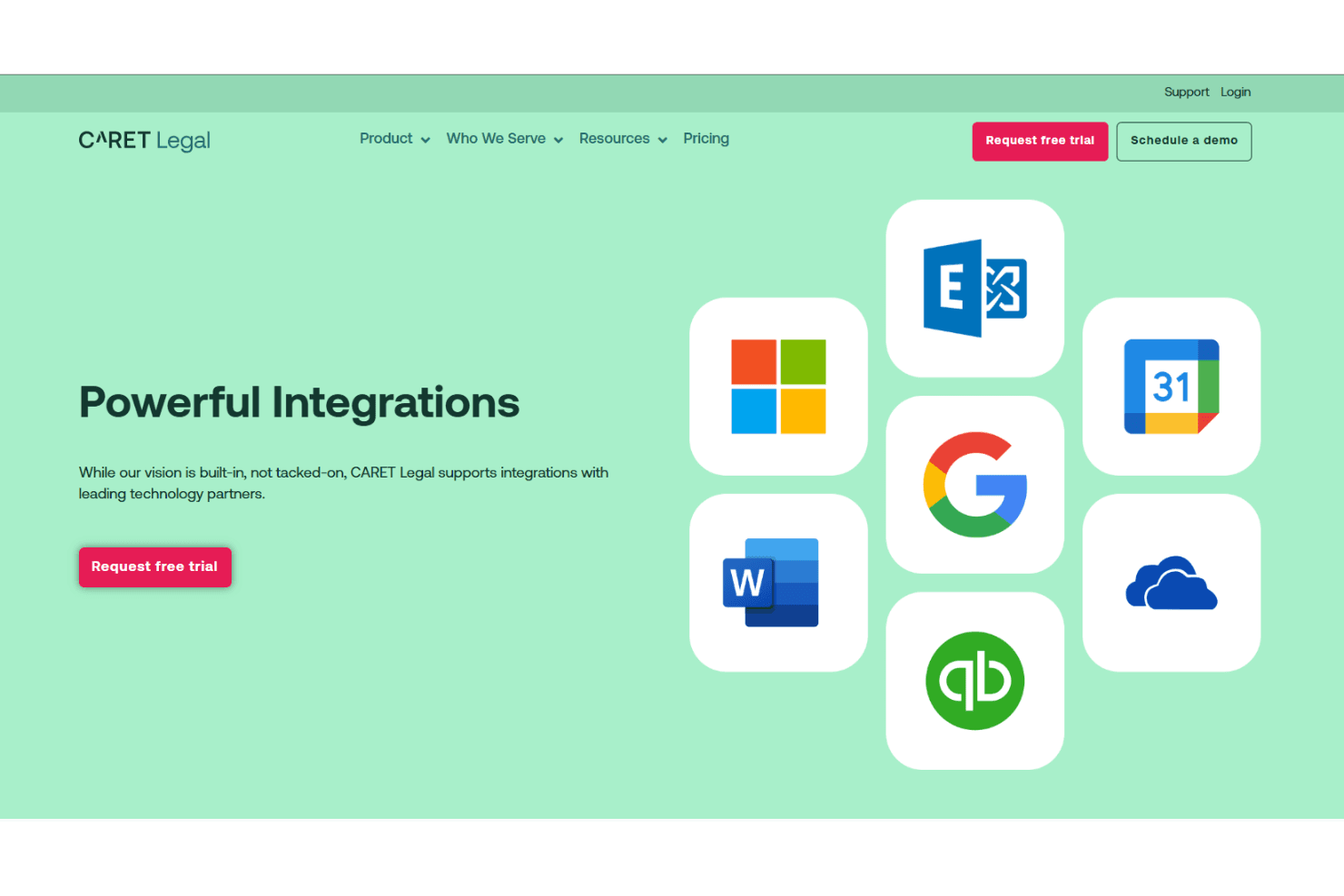
CARET Legal simplifies billing with easy invoice creation and tracking, helping you manage payments effectively. Its automated reminders ensure you get paid on time through options like credit card and LawPay payment processing.
Time Tracking
Track billable hours effortlessly with its built-in timer, so you can accurately bill clients and manage billable time across team members.
Document Management
Store and organize all your legal documents in one place, making retrieval quick and easy with reliable document storage.
Financial Reporting
Generate detailed financial reports that provide insights into your firm's performance and profitability.
Client Management
Manage client information, client communication, and messaging in one centralized location.
Trust Accounting
CARET Legal handles trust accounting with precision, ensuring compliance with legal standards and reducing risk.
Ease of Use
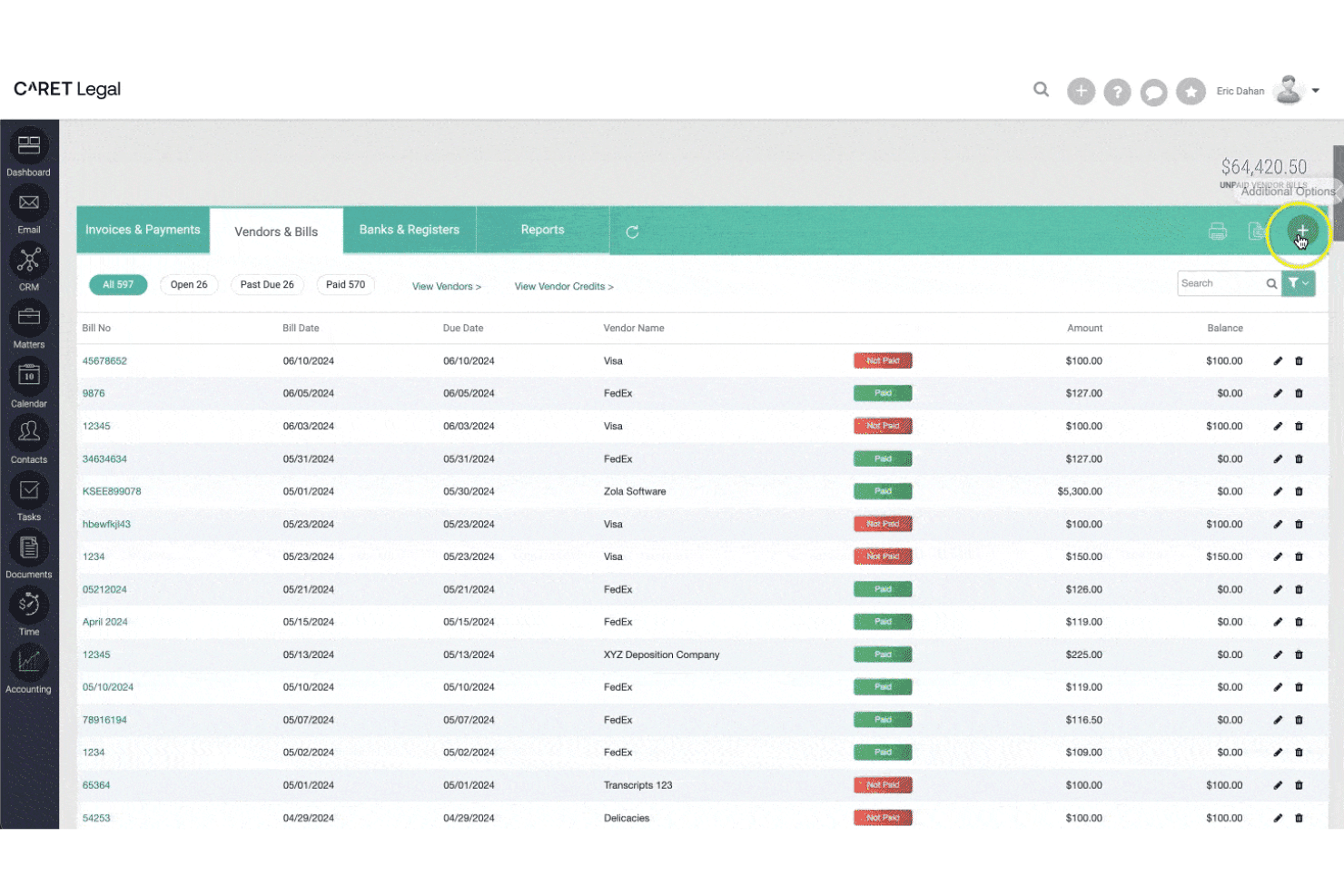
CARET Legal is fairly user-friendly, especially for those familiar with legal accounting tasks. Its intuitive interface helps your team quickly navigate features like billing management and time tracking. While some users might experience a learning curve, especially if they're less tech-savvy, the software's layout and design make daily tasks straightforward. Compared to other options, it strikes a balance between functionality and accessibility, making it a reliable choice for small to mid-sized law firms.
Integrations
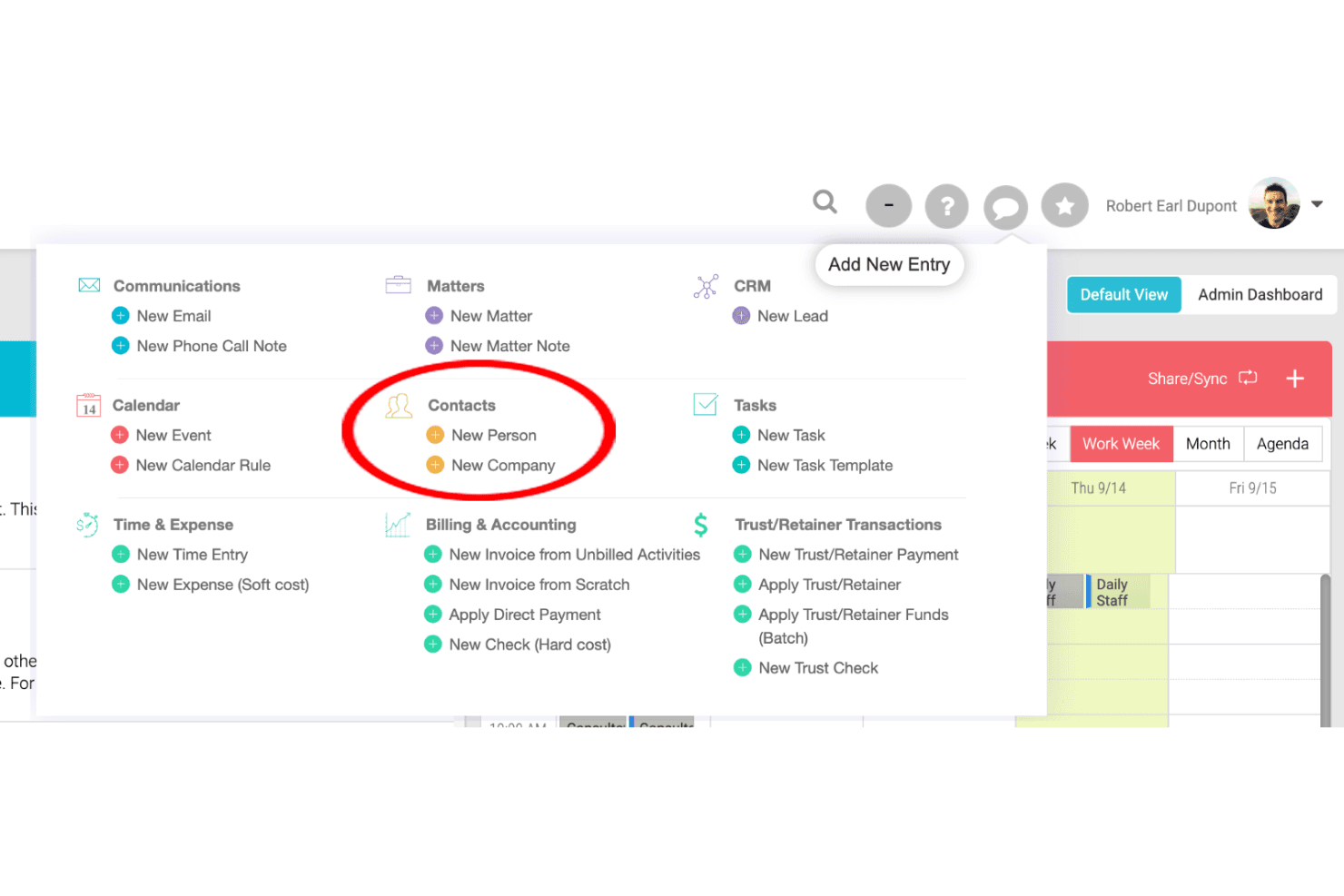
CARET Legal integrates with Microsoft 365, Google Workspace, IMAP, Microsoft Outlook Plugin, RMail, LawToolBox, Lawmatics, HotDocs, OneDrive, NetDocuments, and QuickBooks Online. CARET Legal also offers an API and connects with third-party integration tools, allowing developers to create custom integrations.
CARET Legal Specs
- 2-Factor Authentication: Yes
- API: Yes
- Approval Workflows: Yes
- Audit Trail: Yes
- Calendar Management: Yes
- Compliance Tracking: Yes
- Contract Management: Yes
- Custom Reports: Yes
- Customer Management: Yes
- Data Export: Yes
- Data Import: Yes
- Document Management: Yes
- External Integrations: Yes
- Multi-User: Yes
- NDA Management: Yes
- Notifications: Yes
- Policy Management: Yes
- Scheduling: Yes
- Workflow Management: Yes


