

Erply Review: Pros, Cons, Features and Pricing
Erply offers flexible ERP solutions that cater to diverse business needs, standing out with its user-friendly interface and competitive pricing.

We review tools independently, and commissions help fund our testing. See our transparency policy, our methodology, or suggest a tool.
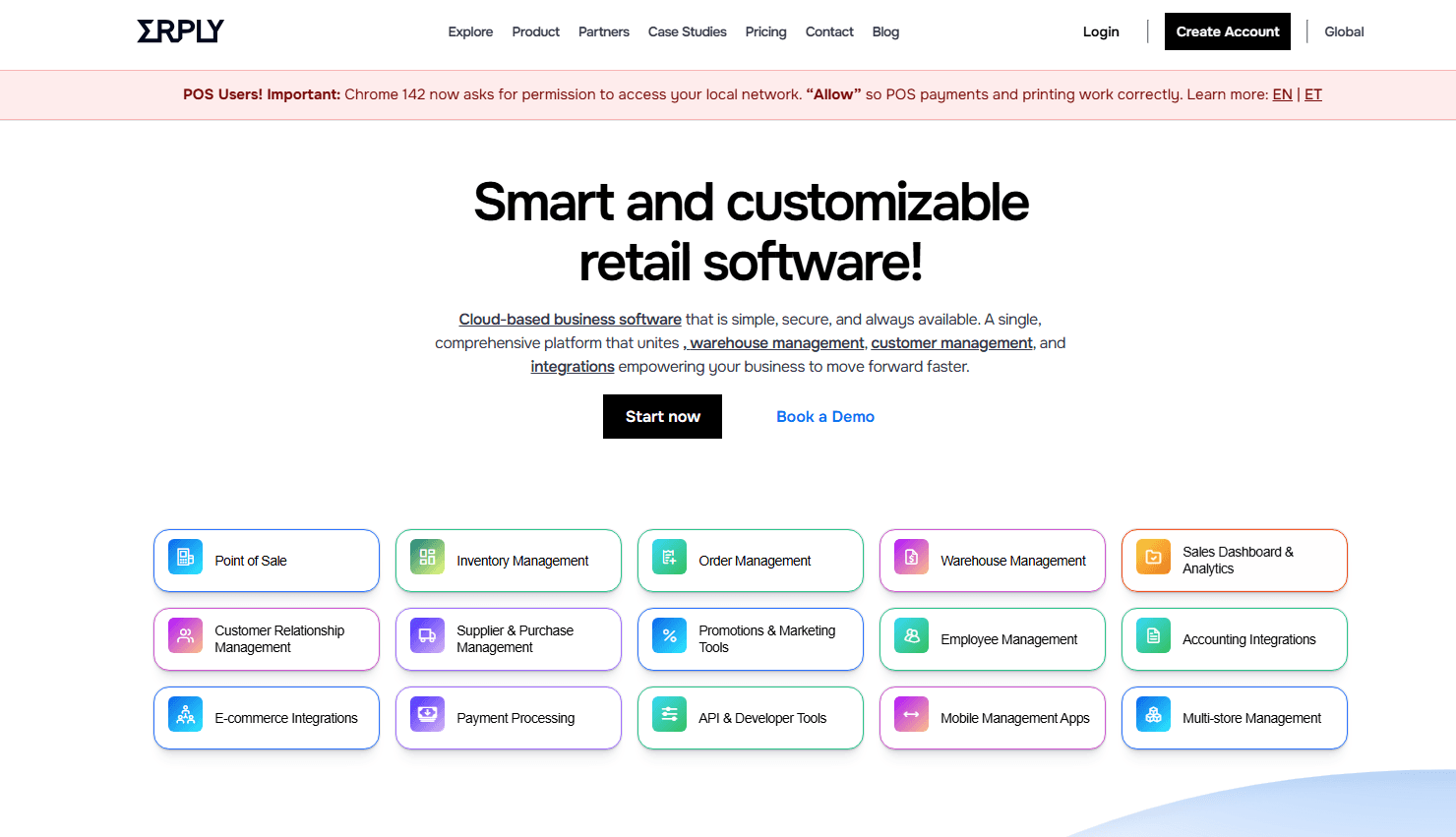
Erply is a cloud-based ERP software for retail businesses that need to tie point-of-sale, inventory, and purchasing data into one system. I'd look at it most seriously when you're managing multiple store locations and want retail-native functionality built in from the start. Compared to NetSuite, Erply is faster to implement and more tightly focused on retail operations. That matters if your team doesn't have months to spend on configuration before going live.
Erply Evaluation Summary
4.1/5
- From $49/month (billed annually)
- Free demo available
Why Trust Our Software Recommendations
6,700+
Reviews
20
Industry experts
16+
Evaluation factors
14
Years
Our team has been testing and reviewing software since 2012. As finance leaders ourselves, we know how difficult—and important—it is to choose the right software.
For this guide, we evaluated tools using hands-on testing and independent research, scoring tools using our selection criteria.
Our reviews reflect our human editorial judgment, not a sales pitch.
Erply Overview
In my opinion, Erply offers a solid ERP solution, particularly for small to medium-sized retail businesses. It is functional, and its pricing is competitive, making it a good choice for teams seeking efficiency without unnecessary complexity. Compared to enterprise-grade ERP software, Erply may lack advanced features and extensive integrations, but it provides the core tools needed for inventory management, POS, sales tracking, and reporting. Choose Erply if straightforward, cost-effective management tools are your priority. However, if your business demands extensive customization or international support, you may want to consider alternative solutions.
Pros
- You’ll find it easy to use with its intuitive interface.
- Your team can efficiently manage inventory and sales.
- It offers strong support for multi-store operations.
- Offline capability guarantees uninterrupted flow.
Cons
- It may lack advanced features that some larger businesses need.
- Your team might find customer support response times slow.
- It can be less customizable than other ERP options.
- The vast amount of features may mean a sharp learning curve for some.
Is Erply Right For Your Needs?
Who Would be a Good Fit for Erply?
Erply is a great fit for small to medium-sized retail businesses due to its user-friendly interface and inventory management capabilities. If your team manages multiple store locations, Erply's multi-store support can simplify your operations. Retail industries, particularly fashion and electronics, benefit from Erply’s sales tracking features. Its straightforward tools are ideal if you’re looking to streamline inventory and sales processes without needing complex customizations.
- Small To Medium-Sized Retail StoresErply’s core strengths (inventory management, POS tools, preset reporting, and product catalog controls) make it a practical fit for growing retailers.
- Multi-Location BusinessesWith Erply's multi-store support, your team can easily manage different store locations, manage pricing, stock levels, transfers, and reporting across different locations, all from one system.
- Fashion and Apparel RetailersErply's sales tracking features work well for fashion boutiques that deal with fast-moving SKUs and frequent stock changes.
- Electronics ShopsRetailers handling high-value items and serialized products benefit from Erply’s inventory tracking, product bundling, and reporting features.
- Inventory ManagersErply offers intuitive tools for managing stock levels and orders seamlessly.
- Sales TeamsFor teams that rely on sales insights, Erply’s built-in reporting provides quick access to revenue trends, product performance, and staff activity.
Who Would be a Bad Fit for Erply?
Erply may not suit large enterprises or businesses needing extensive customization or specialized support. If your team requires highly customizable workflows or advanced features, Erply's limitations could hinder your operations. Industries like manufacturing or global corporations, which often demand robust customization and complex integrations, might find Erply lacking. Its customer support might also be insufficient for larger teams needing quick resolutions.
- Large CorporationsErply supports multi-store operations, but organizations with deeply customized workflows or heavy ERP requirements may find its configuration options limited compared to systems like NetSuite or SAP.
- Manufacturing IndustriesErply doesn’t include manufacturing modules such as production planning, work orders, or bill-of-materials management. If you or your team relies on these capabilities, you’ll need a platform that’s specifically designed for manufacturing operations.
- Custom Workflow TeamsTeams that need extensive workflow automation or complex backend rules may outgrow what Erply can offer or find its capabilities restrictive.
- Complex Integration NeedsIf your work relies on integrating various out-of-the-box tools, you may find Erply's current integration library limiting.
- Businesses Requiring Highly Customized ReportingCompanies that depend on advanced custom reporting may find these constraints challenging.
- Teams With High-touch Support NeedsBusinesses that require guaranteed SLAs or round-the-clock support may not get the level of responsiveness they need.
How We Test & Score Tools
We’ve spent years building, refining, and improving our software testing and scoring system. The rubric is designed to capture the nuances of software selection and what makes a tool effective, focusing on critical aspects of the decision-making process.
Below, you can see exactly how our testing and scoring works across seven criteria. It allows us to provide an unbiased evaluation of the software based on core functionality, standout features, ease of use, onboarding, customer support, integrations, customer reviews, and value for money.
Core Functionality (25% of final scoring)
The starting point of our evaluation is always the core functionality of the tool. Does it have the basic features and functions that a user would expect to see? Are any of those core features locked to higher-tiered pricing plans? At its core, we expect a tool to stand up against the baseline capabilities of its competitors.
Standout Features (25% of final scoring)
Next, we evaluate uncommon standout features that go above and beyond the core functionality typically found in tools of its kind. A high score reflects specialized or unique features that make the product faster, more efficient, or offer additional value to the user.
We also evaluate how easy it is to integrate with other tools typically found in the tech stack to expand the functionality and utility of the software. Tools offering plentiful native integrations, 3rd party connections, and API access to build custom integrations score best.
Ease of Use (10% of final scoring)
We consider how quick and easy it is to execute the tasks defined in the core functionality using the tool. High scoring software is well designed, intuitive to use, offers mobile apps, provides templates, and makes relatively complex tasks seem simple.
Onboarding (10% of final scoring)
We know how important rapid team adoption is for a new platform, so we evaluate how easy it is to learn and use a tool with minimal training. We evaluate how quickly a team member can get set up and start using the tool with no experience. High scoring solutions indicate little or no support is required.
Customer Support (10% of final scoring)
We review how quick and easy it is to get unstuck and find help by phone, live chat, or knowledge base. Tools and companies that provide real-time support score best, while chatbots score worst.
Customer Reviews (10% of final scoring)
Beyond our own testing and evaluation, we consider the net promoter score from current and past customers. We review their likelihood, given the option, to choose the tool again for the core functionality. A high scoring software reflects a high net promoter score from current or past customers.
Value for Money (10% of final scoring)
Lastly, in consideration of all the other criteria, we review the average price of entry level plans against the core features and consider the value of the other evaluation criteria. Software that delivers more, for less, will score higher.
Core Features
Inventory Management: Erply lets you track and manage your stock levels effortlessly, helping you avoid overstocking or stockouts. Your small business will appreciate its real-time updates that keep your inventory data accurate.
Sales Tracking: With Erply, you can monitor sales performance across multiple locations. This feature helps you identify trends and make informed sales decisions.
Customer Relationship Management (CRM): Erply's CRM tools allow you to manage customer interactions effectively. You can store customer data and track purchase history to enhance your service.
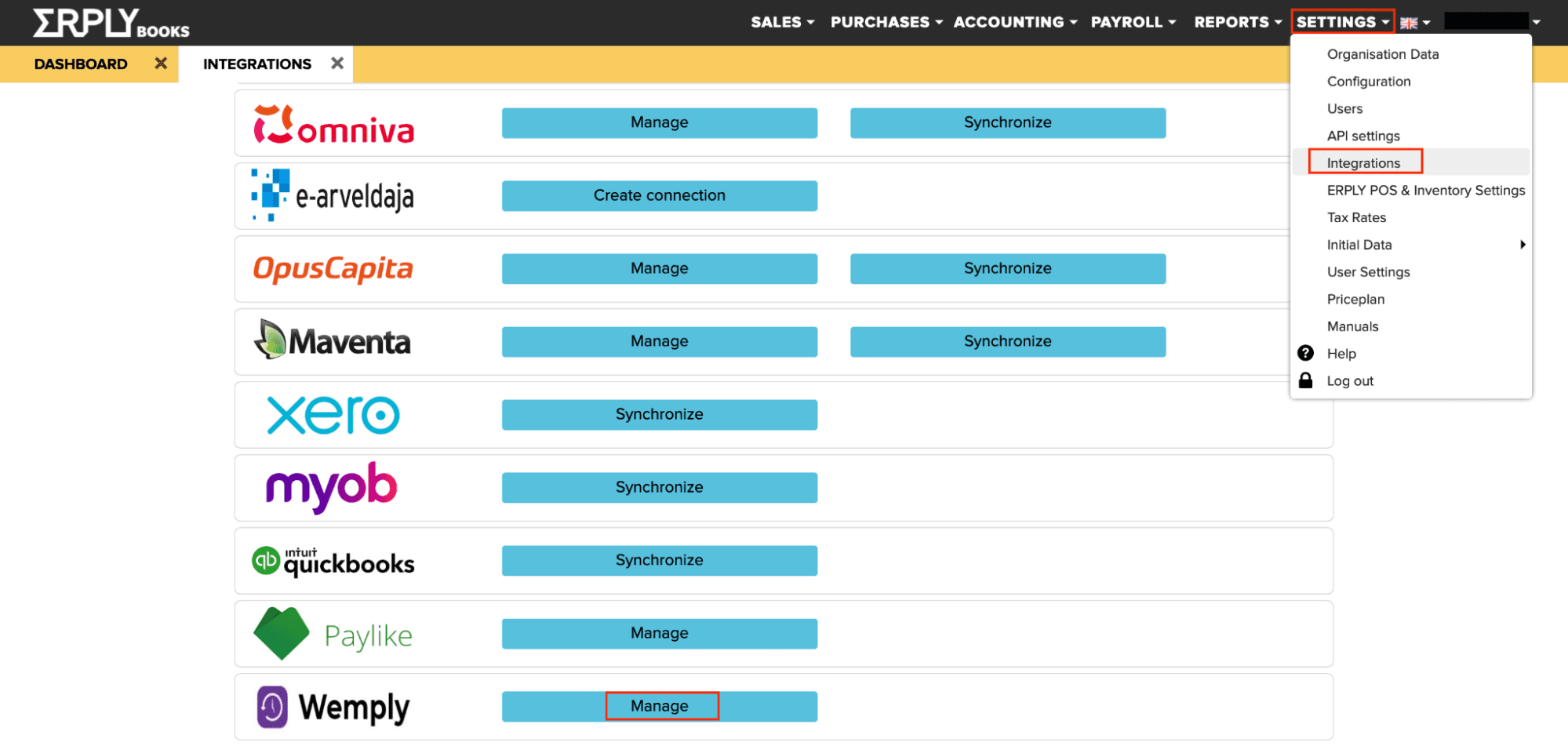
Point of Sale (POS) System: Erply offers a user-friendly cloud-based POS system that simplifies checkout processes. It integrates seamlessly with your inventory for accurate sales tracking while providing real-time data synchronization, ensuring up-to-date sales management.
Reporting and Analytics: You can generate detailed reports to gain insights into your business performance. Erply's analytics help you make data-driven decisions.
Multi-Store Support: Erply supports managing multiple store locations under one system. This feature is a boon for businesses with several outlets, ensuring consistent operations.
Ease of Use
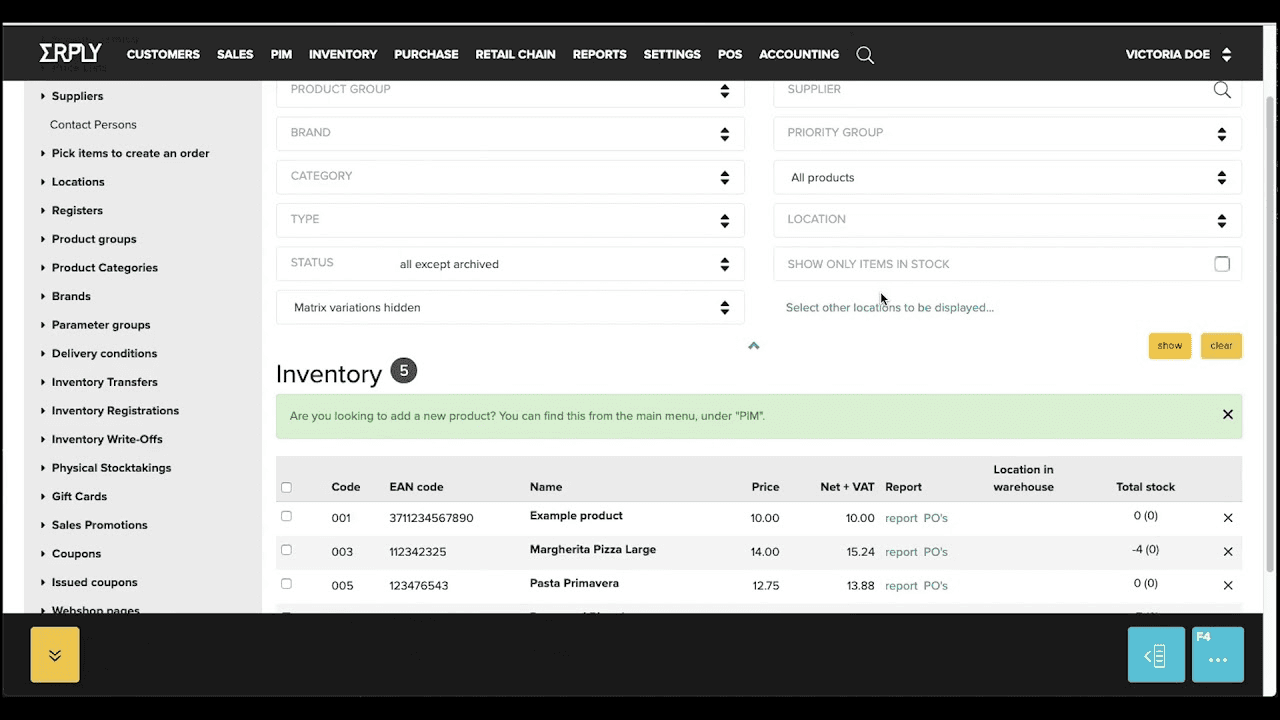
Erply’s ease of use varies depending on what your team needs. Many users appreciate its cloud-based accessibility, wide device compatibility, and the range of preset reports that streamline day-to-day tasks. The system also offers strong customization options, which can be helpful as your business growsYou’ll find navigating its features straightforward, which makes daily operations smoother. Users appreciate its simple layout that doesn’t overwhelm, even when managing multiple locations.
Compared to other ERP solutions, Erply strikes a balance between functionality and ease, making it accessible for both tech-savvy and less experienced users. At the same time, some verified user reviews say that the user interface and overall user experience can feel dated or unintuitive for some teams. In all, when it comes to ease of use, Erply provides solid functionality, but your experience may depend on how much customization and complexity your operations require.
Integrations
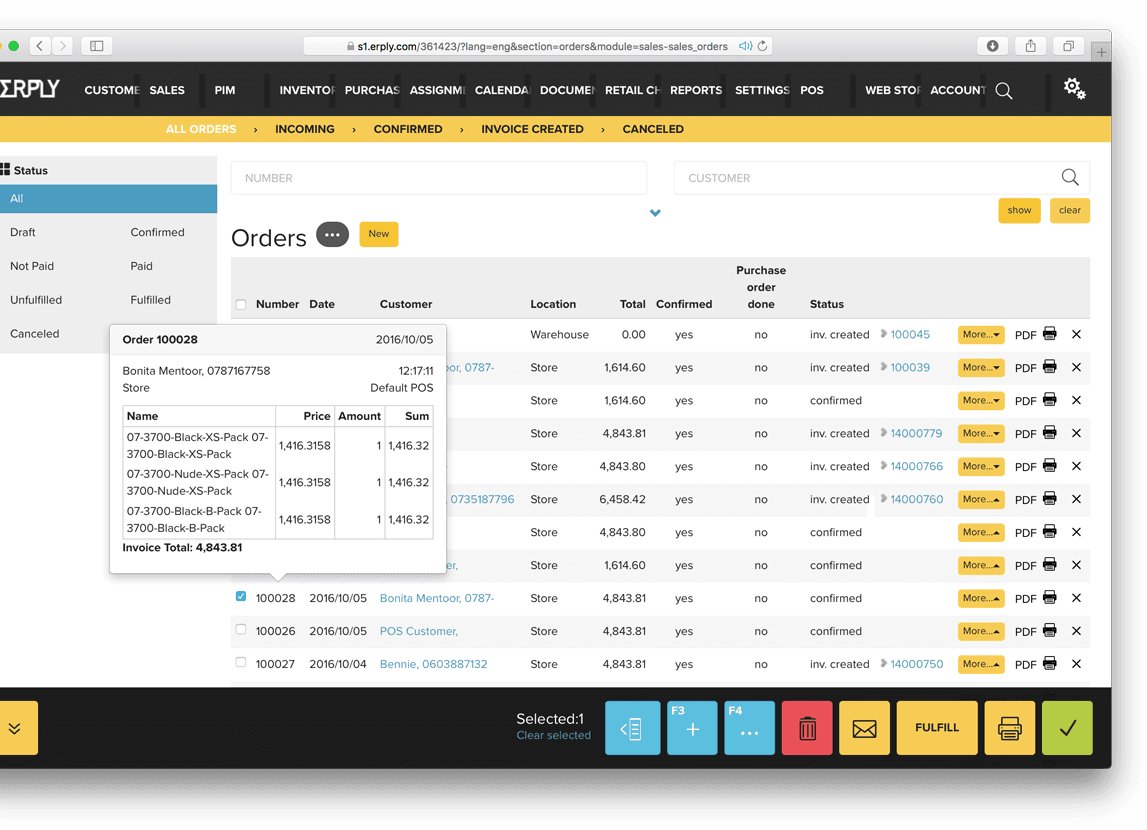
Erply integrates with WooCommerce, Shopify, Magento, QuickBooks Online, XERO, Erply Books, and Locally.
Erply also provides an API for custom integrations and connects with third-party integration tools like Zapier.
Erply Specs
- API: Yes
- BitCoin: No
- Contact Management: Yes
- Customer Management: Yes
- Data Export: Yes
- Data Import: Yes
- External Integrations: Yes
- Inventory Tracking: Yes
- Multi-User: Yes
- Notifications: Yes
- Order Management: Yes
- PayPal: Yes
- Sales Motivator: No
- Shipping Management: No
- Stripe: No
- Supplier Management: Yes
- Third-Party Plugins/Add-Ons: Yes


