

Expensify Review: Pros, Cons, Features and Pricing
Expensify simplifies expense management with user-friendly features, making it a standout choice for teams seeking efficiency and ease.

We review tools independently, and commissions help fund our testing. See our transparency policy, our methodology, or suggest a tool.
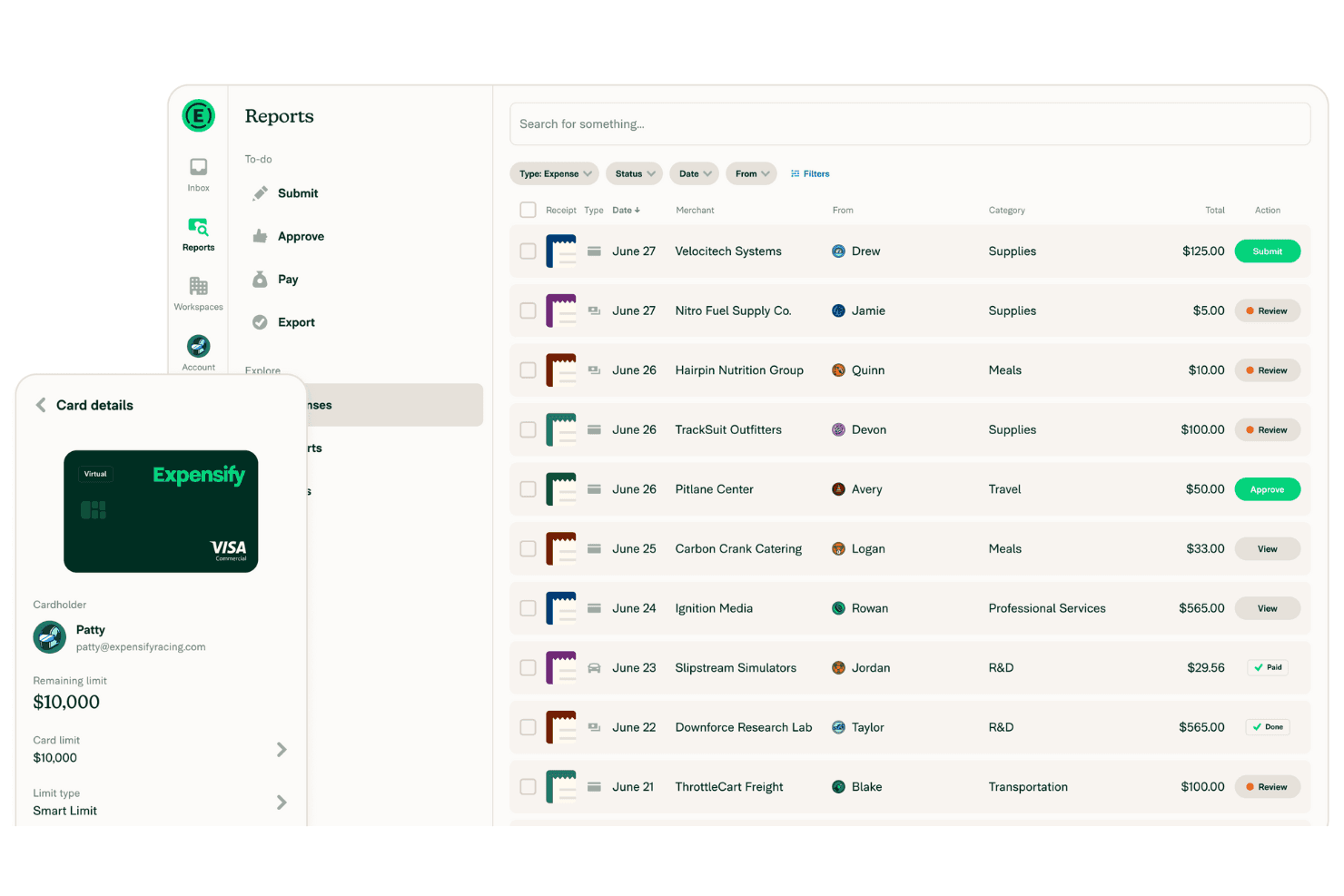
Expensify is an expense management software built for teams that need to capture receipts, submit expense reports, and process reimbursements without a lot of manual back-and-forth. I'd consider it if you want something faster to configure and easier for employees to adopt than SAP Concur, with SmartScan receipt capture and automated approval workflows that are genuinely accessible for mid-sized finance teams who don't need a full enterprise procurement suite.
Expensify Evaluation Summary
4.5/5
- From $5/user/month
- Not available
Why Trust Our Software Recommendations
6,700+
Reviews
20
Industry experts
16+
Evaluation factors
14
Years
Our team has been testing and reviewing software since 2012. As finance leaders ourselves, we know how difficult—and important—it is to choose the right software.
For this guide, we evaluated tools using hands-on testing and independent research, scoring tools using our selection criteria.
Our reviews reflect our human editorial judgment, not a sales pitch.
Expensify Overview
Expensify is a solid choice for teams looking to automate expense management and reduce manual data entry. Its user-friendly interface and integration capabilities make it a favorite among small to midsize businesses. For organizations needing advanced controls, highly customized workflows, or heavy enterprise-grade features, the platform may feel limited. While advanced functionalities require you to switch to the paid plan, the software's ease of use and support options stand out. Expensify excels in simplifying expense reports and integrating with accounting tools, but it can lag in offering advanced features compared to competitors. It's best suited for companies that prioritize efficiency and straightforward expense tracking.
Pros
- Excellent mobile experience for fast receipt capture and reimbursements.
- Flexible expense automation with strong travel and card integrations.
- Concierge AI simplifies approvals, submissions, and expense management workflows.
Cons
- Chat-first support may frustrate teams wanting direct phone assistance.
- Collect plan charges for inactive users added to workspaces.
- Reporting customization feels limited for highly complex finance organizations.
Is Expensify Right For Your Needs?
Who Would be a Good Fit for Expensify?
Expensify is a strong fit for startups, small to midsize businesses, and distributed teams that want to simplify employee expense management without adding heavy administrative overhead. I think it works especially well for organizations with frequent travel, client meetings, or receipt-heavy workflows, since the platform makes it easy to capture expenses, automate approvals, and process reimbursements from virtually anywhere.
- Small BusinessesExpensify's simple setup and ease of use make it perfect for small businesses without a dedicated IT staff.
- Professional Services FirmsConsultants and service-based teams benefit from Expensify’s travel integrations, expense approvals, and client expense tracking capabilities.
- Travel-Heavy OrganizationsCompanies with frequent flights, hotels, rideshare, and business travel can streamline bookings, receipt matching, and reimbursements in one platform.
- StartupsGrowing startups benefit from Expensify’s fast employee adoption, flexible approvals, and scalable expense workflows as spending increases.
- Remote TeamsRemote teams appreciate Expensify's mobile app for on-the-go expense management and tracking.
- Sales TeamsSales organizations with frequent travel and client expenses can quickly capture receipts and automate reimbursement workflows on the go.
Who Would be a Bad Fit for Expensify?
Expensify might not be ideal for large corporations or organizations with complex expense policies and multi-layered approval processes. Its workflow limitations can make handling intricate expense structures challenging. If your team requires highly customized reporting or has unique compliance needs, Expensify's standard offerings may fall short. Additionally, companies needing extensive customer support might find response times slower than desired, which could impact their operations.
- Large EnterprisesExpensify's capabilities may not handle the complexity of large enterprises with intricate expense policies.
- Complex Approval ChainsOrganizations with multi-layered approval processes might find Expensify's workflow options too limited.
- Custom Reporting NeedsIf you need highly customized reports, Expensify's standard reporting might not meet your requirements.
- Regulated IndustriesIndustries with strict compliance needs might find Expensify lacking in necessary customization and support.
- Heavy Support DependenceCompanies requiring frequent support may experience delays, impacting their operations negatively.
- Non-Profit OrganizationsNon-profits with specific reporting needs might find Expensify's options insufficient for their detailed requirements.
How We Test & Score Tools
We’ve spent years building, refining, and improving our software testing and scoring system. The rubric is designed to capture the nuances of software selection and what makes a tool effective, focusing on critical aspects of the decision-making process.
Below, you can see exactly how our testing and scoring works across seven criteria. It allows us to provide an unbiased evaluation of the software based on core functionality, standout features, ease of use, onboarding, customer support, integrations, customer reviews, and value for money.
Core Functionality (25% of final scoring)
The starting point of our evaluation is always the core functionality of the tool. Does it have the basic features and functions that a user would expect to see? Are any of those core features locked to higher-tiered pricing plans? At its core, we expect a tool to stand up against the baseline capabilities of its competitors.
Standout Features (25% of final scoring)
Next, we evaluate uncommon standout features that go above and beyond the core functionality typically found in tools of its kind. A high score reflects specialized or unique features that make the product faster, more efficient, or offer additional value to the user.
We also evaluate how easy it is to integrate with other tools typically found in the tech stack to expand the functionality and utility of the software. Tools offering plentiful native integrations, 3rd party connections, and API access to build custom integrations score best.
Ease of Use (10% of final scoring)
We consider how quick and easy it is to execute the tasks defined in the core functionality using the tool. High scoring software is well designed, intuitive to use, offers mobile apps, provides templates, and makes relatively complex tasks seem simple.
Onboarding (10% of final scoring)
We know how important rapid team adoption is for a new platform, so we evaluate how easy it is to learn and use a tool with minimal training. We evaluate how quickly a team member can get set up and start using the tool with no experience. High scoring solutions indicate little or no support is required.
Customer Support (10% of final scoring)
We review how quick and easy it is to get unstuck and find help by phone, live chat, or knowledge base. Tools and companies that provide real-time support score best, while chatbots score worst.
Customer Reviews (10% of final scoring)
Beyond our own testing and evaluation, we consider the net promoter score from current and past customers. We review their likelihood, given the option, to choose the tool again for the core functionality. A high scoring software reflects a high net promoter score from current or past customers.
Value for Money (10% of final scoring)
Lastly, in consideration of all the other criteria, we review the average price of entry level plans against the core features and consider the value of the other evaluation criteria. Software that delivers more, for less, will score higher.
Core Features
Receipt Capture & OCR: Expensify’s automatic receipt scanning captures and logs your expenses effortlessly. Simply snap a photo, and it handles the rest, saving you time while syncing everything across your accounting systems.
Expense Reporting: Create detailed expense reports with a few clicks. The intuitive interface makes it easy for your team to compile and submit expenses.
Real-Time Tracking: Monitor your expenses as they happen. This feature helps you keep your budget in check and avoid surprises.
Approval Workflow: Customize approval processes to fit your team’s needs. It streamlines expense approval, ensuring nothing slips through the cracks.
Mobile App: Manage expenses on the go with Expensify’s mobile app. It keeps your team connected and efficient, no matter where they are.
Compliance Management: Stay compliant with company policies using built-in checks. This feature minimizes errors and ensures your expenses align with guidelines.
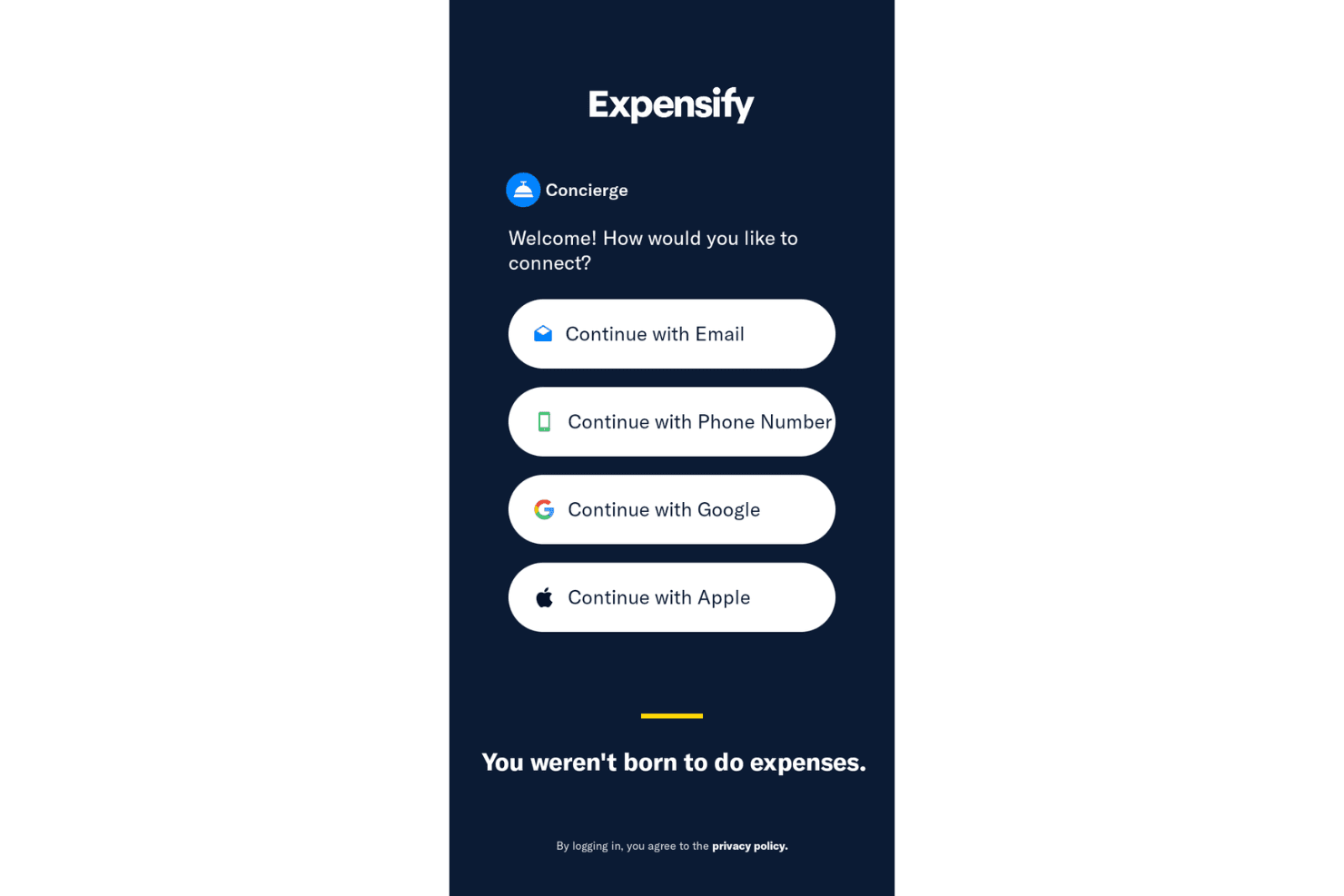
Concierge: Expensify’s Concierge is its embedded AI that works like your personalized, built-in financial assistant. It powers everything from tech support to accounting workflows, using a combination of 24/7 human agents and AI automation.
.png&w=3840&q=75)
Standout Features
Automatic Reconciliation: Expensify automatically matches receipts with expenses, reducing manual work. It improves accuracy and saves your team valuable time.
SmartScan Technology: This advanced feature is a game changer. It reads and inputs receipt details for you. It enhances efficiency, letting you focus on more important tasks.
Ease of Use
Expensify shines in user-friendliness, making expense management straightforward for your team. Its intuitive interface and clear navigation ensure that even first-time users can easily create reports and track expenses. The automatic receipt scanning and real-time tracking features simplify tasks that typically consume time. With a well-designed mobile app, Expensify allows you to manage expenses anywhere, adding flexibility to your work routine. Overall, it offers a hassle-free experience that stands out in expense management.

Onboarding
Expensify's onboarding process is smooth and efficient, helping your team get started without hassles. The platform offers clear tutorials and guides, making it easy for new users to understand the system quickly. With prompt support and helpful resources, you can overcome initial challenges with ease. Expensify’s user-friendly setup ensures that your team experiences a short time to value, allowing you to focus on managing expenses effectively from the get-go. Despite its robust tools, it maintains a smooth user experience, minimizing the learning curve, especially when paired with Concierge’s automated guidance.
Customer Support
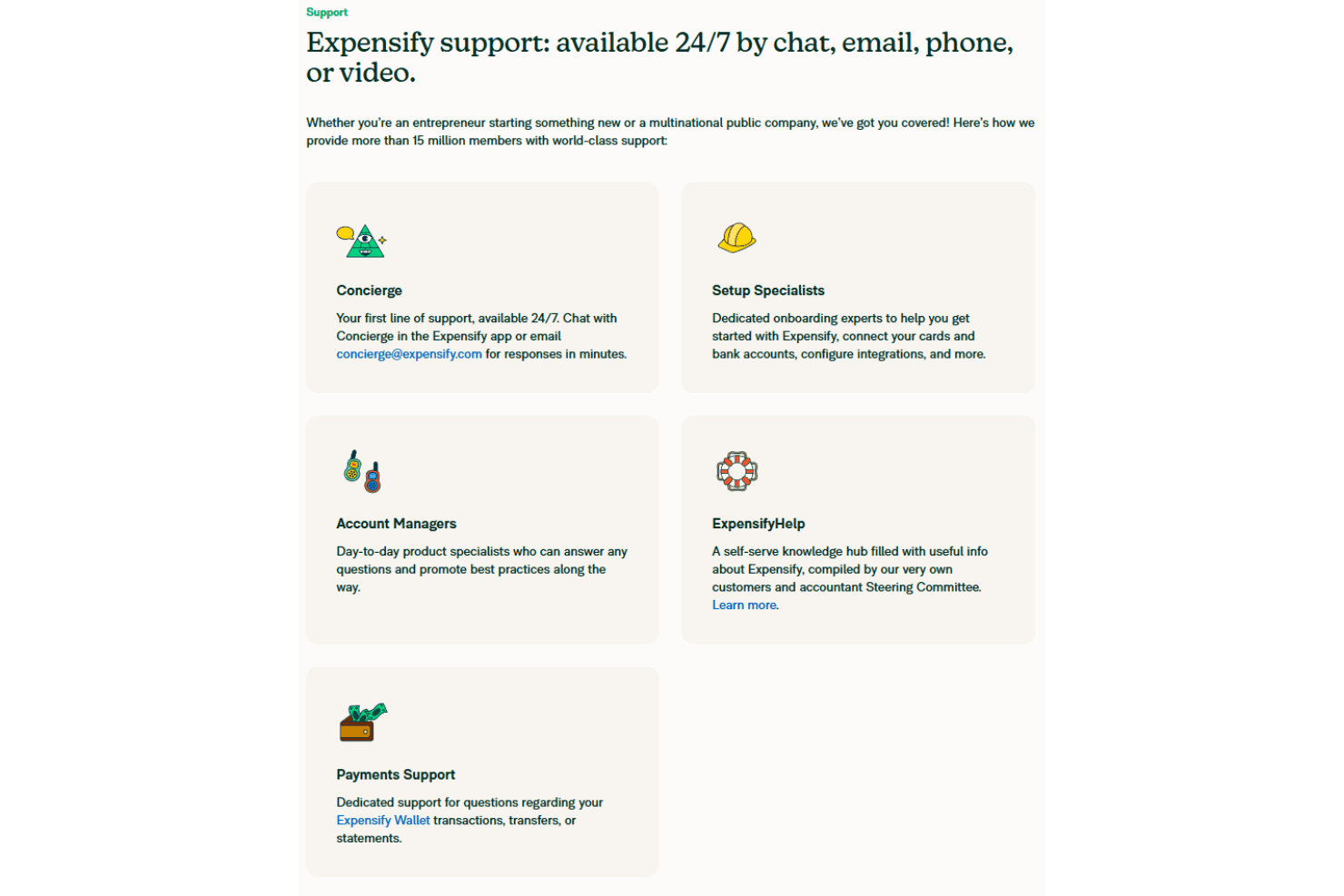
Expensify offers reliable customer support, although some verified user reviews have reported slower response times on complex support issues. The platform provides various support channels, including email and in-app chat, to assist you with any issues. While users appreciate the comprehensive help center and FAQs, some find the need for quicker direct support. Despite this, the available resources and guidance generally help your team resolve most queries effectively, ensuring minimal disruption to your expense management tasks.
Integrations
Expensify integrates with several finance, banking, HR, travel, and accounting software companies, including QuickBooks Online, NetSuite, Xero, Sage Intacct, Oracle, American Express, Chase, Gusto, Workday, Uber, Delta, and KAYAK for Business.
Expensify also offers an API for custom integrations and connects with third-party integration tools like Zapier to extend its functionality. In all, Expensify has over 45 official integrations, and you can also connect it to thousands of other apps to create your own custom workflows.

Value for Money
Expensify offers strong value for both individual users and small teams getting started with automated expense reporting. Individuals can use Expensify for free. However, more advanced functionality, such as categorization and business-level controls, requires a paid workspace plan.
Expensify offers a demo and a 30-day free trial, allowing you to evaluate the software and test core features before committing.
Expensify also offers discounts for annual commitments and for businesses that use the Expensify Card. The Expensify Card can offset a portion of your spend through its cash-back model (1% cash back on all US purchases with no minimums, and 2% cash back on monthly spend above $250,000).
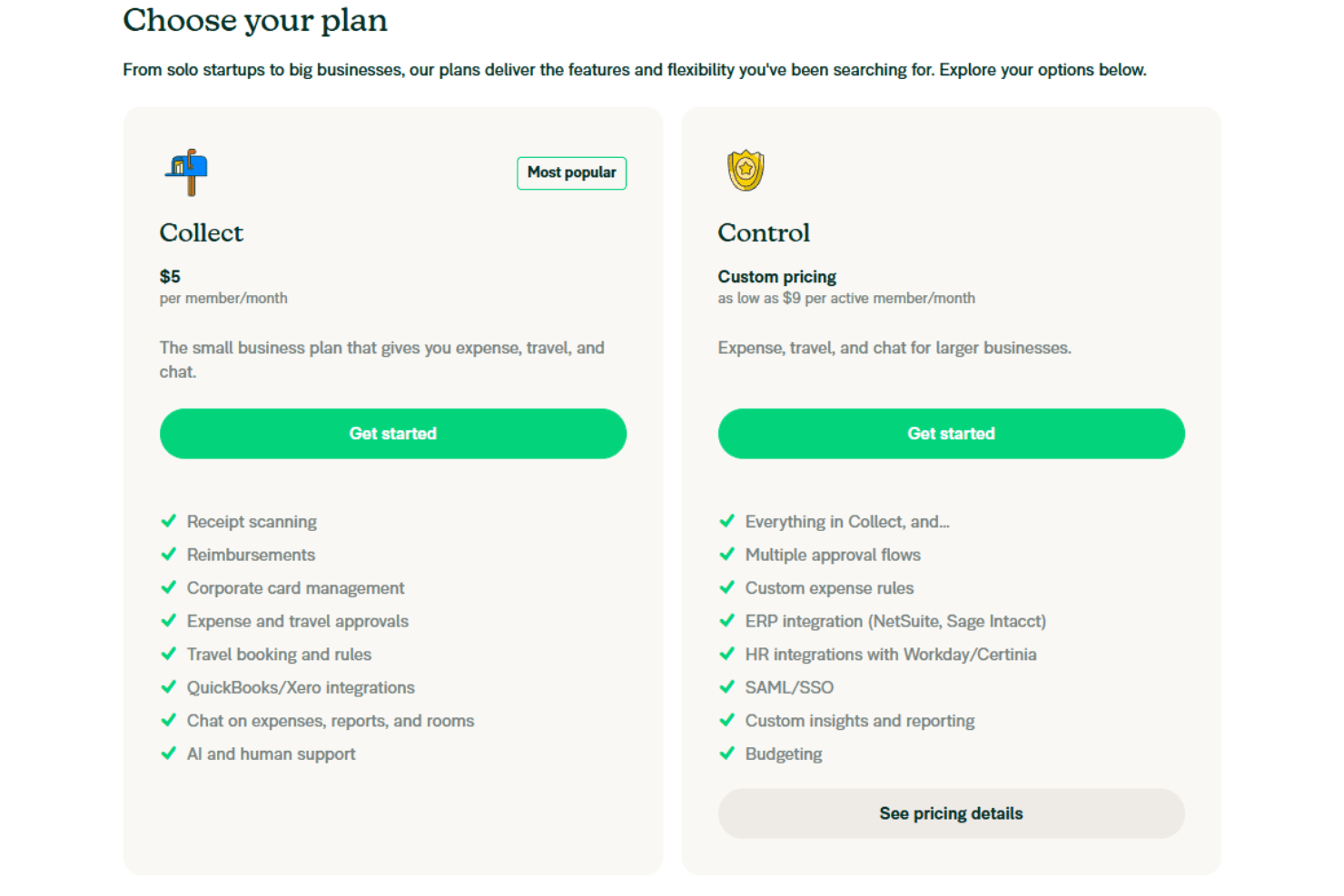
- Free Plan (also known as New Expensify): Ideal for freelancers or self-employed individuals. Provides unlimited SmartScans along with basic capabilities like invoicing and Expensify cards.
- Collect Plan: $5 per member/month; perfect for small businesses that require basic expense, travel, and chat functionalities.
- Control Plan: Starting at $9 per active member/month. This plan is best for larger organizations that require advanced approval flows, dedicated account management, and custom rules.
Expensify Specs
- 2-Factor Authentication: No
- 360 Degree Feedback: No
- API: Yes
- Application Tracking: No
- Attendance Tracking: No
- Batch Permissions & Access: No
- Compliance Tracking: No
- Dashboard: Yes
- Data Export: Yes
- Data Import: Yes
- Data Visualization: No
- Employee Database: No
- Employee Engagement: No
- Employee Incentive Management: No
- Employee Onboarding: No
- Employee Training: No
- Expense Tracking: Yes
- External Integrations: Yes
- Feedback Management: No
- Multi-User: Yes
- Notifications: Yes
- Payroll: No
- Performance Appraisal: No
- Scheduling: No
- Time Management: No
- Timesheets: No
- Travel Management: Yes
- Vacation & Absence Calendar: No
Expensify FAQs
Expensify Company Overview & History
Expensify, founded in 2008 by David Barrett, is an American expense management software company headquartered in Portland, Oregon, with global offices in San Francisco, London, and Melbourne. It offers solutions for both personal and business expense tracking, including a mobile app and a corporate credit card. Over the years, it has expanded globally, serving millions of users and tens of thousands of businesses. The company is also widely remembered for its high-visibility role during the 2020 U.S. presidential election, when it sent a voting-related message to all users, a move that generated significant media coverage and mixed responses. Despite challenges such as stock-market volatility since its 2021 IPO, the company continues to expand and enhance its product offerings and engage with notable clients and projects.
Expensify Major Milestones
- 2008: Founded by David Barrett.
- 2011: Launched its mobile app for expense management.
- 2015: Introduced Expensify Ventures to support early-stage startups.
- 2019: Launched the Expensify Visa Corporate Card
- 2020: Actively participated in political activism during the U.S. presidential election.
- 2021: Went public on Nasdaq under the ticker EXFY.