
Mango Review: Pros, Cons, Features, and Pricing
Mango stands out for its user-friendly interface and robust feature set, offering a unique blend of efficiency and affordability to handle accounting tasks.

We review tools independently, and commissions help fund our testing. See our transparency policy, our methodology, or suggest a tool.
Mango is an accounting software built for accounting firms that need to manage client work, time tracking, billing, and communications from a single platform. I'd consider it over something like Canopy if you want a more accessible setup that gets your billing and client workflows running without a heavy configuration lift—while still covering the core practice management features a growing firm needs.
Mango Evaluation Summary

3.6/5
- From $35/month (billed annually)
- 10-day free trial
Why Trust Our Software Recommendations
6,700+
Reviews
20
Industry experts
16+
Evaluation factors
14
Years
Our team has been testing and reviewing software since 2012. As finance leaders ourselves, we know how difficult—and important—it is to choose the right software.
For this guide, we evaluated tools using hands-on testing and independent research, scoring tools using our selection criteria.
Our reviews reflect our human editorial judgment, not a sales pitch.
Mango Overview
In my opinion, Mango is a solid all-in-one practice management solution for accounting professionals, CPAs, and accounting firms seeking a reliable, cloud-based software platform. It excels in user friendly design, ease of use, document management, and customer support, making it easy for your team to adapt and integrate into existing workflow and business processes.
The standout features make it particularly effective, though it might not offer the depth of customization seen in some competitors. That said, its integrations with providers such as QuickBooks and Microsoft, along with responsive Mango support, make it well-suited for small to medium-sized firms looking to streamline operations, improve automation, and enhance value for money. If you're deciding between options, consider Mango software for its balance of key features, functionality, price, and smooth onboarding experience.
Pros
- You can easily navigate its user-friendly interface.
- Your team benefits from its robust customer support.
- You can track tasks efficiently with its project management features.
Cons
- You might find limited customization options.
- Your team may experience occasional delays in updates.
- You could encounter difficulties with data migration.
Is Mango Right For Your Needs?
Who Would be a Good Fit for Mango?
Mango suits small to medium-sized businesses, accounting practices, and accounting firms needing robust accounting and document management functionality without unnecessary complexity. If you’re a CPA or run a growing small business, Mango offers essential tools like invoicing, expense tracking, due date management, credit card payments, and financial reporting. These key features help stakeholders manage finances efficiently, maintain an audit trail, and support compliance without getting bogged down in overly technical details.
- Small BusinessesMango is perfect for small business users that need simple invoicing, payment processing, and automation. Its user friendly interface and mobile app ensure your team can manage finances without extensive training.
- FreelancersFreelancers benefit from Mango’s invoicing modules, customizable templates, real-time tracking, and due date reminders, allowing you to send invoices quickly and monitor payments with ease.
- StartupsFor startups, Mango offers essential financial reporting, dashboard visibility, workflow automation, and integrations, helping you keep track of financial health without complex setups.
- Retail StoresRetail stores can use Mango for tracking sales, expenses, credit card payments, and payment processing, making financial management straightforward and efficient.
- NonprofitsNonprofits will find Mango’s budgeting, recordkeeping, and document management tools useful for managing funds and stakeholders, as well as ensuring financial transparency.
Who Would be a Bad Fit for Mango?
If your team handles complex financial transactions or requires detailed analytics, Mango might not meet your needs. Businesses needing advanced integrations, industry-specific management systems, safety management, risk management, QHSE tracking, or incident reporting will find Mango lacking. It doesn’t support intricate multi-currency operations, making it unsuitable for global companies. If your accounting practice relies heavily on advanced automation, customizable reports, or enterprise-grade audit trails, Mango’s offerings may fall short.
- Large EnterprisesMango lacks the deep functionality, advanced management system controls, and extensive audit trail capabilities required by large organizations.
- Global CompaniesBusinesses operating internationally may struggle with Mango’s limited multi-currency support and compliance features.
- Manufacturing SectorThe software doesn’t support specialized needs like job costing, safety management, or incident reporting.
- Financial ServicesCompanies requiring strong regulatory compliance, risk management, and complex recordkeeping may find Mango insufficient.
- High-Tech StartupsStartups needing rapid scaling, advanced integrations, or highly configurable modules may find Mango software too basic.
- Healthcare IndustryHealthcare providers needing robust compliance, safety management, and detailed recordkeeping may find Mango lacking.
How We Test & Score Tools
We’ve spent years building, refining, and improving our software testing and scoring system. The rubric is designed to capture the nuances of software selection and what makes a tool effective, focusing on critical aspects of the decision-making process.
Below, you can see exactly how our testing and scoring works across seven criteria. It allows us to provide an unbiased evaluation of the software based on core functionality, standout features, ease of use, onboarding, customer support, integrations, customer reviews, and value for money.
Core Functionality (25% of final scoring)
The starting point of our evaluation is always the core functionality of the tool. Does it have the basic features and functions that a user would expect to see? Are any of those core features locked to higher-tiered pricing plans? At its core, we expect a tool to stand up against the baseline capabilities of its competitors.
Standout Features (25% of final scoring)
Next, we evaluate uncommon standout features that go above and beyond the core functionality typically found in tools of its kind. A high score reflects specialized or unique features that make the product faster, more efficient, or offer additional value to the user.
We also evaluate how easy it is to integrate with other tools typically found in the tech stack to expand the functionality and utility of the software. Tools offering plentiful native integrations, 3rd party connections, and API access to build custom integrations score best.
Ease of Use (10% of final scoring)
We consider how quick and easy it is to execute the tasks defined in the core functionality using the tool. High scoring software is well designed, intuitive to use, offers mobile apps, provides templates, and makes relatively complex tasks seem simple.
Onboarding (10% of final scoring)
We know how important rapid team adoption is for a new platform, so we evaluate how easy it is to learn and use a tool with minimal training. We evaluate how quickly a team member can get set up and start using the tool with no experience. High scoring solutions indicate little or no support is required.
Customer Support (10% of final scoring)
We review how quick and easy it is to get unstuck and find help by phone, live chat, or knowledge base. Tools and companies that provide real-time support score best, while chatbots score worst.
Customer Reviews (10% of final scoring)
Beyond our own testing and evaluation, we consider the net promoter score from current and past customers. We review their likelihood, given the option, to choose the tool again for the core functionality. A high scoring software reflects a high net promoter score from current or past customers.
Value for Money (10% of final scoring)
Lastly, in consideration of all the other criteria, we review the average price of entry level plans against the core features and consider the value of the other evaluation criteria. Software that delivers more, for less, will score higher.
Core Features
Invoicing: Create and send invoices effortlessly using customizable templates. You can schedule recurring invoices, manage due dates, and support credit card and payment processing to ensure timely payments.
Expense Tracking: Monitor expenses in real time by uploading receipts and categorizing them efficiently for accurate recordkeeping and tax readiness.
Financial Reporting: Generate profit and loss statements, balance sheets, and customizable reports through an intuitive dashboard that provides a clear overview of your financial position.
Payroll Management: Automate payroll workflows, including tax calculations and direct deposits, reducing manual errors.
Tax Management: Stay compliant with automated tax calculations, filing reminders, and audit trail support.
Budgeting: Set and monitor budgets to improve financial planning and control costs.
.png&w=3840&q=75)
Standout Features
AI-Powered Insights: Mango offers AI-driven insights that support better decision-making through automation and analysis of real-time financial data.
Customizable Dashboards: Tailor dashboards to highlight key metrics, workflows, and financial data, improving visibility and operational control.
Ease of Use
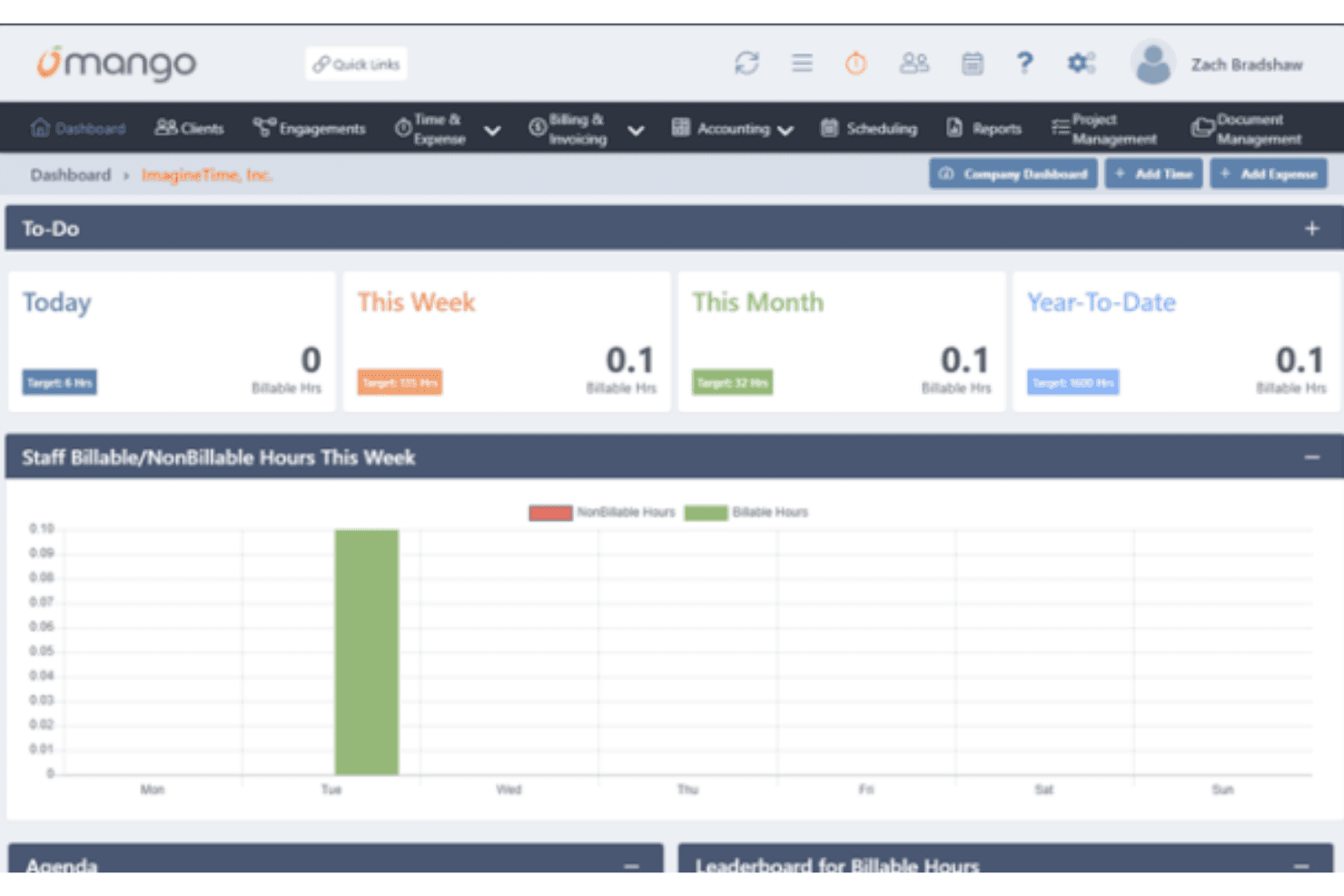
Mango’s interface emphasizes ease of use with a user-friendly layout designed for accounting professionals. Navigation between modules such as document management, invoicing, and task management is intuitive. While some user reviews note a sharp learning curve during setup, verified reviews suggest that once onboarded, Mango enables efficient handling of accounting tasks.

Onboarding
Mango’s onboarding process is straightforward, with guided setup and basic tutorials. While adequate for small business users, some user reviews indicate that deeper onboarding resources would benefit teams managing more complex workflows or integrations.
Customer Support
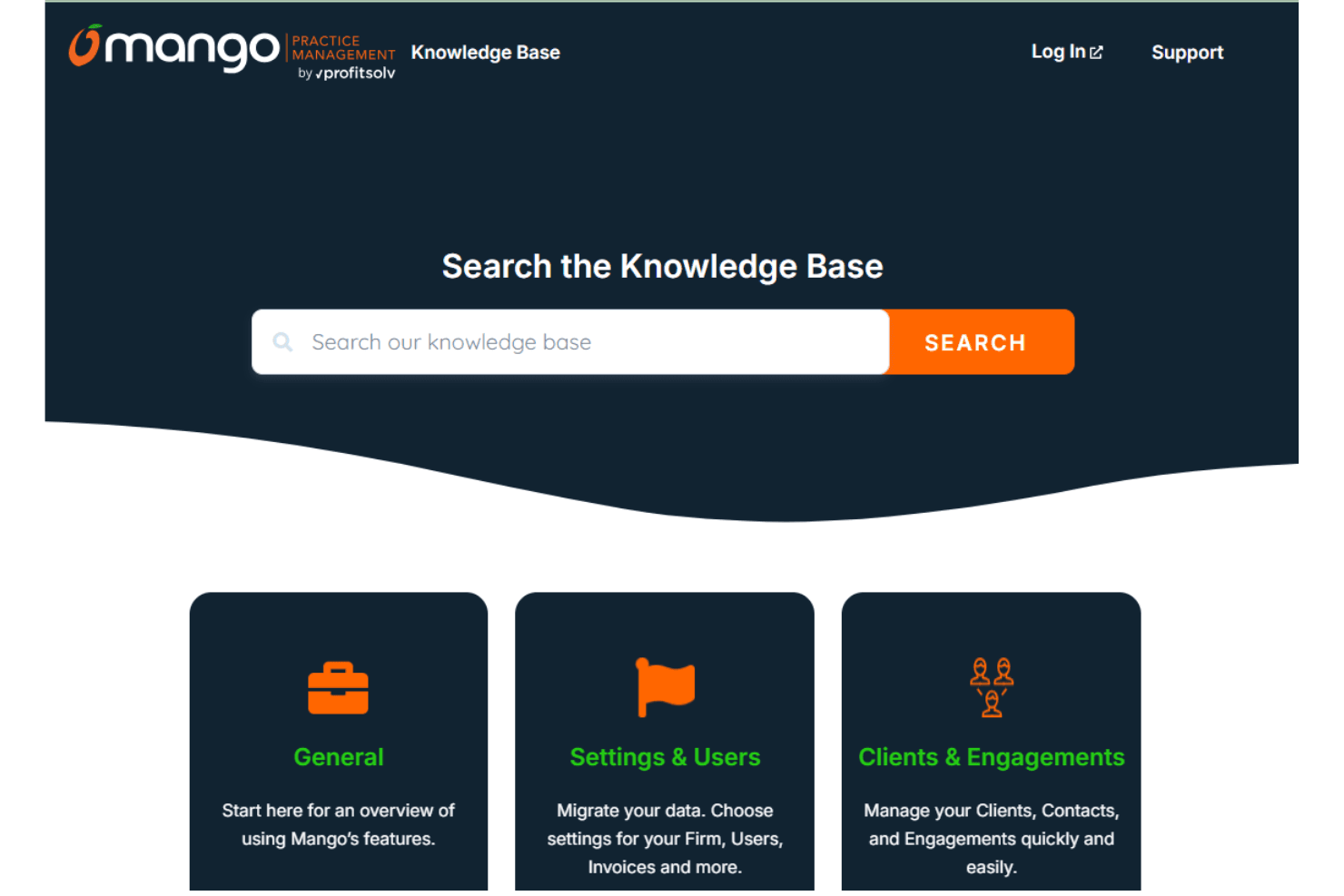
Mango’s customer support receives mixed user reviews. Support channels are available through Mango support resources, and while response times can vary, they are generally adequate for day-to-day issues. Although advanced tools may be limited, customer support is sufficient for troubleshooting, onboarding guidance, and ongoing platform use.
Integrations
Mango integrates with QuickBooks, Outlook, Google, Drake Software, ATX, and others. Mango also provides API access and supports connections with third-party integration tools to customize the software for specific organizational needs.

Value for Money
Mango offers a reasonably balanced pricing model, making it a fair option for users seeking dependable accounting software without high costs. Users appreciate its competitive pricing tiers, which cater to different needs, though some highlight the lack of standout features compared to more expensive alternatives. A free trial is available, allowing your team to evaluate the software before committing.
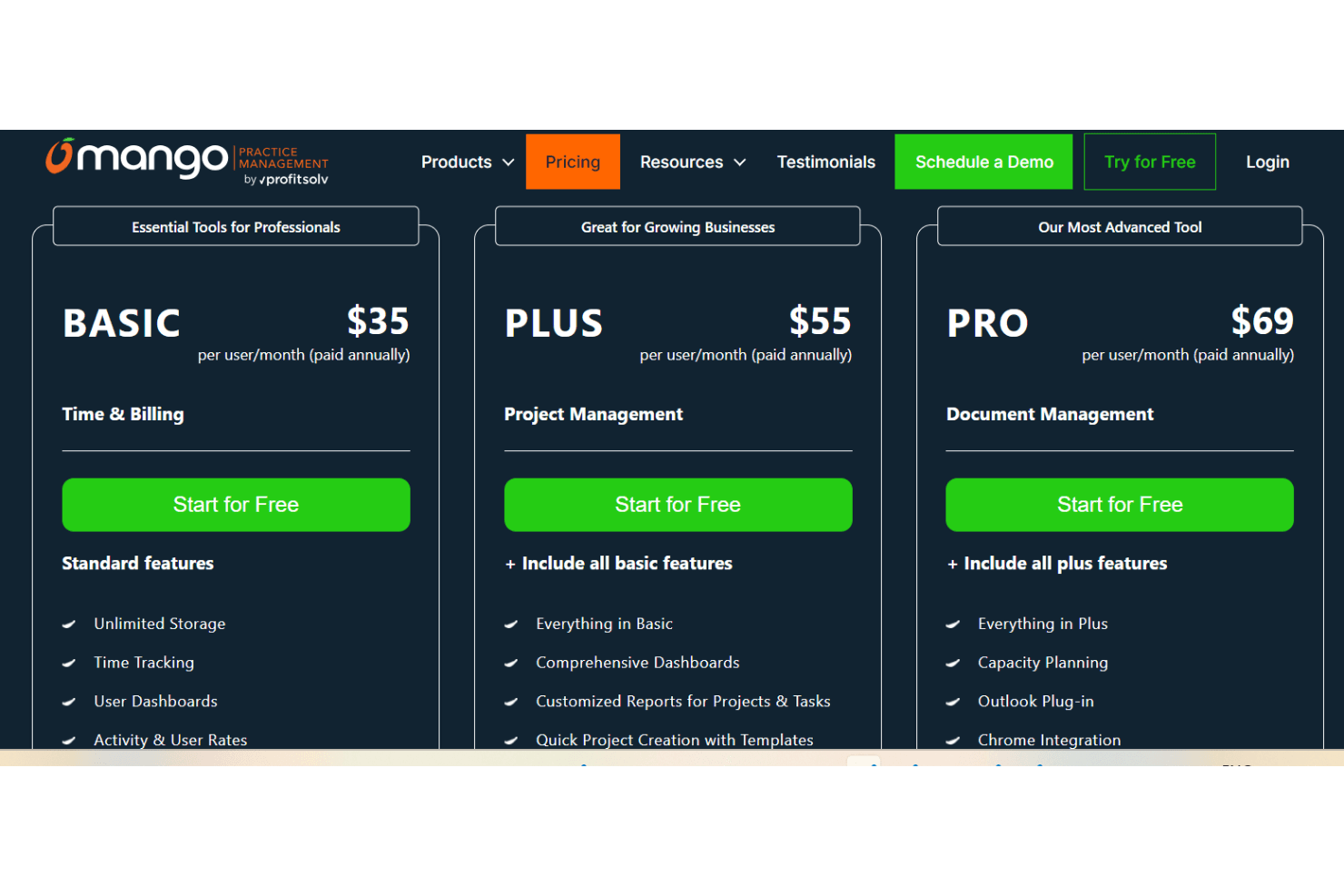
Pricing Plans:
- Basic: An essential tool for professionals, this plan’s strong suit is time and billing. It costs $35 per user per month, billed annually.
- Plus: Designed for growing businesses that need stronger project management tools. It costs $55 per user per month, billed annually.
- Pro: Mango’s most advanced solution, built for teams that require full document management capabilities. It costs $69 per user per month, billed annually.
Mango Specs
- 2-Factor Authentication: Yes
- API: Yes
- Appointment Scheduling: Yes
- Batch Permissions & Access: No
- Billing/Invoicing: Yes
- Budgeting: No
- Customer Management: Yes
- Data Export: Yes
- Data Import: Yes
- Data Visualization: No
- Electronic Prescribing: No
- Expense Tracking: No
- External Integrations: Yes
- File Transfer: No
- HIPAA Compliance: Yes
- Multi-User: Yes
- Notifications: Yes
- Patient Management: Yes
- Report & Compliance: Yes
- Self-service Portal: Yes
- Task Scheduling/Tracking: Yes
Mango FAQs
Mango Company Overview & History
Mango Practice Management is a U.S.-based software company specializing in workflow and practice management solutions for accounting firms, CPAs, and consultants. The platform was built by accountants, for accountants, with the explicit goal of simplifying firm operations by consolidating time tracking, billing, project management, secure file sharing, eSignature, and client communication into a single integrated system.
Mango emphasizes end-to-end practice management and highlights its 25 years of experience in building software for accountants. Originally launched under the ImagineTime brand, Mango evolved into a modernized, cloud-based platform designed to replace fragmented workflows with a unified interface.
Major Milestones
- 2000: Founded as ImagineTime.
- 2020: Rebranded to Mango Practice Management with expanded focus on cloud-based, integrated solutions.
- 2021: Launch of MangoShare and Enhanced Client Portal with file sharing and eSignature capabilities