


QuickBooks Workforce vs. Paychex: Detailed Comparison and Reviews for 2026

We review tools independently, and commissions help fund our testing. See our transparency policy, our methodology, or suggest a tool.
Running payroll shouldn’t feel like a weekly crisis—but for many business owners, it does. If you’re handling payroll yourself, you’re likely juggling tax calculations, employee deductions, direct deposits, and compliance rules that seem to change constantly. One small mistake can mean penalties, frustrated employees, or hours spent fixing problems you didn’t even know existed.
If your current process feels too manual, too complicated, or too expensive, you’re probably looking for a better way. Tools like QuickBooks Workforce (formerly QuickBooks Payroll) and Paychex promise to automate payroll, handle tax filings, and reduce the administrative burden—but the right choice depends on your business needs. In this guide, I’ll compare QuickBooks Workforce vs. Paychex to help you decide which payroll solution can actually make your workflow easier.
QuickBooks Workforce
4.4/5
- 30-day free trial
- From $88/month
Paychex
4.2/5
- Free demo available
- Pricing upon request
Why Trust Our Software Recommendations
6,700+
Reviews
20
Industry experts
16+
Evaluation factors
14
Years
Our team has been testing and reviewing software since 2012. As finance leaders ourselves, we know how difficult—and important—it is to choose the right software.
For this guide, we evaluated tools using hands-on testing and independent research, scoring tools using our selection criteria.
Our reviews reflect our human editorial judgment, not a sales pitch.
| QuickBooks Workforce | Paychex | |
|---|---|---|
| Free Trial | 30-day free trial | Free demo available |
| Pricing | From $88/month | Pricing upon request |
QuickBooks Workforce vs. Paychex Pricing & Hidden Costs
QuickBooks Workforce uses a tiered subscription model, where you pay a base monthly fee plus an additional charge for each employee. Paychex, on the other hand, offers custom pricing based on your business size and needs, often bundling payroll with HR and compliance services. Both platforms may include extra fees for services like year-end tax filings, direct deposit, or benefits administration, so it’s important to read the fine print and ask about add-ons.
To choose the right vendor, start by mapping out your payroll needs—consider the number of employees, the complexity of your payroll, and any HR or compliance support you might need. Ask each provider for a detailed breakdown of all potential fees, including those for setup, support, and optional features. Comparing these details side by side will help you spot hidden costs and avoid surprises, ensuring you pick a solution that fits your workflow and growth plans.
QuickBooks Payroll and Paychex share many core payroll capabilities designed to automate the pay cycle and reduce administrative work. Both platforms allow businesses to run payroll, calculate and file payroll taxes, pay employees through options like direct deposit or checks, and provide employee self-service portals for accessing pay stubs and tax forms.‘r’n’r’nQuickBooks Payroll stands out for its easy integration with QuickBooks accounting software and features like unlimited payroll runs and faster direct deposit processing in higher tiers, making it especially convenient for small businesses already using Intuit tools. Paychex, meanwhile, offers a broader HR ecosystem, including applicant tracking, background screening, learning management, and a wider range of employee benefits options such as HSAs and FSAs.
| QuickBooks Workforce | Paychex | |
|---|---|---|
| API | Yes | Yes |
| Application Tracking | Yes | Yes |
| Attendance Tracking | Yes | Yes |
| Compliance Tracking | Yes | Yes |
| Dashboard | Yes | Yes |
| Data Export | Yes | Yes |
| Data Import | Yes | Yes |
| Data Visualization | Yes | Yes |
| Employee Database | Yes | Yes |
| Employee Incentive Management | Yes | Yes |
| Employee Onboarding | Yes | Yes |
| Expense Tracking | Yes | Yes |
| External Integrations | Yes | Yes |
| Feedback Management | Yes | Yes |
| Multi-User | Yes | Yes |
| Notifications | Yes | Yes |
| Payroll | Yes | Yes |
| Scheduling | Yes | Yes |
| Time Management | Yes | Yes |
| Timesheets | Yes | Yes |
| Travel Management | Yes | Yes |
| Vacation & Absence Calendar | Yes | Yes |
| Integration | QuickBooks Workforce | Paychex |
|---|---|---|
| IntegrationQuickBooks Online | QuickBooks Workforce✅ | Paychex✅ |
| IntegrationXero | QuickBooks Workforce❌ | Paychex✅ |
| IntegrationGusto | QuickBooks Workforce❌ | Paychex❌ |
| IntegrationTSheets (QuickBooks Time) | QuickBooks Workforce✅ | Paychex❌ |
| IntegrationADP | QuickBooks Workforce❌ | Paychex✅ |
| IntegrationBambooHR | QuickBooks Workforce❌ | Paychex✅ |
| IntegrationSalesforce | QuickBooks Workforce❌ | Paychex✅ |
| IntegrationExpensify | QuickBooks Workforce✅ | Paychex❌ |
| IntegrationAPI | QuickBooks Workforce✅ | Paychex✅ |
| IntegrationZapier | QuickBooks Workforce✅ | Paychex✅ |
QuickBooks Workforce and Paychex both cover the basics with core accounting and time-tracking integrations, but Paychex offers a broader range of HR and business software connections. Both platforms support API and Zapier, so you can fill most integration gaps, but Paychex may be a better fit if you rely on specialized HR or CRM tools.
| Factor | QuickBooks Workforce | Paychex |
|---|---|---|
| FactorData Encryption | QuickBooks WorkforceUses 256-bit SSL encryption to protect sensitive payroll and employee information. | PaychexSecures data with advanced encryption protocols and continuous monitoring. |
| FactorRegulatory Compliance | QuickBooks WorkforceIntuit maintains recognized security certifications, including SOC 2 reports, ISO 27001, and PCI DSS standards for protecting financial and payment data. | PaychexMaintains SOC 1 Type II and SOC 2 Type II reports and holds ISO 27001 certification for information security management systems. |
| FactorAccess Controls | QuickBooks WorkforceOffers customizable user permissions and two-factor authentication. | PaychexIncludes granular user roles, permissions, and multi-factor authentication. |
| FactorUptime & Reliability | QuickBooks WorkforceRuns on Intuit’s cloud infrastructure with high availability and continuous monitoring to maintain reliable payroll processing. | PaychexDelivers high uptime with redundant systems and 24/7 monitoring for business continuity. |
| FactorAudit Trails | QuickBooks WorkforceTracks all payroll changes and user actions for transparency and accountability. | PaychexMaintains detailed logs of payroll activity and user access for compliance audits. |
Both QuickBooks Workforce and Paychex provide strong platform security designed to protect sensitive payroll and employee data. QuickBooks benefits from Intuit’s broader cloud security program, which includes certifications like SOC 2, ISO 27001, and PCI DSS, along with built-in audit logs and multi-factor authentication. Paychex similarly maintains SOC-audited controls and ISO 27001 certification and operates dedicated security and incident-response teams to monitor and protect its payroll infrastructure.
| Factor | QuickBooks Workforce | Paychex |
|---|---|---|
| FactorUser Interface | QuickBooks WorkforceFeatures a clean, intuitive dashboard with clear navigation and visual cues. | PaychexOffers a professional interface, but some users find it less intuitive for new tasks. |
| FactorOnboarding | QuickBooks WorkforceProvides step-by-step setup guides and in-app tips for a quick start. | PaychexIncludes personalized onboarding support, but setup can be more complex for larger teams. |
| FactorPayroll Processing | QuickBooks WorkforceAllows for automated payroll runs and easy manual overrides in just a few clicks. | PaychexSupports custom payroll workflows, which can add flexibility but also complexity. |
| FactorCustomer Support | QuickBooks WorkforceDelivers responsive chat and phone support with helpful knowledge base articles. | PaychexOffers 24/7 live support and dedicated specialists for more complex questions. |
| FactorMobile Access | QuickBooks WorkforceIncludes the QuickBooks Workforce mobile app, allowing employees to view pay stubs, W-2s, and time information, while administrators can manage certain payroll tasks. | PaychexThe Paychex Flex mobile app allows employers and employees to access payroll data, submit payroll, and view reports, though some advanced administrative features may still require desktop access. |
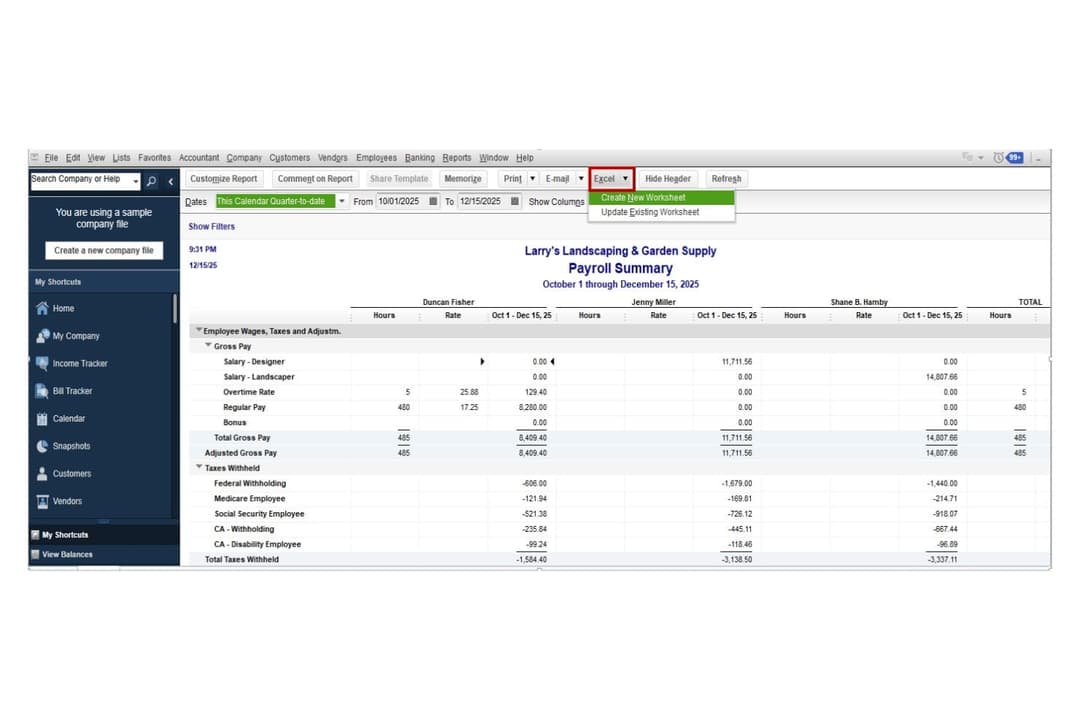
QuickBooks Workforce is generally easier to learn and navigate, particularly for small businesses already using the QuickBooks ecosystem. Its interface is straightforward, with guided setup and automation features like Auto Payroll that simplify routine payroll runs.
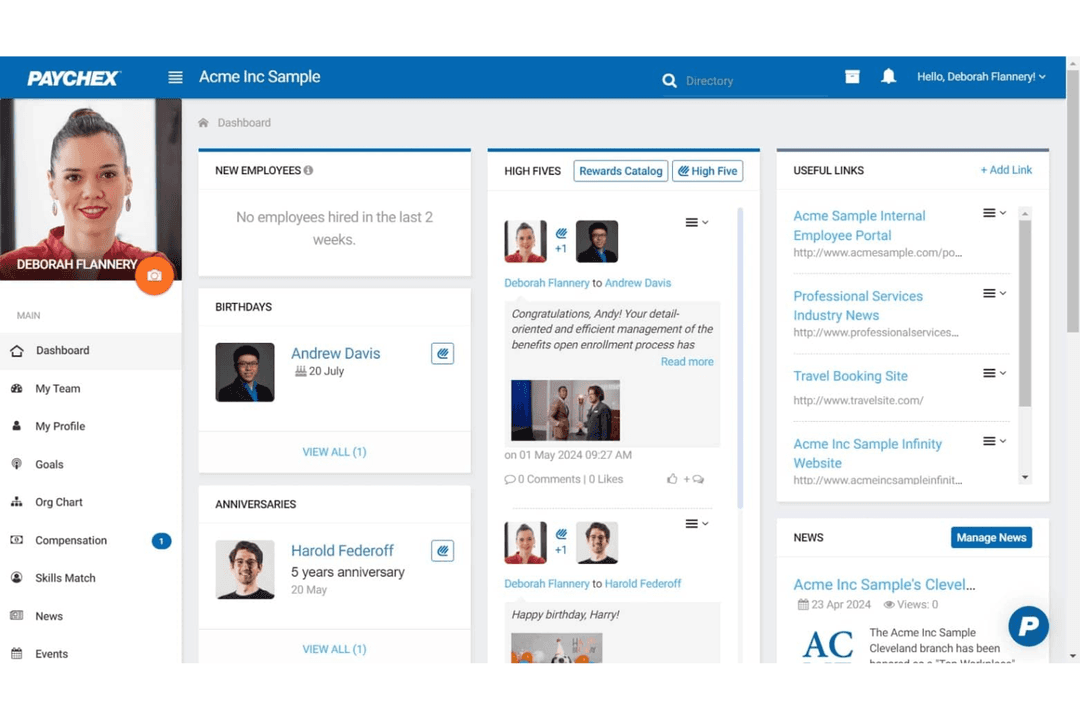
Paychex, by contrast, offers a broader HR and payroll platform with more configuration options and dedicated support. While this flexibility can make the system slightly more complex for new users, it also makes Paychex better suited for businesses that need advanced payroll workflows or expanded HR services.
QuickBooks Workforce
- User-friendly interface designed for easy setup and management, even without extensive accounting experience.
- Automated payroll calculations and tax filings help reduce manual work.
- Clear payroll workflows and task tracking make pay runs easier to manage.
- Customer support experiences can vary, particularly during complex payroll issues.
- Best suited for those already using QuickBooks Online; otherwise, it may feel restrictive.
- May not suit complex payroll scenarios that require high customization.
Paychex
- Built-in payroll tax calculation and filing included
- Responsive customer support with dedicated representatives
- Scalable plans for businesses with growing or complex needs
- Reporting features are basic compared to some competitors
- Mobile app interface feels outdated and slow
- Some users report unexpected or hidden fees
QuickBooks Workforce
- Small Businesses Using QuickBooks OnlineIf you’re already running your books in QuickBooks Online, adding payroll keeps everything synced in one system. Payroll expenses, tax payments, and reports flow directly into your accounting without manual reconciliation.
- Businesses Without a Dedicated HR TeamQuickBooks Workforce’s guided setup, automated tax filings, and employee self-service tools make it manageable for small teams that don’t have in-house payroll or HR specialists.
- Employers Who Want Automated Tax HandlingCompanies that prefer payroll taxes calculated, filed, and paid automatically will benefit from full-service payroll options and tax penalty protection on higher tiers.
- Companies With Employees and ContractorsBusinesses with mixed workforces can pay W-2 employees and 1099 contractors in the same system, with built-in 1099 e-file support.
- Growing Businesses That Need Faster PayrollCompanies with tighter payroll timelines can take advantage of next-day or same-day direct deposit options to ensure employees are paid on time.
- QuickBooks Desktop Users Who Want Payroll Add-OnBusinesses using QuickBooks Desktop can add payroll services designed specifically for that environment.
Paychex
- Multi-State EmployersPaychex handles multi-state tax compliance and filings automatically.
- Healthcare ProvidersHealthcare organizations benefit from Paychex’s compliance and benefits administration.
- Construction FirmsJob costing and certified payroll features support construction payroll needs.
- FranchisesCentralized payroll and reporting tools help manage multiple locations.
- HR DepartmentsIntegrated HR and benefits modules streamline workforce management.
- Growing SMBsScalable plans and dedicated support help small businesses expand confidently.
Who Should Use QuickBooks Workforce, and Who Should Use Paychex?
If you’re already using QuickBooks for accounting or want a simple, all-in-one payroll tool that’s easy to learn, QuickBooks Workforce may be the better fit for you. It’s designed with small and mid-sized businesses in mind, so you can run payroll quickly, automate tax calculations and filings, and manage everything inside the same ecosystem as your bookkeeping. If you value a clean interface, straightforward setup, and automation features, QuickBooks Workforce helps you handle payroll without adding unnecessary complexity.
Paychex may make more sense for you if your business needs more robust HR and workforce management support. If you’re managing a larger team, offering multiple employee benefits, or dealing with more complex payroll requirements, Paychex provides deeper HR services, dedicated support, and customizable payroll workflows. While it can take a little longer to set up and learn, Paychex is often a better option if you want payroll software that scales alongside broader HR operations.
| QuickBooks Workforce | Paychex | |
|---|---|---|
| Accounting Integration | QuickBooks Workforce Directly integrates with QuickBooks accounting for seamless bookkeeping. | Paychex Integrates with a wider range of accounting platforms, including Xero. |
| Automation | QuickBooks Workforce Automates payroll runs and tax filings with minimal manual input. | Paychex Automates payroll and taxes but emphasizes configurable payroll schedules and broader HR workflows. |
| HR Tools | QuickBooks Workforce Provides basic HR features like employee self-service portals, document storage, and limited HR support. | Paychex Offers a broader HR suite with recruiting tools, onboarding workflows, compliance guidance, and training features. |
| Pricing Model | QuickBooks Workforce Transparent subscription pricing with a base monthly fee plus per-employee charges. | Paychex Custom pricing based on business size, needs, and bundled services. |
| User Experience | QuickBooks Workforce Designed for simplicity and quick setup, especially for SMBs already using QuickBooks. | Paychex Designed for flexibility, which can add complexity for new users. |
| Compliance Updates | Both tools automatically update for changing payroll laws and regulations, helping you stay compliant year-round. |
|---|---|
| Direct Deposit | Each platform supports direct deposit for employee payments, allowing for fast and secure payroll delivery. |
| Employee Self-Service | Both offer employee portals for pay stub access, tax forms, and personal info updates. |
| Reporting Tools | Each platform includes payroll reports that help businesses track wages, taxes, and payroll expenses. |
| Tax Filing | Both automate federal, state, and local payroll tax calculations and filings, reducing manual errors. |