


QuickBooks Online vs. FreshBooks: Detailed Comparison and Expert Reviews 2026

We review tools independently, and commissions help fund our testing. See our transparency policy, our methodology, or suggest a tool.
Choosing between QuickBooks Online and FreshBooks for your next accounting software solution? If you’re struggling to decide which platform will help you close the books faster, keep your records audit-ready, and support your team’s growth, you’re not alone. This guide breaks down the real-world strengths, weaknesses, and user experiences of both tools, so you can confidently select the solution that fits your business’s needs and ambitions.
Intuit QuickBooks Online

4/5
- 30-day free trial
- From $19/month (for 3 months, then $38/month)
FreshBooks
4.5/5
- Free demo + 30-day free trial available
- From $12/month (billed annually)
Why Trust Our Software Recommendations
6,700+
Reviews
20
Industry experts
16+
Evaluation factors
14
Years
Our team has been testing and reviewing software since 2012. As finance leaders ourselves, we know how difficult—and important—it is to choose the right software.
For this guide, we evaluated tools using hands-on testing and independent research, scoring tools using our selection criteria.
Our reviews reflect our human editorial judgment, not a sales pitch.
| Intuit QuickBooks Online | FreshBooks | |
|---|---|---|
| Free Trial | 30-day free trial | Free demo + 30-day free trial available |
| Pricing | From $19/month (for 3 months, then $38/month) | From $12/month (billed annually) |
QuickBooks Online vs. FreshBooks Pricing & Hidden Costs
QuickBooks Online uses a tiered subscription model, with each plan unlocking more advanced features like inventory tracking, advanced reporting, and multi-user access. You may encounter extra charges for payroll, additional users, or AI capabilities. FreshBooks also offers tiered plans, but its pricing is based on the number of billable clients, and certain features—like advanced payments or team member access—come with add-on fees. Both platforms may charge for premium support or specialized features.
To choose the right pricing model, start by mapping out your current and future needs—think about how many clients you serve, how many team members need access, and which features are essential for your workflow. Review each vendor’s add-on costs and limitations, and consider how your needs might change as your business grows. Request a detailed quote or use a free trial to test how the platform fits your real-world processes before making a commitment.
QuickBooks Online and FreshBooks are both cloud-based accounting platforms designed to help small businesses manage finances, offering overlapping core features such as invoicing, expense tracking, bank transaction syncing, and financial reporting like profit-and-loss statements. While they share these fundamentals, each platform has standout strengths. FreshBooks is known for its simplicity and service-focused tools, particularly built-in time tracking, customizable invoices, and client management features that make it ideal for freelancers and project-based businesses. QuickBooks Online, on the other hand, distinguishes itself with a more comprehensive accounting system, including advanced capabilities such as inventory tracking, automated sales tax calculations, and deeper financial reporting suited for businesses with more complex financial needs.
| Intuit QuickBooks Online | FreshBooks | |
|---|---|---|
| Billing/Invoicing | Yes | Yes |
| Customer Management | Yes | Yes |
| External Integrations | Yes | Yes |
| Multi-Currency | Yes | Yes |
| PayPal | No | Yes |
| Stripe | No | Yes |
| Tax Management | Yes | Yes |
| Integration | QuickBooks Online | FreshBooks |
|---|---|---|
| IntegrationShopify | QuickBooks Online✅ | FreshBooks✅ |
| IntegrationPayPal | QuickBooks Online✅ | FreshBooks✅ |
| IntegrationGusto | QuickBooks Online✅ | FreshBooks✅ |
| IntegrationHubSpot | QuickBooks Online✅ | FreshBooks✅ |
| IntegrationSquare | QuickBooks Online✅ | FreshBooks✅ |
| IntegrationExpensify | QuickBooks Online✅ | FreshBooks❌ |
| IntegrationStripe | QuickBooks Online✅ | FreshBooks✅ |
| IntegrationAPI | QuickBooks Online✅ | FreshBooks✅ |
| IntegrationZapier | QuickBooks Online✅ | FreshBooks✅ |
Both QuickBooks Online and FreshBooks let you connect your accounting data with other business tools through integrations. Each platform offers a developer API and works with Zapier, allowing you to automate workflows and connect to thousands of apps. However, QuickBooks Online generally gives you access to a larger integration marketplace, with more native connections across ecommerce, payroll, CRM, and payments.
| Factor | QuickBooks Online | FreshBooks |
|---|---|---|
| FactorData Encryption | QuickBooks OnlineUses 128-bit SSL encryption for data in transit and at rest. | FreshBooksUses 256-bit SSL encryption for all data transfers and storage. |
| FactorRegulatory Compliance | QuickBooks OnlineCertified against major security frameworks, including PCI DSS (Payment Card Industry Data Security Standard), SOC reports (AICPA Service Organization Controls), and ISO/IEC 27001. | FreshBooksProvides audit logs and supports basic compliance for small businesses. |
| FactorData Backups | QuickBooks OnlinePerforms automatic daily backups and stores data in multiple secure locations. | FreshBooksRuns daily backups and uses secure cloud storage for redundancy. |
| FactorUser Access Controls | QuickBooks OnlineOffers customizable user roles and permissions for granular access management. | FreshBooksAllows role-based permissions for team members and contractors. |
| FactorUptime Guarantee | QuickBooks OnlineMaintains a high uptime with real-time status monitoring. | FreshBooksDelivers high uptime with proactive monitoring, but no formal SLA published. |
Both QuickBooks Online and FreshBooks provide strong security and reliability so you can confidently manage your financial data in the cloud. They use data encryption, secure data centers, and regular backups to protect your information, and both platforms follow industry standards for privacy and financial data protection.
As widely used accounting tools, they also offer high uptime and dependable performance, so you can access your books when you need them. In general, you can expect a similar level of security and reliability from both platforms, as each is built to support businesses that rely on accurate, always-available financial records.
| Factor | QuickBooks Online | FreshBooks |
|---|---|---|
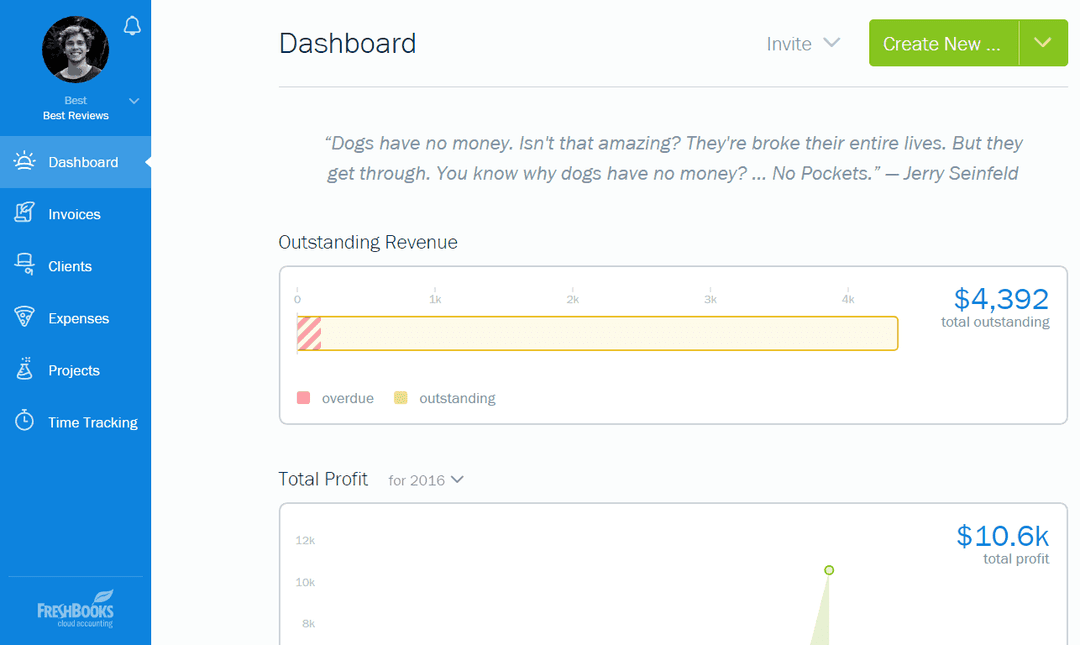
| FactorUser Interface | QuickBooks OnlineOffers a feature-rich dashboard that can feel overwhelming for new users. | FreshBooksFeatures a clean, intuitive interface designed for quick navigation. |
| FactorOnboarding | QuickBooks OnlineProvides guided setup and tutorials, but the learning curve can be steep. | FreshBooksDelivers a simple onboarding process with step-by-step prompts. |
| FactorNavigation | QuickBooks OnlineIncludes many menus and options, which can slow down task completion. | FreshBooksStreamlines navigation with clear menus and minimal clicks to key features. |
| FactorCustomer Support | QuickBooks OnlineOffers a 24/7 chat assistant and support from a human via chat or phone, Monday to Friday, within specified hours. | FreshBooksProvides responsive email and chat support with helpful in-app resources. |
| FactorMobile Experience | QuickBooks OnlineThe mobile app is robust but mirrors the complexity of the desktop version. | FreshBooksThe mobile app is user-friendly and optimized for quick tasks on the go. |
FreshBooks is generally easier to learn and use, especially if you’re new to accounting software, while QuickBooks Online offers more advanced features but comes with a steeper learning curve. QuickBooks Online is better suited for teams or growing businesses that need deeper accounting tools like advanced reporting, inventory tracking, or payroll, and are willing to spend time learning the platform. FreshBooks, by contrast, is ideal if you want a simpler system that lets you start invoicing, tracking expenses, and managing basic finances quickly.
Intuit QuickBooks Online
- Track expenses and income in real time through bank feeds and transaction syncing.
- The interface is intuitive compared to many accounting tools.
- It provides customizable financial reports that help you analyze revenue, expenses, and cash flow.
- The mobile app offers core features, but it has fewer capabilities than the desktop browser version.
- Some users report slow or inconsistent customer support response times.
- You may encounter occasional glitches or slow performance when working with complex workflows or large data sets.
FreshBooks
- You’ll find the invoicing feature easy to use and customize.
- Its customer support is responsive and helpful.
- The interface is intuitive, making navigation simple for your team.
- FreshBooks lacks advanced accounting features for complex needs.
- Some users find reporting options limited compared to alternatives.
- You might experience occasional syncing issues with bank accounts.
Intuit QuickBooks Online
- WholesaleWholesale businesses can track large volumes of transactions, manage invoices for clients, and monitor cash flow through automated bank syncing.
- NonprofitsNonprofits can use QuickBooks Online to organize donations, track expenses, and produce financial reports for transparency and compliance.
- RestaurantsRestaurant owners can use QuickBooks Online to track daily revenue, manage expenses like food costs, and generate financial reports.
- RetailRetail businesses can connect QuickBooks Online to POS and ecommerce platforms to track sales, expenses, and cash flow more easily.
- ConstructionConstruction teams benefit from expense tracking, job costing features, and the ability to monitor project-related income and costs.
- Professional ServicesIf you run a consulting, marketing, or freelance business, QuickBooks Online helps you track billable income, send invoices, and monitor expenses in one place.
FreshBooks
- FreelancersFreshBooks's easy invoicing and expense/mileage tracking help you manage your finances efficiently.
- Small AgenciesYour team will benefit from FreshBooks's user-friendly interface and responsive support.
- ConsultantsUse FreshBooks to streamline billing and time tracking for your consulting work.
- Graphic DesignersYou can customize invoices to reflect your brand's unique style and professionalism.
- Ecommerce BusinessesFreshBooks simplifies cash flow for your ecommerce operations, keeping things manageable.
- Solo EntrepreneursThe software’s financial management tools, like double-entry accounting and accounts payable, let you focus on growing your business effectively.
Who Should Use QuickBooks Online, and Who Should Use FreshBooks?
QuickBooks Online is best for small to midsize businesses that need advanced accounting features such as detailed reporting, inventory tracking, payroll options, and multi-user access. It’s a strong choice for growing teams or businesses with more complex financial workflows that require deeper accounting tools and scalability.
FreshBooks is a great fit for freelancers, consultants, and small service-based businesses that want simple invoicing, built-in time tracking, and an easy-to-use interface without the complexity of full accounting software.
If your business needs advanced accounting depth and room to scale, QuickBooks Online is the stronger option. If you want to get started quickly with a minimal learning curve and straightforward client billing, FreshBooks offers a simpler and more streamlined experience.
| Intuit QuickBooks Online | FreshBooks | |
|---|---|---|
| Inventory Management | Intuit QuickBooks Online Built-in inventory tracking on higher plans. | FreshBooks No native inventory tracking. |
| Pricing Model | Intuit QuickBooks Online Pricing tiers based on features, with user limits depending on the plan. | FreshBooks Pricing tiers are based mainly on the number of billable clients, with additional users costing extra. |
| Reporting Depth | Intuit QuickBooks Online Offers advanced financial reports and customizable dashboards. | FreshBooks Provides simpler reports such as profit & loss, tax summaries, and expense reports. |
| Time Tracking | Intuit QuickBooks Online Limited ot higher-tier plans. | FreshBooks Available on all plans. |
| User Interface | Intuit QuickBooks Online Feature-rich but more complex, with a steeper learning curve due to the depth of accounting tools. | FreshBooks Clean, simple interface designed for quick onboarding and non-accountants. |
| Bank Account Integration | Both allow you to connect your bank and credit card accounts to automatically import and categorize transactions. |
|---|---|
| Cloud-Based Access | Both are fully cloud-based, letting you manage finances from anywhere with web and mobile apps. |
| Data Security | Both use strong encryption and regular backups to protect your financial data and ensure business continuity. |
| Invoicing | Both platforms let you create, send, and track invoices, accept online payments, and set up recurring billing for clients. |
| Mobile Apps | Both QuickBooks Online and FreshBooks offer mobile apps so you can send invoices, capture receipts, and manage finances on the go. |