
QuickBooks Online vs. Xero: Detailed Comparison and Expert Reviews for 2026
We review tools independently, and commissions help fund our testing. See our transparency policy, our methodology, or suggest a tool.
Choosing between QuickBooks Online and Xero means weighing two of the most popular accounting software options—each with its own strengths for finance teams like yours.
If you’re feeling stuck between these two, you’re not alone—many finance professionals want the best mix of control, flexibility, and ease of use. This guide breaks down the real differences, highlights what matters most for your workflow, and shares expert insights so you can make a confident, informed decision.
Intuit QuickBooks Online

4/5
- 30-day free trial
- From $19/month (for 3 months, then $38/month)
Xero
4.4/5
- 30-day free trial available
- From $2.50/month
Why Trust Our Software Recommendations
6,700+
Reviews
20
Industry experts
16+
Evaluation factors
14
Years
Our team has been testing and reviewing software since 2012. As finance leaders ourselves, we know how difficult—and important—it is to choose the right software.
For this guide, we evaluated tools using hands-on testing and independent research, scoring tools using our selection criteria.
Our reviews reflect our human editorial judgment, not a sales pitch.
| Intuit QuickBooks Online | Xero | |
|---|---|---|
| Free Trial | 30-day free trial | 30-day free trial available |
| Pricing | From $19/month (for 3 months, then $38/month) | From $2.50/month |
QuickBooks Online vs. Xero Pricing & Hidden Costs
QuickBooks Online uses a tiered subscription model, with each plan unlocking more advanced features as you move up. You may encounter extra charges for payroll, advanced reporting, AI capabilities, or adding more users. Xero also offers tiered plans, but includes unlimited users in every package. However, some features—like expense management or project tracking—require paid add-ons, and integrations with third-party apps can introduce additional costs for both platforms.
QuickBooks Online and Xero are both cloud-based accounting platforms built for small and medium-sized businesses, and they share many core capabilities such as invoicing, expense tracking, bank feeds, financial reporting, and automation of common bookkeeping tasks. Both tools help businesses monitor cash flow, manage transactions, and collaborate with accountants through web and mobile access.
Where they differ is in their standout strengths: QuickBooks Online is known for its deep feature set, robust reporting, and broad ecosystem of integrations and accountant support, making it ideal for businesses with more advanced accounting needs. Xero stands out for its intuitive interface and its allowance of unlimited users on all plans, which makes it especially attractive for teams that want simple, collaborative access to their financial data.
| Intuit QuickBooks Online | Xero | |
|---|---|---|
| Billing/Invoicing | Yes | Yes |
| Customer Management | Yes | No |
| External Integrations | Yes | No |
| Multi-Currency | Yes | Yes |
| PayPal | No | No |
| Stripe | No | No |
| Tax Management | Yes | Yes |
| Integration | QuickBooks Online | Xero |
|---|---|---|
| IntegrationShopify | QuickBooks Online✅ | Xero✅ |
| IntegrationPayPal | QuickBooks Online✅ | Xero✅ |
| IntegrationGusto | QuickBooks Online✅ | Xero✅ |
| IntegrationBill.com | QuickBooks Online✅ | Xero✅ |
| IntegrationSquare | QuickBooks Online✅ | Xero✅ |
| IntegrationHubSpot | QuickBooks Online✅ | Xero❌ |
| IntegrationExpensify | QuickBooks Online✅ | Xero✅ |
| IntegrationStripe | QuickBooks Online✅ | Xero✅ |
| IntegrationQuickBooks Time | QuickBooks Online✅ | Xero❌ |
| IntegrationWorkflowMax | QuickBooks Online❌ | Xero✅ |
| IntegrationAPI | QuickBooks Online✅ | Xero✅ |
| IntegrationZapier | QuickBooks Online✅ | Xero✅ |
QuickBooks Online and Xero both cover the most popular integrations, but each has a few exclusive connections—like HubSpot and TSheets for QuickBooks Online, and WorkflowMax for Xero. Both platforms support API and Zapier, so you can connect to almost any tool your team relies on, making either a strong fit for most integration needs.
| Factor | QuickBooks Online | Xero |
|---|---|---|
| FactorData Encryption | QuickBooks OnlineUses 128-bit SSL encryption for data in transit, plus AES-256 encryption for stored data in Intuit systems. | XeroUses strong encryption and secure protocols to protect data in transit and at rest as part of its multi-layer security architecture. |
| FactorRegulatory Compliance | QuickBooks OnlineComplianceCertified against major security frameworks including PCI DSS (Payment Card Industry Data Security Standard), SOC reports (AICPA Service Organization Controls), and ISO/IEC 27001 for information security management. | XeroComplies with major security standards including ISO/IEC 27001, SOC 2 Type II, and PCI DSS, with audited security processes. |
| FactorAccess Controls | QuickBooks OnlineProvides role-based user permissions, password protection, and multi-factor authentication (MFA) for account security. | XeroOffers granular user permissions and two-step authentication to control user access to financial data. |
| FactorData Backup | QuickBooks OnlinePerforms automatic daily backups and stores data in secure, redundant servers. | XeroRuns daily backups with geo-redundant storage across multiple regions. |
| FactorUptime Guarantee | QuickBooks OnlineOperates on monitored cloud infrastructure with redundancy and operational controls designed to maintain high service availability. | XeroDelivers a 99.9% uptime SLA with transparent status updates. |
When you use QuickBooks Online or Xero, your financial data is protected through multiple layers of security, compliance controls, and resilient cloud infrastructure. QuickBooks Online follows recognized security frameworks such as PCI DSS for payment security, SOC reports for internal control assurance, and ISO/IEC 27001 for information security management, helping ensure the systems handling your financial data meet strict security and operational standards. Similarly, Xero maintains ISO 27001 certification and SOC 2 compliance, with independent audits verifying how it protects and processes customer data.
For you as a user, this means both platforms are designed to keep your information secure through encrypted connections, controlled user access, and redundant cloud systems that help maintain data availability and reliability.
| Factor | QuickBooks Online | Xero |
|---|---|---|
| FactorUser Interface | QuickBooks OnlineFeatures a familiar, dashboard-driven layout with customizable widgets. | XeroOffers a clean, modern interface with intuitive navigation and icons. |
| FactorOnboarding | QuickBooks OnlineProvides guided setup, in-app tutorials, and a searchable help center. | XeroDelivers step-by-step onboarding and contextual tips throughout the platform. |
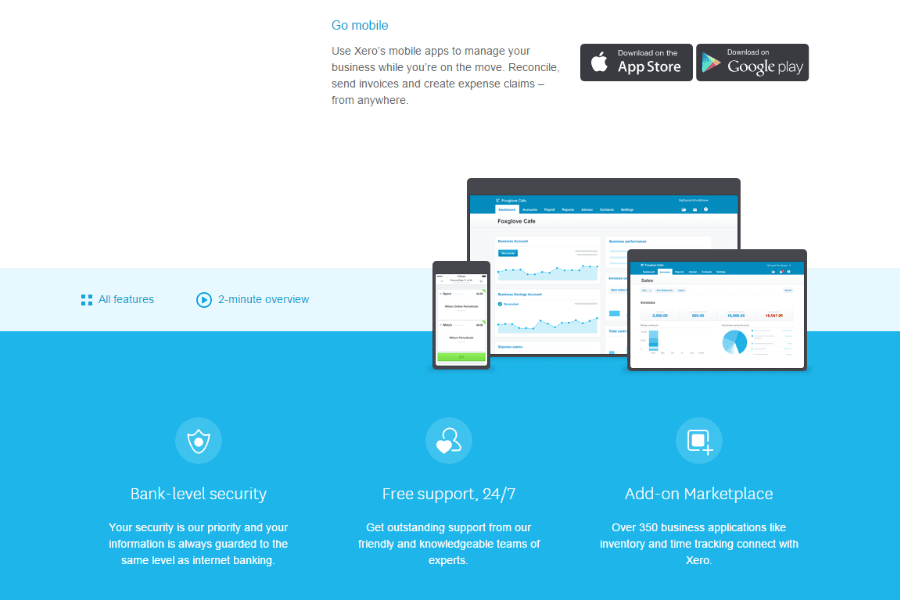
| FactorMobile Experience | QuickBooks OnlineMobile app supports most desktop features and real-time notifications. | XeroMobile app is streamlined for invoicing, expenses, and quick reconciliations. |
| FactorSupport Access | QuickBooks OnlineIncludes live chat, phone, and community forums for quick help. | XeroOffers 24/7 email support and an extensive online knowledge base. |
| FactorWorkflow Customization | QuickBooks OnlineAllows custom fields, rules, and automation for recurring tasks. | XeroEnables workflow automation and custom templates for invoices and reports. |
Xero generally feels easier for new users because of its clean interface and guided setup, which helps you learn the system quickly. QuickBooks Online, however, offers a more feature-rich environment with customizable dashboards and deeper workflow automation, which can be helpful as your accounting needs grow. Both platforms make everyday tasks like invoicing and expense tracking straightforward, but Xero tends to appeal to users who prioritize simplicity, while QuickBooks Online is often preferred by businesses that want more flexibility and advanced features.
Intuit QuickBooks Online
- Track expenses and income in real time through bank feeds and transaction syncing.
- The interface is intuitive compared to many accounting tools.
- It provides customizable financial reports that help you analyze revenue, expenses, and cash flow.
- The mobile app offers core features, but it has fewer capabilities than the desktop browser version.
- Some users report slow or inconsistent customer support response times.
- You may encounter occasional glitches or slow performance when working with complex workflows or large data sets.
Intuit QuickBooks Online

- WholesaleWholesale businesses can track large volumes of transactions, manage invoices for clients, and monitor cash flow through automated bank syncing.
- NonprofitsNonprofits can use QuickBooks Online to organize donations, track expenses, and produce financial reports for transparency and compliance.
- RestaurantsRestaurant owners can use QuickBooks Online to track daily revenue, manage expenses like food costs, and generate financial reports.
- RetailRetail businesses can connect QuickBooks Online to POS and ecommerce platforms to track sales, expenses, and cash flow more easily.
- ConstructionConstruction teams benefit from expense tracking, job costing features, and the ability to monitor project-related income and costs.
- Professional ServicesIf you run a consulting, marketing, or freelance business, QuickBooks Online helps you track billable income, send invoices, and monitor expenses in one place.
Who Should Use QuickBooks Online, and Who Should Use Xero?
QuickBooks Online is a strong choice for businesses that want advanced reporting, extensive integrations, and customizable workflows to support more complex accounting needs, making it popular in industries like retail, professional services, and construction. Xero is well-suited for companies that prioritize ease of use, automation, and collaboration, especially because it supports unlimited users.
If your team needs detailed reporting, flexible automation, and access to a large ecosystem of third-party apps, QuickBooks Online may be the better fit. If you prefer a simpler interface and tools designed to support growing teams without user limits, Xero can be an excellent option.
| Intuit QuickBooks Online | Xero | |
|---|---|---|
| Accountant Ecosystem | Intuit QuickBooks Online Extremely large network of QuickBooks-certified accountants and advisors. | Xero Strong accountant support but smaller ecosystem compared to QuickBooks. |
| Automation Features | Intuit QuickBooks Online Automates recurring invoices and bills, with customizable rules. | Xero Focuses on seamless bank reconciliation and automated workflows. |
| Dashboard Customization | Intuit QuickBooks Online Offers customizable dashboards and widgets to track key financial metrics. | Xero Dashboard is clean but less customizable, focusing on simplicity. |
| Reporting Depth | Intuit QuickBooks Online Offers advanced, customizable financial and management reports. | Xero Provides a solid set of financial reports but less customization overall. |
| User Limits | Intuit QuickBooks Online Charges extra for additional users beyond plan limits. | Xero Includes unlimited users on all plans. |
| Audit Trails | Both maintain detailed audit logs, tracking every change for compliance and transparency. |
|---|---|
| Bank Feeds | Each platform offers automatic bank feeds for easy transaction import and reconciliation. |
| Cloud-Based Access | Both are fully cloud-based, letting you manage finances from anywhere with real-time data and mobile apps. |
| Invoicing Tools | Both provide customizable invoicing, online payment options, and invoice tracking to speed up collections. |
| Third-Party Integrations | Each supports a wide range of integrations with popular business tools, plus API and Zapier connections. |