

Sharesight Review: Pros, Cons, Features, and Pricing
Sharesight excels with its detailed performance tracking and tax reporting, making it a top choice for investors seeking clarity and efficiency.

We review tools independently, and commissions help fund our testing. See our transparency policy, our methodology, or suggest a tool.
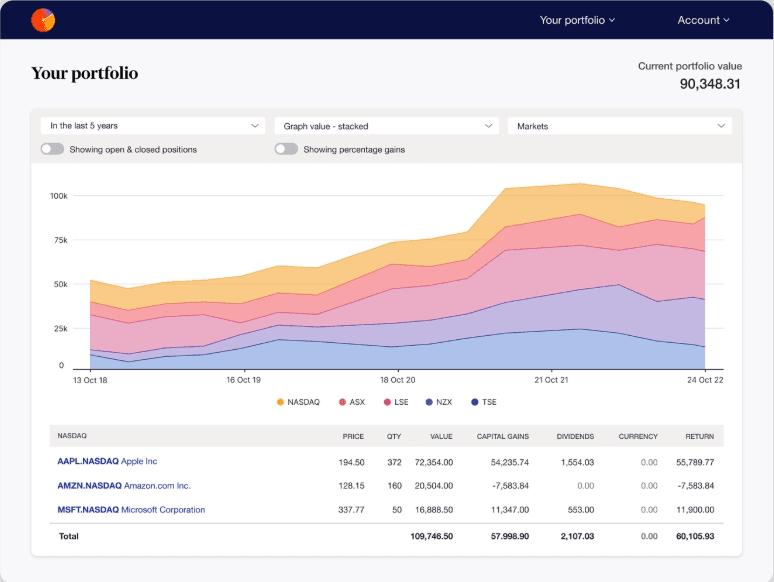
Sharesight is a portfolio management software built for investors who need to track holdings, calculate returns, and generate tax reports across multiple asset classes. I'd consider it most seriously if automated dividend tracking and tax lot-level reporting are priorities—areas where it goes further than tools like Morningstar Portfolio Manager, which skews more toward research and fund analysis than day-to-day investment accounting.
Sharesight Evaluation Summary
3.4/5
- From $7/month (billed annually)
- Free plan available
Why Trust Our Software Recommendations
6,700+
Reviews
20
Industry experts
16+
Evaluation factors
14
Years
Our team has been testing and reviewing software since 2012. As finance leaders ourselves, we know how difficult—and important—it is to choose the right software.
For this guide, we evaluated tools using hands-on testing and independent research, scoring tools using our selection criteria.
Our reviews reflect our human editorial judgment, not a sales pitch.
Sharesight Overview
In my opinion, Sharesight is a solid choice for portfolio management, especially for individual investors and small to medium-sized investment teams. Its standout features, such as performance tracking and tax reporting, cater well to portfolios with diverse asset classes like ETFs, real estate, and cryptocurrency. However, onboarding could be smoother, and the customer support may not always meet expectations. With various pricing plans, the value it provides for tracking and investment management justifies its cost. Compared to competitors, Sharesight excels in detailed reporting but could improve its integration capabilities. If you're looking for efficient performance reporting and tax analysis, Sharesight is a worthy contender.
Pros
- You can track your portfolio's performance with automatic updates.
- It offers detailed tax reports to simplify tax time.
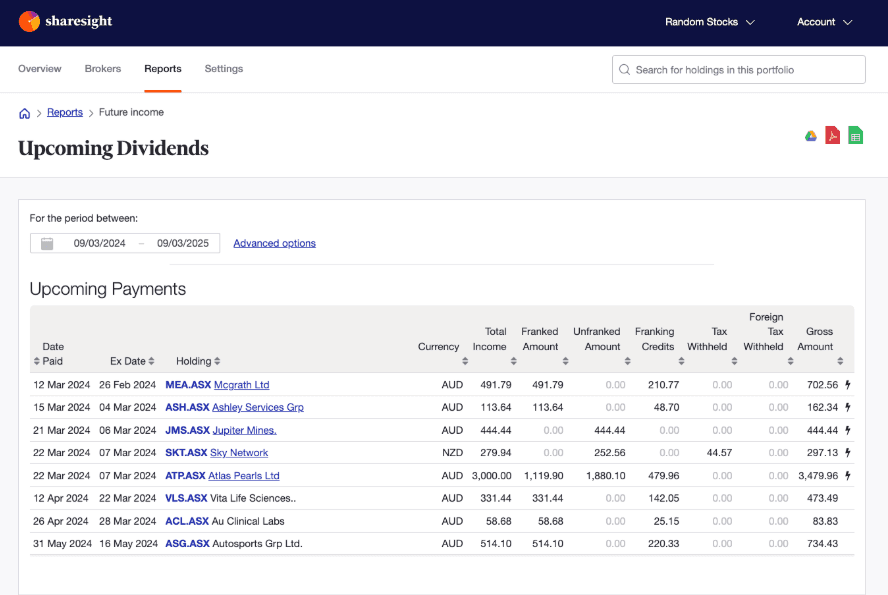
- You can see your dividend payments projected over time.
Cons
- Some users find the mobile app lacks features compared to the desktop version.
- You might find the user interface less intuitive if you're new to portfolio management.
- There's limited support for certain international stock exchanges.
Is Sharesight Right For Your Needs?
Who Would be a Good Fit for Sharesight?
Sharesight is ideal for individual investors and small financial advisory firms. If you're managing a portfolio and need to track dividends, capital gains, and currency fluctuations, Sharesight offers robust reporting tools that simplify these tasks. Its ability to integrate with brokers and provide comprehensive tax reports makes it a valuable tool for those handling complex investment portfolios.
- Individual InvestorsSharesight can support your financial independence by helping you track investment performance with ease through detailed reports and portfolio insights.
- Small Advisory FirmsSmall firms can benefit from Sharesight's ability to generate tax reports and client-ready performance summaries.
- DIY InvestorsIf you prefer managing your own investments, Sharesight's integration with brokers and real-time data from over 60 stock exchanges, including NYSE, LSE, and ASX, can help you track your net worth and make informed decisions.
- Financial AdvisorsFinancial advisors can use Sharesight to streamline client reporting and provide accurate, detailed performance analysis.
- Portfolio ManagersSharesight's tracking of dividends and capital gains supports your portfolio management tasks.
- Tax ConsultantsYou can leverage Sharesight's tax reporting features to simplify the preparation of investment-related tax documents.
Who Would be a Bad Fit for Sharesight?
Sharesight isn't ideal for businesses needing elaborate financial analysis or complex accounting capabilities. If your team requires advanced budget forecasting, detailed expense tracking, or integration with accounting software, Sharesight may fall short. Its primary focus is on portfolio tracking, which might not suffice for entities with broader financial management needs.
- Large EnterprisesSharesight's features are tailored for individual investors and small to mid-sized businesses, not large corporations needing extensive portfolio management.
- Accounting DepartmentsIf your work involves detailed accounting functions, Sharesight lacks the comprehensive financial tools you might need.
- Crypto-Centric PortfoliosWhile Sharesight supports many major cryptocurrencies, it may not offer all of the crypto options you need.
How We Test & Score Tools
We’ve spent years building, refining, and improving our software testing and scoring system. The rubric is designed to capture the nuances of software selection and what makes a tool effective, focusing on critical aspects of the decision-making process.
Below, you can see exactly how our testing and scoring works across seven criteria. It allows us to provide an unbiased evaluation of the software based on core functionality, standout features, ease of use, onboarding, customer support, integrations, customer reviews, and value for money.
Core Functionality (25% of final scoring)
The starting point of our evaluation is always the core functionality of the tool. Does it have the basic features and functions that a user would expect to see? Are any of those core features locked to higher-tiered pricing plans? At its core, we expect a tool to stand up against the baseline capabilities of its competitors.
Standout Features (25% of final scoring)
Next, we evaluate uncommon standout features that go above and beyond the core functionality typically found in tools of its kind. A high score reflects specialized or unique features that make the product faster, more efficient, or offer additional value to the user.
We also evaluate how easy it is to integrate with other tools typically found in the tech stack to expand the functionality and utility of the software. Tools offering plentiful native integrations, 3rd party connections, and API access to build custom integrations score best.
Ease of Use (10% of final scoring)
We consider how quick and easy it is to execute the tasks defined in the core functionality using the tool. High scoring software is well designed, intuitive to use, offers mobile apps, provides templates, and makes relatively complex tasks seem simple.
Onboarding (10% of final scoring)
We know how important rapid team adoption is for a new platform, so we evaluate how easy it is to learn and use a tool with minimal training. We evaluate how quickly a team member can get set up and start using the tool with no experience. High scoring solutions indicate little or no support is required.
Customer Support (10% of final scoring)
We review how quick and easy it is to get unstuck and find help by phone, live chat, or knowledge base. Tools and companies that provide real-time support score best, while chatbots score worst.
Customer Reviews (10% of final scoring)
Beyond our own testing and evaluation, we consider the net promoter score from current and past customers. We review their likelihood, given the option, to choose the tool again for the core functionality. A high scoring software reflects a high net promoter score from current or past customers.
Value for Money (10% of final scoring)
Lastly, in consideration of all the other criteria, we review the average price of entry level plans against the core features and consider the value of the other evaluation criteria. Software that delivers more, for less, will score higher.
Core Features
Automatic Portfolio Tracking: Sharesight automatically tracks your investments, updating prices and performance metrics. You get real-time insights into your portfolio's performance without the time and effort of manual input.
Dividend Tracking: It records dividend income and reinvestments in DRPs, providing detailed reports on your earnings. This helps you accurately assess your income streams and reinvestment strategies.
Tax Reporting: Sharesight offers comprehensive tax reports, including capital gains and dividend income, tailored to your country's tax laws. You'll find it easier to prepare for tax season with all the necessary documents in one place.
Performance Benchmarking: Compare your portfolio's performance against various benchmarks and indices. This gives you a clear picture of your investment success relative to market standards.
Multi-Currency Support: Sharesight handles portfolios with assets in different currencies, offering automatic currency conversion. This feature is essential for global investors managing assets across various markets.
Corporate Actions Tracking: Sharesight automatically tracks corporate actions such as stock splits and mergers, so you won't miss out on important changes that could affect your investment strategy.
Ease of Use
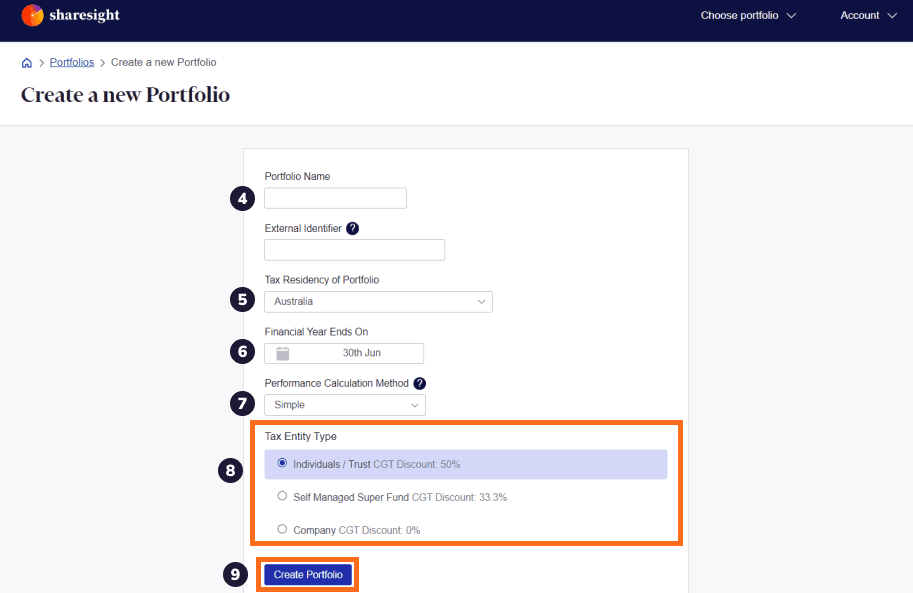
Sharesight is generally praised for its user-friendly interface, which makes it easy to track your investments, though it may take time to get used to if you're new to portfolio management. Its intuitive design allows you to quickly import data and generate insightful reports. Unlike some other portfolio management tools, Sharesight simplifies tax reporting with automated features that save time. While some users mention a learning curve for advanced features, Sharesight's straightforward setup and clear navigation enhance your investment tracking experience overall.
Integrations
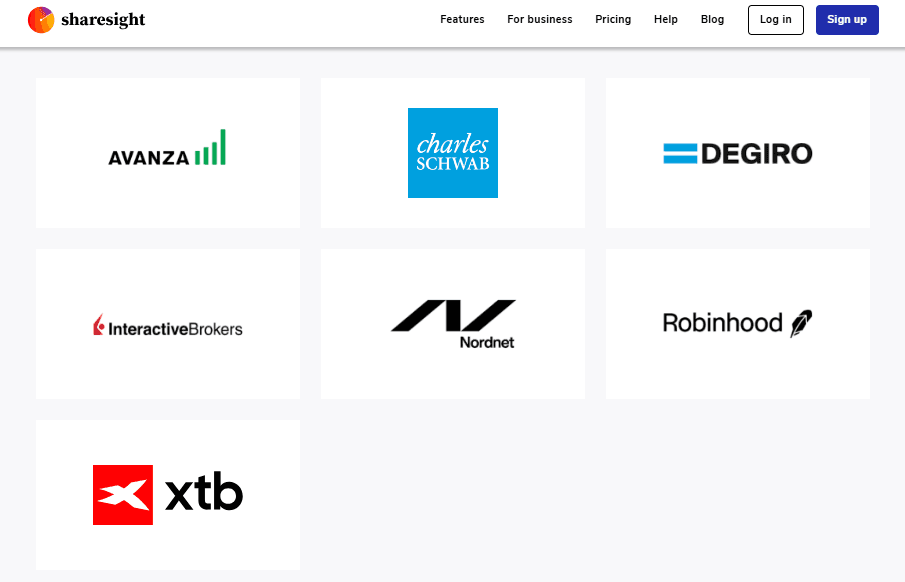
Sharesight integrates with Saxo Markets, Interactive Brokers, and myprosperity and supports over 100 online brokers through its Sharesight Connect feature, allowing users to automate trade imports via the Trade Confirmation Emails feature.
Sharesight also has an API for third-party connections, enabling further integrations beyond the native options, such as integration with Morningstar Investor Australia.
Sharesight Specs
- API: Yes
- Batch Permissions & Access: No
- Calendar Management: No
- Collaboration Support: No
- Contact Management: No
- Contact Sharing: No
- Customer Management: No
- Data Export: Yes
- Data Import: Yes
- Data Visualization: Yes
- Database: No
- Email Integration: No
- External Integrations: Yes
- File Transfer: No
- Multi-Account: Yes
- Password & Access Management: No
- Project Management: No
- Report & Compliance: Yes
- Resource Management: No
- Software Integration: Yes
- Task Scheduling/Tracking: No
- Time Management: No
- Timesheets: No
- Workflow Management: No


