

Vitruvi Review: Pros, Cons, Key Features and Current Pricing Explained
Vitruvi stands out for its intuitive design and telecom-focused features, making it a strong ERP choice for construction teams seeking streamlined project management over generic solutions.

We review tools independently, and commissions help fund our testing. See our transparency policy, our methodology, or suggest a tool.
Vitruvi is a construction ERP software built for infrastructure and utility contractors who need to connect field operations, project financials, and workforce management in one platform. I'd consider it if your team runs complex, multi-phase projects where tracking crew activity and job costs across multiple sites is a constant challenge. If you've evaluated Procore, Vitruvi is worth a closer look—it's purpose-built for the infrastructure sector, where Procore offers broader general contracting coverage but less depth for the operational and financial workflows that utility contractors actually deal with.
Vitruvi Evaluation Summary
5/5
- Pricing upon request
- Demo available
Why Trust Our Software Recommendations
6,700+
Reviews
20
Industry experts
16+
Evaluation factors
14
Years
Our team has been testing and reviewing software since 2012. As finance leaders ourselves, we know how difficult—and important—it is to choose the right software.
For this guide, we evaluated tools using hands-on testing and independent research, scoring tools using our selection criteria.
Our reviews reflect our human editorial judgment, not a sales pitch.
Vitruvi Overview
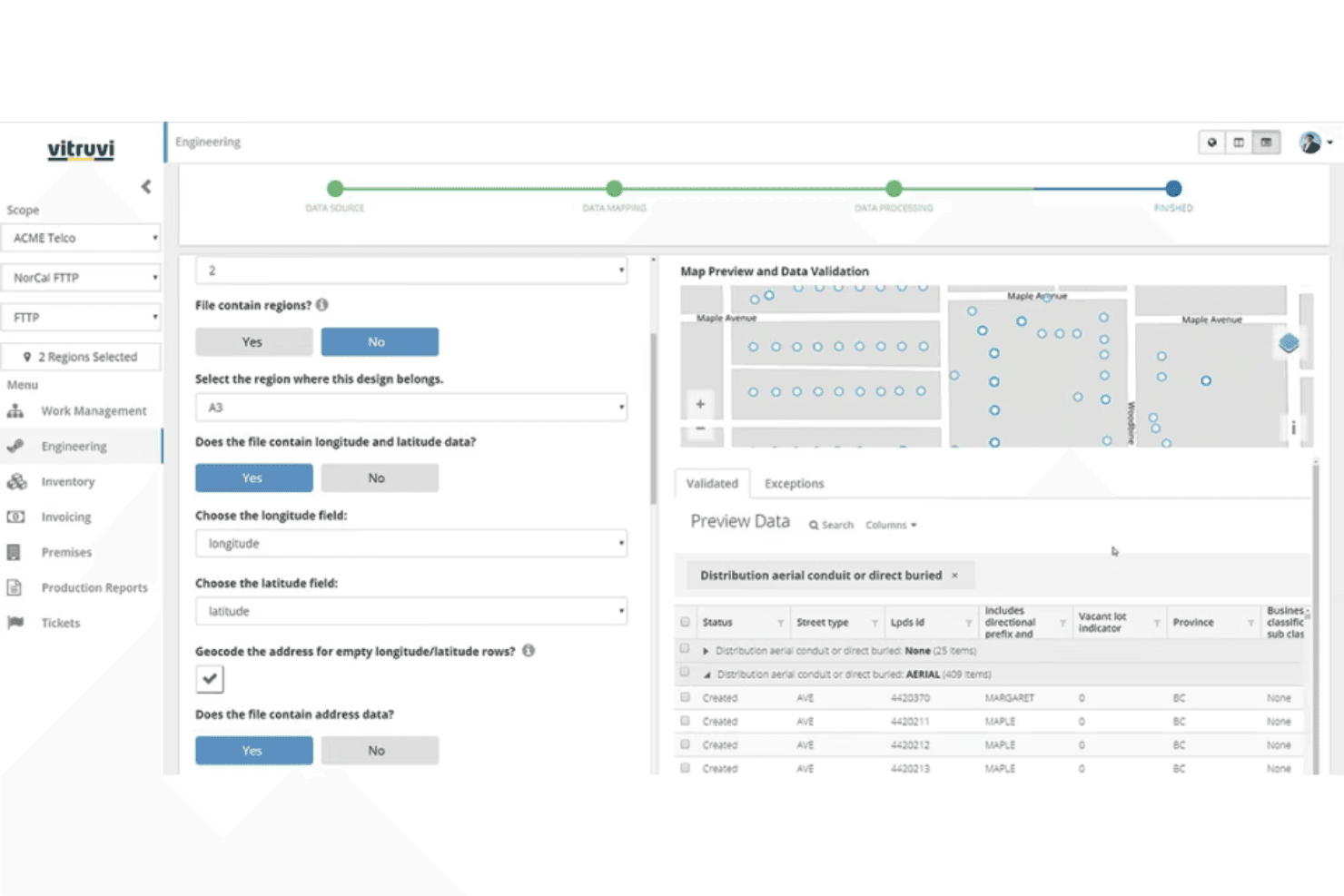
When judging construction ERP software, Vitruvi impresses with its telecom project focus, user-friendly interface, and overall functionality. Its pricing is transparent, and onboarding is straightforward, making it accessible for teams new to ERP systems. While its integrations are solid, some advanced analytics features lag behind competitors. Vitruvi is best suited for organizations managing linear infrastructure or telecom projects that need clear cost tracking and field-to-office collaboration. If you’re selecting a solution for complex, multi-site projects and value ease of use over deep customization, Vitruvi is a strong contender.
Pros
- AI-powered quality control reduces manual inspection time.
- Mobile daily reporting improves field documentation accuracy.
- Modular platform supports phased adoption for growing teams.
Cons
- Advanced analytics features are limited compared to peers.
- GIS integration setup can require additional configuration.
- Some users report slow performance with large project files.
Is Vitruvi Right For Your Needs?
Who Would be a Good Fit for Vitruvi?
Vitruvi is a strong choice for organizations managing linear infrastructure, telecom, or utility projects that require detailed cost tracking, structured order management, and field-to-office collaboration. Its modular platform, mobile reporting, and AI-powered quality control make it especially valuable for teams that need real-time project visibility and compliance documentation. Companies with phased adoption plans or scalability operations will benefit from its flexible deployment and support for complex, multi-site projects.
- Telecom ConstructionVitruvi’s telecom project templates and field reporting streamline fiber and wireless builds.
- Utility CompaniesThe platform’s GIS mapping and asset tracking support utility infrastructure management.
- Project Management TeamsMobile daily reporting and centralized documentation improve project oversight and accountability.
- Mid-Sized ContractorsModular features allow phased adoption as project volume grows.
- Field Operations DepartmentsMobile-first tools enable real-time updates from remote job sites.
- Compliance-Focused RolesAudit-ready documentation and quality control features support regulatory compliance.
Who Would be a Bad Fit for Vitruvi?
Vitruvi may not suit organizations with highly specialized workflows, small-scale projects, or those needing deep custom analytics. Its advanced analytics are limited, and GIS integration may require extra setup, making it less ideal for teams with unique data needs or minimal IT resources. Companies outside infrastructure or telecom construction may find its feature set too narrow for their requirements.
- Residential BuildersVitruvi’s focus on linear infrastructure doesn’t match residential project needs.
- Small General ContractorsThe platform’s scale and cost may exceed small project requirements.
- Custom Analytics TeamsLimited advanced analytics restricts deep data exploration.
- Heavy ManufacturingManufacturing-specific workflows and integrations are not supported.
- Minimal IT ResourcesGIS and integration setup may require more technical support than available.
- Design-Only FirmsVitruvi lacks features for design or pre-construction planning workflows.
How We Test & Score Tools
We’ve spent years building, refining, and improving our software testing and scoring system. The rubric is designed to capture the nuances of software selection and what makes a tool effective, focusing on critical aspects of the decision-making process.
Below, you can see exactly how our testing and scoring works across seven criteria. It allows us to provide an unbiased evaluation of the software based on core functionality, standout features, ease of use, onboarding, customer support, integrations, customer reviews, and value for money.
Core Functionality (25% of final scoring)
The starting point of our evaluation is always the core functionality of the tool. Does it have the basic features and functions that a user would expect to see? Are any of those core features locked to higher-tiered pricing plans? At its core, we expect a tool to stand up against the baseline capabilities of its competitors.
Standout Features (25% of final scoring)
Next, we evaluate uncommon standout features that go above and beyond the core functionality typically found in tools of its kind. A high score reflects specialized or unique features that make the product faster, more efficient, or offer additional value to the user.
We also evaluate how easy it is to integrate with other tools typically found in the tech stack to expand the functionality and utility of the software. Tools offering plentiful native integrations, 3rd party connections, and API access to build custom integrations score best.
Ease of Use (10% of final scoring)
We consider how quick and easy it is to execute the tasks defined in the core functionality using the tool. High scoring software is well designed, intuitive to use, offers mobile apps, provides templates, and makes relatively complex tasks seem simple.
Onboarding (10% of final scoring)
We know how important rapid team adoption is for a new platform, so we evaluate how easy it is to learn and use a tool with minimal training. We evaluate how quickly a team member can get set up and start using the tool with no experience. High scoring solutions indicate little or no support is required.
Customer Support (10% of final scoring)
We review how quick and easy it is to get unstuck and find help by phone, live chat, or knowledge base. Tools and companies that provide real-time support score best, while chatbots score worst.
Customer Reviews (10% of final scoring)
Beyond our own testing and evaluation, we consider the net promoter score from current and past customers. We review their likelihood, given the option, to choose the tool again for the core functionality. A high scoring software reflects a high net promoter score from current or past customers.
Value for Money (10% of final scoring)
Lastly, in consideration of all the other criteria, we review the average price of entry level plans against the core features and consider the value of the other evaluation criteria. Software that delivers more, for less, will score higher.
Core Features
AI-Powered Quality Control
Automates inspection workflows and flags issues in real time. Reduces manual review and helps teams maintain compliance standards.
Mobile Daily Reporting
Lets field teams submit progress updates, photos, and notes from any device. Improves accuracy and speeds up communication between job sites and the office.
GIS Mapping and Asset Tracking
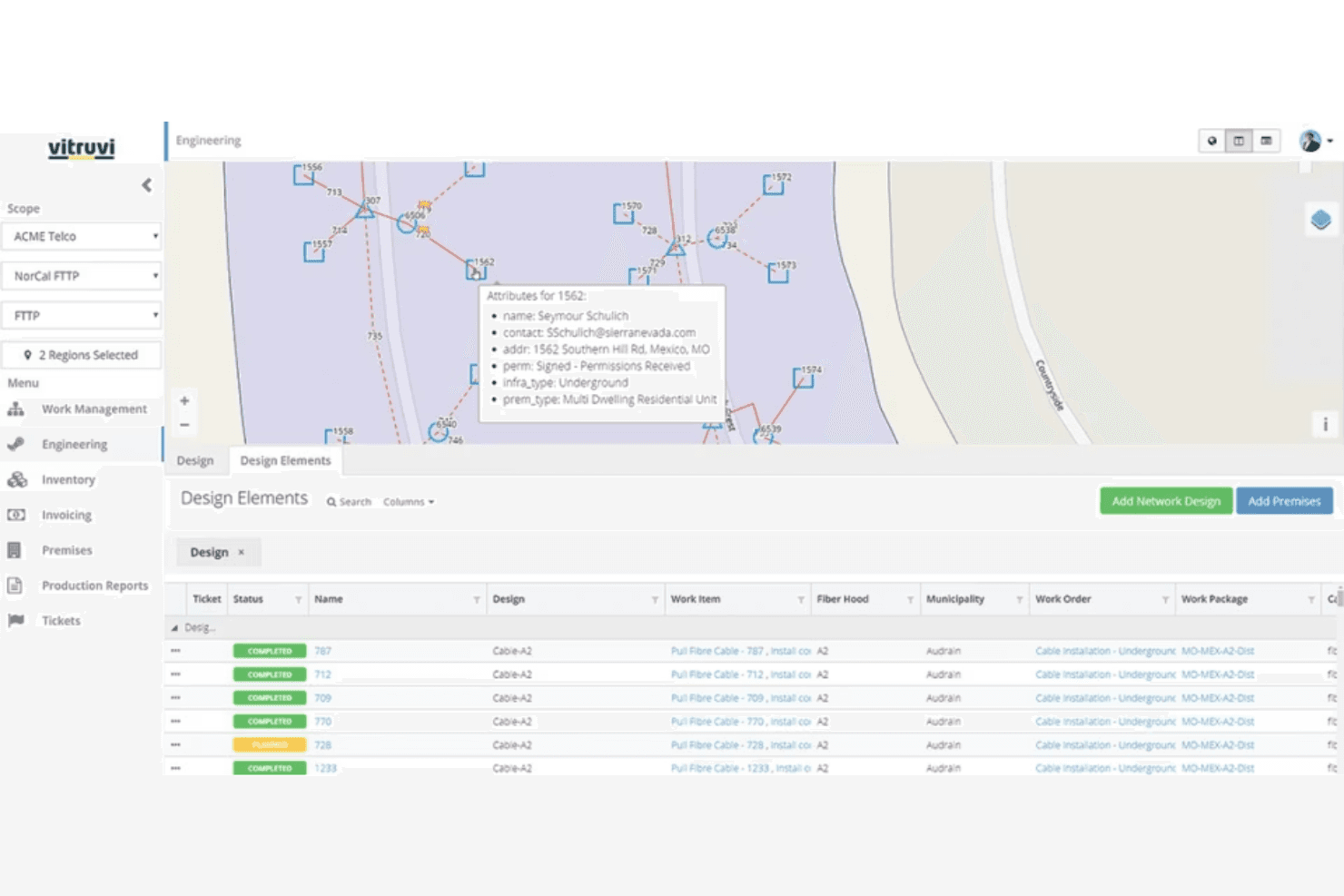
Visualizes project assets and infrastructure on interactive maps. Supports precise location tracking for utilities and telecom builds.
Centralized Document Management
Stores contracts, invoices, permits, and project files in a single, searchable platform to strengthen document control. Ensures everyone accesses the latest documentation.
Cost Tracking and Budget Management
Monitors project expenses, change orders, and budget status in real time. Helps finance teams control costs, forecast spend, and support informed decision-making.
Modular Project Templates
Offers pre-built templates for telecom and utility projects. Enables quick project setup and standardizes workflows across teams.
Ease of Use
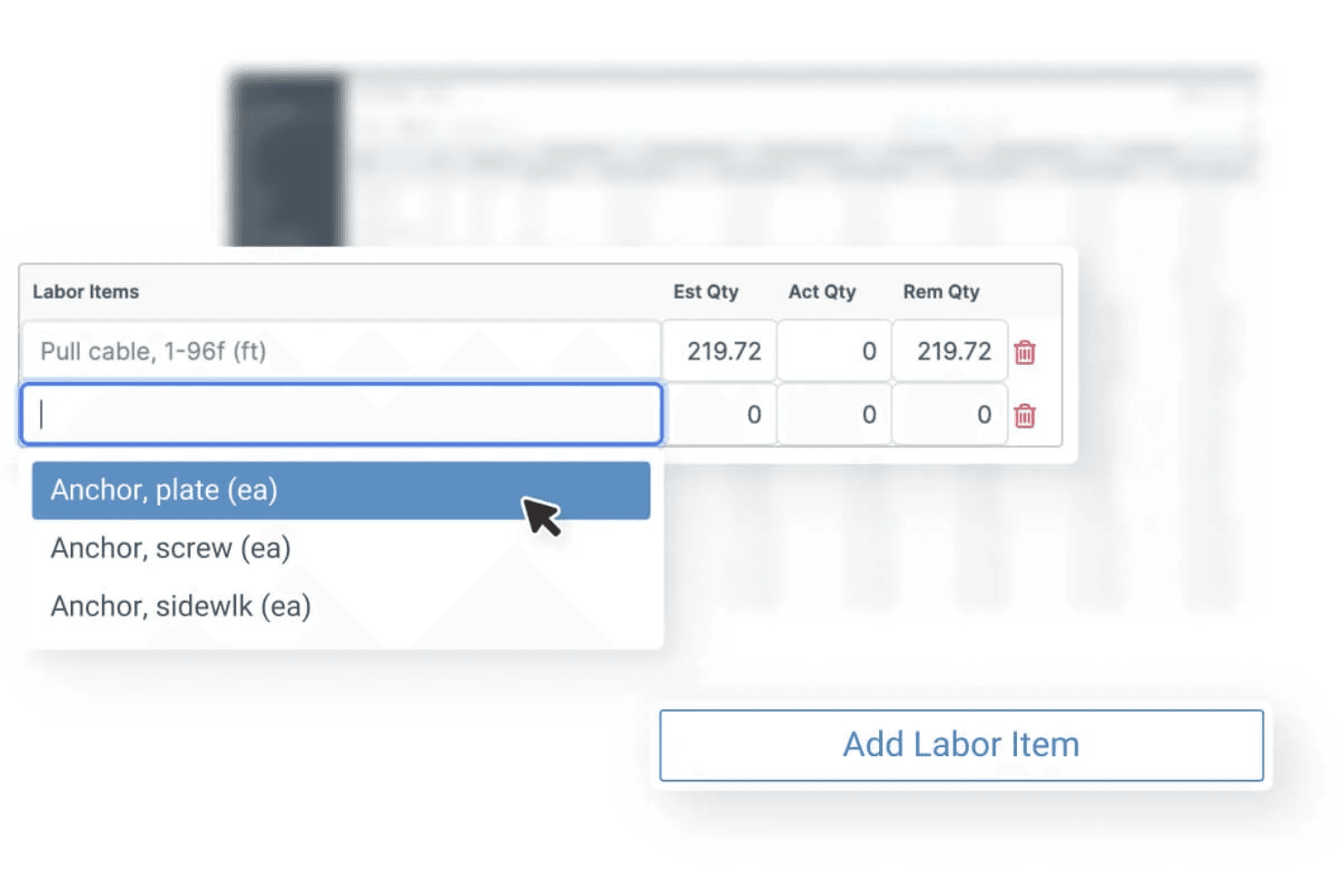
Vitruvi is widely recognized for its clean interface and intuitive navigation, making it approachable for both field and office users. Users highlight the straightforward onboarding process and clear workflows, especially for telecom and utility projects. The mobile app’s daily reporting and real-time updates reduce administrative friction, while centralized document management and project dashboards keeps information accessible. Some users note minor slowdowns with large files, but overall, Vitruvi’s usability stands out in the construction ERP space.
Integrations
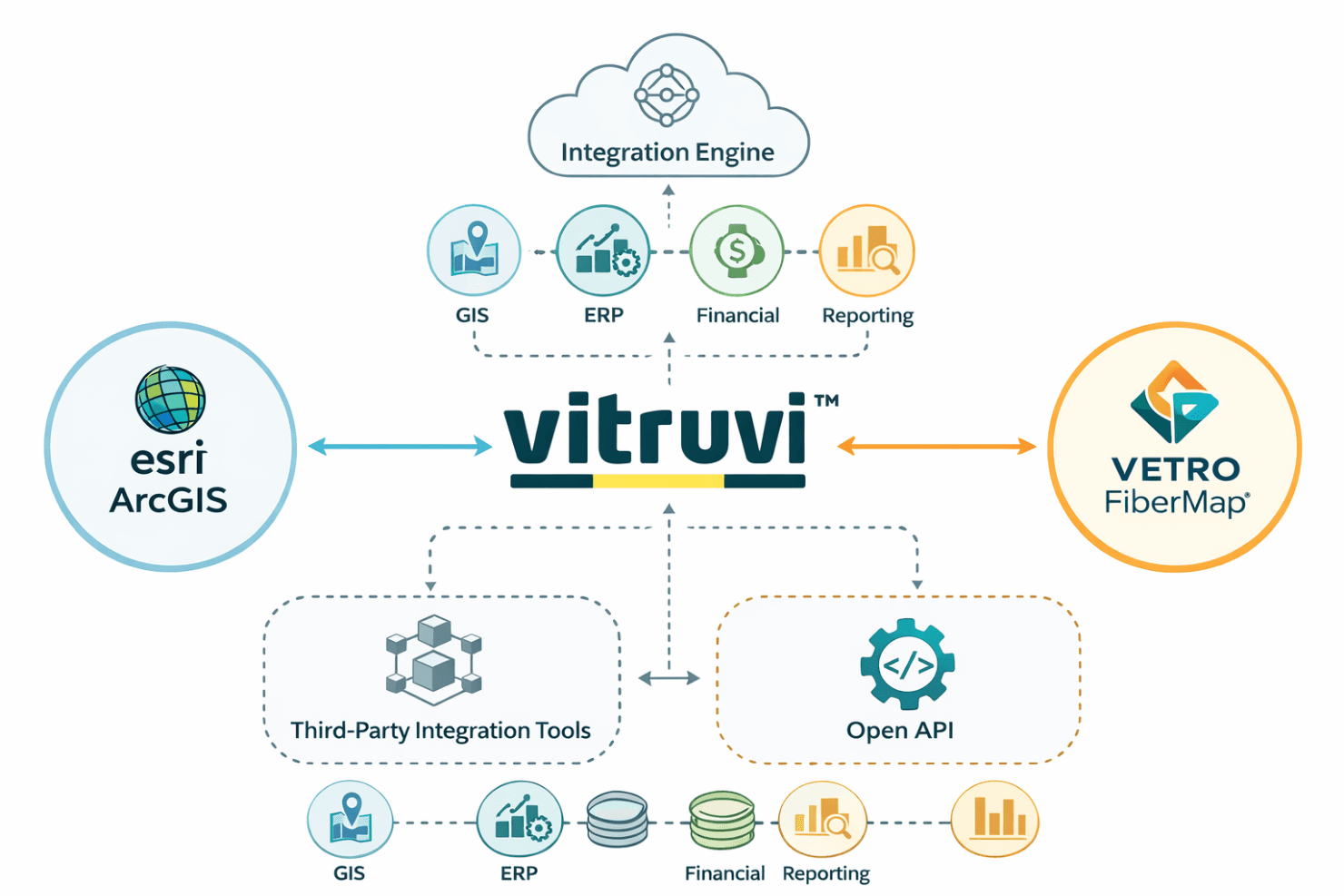
Vitruvi integrates with Esri ArcGIS and VETRO FiberMap and connects with GIS, ERP, financial, and reporting systems through its integration engine, among others.
Vitruvi also offers an open API for custom integrations and supports connections with third-party integration tools.
Vitruvi Specs
- Accounts Payable: Yes
- Accounts Receivable: Yes
- API: Yes
- Budgeting: No
- Calendar Management: No
- Compliance Tracking: No
- Customer Management: No
- Dashboard: Yes
- Data Export: Yes
- Data Import: Yes
- Data Visualization: Yes
- Expense Tracking: Yes
- External Integrations: Yes
- Financial Analysis: Yes
- Forecasting: Yes
- Inventory Tracking: Yes
- Multi-Currency: Yes
- Multi-User: Yes
- Notifications: No
- Order Management: No
- Payroll: Yes
- Project Management: Yes
- Purchase Orders: Yes
- Resource Management: Yes
- Scheduling: Yes
- Supplier Management: Yes
- Task Scheduling/Tracking: No
- Third-Party Plugins/Add-Ons: Yes
- Warehouse Management: Yes
- Workflow Management: No


