

Zendesk Sell Review: Pros, Cons, Features and Pricing Explained
Zendesk Sell stands out for its intuitive CRM tools, but if you need deep accounting features, you might find it lacking compared to specialized solutions.

We review tools independently, and commissions help fund our testing. See our transparency policy, our methodology, or suggest a tool.
Zendesk Sell is an accounting CRM designed for sales teams that need pipeline visibility, contact management, and deal tracking without a heavy implementation. I'd look at it if your team is already running Zendesk for customer support and wants sales data tied directly to that customer history. That's where it pulls ahead of HubSpot CRM, which requires more configuration to connect support interactions and sales activity in the same view.
Zendesk Sell Evaluation Summary
4.4/5
- From $19/user/month (billed annually)
- 14-day free trial
Why Trust Our Software Recommendations
6,700+
Reviews
20
Industry experts
16+
Evaluation factors
14
Years
Our team has been testing and reviewing software since 2012. As finance leaders ourselves, we know how difficult—and important—it is to choose the right software.
For this guide, we evaluated tools using hands-on testing and independent research, scoring tools using our selection criteria.
Our reviews reflect our human editorial judgment, not a sales pitch.
Zendesk Sell Overview
When judging Zendesk Sell as accounting CRM software, I think its clean interface and easy onboarding make it a top pick for teams new to CRM tools. The customizable sales pipelines and strong integration options help finance teams connect customer data across platforms. Pricing is competitive, and support is responsive, but you might notice fewer advanced accounting features than some alternatives. If you're selecting a CRM for a mid-sized business that values usability and quick setup over deep accounting automation, Zendesk Sell is a smart choice. For example, its reporting tools are straightforward, but may not satisfy complex accounting needs.
Pros
- Clean, intuitive interface for managing sales pipelines
- Strong alignment between sales and support teams
- Mobile app supports on-the-go deal management
Cons
- Lacks advanced accounting and invoicing features
- Reporting tools are basic for complex finance needs
- Limited customization for accounting-specific workflows
Is Zendesk Sell Right For Your Needs?
Who Would be a Good Fit for Zendesk Sell?
Zendesk Sell is a good fit for teams that want a straightforward CRM to manage sales and client relationships without needing deep accounting automation. Its clean interface, mobile app, and strong sales-support alignment make it ideal for service-driven businesses, smaller finance teams, and small businesses that value quick onboarding. If your business needs to track deals, manage contacts, and collaborate between sales and finance, Zendesk Sell's feature set is likely to meet your needs across the entire sales process.
- Small Accounting FirmsZendesk Sell helps manage client pipelines and communications efficiently.
- Professional ServicesThe platform supports tracking client projects and sales activities.
- SaaS StartupsQuick onboarding and mobile access suit fast-moving teams.
- Sales DepartmentsSales pipeline tools and reporting keep team members organized and on target.
- Consulting AgenciesEasy collaboration between sales and support improves client handoffs.
- Real Estate TeamsContact management and deal tracking fit property sales cycles.
Who Would be a Bad Fit for Zendesk Sell?
Zendesk Sell is not the best choice for organizations that need advanced accounting features, deep financial reporting, or highly customized workflows. Large enterprises that require advanced analytics, finance-heavy industries, and teams with complex compliance needs may find its accounting capabilities too limited. If your business relies on detailed invoicing, multi-entity management, or granular financial analytics, you'll likely need a more specialized accounting CRM.
- Large EnterprisesZendesk Sell lacks advanced accounting and multi-entity support.
- Manufacturing CompaniesComplex inventory and order management are not supported.
- Nonprofit OrganizationsGrant tracking and donation management features are missing.
- Finance DepartmentsAdvanced reporting and accounting integrations are limited.
- E-commerce BusinessesNo built-in tools for order or payment processing.
- Healthcare ProvidersDoes not offer compliance or patient billing features.
How We Test & Score Tools
We’ve spent years building, refining, and improving our software testing and scoring system. The rubric is designed to capture the nuances of software selection and what makes a tool effective, focusing on critical aspects of the decision-making process.
Below, you can see exactly how our testing and scoring works across seven criteria. It allows us to provide an unbiased evaluation of the software based on core functionality, standout features, ease of use, onboarding, customer support, integrations, customer reviews, and value for money.
Core Functionality (25% of final scoring)
The starting point of our evaluation is always the core functionality of the tool. Does it have the basic features and functions that a user would expect to see? Are any of those core features locked to higher-tiered pricing plans? At its core, we expect a tool to stand up against the baseline capabilities of its competitors.
Standout Features (25% of final scoring)
Next, we evaluate uncommon standout features that go above and beyond the core functionality typically found in tools of its kind. A high score reflects specialized or unique features that make the product faster, more efficient, or offer additional value to the user.
We also evaluate how easy it is to integrate with other tools typically found in the tech stack to expand the functionality and utility of the software. Tools offering plentiful native integrations, 3rd party connections, and API access to build custom integrations score best.
Ease of Use (10% of final scoring)
We consider how quick and easy it is to execute the tasks defined in the core functionality using the tool. High scoring software is well designed, intuitive to use, offers mobile apps, provides templates, and makes relatively complex tasks seem simple.
Onboarding (10% of final scoring)
We know how important rapid team adoption is for a new platform, so we evaluate how easy it is to learn and use a tool with minimal training. We evaluate how quickly a team member can get set up and start using the tool with no experience. High scoring solutions indicate little or no support is required.
Customer Support (10% of final scoring)
We review how quick and easy it is to get unstuck and find help by phone, live chat, or knowledge base. Tools and companies that provide real-time support score best, while chatbots score worst.
Customer Reviews (10% of final scoring)
Beyond our own testing and evaluation, we consider the net promoter score from current and past customers. We review their likelihood, given the option, to choose the tool again for the core functionality. A high scoring software reflects a high net promoter score from current or past customers.
Value for Money (10% of final scoring)
Lastly, in consideration of all the other criteria, we review the average price of entry level plans against the core features and consider the value of the other evaluation criteria. Software that delivers more, for less, will score higher.
Core Features
Sales Pipeline Management
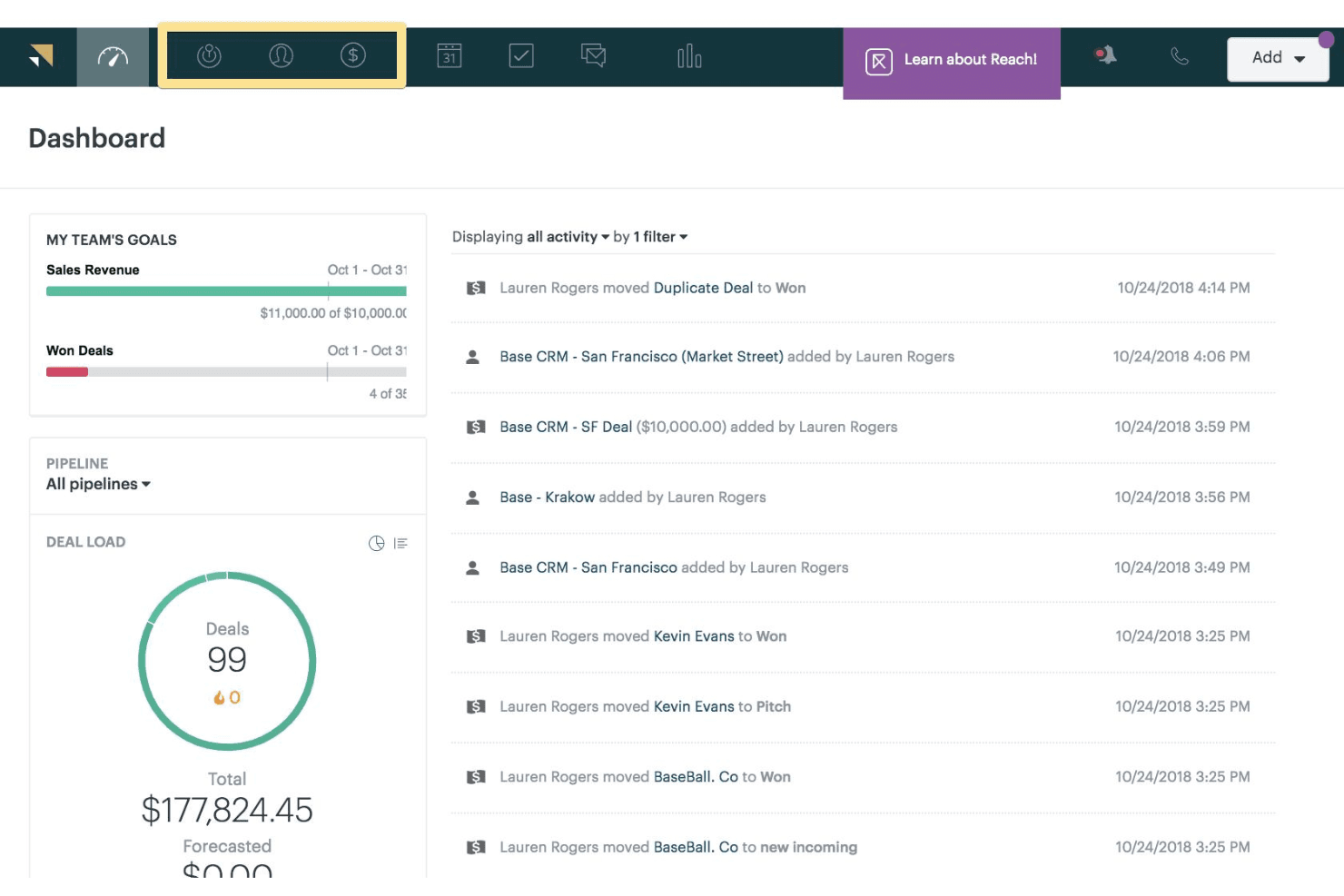
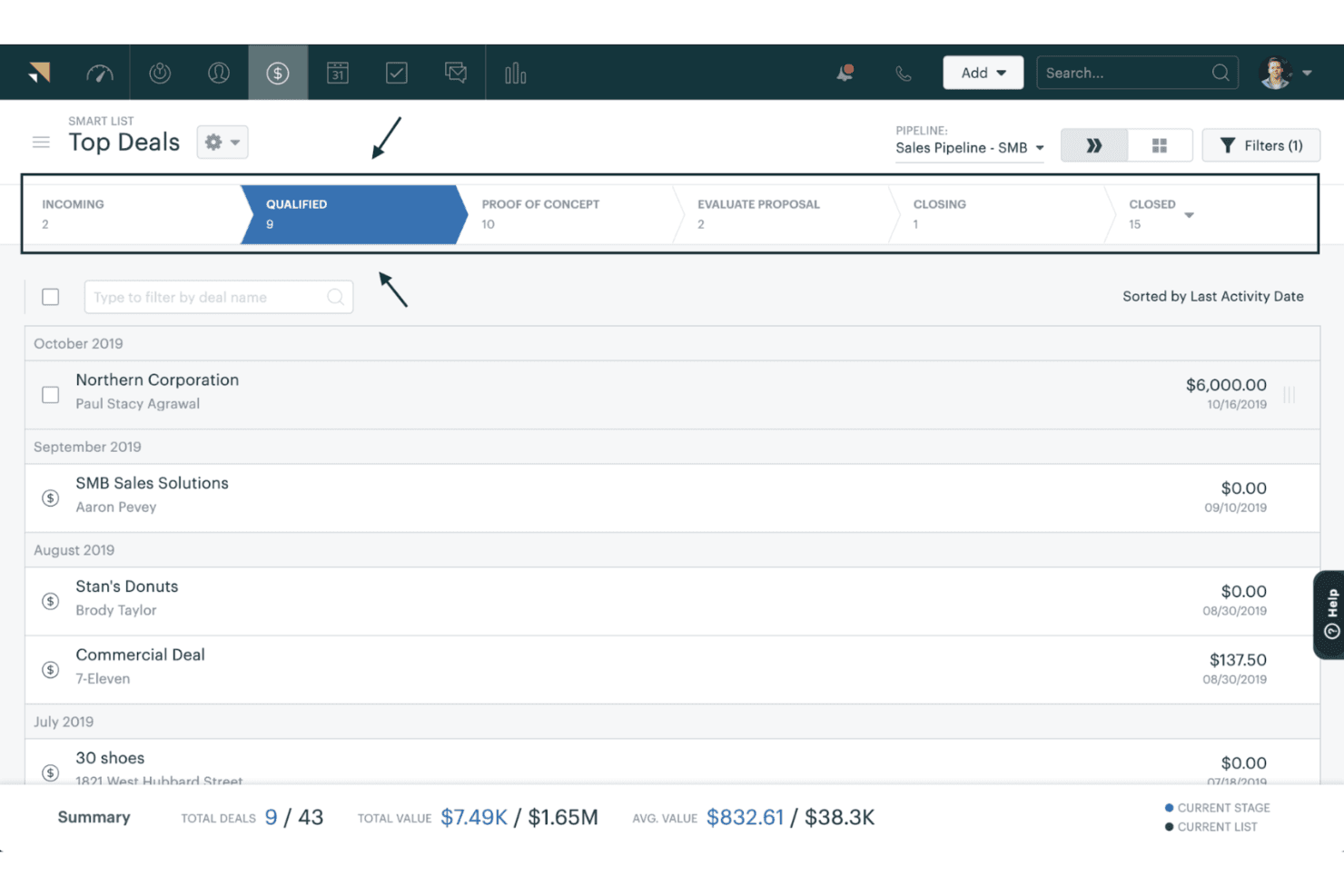
Track deals through customizable stages with drag-and-drop controls and visualizes progress in real-time. Teams get clear pipeline visibility to prioritize leads and forecast revenue.
Contact and Account Management
Store, organize, and update customer data in one centralized workspace. Users access full communication history and key account details instantly, with support for custom fields.
Task and Activity Tracking
Assign, schedule, and monitor tasks tied to deals and clients across the sales process. Automated notifications keep team members on top of follow-ups and deadlines without manual effort.
Reporting and Analytics
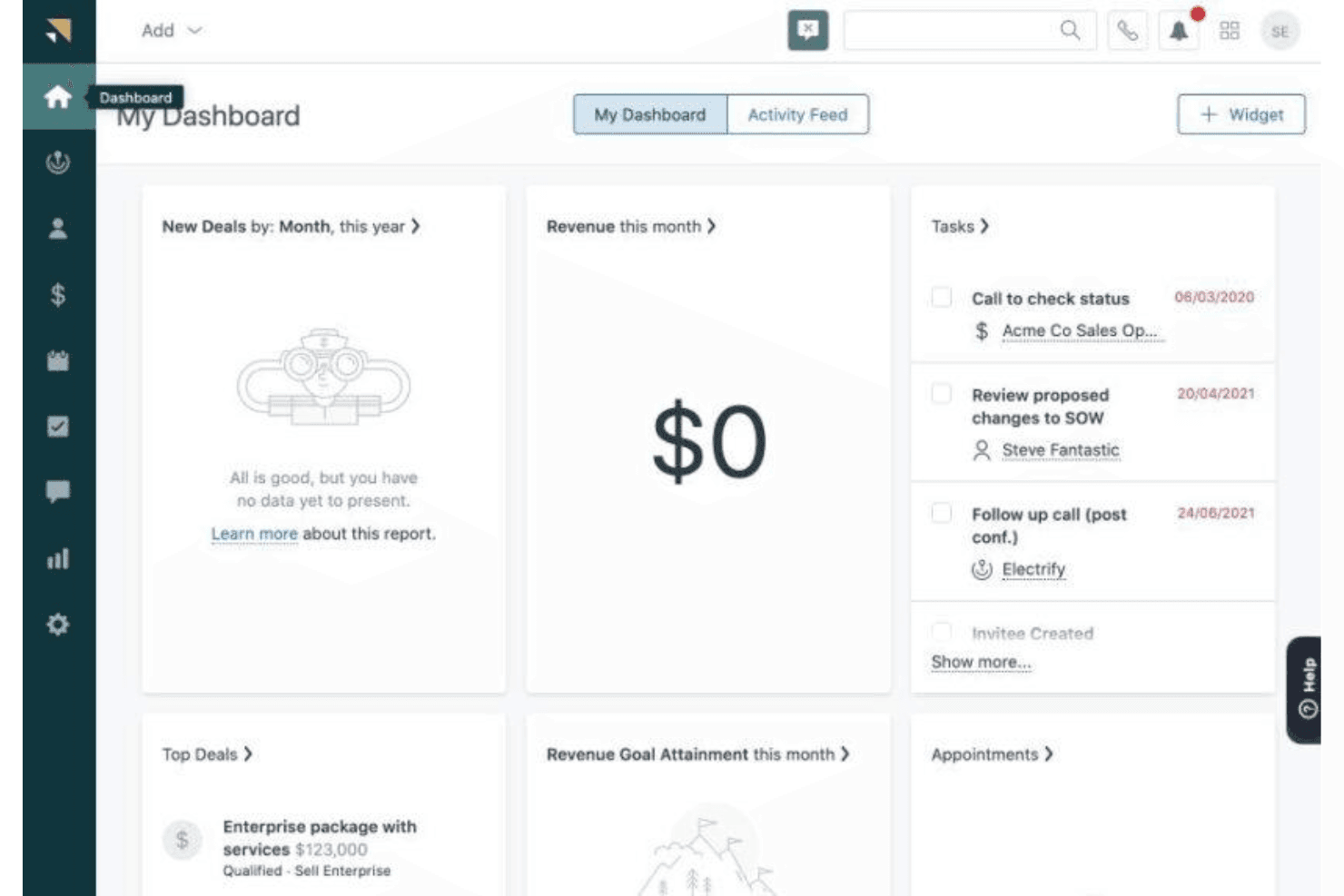
Generate sales reports and dashboards to monitor key metrics in real-time. The system surfaces insights into pipeline health and team productivity for smarter sales management.
Mobile CRM App
Access customer data, update deals, and log activities from anywhere via the mobile app. The app supports field-based sales reps and remote work scenarios with equal reliability.
Email Integration and Tracking
Send, receive, and track emails—including Outlook—directly within the CRM. Users can see when clients open messages and link all customer interactions to the right deals.
Ease of Use
Zendesk Sell is one of the most user-friendly accounting CRM software options I've seen. The interface is clean, navigation is straightforward, and onboarding is quick—even for teams new to CRM tools. Users often mention how easy it is to manage contacts, track deals, and generate reports without extra training. The drag-and-drop pipeline builder, mobile app, and in-app guidance also help teams stay productive, making it a strong choice for small businesses and larger organizations alike that want simplicity and speed.
Integrations
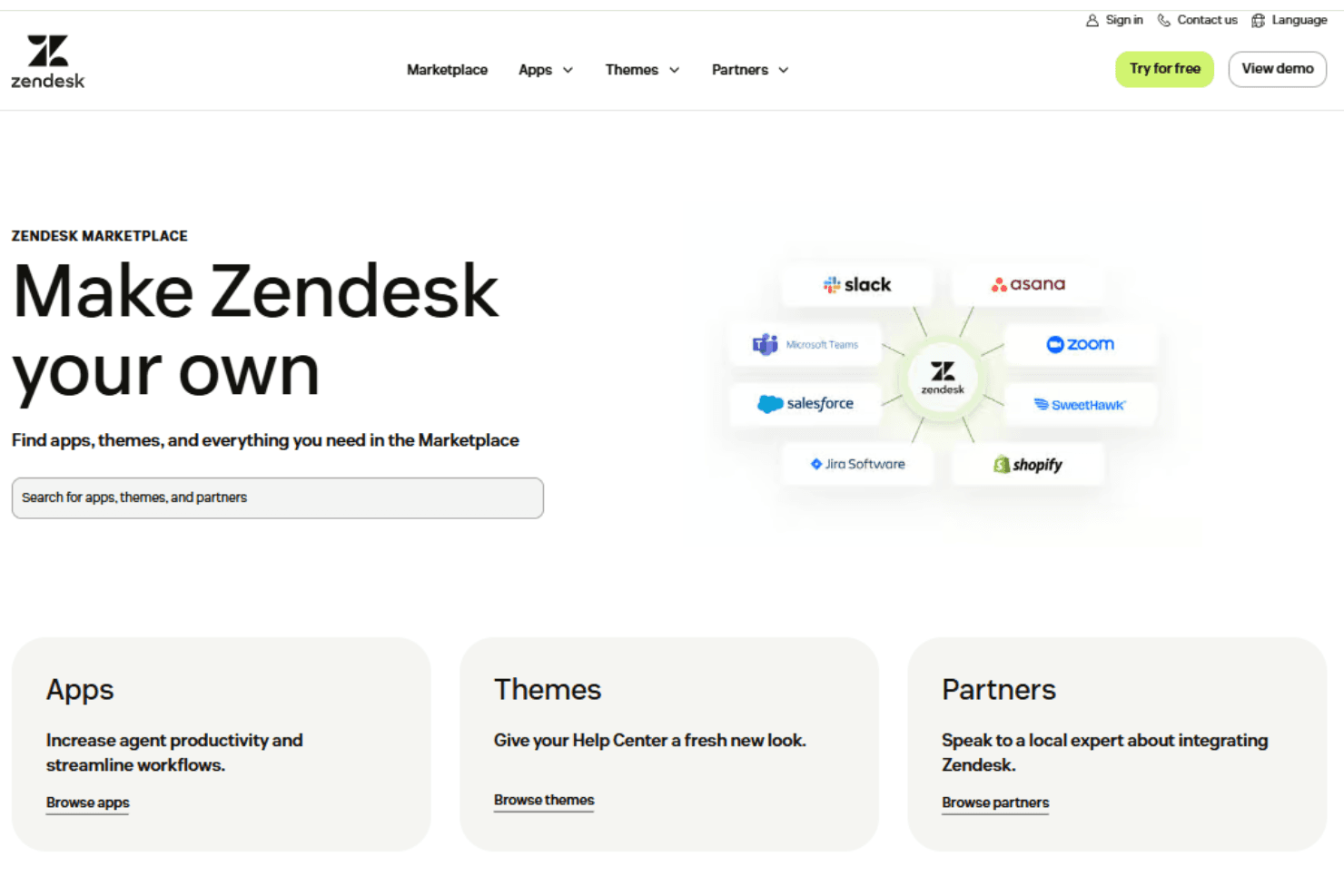
Zendesk Sell integrates with HubSpot, Salesforce, Pipedrive, Zoho CRM, Slack, Shopify, and Zapier, among others.
Zendesk Sell also offers a robust API and connects with third-party integration tools—for expanded functionality across email marketing, social media management, and more.
Zendesk Sell Specs
- 2-Factor Authentication: Yes
- API: Yes
- Calendar Management: Yes
- Call Tracking: Yes
- Campaign Management: Yes
- Click-to-Dial: Yes
- Contact Management: Yes
- Contact Sharing: Yes
- Custom Data Forms: Yes
- Customer Management: Yes
- Dashboard: Yes
- Data Export: Yes
- Data Import: Yes
- Data Visualization: Yes
- Email Integration: Yes
- External Integrations: Yes
- File Sharing: Yes
- File Transfer: Yes
- Google Apps Integration: Yes
- Lead Management: Yes
- Lead Scoring: Yes
- Marketing Automation: Yes
- Mobile App: Yes
- Multi-User: Yes
- Notifications: Yes
- Pipeline Management: Yes
- Sales Automation: Yes
- Scheduling: Yes
- Social-Media Integration: Yes
- Task Scheduling/Tracking: Yes
- Third-Party Plugins/Add-Ons: Yes


