

Priority Bewertung: Vorteile, Nachteile, Funktionen & Preise
Priority ERP zeichnet sich durch umfangreiche Funktionen und schnelle Performance aus und ist damit eine starke Option für mittelständische bis große Unternehmen, die nach umfassenden ERP-Lösungen suchen.

Wir bewerten Tools unabhängig; Provisionen helfen, unsere Tests zu finanzieren. Siehe unsere Transparenzrichtlinie und unsere Methodik.
There are a bunch of benefits to adopting a dedicated ERP solution, namely improved operational efficiency and data visibility, which pave the way to better decision-making and streamlined business processes.
One platform that delivers on these benefits is Priority ERP, an ERP software designed to help CFOs and finance teams manage and streamline complex operations, reporting, and compliance from a single system. If you’re looking for a solution that balances flexibility, scalability, and cost, Priority ERP is worth considering as a modern alternative to traditional ERP systems.
In this review, you’ll find a clear breakdown of Priority ERP’s features, best and worst use cases, pros and cons, and pricing—so you can decide if it fits your organization’s financial and operational needs.
Priority Software Evaluation Summary
4.4/5
- Pricing available upon request
- Free demo available
Warum Sie unseren Software-Empfehlungen vertrauen können
6,700+
Reviews
20
Industry experts
16+
Evaluation factors
14
Years
Unsere Bewertungen spiegeln unser unabhängiges Urteilsvermögen wider – keine Verkaufsstrategie. Erfahren Sie, wie wir transparent bleiben.
Für diesen Leitfaden haben wir Tools mithilfe von praktischen Tests und unabhängiger Recherche bewertet und dabei unsere Bewertungskriterien angewendet.
Unsere Bewertungen spiegeln unser menschliches redaktionelles Urteilsvermögen wider, keine Verkaufsstrategie.
Priority Software Overview
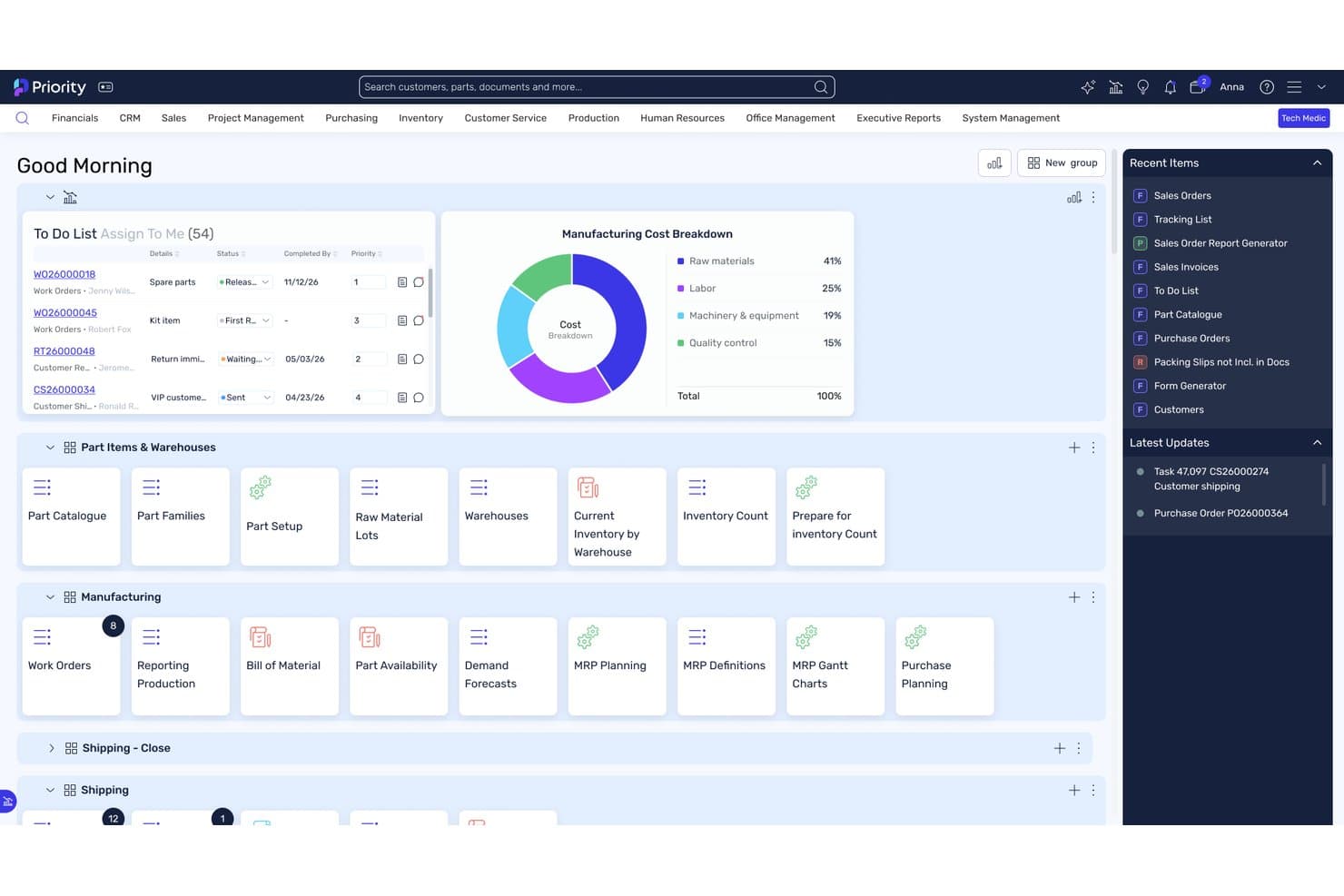
I think Priority ERP especially stands out for its clean interface, flexible modules, and exhaustive compliance tools. Its pricing is competitive, especially for mid-sized businesses that want customization without a steep learning curve. I’ve found that onboarding is smoother than most, and its integrations cover a wide range of business needs, with the overall functionality cementing it as a smart pick for teams prioritizing adaptability and growth. If you’re picking out an ERP for a fast-changing environment, then Priority ERP deserves serious consideration.
Pros
- Fast implementation compared to most ERP systems
- Strong AI-driven automation and reporting tools
- Highly customizable workflows for different industries
Cons
- Extensive customization can become complex.
- Some users report inconsistent customer support experiences.
- Priority might not meet certain regulatory requirements in some regions.
Is Priority Software Right For Your Needs?
Who Would be a Good Fit for Priority Software?
Priority ERP is a strong choice for organizations that need flexible, industry-specific ERP solutions and value rapid deployment with customizable workflows for their business operations. Its modular design and automation features make it especially appealing for mid-sized businesses and teams that want to adapt processes without heavy IT involvement. If your business operates in a regulated or fast-changing environment, you’ll likely appreciate the platform’s compliance tools and scalable architecture.
- Growing Mid-Sized CompaniesScalable modules and fast onboarding suit expanding teams and operations.
- Financial ServicesAutomated reporting and audit trails simplify compliance and month-end close.
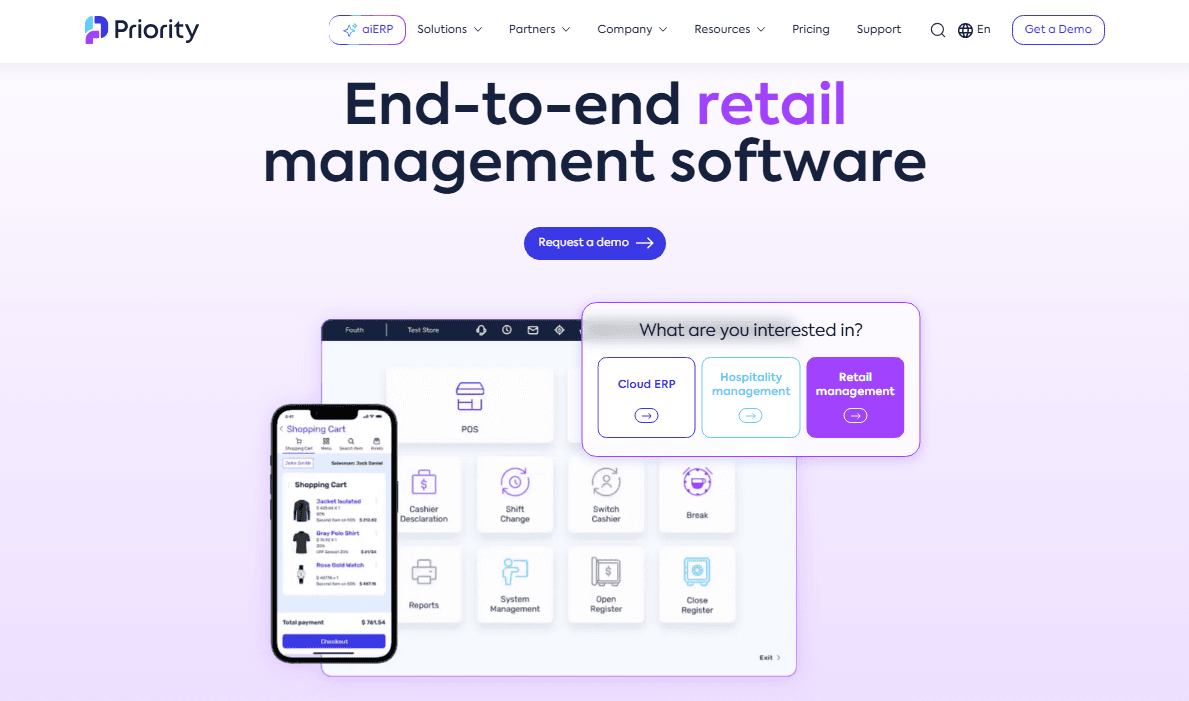
- Retail ChainsMulti-location management and POS integration are included out of the box.
- Field ServicesPriority ERP allows for seamless communication between site teams and headquarters.
- Wholesale DistributorsIts real-time inventory tracking and order management are highly effective.
- Manufacturing FirmsPriority ERP supports complex production planning and inventory management.
Who Would be a Bad Fit for Priority Software?
Priority ERP may not be the best option for organizations that have highly unique workflows, or need extensive third-party integrations beyond what’s offered. Very small businesses or those with extremely limited IT resources might find the platform’s capabilities more than they need, while enterprises with global, multi-entity operations may outgrow its current feature set.
- Highly Specialized IndustriesOrganizations with highly specialized workflows may find standard ERP configurations insufficient.
- Micro CompaniesThe platform’s depth and cost may exceed basic requirements.
- Small Companies Lacking IT ResourcesPriority’s complexity might overwhelm less technical companies.
- Large MultinationalsGlobal consolidation and multi-entity support are less robust than needed.
Wie wir Tools testen und bewerten
Wir haben jahrelang daran gearbeitet, unser System zur Softwarebewertung zu entwickeln, zu verfeinern und stetig zu verbessern. Der Bewertungsleitfaden wurde entworfen, um die Feinheiten der Softwareauswahl und die Qualitätskriterien eines effektiven Tools präzise zu erfassen, mit Fokus auf entscheidende Aspekte im Auswahlprozess. Im Folgenden sehen Sie genau, wie unsere Prüfungen und Bewertungen nach sieben Kriterien funktioniert. So können wir eine objektive Bewertung der Software auf Grundlage der Kernfunktionalitäten, herausragenden Eigenschaften, Benutzerfreundlichkeit, Einführung, Kundensupport, Integrationen, Kundenbewertungen sowie Preis-Leistungs-Verhältnis bieten.
Kernfunktionalität (25 % der Gesamtbewertung)
Der Ausgangspunkt unserer Bewertung ist immer die Kernfunktionalität des Tools. Verfügt es über die grundlegenden Features und Funktionen, die ein Nutzer erwarten würde? Sind einige dieser Kernfunktionen auf höherpreisige Tarife beschränkt? Im Kern erwarten wir, dass ein Tool mit den Basisfunktionen seiner Wettbewerber mithalten kann.
Herausragende Funktionen (25 % der Gesamtbewertung)
Im nächsten Schritt bewerten wir ungewöhnliche, herausragende Funktionen, die über die üblichen Kernfunktionen vergleichbarer Tools hinausgehen. Eine hohe Punktzahl erhält, wer spezialisierte oder einzigartige Funktionen bietet, die das Produkt schneller, effizienter oder besonders wertvoll für den Nutzer machen. Wir prüfen auch, wie einfach sich das Tool mit anderen Programmen des typischen Tech-Stacks integrieren lässt, um den Funktionsumfang und die Nützlichkeit der Software zu erweitern. Vielseitige native Integrationen, Drittanbieter-Anbindungen sowie API-Zugänge für individuelle Integrationen schneiden am besten ab.
Benutzerfreundlichkeit (10 % der Gesamtbewertung)
Wir bewerten, wie schnell und einfach sich die wichtigsten Aufgaben im Tool erledigen lassen. Hoch bewertete Software ist gut gestaltet, intuitiv bedienbar, bietet mobile Apps, Vorlagen und macht selbst komplexere Aufgaben handhabbar.
Einführung (10 % der Gesamtbewertung)
Wir wissen, wie wichtig eine rasche Teamakzeptanz bei neuen Plattformen ist. Deshalb prüfen wir, wie einfach sich ein Tool mit minimalem Trainingsaufwand erlernen und bedienen lässt. Wir bewerten auch, wie schnell ein Teammitglied ohne vorherige Erfahrung startklar ist. Hoch bewertete Lösungen benötigen wenig oder gar keinen Support.
Kundensupport (10 % der Gesamtbewertung)
Wir prüfen, wie leicht und schnell Sie mit Telefon, Live-Chat oder Wissensdatenbank Hilfe erhalten können. Tools und Unternehmen, die Echtzeit-Support bieten, erzielen die besten Ergebnisse, während Chatbots am schlechtesten abschneiden.
Kundenbewertungen (10 % der Gesamtbewertung)
Neben unseren eigenen Tests berücksichtigen wir den Net-Promoter-Score aktueller und ehemaliger Kunden. Wir prüfen, wie wahrscheinlich sie sich erneut für das Tool entscheiden würden, basierend auf der Kernfunktionalität. Hoch bewertete Software spiegelt einen hohen Net-Promoter-Score wider.
Preis-Leistungs-Verhältnis (10 % der Gesamtbewertung)
Abschließend vergleichen wir alle Kriterien und bewerten den Durchschnittspreis der Einstiegstarife im Verhältnis zu den Kernfunktionen und dem Nutzen der weiteren Bewertungskriterien. Software, die mehr für weniger bietet, erhält die besten Bewertungen.
Core Features
AI-Driven Automation
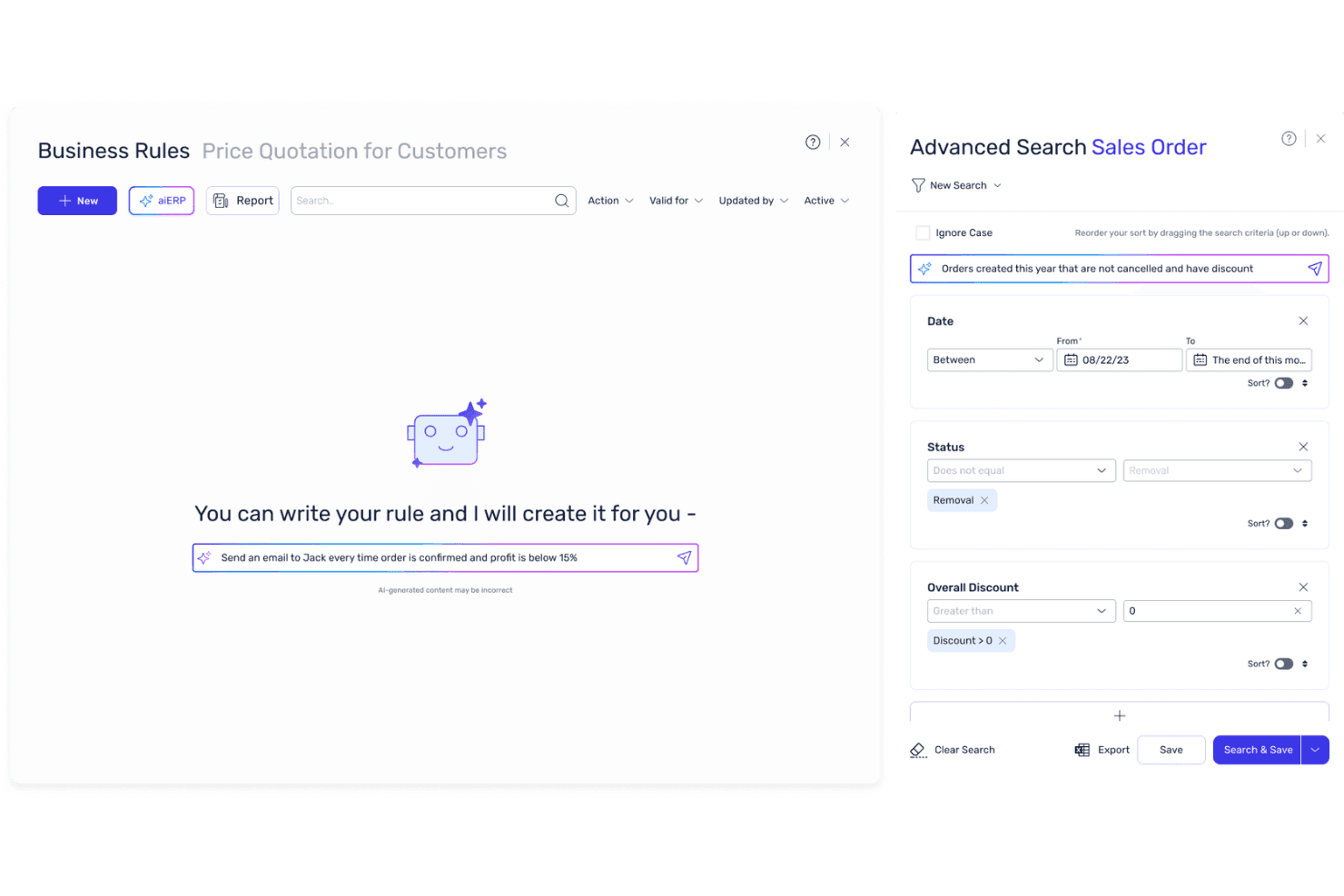
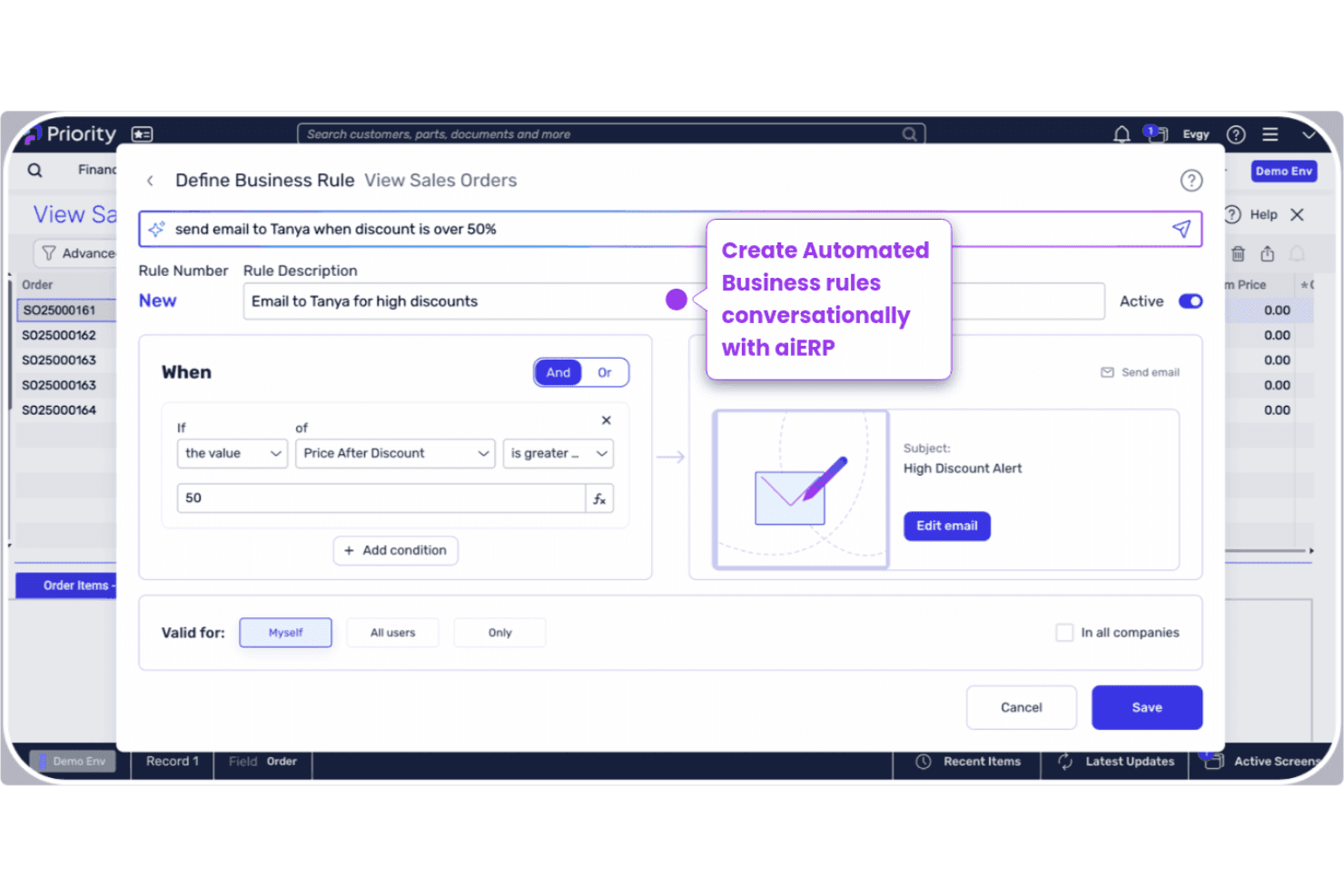
Priority’s aiERP suite uses machine learning to automate workflows, generate reports, and budgeting forecasts. Users can interact with the system in natural language for faster decision-making.
Financial Management
The platform offers real-time financial tracking, asset management, automated reporting, and audit trails. This helps finance teams close books faster and maintain compliance.
Native Warehouse Management System
The Native Warehouse Management System allows for real-time inventory tracking, order management, and delivery. This feature optimizes complex distribution and manufacturing needs.
CRM and Sales Management
Integrated CRM tools manage customer data, sales pipelines, and communications. Teams can track leads, automate follow-ups, and analyze sales performance.
Project Management
Priority includes tools for project planning, resource allocation, and progress tracking. This is useful for businesses managing multiple projects or client engagements.
Mobile Access
The dedicated mobile app lets users manage operations, field services, and all other ERP functions on the move. This ensures full visibility of your operations no matter where you are.
Standout Features
Built-In Compliance Tools
Priority ERP includes industry-specific compliance modules for healthcare, manufacturing, and finance. These tools automate regulatory reporting and help reduce audit risks.
Multi-Language and Localization
The platform supports multiple languages and local tax regulations out of the box. This makes it easier for global teams to operate in different regions without custom development.
Ease of Use
Priority ERP offers a clean, intuitive user interface that most experienced users pick up quickly, especially compared to many legacy ERP systems – however those new to ERP systems might find it too complex. The navigation is straightforward, and customizable dashboards let teams focus on what matters most. Users often mention that onboarding is faster than expected, with helpful in-app guidance and responsive support. While some advanced features require training, day-to-day tasks like reporting, approvals, and inventory checks are easy to manage without IT help.
Onboarding
Priority ERP’s onboarding stands out for its guided setup, clear documentation, and dedicated implementation support. The platform offers a mix of live training, webinars, and a searchable knowledge base, making it easier for new users to get up to speed. While complex setups may need extra help, most teams reach full adoption quickly. However, it should be noted that the timeline for onboarding varies by footprint; taking anywhere from a few weeks to a few months.
Customer Support
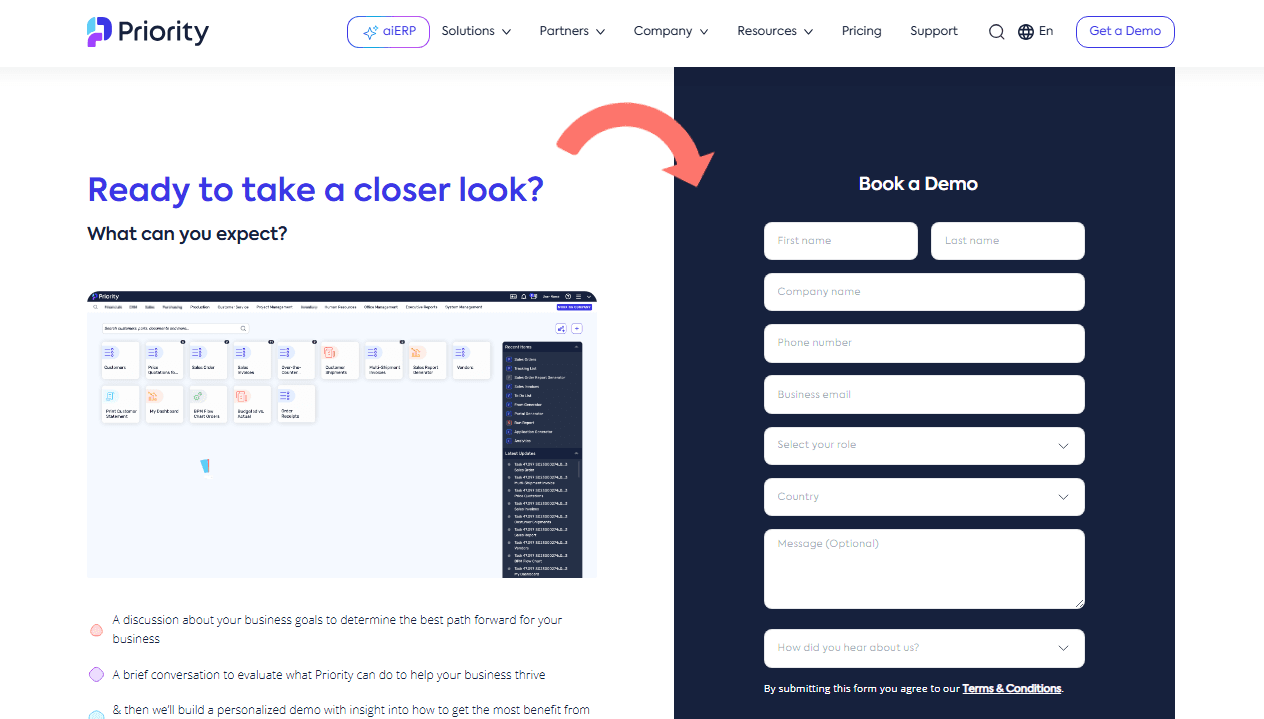
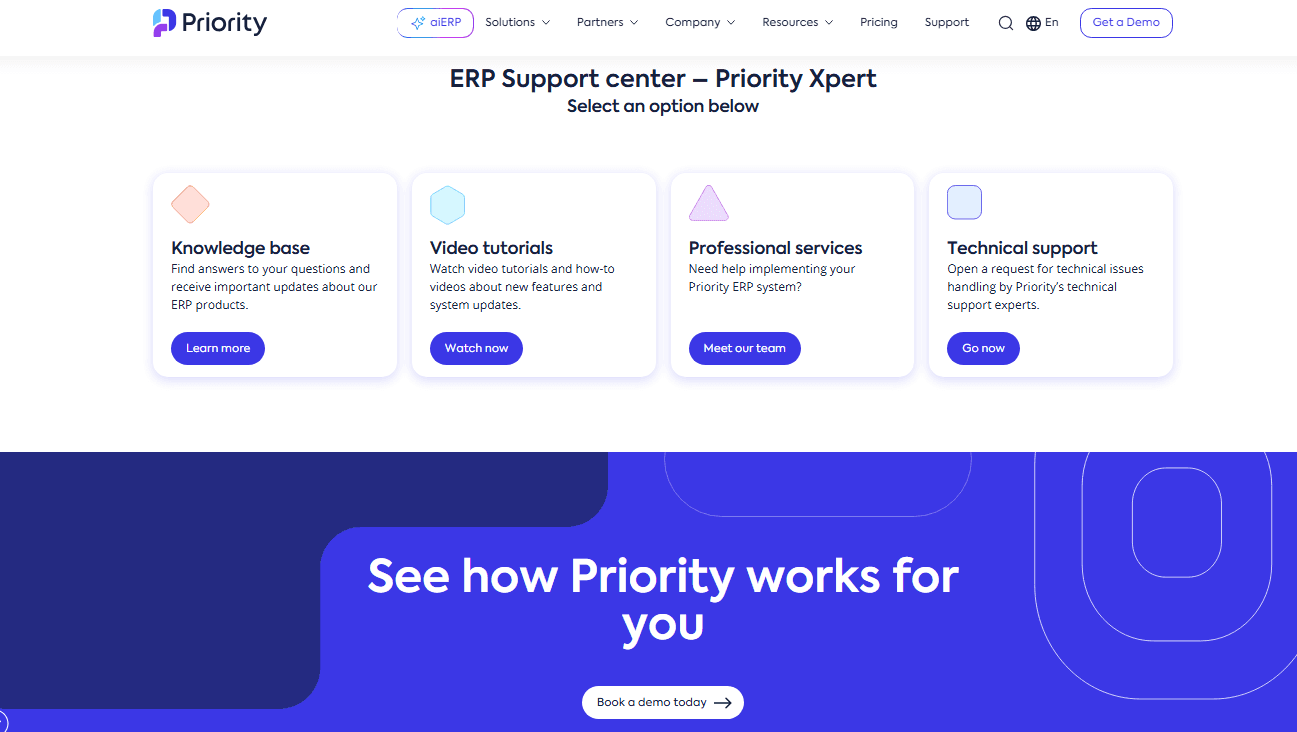
Priority ERP offers a range of support options, including phone, email, and a detailed help center. Many users praise the quick response times and knowledgeable support staff, especially during implementation and troubleshooting. However, some reviews mention inconsistent experiences with follow-up on complex issues. Overall, the support team is accessible and helpful for most day-to-day needs, and the online resources make it easy to find answers independently.
Integrations
Priority ERP integrates with Salesforce, Microsoft Power BI, Magento, WooCommerce, AWS S3, Fireberry, and Zoho, among others.
Priority ERP also offers a robust API and connects with third-party integration tools like Zapier for custom workflows and additional connectivity.
Value for Money
Priority ERP is often seen as competitively priced for the features and flexibility it delivers, especially for mid-sized businesses. Users appreciate the modular pricing, which lets teams pay only for what they need, and the transparent cost structure with no hidden fees. The fast time to value also helps justify the investment.
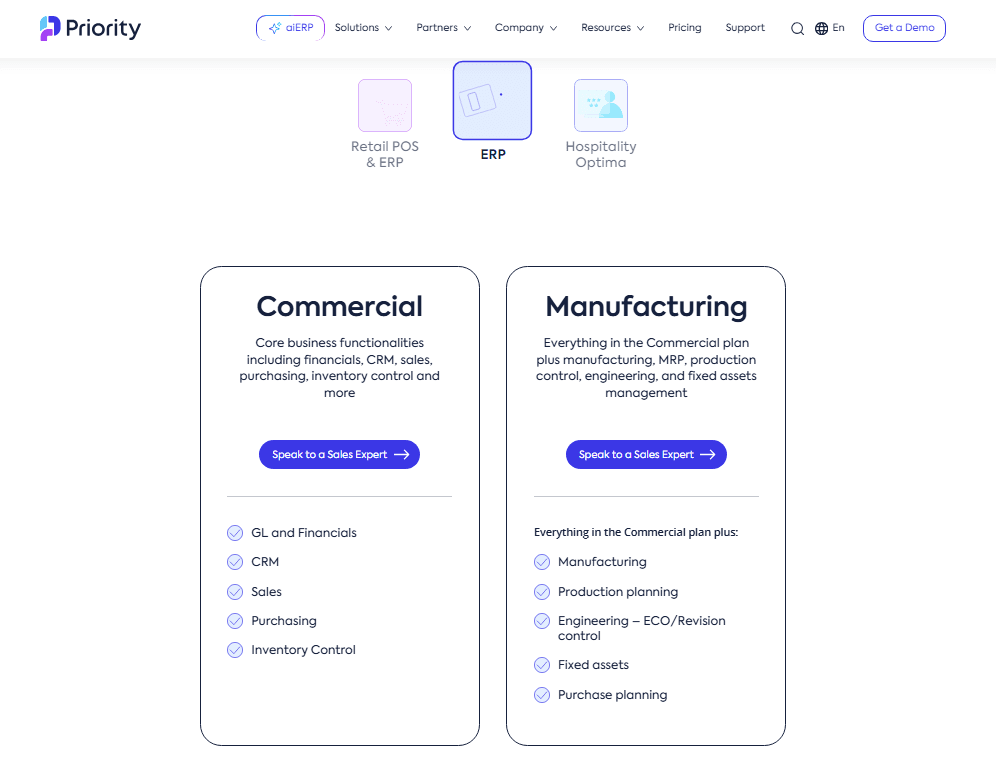
- Commercial ERP: Includes general ledger, financial tools, CRM, inventory control, and executive reports & analytics.
- Manufacturing ERP: Adds production planning, revision control, fixed assets, and purchase planning.
- POS Software: Standalone POS and commerce retail management software.
- All-in-one POS & ERP: Adds unified commerce, supply chain management, and business functionalities.
- Optima PMS: All-in-one hospitality management solutions for hotels and hotel chains.
Priority Software Specs
- Accounts Payable: Yes
- Accounts Receivable: Yes
- API: Yes
- Budgeting: Yes
- Calendar Management: Yes
- Compliance Tracking: Yes
- Customer Management: Yes
- Dashboard: Yes
- Data Export: Yes
- Data Import: Yes
- Data Visualization: Yes
- Expense Tracking: Yes
- External Integrations: Yes
- Financial Analysis: Yes
- Forecasting: Yes
- Inventory Tracking: Yes
- Multi-Currency: Yes
- Multi-User: Yes
- Notifications: Yes
- Order Management: Yes
- Payroll: Yes
- Project Management: Yes
- Purchase Orders: Yes
- Resource Management: Yes
- Scheduling: Yes
- Supplier Management: Yes
- Task Scheduling/Tracking: Yes
- Third-Party Plugins/Add-Ons: Yes
- Warehouse Management: Yes
- Workflow Management: Yes
Priority Software FAQs
Priority Software Company Overview & History
Priority Software is a global provider of cloud-based ERP, retail, and hospitality management solutions. The company is headquartered in Israel and serves over 15,000 customers worldwide, spanning more than 70 countries across a multitude of industries. Priority ERP owns and develops a suite of products, including its flagship aiERP platform and specialized solutions for retail and hospitality. Notable clients include Dejavoo, Nautilus Designs, TOA Hotel & Spa, Phillips Safety, and Orb Interiors. The company is recognized by Gartner and IDC for its innovation in AI-enabled ERP and is frequently featured in industry reports for its impact on SMBs and mid-market enterprises.
Priority Software Major Milestones
- 1986: Company founded in Israel.
- 2023: Launch of aiERP, embedding generative AI and machine learning into the core platform.
- 2024: Blackstone acquires a majority stake in Priority Software at a valuation of $800 million.
- 2025: Named a major player” in the AI-Enabled ERP market and ranked #1 ERP for SMBs by leading industry analysts.