

Wrike Testbericht: Vorteile, Nachteile, Funktionen und Preise
Wrike überzeugt durch seine benutzerfreundliche Oberfläche und Anpassungsfähigkeit und ist damit eine erstklassige Wahl für Teams, die eine effiziente Projektverwaltung unter den kostenlosen ERP-Optionen suchen.

Wir bewerten Tools unabhängig; Provisionen helfen, unsere Tests zu finanzieren. Siehe unsere Transparenzrichtlinie und unsere Methodik.
Wrike is a free ERP software that brings project tracking, workflow automation, and cross-department visibility into a single platform. It's worth considering if your team needs ERP-adjacent capabilities without a lengthy implementation. I'd especially look at Wrike if tools like Odoo feel too technically demanding to configure and maintain without dedicated IT support—Wrike gives you structured operational oversight with a much lighter setup burden.
Wrike Evaluation Summary
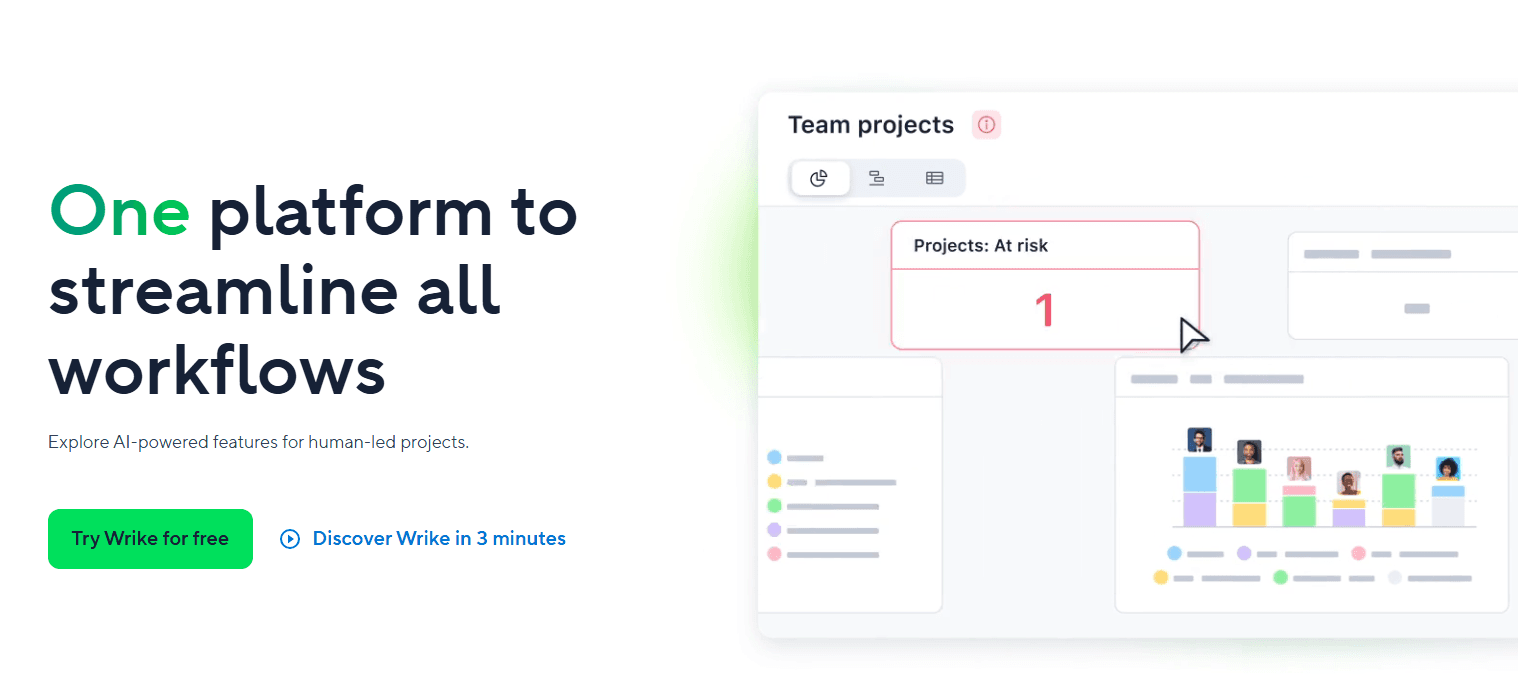
4.3/5
- From $10/user/month (billed annually)
- Free plan + 14-day free trial + free demo available
Warum Sie unseren Software-Empfehlungen vertrauen können
6,700+
Reviews
20
Industry experts
16+
Evaluation factors
14
Years
Unsere Bewertungen spiegeln unser unabhängiges Urteilsvermögen wider – keine Verkaufsstrategie. Erfahren Sie, wie wir transparent bleiben.
Für diesen Leitfaden haben wir Tools mithilfe von praktischen Tests und unabhängiger Recherche bewertet und dabei unsere Bewertungskriterien angewendet.
Unsere Bewertungen spiegeln unser menschliches redaktionelles Urteilsvermögen wider, keine Verkaufsstrategie.
Wrike Overview
In my opinion, Wrike offers a decent set of tools for teams needing all-in-one project management and ERP capabilities. Its integration options, like Salesforce, and customizable dashboards are appealing, but the pricing might be a hurdle for budget-conscious teams. It performs well in task and resource management but can be overwhelming for small businesses with simple needs. Compared to other free ERP software, Wrike is suitable for marketing teams and creative agencies needing detailed project tracking and collaboration features. If you’re judging software based on flexibility and integration, consider Wrike, but weigh its cost against your budget.
Pros
- You can customize dashboards to fit your team's workflow.
- Wrike's task management tools help keep your projects organized.
- You can easily collaborate with team members using Wrike's communication features.
Cons
- The interface can feel cluttered and overwhelming for new users.
- It takes time to learn all of Wrike's features.
- Your team might find the mobile app less intuitive than the desktop version.
Is Wrike Right For Your Needs?
Who Would be a Good Fit for Wrike?
Wrike is a good fit for marketing teams, creative agencies, and project-driven departments that need detailed project tracking and collaboration. If your work involves managing multiple projects with various stakeholders, Wrike's customizable dashboards and task management tools can keep everything organized. Teams that value communication will benefit from its collaboration features, which help streamline discussions and feedback. Wrike's capabilities are particularly useful for industries where project timelines and resource allocation are critical.
- Marketing TeamsWrike helps your team manage campaigns and track progress with its detailed task management.
- Creative AgenciesYour agency can benefit from Wrike’s collaboration features, which facilitate feedback and revisions.
- Project-Based DepartmentsWrike's dashboards let your department manage multiple projects efficiently and keep stakeholders informed.
- Event PlanningIf your work involves complex logistics, Wrike's task tracking and communication tools keep everything on schedule.
- Product DevelopmentWrike supports your team in managing timelines and resources for successful product launches.
- Remote TeamsWrike's communication and collaboration features help your remote team stay connected and productive.
Who Would be a Bad Fit for Wrike?
Wrike isn’t ideal for small businesses or teams with straightforward needs that don’t require complex project management. If your work involves simple tasks without the need for extensive tracking or resource management, Wrike’s features may feel excessive and overwhelming. Additionally, if your team struggles with adopting new technology, Wrike's interface might be too complex and time-consuming to learn. It's not the best fit for organizations looking for a basic, easy-to-use tool.
- Small BusinessesIf your team needs basic task management, Wrike's extensive features might overwhelm rather than help.
- Simple OperationsWrike's complex interface can be unnecessary for operations that don't need detailed project tracking.
- Low-Tech TeamsWrike's learning curve can be steep for teams not comfortable with technology.
- Budget-Conscious DepartmentsIf you’re focused on cost-efficiency, Wrike's advanced features may not justify its expense.
- Single-Person TeamsFor individuals, Wrike's collaboration tools won't offer much value.
- Non-Project RolesRoles without project management needs might find Wrike's features redundant.
Wie wir Tools testen und bewerten
Wir haben jahrelang daran gearbeitet, unser System zur Softwarebewertung zu entwickeln, zu verfeinern und stetig zu verbessern. Der Bewertungsleitfaden wurde entworfen, um die Feinheiten der Softwareauswahl und die Qualitätskriterien eines effektiven Tools präzise zu erfassen, mit Fokus auf entscheidende Aspekte im Auswahlprozess. Im Folgenden sehen Sie genau, wie unsere Prüfungen und Bewertungen nach sieben Kriterien funktioniert. So können wir eine objektive Bewertung der Software auf Grundlage der Kernfunktionalitäten, herausragenden Eigenschaften, Benutzerfreundlichkeit, Einführung, Kundensupport, Integrationen, Kundenbewertungen sowie Preis-Leistungs-Verhältnis bieten.
Kernfunktionalität (25 % der Gesamtbewertung)
Der Ausgangspunkt unserer Bewertung ist immer die Kernfunktionalität des Tools. Verfügt es über die grundlegenden Features und Funktionen, die ein Nutzer erwarten würde? Sind einige dieser Kernfunktionen auf höherpreisige Tarife beschränkt? Im Kern erwarten wir, dass ein Tool mit den Basisfunktionen seiner Wettbewerber mithalten kann.
Herausragende Funktionen (25 % der Gesamtbewertung)
Im nächsten Schritt bewerten wir ungewöhnliche, herausragende Funktionen, die über die üblichen Kernfunktionen vergleichbarer Tools hinausgehen. Eine hohe Punktzahl erhält, wer spezialisierte oder einzigartige Funktionen bietet, die das Produkt schneller, effizienter oder besonders wertvoll für den Nutzer machen. Wir prüfen auch, wie einfach sich das Tool mit anderen Programmen des typischen Tech-Stacks integrieren lässt, um den Funktionsumfang und die Nützlichkeit der Software zu erweitern. Vielseitige native Integrationen, Drittanbieter-Anbindungen sowie API-Zugänge für individuelle Integrationen schneiden am besten ab.
Benutzerfreundlichkeit (10 % der Gesamtbewertung)
Wir bewerten, wie schnell und einfach sich die wichtigsten Aufgaben im Tool erledigen lassen. Hoch bewertete Software ist gut gestaltet, intuitiv bedienbar, bietet mobile Apps, Vorlagen und macht selbst komplexere Aufgaben handhabbar.
Einführung (10 % der Gesamtbewertung)
Wir wissen, wie wichtig eine rasche Teamakzeptanz bei neuen Plattformen ist. Deshalb prüfen wir, wie einfach sich ein Tool mit minimalem Trainingsaufwand erlernen und bedienen lässt. Wir bewerten auch, wie schnell ein Teammitglied ohne vorherige Erfahrung startklar ist. Hoch bewertete Lösungen benötigen wenig oder gar keinen Support.
Kundensupport (10 % der Gesamtbewertung)
Wir prüfen, wie leicht und schnell Sie mit Telefon, Live-Chat oder Wissensdatenbank Hilfe erhalten können. Tools und Unternehmen, die Echtzeit-Support bieten, erzielen die besten Ergebnisse, während Chatbots am schlechtesten abschneiden.
Kundenbewertungen (10 % der Gesamtbewertung)
Neben unseren eigenen Tests berücksichtigen wir den Net-Promoter-Score aktueller und ehemaliger Kunden. Wir prüfen, wie wahrscheinlich sie sich erneut für das Tool entscheiden würden, basierend auf der Kernfunktionalität. Hoch bewertete Software spiegelt einen hohen Net-Promoter-Score wider.
Preis-Leistungs-Verhältnis (10 % der Gesamtbewertung)
Abschließend vergleichen wir alle Kriterien und bewerten den Durchschnittspreis der Einstiegstarife im Verhältnis zu den Kernfunktionen und dem Nutzen der weiteren Bewertungskriterien. Software, die mehr für weniger bietet, erhält die besten Bewertungen.
Core Features
Task Management
You can break down projects into tasks and subtasks, making it easy to assign responsibilities and track progress. Wrike’s task management helps your team stay organized and on schedule.
Time Tracking
Wrike lets you log time spent on tasks, helping you manage your team’s workload and improve productivity. This feature supports accurate billing and resource allocation.
Custom Dashboards
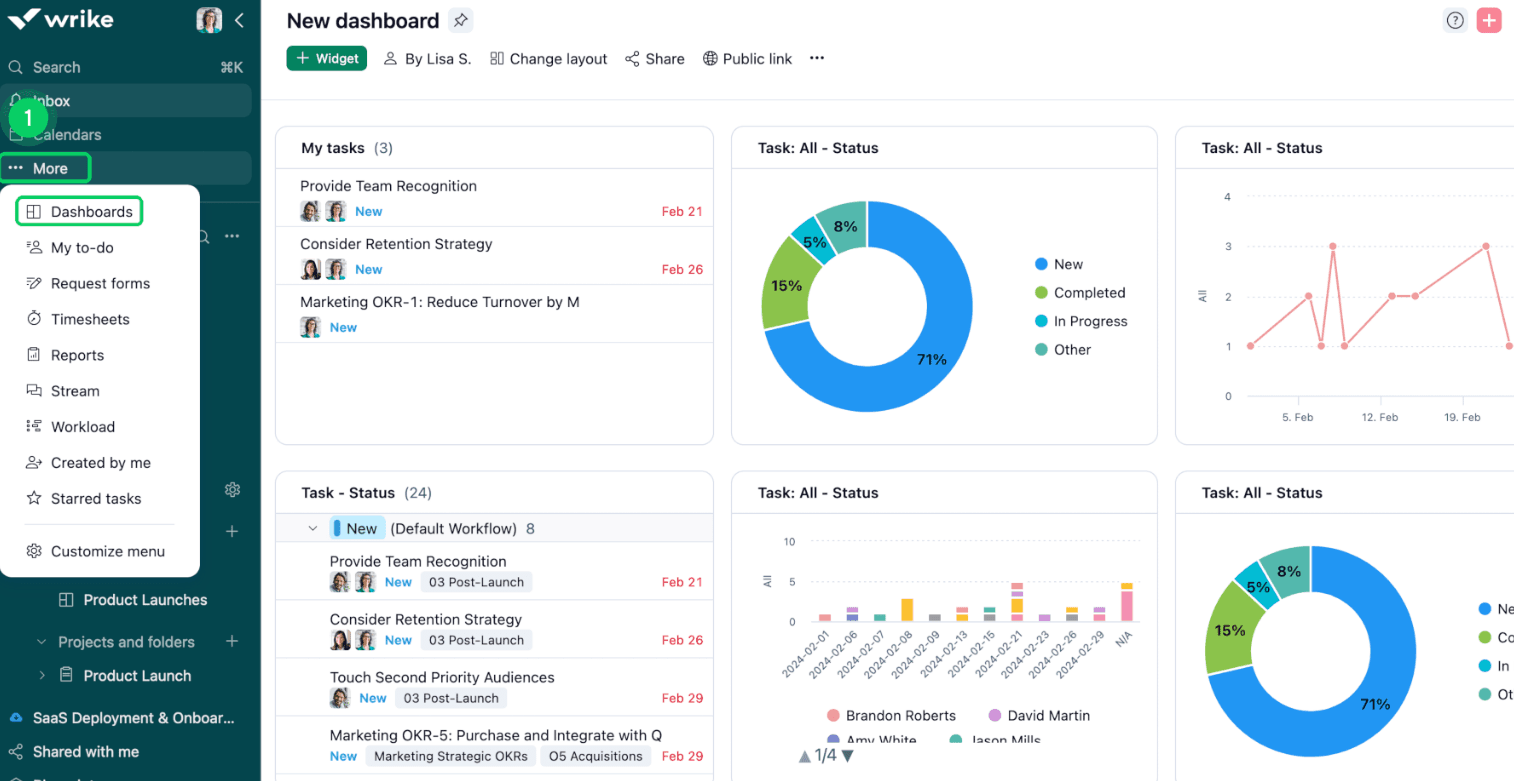
Customize your dashboard to highlight the data that matters most to your team. You can easily monitor project status, receive notifications, and prioritize tasks.
Multiple Project Views
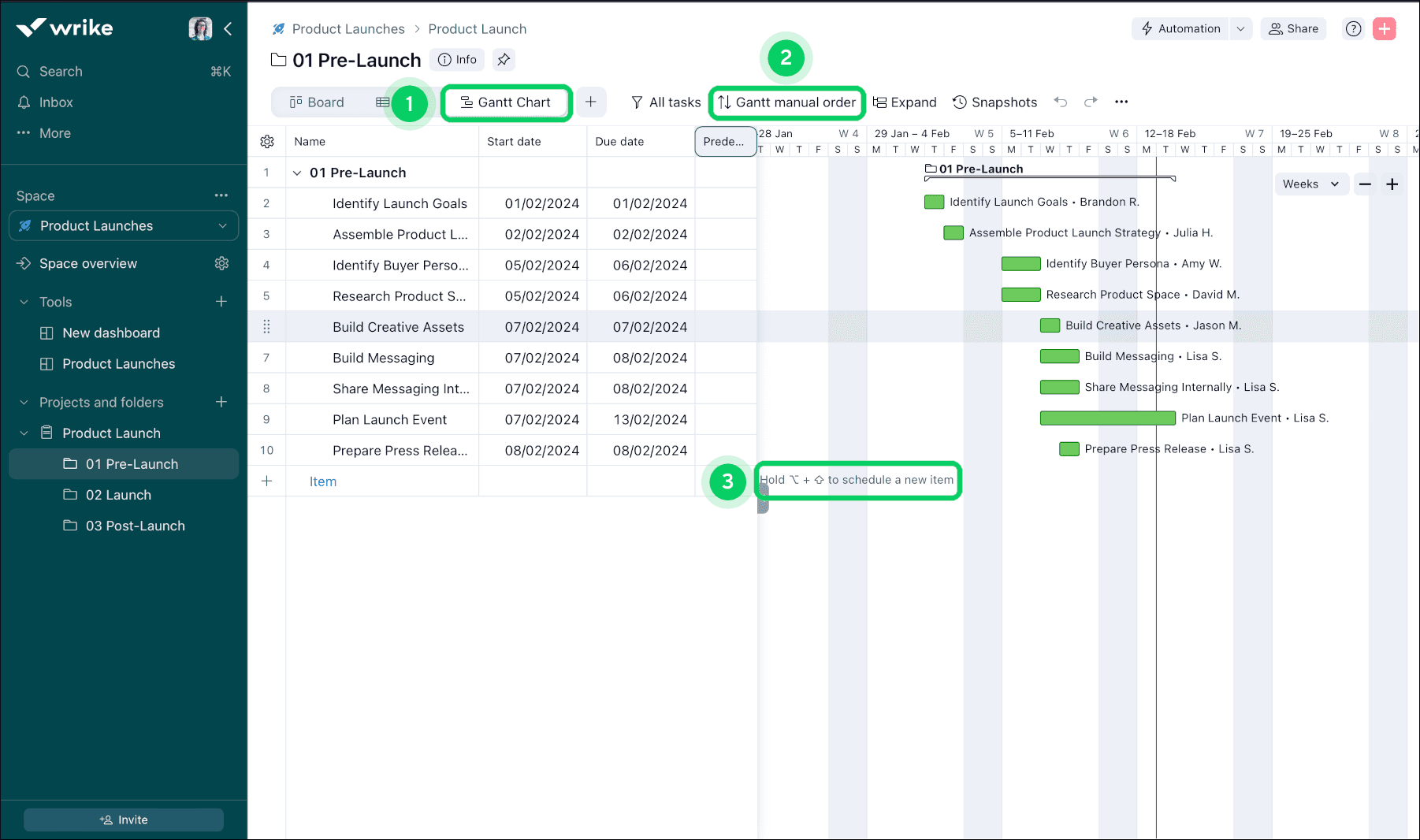
Wrike's Gantt charts and Kanban boards give you a visual timeline of your projects, helping you plan and track tasks. They’re great for seeing dependencies and deadlines at a glance.
File Sharing
You can share files directly within Wrike, making collaboration on documents seamless. This feature keeps your team’s resources centralized and accessible with role-based permissions.
Reporting
Wrike’s real-time reporting tools let you generate insights into your projects, helping you make informed decisions. You can customize reports to show key metrics and performance indicators.
Standout Features
Request Forms
Your team can use request forms to standardize and streamline how work is requested. This feature helps you avoid miscommunication and manage incoming work efficiently.
Proofing and Approval
Wrike's proofing and approval tools let your team review and approve creative work directly within the platform. This feature speeds up feedback loops.

Ease of Use
Wrike’s interface is relatively clean and intuitive. While the customization options and drag-and-drop workflows are powerful, they might overwhelm those unfamiliar with project management tools. If your team invests time in learning its features, Wrike offers valuable tools for project tracking and collaboration. However, the initial learning curve might be steep, especially for small teams or those without dedicated IT support. Despite these challenges, once mastered, Wrike can significantly enhance your team's productivity.
Onboarding
Wrike's onboarding process can be daunting due to its complex interface and multitude of features. While Wrike offers tutorials and guides, your team might still find the initial setup challenging. The time to value can be longer compared to simpler tools, requiring patience and persistence. However, once your team gets accustomed to the system, Wrike's robust project management capabilities can significantly benefit your operations. The available support and resources are helpful, but they demand a proactive approach to learning.
Customer Support
Wrike offers decent customer support, but users might experience delays in response times. If your team needs immediate assistance, this can be frustrating. Wrike provides a range of resources like its comprehensive knowledge base, webinars, and community forums that can help resolve common issues. However, personalized support might not always be readily available. Your team should be prepared to utilize self-help resources and tutorials to navigate challenges, as direct support may not meet all expectations promptly.

Integrations
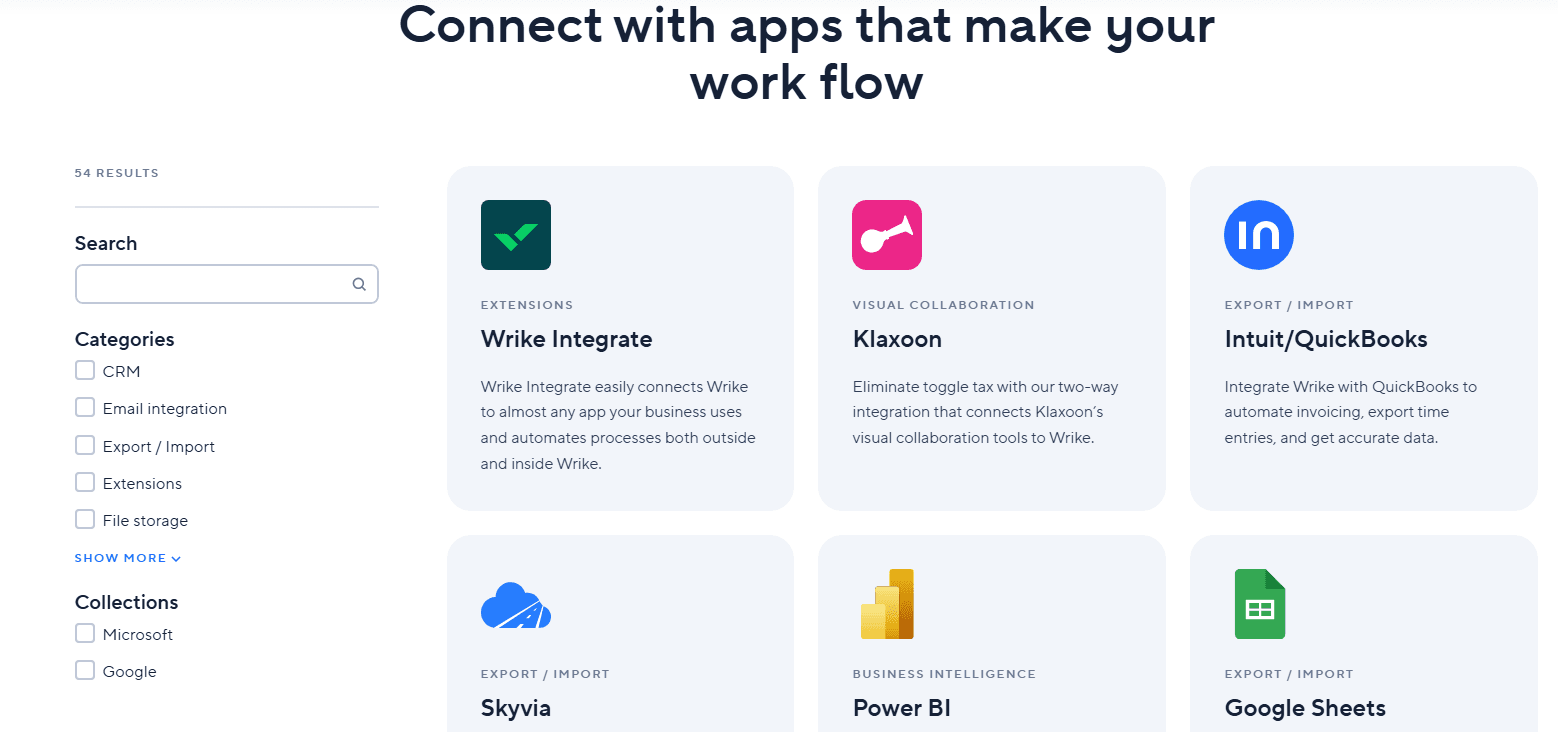
Wrike integrates with Microsoft Teams, Salesforce, Slack, Google Workspace, Dropbox, Box, OneDrive, Adobe Creative Cloud, JIRA, and QuickBooks.
Wrike also offers an API and connects with third-party integration tools to expand its functionality.
Value for Money
Wrike’s pricing offers strong value by letting teams start for free and scale only when they need more power. The Free plan covers essential task management, while paid tiers add automation, AI, and advanced planning tools. With plans starting at $10 per user, Wrike balances affordability with enterprise-grade capabilities, making it cost-effective for growing teams and large organizations alike.
- Free: Includes Web, desktop, and mobile apps, project & task management, and board & table views.
- Team: Adds essential AI features, shareable dashboard, and interactive Gantt charts.
- Business: Adds AI elite feature, templatization features, standard integrations, and workflow customizations.
- Pinnacle: Includes advanced reporting and BI, budgeting, advanced resource and capacity planning, and advanced security and compliance.
- Apex: Includes unlimited whiteboards, 30 million records on Wrike Datahub, and bi-directional integrations with third-party solutions.

Wrike Specs
- API: Yes
- Batch Permissions & Access: Yes
- Budgeting: Yes
- Calendar Management: Yes
- Collaboration Support: Yes
- Contact Management: Yes
- Contact Sharing: No
- Customer Management: No
- Dashboard: Yes
- Dashboards: Yes
- Data Export: Yes
- Data Import: Yes
- Data Visualization: Yes
- Dependency Tracking: Yes
- Document Sharing: Yes
- Expense Tracking: Yes
- External Integrations: Yes
- File Sharing: Yes
- Gantt Charts: Yes
- Kanban Boards: Yes
- Multi-User: Yes
- Notifications: Yes
- Project Management: Yes
- Resource Management: Yes
- Scheduling: Yes
- Task Scheduling/Tracking: Yes
- Third-Party Plugins/Add-Ons: Yes
- Time Management: Yes
- Travel Management: No
- Workflow Management: Yes
Wrike FAQs
Wrike Company Overview & History
Wrike is a project management software company headquartered in San Jose, California, with a workforce of over 1,000 employees. The company is known for its versatile project management solutions that cater to various methodologies like Agile and waterfall. Wrike integrates with numerous third-party applications, enhancing its utility for diverse business needs. Notable clients include major corporations such as Google and Airbnb, which rely on Wrike for efficient project tracking and team collaboration.
Wrike Major Milestones
- 2006: Founded by Andrew Filev.
- 2013: Secured $10 million in Series A funding led by Bain Capital Ventures.
- 2018: Acquired by Vista Equity Partners, a significant private equity firm.
- 2021: Became part of Citrix Systems through acquisition.