

Reseña de PCLaw: Ventajas, Desventajas, Funciones y Precios
PCLaw destaca por su integración de necesidades legales y contables, lo que lo convierte en una opción sobresaliente en software de contabilidad jurídica para tu despacho.

Revisamos las herramientas de forma independiente, y las comisiones ayudan a financiar nuestras pruebas. Consulta nuestra política de transparencia, nuestra metodología o sugiere una herramienta.
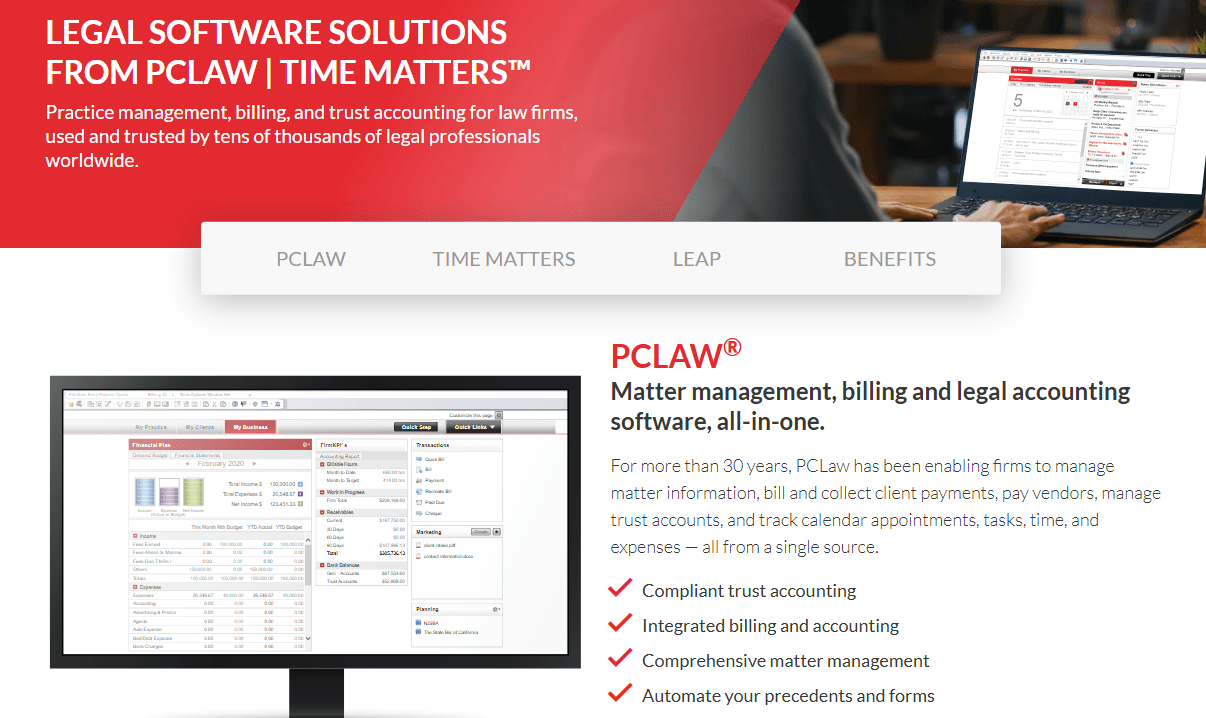
PCLaw is a legal accounting software built specifically for law firms that need to manage trust accounting, time tracking, and legal billing in a single system. I'd consider it when your firm needs deeper accounting controls than a practice management tool like Clio offers, particularly if trust account compliance and general ledger management are priorities, not just add-ons.
PCLaw Evaluation Summary
3.4/5
- Pricing upon request
- Free demo available
Por qué confiar en nuestras recomendaciones de software
6,700+
Reviews
20
Industry experts
16+
Evaluation factors
14
Years
Nuestras reseñas reflejan nuestro criterio independiente, no un discurso de ventas. Descubra cómo mantenemos la transparencia.
Para esta guía, evaluamos las herramientas mediante pruebas prácticas e investigación independiente, puntuando las herramientas según nuestros criterios de selección.
Nuestras reseñas reflejan nuestro criterio editorial humano, no un discurso de ventas.
PCLaw Overview
In my opinion, PCLaw is a solid choice for small to mid-sized law practices looking for a legal accounting and matter management solution. It excels in integrating billing and client management, providing a comprehensive toolset for legal professionals. However, its pricing might be a hurdle for smaller firms, especially given its per-user cost. The user interface is functional but could be more intuitive compared to competitors. PCLaw's standout feature is its robust customer support, which ensures users get help when needed. It's best suited for firms that prioritize strong support and need an all-in-one solution without requiring extensive third-party integrations.
Pros
- PCLaw's customer support is highly rated and reliable for your team.
- You can efficiently manage billing and client information in one place.
- The software offers strong reporting features that help your work stay organized.
Cons
- The user interface can feel outdated in comparison to modern cloud providers.
- Your team might face a learning curve during the initial setup.
- Some users report occasional glitches that disrupt their work.
Is PCLaw Right For Your Needs?
Who Would be a Good Fit for PCLaw?
PCLaw is a good fit for small to mid-sized law firms needing integrated billing and case management. If your team values strong customer support and robust reporting features, PCLaw can enhance your workflow. It's particularly useful for solo practitioners and boutique firms that need efficient client management without relying on multiple software solutions. The comprehensive features help streamline your legal work and financial tasks, making it a practical choice for legal professionals.
- Solo PractitionersPCLaw offers you an all-in-one solution, making client and case management straightforward and efficient.
- Boutique FirmsYour team benefits from comprehensive timekeeping and billing features that keep your operations organized
- Legal AccountantsPCLaw's integrated financial tools help you manage expense tracking and bookkeeping accurately.
- Mid-Sized Law FirmsYou can handle both client management and accounting in one platform, boosting productivity.
- Legal AdministratorsThe software's reliable support helps resolve your issues quickly, ensuring smooth operations.
- Legal ConsultantsPCLaw's detailed reporting features provide you with valuable insights for advising your clients.
Who Would be a Bad Fit for PCLaw?
PCLaw might not be the best choice for large law firms with complex needs that require extensive integrations with other software. If your team relies heavily on cutting-edge technology and modern interfaces, PCLaw's somewhat outdated user experience could slow you down. Additionally, if you're looking for a budget-friendly option, PCLaw's pricing might be a deterrent for firms with limited resources.
- Large Law FirmsYour complex operations might outgrow PCLaw's capabilities, requiring more advanced solutions.
- Tech-Savvy TeamsIf you prefer cloud-based deployment, PCLaw’s desktop-based setup may feel limiting and outdated.
- Budget-Conscious FirmsPCLaw's pricing could strain your resources if you're looking to minimize costs.
- Highly Integrated OperationsIf you need seamless integrations with multiple platforms and apps, PCLaw might not meet your expectations.
- Fast-Growing StartupsPCLaw's setup and learning curve might slow down your rapid expansion.
- Cutting-Edge InnovatorsYour team might find PCLaw lacking in innovative features compared to more advanced tools.
Cómo probamos y puntuamos las herramientas
Hemos dedicado años a construir, perfeccionar y mejorar nuestro sistema de evaluación y puntuación de software. La rúbrica está diseñada para capturar los matices de la selección de software y lo que hace que una herramienta sea efectiva, enfocándose en los aspectos críticos del proceso de toma de decisiones. A continuación, puedes ver exactamente cómo funcionan nuestras pruebas y puntuación en siete criterios. Esto nos permite proporcionar una evaluación imparcial del software basada en la funcionalidad principal, características destacadas, facilidad de uso, onboarding, atención al cliente, integraciones, opiniones de clientes y relación calidad-precio.
Funcionalidad principal (25% de la puntuación final)
Nuestro punto de partida siempre es la funcionalidad principal de la herramienta. ¿Tiene las funciones básicas que un usuario esperaría ver? ¿Alguna de estas características principales está limitada a planes de precios superiores? En esencia, esperamos que una herramienta esté a la altura de las capacidades básicas de sus competidores.
Características destacadas (25% de la puntuación final)
A continuación, evaluamos las características únicas y sobresalientes que van más allá de la funcionalidad principal normalmente encontrada en herramientas de este tipo. Una puntuación alta refleja funciones especializadas o únicas que hacen el producto más rápido, eficiente o que aportan valor adicional al usuario. También evaluamos lo fácil que es integrarse con otras herramientas que normalmente forman parte del stack tecnológico para ampliar la funcionalidad y utilidad del software. Las herramientas que ofrecen numerosas integraciones nativas, conexiones con terceros y acceso API para crear integraciones personalizadas obtienen la mejor puntuación.
Facilidad de uso (10% de la puntuación final)
Consideramos cuán rápido y fácil es ejecutar las tareas definidas en la funcionalidad principal usando la herramienta. El software que obtiene la puntuación más alta está bien diseñado, es intuitivo, ofrece aplicaciones móviles, proporciona plantillas y hace que tareas relativamente complejas parezcan simples.
Onboarding (10% de la puntuación final)
Sabemos lo importante que es una adopción rápida del equipo para una nueva plataforma, por lo que evaluamos cuán sencillo es aprender y utilizar una herramienta con una formación mínima. Analizamos lo rápido que un miembro del equipo puede configurarse y empezar a usar la herramienta sin experiencia previa. Las soluciones con alta puntuación indican que se requiere poco o ningún soporte.
Atención al cliente (10% de la puntuación final)
Revisamos cuán rápido y sencillo es salir de un atasco y encontrar ayuda por teléfono, chat en vivo o base de conocimiento. Las herramientas y empresas que proporcionan soporte en tiempo real obtienen la mejor puntuación, mientras que los chatbots obtienen la peor.
Opiniones de clientes (10% de la puntuación final)
Además de nuestras propias pruebas y evaluaciones, consideramos el net promoter score de clientes actuales y anteriores. Revisamos la probabilidad de que, de tener la opción, elijan nuevamente la herramienta por su funcionalidad principal. Un software con alta puntuación refleja un alto net promoter score de clientes presentes o pasados.
Relación calidad-precio (10% de la puntuación final)
Por último, considerando todos los demás criterios, revisamos el precio medio de los planes de entrada frente a las funciones principales y analizamos el valor de los demás criterios de evaluación. El software que ofrece más por menos obtiene una puntuación superior.
Core Features
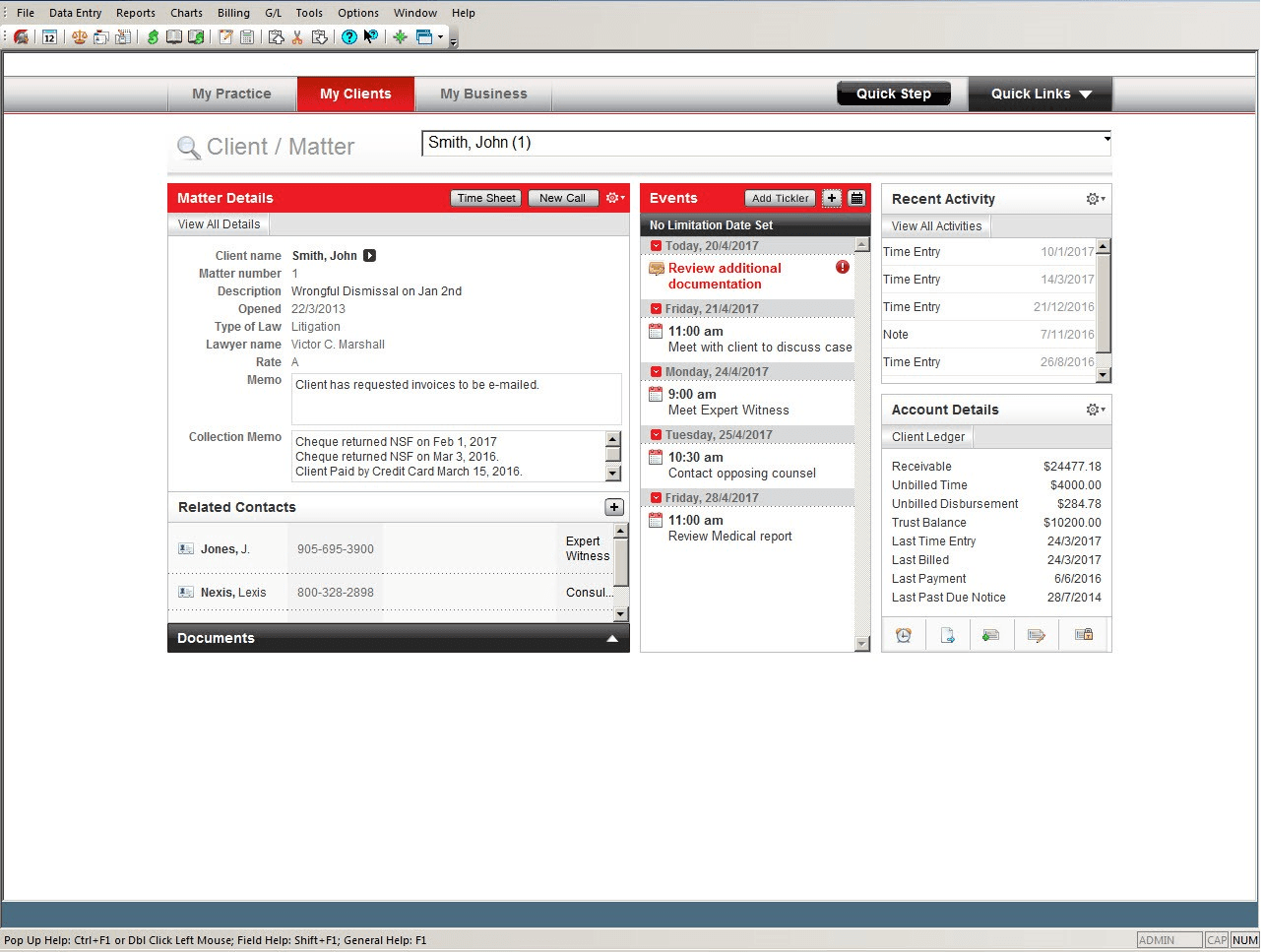
Time and Billing Management: PCLaw helps you track billable hours and generate invoices with ease. You can manage client billing efficiently, enhancing your firm's cash flow.
Client Management: Keep client details organized and accessible, making it easy for your team to handle cases. This feature ensures you never lose track of important client information.
Accounting Management: Handle your firm's accounting needs, including expenses and trust accounting, in one place. It simplifies financial tracking, freeing up time for your legal work.
Document Management: Store and retrieve documents quickly with PCLaw's document management system. It helps your team maintain organized and secure case files.
Calendar and Task Management: Schedule appointments and manage tasks effectively to ensure you meet deadlines. This feature keeps your workflow on track and organized.
Ease of Use
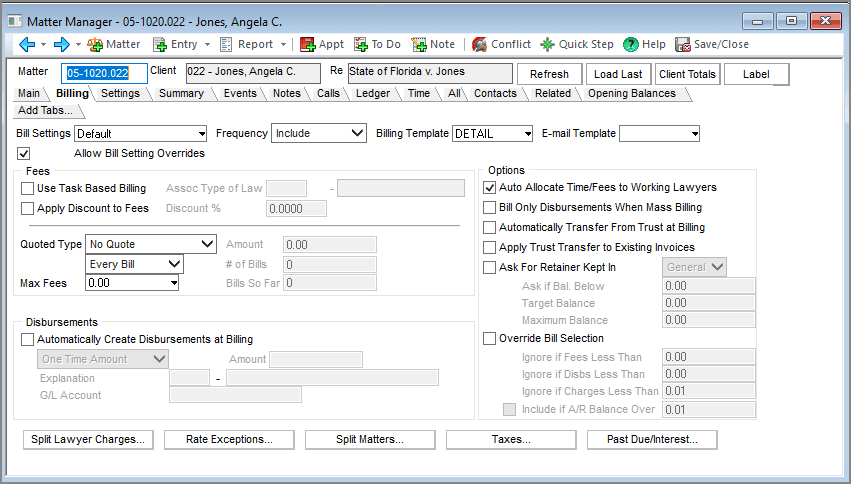
While functional, the interface is not as user-friendly as newer legal software. Its somewhat outdated design can slow you down initially, and there may be a learning curve during setup. However, once your team becomes familiar with the system, its comprehensive features and powerful functionality stand out. Although the design isn’t as intuitive as some modern tools, PCLaw’s robust customer support helps offset these challenges. Overall, it requires patience upfront but can deliver efficiency over time.
Integrations
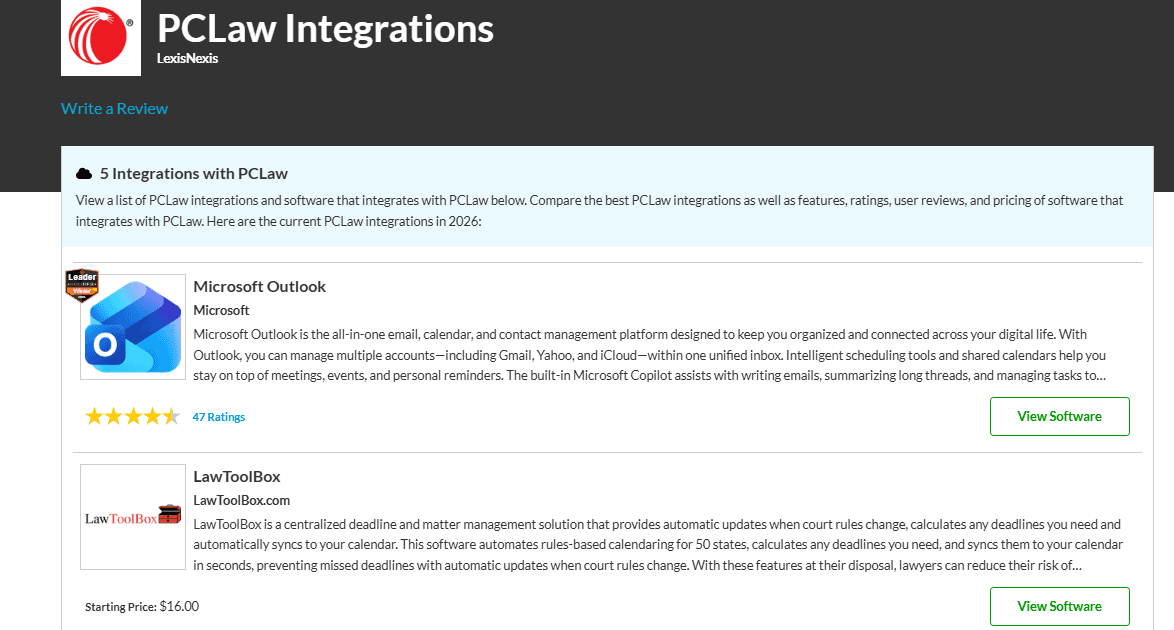
PCLaw integrates with Microsoft Outlook, Microsoft Word, Microsoft PowerPoint, Microsoft Excel, and HotDocs.
PCLaw provides an API, which facilitates integration with several third-party solutions.
PCLaw Specs
- 2-Factor Authentication: No
- API: No
- Approval Workflows: No
- Audit Trail: No
- Calendar Management: No
- Compliance Tracking: No
- Contract Management: No
- Custom Reports: No
- Customer Management: No
- Data Export: No
- Data Import: No
- Document Management: No
- External Integrations: No
- Multi-User: No
- NDA Management: No
- Notifications: No
- Policy Management: No
- Scheduling: No
- Workflow Management: No


