

Reseña de Sharesight: Ventajas, Desventajas, Características y Precios
Sharesight sobresale por su seguimiento detallado del rendimiento y reportes fiscales, lo que lo convierte en una de las mejores opciones para inversores que buscan claridad y eficiencia.

Revisamos las herramientas de forma independiente, y las comisiones ayudan a financiar nuestras pruebas. Consulta nuestra política de transparencia, nuestra metodología o sugiere una herramienta.
Sharesight is a portfolio management software built for investors who need to track holdings, calculate returns, and generate tax reports across multiple asset classes. I'd consider it most seriously if automated dividend tracking and tax lot-level reporting are priorities—areas where it goes further than tools like Morningstar Portfolio Manager, which skews more toward research and fund analysis than day-to-day investment accounting.
Sharesight Evaluation Summary
3.4/5
- From $7/month (billed annually)
- Free plan available
Por qué confiar en nuestras recomendaciones de software
6,700+
Reviews
20
Industry experts
16+
Evaluation factors
14
Years
Nuestras reseñas reflejan nuestro criterio independiente, no un discurso de ventas. Descubra cómo mantenemos la transparencia.
Para esta guía, evaluamos las herramientas mediante pruebas prácticas e investigación independiente, puntuando las herramientas según nuestros criterios de selección.
Nuestras reseñas reflejan nuestro criterio editorial humano, no un discurso de ventas.
Sharesight Overview
In my opinion, Sharesight is a solid choice for portfolio management, especially for individual investors and small to medium-sized investment teams. Its standout features, such as performance tracking and tax reporting, cater well to portfolios with diverse asset classes like ETFs, real estate, and cryptocurrency. However, onboarding could be smoother, and the customer support may not always meet expectations. With various pricing plans, the value it provides for tracking and investment management justifies its cost. Compared to competitors, Sharesight excels in detailed reporting but could improve its integration capabilities. If you're looking for efficient performance reporting and tax analysis, Sharesight is a worthy contender.
Pros
- You can track your portfolio's performance with automatic updates.
- It offers detailed tax reports to simplify tax time.
- You can see your dividend payments projected over time.
Cons
- Some users find the mobile app lacks features compared to the desktop version.
- You might find the user interface less intuitive if you're new to portfolio management.
- There's limited support for certain international stock exchanges.
Is Sharesight Right For Your Needs?
Who Would be a Good Fit for Sharesight?
Sharesight is ideal for individual investors and small financial advisory firms. If you're managing a portfolio and need to track dividends, capital gains, and currency fluctuations, Sharesight offers robust reporting tools that simplify these tasks. Its ability to integrate with brokers and provide comprehensive tax reports makes it a valuable tool for those handling complex investment portfolios.
- Individual InvestorsSharesight can support your financial independence by helping you track investment performance with ease through detailed reports and portfolio insights.
- Small Advisory FirmsSmall firms can benefit from Sharesight's ability to generate tax reports and client-ready performance summaries.
- DIY InvestorsIf you prefer managing your own investments, Sharesight's integration with brokers and real-time data from over 60 stock exchanges, including NYSE, LSE, and ASX, can help you track your net worth and make informed decisions.
- Financial AdvisorsFinancial advisors can use Sharesight to streamline client reporting and provide accurate, detailed performance analysis.
- Portfolio ManagersSharesight's tracking of dividends and capital gains supports your portfolio management tasks.
- Tax ConsultantsYou can leverage Sharesight's tax reporting features to simplify the preparation of investment-related tax documents.
Who Would be a Bad Fit for Sharesight?
Sharesight isn't ideal for businesses needing elaborate financial analysis or complex accounting capabilities. If your team requires advanced budget forecasting, detailed expense tracking, or integration with accounting software, Sharesight may fall short. Its primary focus is on portfolio tracking, which might not suffice for entities with broader financial management needs.
- Large EnterprisesSharesight's features are tailored for individual investors and small to mid-sized businesses, not large corporations needing extensive portfolio management.
- Accounting DepartmentsIf your work involves detailed accounting functions, Sharesight lacks the comprehensive financial tools you might need.
- Crypto-Centric PortfoliosWhile Sharesight supports many major cryptocurrencies, it may not offer all of the crypto options you need.
Cómo probamos y puntuamos las herramientas
Hemos dedicado años a construir, perfeccionar y mejorar nuestro sistema de evaluación y puntuación de software. La rúbrica está diseñada para capturar los matices de la selección de software y lo que hace que una herramienta sea efectiva, enfocándose en los aspectos críticos del proceso de toma de decisiones. A continuación, puedes ver exactamente cómo funcionan nuestras pruebas y puntuación en siete criterios. Esto nos permite proporcionar una evaluación imparcial del software basada en la funcionalidad principal, características destacadas, facilidad de uso, onboarding, atención al cliente, integraciones, opiniones de clientes y relación calidad-precio.
Funcionalidad principal (25% de la puntuación final)
Nuestro punto de partida siempre es la funcionalidad principal de la herramienta. ¿Tiene las funciones básicas que un usuario esperaría ver? ¿Alguna de estas características principales está limitada a planes de precios superiores? En esencia, esperamos que una herramienta esté a la altura de las capacidades básicas de sus competidores.
Características destacadas (25% de la puntuación final)
A continuación, evaluamos las características únicas y sobresalientes que van más allá de la funcionalidad principal normalmente encontrada en herramientas de este tipo. Una puntuación alta refleja funciones especializadas o únicas que hacen el producto más rápido, eficiente o que aportan valor adicional al usuario. También evaluamos lo fácil que es integrarse con otras herramientas que normalmente forman parte del stack tecnológico para ampliar la funcionalidad y utilidad del software. Las herramientas que ofrecen numerosas integraciones nativas, conexiones con terceros y acceso API para crear integraciones personalizadas obtienen la mejor puntuación.
Facilidad de uso (10% de la puntuación final)
Consideramos cuán rápido y fácil es ejecutar las tareas definidas en la funcionalidad principal usando la herramienta. El software que obtiene la puntuación más alta está bien diseñado, es intuitivo, ofrece aplicaciones móviles, proporciona plantillas y hace que tareas relativamente complejas parezcan simples.
Onboarding (10% de la puntuación final)
Sabemos lo importante que es una adopción rápida del equipo para una nueva plataforma, por lo que evaluamos cuán sencillo es aprender y utilizar una herramienta con una formación mínima. Analizamos lo rápido que un miembro del equipo puede configurarse y empezar a usar la herramienta sin experiencia previa. Las soluciones con alta puntuación indican que se requiere poco o ningún soporte.
Atención al cliente (10% de la puntuación final)
Revisamos cuán rápido y sencillo es salir de un atasco y encontrar ayuda por teléfono, chat en vivo o base de conocimiento. Las herramientas y empresas que proporcionan soporte en tiempo real obtienen la mejor puntuación, mientras que los chatbots obtienen la peor.
Opiniones de clientes (10% de la puntuación final)
Además de nuestras propias pruebas y evaluaciones, consideramos el net promoter score de clientes actuales y anteriores. Revisamos la probabilidad de que, de tener la opción, elijan nuevamente la herramienta por su funcionalidad principal. Un software con alta puntuación refleja un alto net promoter score de clientes presentes o pasados.
Relación calidad-precio (10% de la puntuación final)
Por último, considerando todos los demás criterios, revisamos el precio medio de los planes de entrada frente a las funciones principales y analizamos el valor de los demás criterios de evaluación. El software que ofrece más por menos obtiene una puntuación superior.
Core Features
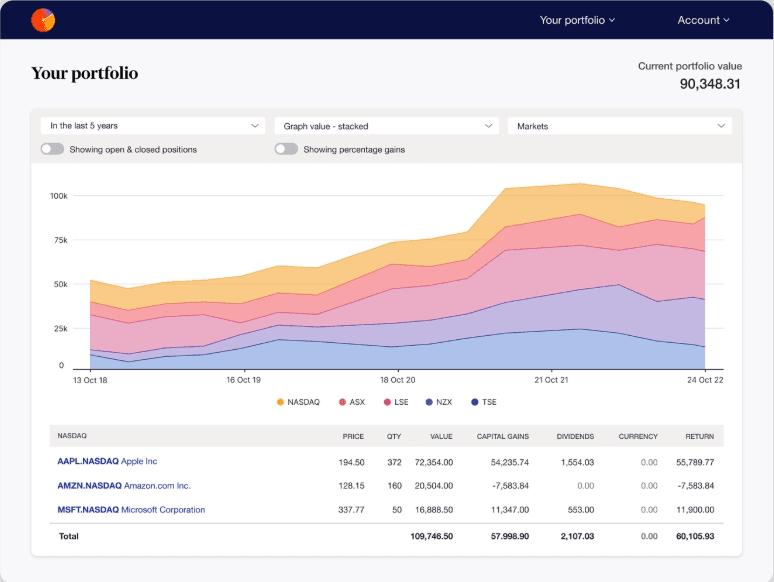
Automatic Portfolio Tracking: Sharesight automatically tracks your investments, updating prices and performance metrics. You get real-time insights into your portfolio's performance without the time and effort of manual input.
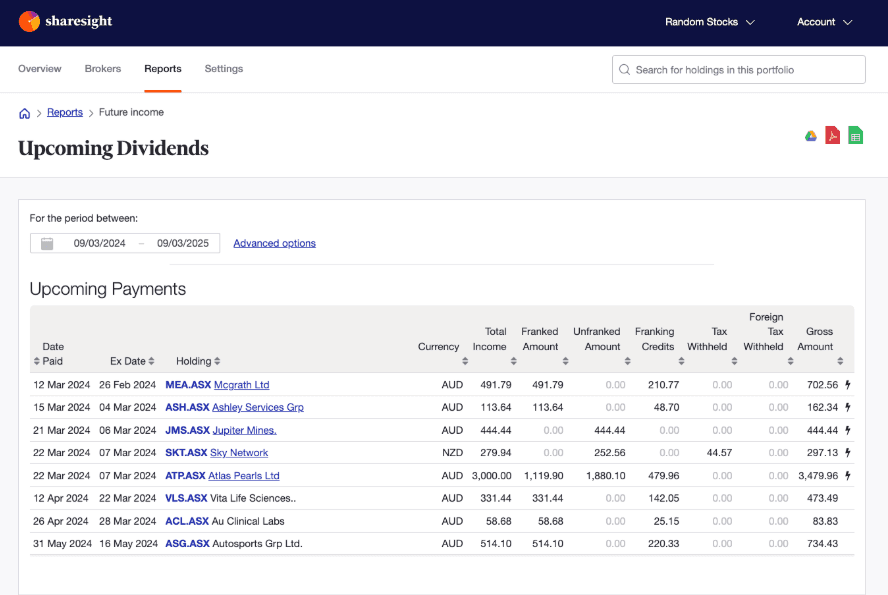
Dividend Tracking: It records dividend income and reinvestments in DRPs, providing detailed reports on your earnings. This helps you accurately assess your income streams and reinvestment strategies.
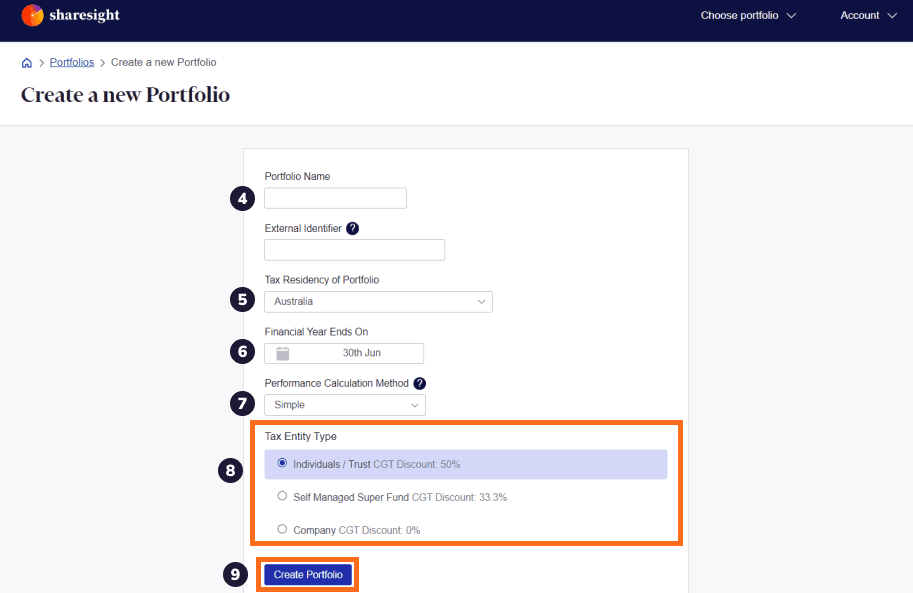
Tax Reporting: Sharesight offers comprehensive tax reports, including capital gains and dividend income, tailored to your country's tax laws. You'll find it easier to prepare for tax season with all the necessary documents in one place.
Performance Benchmarking: Compare your portfolio's performance against various benchmarks and indices. This gives you a clear picture of your investment success relative to market standards.
Multi-Currency Support: Sharesight handles portfolios with assets in different currencies, offering automatic currency conversion. This feature is essential for global investors managing assets across various markets.
Corporate Actions Tracking: Sharesight automatically tracks corporate actions such as stock splits and mergers, so you won't miss out on important changes that could affect your investment strategy.
Ease of Use
Sharesight is generally praised for its user-friendly interface, which makes it easy to track your investments, though it may take time to get used to if you're new to portfolio management. Its intuitive design allows you to quickly import data and generate insightful reports. Unlike some other portfolio management tools, Sharesight simplifies tax reporting with automated features that save time. While some users mention a learning curve for advanced features, Sharesight's straightforward setup and clear navigation enhance your investment tracking experience overall.
Integrations
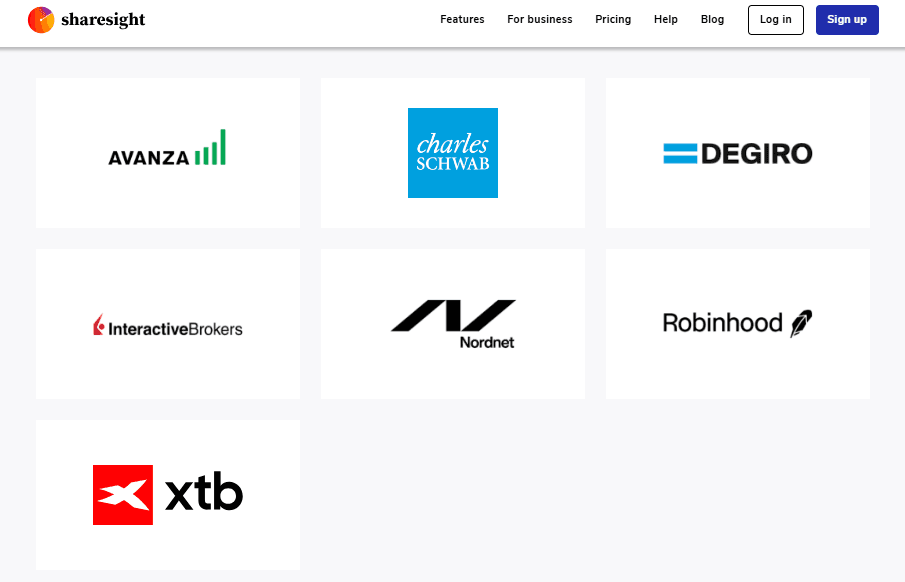
Sharesight integrates with Saxo Markets, Interactive Brokers, and myprosperity and supports over 100 online brokers through its Sharesight Connect feature, allowing users to automate trade imports via the Trade Confirmation Emails feature.
Sharesight also has an API for third-party connections, enabling further integrations beyond the native options, such as integration with Morningstar Investor Australia.
Sharesight Specs
- API: Yes
- Batch Permissions & Access: No
- Calendar Management: No
- Collaboration Support: No
- Contact Management: No
- Contact Sharing: No
- Customer Management: No
- Data Export: Yes
- Data Import: Yes
- Data Visualization: Yes
- Database: No
- Email Integration: No
- External Integrations: Yes
- File Transfer: No
- Multi-Account: Yes
- Password & Access Management: No
- Project Management: No
- Report & Compliance: Yes
- Resource Management: No
- Software Integration: Yes
- Task Scheduling/Tracking: No
- Time Management: No
- Timesheets: No
- Workflow Management: No


