

Reseña de Tableau: Ventajas, Desventajas, Características y Precios
Tableau sobresale en la visualización de datos, ofreciendo a tu equipo conocimientos intuitivos que lo distinguen de otras herramientas de análisis estadístico.

Revisamos las herramientas de forma independiente, y las comisiones ayudan a financiar nuestras pruebas. Consulta nuestra política de transparencia, nuestra metodología o sugiere una herramienta.
Tableau is a statistical analysis software built for finance and analytics teams that need to explore large datasets, build interactive dashboards, and share visual insights across the business. I'd consider it a strong fit if your team works across diverse data sources and needs more visual flexibility than Power BI provides—particularly when your stack isn't centered on the Microsoft ecosystem.
Tableau Evaluation Summary
4.5/5
- Pricing upon request
- 14-day free trial
Por qué confiar en nuestras recomendaciones de software
6,700+
Reviews
20
Industry experts
16+
Evaluation factors
14
Years
Nuestras reseñas reflejan nuestro criterio independiente, no un discurso de ventas. Descubra cómo mantenemos la transparencia.
Para esta guía, evaluamos las herramientas mediante pruebas prácticas e investigación independiente, puntuando las herramientas según nuestros criterios de selección.
Nuestras reseñas reflejan nuestro criterio editorial humano, no un discurso de ventas.
Tableau Overview
In my opinion, Tableau stands out for its powerful data visualization capabilities, making it a top choice for teams needing to turn complex data into actionable insights. It's particularly well-suited for industries like finance and marketing where data-driven decisions are crucial. Tableau's robust set of features outperform many competitors, but its pricing and ease of use can be a concern for smaller teams. The onboarding process is smooth, yet some users may find customer support less responsive than desired. Overall, if your team values advanced visualization and interactive dashboards, Tableau is worth considering.
Pros
- Tableau's data visualization tools make complex data easy to understand.
- Your team can create interactive dashboards with minimal effort.
- The intuitive interface helps users quickly learn and use the software.
Cons
- Tableau's data preparation tools can be limited compared to competitors.
- Your team may find customizations require more manual effort.
- Some users report that customer support isn't as responsive as expected.
Is Tableau Right For Your Needs?
Who Would be a Good Fit for Tableau?
Tableau is ideal for data-driven teams in finance, marketing, and healthcare that need to visualize complex data quickly. Its intuitive dashboards and powerful visualization tools help you turn raw data into actionable insights. If your work involves frequent data analysis and reporting, Tableau can simplify these tasks by allowing you to create interactive, easy-to-understand visual reports.
- Finance TeamsTableau helps finance teams create visual reports that make financial data more accessible and understandable.
- Marketing DepartmentsMarketing departments can use Tableau to analyze campaign data and track performance with interactive dashboards.
- Healthcare OrganizationsHealthcare organizations benefit from Tableau's ability to visualize patient data and improve decision-making processes.
- Educational InstitutionsEducational institutions can leverage Tableau to visualize student performance data and streamline reporting.
- Retail BusinessesRetail businesses use Tableau to analyze sales data and identify trends, enhancing their decision-making capabilities.
- Data AnalystsData analysts find Tableau's features essential for transforming large datasets into clear, actionable insights.
Who Would be a Bad Fit for Tableau?
Tableau might not suit small startups or teams with limited data analysis needs, as its advanced features could be overwhelming. If your team doesn't require extensive data visualization or interactive dashboards, the learning curve and cost may outweigh the benefits. Businesses that don't handle large datasets or complex data analysis might find simpler tools more efficient.
- Small StartupsSmall startups may find Tableau's features too complex and costly for their basic data needs.
- Non-Data-Driven TeamsTeams that don't rely on data analysis might not benefit from Tableau's advanced visualization tools.
- Budget-Conscious CompaniesCompanies with tight budgets might struggle with Tableau's pricing, especially if they don't need all its features.
- Simple Reporting NeedsOrganizations with straightforward reporting needs might find Tableau's capabilities excessive and unnecessary.
- Limited IT ResourcesBusinesses with limited IT support may face challenges in implementing and maintaining Tableau effectively.
- Basic Spreadsheet UsersUsers who only need basic spreadsheet functions may find Tableau's advanced features unnecessary and complicated.
Cómo probamos y puntuamos las herramientas
Hemos dedicado años a construir, perfeccionar y mejorar nuestro sistema de evaluación y puntuación de software. La rúbrica está diseñada para capturar los matices de la selección de software y lo que hace que una herramienta sea efectiva, enfocándose en los aspectos críticos del proceso de toma de decisiones. A continuación, puedes ver exactamente cómo funcionan nuestras pruebas y puntuación en siete criterios. Esto nos permite proporcionar una evaluación imparcial del software basada en la funcionalidad principal, características destacadas, facilidad de uso, onboarding, atención al cliente, integraciones, opiniones de clientes y relación calidad-precio.
Funcionalidad principal (25% de la puntuación final)
Nuestro punto de partida siempre es la funcionalidad principal de la herramienta. ¿Tiene las funciones básicas que un usuario esperaría ver? ¿Alguna de estas características principales está limitada a planes de precios superiores? En esencia, esperamos que una herramienta esté a la altura de las capacidades básicas de sus competidores.
Características destacadas (25% de la puntuación final)
A continuación, evaluamos las características únicas y sobresalientes que van más allá de la funcionalidad principal normalmente encontrada en herramientas de este tipo. Una puntuación alta refleja funciones especializadas o únicas que hacen el producto más rápido, eficiente o que aportan valor adicional al usuario. También evaluamos lo fácil que es integrarse con otras herramientas que normalmente forman parte del stack tecnológico para ampliar la funcionalidad y utilidad del software. Las herramientas que ofrecen numerosas integraciones nativas, conexiones con terceros y acceso API para crear integraciones personalizadas obtienen la mejor puntuación.
Facilidad de uso (10% de la puntuación final)
Consideramos cuán rápido y fácil es ejecutar las tareas definidas en la funcionalidad principal usando la herramienta. El software que obtiene la puntuación más alta está bien diseñado, es intuitivo, ofrece aplicaciones móviles, proporciona plantillas y hace que tareas relativamente complejas parezcan simples.
Onboarding (10% de la puntuación final)
Sabemos lo importante que es una adopción rápida del equipo para una nueva plataforma, por lo que evaluamos cuán sencillo es aprender y utilizar una herramienta con una formación mínima. Analizamos lo rápido que un miembro del equipo puede configurarse y empezar a usar la herramienta sin experiencia previa. Las soluciones con alta puntuación indican que se requiere poco o ningún soporte.
Atención al cliente (10% de la puntuación final)
Revisamos cuán rápido y sencillo es salir de un atasco y encontrar ayuda por teléfono, chat en vivo o base de conocimiento. Las herramientas y empresas que proporcionan soporte en tiempo real obtienen la mejor puntuación, mientras que los chatbots obtienen la peor.
Opiniones de clientes (10% de la puntuación final)
Además de nuestras propias pruebas y evaluaciones, consideramos el net promoter score de clientes actuales y anteriores. Revisamos la probabilidad de que, de tener la opción, elijan nuevamente la herramienta por su funcionalidad principal. Un software con alta puntuación refleja un alto net promoter score de clientes presentes o pasados.
Relación calidad-precio (10% de la puntuación final)
Por último, considerando todos los demás criterios, revisamos el precio medio de los planes de entrada frente a las funciones principales y analizamos el valor de los demás criterios de evaluación. El software que ofrece más por menos obtiene una puntuación superior.
Core Features
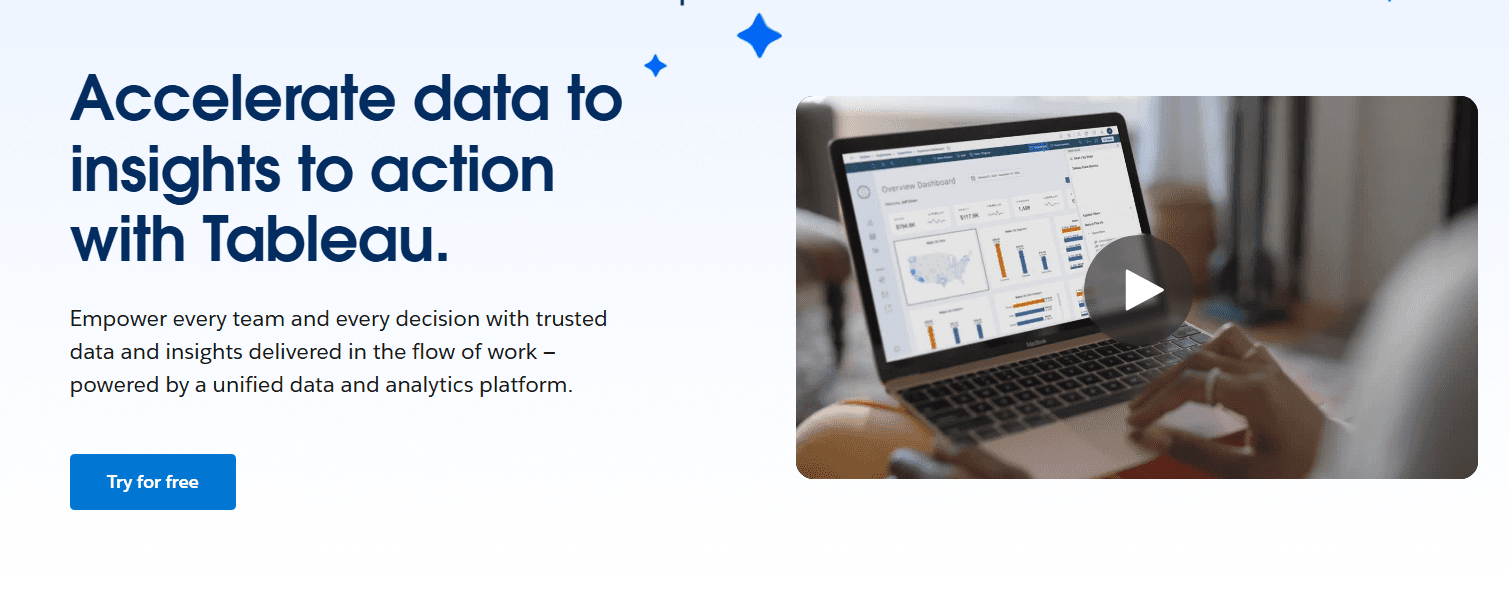
Data Visualization: Tableau lets your team create interactive charts and graphs from data models, making complex data easy to digest. You can quickly spot trends and insights.
Dashboard Creation: Build custom dashboards that combine multiple data views. This helps you track key metrics and KPIs while presenting a comprehensive story with your data.
Data Blending: Combine data from different sources into a single view, supporting seamless data integration. This feature allows you to create more insightful analyses.
Real-Time Data Updates: Keep your data fresh with real-time updates. Your team can make decisions based on the latest information.
Drag-and-Drop Interface: Easily build reports with a simple drag-and-drop tool. This saves time and makes the process user-friendly.
Geographic Mapping: Visualize data on maps to identify geographic trends. It’s perfect for teams needing location-based insights.

Ease of Use
Tableau isn’t as user-friendly as some other platforms, making it accessible to both beginners and experienced users. Your team can learn to build interactive dashboards, though they must go through a steep learning curve. But once mastered, Tableau stands out for its ability to simplify complex data analysis tasks. The real-time data updates and customization options further enhance its usability, allowing you to adapt quickly to changing data needs. Overall, Tableau makes data visualization straightforward and efficient for your work after intensive training.

Integrations
Tableau integrates with Salesforce, Amazon Athena, Google BigQuery, Microsoft Excel, SQL Server, Google Sheets, Splunk, Google Analytics, SAP HANA and Preso.
Tableau also has a REST API and connects with third-party integration tools, allowing for extensive customization and data connectivity options.

Tableau Specs
- A/B Testing: Yes
- Access Management: Yes
- Analytics: Yes
- API: Yes
- Conversion Tracking: Yes
- Custom Reports: Yes
- Customer Management: Yes
- Dashboards: Yes
- Data Export: Yes
- Data Import: Yes
- Data Mining: Yes
- Data Visualization: Yes
- External Integrations: Yes
- Forecasting: Yes
- Inventory Tracking: Yes
- Keyword Tracking: Yes
- Link Tracking: Yes
- Multi-User: Yes
- Notifications: Yes
- Project Management: Yes
- Reports: No
- Scenario Planning: Yes
- SEO: Yes
- Supplier Management: Yes
- Visualization: Yes
Alternatives to Tableau


- Cómo analizar y preparar un estado de flujo de efectivo como un profesionalOpens new window
- Las 10 mejores alternativas a Tableau para equipos de FP&A en 2026Opens new window
- Los 10 mejores programas de gestión de tablas de capital revisados en 2026Opens new window
- Reseña de Tableau: Ventajas, Desventajas, Características y PreciosOpens new window
- Tu panel de controlOpens new window