

Avis Paychex : Principales fonctionnalités, avantages, inconvénients et tarification mise à jour pour 2026
Paychex se distingue par ses fonctionnalités solides en matière de paie et sa grande évolutivité, ce qui en fait une solution idéale pour les entreprises en croissance.

Nous évaluons les outils indépendamment ; les commissions aident à financer nos tests. Consultez notre politique de transparence et notre méthodologie.
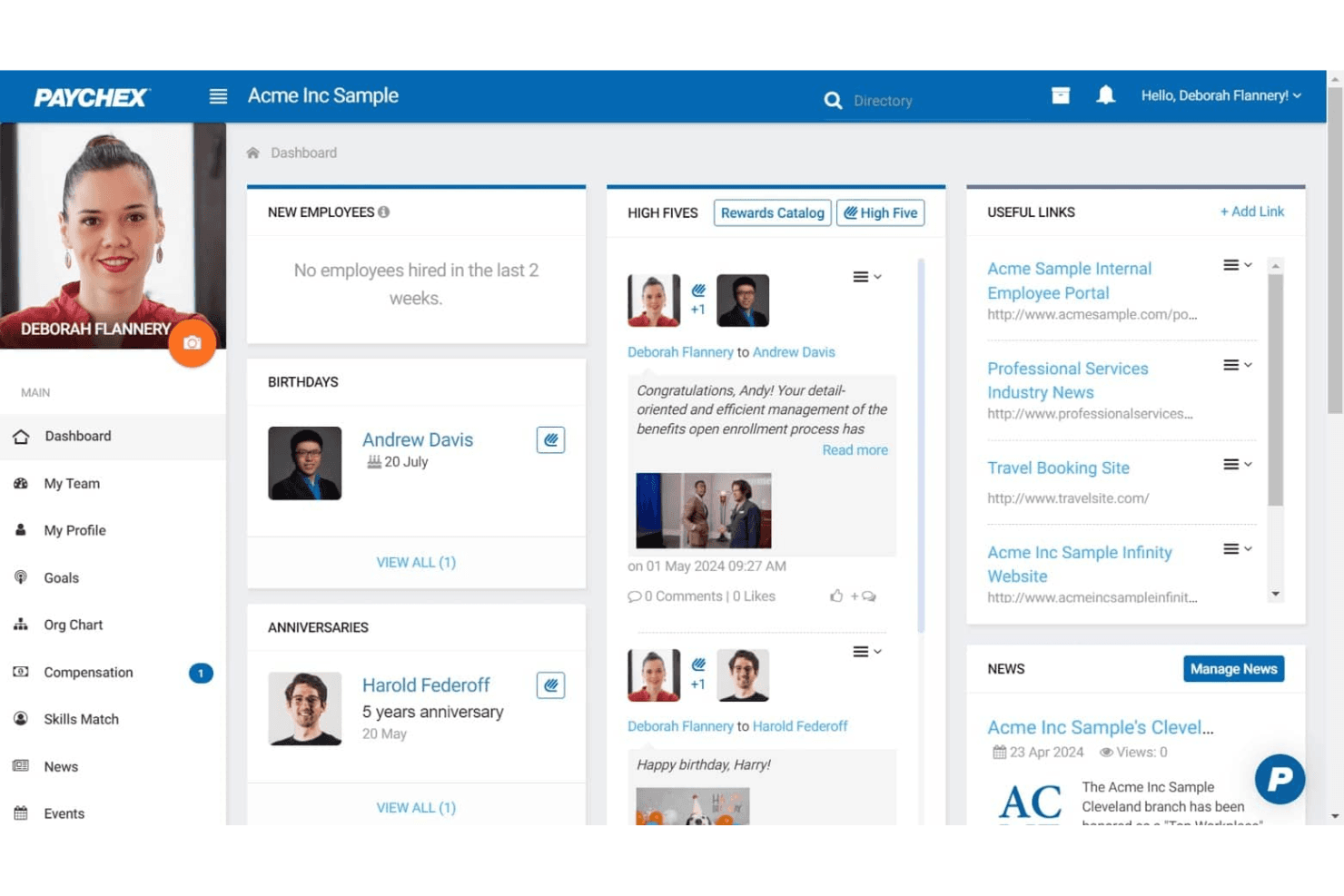
Paychex is an accounting software with payroll for small business built for owners and finance teams who need payroll, HR, and compliance tools in one place. I'd consider it if you're running a growing small business that needs more than a basic payroll processor. Compared to Gusto, Paychex gives you deeper HR functionality and dedicated support options, which makes a real difference once your headcount starts to grow and your compliance needs become harder to manage manually.
Paychex Evaluation Summary
4.2/5
- Pricing upon request
- Free demo available
Pourquoi faire confiance à nos recommandations de logiciels
6,700+
Reviews
20
Industry experts
16+
Evaluation factors
14
Years
Nos avis reflètent notre jugement indépendant — et non un argumentaire de vente. Découvrez comment nous restons transparents.
Pour ce guide, nous avons évalué les outils grâce à des tests pratiques et une recherche indépendante, en notant les outils selon nos critères de sélection.
Nos avis reflètent notre jugement éditorial humain, et non un argumentaire de vente.
Paychex Overview
When judging payroll software, Paychex stands out for its deep feature set, strong compliance tools, and responsive support, especially for businesses with complex payroll needs or multiple locations. Its pricing can be higher than some alternatives, and the interface may feel dated to users who prefer modern dashboards. However, Paychex’s integration options and guided onboarding make it a reliable choice for teams prioritizing accuracy and regulatory confidence. If you’re selecting a solution for a midsize or growing business that values hands-on support and customizable workflows, Paychex deserves serious consideration.
Pros
- Built-in payroll tax calculation and filing included
- Responsive customer support with dedicated representatives
- Scalable plans for businesses with growing or complex needs
Cons
- Reporting features are basic compared to some competitors
- Mobile app interface feels outdated and slow
- Some users report unexpected or hidden fees
Is Paychex Right For Your Needs?
Who Would be a Good Fit for Paychex?
Paychex is best suited for organizations that need advanced payroll compliance, multi-state support, and hands-on customer service. Its scalable plans, HR add-ons, and tax filing features make it a strong choice for businesses with complex payroll needs, distributed teams, or strict regulatory requirements. Companies in highly regulated industries, those with hourly workforces, or those planning to grow will find Paychex’s capabilities especially valuable.
- Multi-State EmployersPaychex handles multi-state tax compliance and filings automatically.
- Healthcare ProvidersHealthcare organizations benefit from Paychex’s compliance and benefits administration.
- Construction FirmsJob costing and certified payroll features support construction payroll needs.
- FranchisesCentralized payroll and reporting tools help manage multiple locations.
- HR DepartmentsIntegrated HR and benefits modules streamline workforce management.
- Growing SMBsScalable plans and dedicated support help small businesses expand confidently.
Who Would be a Bad Fit for Paychex?
Paychex may not be ideal for very small businesses, startups with limited budgets, or teams seeking highly customizable or modern interfaces. Its pricing, basic reporting, and dated mobile experience can be limiting for organizations that prioritize cost, advanced analytics, or tech-forward solutions. Businesses with simple payroll needs or those wanting deep integration with niche tools may find better options elsewhere.
- Solo EntrepreneursPaychex’s pricing and features exceed solo business needs.
- Early-Stage StartupsStartups may find the cost high for basic payroll tasks.
- Tech StartupsTech-focused teams may want more modern, customizable interfaces.
- NonprofitsNonprofits with tight budgets may prefer lower-cost payroll options.
- International CompaniesPaychex lacks global payroll support for non-U.S. employees.
- Analytics-Driven TeamsTeams needing advanced payroll analytics may find reporting too limited.
Comment nous testons et évaluons les outils
Nous avons passé des années à construire, affiner et améliorer notre système de test et d’évaluation des logiciels. Notre grille vise à saisir toute la subtilité de la sélection logicielle et les facteurs déterminant l’efficacité d’un outil, en mettant l’accent sur les aspects essentiels du processus de décision. Ci-dessous, vous pouvez voir exactement comment notre test et notre notation fonctionnent selon sept critères. Cela nous permet de fournir une évaluation impartiale des logiciels sur la base des fonctionnalités principales, des fonctionnalités distinctives, de la facilité d’utilisation, de la prise en main, du service client, des intégrations, des avis clients et du rapport qualité/prix.
Fonctionnalité principale (25 % de la note finale)
Le point de départ de notre évaluation est toujours la fonctionnalité principale de l’outil. Dispose-t-il des caractéristiques de base attendues ? Certaines de ces fonctions de base sont-elles réservées aux plans tarifaires supérieurs ? Fondamentalement, nous attendons d’un outil qu’il soit au moins l’égal de ses concurrents en capacités essentielles.
Fonctionnalités Distinctives (25 % de la note finale)
Ensuite, nous évaluons les fonctionnalités rares ou uniques, allant au-delà de la fonctionnalité principale habituellement trouvée dans ce type d’outil. Un score élevé traduit des fonctionnalités spécialisées ou innovantes qui rendent le produit plus rapide, plus efficace, ou apportent une valeur supplémentaire à l’utilisateur. Nous évaluons aussi la facilité d’intégration avec d’autres outils courants de l’écosystème technologique pour étendre les capacités du logiciel. Les outils offrant de nombreuses intégrations natives, des connexions tierces et un accès API pour des intégrations personnalisées obtiennent le meilleur score.
Facilité d’utilisation (10 % de la note finale)
Nous considérons la rapidité et la facilité d’exécution des tâches essentielles avec l’outil. Un logiciel bien conçu, intuitif, proposant des applications mobiles, des modèles et permettant de simplifier des tâches complexes obtient la meilleure note.
Prise en Main (10 % de la note finale)
Nous savons combien il est important d’adopter rapidement une nouvelle plateforme, c’est pourquoi nous évaluons la facilité d’apprentissage et d’utilisation du logiciel avec un minimum de formation. Nous évaluons la rapidité de mise en place d’un nouveau membre d’équipe sans expérience. Un outil ayant un bon score requiert peu voire aucun support pour la prise en main.
Service Client (10 % de la note finale)
Nous évaluons s’il est rapide et facile d’obtenir de l’aide ou de dépanner par téléphone, chat en direct ou base de connaissances. Les outils et entreprises offrant une assistance en temps réel obtiennent le meilleur score, tandis que les chatbots sont moins bien notés.
Avis Clients (10 % de la note finale)
Au-delà de nos propres tests et évaluations, nous prenons en compte le net promoter score fourni par les clients actuels et passés. Nous vérifions leur probabilité de recommander l’outil et d’en refaire le choix pour ses fonctionnalités principales. Un logiciel bien noté se traduit par un net promoter score élevé.
Rapport Qualité/Prix (10 % de la note finale)
Enfin, en tenant compte de tous les autres critères, nous comparons le prix moyen des plans d’entrée de gamme avec les fonctionnalités principales, et le rapport de valeur avec les autres critères d’évaluation. Les logiciels offrant plus pour moins obtiennent la meilleure note.
Core Features
Automated Payroll Processing
Run payroll on a set schedule with automatic calculations for wages, taxes, and deductions. Users can preview and approve payroll before finalizing each cycle.
Tax Filing and Compliance
Paychex calculates, files, and pays federal, state, and local payroll taxes on your behalf. The platform monitors regulatory changes to help reduce compliance risks.
Employee Self-Service Portal
Employees can access pay stubs, tax forms, and update personal information online. This reduces HR workload and improves transparency for staff.
Direct Deposit and Pay Options
Offer employees direct deposit, paper checks, or paycards for flexible payment delivery. Paychex manages payment distribution securely and on time.
Garnishment and Deduction Management
Automatically calculate and process wage garnishments, child support, and other deductions. The system ensures legal compliance and accurate recordkeeping.
Customizable Payroll Reports
Generate payroll, tax, and labor cost reports with customizable filters. Users can export data for audits, budgeting, or financial analysis.
Ease of Use
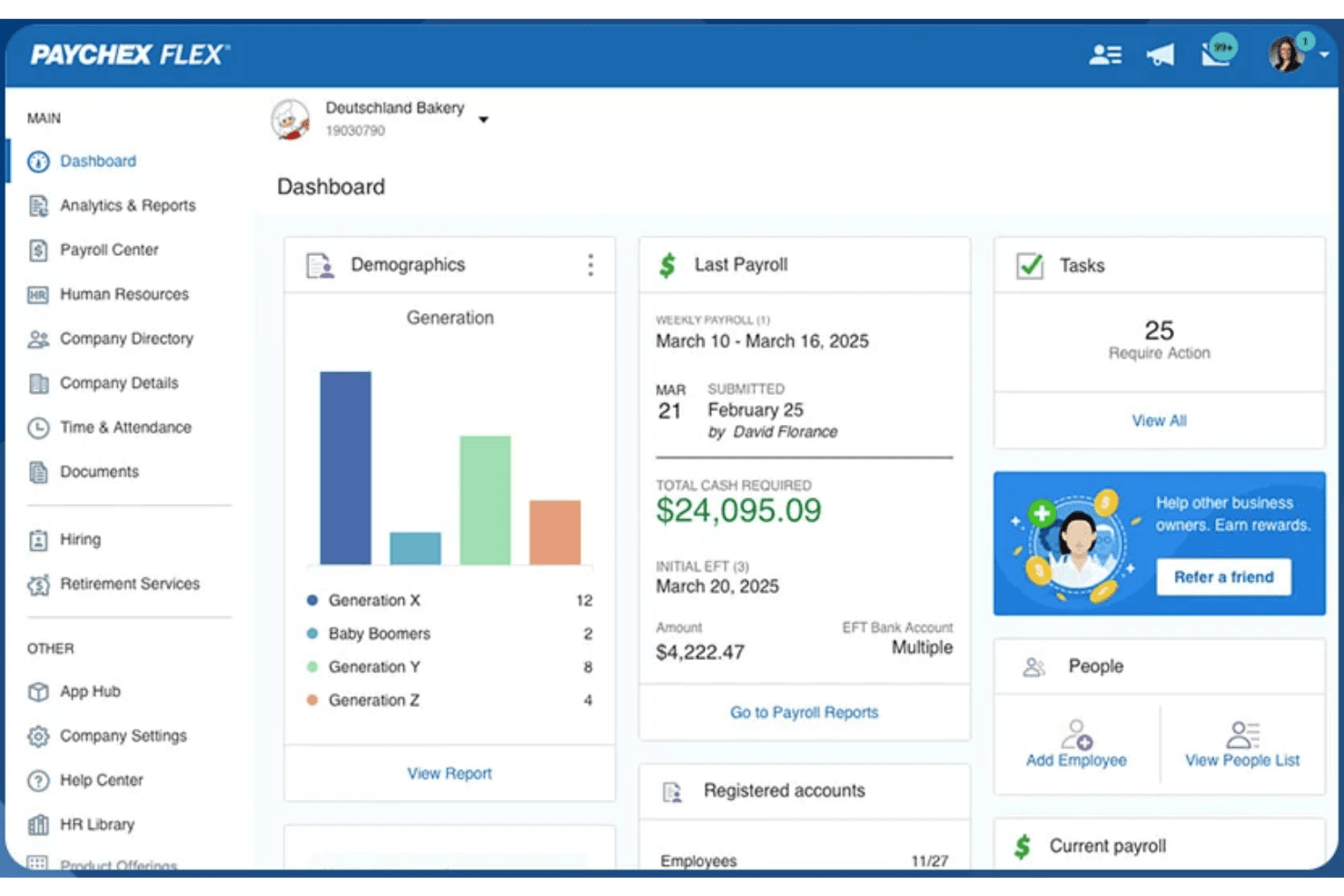
Paychex offers a straightforward payroll workflow, but its interface feels dated compared to newer payroll platforms. Many users appreciate the guided setup and clear navigation for core payroll tasks, yet some report that advanced features and reporting require extra steps or support. The employee self-service portal is easy for staff to use, but the mobile app receives mixed feedback for speed and design. Overall, Paychex balances usability with depth, favoring reliability over flashiness.
Integrations
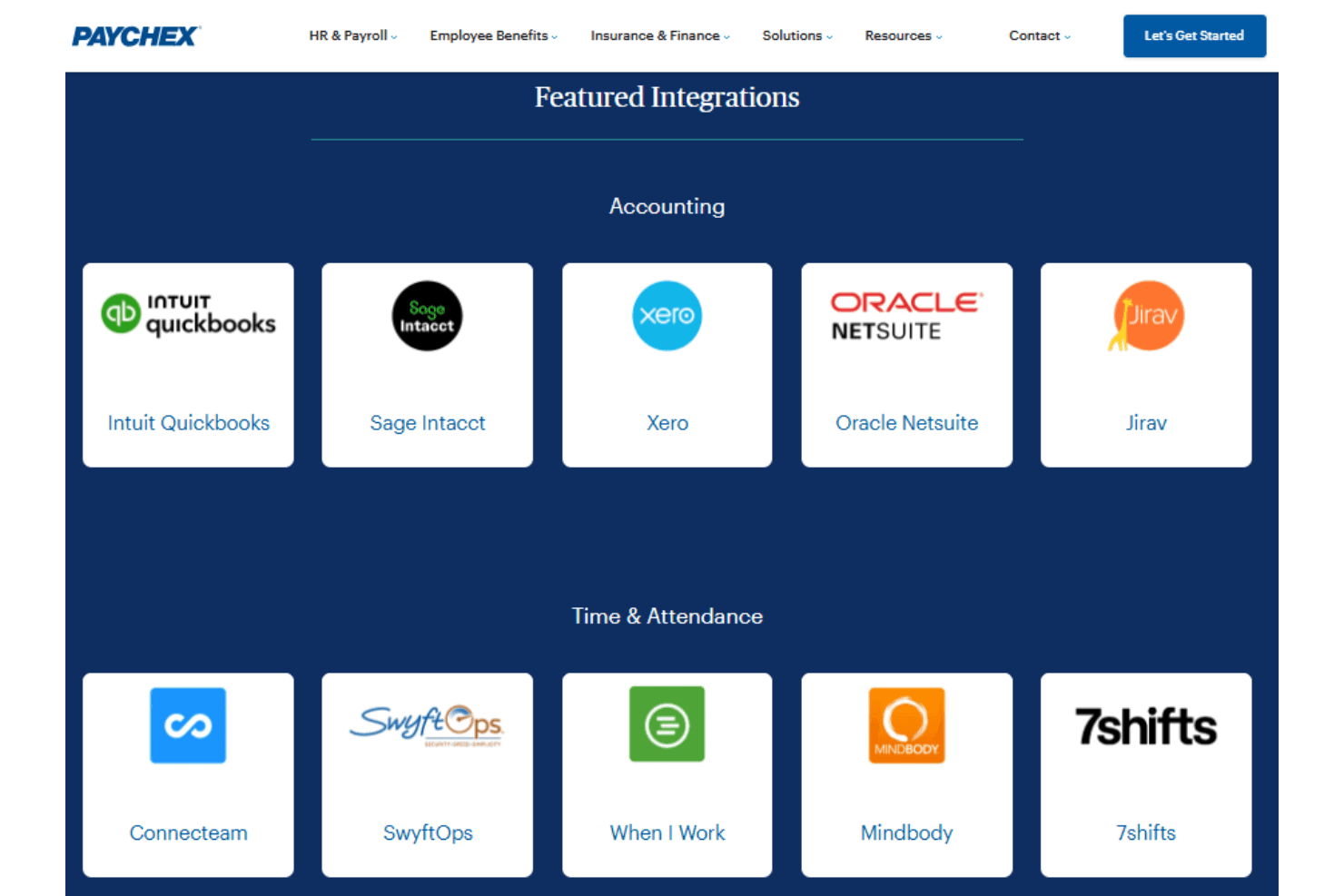
Paychex integrates with a variety of accounting, HR, point-of-sale, and workforce management platforms through its partner marketplace. Examples of supported integrations include QuickBooks, Xero, BambooHR, Clover, Deputy, Acumatica, Sage Intacct, and TimeClock Plus, among others.
Paychex also provides a developer API that allows businesses and software providers to build custom integrations and automate HR and payroll data synchronization with other applications.
Paychex Specs
- 2-Factor Authentication: Yes
- 360 Degree Feedback: Yes
- API: Yes
- Application Tracking: Yes
- Attendance Tracking: Yes
- Batch Permissions & Access: Yes
- Compliance Tracking: Yes
- Dashboard: Yes
- Data Export: Yes
- Data Import: Yes
- Data Visualization: Yes
- Employee Database: Yes
- Employee Engagement: Yes
- Employee Incentive Management: Yes
- Employee Onboarding: Yes
- Employee Training: Yes
- Expense Tracking: Yes
- External Integrations: Yes
- Feedback Management: Yes
- Multi-User: Yes
- Notifications: Yes
- Payroll: Yes
- Performance Appraisal: Yes
- Scheduling: Yes
- Time Management: Yes
- Timesheets: Yes
- Travel Management: Yes
- Vacation & Absence Calendar: Yes


