

Avis sur Ramp : Avantages, Inconvénients, Fonctionnalités et Tarification Détaillés
Ramp se distingue par son automatisation et ses contrôles en temps réel, ce qui en fait le choix idéal pour les entreprises en forte croissance recherchant une gestion efficace et transparente des voyages et des dépenses, surpassant les solutions traditionnelles.

Nous évaluons les outils indépendamment ; les commissions aident à financer nos tests. Consultez notre politique de transparence et notre méthodologie.
Ramp is a travel and expense management software built around corporate cards, automated expense reporting, bill pay, and vendor management. It's worth a close look when your finance team needs real-time spend visibility and automated policy enforcement without the configuration complexity of tools like SAP Concur. Where Concur often requires significant admin overhead to maintain, Ramp handles receipt matching, approval routing, and accounting sync more automatically—making it a stronger fit for teams that want tighter spend controls without adding headcount to manage them.
Ramp Evaluation Summary
4.8/5
- From $15/user/month
- Free plan + free demo available
Pourquoi faire confiance à nos recommandations de logiciels
6,700+
Reviews
20
Industry experts
16+
Evaluation factors
14
Years
Nos avis reflètent notre jugement indépendant — et non un argumentaire de vente. Découvrez comment nous restons transparents.
Pour ce guide, nous avons évalué les outils grâce à des tests pratiques et une recherche indépendante, en notant les outils selon nos critères de sélection.
Nos avis reflètent notre jugement éditorial humain, et non un argumentaire de vente.
Ramp Overview
When judging Ramp as a travel and expense management software, its automation, real-time spend controls, and no-fee pricing model set it apart for finance teams seeking transparency and efficiency. The interface is user-friendly, onboarding is quick, and integrations with accounting software platforms are strong. Ramp excels for companies prioritizing policy enforcement and rapid scaling. If you're selecting a solution for a tech-forward, growth-focused environment, Ramp's card-based controls and automated workflows make it a top contender.
Pros
- AI-driven spend controls reduce manual finance and approval work.
- Unlimited virtual cards simplify secure employee and vendor spending.
- Broad integrations connect finance, HR, travel, and procurement systems.
Cons
- No native accounts receivable workflow for broader financial operations management.
- Advanced automation and ERP integrations require higher-tier paid plans.
- Administrative setup becomes complex across large multi-entity organizations.
Is Ramp Right For Your Needs?
Who Would be a Good Fit for Ramp?
Ramp is best suited for fast-growing companies, tech-forward finance teams, and organizations that want centralized control over company-wide spending. Its combination of corporate cards, procurement workflows, travel management, AI-driven automation, and real-time spend visibility makes it especially valuable for businesses managing distributed teams, recurring operational spend, or complex approval processes. Whether you're scaling financial operations for a growing startup or improving spend governance across a mid-market organization, Ramp’s strengths in automation, operational visibility, and employee-friendly workflows make it a strong fit for modern finance environments.
- Tech StartupsRamp's automation and real-time controls support rapid scaling and distributed teams.
- Mid-Sized SaaS CompaniesAI-driven expense management and approval workflows help control recurring software, travel, and operational spending.
- Finance DepartmentsCentralized spend visibility, accounting automation, and audit trails simplify financial oversight and month-end close processes.
- Multi-Entity OrganizationsShared spend controls and centralized workflows help manage budgets, approvals, and payments across multiple entities.
- Procurement-Focused TeamsIntegrated procurement, vendor management, and approval workflows reduce operational friction across purchasing processes.
- Distributed & Remote TeamsMobile approvals, virtual cards, receipt capture, and Slack-based workflows support employees working from anywhere.
Who Would be a Bad Fit for Ramp?
Ramp may not be the best choice for organizations needing advanced travel booking, complex approval hierarchies, or highly specialized expense workflows. Companies with infrequent travel, heavy international operations, or strict multi-level approvals may find Ramp's feature set limiting compared to more specialized platforms.
- Large EnterprisesLimited multi-level approval workflows may not meet complex policy needs.
- Global CorporationsInternational travel support and currency handling are less robust.
- Travel Management TeamsLacks built-in advanced travel booking and itinerary management.
- NonprofitsMay not offer grant or fund tracking required for compliance.
- Manufacturing CompaniesDoesn't support detailed project-based expense allocation.
- Government AgenciesApproval and audit features may not meet strict regulatory requirements.
Comment nous testons et évaluons les outils
Nous avons passé des années à construire, affiner et améliorer notre système de test et d’évaluation des logiciels. Notre grille vise à saisir toute la subtilité de la sélection logicielle et les facteurs déterminant l’efficacité d’un outil, en mettant l’accent sur les aspects essentiels du processus de décision. Ci-dessous, vous pouvez voir exactement comment notre test et notre notation fonctionnent selon sept critères. Cela nous permet de fournir une évaluation impartiale des logiciels sur la base des fonctionnalités principales, des fonctionnalités distinctives, de la facilité d’utilisation, de la prise en main, du service client, des intégrations, des avis clients et du rapport qualité/prix.
Fonctionnalité principale (25 % de la note finale)
Le point de départ de notre évaluation est toujours la fonctionnalité principale de l’outil. Dispose-t-il des caractéristiques de base attendues ? Certaines de ces fonctions de base sont-elles réservées aux plans tarifaires supérieurs ? Fondamentalement, nous attendons d’un outil qu’il soit au moins l’égal de ses concurrents en capacités essentielles.
Fonctionnalités Distinctives (25 % de la note finale)
Ensuite, nous évaluons les fonctionnalités rares ou uniques, allant au-delà de la fonctionnalité principale habituellement trouvée dans ce type d’outil. Un score élevé traduit des fonctionnalités spécialisées ou innovantes qui rendent le produit plus rapide, plus efficace, ou apportent une valeur supplémentaire à l’utilisateur. Nous évaluons aussi la facilité d’intégration avec d’autres outils courants de l’écosystème technologique pour étendre les capacités du logiciel. Les outils offrant de nombreuses intégrations natives, des connexions tierces et un accès API pour des intégrations personnalisées obtiennent le meilleur score.
Facilité d’utilisation (10 % de la note finale)
Nous considérons la rapidité et la facilité d’exécution des tâches essentielles avec l’outil. Un logiciel bien conçu, intuitif, proposant des applications mobiles, des modèles et permettant de simplifier des tâches complexes obtient la meilleure note.
Prise en Main (10 % de la note finale)
Nous savons combien il est important d’adopter rapidement une nouvelle plateforme, c’est pourquoi nous évaluons la facilité d’apprentissage et d’utilisation du logiciel avec un minimum de formation. Nous évaluons la rapidité de mise en place d’un nouveau membre d’équipe sans expérience. Un outil ayant un bon score requiert peu voire aucun support pour la prise en main.
Service Client (10 % de la note finale)
Nous évaluons s’il est rapide et facile d’obtenir de l’aide ou de dépanner par téléphone, chat en direct ou base de connaissances. Les outils et entreprises offrant une assistance en temps réel obtiennent le meilleur score, tandis que les chatbots sont moins bien notés.
Avis Clients (10 % de la note finale)
Au-delà de nos propres tests et évaluations, nous prenons en compte le net promoter score fourni par les clients actuels et passés. Nous vérifions leur probabilité de recommander l’outil et d’en refaire le choix pour ses fonctionnalités principales. Un logiciel bien noté se traduit par un net promoter score élevé.
Rapport Qualité/Prix (10 % de la note finale)
Enfin, en tenant compte de tous les autres critères, nous comparons le prix moyen des plans d’entrée de gamme avec les fonctionnalités principales, et le rapport de valeur avec les autres critères d’évaluation. Les logiciels offrant plus pour moins obtiennent la meilleure note.
Core Features
Automated Receipt Capture
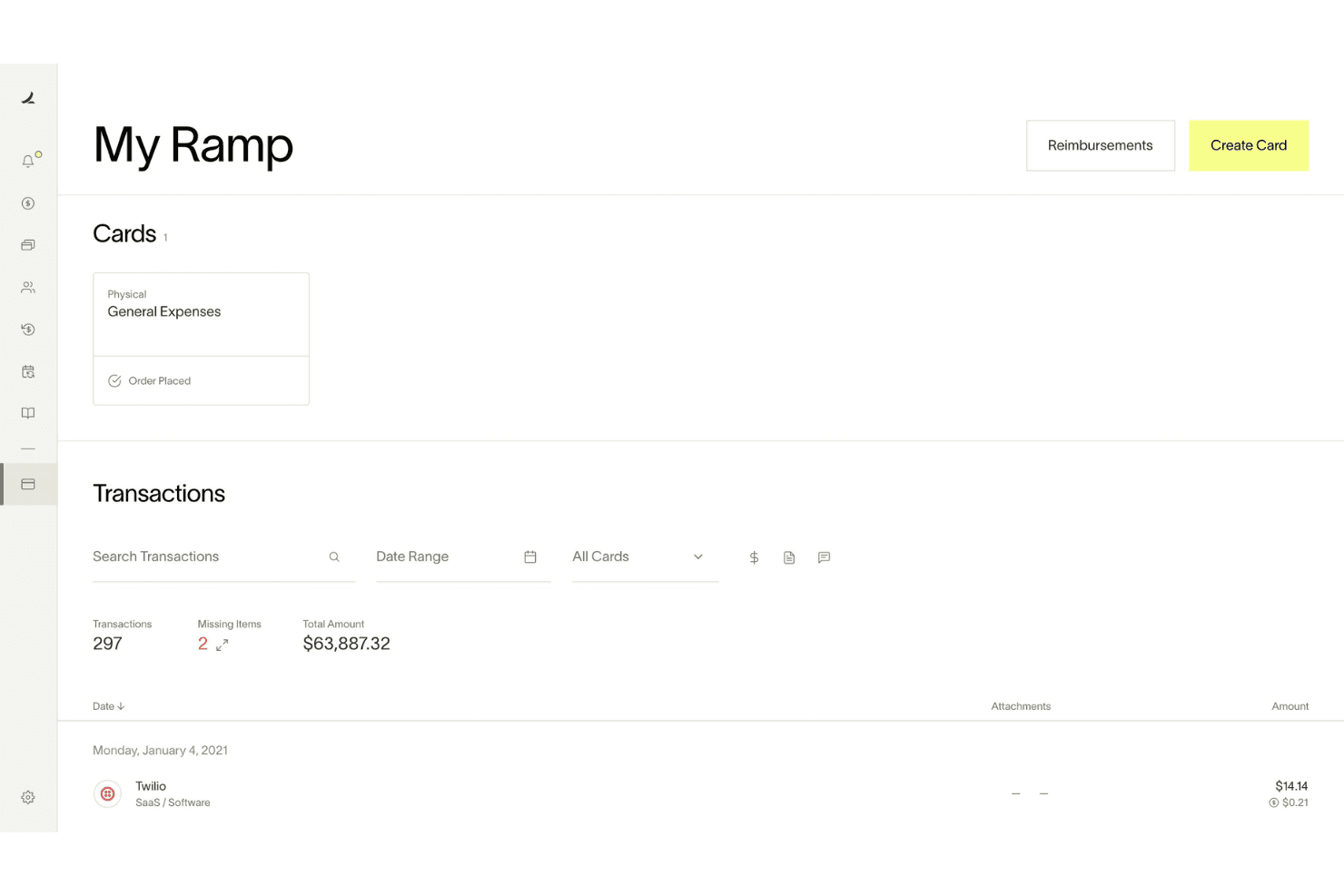
Ramp automatically matches receipts to transactions and fills in memos and categories, reducing manual entry and errors.
Real-Time Spend Controls
Admins set spending limits, merchant restrictions, and policy rules enforced before purchases happen.
Policy Enforcement at Booking
Custom travel policies are enforced at the time of booking, so team members know what's allowed and requests are routed for approval instantly.
Mobile Expense Submission
Employees submit expenses and receipts via web, mobile app, SMS, or chat tools, making on-the-go reporting simple.
Automated Expense Review
Ramp's policy agent reviews 100% of expenses, approves compliant items, and flags exceptions for human review, saving time for finance teams.
Hotel Rate Monitoring and Rebooking
Ramp monitors hotel rates after booking and automatically rebooks if the price drops, delivering direct savings.

Ease of Use
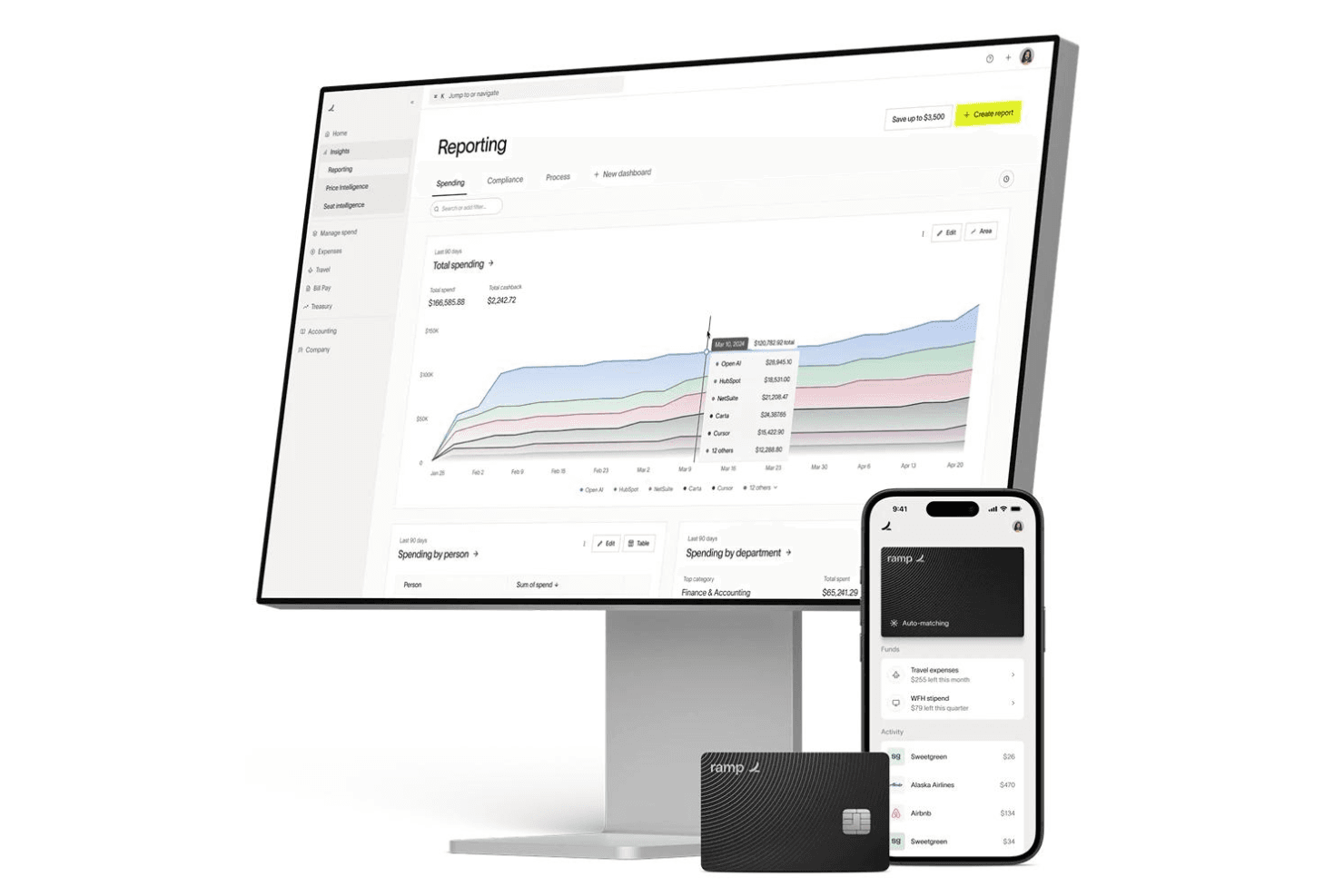
Ramp is widely praised for its clean, user-friendly interface and fast onboarding process, making it accessible even for non-finance users. Expense submission is streamlined through mobile, web, and chat apps, while automated receipt matching and policy enforcement reduce manual work. Users consistently highlight how quickly team members adapt to Ramp, with minimal training required. The platform's clear navigation and real-time controls make managing travel and business expenses straightforward for both cardholders and administrators, and proactive notifications keep everyone aligned on spend status.
Integrations
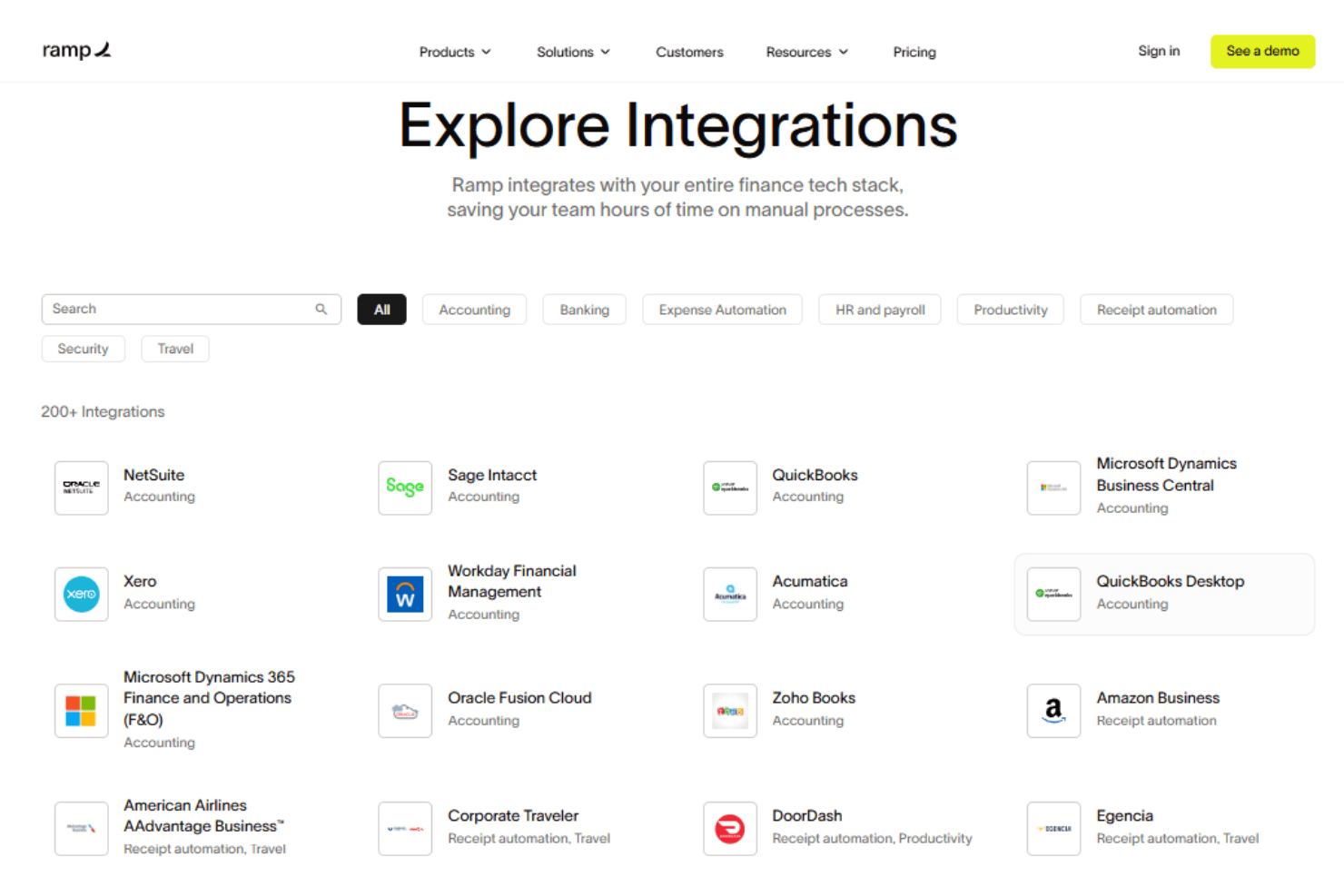
Ramp integrates with Oracle NetSuite, Sage Intacct, QuickBooks, Microsoft Dynamics Business Central, Xero, Slack, and Zoho Books, among others.
Ramp also offers an API and supports connections with third-party integration tools.
New Product Updates from Ramp
 Opens new window
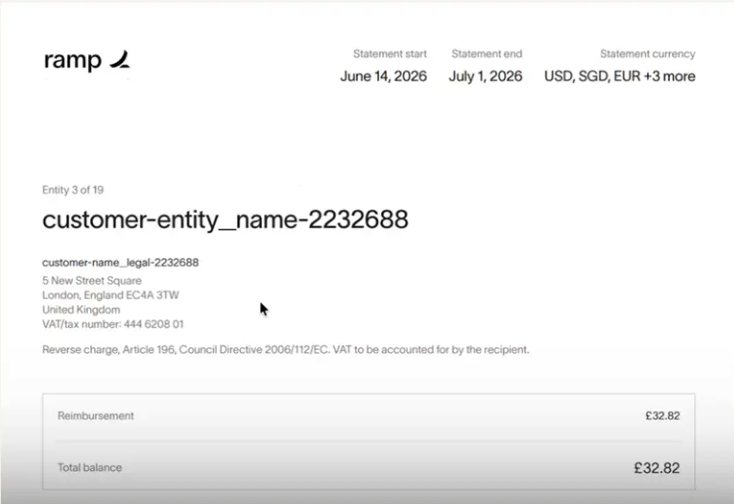
Ramp Adds VAT-Compliant Reimbursement Statements
Ramp updated reimbursement statements to include the information needed for VAT reclaim workflows. The change gives international finance teams more complete documentation and reduces the need to gather VAT and address details separately. Highlights include:
- VAT Details: Include entity VAT information directly on reimbursement statements.
- Entity Address Information: Add business address details to support VAT reclaim documentation.
- Simplified VAT Reclaims: Give teams in the EU, UK, and Canada the information they need without extra paperwork.
Visit Ramp’s official site for more details.
 Opens new window
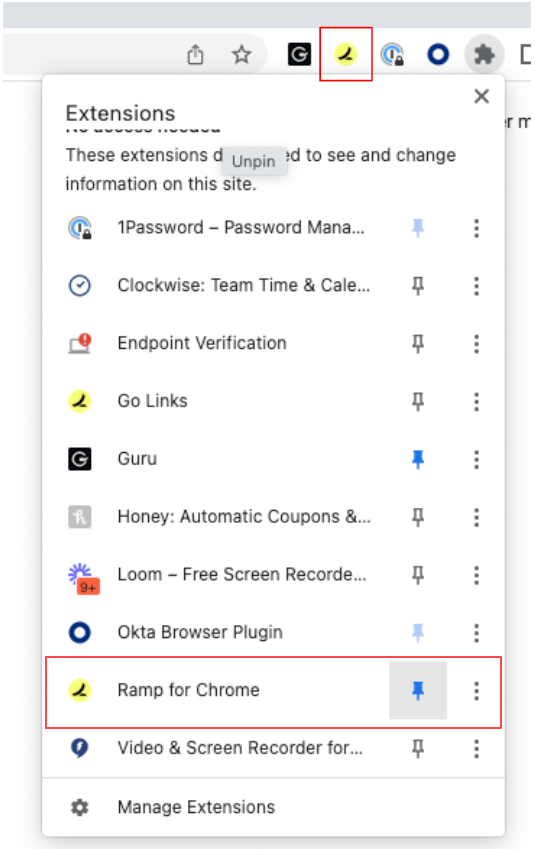
Ramp Adds Auto-Capture Receipts via Chrome Extension
Ramp introduces auto-capture receipts and enhanced receipt submission through its Chrome extension. These updates streamline expense management by reducing manual uploads and ensuring receipts are matched to transactions in real time. Here are the details of the update:
- Auto-Capture Receipts: Automatically captures receipts from supported merchants like Amazon and Uber during checkout.
- One-Click Receipt Submission: Enables quick screenshot or upload of receipts directly from the browser with automatic matching.
- Embedded Expense Policy Access: Displays company expense policies on travel sites to support compliant booking decisions.
Visit Ramp's official site for more details.
Ramp Specs
- 2-Factor Authentication: Yes
- API: Yes
- Approval Workflows: Yes
- Audit Trail: Yes
- Balance Sheet: No
- Billing/Invoicing: Yes
- Budgeting: Yes
- Calendar Management: No
- Compliance Tracking: Yes
- Contact Management: Yes
- CRM Integration: No
- Custom Reports: Yes
- Customer Management: No
- Dashboard: Yes
- Data Export: Yes
- Data Import: Yes
- Data Visualization: Yes
- Document Management: Yes
- Expense Tracking: Yes
- External Integrations: Yes
- Forecasting: Yes
- Inventory Tracking: No
- Multi-Currency: Yes
- Multi-User: Yes
- Notifications: Yes
- P&L: No
- Risk Assessment: Yes
- SAP Integration: Yes
- Scheduling: Yes
- Supplier Management: Yes
- Workflow Management: Yes


