

Recensione Briefcase 2026: Caratteristiche, Prezzi, Pro e Contro Spiegati
Ho messo alla prova Briefcase: ecco cosa lo distingue davvero – una contabilità guidata dall’IA che ti libera concretamente la mente. Scopri se rispetta le promesse di automazione del 2026.

Recensiamo gli strumenti in modo indipendente e le commissioni aiutano a finanziare i nostri test. Consulta la nostra politica sulla trasparenza, la nostra metodologia, oppure suggerisci uno strumento.
Briefcase is an AI accounting software built for finance teams that need to automate transaction categorization, reconciliation, and financial close processes. I'd lean toward it over Botkeeper if you want more direct control of your AI-driven workflows. Botkeeper takes more of a managed service approach, where a third party handles your books rather than your own team doing it in-house.
Briefcase Evaluation Summary
5/5
- From $12/client/month
- 14-day free trial
Perché fidarsi dei nostri consigli sui software
6,700+
Reviews
20
Industry experts
16+
Evaluation factors
14
Years
Le nostre recensioni riflettono il nostro giudizio indipendente, non un discorso di vendita. Scopri come manteniamo la trasparenza.
Per questa guida, abbiamo valutato gli strumenti attraverso test pratici e ricerche indipendenti, assegnando un punteggio agli strumenti in base ai nostri criteri di selezione.
Le nostre recensioni riflettono il nostro giudizio editoriale umano, non un discorso di vendita.
Briefcase Overview
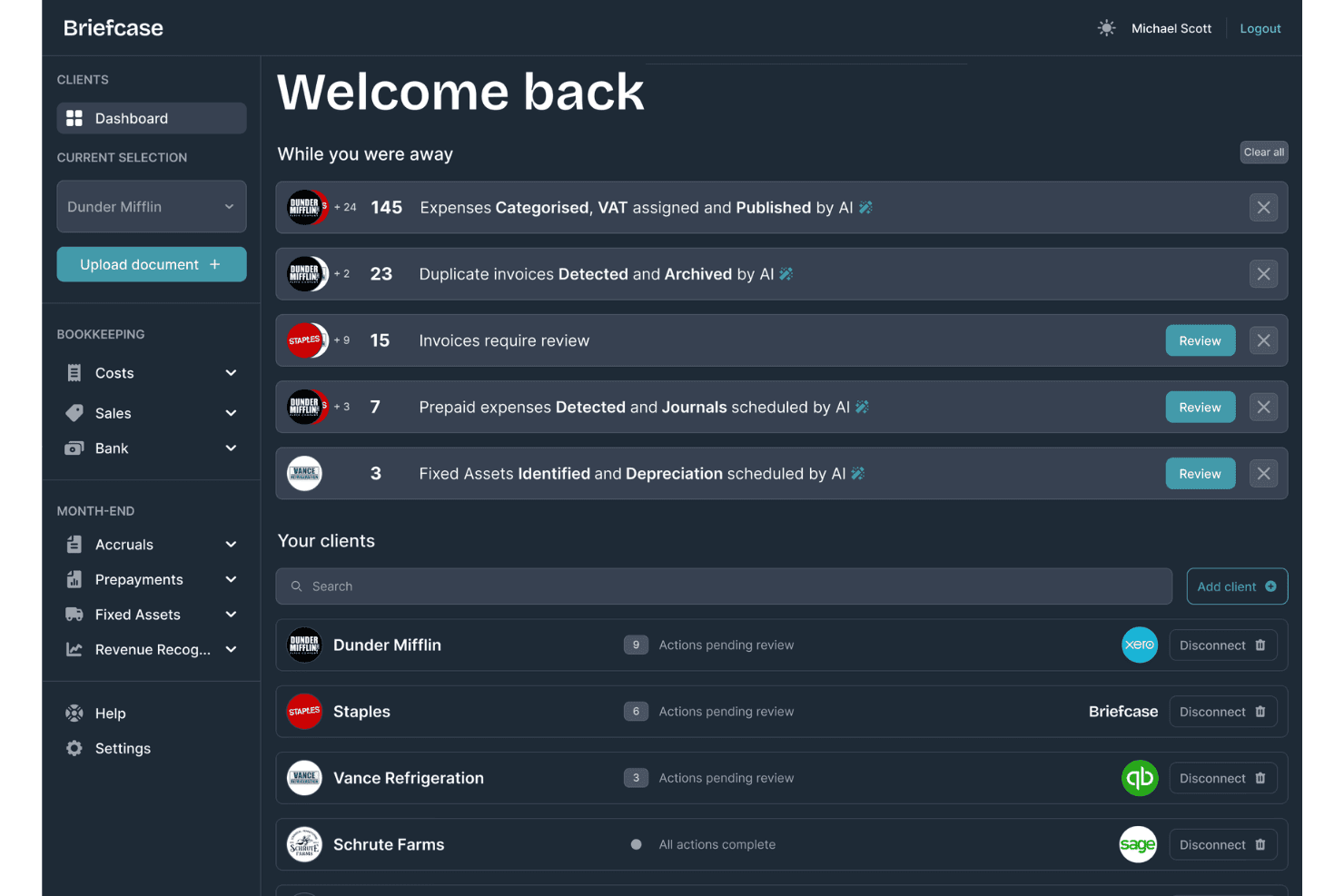
I think Briefcase stands out for its smooth interface and rapid onboarding, especially when compared to other AI accounting software. Its automation cuts down on data entry, and support is quick to respond. Pricing is reasonable for small to mid-size teams, though deep integrations with legacy ERP systems are limited. If you’re weighing options for a tech-forward finance function or a lean startup, I’d judge Briefcase as a smart pick—particularly for teams open to embracing workflow automation without heavy customization.
Pros
- Automates invoice data extraction and categorization with high accuracy
- Offers real-time financial dashboards and reporting tools
- Slack integration streamlines approvals and communication in-app
Cons
- No built-in payroll or HR modules available yet
- Limited support for complex global tax compliance needs
- Custom reporting options are not fully flexible
Is Briefcase Right For Your Needs?
Who Would be a Good Fit for Briefcase?
Briefcase is a smart pick for growing businesses, digital-first teams, or finance departments who want fast automation and user-friendly workflows without heavy IT overhead. Teams dealing with frequent approvals, remote work, and dynamic expense flows will see the most value. The intuitive interface, Slack integration, and AI-driven features cut down manual work and improve transparency, especially for organizations with moderate complexity and rapid scaling needs.
- SaaS StartupsBriefcase fits SaaS startups that need to digitize all finance ops quickly—its Slack integration and AI routing boost speed and accuracy.
- Marketing AgenciesAgencies handling multiple clients benefit from fast expense approvals and clear audit trails to keep client billing transparent.
- Hybrid WorkplacesCompanies with distributed finance teams can approve, track, and reconcile on the go with Briefcase’s real-time, cloud-based dashboards.
- Series A Finance TeamsEarly-stage but growing companies can automate payables and reporting, freeing up lean teams to focus on analysis.
- Professional Services FirmsFirms with frequent billable hours and client reimbursements get value from categorized expenses and built-in documentation matching.
- Nonprofit Finance DepartmentsNonprofits managing grants and donor funds gain from real-time spend tracking and audit-ready activity logs built into Briefcase.
Who Would be a Bad Fit for Briefcase?
Briefcase isn’t built for global enterprises, heavy manufacturing, or businesses with specialized regulatory needs—it lacks deep customization, multi-entity support, and industry-focused compliance features. If you require granular, country-specific tax handling, complex inventory management, or full-service HR modules, you'll likely outgrow the platform fast. Briefcase is best for nimble, finance-led teams, not complex multinational operations.
- Multinational CorporationsLarge global firms will find Briefcase’s tax compliance and entity management too limited for their complex structures.
- Manufacturing EnterprisesManufacturers who need advanced inventory tracking or supply chain integrations don’t get those features built in.
- Government AgenciesAgencies with stringent regulatory or auditing requirements miss out on deep compliance controls and workflows.
- Retail ChainsRetailers with large, physical inventory and omnichannel platforms need more extensive POS and logistics integrations.
- Healthcare ProvidersOrganizations requiring industry-specific controls and HIPAA compliance will find Briefcase unsuitable for their unique needs.
- In-House Payroll TeamsCompanies seeking a unified payroll and HR solution need more than Briefcase’s core accounting and bill pay functions.
Come testiamo e valutiamo gli strumenti
Abbiamo impiegato anni a costruire, perfezionare e migliorare il nostro sistema di test e valutazione dei software. Il nostro schema è progettato per cogliere le sfumature della scelta del software e ciò che rende uno strumento efficace, concentrandosi sugli aspetti critici del processo decisionale. Di seguito puoi vedere esattamente come funzionano i nostri test e le nostre valutazioni in base a sette criteri. Questo ci permette di offrire una valutazione imparziale del software basata su funzionalità di base, caratteristiche distintive, facilità d’uso, onboarding, assistenza clienti, integrazioni, recensioni dei clienti e rapporto qualità-prezzo.
Funzionalità principali (25% del punteggio finale)
Il punto di partenza della nostra valutazione è sempre la funzionalità principale dello strumento. Dispone delle funzionalità base che un utente si aspetterebbe di trovare? Alcune di queste funzionalità sono riservate ai piani a pagamento più elevati? In sostanza, ci aspettiamo che uno strumento sia all’altezza delle capacità minime dei concorrenti.
Caratteristiche distintive (25% del punteggio finale)
Successivamente, valutiamo le caratteristiche distintive che vanno oltre la funzionalità principale normalmente presente negli strumenti di questo tipo. Un punteggio elevato riflette funzionalità specializzate o uniche che rendono il prodotto più rapido, efficiente o offrono valore aggiunto all’utente. Valutiamo inoltre quanto sia semplice integrare il software con altri strumenti tipicamente presenti nello stack tecnologico, per estenderne la funzionalità e l’utilità. Gli strumenti che offrono numerose integrazioni native, connessioni di terze parti e accesso API per creare integrazioni personalizzate ottengono il punteggio migliore.
Facilità d’uso (10% del punteggio finale)
Consideriamo quanto sia rapido e semplice eseguire le attività fondamentali previste dallo strumento. Un software con punteggio elevato è ben progettato, intuitivo da usare, offre app mobile, modelli predefiniti e semplifica operazioni complesse.
Onboarding (10% del punteggio finale)
Sappiamo quanto sia importante l’adozione rapida da parte del team quando si introduce una nuova piattaforma: per questo valutiamo quanto sia facile imparare e utilizzare lo strumento con una formazione minima. Valutiamo la rapidità con cui un membro del team può impostare e iniziare a utilizzare lo strumento senza esperienza pregressa. Le soluzioni con punteggio alto richiedono poco o nessun supporto.
Assistenza clienti (10% del punteggio finale)
Analizziamo quanto sia semplice e veloce ottenere aiuto tramite telefono, live chat o knowledge base. Gli strumenti e le aziende che offrono supporto in tempo reale ottengono i punteggi migliori, mentre i chatbot ricevono i punteggi più bassi.
Recensioni dei clienti (10% del punteggio finale)
Oltre ai nostri test e valutazioni, consideriamo il net promoter score dei clienti attuali e passati. Verifichiamo la probabilità che i clienti scelgano nuovamente lo strumento per le funzionalità di base. Un software con punteggio elevato riflette un net promoter score alto da parte dei clienti vecchi e attuali.
Rapporto qualità-prezzo (10% del punteggio finale)
Infine, considerando tutti gli altri criteri, valutiamo il prezzo medio dei piani base rispetto alle funzionalità principali e agli altri criteri di valutazione. I software che offrono di più, a un costo inferiore, ottengono punteggi migliori.
Core Features
Automated Invoice Processing
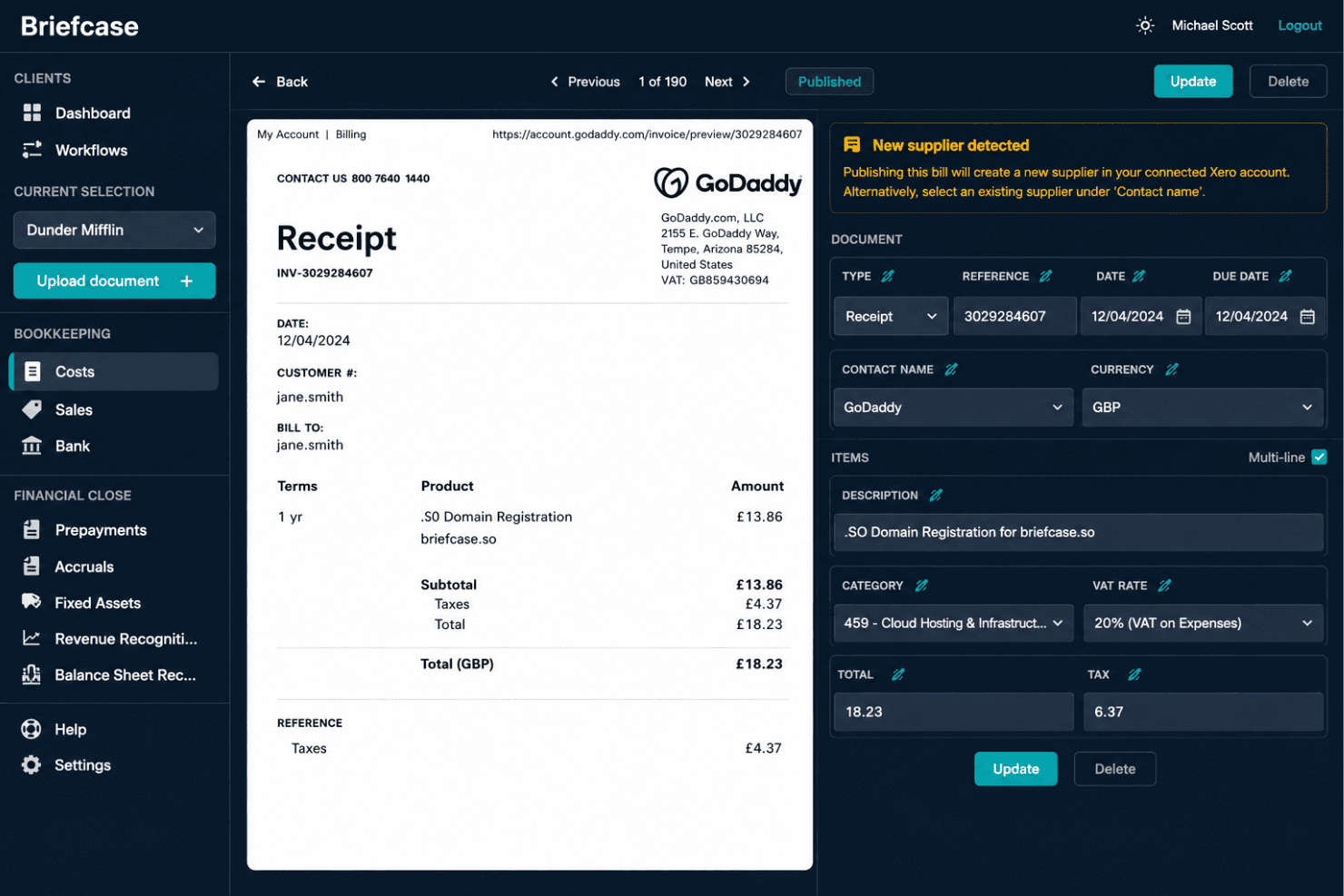
Briefcase uses AI to capture, extract, and categorize invoice data automatically. This eliminates manual data entry and speeds up invoice approvals.
Real-Time Financial Dashboards
View live snapshots of cash flow, expenses, and revenue trends in customizable dashboards. Finance teams can track KPIs and spot anomalies instantly.
AI-Powered Categorization
Transactions are sorted and labeled by AI to match your chart of accounts. This keeps financial data clean and ready for reporting with little effort.
Smart Approval Workflows
Route bills and expenses to the right approvers with automated logic. Approvals happen in one place, making audits and reviews easier.
PDF and Email Receipt Matching
Upload or email receipts and let Briefcase match them to transactions automatically. This reduces missing documentation and speeds up month-end close.
Audit Trail and Activity Log
Each transaction includes a timestamped, tamper-proof audit history. You can review who made edits or approved invoices for total transparency.
Ease of Use
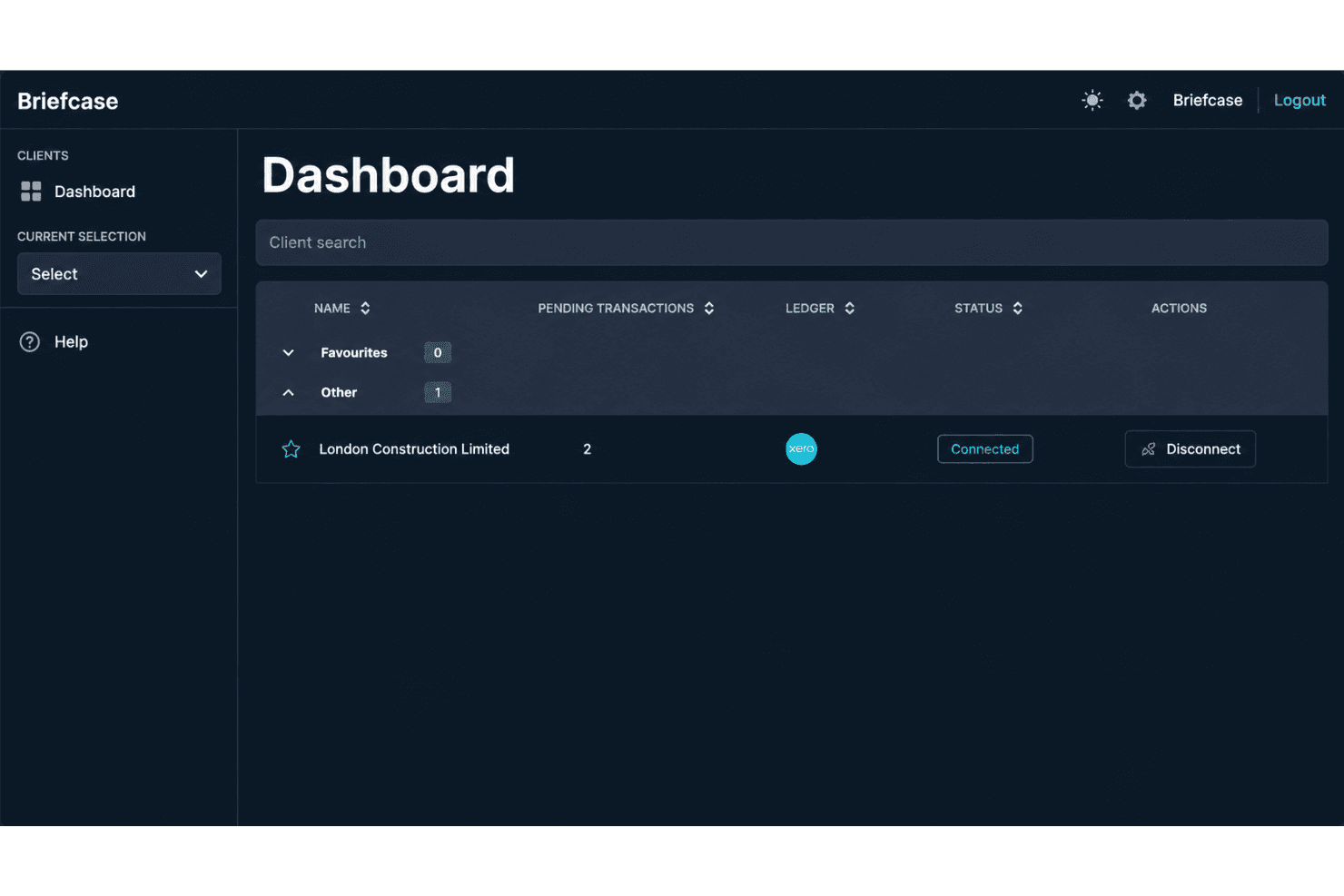
Briefcase has a straightforward interface and requires minimal setup or manual configuration. Its AI-driven categorization learns from accounting history and user corrections, reducing repetitive work, while dashboards keep completed tasks, pending reviews, and client activity accessible.
Integrations
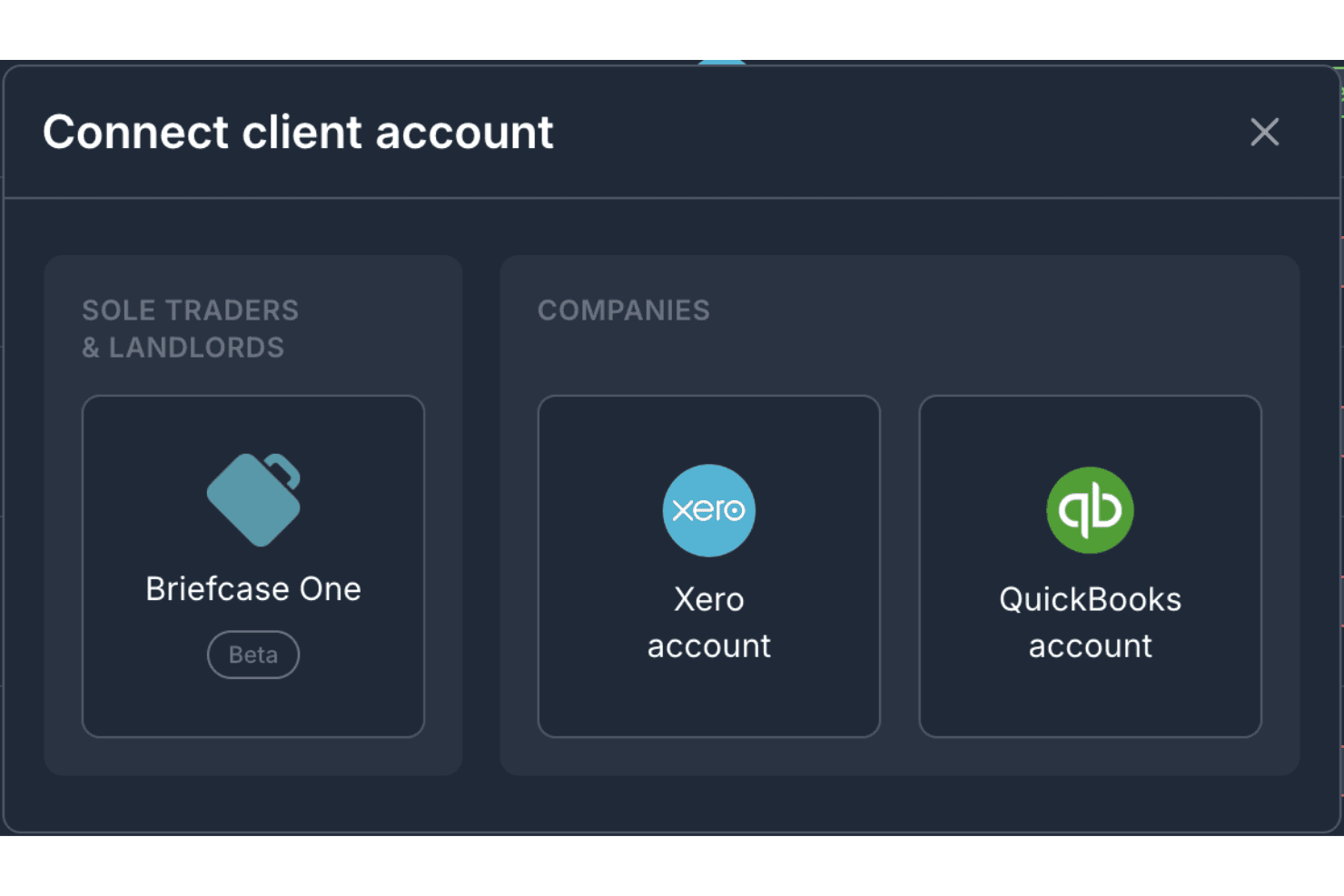
Briefcase integrates with Xero and QuickBooks to synchronize accounting data and publish processed transactions. However, it does not currently advertise a public API, which may limit teams that need custom integrations beyond its supported accounting platforms.
Briefcase Specs
- 2-Factor Authentication: Yes
- Accounts Payable: Yes
- Accounts Receivable: No
- API: Yes
- Balance Sheet: Yes
- Billing/Invoicing: No
- BitCoin: No
- Budgeting: No
- Calendar Management: No
- Contact Management: No
- CRM Integration: No
- Customer Management: No
- Dashboard: Yes
- Data Export: Yes
- Data Import: Yes
- Data Visualization: Yes
- Expense Tracking: Yes
- External Integrations: Yes
- Forecasting: Yes
- General Account Ledger: No
- Inventory Tracking: No
- Multi-Currency: Yes
- Multi-User: Yes
- Notifications: No
- P&L: No
- PayPal: No
- Payroll: No
- SAP Integration: No
- Stripe: No
- Supplier Management: Yes
- Tax Management: Yes


