
Recensione Paychex: Caratteristiche principali, vantaggi, svantaggi e prezzi aggiornati al 2026
Paychex si distingue per le sue solide funzionalità di gestione paghe e per la scalabilità, rendendolo ideale per le aziende in crescita.

Recensiamo gli strumenti in modo indipendente e le commissioni aiutano a finanziare i nostri test. Consulta la nostra politica sulla trasparenza, la nostra metodologia, oppure suggerisci uno strumento.
Paychex is an accounting software with payroll for small business built for owners and finance teams who need payroll, HR, and compliance tools in one place. I'd consider it if you're running a growing small business that needs more than a basic payroll processor. Compared to Gusto, Paychex gives you deeper HR functionality and dedicated support options, which makes a real difference once your headcount starts to grow and your compliance needs become harder to manage manually.
Paychex Evaluation Summary
4.2/5
- Pricing upon request
- Free demo available
Perché fidarsi dei nostri consigli sui software
6,700+
Reviews
20
Industry experts
16+
Evaluation factors
14
Years
Le nostre recensioni riflettono il nostro giudizio indipendente, non un discorso di vendita. Scopri come manteniamo la trasparenza.
Per questa guida, abbiamo valutato gli strumenti attraverso test pratici e ricerche indipendenti, assegnando un punteggio agli strumenti in base ai nostri criteri di selezione.
Le nostre recensioni riflettono il nostro giudizio editoriale umano, non un discorso di vendita.
Paychex Overview
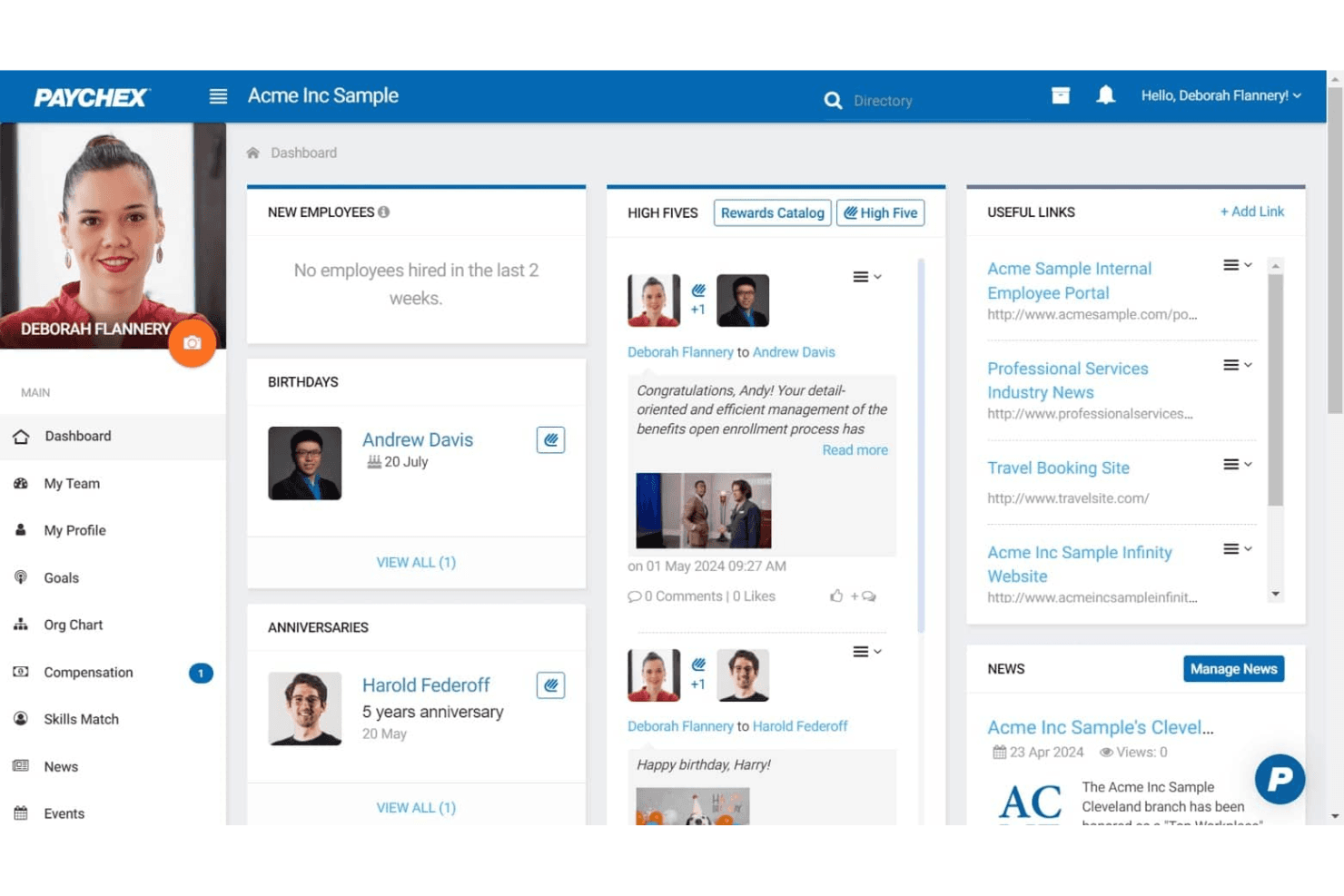
When judging payroll software, Paychex stands out for its deep feature set, strong compliance tools, and responsive support, especially for businesses with complex payroll needs or multiple locations. Its pricing can be higher than some alternatives, and the interface may feel dated to users who prefer modern dashboards. However, Paychex’s integration options and guided onboarding make it a reliable choice for teams prioritizing accuracy and regulatory confidence. If you’re selecting a solution for a midsize or growing business that values hands-on support and customizable workflows, Paychex deserves serious consideration.
Pros
- Built-in payroll tax calculation and filing included
- Responsive customer support with dedicated representatives
- Scalable plans for businesses with growing or complex needs
Cons
- Reporting features are basic compared to some competitors
- Mobile app interface feels outdated and slow
- Some users report unexpected or hidden fees
Is Paychex Right For Your Needs?
Who Would be a Good Fit for Paychex?
Paychex is best suited for organizations that need advanced payroll compliance, multi-state support, and hands-on customer service. Its scalable plans, HR add-ons, and tax filing features make it a strong choice for businesses with complex payroll needs, distributed teams, or strict regulatory requirements. Companies in highly regulated industries, those with hourly workforces, or those planning to grow will find Paychex’s capabilities especially valuable.
- Multi-State EmployersPaychex handles multi-state tax compliance and filings automatically.
- Healthcare ProvidersHealthcare organizations benefit from Paychex’s compliance and benefits administration.
- Construction FirmsJob costing and certified payroll features support construction payroll needs.
- FranchisesCentralized payroll and reporting tools help manage multiple locations.
- HR DepartmentsIntegrated HR and benefits modules streamline workforce management.
- Growing SMBsScalable plans and dedicated support help small businesses expand confidently.
Who Would be a Bad Fit for Paychex?
Paychex may not be ideal for very small businesses, startups with limited budgets, or teams seeking highly customizable or modern interfaces. Its pricing, basic reporting, and dated mobile experience can be limiting for organizations that prioritize cost, advanced analytics, or tech-forward solutions. Businesses with simple payroll needs or those wanting deep integration with niche tools may find better options elsewhere.
- Solo EntrepreneursPaychex’s pricing and features exceed solo business needs.
- Early-Stage StartupsStartups may find the cost high for basic payroll tasks.
- Tech StartupsTech-focused teams may want more modern, customizable interfaces.
- NonprofitsNonprofits with tight budgets may prefer lower-cost payroll options.
- International CompaniesPaychex lacks global payroll support for non-U.S. employees.
- Analytics-Driven TeamsTeams needing advanced payroll analytics may find reporting too limited.
Come testiamo e valutiamo gli strumenti
Abbiamo impiegato anni a costruire, perfezionare e migliorare il nostro sistema di test e valutazione dei software. Il nostro schema è progettato per cogliere le sfumature della scelta del software e ciò che rende uno strumento efficace, concentrandosi sugli aspetti critici del processo decisionale. Di seguito puoi vedere esattamente come funzionano i nostri test e le nostre valutazioni in base a sette criteri. Questo ci permette di offrire una valutazione imparziale del software basata su funzionalità di base, caratteristiche distintive, facilità d’uso, onboarding, assistenza clienti, integrazioni, recensioni dei clienti e rapporto qualità-prezzo.
Funzionalità principali (25% del punteggio finale)
Il punto di partenza della nostra valutazione è sempre la funzionalità principale dello strumento. Dispone delle funzionalità base che un utente si aspetterebbe di trovare? Alcune di queste funzionalità sono riservate ai piani a pagamento più elevati? In sostanza, ci aspettiamo che uno strumento sia all’altezza delle capacità minime dei concorrenti.
Caratteristiche distintive (25% del punteggio finale)
Successivamente, valutiamo le caratteristiche distintive che vanno oltre la funzionalità principale normalmente presente negli strumenti di questo tipo. Un punteggio elevato riflette funzionalità specializzate o uniche che rendono il prodotto più rapido, efficiente o offrono valore aggiunto all’utente. Valutiamo inoltre quanto sia semplice integrare il software con altri strumenti tipicamente presenti nello stack tecnologico, per estenderne la funzionalità e l’utilità. Gli strumenti che offrono numerose integrazioni native, connessioni di terze parti e accesso API per creare integrazioni personalizzate ottengono il punteggio migliore.
Facilità d’uso (10% del punteggio finale)
Consideriamo quanto sia rapido e semplice eseguire le attività fondamentali previste dallo strumento. Un software con punteggio elevato è ben progettato, intuitivo da usare, offre app mobile, modelli predefiniti e semplifica operazioni complesse.
Onboarding (10% del punteggio finale)
Sappiamo quanto sia importante l’adozione rapida da parte del team quando si introduce una nuova piattaforma: per questo valutiamo quanto sia facile imparare e utilizzare lo strumento con una formazione minima. Valutiamo la rapidità con cui un membro del team può impostare e iniziare a utilizzare lo strumento senza esperienza pregressa. Le soluzioni con punteggio alto richiedono poco o nessun supporto.
Assistenza clienti (10% del punteggio finale)
Analizziamo quanto sia semplice e veloce ottenere aiuto tramite telefono, live chat o knowledge base. Gli strumenti e le aziende che offrono supporto in tempo reale ottengono i punteggi migliori, mentre i chatbot ricevono i punteggi più bassi.
Recensioni dei clienti (10% del punteggio finale)
Oltre ai nostri test e valutazioni, consideriamo il net promoter score dei clienti attuali e passati. Verifichiamo la probabilità che i clienti scelgano nuovamente lo strumento per le funzionalità di base. Un software con punteggio elevato riflette un net promoter score alto da parte dei clienti vecchi e attuali.
Rapporto qualità-prezzo (10% del punteggio finale)
Infine, considerando tutti gli altri criteri, valutiamo il prezzo medio dei piani base rispetto alle funzionalità principali e agli altri criteri di valutazione. I software che offrono di più, a un costo inferiore, ottengono punteggi migliori.
Core Features
Automated Payroll Processing
Run payroll on a set schedule with automatic calculations for wages, taxes, and deductions. Users can preview and approve payroll before finalizing each cycle.
Tax Filing and Compliance
Paychex calculates, files, and pays federal, state, and local payroll taxes on your behalf. The platform monitors regulatory changes to help reduce compliance risks.
Employee Self-Service Portal
Employees can access pay stubs, tax forms, and update personal information online. This reduces HR workload and improves transparency for staff.
Direct Deposit and Pay Options
Offer employees direct deposit, paper checks, or paycards for flexible payment delivery. Paychex manages payment distribution securely and on time.
Garnishment and Deduction Management
Automatically calculate and process wage garnishments, child support, and other deductions. The system ensures legal compliance and accurate recordkeeping.
Customizable Payroll Reports
Generate payroll, tax, and labor cost reports with customizable filters. Users can export data for audits, budgeting, or financial analysis.
Ease of Use
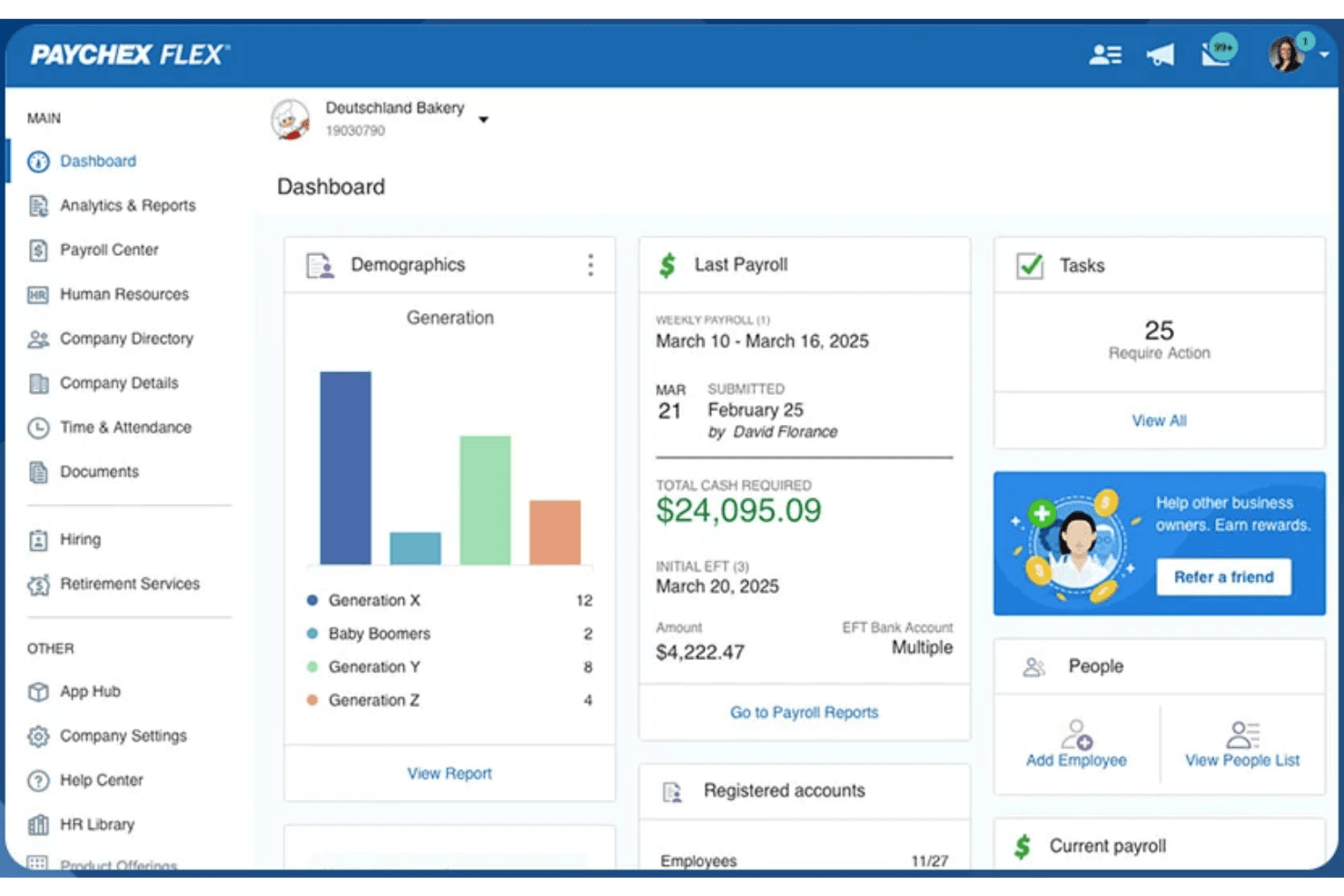
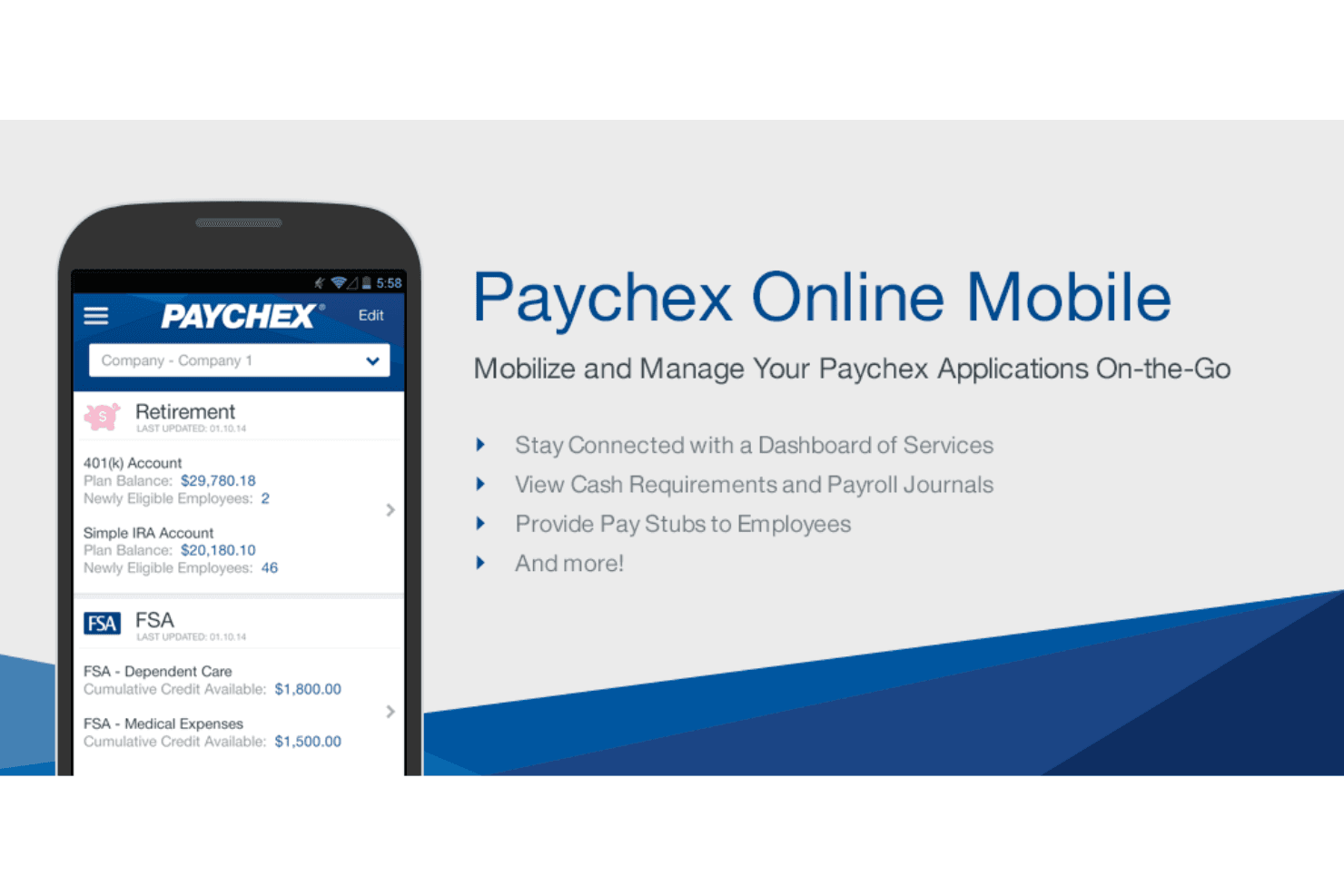
Paychex offers a straightforward payroll workflow, but its interface feels dated compared to newer payroll platforms. Many users appreciate the guided setup and clear navigation for core payroll tasks, yet some report that advanced features and reporting require extra steps or support. The employee self-service portal is easy for staff to use, but the mobile app receives mixed feedback for speed and design. Overall, Paychex balances usability with depth, favoring reliability over flashiness.
Integrations
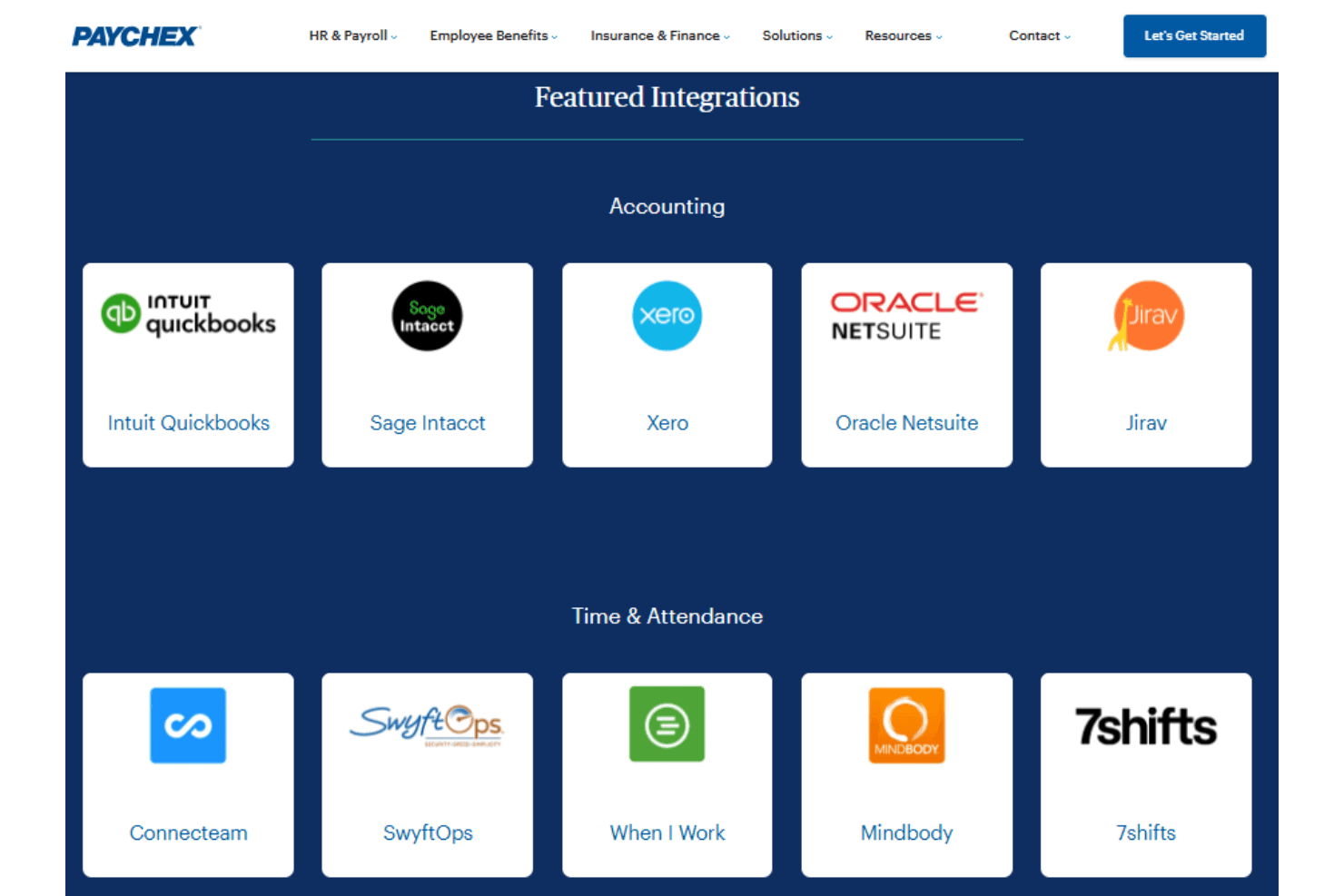
Paychex integrates with a variety of accounting, HR, point-of-sale, and workforce management platforms through its partner marketplace. Examples of supported integrations include QuickBooks, Xero, BambooHR, Clover, Deputy, Acumatica, Sage Intacct, and TimeClock Plus, among others.
Paychex also provides a developer API that allows businesses and software providers to build custom integrations and automate HR and payroll data synchronization with other applications.
Paychex Specs
- 2-Factor Authentication: Yes
- 360 Degree Feedback: Yes
- API: Yes
- Application Tracking: Yes
- Attendance Tracking: Yes
- Batch Permissions & Access: Yes
- Compliance Tracking: Yes
- Dashboard: Yes
- Data Export: Yes
- Data Import: Yes
- Data Visualization: Yes
- Employee Database: Yes
- Employee Engagement: Yes
- Employee Incentive Management: Yes
- Employee Onboarding: Yes
- Employee Training: Yes
- Expense Tracking: Yes
- External Integrations: Yes
- Feedback Management: Yes
- Multi-User: Yes
- Notifications: Yes
- Payroll: Yes
- Performance Appraisal: Yes
- Scheduling: Yes
- Time Management: Yes
- Timesheets: Yes
- Travel Management: Yes
- Vacation & Absence Calendar: Yes


