

Recensione Ramp: Pro, Contro, Funzionalità e Prezzi Spiegati
Ramp si distingue per la sua automazione e i controlli in tempo reale, rendendola ideale per aziende in rapida crescita che cercano una gestione efficace e trasparente di viaggi e spese rispetto alle soluzioni tradizionali.

Recensiamo gli strumenti in modo indipendente e le commissioni aiutano a finanziare i nostri test. Consulta la nostra politica sulla trasparenza, la nostra metodologia, oppure suggerisci uno strumento.
Ramp is a travel and expense management software built around corporate cards, automated expense reporting, bill pay, and vendor management. It's worth a close look when your finance team needs real-time spend visibility and automated policy enforcement without the configuration complexity of tools like SAP Concur. Where Concur often requires significant admin overhead to maintain, Ramp handles receipt matching, approval routing, and accounting sync more automatically—making it a stronger fit for teams that want tighter spend controls without adding headcount to manage them.
Ramp Evaluation Summary
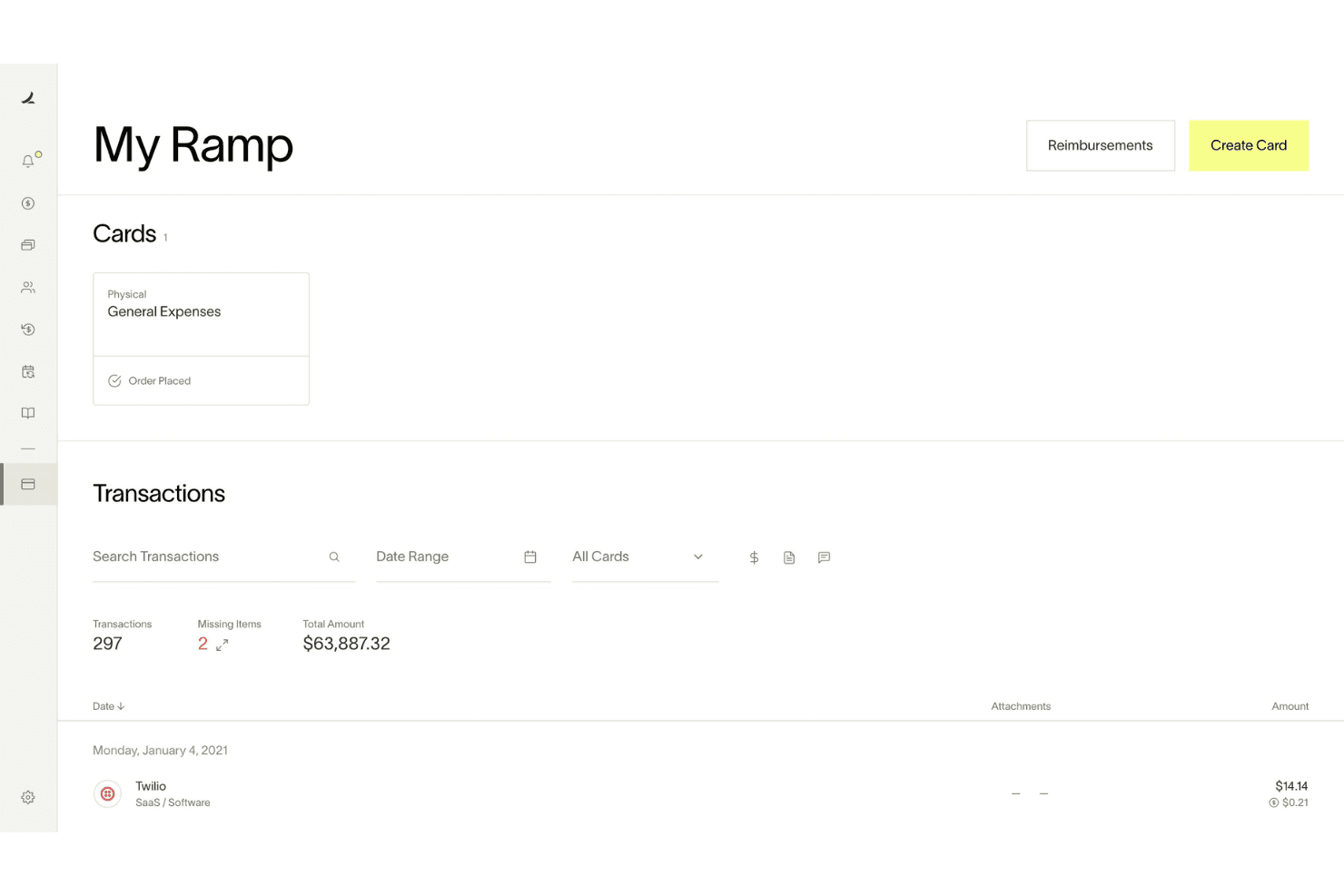
4.8/5
- From $15/user/month
- Free plan + free demo available
Perché fidarsi dei nostri consigli sui software
6,700+
Reviews
20
Industry experts
16+
Evaluation factors
14
Years
Le nostre recensioni riflettono il nostro giudizio indipendente, non un discorso di vendita. Scopri come manteniamo la trasparenza.
Per questa guida, abbiamo valutato gli strumenti attraverso test pratici e ricerche indipendenti, assegnando un punteggio agli strumenti in base ai nostri criteri di selezione.
Le nostre recensioni riflettono il nostro giudizio editoriale umano, non un discorso di vendita.
Ramp Overview
When judging Ramp as a travel and expense management software, its automation, real-time spend controls, and no-fee pricing model set it apart for finance teams seeking transparency and efficiency. The interface is user-friendly, onboarding is quick, and integrations with accounting software platforms are strong. Ramp excels for companies prioritizing policy enforcement and rapid scaling. If you're selecting a solution for a tech-forward, growth-focused environment, Ramp's card-based controls and automated workflows make it a top contender.
Pros
- AI-driven spend controls reduce manual finance and approval work.
- Unlimited virtual cards simplify secure employee and vendor spending.
- Broad integrations connect finance, HR, travel, and procurement systems.
Cons
- No native accounts receivable workflow for broader financial operations management.
- Advanced automation and ERP integrations require higher-tier paid plans.
- Administrative setup becomes complex across large multi-entity organizations.
Is Ramp Right For Your Needs?
Who Would be a Good Fit for Ramp?
Ramp is best suited for fast-growing companies, tech-forward finance teams, and organizations that want centralized control over company-wide spending. Its combination of corporate cards, procurement workflows, travel management, AI-driven automation, and real-time spend visibility makes it especially valuable for businesses managing distributed teams, recurring operational spend, or complex approval processes. Whether you're scaling financial operations for a growing startup or improving spend governance across a mid-market organization, Ramp’s strengths in automation, operational visibility, and employee-friendly workflows make it a strong fit for modern finance environments.
- Tech StartupsRamp's automation and real-time controls support rapid scaling and distributed teams.
- Mid-Sized SaaS CompaniesAI-driven expense management and approval workflows help control recurring software, travel, and operational spending.
- Finance DepartmentsCentralized spend visibility, accounting automation, and audit trails simplify financial oversight and month-end close processes.
- Multi-Entity OrganizationsShared spend controls and centralized workflows help manage budgets, approvals, and payments across multiple entities.
- Procurement-Focused TeamsIntegrated procurement, vendor management, and approval workflows reduce operational friction across purchasing processes.
- Distributed & Remote TeamsMobile approvals, virtual cards, receipt capture, and Slack-based workflows support employees working from anywhere.
Who Would be a Bad Fit for Ramp?
Ramp may not be the best choice for organizations needing advanced travel booking, complex approval hierarchies, or highly specialized expense workflows. Companies with infrequent travel, heavy international operations, or strict multi-level approvals may find Ramp's feature set limiting compared to more specialized platforms.
- Large EnterprisesLimited multi-level approval workflows may not meet complex policy needs.
- Global CorporationsInternational travel support and currency handling are less robust.
- Travel Management TeamsLacks built-in advanced travel booking and itinerary management.
- NonprofitsMay not offer grant or fund tracking required for compliance.
- Manufacturing CompaniesDoesn't support detailed project-based expense allocation.
- Government AgenciesApproval and audit features may not meet strict regulatory requirements.
Come testiamo e valutiamo gli strumenti
Abbiamo impiegato anni a costruire, perfezionare e migliorare il nostro sistema di test e valutazione dei software. Il nostro schema è progettato per cogliere le sfumature della scelta del software e ciò che rende uno strumento efficace, concentrandosi sugli aspetti critici del processo decisionale. Di seguito puoi vedere esattamente come funzionano i nostri test e le nostre valutazioni in base a sette criteri. Questo ci permette di offrire una valutazione imparziale del software basata su funzionalità di base, caratteristiche distintive, facilità d’uso, onboarding, assistenza clienti, integrazioni, recensioni dei clienti e rapporto qualità-prezzo.
Funzionalità principali (25% del punteggio finale)
Il punto di partenza della nostra valutazione è sempre la funzionalità principale dello strumento. Dispone delle funzionalità base che un utente si aspetterebbe di trovare? Alcune di queste funzionalità sono riservate ai piani a pagamento più elevati? In sostanza, ci aspettiamo che uno strumento sia all’altezza delle capacità minime dei concorrenti.
Caratteristiche distintive (25% del punteggio finale)
Successivamente, valutiamo le caratteristiche distintive che vanno oltre la funzionalità principale normalmente presente negli strumenti di questo tipo. Un punteggio elevato riflette funzionalità specializzate o uniche che rendono il prodotto più rapido, efficiente o offrono valore aggiunto all’utente. Valutiamo inoltre quanto sia semplice integrare il software con altri strumenti tipicamente presenti nello stack tecnologico, per estenderne la funzionalità e l’utilità. Gli strumenti che offrono numerose integrazioni native, connessioni di terze parti e accesso API per creare integrazioni personalizzate ottengono il punteggio migliore.
Facilità d’uso (10% del punteggio finale)
Consideriamo quanto sia rapido e semplice eseguire le attività fondamentali previste dallo strumento. Un software con punteggio elevato è ben progettato, intuitivo da usare, offre app mobile, modelli predefiniti e semplifica operazioni complesse.
Onboarding (10% del punteggio finale)
Sappiamo quanto sia importante l’adozione rapida da parte del team quando si introduce una nuova piattaforma: per questo valutiamo quanto sia facile imparare e utilizzare lo strumento con una formazione minima. Valutiamo la rapidità con cui un membro del team può impostare e iniziare a utilizzare lo strumento senza esperienza pregressa. Le soluzioni con punteggio alto richiedono poco o nessun supporto.
Assistenza clienti (10% del punteggio finale)
Analizziamo quanto sia semplice e veloce ottenere aiuto tramite telefono, live chat o knowledge base. Gli strumenti e le aziende che offrono supporto in tempo reale ottengono i punteggi migliori, mentre i chatbot ricevono i punteggi più bassi.
Recensioni dei clienti (10% del punteggio finale)
Oltre ai nostri test e valutazioni, consideriamo il net promoter score dei clienti attuali e passati. Verifichiamo la probabilità che i clienti scelgano nuovamente lo strumento per le funzionalità di base. Un software con punteggio elevato riflette un net promoter score alto da parte dei clienti vecchi e attuali.
Rapporto qualità-prezzo (10% del punteggio finale)
Infine, considerando tutti gli altri criteri, valutiamo il prezzo medio dei piani base rispetto alle funzionalità principali e agli altri criteri di valutazione. I software che offrono di più, a un costo inferiore, ottengono punteggi migliori.
Core Features
Automated Receipt Capture
Ramp automatically matches receipts to transactions and fills in memos and categories, reducing manual entry and errors.
Real-Time Spend Controls
Admins set spending limits, merchant restrictions, and policy rules enforced before purchases happen.
Policy Enforcement at Booking
Custom travel policies are enforced at the time of booking, so team members know what's allowed and requests are routed for approval instantly.
Mobile Expense Submission
Employees submit expenses and receipts via web, mobile app, SMS, or chat tools, making on-the-go reporting simple.
Automated Expense Review
Ramp's policy agent reviews 100% of expenses, approves compliant items, and flags exceptions for human review, saving time for finance teams.
Hotel Rate Monitoring and Rebooking
Ramp monitors hotel rates after booking and automatically rebooks if the price drops, delivering direct savings.

Ease of Use
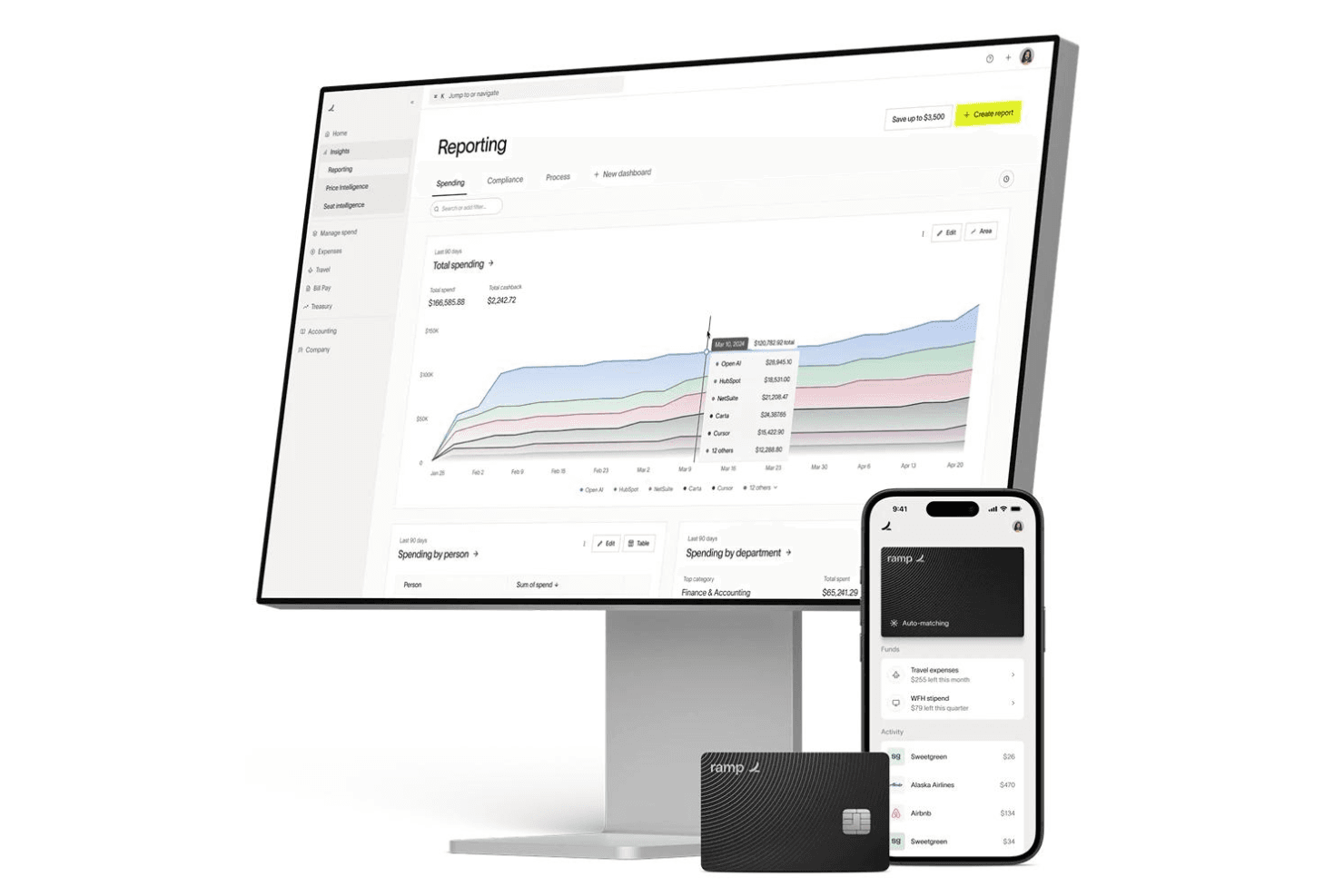
Ramp is widely praised for its clean, user-friendly interface and fast onboarding process, making it accessible even for non-finance users. Expense submission is streamlined through mobile, web, and chat apps, while automated receipt matching and policy enforcement reduce manual work. Users consistently highlight how quickly team members adapt to Ramp, with minimal training required. The platform's clear navigation and real-time controls make managing travel and business expenses straightforward for both cardholders and administrators, and proactive notifications keep everyone aligned on spend status.
Integrations
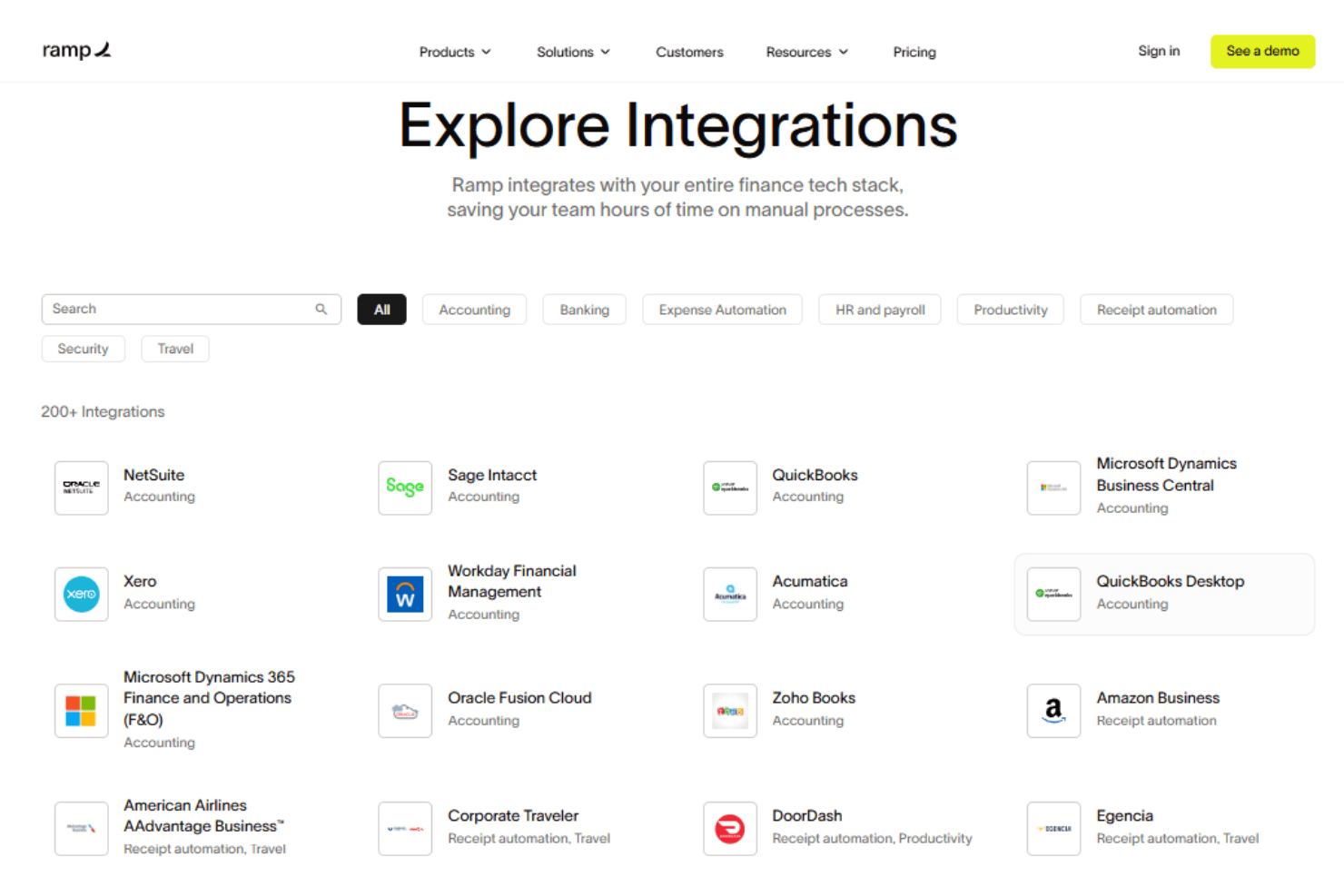
Ramp integrates with Oracle NetSuite, Sage Intacct, QuickBooks, Microsoft Dynamics Business Central, Xero, Slack, and Zoho Books, among others.
Ramp also offers an API and supports connections with third-party integration tools.
New Product Updates from Ramp
 Opens new window
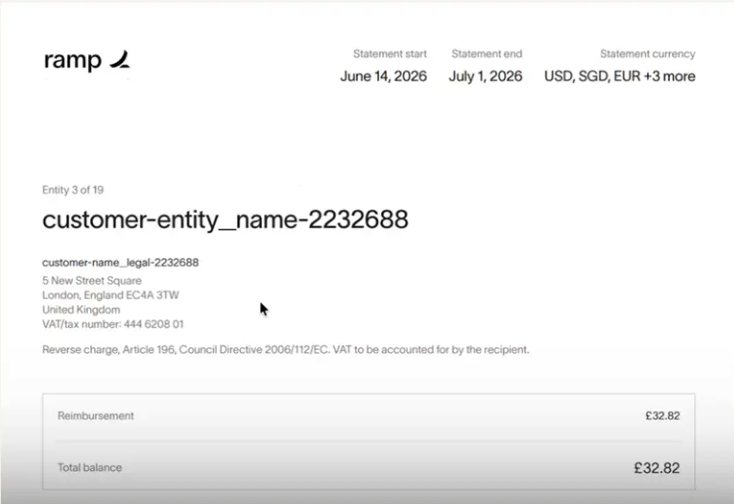
Ramp Adds VAT-Compliant Reimbursement Statements
Ramp updated reimbursement statements to include the information needed for VAT reclaim workflows. The change gives international finance teams more complete documentation and reduces the need to gather VAT and address details separately. Highlights include:
- VAT Details: Include entity VAT information directly on reimbursement statements.
- Entity Address Information: Add business address details to support VAT reclaim documentation.
- Simplified VAT Reclaims: Give teams in the EU, UK, and Canada the information they need without extra paperwork.
Visit Ramp’s official site for more details.
 Opens new window
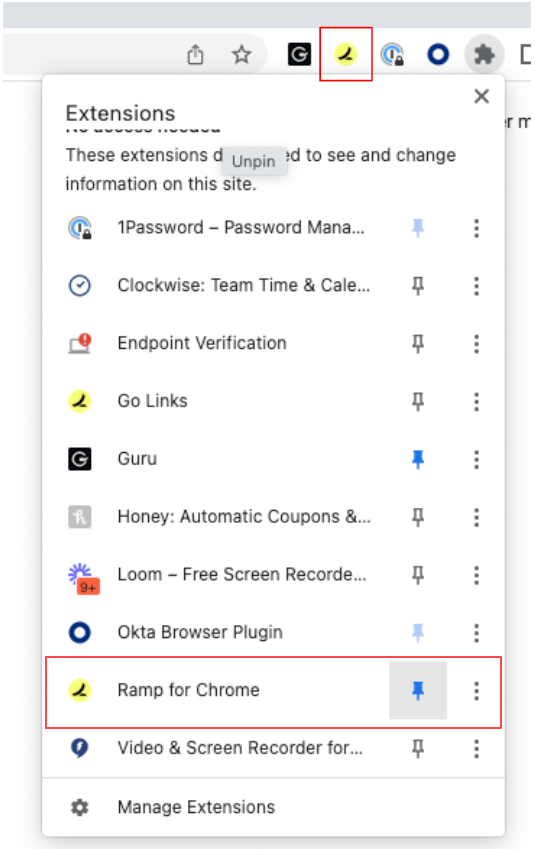
Ramp Adds Auto-Capture Receipts via Chrome Extension
Ramp introduces auto-capture receipts and enhanced receipt submission through its Chrome extension. These updates streamline expense management by reducing manual uploads and ensuring receipts are matched to transactions in real time. Here are the details of the update:
- Auto-Capture Receipts: Automatically captures receipts from supported merchants like Amazon and Uber during checkout.
- One-Click Receipt Submission: Enables quick screenshot or upload of receipts directly from the browser with automatic matching.
- Embedded Expense Policy Access: Displays company expense policies on travel sites to support compliant booking decisions.
Visit Ramp's official site for more details.
Ramp Specs
- 2-Factor Authentication: Yes
- API: Yes
- Approval Workflows: Yes
- Audit Trail: Yes
- Balance Sheet: No
- Billing/Invoicing: Yes
- Budgeting: Yes
- Calendar Management: No
- Compliance Tracking: Yes
- Contact Management: Yes
- CRM Integration: No
- Custom Reports: Yes
- Customer Management: No
- Dashboard: Yes
- Data Export: Yes
- Data Import: Yes
- Data Visualization: Yes
- Document Management: Yes
- Expense Tracking: Yes
- External Integrations: Yes
- Forecasting: Yes
- Inventory Tracking: No
- Multi-Currency: Yes
- Multi-User: Yes
- Notifications: Yes
- P&L: No
- Risk Assessment: Yes
- SAP Integration: Yes
- Scheduling: Yes
- Supplier Management: Yes
- Workflow Management: Yes


