

Recensione Tableau: Pro, Contro, Caratteristiche e Prezzi
Tableau eccelle nella visualizzazione dei dati, offrendo al tuo team intuizioni intuitive che lo distinguono dagli altri strumenti di analisi statistica.

Recensiamo gli strumenti in modo indipendente e le commissioni aiutano a finanziare i nostri test. Consulta la nostra politica sulla trasparenza, la nostra metodologia, oppure suggerisci uno strumento.
Tableau is a statistical analysis software built for finance and analytics teams that need to explore large datasets, build interactive dashboards, and share visual insights across the business. I'd consider it a strong fit if your team works across diverse data sources and needs more visual flexibility than Power BI provides—particularly when your stack isn't centered on the Microsoft ecosystem.
Tableau Evaluation Summary
4.5/5
- Pricing upon request
- 14-day free trial
Perché fidarsi dei nostri consigli sui software
6,700+
Reviews
20
Industry experts
16+
Evaluation factors
14
Years
Le nostre recensioni riflettono il nostro giudizio indipendente, non un discorso di vendita. Scopri come manteniamo la trasparenza.
Per questa guida, abbiamo valutato gli strumenti attraverso test pratici e ricerche indipendenti, assegnando un punteggio agli strumenti in base ai nostri criteri di selezione.
Le nostre recensioni riflettono il nostro giudizio editoriale umano, non un discorso di vendita.
Tableau Overview
In my opinion, Tableau stands out for its powerful data visualization capabilities, making it a top choice for teams needing to turn complex data into actionable insights. It's particularly well-suited for industries like finance and marketing where data-driven decisions are crucial. Tableau's robust set of features outperform many competitors, but its pricing and ease of use can be a concern for smaller teams. The onboarding process is smooth, yet some users may find customer support less responsive than desired. Overall, if your team values advanced visualization and interactive dashboards, Tableau is worth considering.
Pros
- Tableau's data visualization tools make complex data easy to understand.
- Your team can create interactive dashboards with minimal effort.
- The intuitive interface helps users quickly learn and use the software.
Cons
- Tableau's data preparation tools can be limited compared to competitors.
- Your team may find customizations require more manual effort.
- Some users report that customer support isn't as responsive as expected.
Is Tableau Right For Your Needs?
Who Would be a Good Fit for Tableau?
Tableau is ideal for data-driven teams in finance, marketing, and healthcare that need to visualize complex data quickly. Its intuitive dashboards and powerful visualization tools help you turn raw data into actionable insights. If your work involves frequent data analysis and reporting, Tableau can simplify these tasks by allowing you to create interactive, easy-to-understand visual reports.
- Finance TeamsTableau helps finance teams create visual reports that make financial data more accessible and understandable.
- Marketing DepartmentsMarketing departments can use Tableau to analyze campaign data and track performance with interactive dashboards.
- Healthcare OrganizationsHealthcare organizations benefit from Tableau's ability to visualize patient data and improve decision-making processes.
- Educational InstitutionsEducational institutions can leverage Tableau to visualize student performance data and streamline reporting.
- Retail BusinessesRetail businesses use Tableau to analyze sales data and identify trends, enhancing their decision-making capabilities.
- Data AnalystsData analysts find Tableau's features essential for transforming large datasets into clear, actionable insights.
Who Would be a Bad Fit for Tableau?
Tableau might not suit small startups or teams with limited data analysis needs, as its advanced features could be overwhelming. If your team doesn't require extensive data visualization or interactive dashboards, the learning curve and cost may outweigh the benefits. Businesses that don't handle large datasets or complex data analysis might find simpler tools more efficient.
- Small StartupsSmall startups may find Tableau's features too complex and costly for their basic data needs.
- Non-Data-Driven TeamsTeams that don't rely on data analysis might not benefit from Tableau's advanced visualization tools.
- Budget-Conscious CompaniesCompanies with tight budgets might struggle with Tableau's pricing, especially if they don't need all its features.
- Simple Reporting NeedsOrganizations with straightforward reporting needs might find Tableau's capabilities excessive and unnecessary.
- Limited IT ResourcesBusinesses with limited IT support may face challenges in implementing and maintaining Tableau effectively.
- Basic Spreadsheet UsersUsers who only need basic spreadsheet functions may find Tableau's advanced features unnecessary and complicated.
Come testiamo e valutiamo gli strumenti
Abbiamo impiegato anni a costruire, perfezionare e migliorare il nostro sistema di test e valutazione dei software. Il nostro schema è progettato per cogliere le sfumature della scelta del software e ciò che rende uno strumento efficace, concentrandosi sugli aspetti critici del processo decisionale. Di seguito puoi vedere esattamente come funzionano i nostri test e le nostre valutazioni in base a sette criteri. Questo ci permette di offrire una valutazione imparziale del software basata su funzionalità di base, caratteristiche distintive, facilità d’uso, onboarding, assistenza clienti, integrazioni, recensioni dei clienti e rapporto qualità-prezzo.
Funzionalità principali (25% del punteggio finale)
Il punto di partenza della nostra valutazione è sempre la funzionalità principale dello strumento. Dispone delle funzionalità base che un utente si aspetterebbe di trovare? Alcune di queste funzionalità sono riservate ai piani a pagamento più elevati? In sostanza, ci aspettiamo che uno strumento sia all’altezza delle capacità minime dei concorrenti.
Caratteristiche distintive (25% del punteggio finale)
Successivamente, valutiamo le caratteristiche distintive che vanno oltre la funzionalità principale normalmente presente negli strumenti di questo tipo. Un punteggio elevato riflette funzionalità specializzate o uniche che rendono il prodotto più rapido, efficiente o offrono valore aggiunto all’utente. Valutiamo inoltre quanto sia semplice integrare il software con altri strumenti tipicamente presenti nello stack tecnologico, per estenderne la funzionalità e l’utilità. Gli strumenti che offrono numerose integrazioni native, connessioni di terze parti e accesso API per creare integrazioni personalizzate ottengono il punteggio migliore.
Facilità d’uso (10% del punteggio finale)
Consideriamo quanto sia rapido e semplice eseguire le attività fondamentali previste dallo strumento. Un software con punteggio elevato è ben progettato, intuitivo da usare, offre app mobile, modelli predefiniti e semplifica operazioni complesse.
Onboarding (10% del punteggio finale)
Sappiamo quanto sia importante l’adozione rapida da parte del team quando si introduce una nuova piattaforma: per questo valutiamo quanto sia facile imparare e utilizzare lo strumento con una formazione minima. Valutiamo la rapidità con cui un membro del team può impostare e iniziare a utilizzare lo strumento senza esperienza pregressa. Le soluzioni con punteggio alto richiedono poco o nessun supporto.
Assistenza clienti (10% del punteggio finale)
Analizziamo quanto sia semplice e veloce ottenere aiuto tramite telefono, live chat o knowledge base. Gli strumenti e le aziende che offrono supporto in tempo reale ottengono i punteggi migliori, mentre i chatbot ricevono i punteggi più bassi.
Recensioni dei clienti (10% del punteggio finale)
Oltre ai nostri test e valutazioni, consideriamo il net promoter score dei clienti attuali e passati. Verifichiamo la probabilità che i clienti scelgano nuovamente lo strumento per le funzionalità di base. Un software con punteggio elevato riflette un net promoter score alto da parte dei clienti vecchi e attuali.
Rapporto qualità-prezzo (10% del punteggio finale)
Infine, considerando tutti gli altri criteri, valutiamo il prezzo medio dei piani base rispetto alle funzionalità principali e agli altri criteri di valutazione. I software che offrono di più, a un costo inferiore, ottengono punteggi migliori.
Core Features
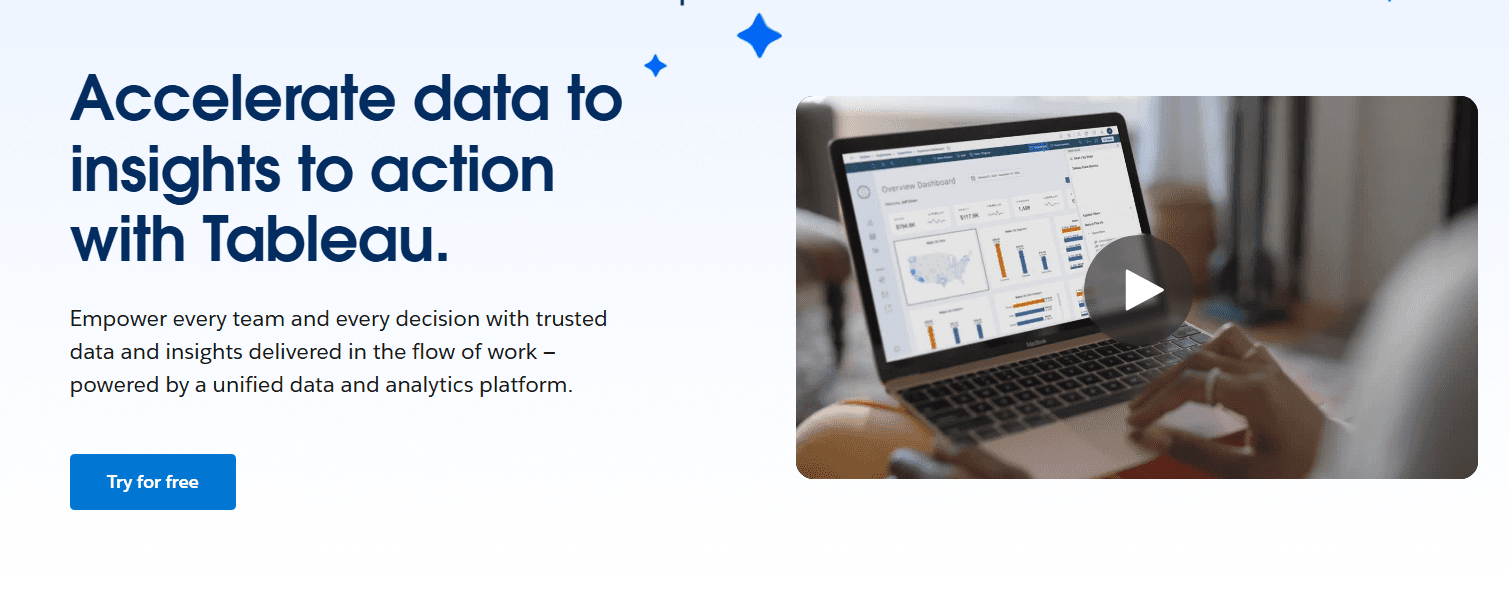
Data Visualization: Tableau lets your team create interactive charts and graphs from data models, making complex data easy to digest. You can quickly spot trends and insights.
Dashboard Creation: Build custom dashboards that combine multiple data views. This helps you track key metrics and KPIs while presenting a comprehensive story with your data.
Data Blending: Combine data from different sources into a single view, supporting seamless data integration. This feature allows you to create more insightful analyses.
Real-Time Data Updates: Keep your data fresh with real-time updates. Your team can make decisions based on the latest information.
Drag-and-Drop Interface: Easily build reports with a simple drag-and-drop tool. This saves time and makes the process user-friendly.
Geographic Mapping: Visualize data on maps to identify geographic trends. It’s perfect for teams needing location-based insights.

Ease of Use
Tableau isn’t as user-friendly as some other platforms, making it accessible to both beginners and experienced users. Your team can learn to build interactive dashboards, though they must go through a steep learning curve. But once mastered, Tableau stands out for its ability to simplify complex data analysis tasks. The real-time data updates and customization options further enhance its usability, allowing you to adapt quickly to changing data needs. Overall, Tableau makes data visualization straightforward and efficient for your work after intensive training.

Integrations
Tableau integrates with Salesforce, Amazon Athena, Google BigQuery, Microsoft Excel, SQL Server, Google Sheets, Splunk, Google Analytics, SAP HANA and Preso.
Tableau also has a REST API and connects with third-party integration tools, allowing for extensive customization and data connectivity options.

Tableau Specs
- A/B Testing: Yes
- Access Management: Yes
- Analytics: Yes
- API: Yes
- Conversion Tracking: Yes
- Custom Reports: Yes
- Customer Management: Yes
- Dashboards: Yes
- Data Export: Yes
- Data Import: Yes
- Data Mining: Yes
- Data Visualization: Yes
- External Integrations: Yes
- Forecasting: Yes
- Inventory Tracking: Yes
- Keyword Tracking: Yes
- Link Tracking: Yes
- Multi-User: Yes
- Notifications: Yes
- Project Management: Yes
- Reports: No
- Scenario Planning: Yes
- SEO: Yes
- Supplier Management: Yes
- Visualization: Yes
Alternatives to Tableau


- 10 migliori alternative a Tableau per i team FP&A nel 2026Opens new window
- Come Analizzare e Preparare un Rendiconto Finanziario Come un ProfessionistaOpens new window
- I 10 migliori software per la gestione della tabella di capitalizzazione recensiti nel 2026Opens new window
- Il tuo pannello di controlloOpens new window
- Recensione Tableau: Pro, Contro, Caratteristiche e PrezziOpens new window