

DrChrono Review: Pros, Cons, Features, and Pricing
Discover DrChrono's pros and cons, pricing, and functionality compared to other accounting software solutions in our detailed review.

We review tools independently, and commissions help fund our testing. See our transparency policy, our methodology, or suggest a tool.
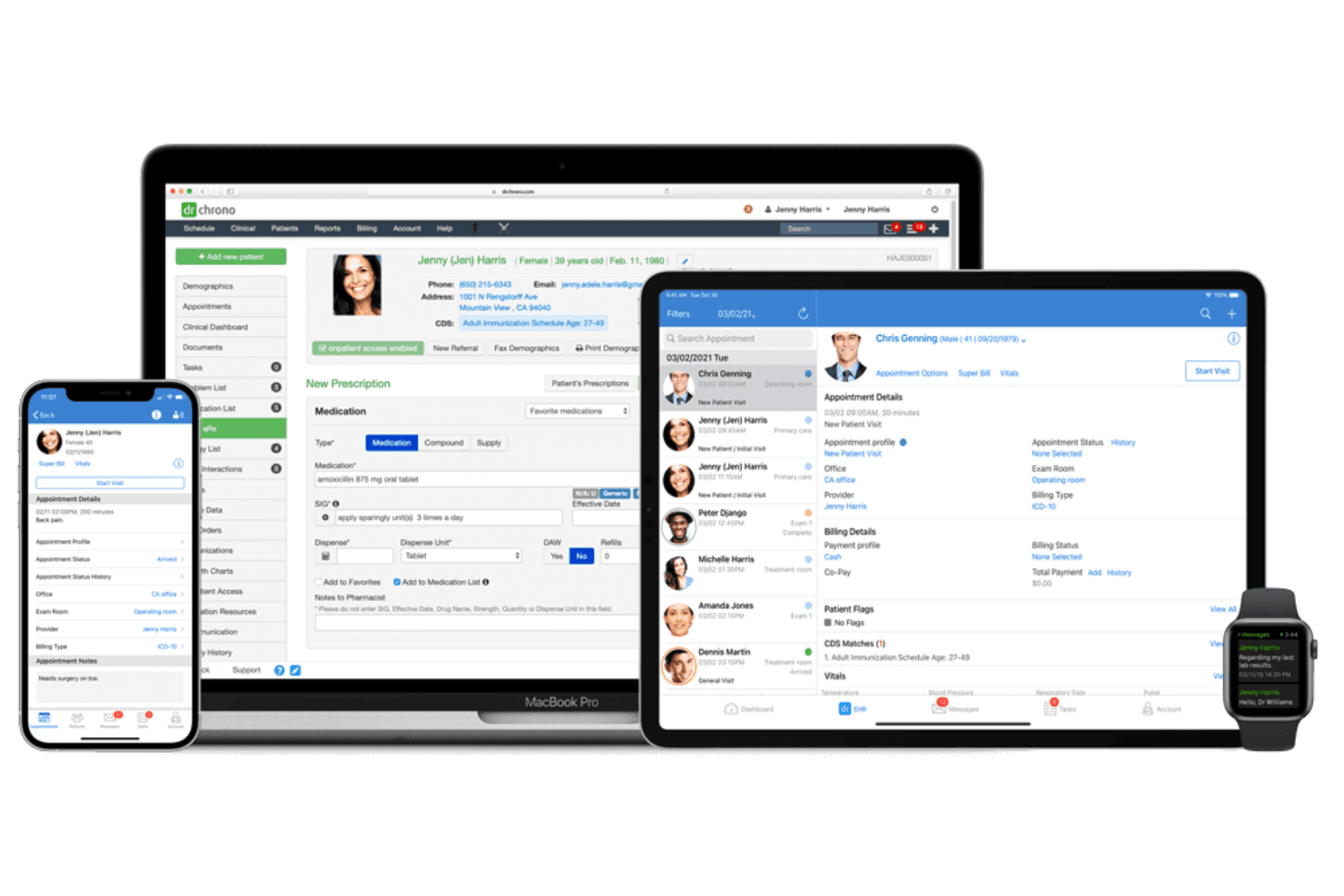
DrChrono is a billing software built for medical practices that need to handle claims submission, payment posting, and revenue cycle management. It pairs billing directly with EHR documentation and patient scheduling in one platform. I'd consider it over Kareo when connecting clinical and financial workflows under one roof is the priority for your practice—rather than managing a standalone billing tool alongside a separate EHR.
DrChrono Evaluation Summary
3.9/5
- Pricing upon request
- Free demo available
Why Trust Our Software Recommendations
6,700+
Reviews
20
Industry experts
16+
Evaluation factors
14
Years
Our team has been testing and reviewing software since 2012. As finance leaders ourselves, we know how difficult—and important—it is to choose the right software.
For this guide, we evaluated tools using hands-on testing and independent research, scoring tools using our selection criteria.
Our reviews reflect our human editorial judgment, not a sales pitch.
DrChrono Overview
DrChrono stands as a solid option for EHR and medical billing software, offering a good blend of features and functionality. However, it may not cater to all accounting needs as robustly as some specialized accounting platforms.
The user interface is straightforward, but onboarding could be smoother for those new to accounting software. The customer support team is generally responsive, which is a plus when you're navigating new tools.
If cost-effectiveness is a priority, DrChrono EHR provides decent value, though it may not be the top choice for those seeking advanced accounting capabilities. It's best suited for small- to medium-sized healthcare practices looking to integrate accounting with their medical records system.
Pros
- Customizable templates to fit your practice's needs
- Intuitive user interface
- Robust telehealth capabilities
Cons
- Slow customer support response times
- Cumbersome billing features
- Occasional software bugs can interrupt your workflow
Is DrChrono Right For Your Needs?
Who Would be a Good Fit for DrChrono?
DrChrono is ideal for healthcare providers needing efficient patient management and customizable templates. If your work involves managing patient records, scheduling, and billing, DrChrono’s features can streamline your processes.
Its intuitive interface supports teams in clinics and hospitals, making it easier to handle daily operations. The software’s focus on healthcare-specific functionalities ensures you have the tools you need to enhance patient care and operational efficiency.
- Healthcare ClinicsDrChrono's patient management and scheduling features are perfect for clinics aiming to improve efficiency.
- Small HospitalsYour team will benefit from DrChrono's customizable templates tailored for hospital management.
- Medical BillingDrChrono simplifies billing processes, making it a strong choice for medical billing departments, and also allows you to accept credit card payments online or in person.
- Specialty PracticesSpecialty practices like dermatology or pediatrics can use DrChrono's specific templates for better service.
- Telemedicine ProvidersThe platform supports telemedicine, allowing your team to connect with patients remotely effectively.
- Healthcare AdministratorsAdministrators will find DrChrono's reporting tools beneficial for tracking and improving healthcare services.
Who Would be a Bad Fit for DrChrono?
DrChrono might not be suitable for non-healthcare industries that don’t require patient management or specialized medical features. If your work involves general accounting without a focus on healthcare, DrChrono’s features could be excessive and not aligned with your needs.
- Retail BusinessesDrChrono's healthcare focus doesn't align with retail operations, making it an inefficient choice for your team.
- Manufacturing CompaniesYour manufacturing processes won't benefit from DrChrono's medical-centric features.
- Education InstitutionsEducation-focused operations won't find value in DrChrono's patient management capabilities.
- Real Estate FirmsReal estate teams need property management tools, which DrChrono doesn't offer.
- Non-healthcare StartupsStartups that aren't in healthcare won't use most of DrChrono's specialized features.
- Construction CompaniesConstruction projects require different management tools, making DrChrono unsuitable for their needs.
How We Test & Score Tools
We’ve spent years building, refining, and improving our software testing and scoring system. The rubric is designed to capture the nuances of software selection and what makes a tool effective, focusing on critical aspects of the decision-making process.
Below, you can see exactly how our testing and scoring works across seven criteria. It allows us to provide an unbiased evaluation of the software based on core functionality, standout features, ease of use, onboarding, customer support, integrations, customer reviews, and value for money.
Core Functionality (25% of final scoring)
The starting point of our evaluation is always the core functionality of the tool. Does it have the basic features and functions that a user would expect to see? Are any of those core features locked to higher-tiered pricing plans? At its core, we expect a tool to stand up against the baseline capabilities of its competitors.
Standout Features (25% of final scoring)
Next, we evaluate uncommon standout features that go above and beyond the core functionality typically found in tools of its kind. A high score reflects specialized or unique features that make the product faster, more efficient, or offer additional value to the user.
We also evaluate how easy it is to integrate with other tools typically found in the tech stack to expand the functionality and utility of the software. Tools offering plentiful native integrations, 3rd party connections, and API access to build custom integrations score best.
Ease of Use (10% of final scoring)
We consider how quick and easy it is to execute the tasks defined in the core functionality using the tool. High scoring software is well designed, intuitive to use, offers mobile apps, provides templates, and makes relatively complex tasks seem simple.
Onboarding (10% of final scoring)
We know how important rapid team adoption is for a new platform, so we evaluate how easy it is to learn and use a tool with minimal training. We evaluate how quickly a team member can get set up and start using the tool with no experience. High scoring solutions indicate little or no support is required.
Customer Support (10% of final scoring)
We review how quick and easy it is to get unstuck and find help by phone, live chat, or knowledge base. Tools and companies that provide real-time support score best, while chatbots score worst.
Customer Reviews (10% of final scoring)
Beyond our own testing and evaluation, we consider the net promoter score from current and past customers. We review their likelihood, given the option, to choose the tool again for the core functionality. A high scoring software reflects a high net promoter score from current or past customers.
Value for Money (10% of final scoring)
Lastly, in consideration of all the other criteria, we review the average price of entry level plans against the core features and consider the value of the other evaluation criteria. Software that delivers more, for less, will score higher.
Core Features
Patient management: DrChrono lets you efficiently handle patient records and appointments, ensuring smooth operations for your team. Its system is intuitive, making it easy to track patient’s medical history and schedule follow-ups. Moreover, you can send single, multiple, or compound prescriptions to patients electronically on their iPhone or iPad.
OnPatient portal: DrChroo offers a patient portal where they can book appointments, pay bills, and trigger automated appointment reminders when the appointment day is close.
Billing and invoicing: You can automate billing processes, reducing errors and saving time. The feature supports various payment methods, keeping your financial operations seamless.
Customizable templates: DrChrono offers templates that you can tailor to fit your specific needs. This flexibility helps you maintain consistency in documentation and reporting.
Scheduling: The scheduling tool makes it easy to organize appointments, reducing double-booking. It helps your team manage time effectively and keeps operations running smoothly.
Reporting: You get access to detailed reports that help analyze your practice's performance. This feature aids in making informed decisions based on real data.
E-prescribing: DrChrono allows you to send prescriptions electronically, speeding up the process. This feature boosts efficiency and ensures your patients get their medications promptly.
Ease of Use
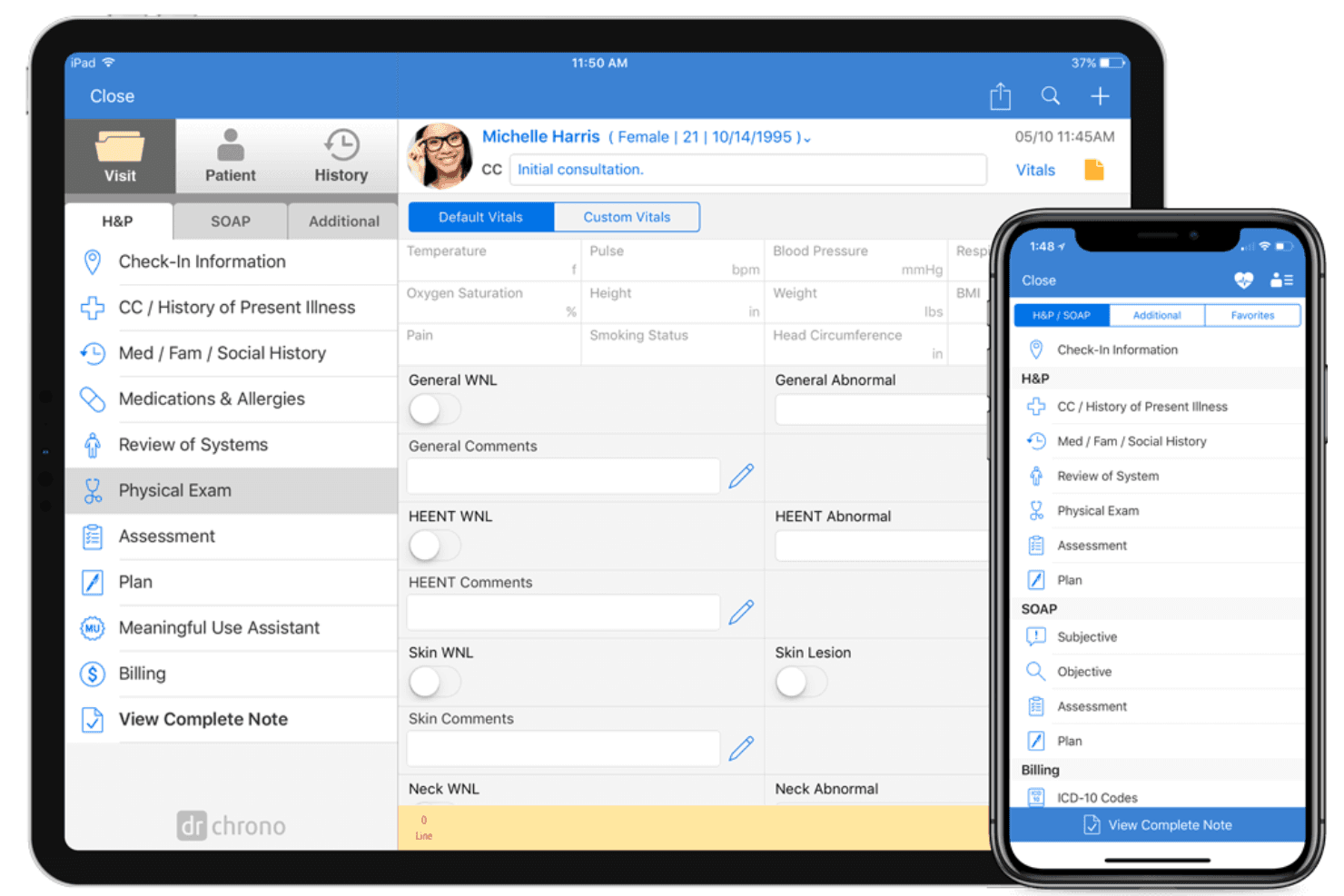
DrChrono is fairly user-friendly, especially for those in the healthcare industry. Its intuitive interface makes navigating patient records and scheduling straightforward, aiding your team's efficiency.
While some users find the learning curve steep initially, the customizable templates and clear layout help ease the transition. Compared to other software, it offers a smooth experience, particularly with its healthcare-specific features that align well with your day-to-day tasks. This focus on user experience ensures you can concentrate on providing care rather than struggling with technology.
Integrations
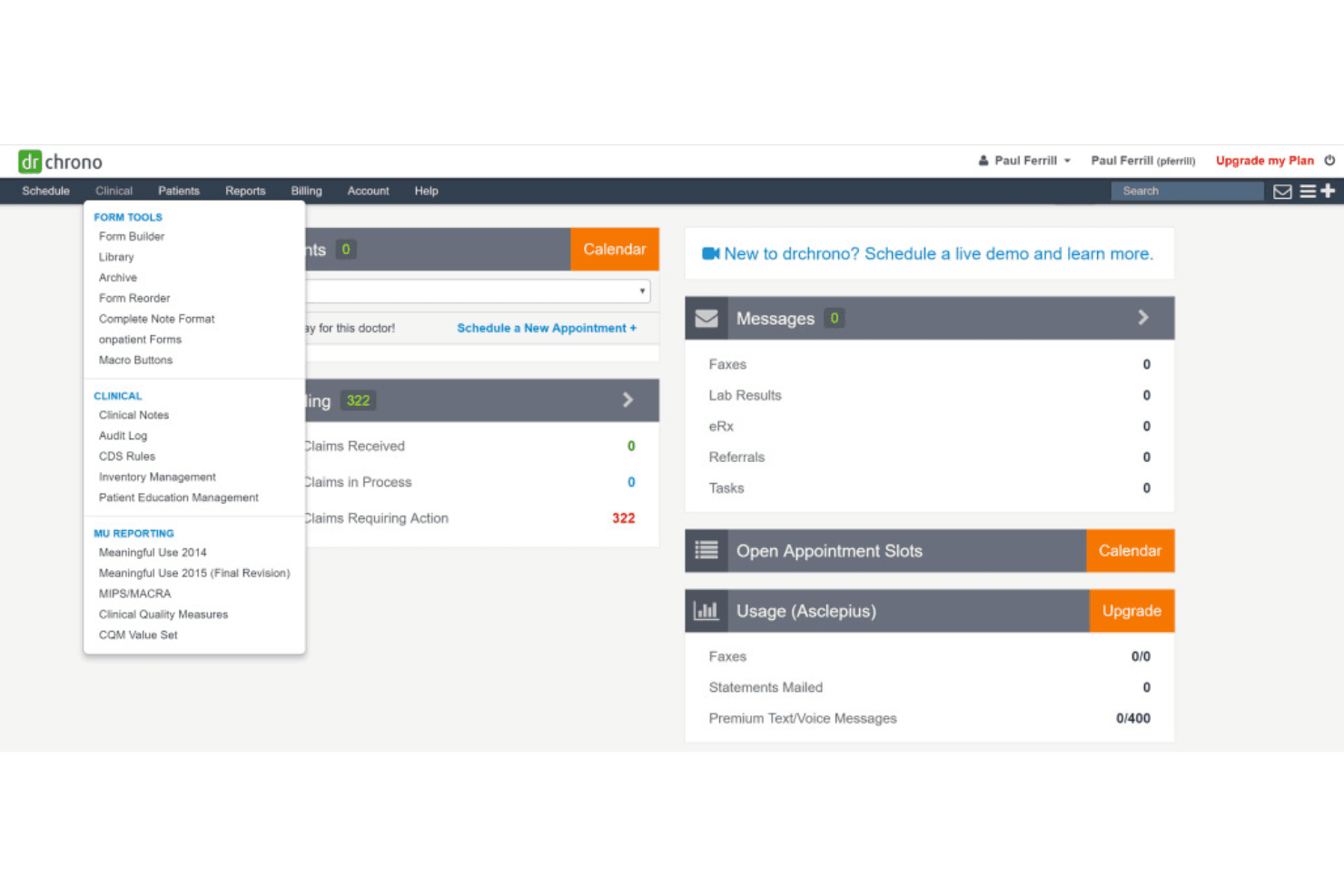
DrChrono integrates with popular healthcare tools such as Quest, LabCorp, HealthGorilla, Relaymed, Google Ads, Microsoft Outlook, Zoom, Salesforce, and over 300 others through Keragon, making it a versatile platform for healthcare providers.
DrChrono also features an API, allowing for seamless integration with third-party tools, thereby enhancing its flexibility and interoperability with other software solutions.
DrChrono Specs
- API: Yes
- Appointment Scheduling: Yes
- Athlete Management: No
- Audit Management: No
- Calendar Management: Yes
- Compliance Tracking: Yes
- Customer Management: Yes
- Dashboard: Yes
- Data Export: Yes
- Data Import: Yes
- Data Visualization: Yes
- Electronic Prescribing: Yes
- External Integrations: Yes
- File Sharing: Yes
- File Transfer: Yes
- Health Management: Yes
- HIPAA Compliance: Yes
- Inventory Tracking: No
- Multi-User: Yes
- Notifications: Yes
- Organization Management: Yes
- Patient Management: Yes
- Project Management: No
- Regulatory Alerts: Yes
- Risk Assessment: No
- Scheduling: Yes
- Supplier Management: No


