

Xledger Review: Pros, Cons, Features, and Pricing Explained
Cut through the noise: Here’s my inside take on Xledger’s power, pitfalls, and what really sets it apart as an accounting platform worth considering for your business.

We review tools independently, and commissions help fund our testing. See our transparency policy, our methodology, or suggest a tool.
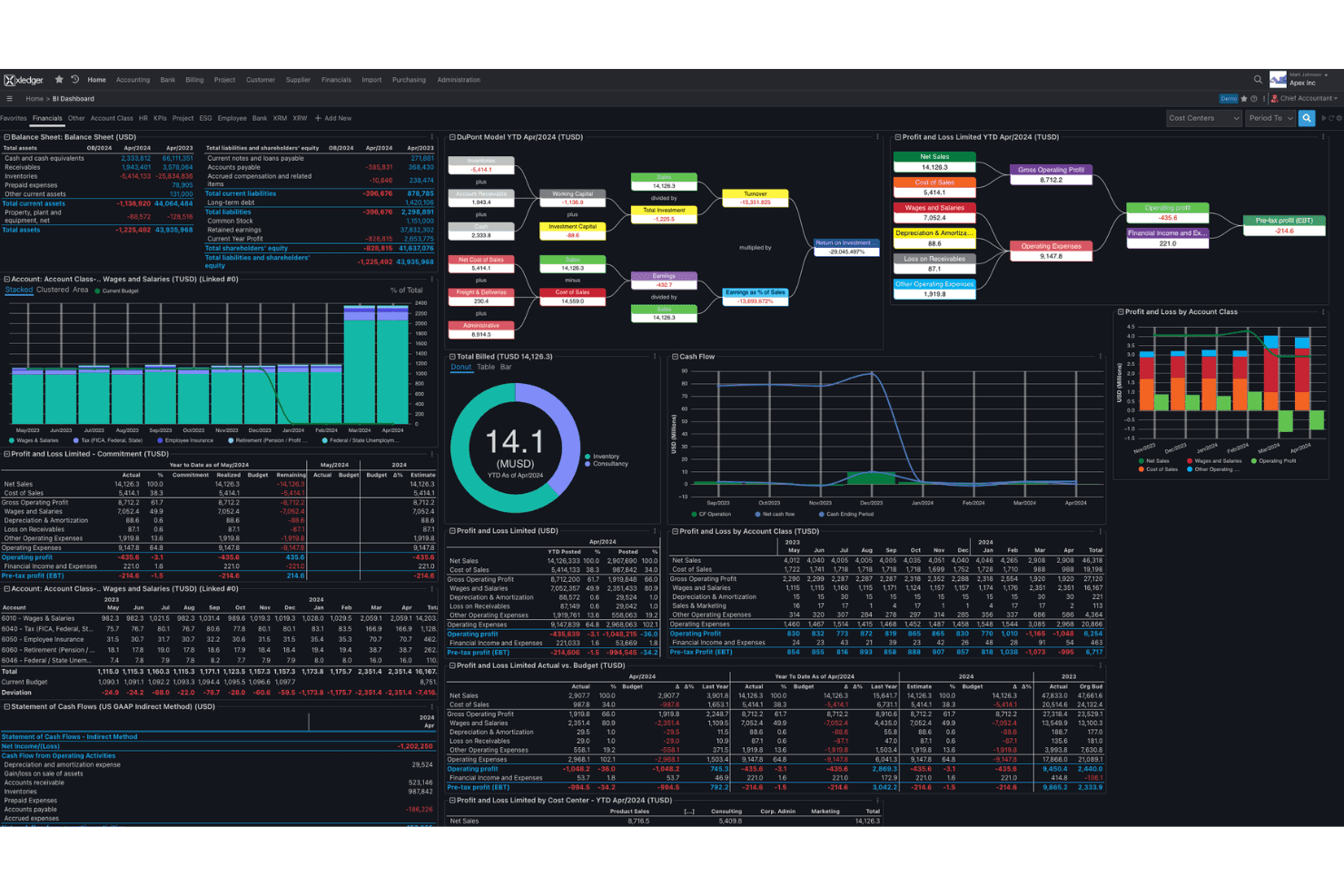
Xledger is a cloud accounting software for mid-sized organizations, nonprofits, and professional services firms that need multi-entity consolidation, project accounting, and automated AP workflows in one system. I'd point you to it if you're outgrowing entry-level bookkeeping tools and want built-in automation, dimensional reporting, and consolidation without the implementation weight of NetSuite or Sage Intacct. It sits in the gap between simple bookkeeping and full-scale financial management suites.
Xledger Evaluation Summary
4.5/5
- Pricing upon request
- Free demo available
Why Trust Our Software Recommendations
6,700+
Reviews
20
Industry experts
16+
Evaluation factors
14
Years
Our team has been testing and reviewing software since 2012. As finance leaders ourselves, we know how difficult—and important—it is to choose the right software.
For this guide, we evaluated tools using hands-on testing and independent research, scoring tools using our selection criteria.
Our reviews reflect our human editorial judgment, not a sales pitch.
Xledger Overview
If you’re judging accounting platforms based on multi-entity consolidation, automation, and dimensional reporting, I think Xledger stands out for finance teams outgrowing entry-level tools. Its cloud interface is modern and workflow-centric, but the learning curve can be steep if you need deep customization or legacy integration. From my experience, onboarding is smoother than with big-name enterprise tools, and support is responsive. Across user reviews the overall rating holds up on scalability and support while dipping on setup effort. Pricing can be harder to judge without a quote—worth noting if your budget is tight. I’d suggest Xledger is best for businesses that prioritize unified reporting and automation over an endless list of third-party integrations.
Pros
- Handles complex multi-entity consolidation with built-in tools
- Offers automated AP and bank reconciliation workflows
- Provides customizable, dimensional financial reporting options
Cons
- Requires manual setup for most reporting structures
- Limited offline mobile access for field-based users
- Fewer out-of-the-box regional tax features than peers
Is Xledger Right For Your Needs?
Who Would be a Good Fit for Xledger?
Xledger is a strong choice for organizations managing complex, multi-entity finances, particularly those with experienced accounting teams who need advanced reporting, granular controls, and flexible integrations. I think it’s especially well-suited to companies with demanding compliance requirements or those prioritizing automation across core finance operations. Xledger’s open API, migration support, and tailored configuration options make it a compelling option for data-driven teams who want scalable accounting workflows and deeper control over financial management processes.
- Multi-Entity EnterprisesXledger natively handles multi-company structures, intercompany transactions, and consolidations for businesses spread across different legal entities or geographies.
- Rapidly Growing SaaSHigh-growth SaaS companies benefit from Xledger’s automated workflows and open API, making it easier to scale finance operations and integrate with billing and CRM platforms.
- Nonprofit OrganizationsNonprofits get value from Xledger’s support for fund accounting, grant and donor management, and detailed compliance reporting requirements.
- Finance Shared ServicesCentralized finance teams with multiple business units use Xledger’s granular access controls and reporting to manage different group needs in one system.
- Global Manufacturing FirmsFirms with international subsidiaries leverage Xledger’s multi-currency, compliance, and consolidated reporting features to meet regulatory requirements worldwide.
- FP&A DepartmentsFP&A teams gain from Xledger’s configurable analytics, easy data imports, and real-time dashboards for budgeting/forecasting and strategic planning.
Who Would be a Bad Fit for Xledger?
Xledger isn’t the best fit for small organizations, teams looking for simple bookkeeping tools, or those without dedicated accounting expertise. The learning curve, upfront configuration, and advanced features are likely to overwhelm businesses with basic needs or limited IT resources. If deep inventory management is central to your operation, confirm module coverage before you commit. Lightweight teams and those seeking quick self-service setups should consider more straightforward solutions.
- Small StartupsSmall startups with limited transactions will find Xledger’s setup complexity and breadth of features more than they need.
- FreelancersFreelancers or solo accountants are unlikely to use Xledger’s advanced reporting or workflow automation and will pay for unused capacity.
- Non-Finance TeamsNon-finance managers handling simple bookkeeping may be discouraged by the system’s required accounting knowledge and setup time.
- Local Retail StoresSingle-location retail operations won’t benefit from Xledger’s multi-entity, advanced migration tools, or deep configuration.
- Very Limited BudgetsOrganizations with tight budgets will find Xledger’s higher price point and feature set excessive for their financial needs.
- Entry-Level Bookkeeping UsersTeams switching from a simple bookkeeping tool mainly for simplicity will find the Xledger learning curve steep and configuration-heavy by comparison.
How We Test & Score Tools
We’ve spent years building, refining, and improving our software testing and scoring system. The rubric is designed to capture the nuances of software selection and what makes a tool effective, focusing on critical aspects of the decision-making process.
Below, you can see exactly how our testing and scoring works across seven criteria. It allows us to provide an unbiased evaluation of the software based on core functionality, standout features, ease of use, onboarding, customer support, integrations, customer reviews, and value for money.
Core Functionality (25% of final scoring)
The starting point of our evaluation is always the core functionality of the tool. Does it have the basic features and functions that a user would expect to see? Are any of those core features locked to higher-tiered pricing plans? At its core, we expect a tool to stand up against the baseline capabilities of its competitors.
Standout Features (25% of final scoring)
Next, we evaluate uncommon standout features that go above and beyond the core functionality typically found in tools of its kind. A high score reflects specialized or unique features that make the product faster, more efficient, or offer additional value to the user.
We also evaluate how easy it is to integrate with other tools typically found in the tech stack to expand the functionality and utility of the software. Tools offering plentiful native integrations, 3rd party connections, and API access to build custom integrations score best.
Ease of Use (10% of final scoring)
We consider how quick and easy it is to execute the tasks defined in the core functionality using the tool. High scoring software is well designed, intuitive to use, offers mobile apps, provides templates, and makes relatively complex tasks seem simple.
Onboarding (10% of final scoring)
We know how important rapid team adoption is for a new platform, so we evaluate how easy it is to learn and use a tool with minimal training. We evaluate how quickly a team member can get set up and start using the tool with no experience. High scoring solutions indicate little or no support is required.
Customer Support (10% of final scoring)
We review how quick and easy it is to get unstuck and find help by phone, live chat, or knowledge base. Tools and companies that provide real-time support score best, while chatbots score worst.
Customer Reviews (10% of final scoring)
Beyond our own testing and evaluation, we consider the net promoter score from current and past customers. We review their likelihood, given the option, to choose the tool again for the core functionality. A high scoring software reflects a high net promoter score from current or past customers.
Value for Money (10% of final scoring)
Lastly, in consideration of all the other criteria, we review the average price of entry level plans against the core features and consider the value of the other evaluation criteria. Software that delivers more, for less, will score higher.
Core Features
Multi-Entity Consolidation
Consolidate financials across entities and currencies in one system. Real-time consolidation handles eliminations and group-level reporting, simplifying group close.
Automated Accounts Payable
Invoice capture, approval workflows, and digital payments run automatically. Accounts receivable tracks alongside, with less manual entry for recurring vendors.
Dimensional Financial Reporting
Tag departments, projects, and custom fields on every transaction, beyond the chart of accounts. Ad hoc reports give real time insight by dimension.
Automated Bank Reconciliation
Banking feeds match transactions to your books and flag exceptions for review. Cash management gets faster and mismatches surface early, not at month end.
Project Accounting
Track costs, time, and billing per project, kept separate from the general ledger. Project management sees real-time margins and resource allocation as work runs.
Workflow Automation
Automate approvals, notifications, expense claims, and recurring tasks across procurement and finance. Fewer bottlenecks, and policy compliance at each step.
Ease of Use
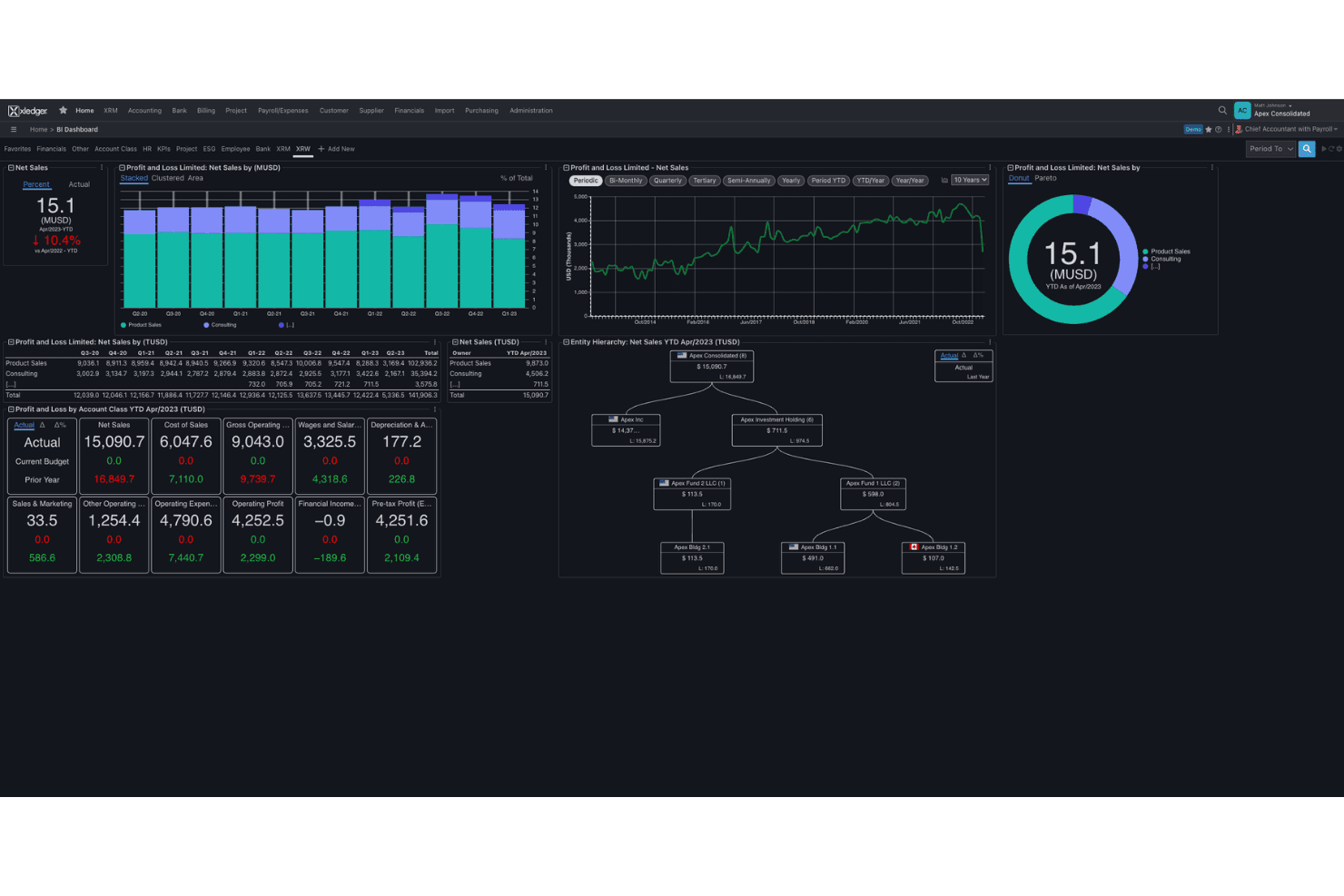
Xledger delivers a modern, workflow-driven interface that helps experienced finance professionals manage complex accounting without getting buried in menus. Most processes are guided and the automation reduces duplicate work, but the setup and reporting tools require time and accounting knowledge to configure. Routine jobs like expense management and approvals are the smoothest part of the system. I think teams who want highly tailored reporting or deep customization will face a learning curve, but day-to-day workflows run smoothly once you’re up and running.
Integrations
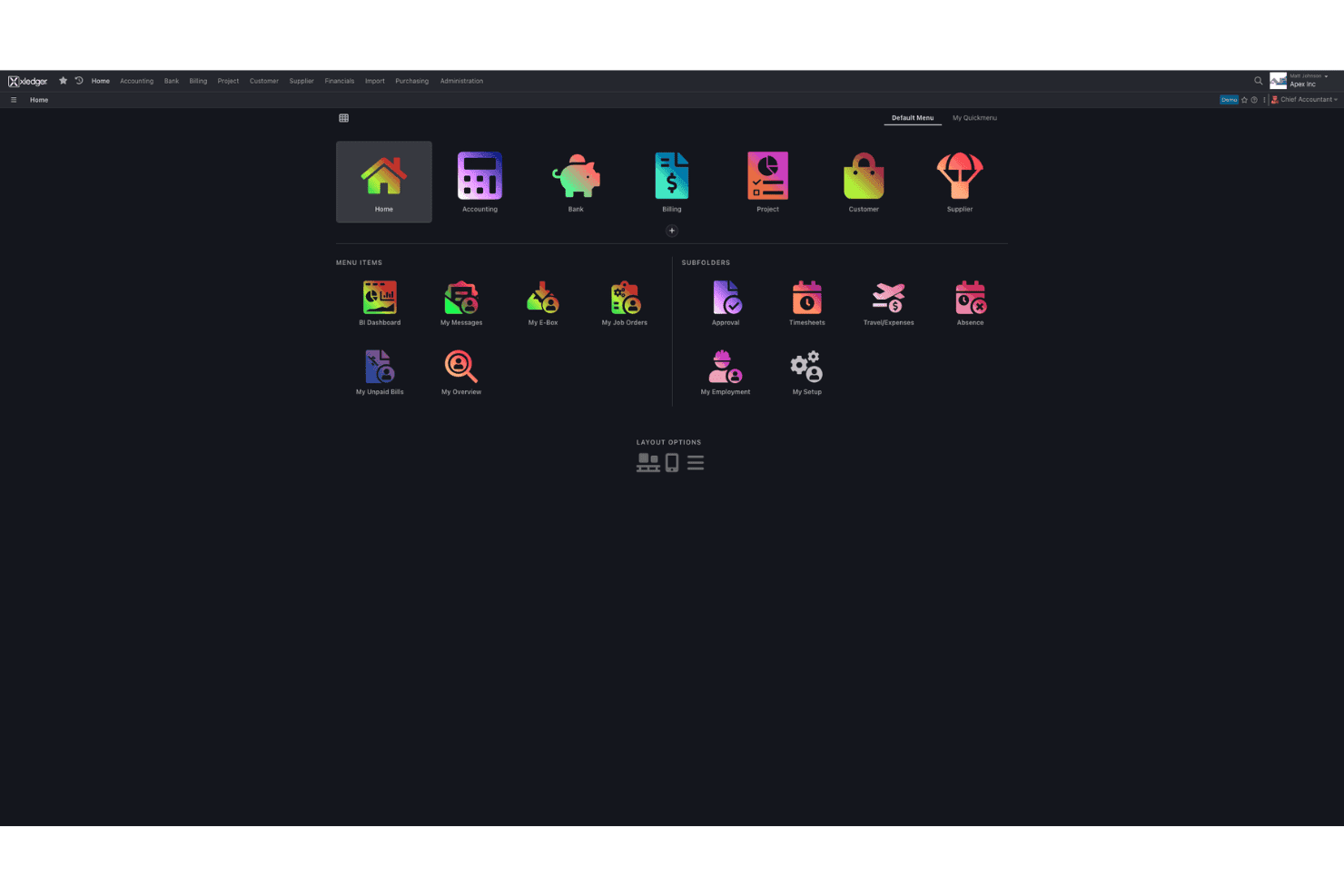
Xledger integrates with Stripe, PayPal, Salesforce, HubSpot, Microsoft Power BI, Google Workspace, ADP, Oracle NetSuite, SAP, and QuickBooks, among others.
Xledger also offers an open API for custom integrations and connects with popular third-party integration tools; if your team standardizes on GraphQL, confirm current endpoint coverage before you build.
Xledger Specs
- 2-Factor Authentication: Yes
- Accounts Payable: Yes
- Accounts Receivable: Yes
- API: Yes
- Balance Sheet: Yes
- Billing/Invoicing: Yes
- BitCoin: Yes
- Budgeting: Yes
- Calendar Management: Yes
- Contact Management: Yes
- CRM Integration: Yes
- Customer Management: Yes
- Dashboard: Yes
- Data Export: Yes
- Data Import: Yes
- Data Visualization: Yes
- Expense Tracking: Yes
- External Integrations: Yes
- Forecasting: Yes
- General Account Ledger: Yes
- Inventory Tracking: Yes
- Multi-Currency: Yes
- Multi-User: Yes
- Notifications: Yes
- P&L: Yes
- PayPal: Yes
- Payroll: Yes
- SAP Integration: Yes
- Stripe: Yes
- Supplier Management: Yes
- Tax Management: Yes


