

Paychex Bewertung: Hauptfunktionen, Vorteile, Nachteile und aktualisierte Preise für 2026
Paychex zeichnet sich durch seine robusten Lohnabrechnungsfunktionen und Skalierbarkeit aus, was es ideal für wachsende Unternehmen macht.

Wir bewerten Tools unabhängig; Provisionen helfen, unsere Tests zu finanzieren. Siehe unsere Transparenzrichtlinie und unsere Methodik.
Paychex is an accounting software with payroll for small business built for owners and finance teams who need payroll, HR, and compliance tools in one place. I'd consider it if you're running a growing small business that needs more than a basic payroll processor. Compared to Gusto, Paychex gives you deeper HR functionality and dedicated support options, which makes a real difference once your headcount starts to grow and your compliance needs become harder to manage manually.
Paychex Evaluation Summary
4.2/5
- Pricing upon request
- Free demo available
Warum Sie unseren Software-Empfehlungen vertrauen können
6,700+
Reviews
20
Industry experts
16+
Evaluation factors
14
Years
Unsere Bewertungen spiegeln unser unabhängiges Urteilsvermögen wider – keine Verkaufsstrategie. Erfahren Sie, wie wir transparent bleiben.
Für diesen Leitfaden haben wir Tools mithilfe von praktischen Tests und unabhängiger Recherche bewertet und dabei unsere Bewertungskriterien angewendet.
Unsere Bewertungen spiegeln unser menschliches redaktionelles Urteilsvermögen wider, keine Verkaufsstrategie.
Paychex Overview
When judging payroll software, Paychex stands out for its deep feature set, strong compliance tools, and responsive support, especially for businesses with complex payroll needs or multiple locations. Its pricing can be higher than some alternatives, and the interface may feel dated to users who prefer modern dashboards. However, Paychex’s integration options and guided onboarding make it a reliable choice for teams prioritizing accuracy and regulatory confidence. If you’re selecting a solution for a midsize or growing business that values hands-on support and customizable workflows, Paychex deserves serious consideration.
Pros
- Built-in payroll tax calculation and filing included
- Responsive customer support with dedicated representatives
- Scalable plans for businesses with growing or complex needs
Cons
- Reporting features are basic compared to some competitors
- Mobile app interface feels outdated and slow
- Some users report unexpected or hidden fees
Is Paychex Right For Your Needs?
Who Would be a Good Fit for Paychex?
Paychex is best suited for organizations that need advanced payroll compliance, multi-state support, and hands-on customer service. Its scalable plans, HR add-ons, and tax filing features make it a strong choice for businesses with complex payroll needs, distributed teams, or strict regulatory requirements. Companies in highly regulated industries, those with hourly workforces, or those planning to grow will find Paychex’s capabilities especially valuable.
- Multi-State EmployersPaychex handles multi-state tax compliance and filings automatically.
- Healthcare ProvidersHealthcare organizations benefit from Paychex’s compliance and benefits administration.
- Construction FirmsJob costing and certified payroll features support construction payroll needs.
- FranchisesCentralized payroll and reporting tools help manage multiple locations.
- HR DepartmentsIntegrated HR and benefits modules streamline workforce management.
- Growing SMBsScalable plans and dedicated support help small businesses expand confidently.
Who Would be a Bad Fit for Paychex?
Paychex may not be ideal for very small businesses, startups with limited budgets, or teams seeking highly customizable or modern interfaces. Its pricing, basic reporting, and dated mobile experience can be limiting for organizations that prioritize cost, advanced analytics, or tech-forward solutions. Businesses with simple payroll needs or those wanting deep integration with niche tools may find better options elsewhere.
- Solo EntrepreneursPaychex’s pricing and features exceed solo business needs.
- Early-Stage StartupsStartups may find the cost high for basic payroll tasks.
- Tech StartupsTech-focused teams may want more modern, customizable interfaces.
- NonprofitsNonprofits with tight budgets may prefer lower-cost payroll options.
- International CompaniesPaychex lacks global payroll support for non-U.S. employees.
- Analytics-Driven TeamsTeams needing advanced payroll analytics may find reporting too limited.
Wie wir Tools testen und bewerten
Wir haben jahrelang daran gearbeitet, unser System zur Softwarebewertung zu entwickeln, zu verfeinern und stetig zu verbessern. Der Bewertungsleitfaden wurde entworfen, um die Feinheiten der Softwareauswahl und die Qualitätskriterien eines effektiven Tools präzise zu erfassen, mit Fokus auf entscheidende Aspekte im Auswahlprozess. Im Folgenden sehen Sie genau, wie unsere Prüfungen und Bewertungen nach sieben Kriterien funktioniert. So können wir eine objektive Bewertung der Software auf Grundlage der Kernfunktionalitäten, herausragenden Eigenschaften, Benutzerfreundlichkeit, Einführung, Kundensupport, Integrationen, Kundenbewertungen sowie Preis-Leistungs-Verhältnis bieten.
Kernfunktionalität (25 % der Gesamtbewertung)
Der Ausgangspunkt unserer Bewertung ist immer die Kernfunktionalität des Tools. Verfügt es über die grundlegenden Features und Funktionen, die ein Nutzer erwarten würde? Sind einige dieser Kernfunktionen auf höherpreisige Tarife beschränkt? Im Kern erwarten wir, dass ein Tool mit den Basisfunktionen seiner Wettbewerber mithalten kann.
Herausragende Funktionen (25 % der Gesamtbewertung)
Im nächsten Schritt bewerten wir ungewöhnliche, herausragende Funktionen, die über die üblichen Kernfunktionen vergleichbarer Tools hinausgehen. Eine hohe Punktzahl erhält, wer spezialisierte oder einzigartige Funktionen bietet, die das Produkt schneller, effizienter oder besonders wertvoll für den Nutzer machen. Wir prüfen auch, wie einfach sich das Tool mit anderen Programmen des typischen Tech-Stacks integrieren lässt, um den Funktionsumfang und die Nützlichkeit der Software zu erweitern. Vielseitige native Integrationen, Drittanbieter-Anbindungen sowie API-Zugänge für individuelle Integrationen schneiden am besten ab.
Benutzerfreundlichkeit (10 % der Gesamtbewertung)
Wir bewerten, wie schnell und einfach sich die wichtigsten Aufgaben im Tool erledigen lassen. Hoch bewertete Software ist gut gestaltet, intuitiv bedienbar, bietet mobile Apps, Vorlagen und macht selbst komplexere Aufgaben handhabbar.
Einführung (10 % der Gesamtbewertung)
Wir wissen, wie wichtig eine rasche Teamakzeptanz bei neuen Plattformen ist. Deshalb prüfen wir, wie einfach sich ein Tool mit minimalem Trainingsaufwand erlernen und bedienen lässt. Wir bewerten auch, wie schnell ein Teammitglied ohne vorherige Erfahrung startklar ist. Hoch bewertete Lösungen benötigen wenig oder gar keinen Support.
Kundensupport (10 % der Gesamtbewertung)
Wir prüfen, wie leicht und schnell Sie mit Telefon, Live-Chat oder Wissensdatenbank Hilfe erhalten können. Tools und Unternehmen, die Echtzeit-Support bieten, erzielen die besten Ergebnisse, während Chatbots am schlechtesten abschneiden.
Kundenbewertungen (10 % der Gesamtbewertung)
Neben unseren eigenen Tests berücksichtigen wir den Net-Promoter-Score aktueller und ehemaliger Kunden. Wir prüfen, wie wahrscheinlich sie sich erneut für das Tool entscheiden würden, basierend auf der Kernfunktionalität. Hoch bewertete Software spiegelt einen hohen Net-Promoter-Score wider.
Preis-Leistungs-Verhältnis (10 % der Gesamtbewertung)
Abschließend vergleichen wir alle Kriterien und bewerten den Durchschnittspreis der Einstiegstarife im Verhältnis zu den Kernfunktionen und dem Nutzen der weiteren Bewertungskriterien. Software, die mehr für weniger bietet, erhält die besten Bewertungen.
Core Features
Automated Payroll Processing
Run payroll on a set schedule with automatic calculations for wages, taxes, and deductions. Users can preview and approve payroll before finalizing each cycle.
Tax Filing and Compliance
Paychex calculates, files, and pays federal, state, and local payroll taxes on your behalf. The platform monitors regulatory changes to help reduce compliance risks.
Employee Self-Service Portal
Employees can access pay stubs, tax forms, and update personal information online. This reduces HR workload and improves transparency for staff.
Direct Deposit and Pay Options
Offer employees direct deposit, paper checks, or paycards for flexible payment delivery. Paychex manages payment distribution securely and on time.
Garnishment and Deduction Management
Automatically calculate and process wage garnishments, child support, and other deductions. The system ensures legal compliance and accurate recordkeeping.
Customizable Payroll Reports
Generate payroll, tax, and labor cost reports with customizable filters. Users can export data for audits, budgeting, or financial analysis.
Ease of Use
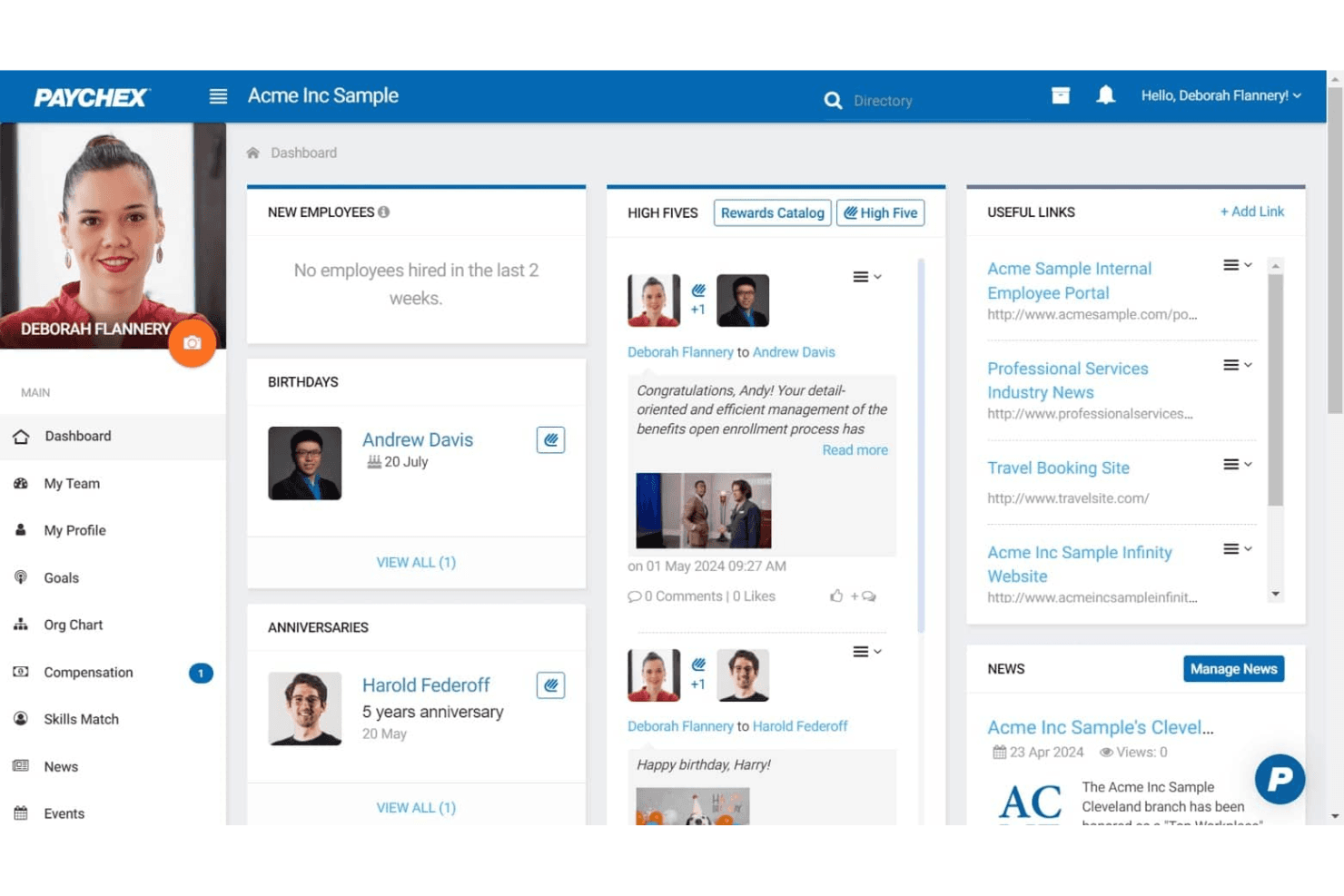
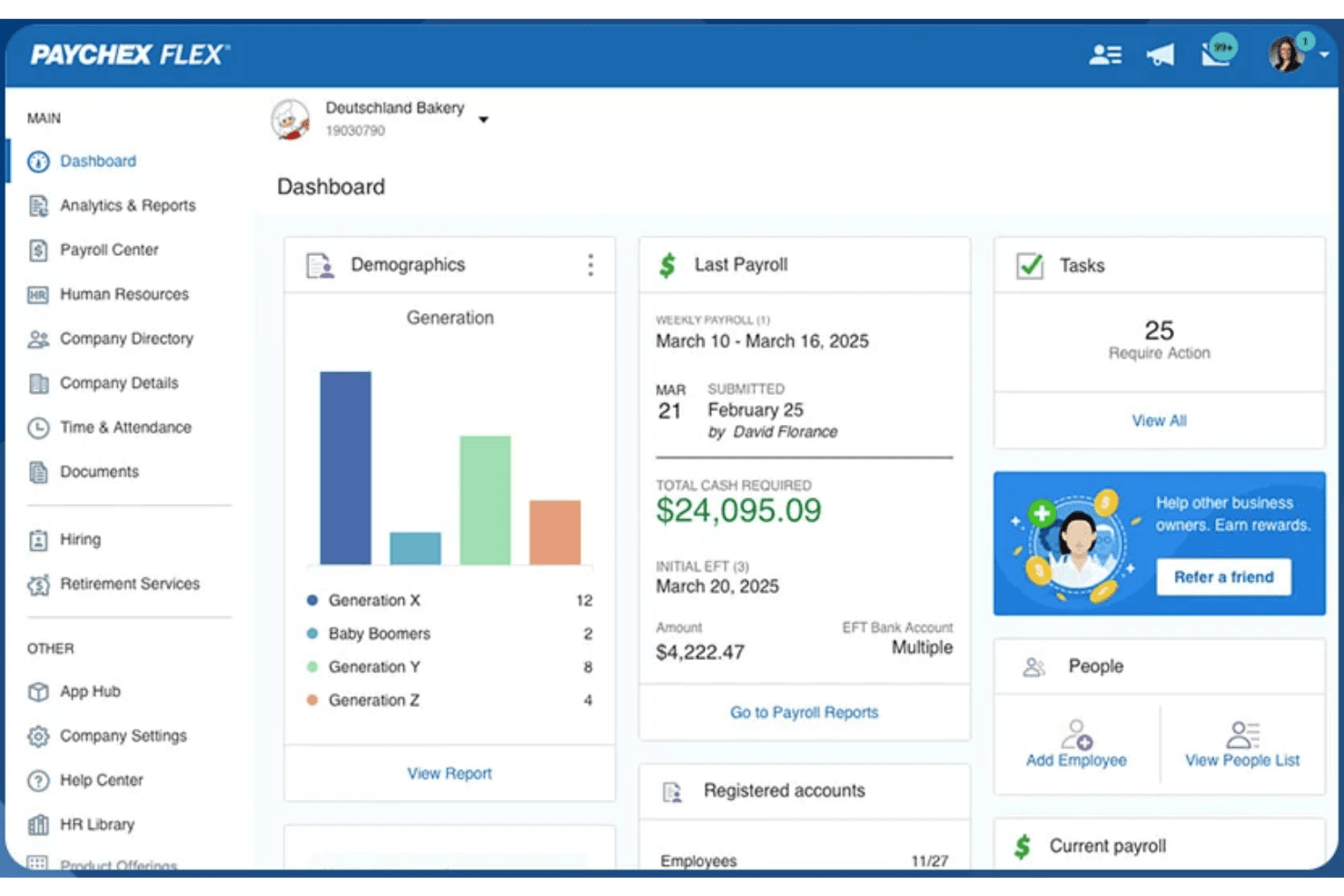
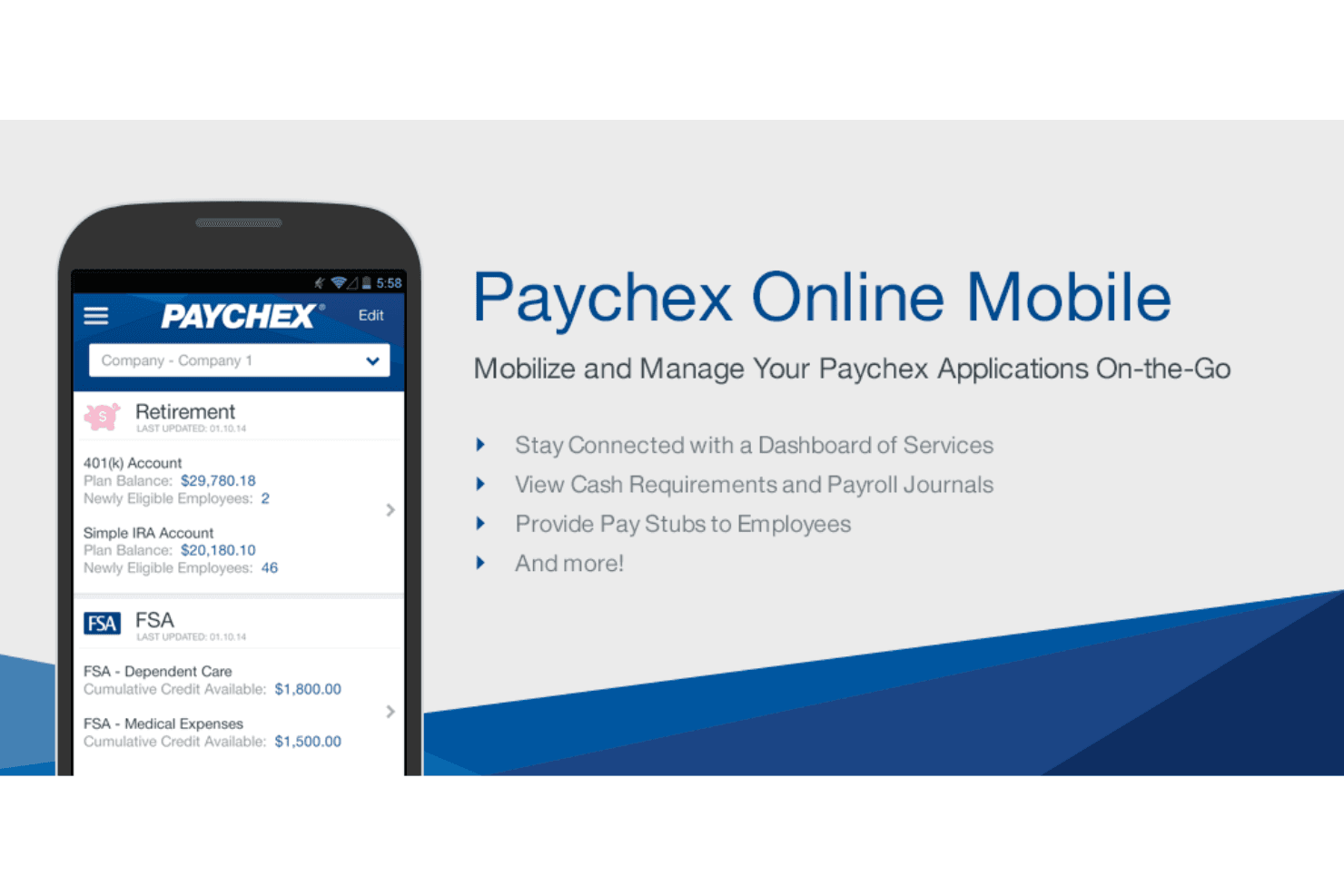
Paychex offers a straightforward payroll workflow, but its interface feels dated compared to newer payroll platforms. Many users appreciate the guided setup and clear navigation for core payroll tasks, yet some report that advanced features and reporting require extra steps or support. The employee self-service portal is easy for staff to use, but the mobile app receives mixed feedback for speed and design. Overall, Paychex balances usability with depth, favoring reliability over flashiness.
Integrations
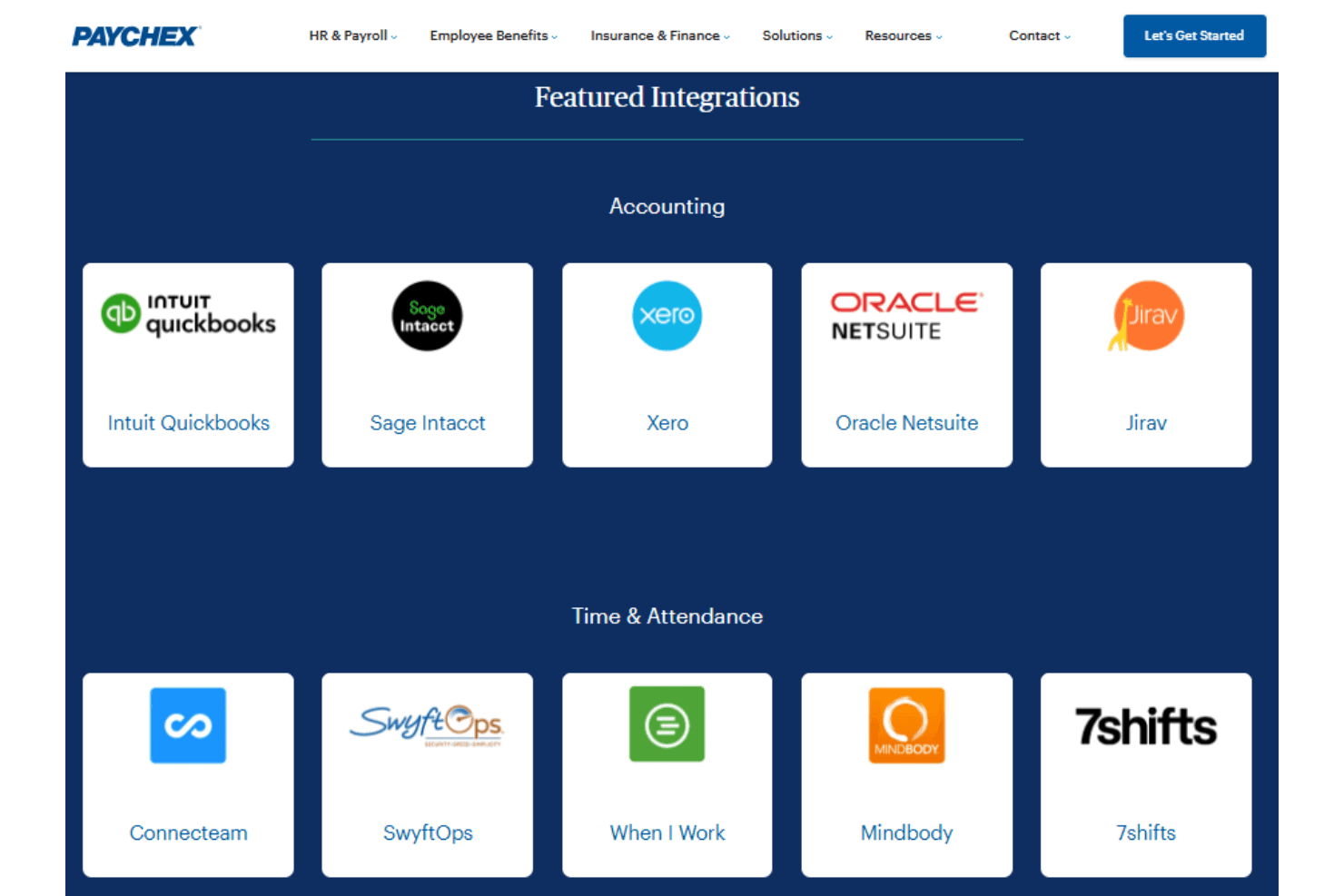
Paychex integrates with a variety of accounting, HR, point-of-sale, and workforce management platforms through its partner marketplace. Examples of supported integrations include QuickBooks, Xero, BambooHR, Clover, Deputy, Acumatica, Sage Intacct, and TimeClock Plus, among others.
Paychex also provides a developer API that allows businesses and software providers to build custom integrations and automate HR and payroll data synchronization with other applications.
Paychex Specs
- 2-Factor Authentication: Yes
- 360 Degree Feedback: Yes
- API: Yes
- Application Tracking: Yes
- Attendance Tracking: Yes
- Batch Permissions & Access: Yes
- Compliance Tracking: Yes
- Dashboard: Yes
- Data Export: Yes
- Data Import: Yes
- Data Visualization: Yes
- Employee Database: Yes
- Employee Engagement: Yes
- Employee Incentive Management: Yes
- Employee Onboarding: Yes
- Employee Training: Yes
- Expense Tracking: Yes
- External Integrations: Yes
- Feedback Management: Yes
- Multi-User: Yes
- Notifications: Yes
- Payroll: Yes
- Performance Appraisal: Yes
- Scheduling: Yes
- Time Management: Yes
- Timesheets: Yes
- Travel Management: Yes
- Vacation & Absence Calendar: Yes


