

Reseña de Maxio: Pros, Contras, Características y Precios Explicados para 2026
Maxio destaca por su sólida automatización de facturación y funciones centradas en SaaS, aunque puede ser más adecuado para empresas en etapa de crecimiento que requieren una gestión avanzada de ingresos sobre una facturación básica.

Revisamos las herramientas de forma independiente, y las comisiones ayudan a financiar nuestras pruebas. Consulta nuestra política de transparencia, nuestra metodología o sugiere una herramienta.
Maxio is a billing software built specifically for B2B SaaS companies that need subscription billing, revenue recognition, and SaaS metrics reporting in one place. I'd consider it over Chargebee if your finance team needs stronger native support for deferred revenue, ARR/MRR tracking, and GAAP-compliant revenue recognition—rather than patching those capabilities together through third-party integrations.
Maxio Evaluation Summary
4.3/5
- From $599/month
- Free demo available
Por qué confiar en nuestras recomendaciones de software
6,700+
Reviews
20
Industry experts
16+
Evaluation factors
14
Years
Nuestras reseñas reflejan nuestro criterio independiente, no un discurso de ventas. Descubra cómo mantenemos la transparencia.
Para esta guía, evaluamos las herramientas mediante pruebas prácticas e investigación independiente, puntuando las herramientas según nuestros criterios de selección.
Nuestras reseñas reflejan nuestro criterio editorial humano, no un discurso de ventas.
Maxio Overview
Maxio offers advanced billing automation, granular revenue recognition, and strong SaaS integrations, making it a top choice for finance teams managing complex subscription models. Its interface is intuitive, and onboarding is straightforward for users familiar with SaaS finance. Pricing is competitive for mid-market and growth-stage companies, though smaller businesses may find it more than they need. Support is responsive, and API options enable custom workflows.
Compared to others, Maxio excels in handling multi-entity billing and compliance, but may feel overwhelming for simple invoicing needs. It’s best for organizations prioritizing scalability and detailed financial controls.
Pros
- Handles complex subscription and usage-based billing scenarios.
- Automates revenue recognition for GAAP and IFRS compliance.
- Offers multi-entity support for global or multi-brand businesses.
Cons
- Reporting customization is limited compared to some competitors.
- API documentation can be difficult for developers to navigate.
- Pricing may be high for small or early-stage companies.
Is Maxio Right For Your Needs?
Who Would be a Good Fit for Maxio?
Maxio is best suited for B2B SaaS companies and subscription-based businesses with recurring revenue and moderate-to-complex billing needs. It works well for organizations that need automated billing, revenue recognition, and SaaS metrics without the heavier implementation burden of more finance-centric systems. Its combination of billing automation, financial reporting, and integrations makes it especially valuable for growing companies that want to scale operations while maintaining visibility into performance.
- SaaS StartupsMaxio automates subscription billing and revenue recognition for SaaS models.
- Growing Mid-Market BusinessesCompanies scaling revenue operations benefit from automation without requiring a highly complex implementation.
- Finance DepartmentsFinance teams benefit from audit-ready revenue recognition and compliance tools.
- Multi-Entity Businesses (with higher tiers)Supports multi-entity billing and reporting, though typically in more advanced plans.
- Global SaaS OperationsSupports multi-currency billing and international payment workflows.
- Companies Focused on SaaS MetricsStrong reporting for metrics like MRR, ARR, cohorts, and revenue trends.
Who Would be a Bad Fit for Maxio?
Maxio is less suitable for businesses with simple billing needs or non-subscription models, as well as organizations that require deep ERP functionality or highly customized financial controls. It’s also not ideal for companies expecting a lightweight, plug-and-play invoicing tool or a full all-in-one system.
- Simple Billing NeedsOverkill for basic invoicing or low transaction volumes.
- FreelancersThe platform’s complexity is unnecessary for solo billing needs.
- Early-Stage StartupsPricing and features may exceed the needs of new ventures.
- Highly Regulated Enterprises with Complex Compliance NeedsMay require more finance-centric systems (e.g., deeper audit controls or customization).
- Highly Customized Enterprise Billing LogicMay hit limits compared to more configurable enterprise platforms.
- Manufacturing FirmsManufacturers with inventory and supply chain needs require different solutions.
Cómo probamos y puntuamos las herramientas
Hemos dedicado años a construir, perfeccionar y mejorar nuestro sistema de evaluación y puntuación de software. La rúbrica está diseñada para capturar los matices de la selección de software y lo que hace que una herramienta sea efectiva, enfocándose en los aspectos críticos del proceso de toma de decisiones. A continuación, puedes ver exactamente cómo funcionan nuestras pruebas y puntuación en siete criterios. Esto nos permite proporcionar una evaluación imparcial del software basada en la funcionalidad principal, características destacadas, facilidad de uso, onboarding, atención al cliente, integraciones, opiniones de clientes y relación calidad-precio.
Funcionalidad principal (25% de la puntuación final)
Nuestro punto de partida siempre es la funcionalidad principal de la herramienta. ¿Tiene las funciones básicas que un usuario esperaría ver? ¿Alguna de estas características principales está limitada a planes de precios superiores? En esencia, esperamos que una herramienta esté a la altura de las capacidades básicas de sus competidores.
Características destacadas (25% de la puntuación final)
A continuación, evaluamos las características únicas y sobresalientes que van más allá de la funcionalidad principal normalmente encontrada en herramientas de este tipo. Una puntuación alta refleja funciones especializadas o únicas que hacen el producto más rápido, eficiente o que aportan valor adicional al usuario. También evaluamos lo fácil que es integrarse con otras herramientas que normalmente forman parte del stack tecnológico para ampliar la funcionalidad y utilidad del software. Las herramientas que ofrecen numerosas integraciones nativas, conexiones con terceros y acceso API para crear integraciones personalizadas obtienen la mejor puntuación.
Facilidad de uso (10% de la puntuación final)
Consideramos cuán rápido y fácil es ejecutar las tareas definidas en la funcionalidad principal usando la herramienta. El software que obtiene la puntuación más alta está bien diseñado, es intuitivo, ofrece aplicaciones móviles, proporciona plantillas y hace que tareas relativamente complejas parezcan simples.
Onboarding (10% de la puntuación final)
Sabemos lo importante que es una adopción rápida del equipo para una nueva plataforma, por lo que evaluamos cuán sencillo es aprender y utilizar una herramienta con una formación mínima. Analizamos lo rápido que un miembro del equipo puede configurarse y empezar a usar la herramienta sin experiencia previa. Las soluciones con alta puntuación indican que se requiere poco o ningún soporte.
Atención al cliente (10% de la puntuación final)
Revisamos cuán rápido y sencillo es salir de un atasco y encontrar ayuda por teléfono, chat en vivo o base de conocimiento. Las herramientas y empresas que proporcionan soporte en tiempo real obtienen la mejor puntuación, mientras que los chatbots obtienen la peor.
Opiniones de clientes (10% de la puntuación final)
Además de nuestras propias pruebas y evaluaciones, consideramos el net promoter score de clientes actuales y anteriores. Revisamos la probabilidad de que, de tener la opción, elijan nuevamente la herramienta por su funcionalidad principal. Un software con alta puntuación refleja un alto net promoter score de clientes presentes o pasados.
Relación calidad-precio (10% de la puntuación final)
Por último, considerando todos los demás criterios, revisamos el precio medio de los planes de entrada frente a las funciones principales y analizamos el valor de los demás criterios de evaluación. El software que ofrece más por menos obtiene una puntuación superior.
Core Features
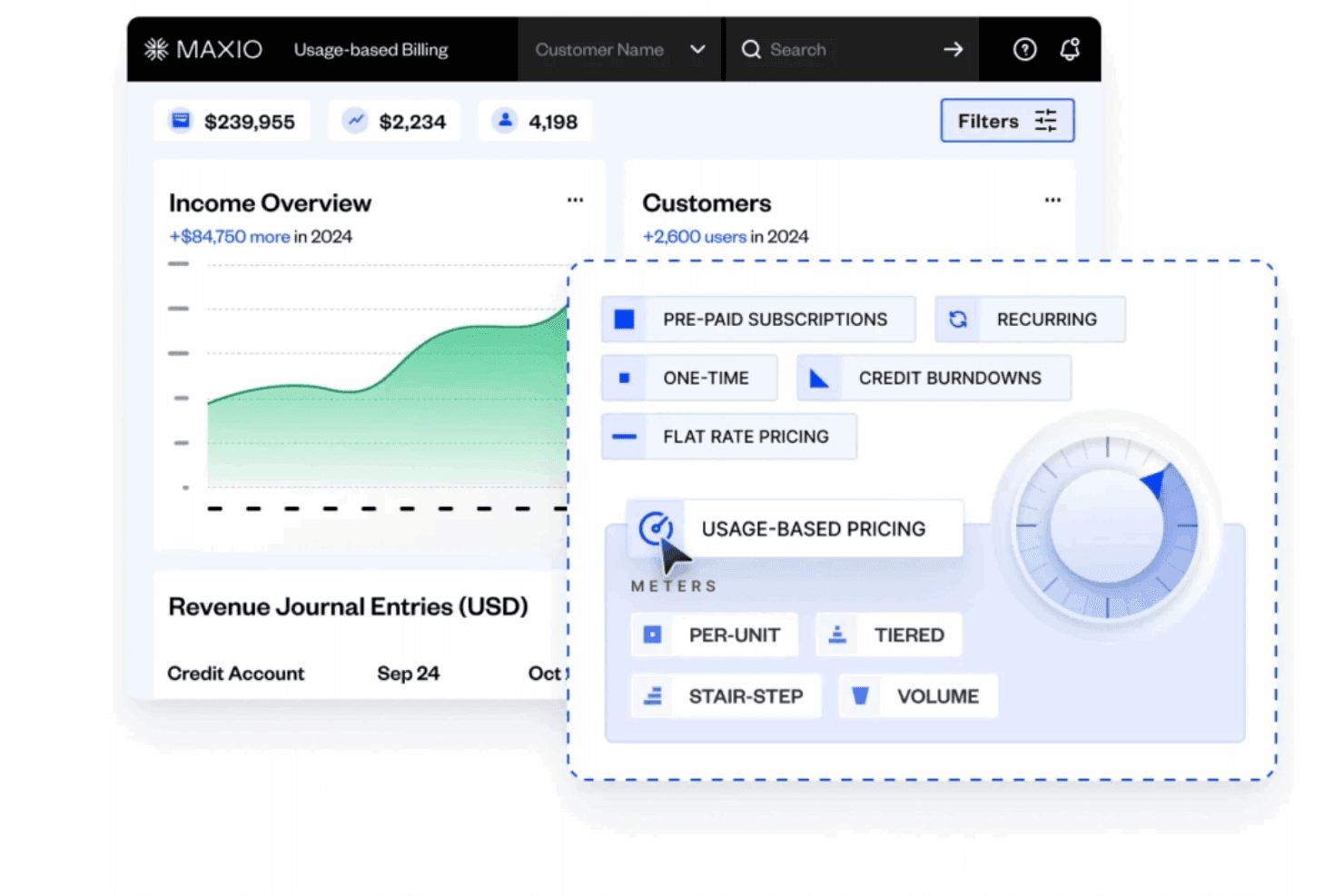
Usage-Based Billing
Supports metering, rating, and multiple pricing models for accurate, automated invoicing. Handles per unit, volume, tiered, and stairstep pricing without manual reconciliation.
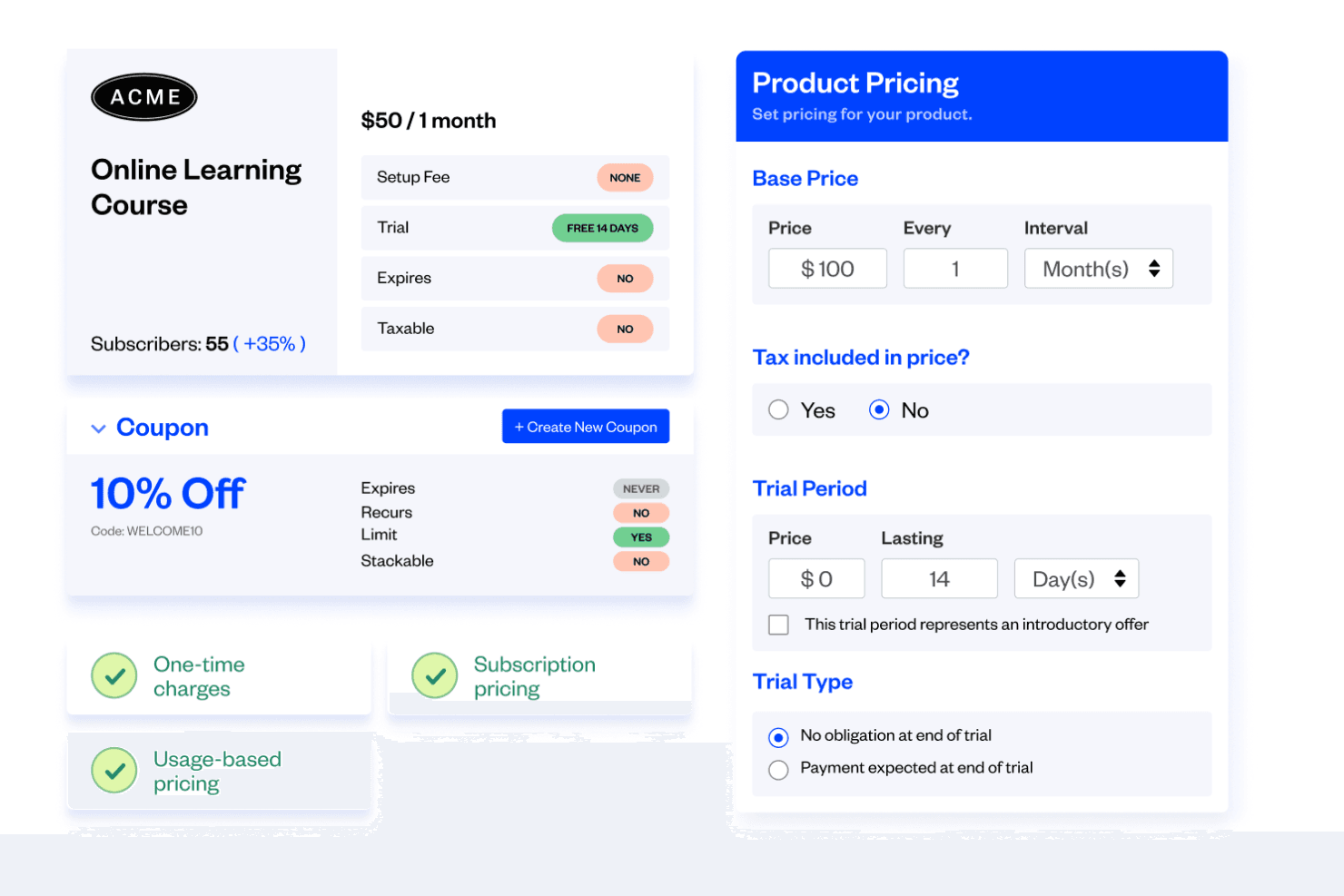
Subscription Management
Lets you create, modify, and manage subscription plans and contracts in minutes. Enables setup fees, coupons, add-ons, and upsells for flexible billing.
Revenue Recognition
Automates revenue recognition schedules and calculations for GAAP and IFRS compliance. Offers custom rules and premade methods to fit your policies.
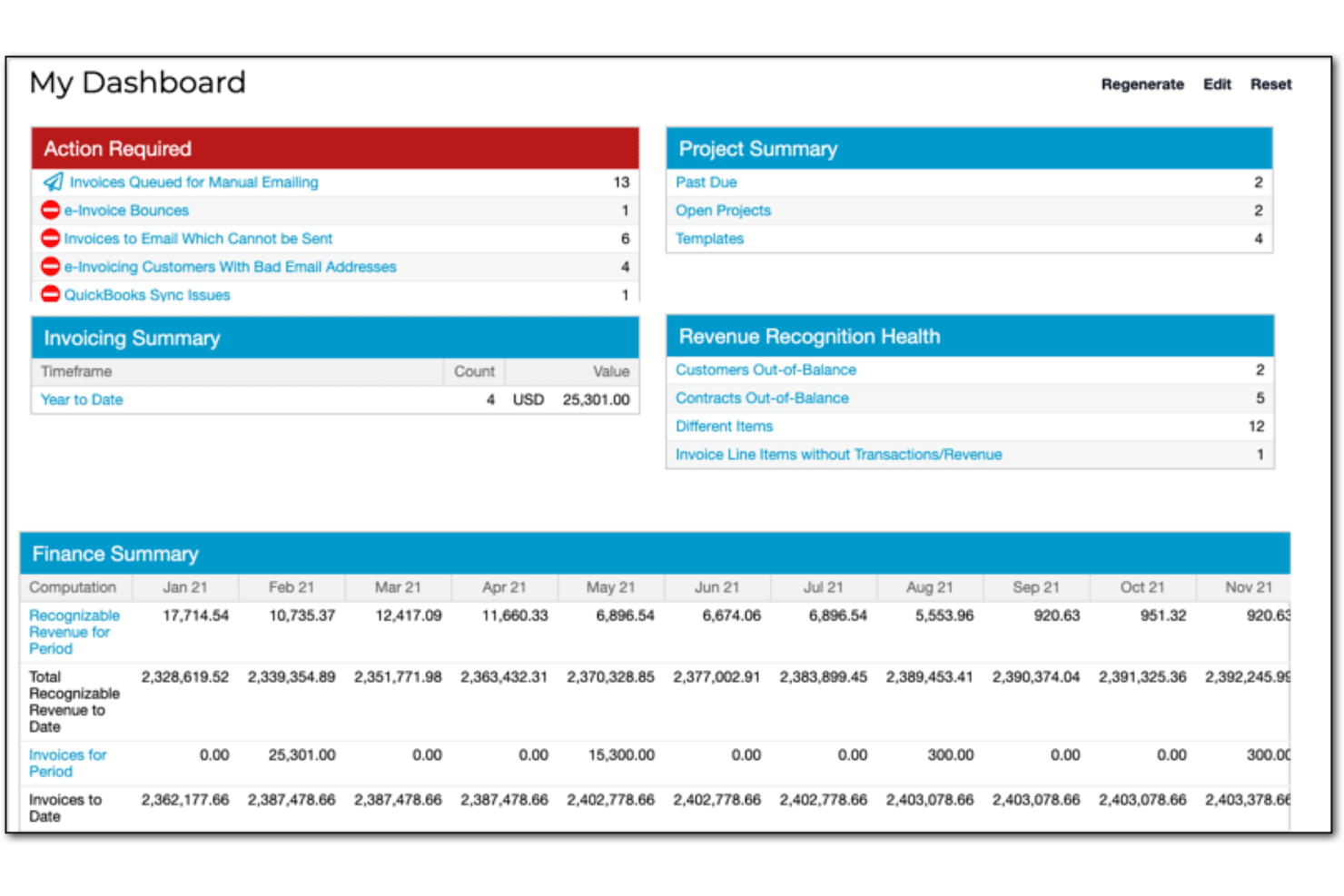
Financial Reporting
Provides custom dashboards and drill-down reports for real-time financial insights. Includes 30+ prebuilt reports like ARR summary and DSO.
Multi-Entity Support
Allows management of multiple business entities with unique catalogs and settings. Consolidates billing and reporting across global or multi-brand operations.
Self-Service Portals
Enables customers to manage subscriptions, pay invoices, and update billing details online. Reduces manual intervention and improves customer experience.
Ease of Use
Maxio’s interface is user-friendly, clean, and logically organized, making it approachable for finance professionals familiar with SaaS billing concepts. Users report that onboarding is straightforward, especially for teams with experience in subscription management. However, some find the depth of features and reporting options can be overwhelming at first. The platform’s guided setup, in-app help, and responsive support team help users navigate and optimize complex billing scenarios with confidence.
Integrations
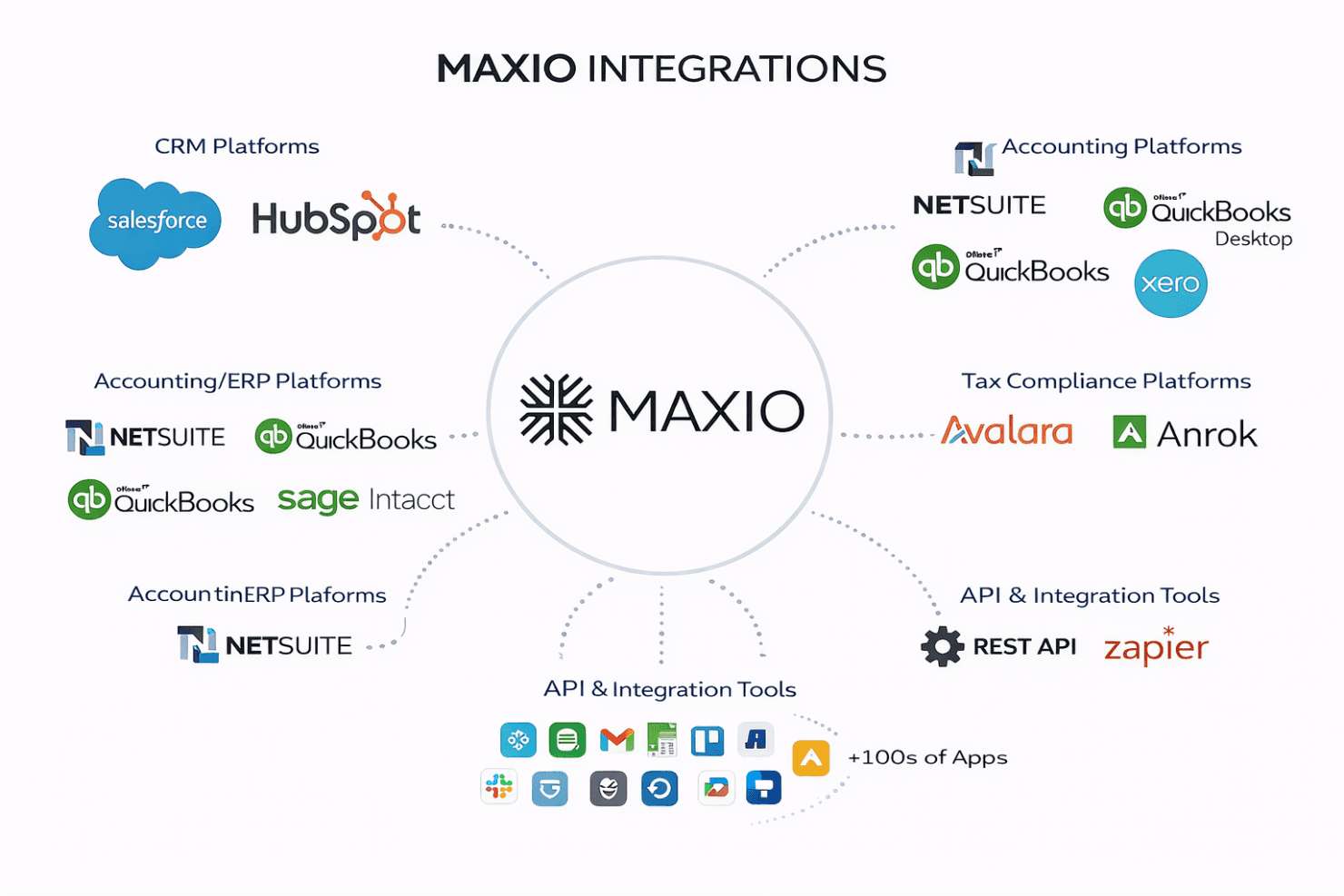
Maxio integrates with Salesforce, HubSpot, NetSuite, QuickBooks Online, QuickBooks Desktop, Xero, Sage Intacct, Avalara, Anrok, and Pipedrive, among others.
Maxio also offers a robust API and connects with third-party integration tools to extend its functionality.
Maxio Specs
- 2-Factor Authentication: Yes
- A/B Testing: Yes
- API: Yes
- Batch Permissions & Access: No
- BitCoin: No
- Budgeting: No
- Calendar Management: No
- Conversion Tracking: No
- Customer Management: Yes
- Dashboard: Yes
- Data Export: Yes
- Data Import: Yes
- Data Visualization: Yes
- External Integrations: Yes
- Forecasting: No
- Lead Management: No
- Lead Scoring: No
- Marketing Automation: No
- Multi-Currency: Yes
- Multi-User: Yes
- Notifications: Yes
- Password & Access Management: Yes
- PayPal: Yes
- Scheduling: No
- Stripe: Yes
- Third-Party Plugins/Add-Ons: Yes


