
Reseña de Multiview ERP: Características Clave, Beneficios, Desventajas y Precios Explicados
A lo largo de mi carrera, he utilizado muchas herramientas ERP, incluido Multiview ERP. Permíteme contarte sobre la usabilidad de esta herramienta, sus pros y contras, alternativas y más en esta reseña completa.

Revisamos las herramientas de forma independiente, y las comisiones ayudan a financiar nuestras pruebas. Consulta nuestra política de transparencia, nuestra metodología o sugiere una herramienta.
Multiview ERP is a CFO ERP software built for mid-market finance teams that need deep reporting, multi-entity consolidation, and granular chart of accounts control. I'd consider it over NetSuite if your priorities are finance-first functionality rather than a broad operational platform—Multiview ERP is designed around the way accounting teams actually work, without the added complexity of modules your finance department will never touch.
Multiview ERP Evaluation Summary
4.3/5
- Pricing upon request
- Free demo available
Por qué confiar en nuestras recomendaciones de software
6,700+
Reviews
20
Industry experts
16+
Evaluation factors
14
Years
Nuestras reseñas reflejan nuestro criterio independiente, no un discurso de ventas. Descubra cómo mantenemos la transparencia.
Para esta guía, evaluamos las herramientas mediante pruebas prácticas e investigación independiente, puntuando las herramientas según nuestros criterios de selección.
Nuestras reseñas reflejan nuestro criterio editorial humano, no un discurso de ventas.
Multiview ERP Overview
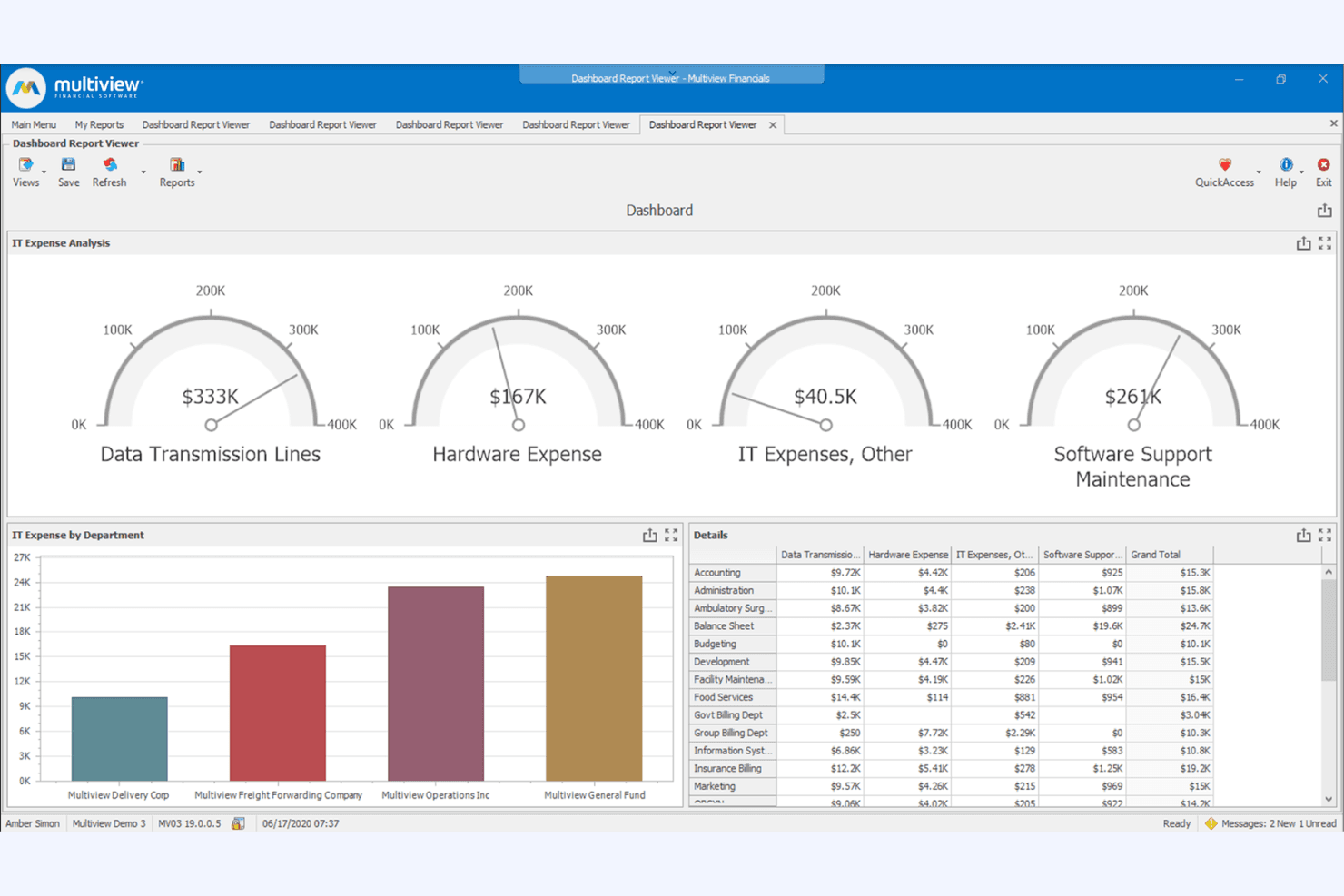
When judging Multiview ERP against other ERP software, its financial reporting depth and customizable workflows set it apart, especially for organizations with complex accounting needs. The interface is straightforward, and onboarding support is responsive, though integrations with niche third-party tools can be limited. Pricing is transparent for mid-market budgets, and the platform’s audit trail features help CFOs maintain compliance.
If you’re selecting an ERP for a finance-driven environment—like healthcare, nonprofits, or public sector—Multiview ERP’s focus on accounting accuracy and tailored support makes it a strong contender.
Pros
- The user-friendly interface makes it easy for your team to navigate and use right away.
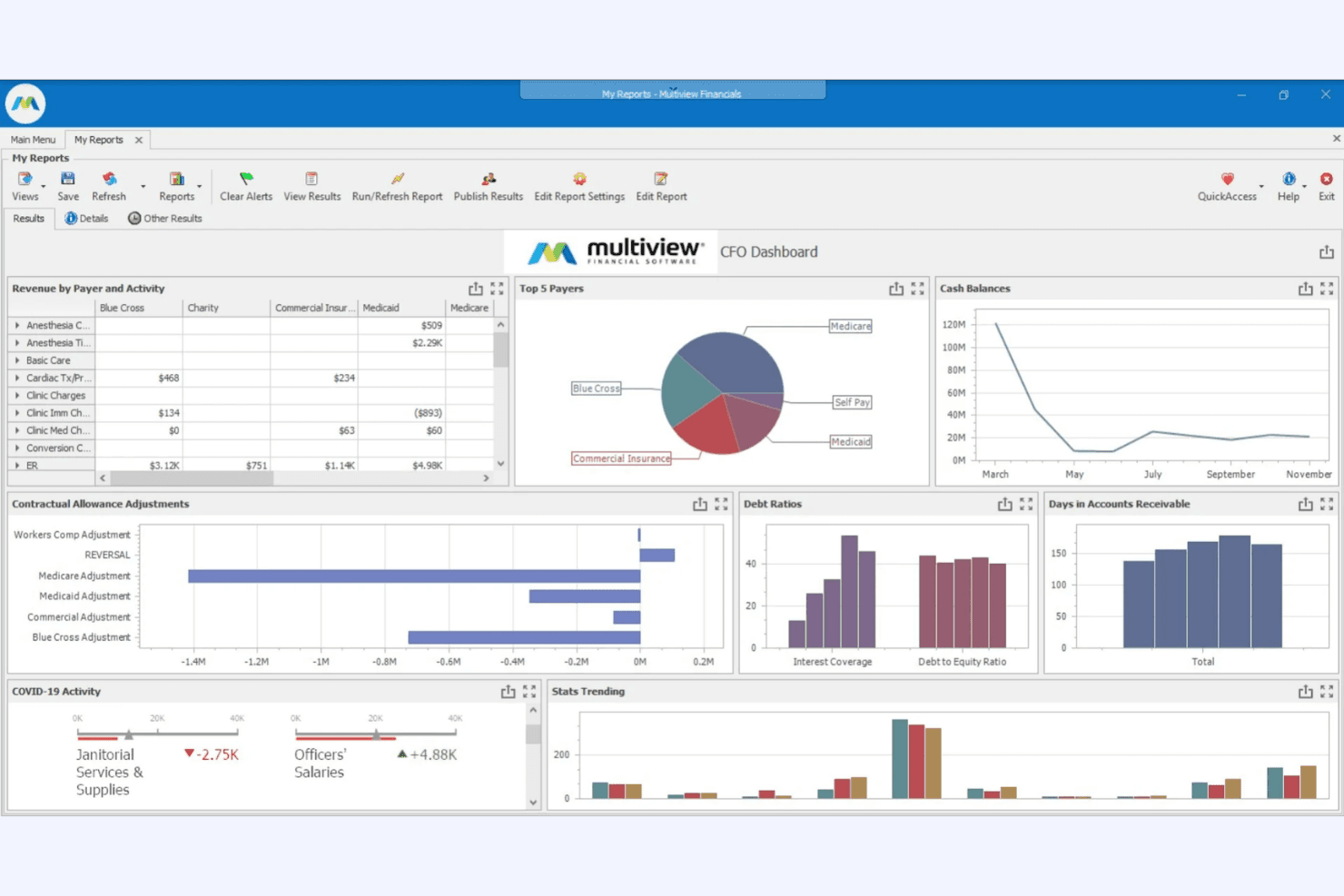
- Real-time data visualization helps your team monitor projects and share progress effectively.
- Robust financial reporting features allow your team to make informed strategic decisions.
Cons
- Some users find the learning curve steep due to the software's complexity.
- Customization options for dashboards and reports may not meet all your team's needs.
- Onboarding requires significant time investment to fully utilize its capabilities.
Is Multiview ERP Right For Your Needs?
Who Would be a Good Fit for Multiview ERP?
Multiview ERP is best suited for organizations that require advanced financial controls, detailed audit trails, and strong budgeting tools. Its feature set is especially valuable for finance-driven teams in regulated or complex environments, where compliance and reporting accuracy are top priorities. The platform’s responsive onboarding and support also make it a strong choice for teams that need guidance during implementation and ongoing use.
- Multi-Entity BusinessesConsolidation features simplify reporting across multiple business units or locations.
- Finance DepartmentsAdvanced budgeting, forecasting, and reporting tools support finance-led operations.
- Mid-Sized EnterprisesThe platform’s pricing and scalability fit mid-market organizations with growing finance needs.
- Public Sector AgenciesAudit-ready reporting and transparency tools help meet government standards.
- Nonprofit EntitiesGrant management and fund accounting features align with nonprofit reporting needs.
- Healthcare OrganizationsMultiview ERP supports strict compliance and detailed cost tracking for healthcare finance teams.
Who Would be a Bad Fit for Multiview ERP?
Multiview ERP may not be the best choice for organizations that prioritize extensive integrations, require industry-specific modules outside finance, or need a modern, highly customizable interface. Teams with limited technical resources or those seeking lightweight, all-in-one ERP solutions may find the platform less suitable for their needs.
- Creative AgenciesFinancial focus does not address project-based or client billing workflows.
- IT DepartmentsFew IT asset management or project tracking features are available.
- E-Commerce BusinessesLimited e-commerce integrations and order management capabilities.
- Manufacturing FirmsDoes not offer advanced production planning or shop floor controls.
- Retail ChainsLacks built-in inventory and POS modules for retail operations.
- Small StartupsThe platform’s depth and cost exceed what most startups require.
Cómo probamos y puntuamos las herramientas
Hemos dedicado años a construir, perfeccionar y mejorar nuestro sistema de evaluación y puntuación de software. La rúbrica está diseñada para capturar los matices de la selección de software y lo que hace que una herramienta sea efectiva, enfocándose en los aspectos críticos del proceso de toma de decisiones. A continuación, puedes ver exactamente cómo funcionan nuestras pruebas y puntuación en siete criterios. Esto nos permite proporcionar una evaluación imparcial del software basada en la funcionalidad principal, características destacadas, facilidad de uso, onboarding, atención al cliente, integraciones, opiniones de clientes y relación calidad-precio.
Funcionalidad principal (25% de la puntuación final)
Nuestro punto de partida siempre es la funcionalidad principal de la herramienta. ¿Tiene las funciones básicas que un usuario esperaría ver? ¿Alguna de estas características principales está limitada a planes de precios superiores? En esencia, esperamos que una herramienta esté a la altura de las capacidades básicas de sus competidores.
Características destacadas (25% de la puntuación final)
A continuación, evaluamos las características únicas y sobresalientes que van más allá de la funcionalidad principal normalmente encontrada en herramientas de este tipo. Una puntuación alta refleja funciones especializadas o únicas que hacen el producto más rápido, eficiente o que aportan valor adicional al usuario. También evaluamos lo fácil que es integrarse con otras herramientas que normalmente forman parte del stack tecnológico para ampliar la funcionalidad y utilidad del software. Las herramientas que ofrecen numerosas integraciones nativas, conexiones con terceros y acceso API para crear integraciones personalizadas obtienen la mejor puntuación.
Facilidad de uso (10% de la puntuación final)
Consideramos cuán rápido y fácil es ejecutar las tareas definidas en la funcionalidad principal usando la herramienta. El software que obtiene la puntuación más alta está bien diseñado, es intuitivo, ofrece aplicaciones móviles, proporciona plantillas y hace que tareas relativamente complejas parezcan simples.
Onboarding (10% de la puntuación final)
Sabemos lo importante que es una adopción rápida del equipo para una nueva plataforma, por lo que evaluamos cuán sencillo es aprender y utilizar una herramienta con una formación mínima. Analizamos lo rápido que un miembro del equipo puede configurarse y empezar a usar la herramienta sin experiencia previa. Las soluciones con alta puntuación indican que se requiere poco o ningún soporte.
Atención al cliente (10% de la puntuación final)
Revisamos cuán rápido y sencillo es salir de un atasco y encontrar ayuda por teléfono, chat en vivo o base de conocimiento. Las herramientas y empresas que proporcionan soporte en tiempo real obtienen la mejor puntuación, mientras que los chatbots obtienen la peor.
Opiniones de clientes (10% de la puntuación final)
Además de nuestras propias pruebas y evaluaciones, consideramos el net promoter score de clientes actuales y anteriores. Revisamos la probabilidad de que, de tener la opción, elijan nuevamente la herramienta por su funcionalidad principal. Un software con alta puntuación refleja un alto net promoter score de clientes presentes o pasados.
Relación calidad-precio (10% de la puntuación final)
Por último, considerando todos los demás criterios, revisamos el precio medio de los planes de entrada frente a las funciones principales y analizamos el valor de los demás criterios de evaluación. El software que ofrece más por menos obtiene una puntuación superior.
Core Features
General Ledger
Centralizes all financial transactions and supports multi-entity consolidations. Users can drill-down into entries for detailed audit trails.
Accounts Payable
Automates invoice processing, approvals, and payment scheduling. Built-in controls help prevent duplicate payments and ensure compliance.
Accounts Receivable
Tracks customer invoices, collections, and cash receipts in real time. Aging reports and dashboards help teams manage outstanding balances.
Budgeting and Forecasting
Enables collaborative budget creation and scenario modeling. Finance teams can compare actuals to budgets for variance analysis.
Fixed Asset Management
Manages asset lifecycles, depreciation schedules, and disposals. Automated calculations ensure accurate reporting and compliance.
Financial Reporting
Offers customizable, audit-ready reports with drill-down capabilities. Users can generate financial statements, dashboards, and ad hoc reports on demand.
Ease of Use
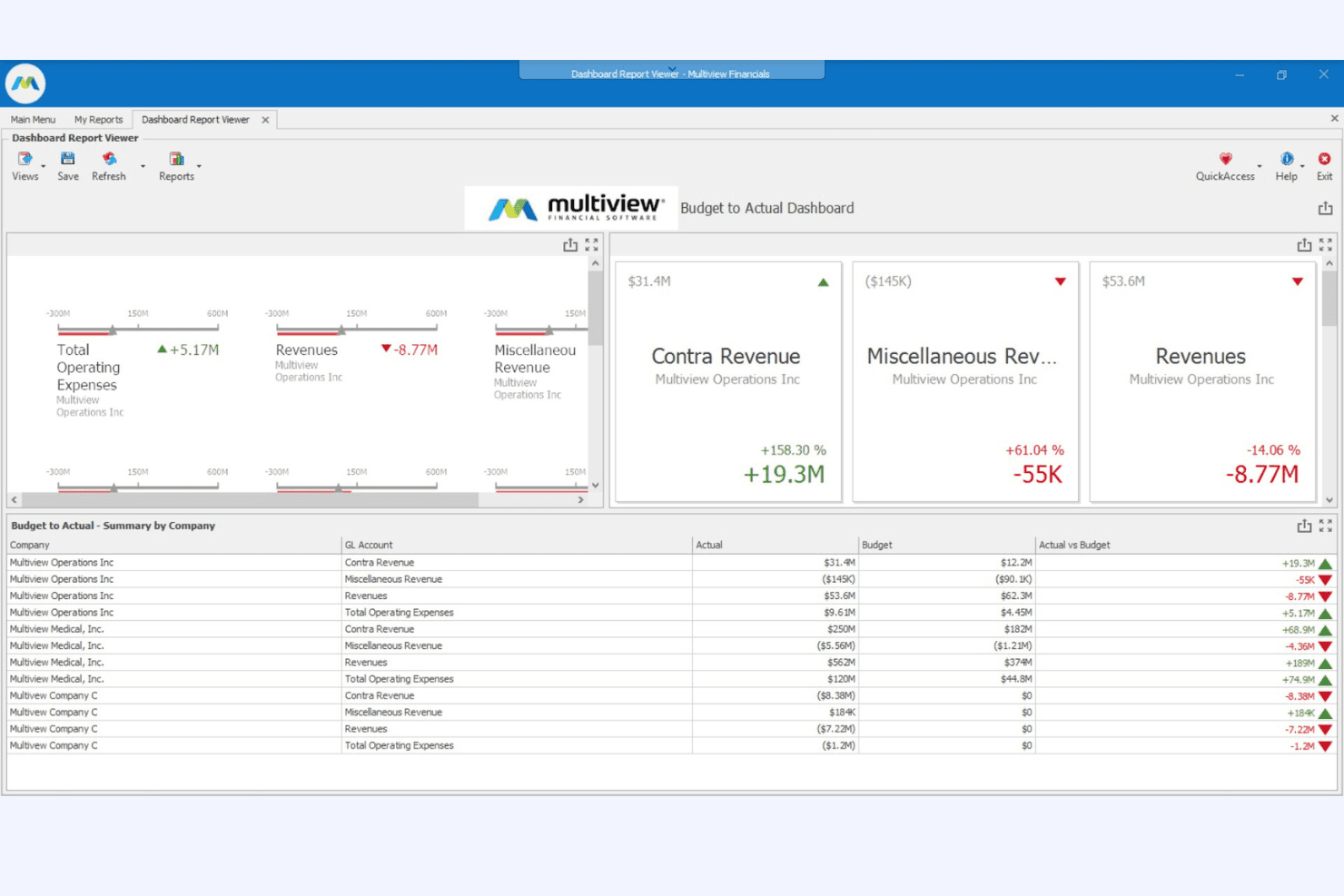
Multiview ERP offers a straightforward interface that prioritizes clarity over flash, making it approachable for finance teams but less visually modern than some competitors. Users often highlight the logical menu structure and responsive support during onboarding. However, building custom reports or workflows can require technical know-how, which may slow down less experienced users. Overall, its usability suits organizations that value reliability and support over cutting-edge design.
Integrations
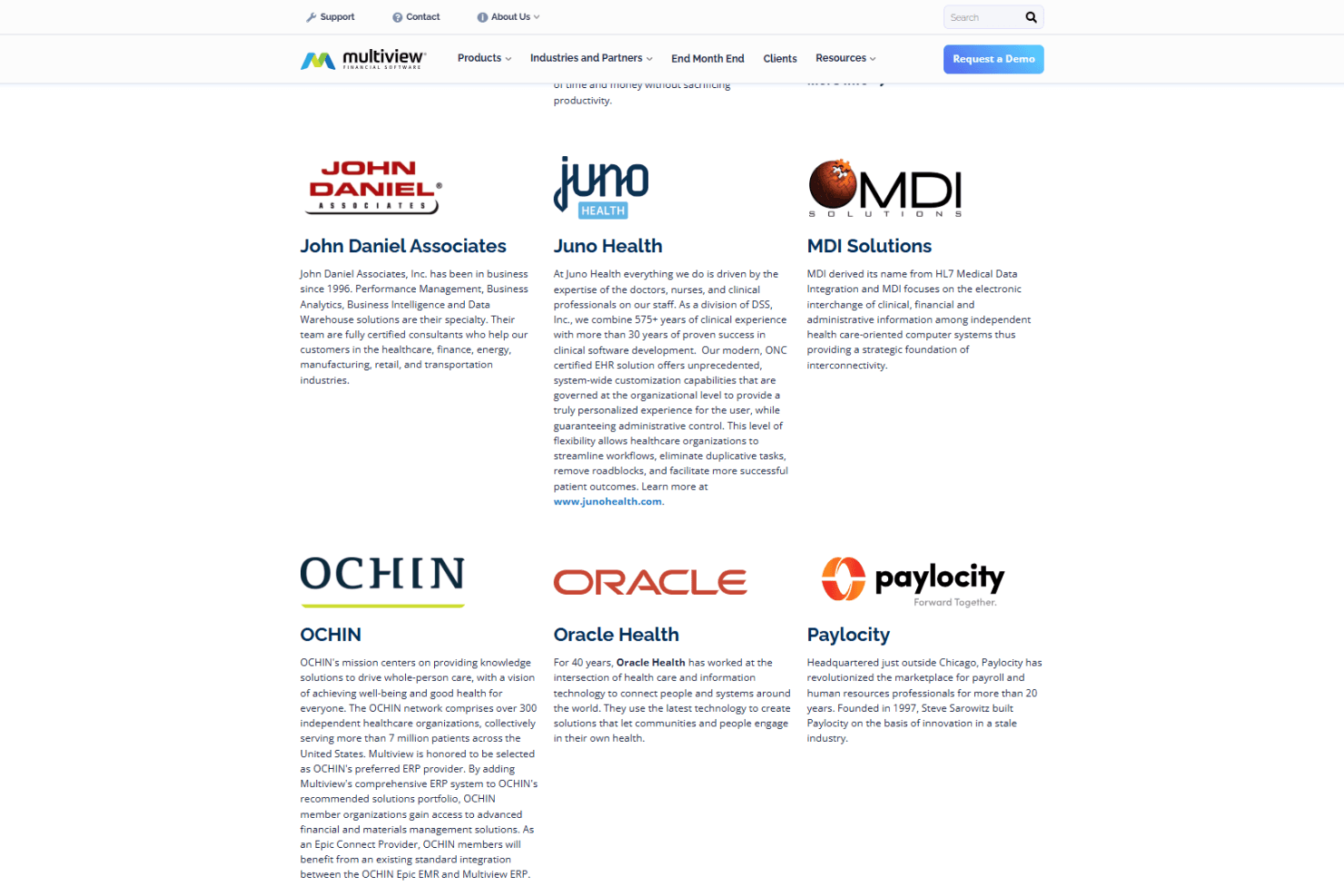
Multiview ERP integrates with ADP, Salesforce, Ceridian, Paychex, UKG, Concur, Workday, SAP Concur, Microsoft Excel, and Tableau, among others.
The platform also offers an API for custom integrations and can connect with select third-party integration tools.
Multiview ERP Specs
- 2-Factor Authentication: No
- Accounts Payable: Yes
- Accounts Receivable: Yes
- API: Yes
- Balance Sheet: Yes
- Billing/Invoicing: Yes
- BitCoin: No
- Budgeting: Yes
- Calendar Management: No
- Contact Management: Yes
- CRM Integration: No
- Customer Management: Yes
- Dashboard: Yes
- Data Export: Yes
- Data Import: Yes
- Data Visualization: Yes
- Expense Tracking: Yes
- External Integrations: Yes
- Forecasting: Yes
- General Account Ledger: Yes
- Inventory Tracking: No
- Multi-Currency: Yes
- Multi-User: Yes
- Notifications: Yes
- P&L: Yes
- PayPal: No
- Payroll: No
- SAP Integration: No
- Stripe: No
- Supplier Management: Yes
- Tax Management: Yes


