

Reseña de Scoro: Ventajas, Desventajas, Características y Precios Explicados
Scoro destaca como una solución todo en uno, sobresaliendo en la unificación de la gestión de proyectos, la facturación y la generación de informes, pero puede ser más adecuado para equipos que buscan flujos de trabajo optimizados y personalizables en su ERP.

Revisamos las herramientas de forma independiente, y las comisiones ayudan a financiar nuestras pruebas. Consulta nuestra política de transparencia, nuestra metodología o sugiere una herramienta.
Scoro is a CFO ERP software built for professional services firms that need to connect project delivery with financial management in a single platform. I'd consider it if your team manages billable work, tracks time, and handles invoicing, but your current tools leave finance with an incomplete view of project profitability. Compared to NetSuite, Scoro is a more focused option for service-based businesses that don't need inventory or manufacturing modules but do want tighter project-to-cash visibility.
Scoro Evaluation Summary
4.5/5
- From $19.90/user/month (billed annually)
- 14-day free trial
Por qué confiar en nuestras recomendaciones de software
6,700+
Reviews
20
Industry experts
16+
Evaluation factors
14
Years
Nuestras reseñas reflejan nuestro criterio independiente, no un discurso de ventas. Descubra cómo mantenemos la transparencia.
Para esta guía, evaluamos las herramientas mediante pruebas prácticas e investigación independiente, puntuando las herramientas según nuestros criterios de selección.
Nuestras reseñas reflejan nuestro criterio editorial humano, no un discurso de ventas.
Scoro Overview
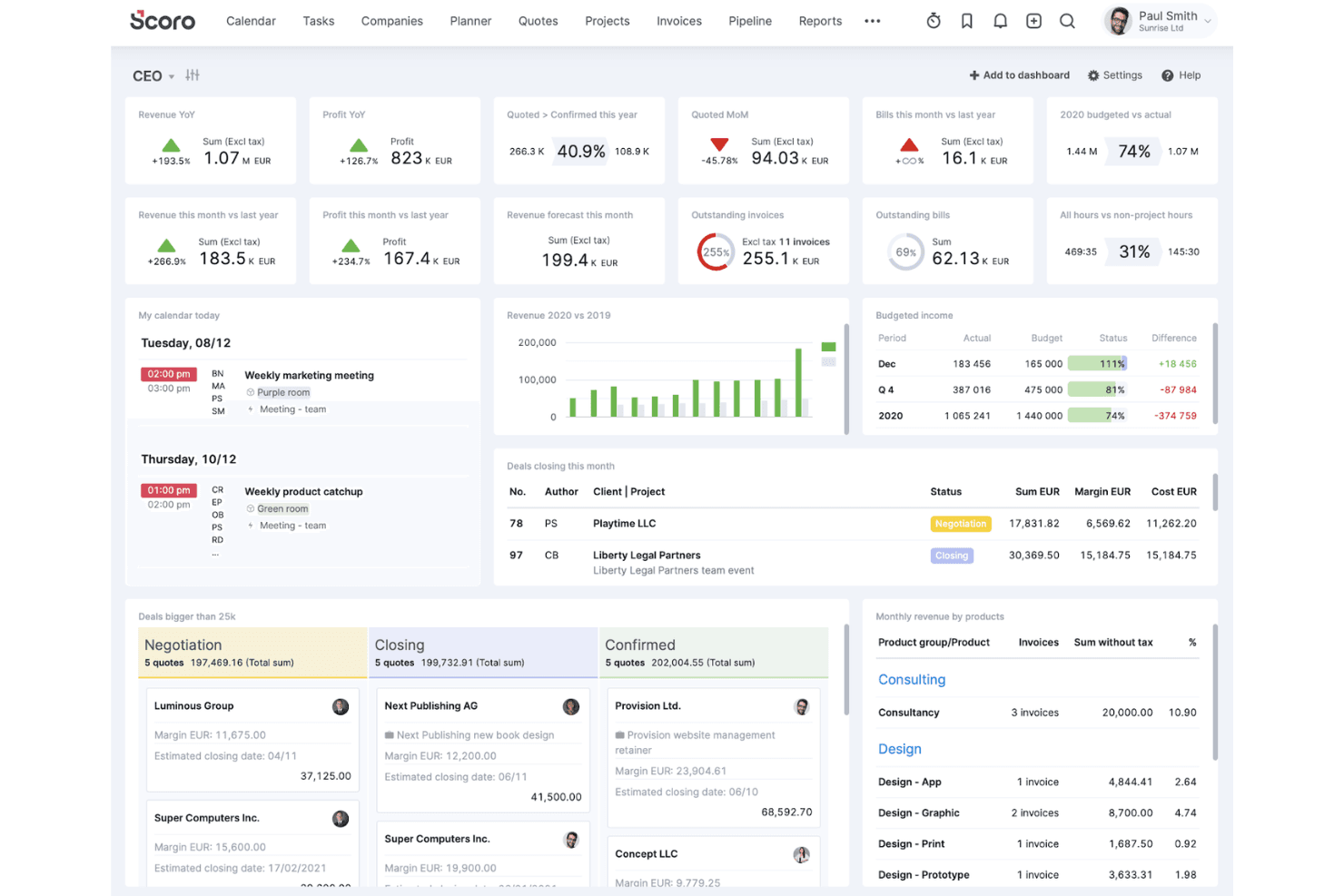
If you’re judging Scoro as an ERP software system, I think its customizable dashboards, project-to-invoice workflows, and strong reporting set it apart for service-based teams. The interface is clean and onboarding is straightforward, but pricing can climb as you add users or advanced modules. Compared to others, Scoro’s integrations and automation are flexible, though some deeper accounting features may be limited. I’d suggest using Scoro if you want a unified, user-friendly platform to manage projects, finances, and collaboration without the complex functionality of traditional ERP systems.
Pros
- Real-time project profitability and margin tracking
- Customizable dashboards for financial and operational reporting
- Strong quoting, budgeting, and invoicing features
Cons
- Advanced accounting features are limited
- Pricing increases quickly with more users or modules
- Reporting can be slow with large data sets
Is Scoro Right For Your Needs?
Who Would be a Good Fit for Scoro?
Scoro is a strong choice for service-based businesses, project-driven teams, and finance departments that need unified project, billing, and reporting tools. Its customizable dashboards, quoting, and margin tracking make it ideal for organizations that manage multiple projects and need real-time financial visibility. Scoro’s workflow automation and collaboration features also suit teams that want to reduce manual work and centralize operations.
- Marketing AgenciesScoro’s project budgeting and client invoicing features support agency workflows.
- Consulting FirmsMargin tracking and time billing help consultants manage profitability.
- Professional ServicesIntegrated quoting, project, and billing tools fit service delivery teams.
- Finance DepartmentsCustom dashboards and reporting provide real-time financial oversight.
- Mid-Sized CompaniesScoro scales well for teams needing project and financial management.
- Project Management OfficesCentralized task, resource, and cost tracking streamline project oversight.
Who Would be a Bad Fit for Scoro?
Scoro isn’t the best fit for product-centric industries, large enterprises with complex ERP needs, or teams requiring deep inventory or manufacturing modules. Its accounting features are limited compared to full-suite ERP systems, and costs can rise for larger organizations or those needing advanced modules.
- Manufacturing CompaniesScoro lacks advanced inventory and production management features.
- Large EnterprisesComplex ERP requirements may exceed Scoro’s capabilities.
- Retail BusinessesNo built-in POS or inventory management for retail operations.
- Supply Chain TeamsLimited logistics and procurement tools restrict supply chain oversight.
- Nonprofit OrganizationsFund accounting and grant management features are missing.
- Construction FirmsNo dedicated tools for job costing or field resource management.
Cómo probamos y puntuamos las herramientas
Hemos dedicado años a construir, perfeccionar y mejorar nuestro sistema de evaluación y puntuación de software. La rúbrica está diseñada para capturar los matices de la selección de software y lo que hace que una herramienta sea efectiva, enfocándose en los aspectos críticos del proceso de toma de decisiones. A continuación, puedes ver exactamente cómo funcionan nuestras pruebas y puntuación en siete criterios. Esto nos permite proporcionar una evaluación imparcial del software basada en la funcionalidad principal, características destacadas, facilidad de uso, onboarding, atención al cliente, integraciones, opiniones de clientes y relación calidad-precio.
Funcionalidad principal (25% de la puntuación final)
Nuestro punto de partida siempre es la funcionalidad principal de la herramienta. ¿Tiene las funciones básicas que un usuario esperaría ver? ¿Alguna de estas características principales está limitada a planes de precios superiores? En esencia, esperamos que una herramienta esté a la altura de las capacidades básicas de sus competidores.
Características destacadas (25% de la puntuación final)
A continuación, evaluamos las características únicas y sobresalientes que van más allá de la funcionalidad principal normalmente encontrada en herramientas de este tipo. Una puntuación alta refleja funciones especializadas o únicas que hacen el producto más rápido, eficiente o que aportan valor adicional al usuario. También evaluamos lo fácil que es integrarse con otras herramientas que normalmente forman parte del stack tecnológico para ampliar la funcionalidad y utilidad del software. Las herramientas que ofrecen numerosas integraciones nativas, conexiones con terceros y acceso API para crear integraciones personalizadas obtienen la mejor puntuación.
Facilidad de uso (10% de la puntuación final)
Consideramos cuán rápido y fácil es ejecutar las tareas definidas en la funcionalidad principal usando la herramienta. El software que obtiene la puntuación más alta está bien diseñado, es intuitivo, ofrece aplicaciones móviles, proporciona plantillas y hace que tareas relativamente complejas parezcan simples.
Onboarding (10% de la puntuación final)
Sabemos lo importante que es una adopción rápida del equipo para una nueva plataforma, por lo que evaluamos cuán sencillo es aprender y utilizar una herramienta con una formación mínima. Analizamos lo rápido que un miembro del equipo puede configurarse y empezar a usar la herramienta sin experiencia previa. Las soluciones con alta puntuación indican que se requiere poco o ningún soporte.
Atención al cliente (10% de la puntuación final)
Revisamos cuán rápido y sencillo es salir de un atasco y encontrar ayuda por teléfono, chat en vivo o base de conocimiento. Las herramientas y empresas que proporcionan soporte en tiempo real obtienen la mejor puntuación, mientras que los chatbots obtienen la peor.
Opiniones de clientes (10% de la puntuación final)
Además de nuestras propias pruebas y evaluaciones, consideramos el net promoter score de clientes actuales y anteriores. Revisamos la probabilidad de que, de tener la opción, elijan nuevamente la herramienta por su funcionalidad principal. Un software con alta puntuación refleja un alto net promoter score de clientes presentes o pasados.
Relación calidad-precio (10% de la puntuación final)
Por último, considerando todos los demás criterios, revisamos el precio medio de los planes de entrada frente a las funciones principales y analizamos el valor de los demás criterios de evaluación. El software que ofrece más por menos obtiene una puntuación superior.
Core Features
Project Management Tools
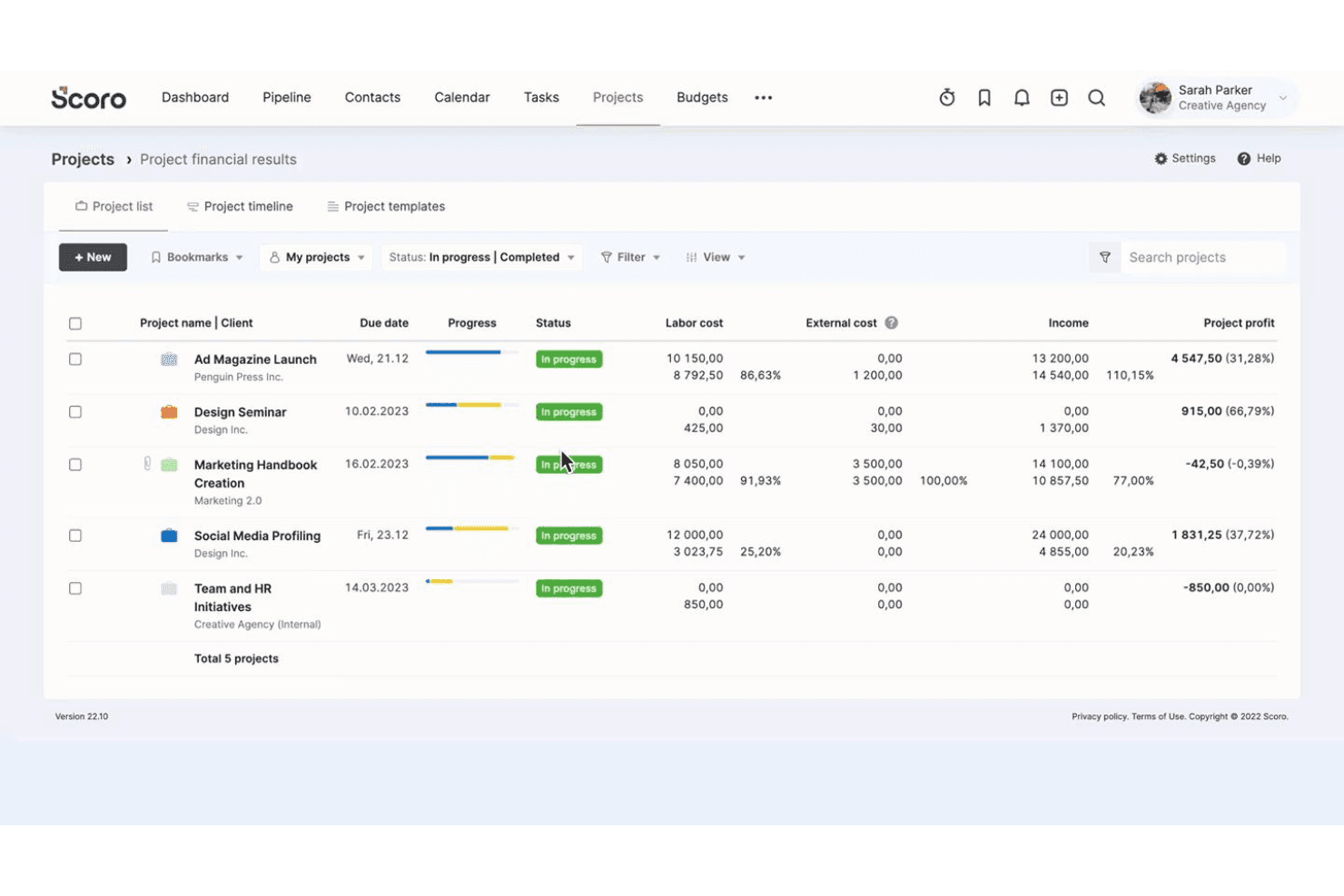
Plan, track, and oversee projects with task management, timelines, and resource allocation. Visual boards and Gantt charts help team members stay on top of deliverables.
Quoting and Invoicing
Create, send, and track quotes and invoices directly from Scoro. Automated reminders and customizable templates speed up billing cycles.
Budgeting and Cost Tracking
Set project budgets, monitor expenses, and track profitability in real time. Margin analysis tools help teams control costs and improve financial outcomes.
Custom Dashboards
Build personalized dashboards to monitor KPIs, financials, and project status. Drag-and-drop widgets let users tailor views to their needs.
Time Tracking
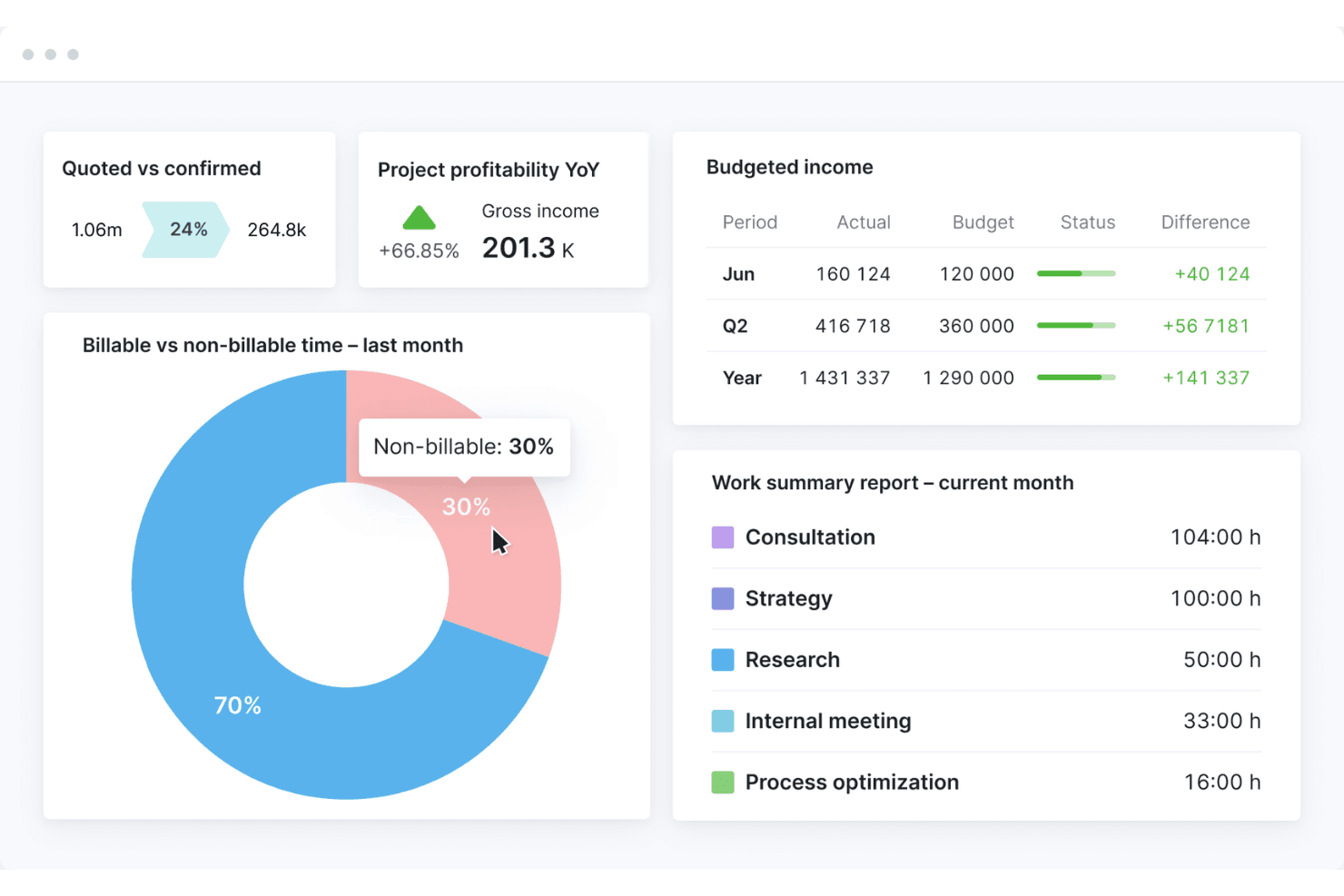
Log billable and non-billable hours across projects and clients. Built-in timers and timesheets simplify accurate time reporting.
Reporting and Analytics
Generate detailed financial, operational, and project reports with a few clicks. Scheduled reports and export options support regular business reviews.
Standout Features
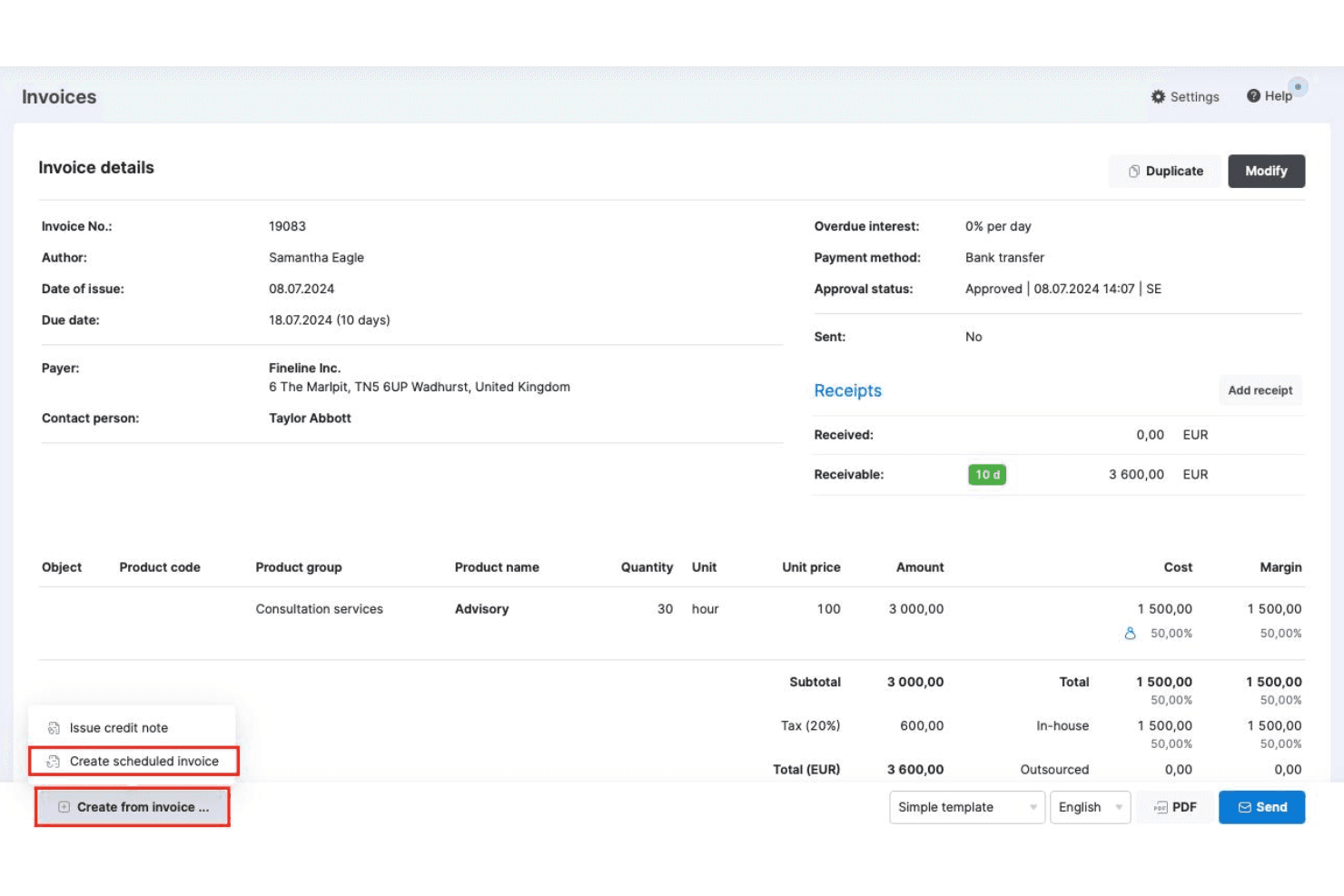
Automated Recurring Billing
Set up recurring invoices and automate billing cycles for retainer clients or ongoing services. This reduces manual work and ensures consistent cash flow without missing deadlines.
Task Automation Rules
Create custom automation rules to trigger actions like task assignments, dependencies, or notifications based on project events. This helps teams eliminate repetitive admin work.
Ease of Use
Scoro’s user interface is clean, intuitive, and easy to navigate, especially for teams new to ERP software systems. Users often mention that onboarding is quick, with helpful guided tours and clear menu structures. Customizable dashboards and drag-and-drop tools make it simple to tailor workflows — and the mobile app ensures you can access Scoro on the go. While some advanced reporting features require setup, most users find day-to-day tasks—like work management, invoicing, and the time tracker—straightforward and make for a seamless user experience.
Onboarding
Scoro offers a guided onboarding process with step-by-step setup wizards, video tutorials, and a detailed knowledge base, which helps new users get up to speed quickly. Many users highlight responsive customer support and access to live training sessions as valuable for resolving questions early on. The platform’s structured onboarding flow and clear documentation make it easier for teams to realize value without a steep learning curve or lengthy implementation period.
Customer Support
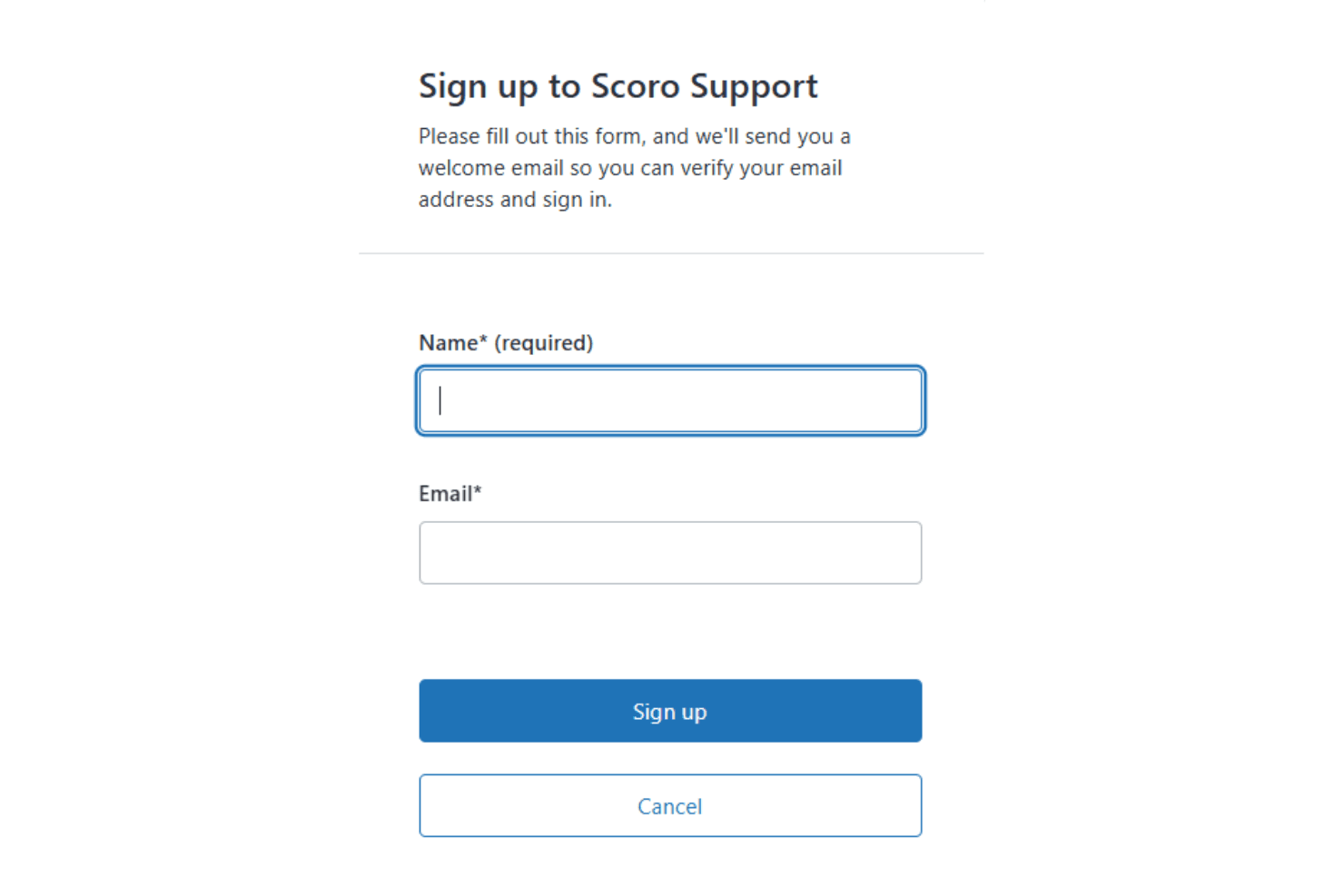
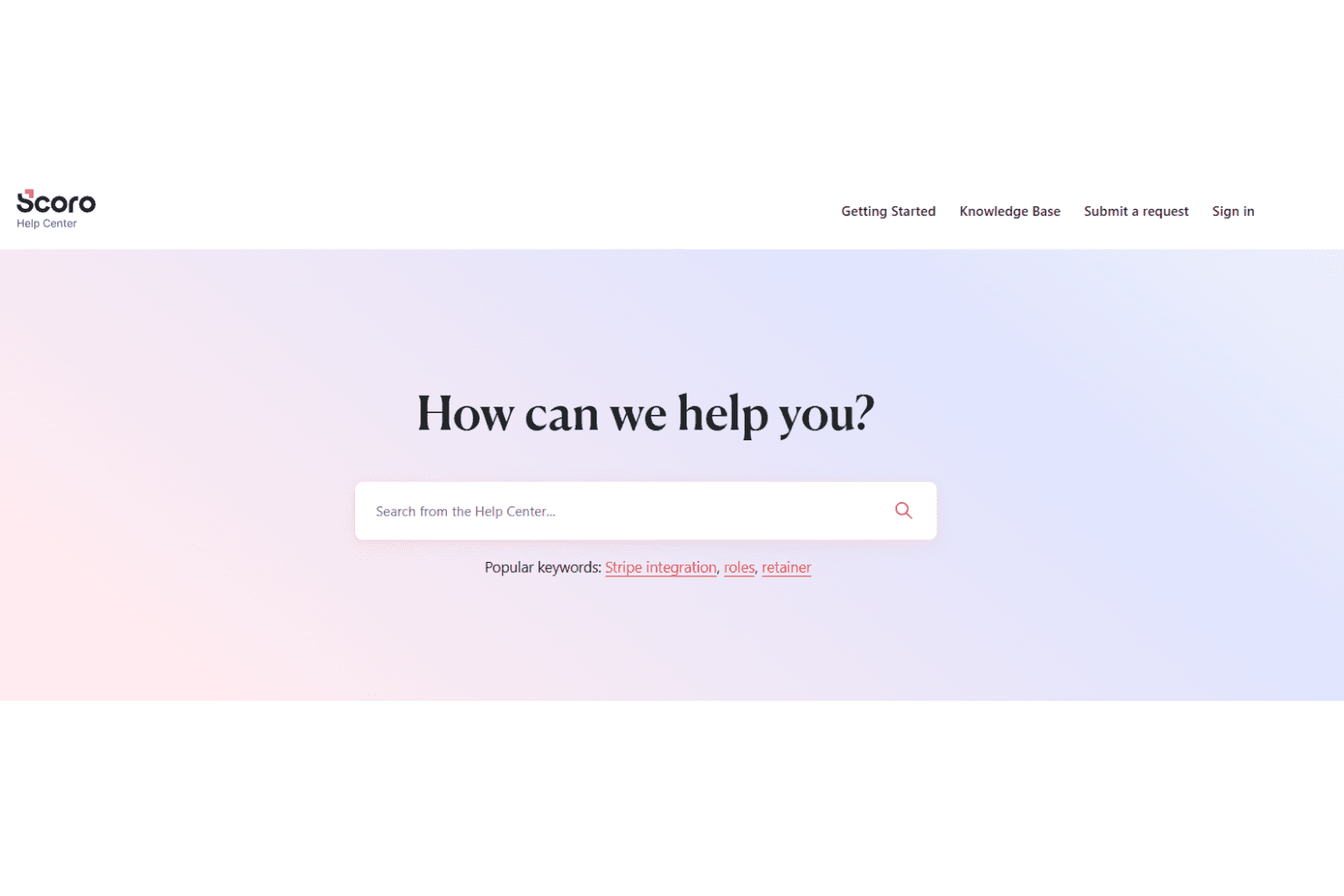
Scoro’s customer support is frequently praised for its responsiveness and knowledgeable staff, with users noting quick turnaround times on tickets and helpful guidance during setup and troubleshooting. Support is available through live chat, email, and a comprehensive help center, making it easy to find answers or connect with a real person. Many users appreciate the proactive follow-ups and personalized assistance, especially during onboarding and when configuring more advanced features.
Integrations
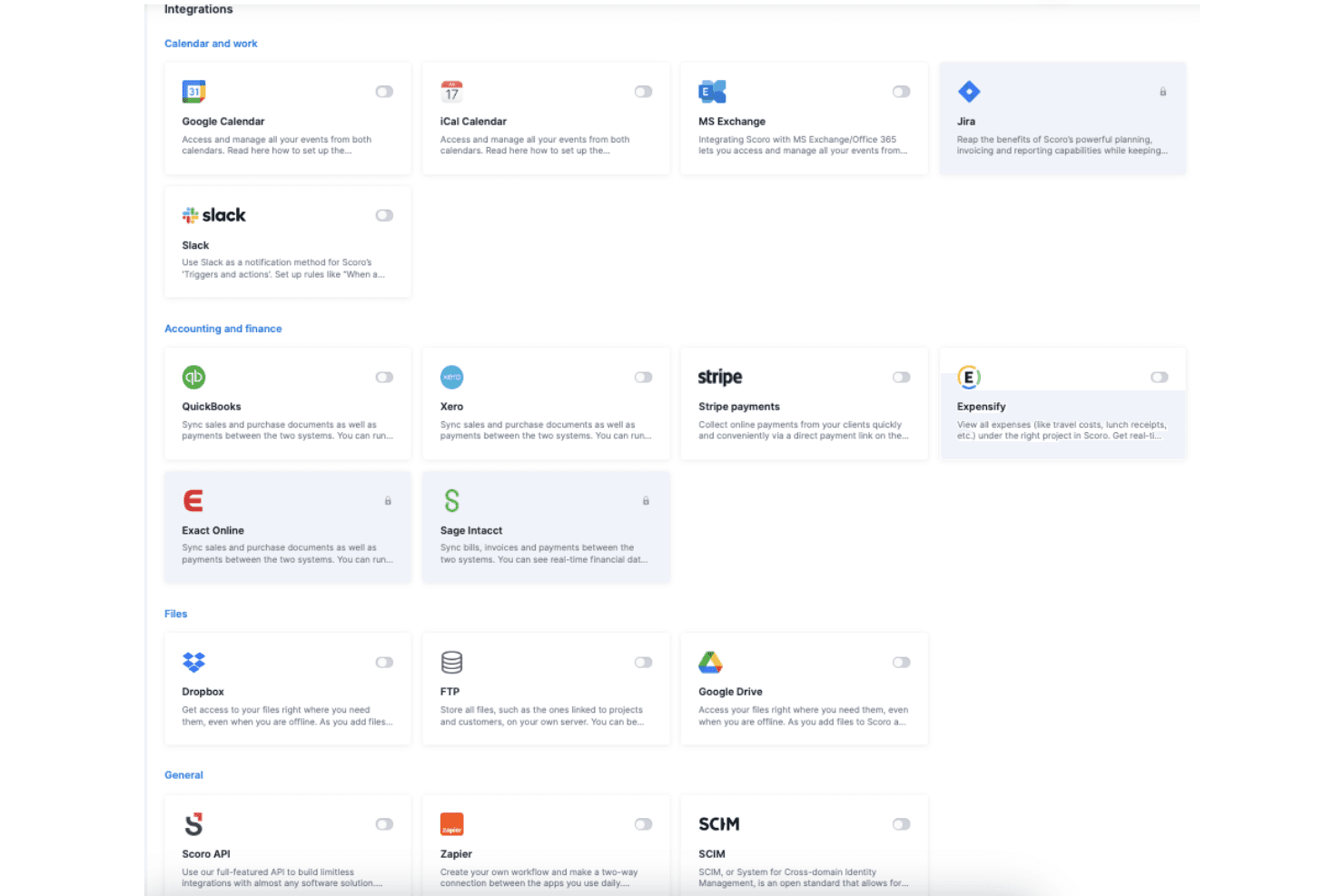
Scoro integrates with Google Calendar, Xero, QuickBooks, Zapier, Jira, Sage, and Dropbox, among others.
Scoro also offers a public API and connects with third-party integration tools for custom workflows and extended connectivity.
Value for Money
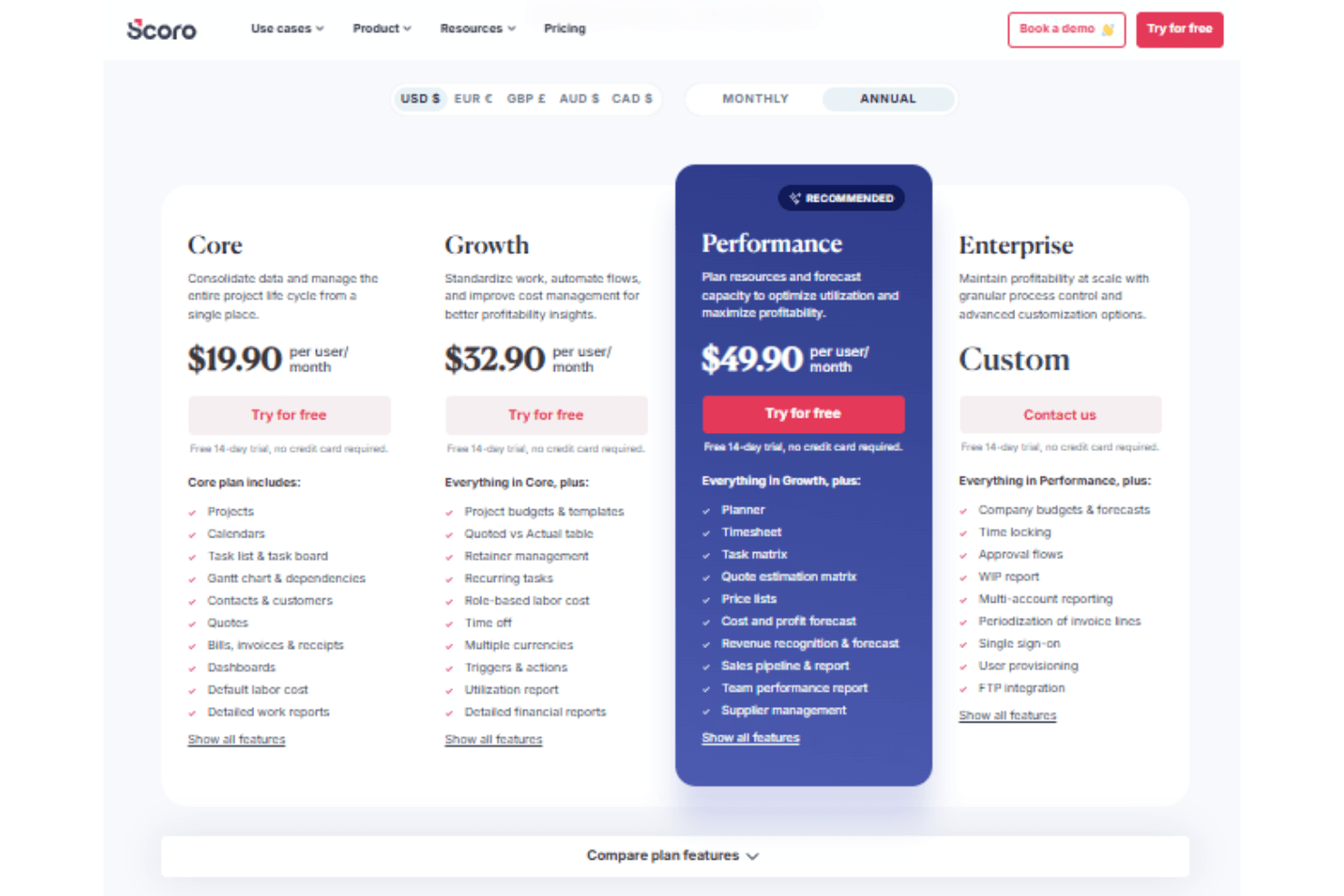
Scoro is seen as a strong investment for project-based teams that need unified project, billing, and reporting tools. Its tiered pricing structure scales with business needs, offering increasing levels of financial control, automation, and forecasting. While the platform provides transparent pricing and robust features, smaller teams may find entry-level plans limiting as complexity grows. A 14-day free trial is available to assess the software’s features before committing.
- Core: Includes project and calendar management, Gantt chart views, dashboards, and detailed work reports.
- Growth: Adds budgeting, automation, profitability tracking features, and detailed financial reports..
- Performance: Includes advanced forecasting, resource planning, and supplier management.
- Enterprise: Offers FTP integration, approval flows, SSO, and multi-account reporting.
Scoro Specs
- API: Yes
- Billing/Invoicing: Yes
- Budgeting: Yes
- CRM Integration: Yes
- Dashboards: Yes
- Data Export: Yes
- Data Import: Yes
- Document Management: Yes
- Expense Tracking: Yes
- External Integrations: Yes
- Financial Analysis: Yes
- Forecasting: Yes
- Gantt Charts: Yes
- Inventory Tracking: Yes
- Multi-Currency: Yes
- Multi-User: Yes
- Notifications: Yes
- Project Management: Yes
- Resource Management: Yes
- Scheduling: Yes
- Status Notifications: Yes
- Task Scheduling/Tracking: Yes
- Time Management: Yes
- Workflow Management: Yes
Scoro Customers
Scoro FAQs
Scoro Company Overview & History
Scoro is a professional services automation platform headquartered in London, UK, with a focus on unifying project management, resource planning, and financial tracking for consultancies, agencies, and service firms. The company is known for its modern, intuitive interface and deep financial insights, helping clients improve profitability and operational visibility. Scoro is not affiliated with other products or companies and is independently operated. Notable clients include agencies, consultancies, and IT service firms, with customer testimonials highlighting improved utilization rates and project profitability.
Scoro Major Milestones
- 2013: Scoro founded and began development of its unified PSA platform.
- 2015: Product officially launched for professional services businesses.
- 2021: Achieves ISO 27001 certification for information security management.
- 2023: Recognized for financial depth and usability in industry publications.
- 2026: Serves thousands of users globally from its London headquarters.