

Il software per la gestione delle spese nel settore sanitario aiuta la tua organizzazione a monitorare, controllare e rendicontare le spese tra reparti, sedi e professionisti, rispettando al contempo le rigorose normative del settore. Se stai cercando il miglior software per la gestione delle spese e degli esborsi nel settore sanitario, probabilmente devi conciliare i requisiti di conformità, flussi di approvazione complessi e la necessità di una visibilità in tempo reale sui costi.
Scegliere un'unica piattaforma adatta a questi requisiti può aiutarti a gestire i rimborsi ai medici, automatizzare l'applicazione delle policy e supportare le operazioni multi-entità, riducendo al contempo gli errori manuali e i rischi legati agli audit. Questo elenco ti aiuterà a confrontare le principali soluzioni, così potrai trovare quella più adatta ai processi finanziari della tua organizzazione sanitaria.
Perché fidarsi dei nostri consigli sui software
6,700+
Reviews
20
Industry experts
16+
Evaluation factors
14
Years
Le nostre recensioni riflettono il nostro giudizio indipendente, non un discorso di vendita. Scopri come manteniamo la trasparenza.
Per questa guida, abbiamo valutato gli strumenti attraverso test pratici e ricerche indipendenti, assegnando un punteggio agli strumenti in base ai nostri criteri di selezione.
Le nostre recensioni riflettono il nostro giudizio editoriale umano, non un discorso di vendita.
Tabella di confronto dei software per la gestione delle spese nel settore sanitario
Questa tabella di confronto riassume i dettagli sui prezzi delle mie migliori selezioni di software per la gestione delle spese nel settore sanitario:
| Tool | Best For | Trial Info | Price | ||
|---|---|---|---|---|---|
| 1 | Ideale per i rimborsi dei professionisti sanitari integrati con le buste paga | Demo gratuita disponibile | Prezzi su richiesta | Website | |
| 2 | Ideale per la visibilità in tempo reale sulle spese delle carte aziendali | Demo gratuita disponibile | A partire da $11.99/user/month (fatturato annualmente) | Website | |
| 3 | Ideale per l'acquisizione e l'instradamento automatici delle fatture | Piano gratuito + demo gratuita disponibile | Da $49/utente/mese | Website | |
| 4 | Ideale per applicazione automatizzata delle policy | Piano gratuito + prova gratuita di 30 giorni + demo gratuita disponibile | Da $15/utente/mese | Website | |
| 5 | Ideale per il monitoraggio della conformità al Sunshine Act | Prova gratuita di 14 giorni | Da $3/utente/mese (fatturazione annuale) | Website | |
| 6 | Il migliore per automazione globale dei pagamenti e della contabilità fornitori | Demo gratuita disponibile | Da $99/mese | Website | |
| 7 | Ideale per flussi di approvazione personalizzabili | Prova gratuita disponibile | Da $6.00/inserzionista attivo/mese | Website | |
| 8 | Ideale per integrazioni con sistemi EHR ed ERP | Demo gratuita disponibile | Prezzo su richiesta | Website | |
| 9 | Ideale per l'integrazione con database delle spese dei medici | Demo gratuita disponibile | Prezzi su richiesta | Website | |
| 10 | Ideale per la tracciabilità delle spese mobile conforme a HIPAA | Demo gratuita disponibile | Da $400/mese | Website |


Recensioni dei software per la gestione delle spese nel settore sanitario
Di seguito trovi i miei riepiloghi dettagliati dei software per la gestione delle spese nel settore sanitario inclusi nel mio elenco ristretto. Le mie recensioni offrono una panoramica dettagliata delle funzionalità, delle integrazioni e dei migliori casi d’uso di ogni piattaforma, per aiutarti a trovare quella più adatta alle tue esigenze.
 Ideale per i rimborsi dei professionisti sanitari integrati con le buste paga
- Demo gratuita disponibile
- Prezzi su richiesta
Visit WebsiteCustomer Rating:4.8/5
Rippling Spend automatizza l'approvazione delle spese e i rimborsi tramite busta paga. Rippling Spend è una piattaforma unificata per la gestione delle spese che combina carte aziendali, rimborsi spese, pagamento delle fatture ed erogazioni integrate con le buste paga, con un motore di politiche configurabile e flussi di approvazione multi-entità.
Per chi è più adatto Rippling Spend?
Rippling Spend è particolarmente adatto a studi medici, gruppi di medici e MSO che desiderano rimborsi per i professionisti sanitari integrati con le buste paga senza dover gestire strumenti finanziari separati.
Perché ho scelto Rippling Spend
Ho incluso Rippling Spend tra le mie scelte principali perché il suo sistema di rimborso integrato con le buste paga è il migliore che abbia visto per le organizzazioni con un'alta presenza di medici. Quando un medico invia una spesa di viaggio per CME, i rimborsi approvati vengono sincronizzati automaticamente direttamente con il ciclo di paga successivo, senza bisogno di trasferimenti manuali dei dati. Apprezzo inoltre il fatto che il suo motore delle politiche possa limitare le spese in base al ruolo o al reparto in tempo reale, consentendo a un responsabile di studio di applicare limiti separati alle carte del personale clinico e di quello amministrativo senza alcun intervento manuale.
Caratteristiche principali di Rippling Spend
- Acquisizione delle ricevute basata sull'IA: l'OCR estrae automaticamente il fornitore, l'importo e la data dalle ricevute inviate tramite foto da dispositivo mobile, inoltro via e-mail o SMS.
- Instradamento delle approvazioni multi-entità: catene di approvazione configurabili indirizzano le spese tra reparti, strutture o gruppi di medici utilizzando gli attributi dei dipendenti e i dati delle transazioni.
- Controlli sulle carte aziendali: le carte Visa fisiche e virtuali vengono emesse e revocate automaticamente in base agli eventi del ciclo di vita dei dipendenti, con applicazione in tempo reale dei limiti di spesa per ruolo o reparto.
- Sincronizzazione con i sistemi contabili: le integrazioni native con NetSuite, Sage Intacct, QuickBooks e Xero sincronizzano automaticamente le spese approvate con il GL.
Integrazioni di Rippling Spend
Rippling Spend dispone di integrazioni native con QuickBooks Online, Xero, NetSuite e Sage Intacct. Oracle e SAP si collegano tramite API o flussi di lavoro basati su file; le integrazioni con Epic, Cerner, MEDITECH e Infor non sono documentate.
Pros and Cons
Pros:
- Rimborsi integrati con le buste paga per le spese dei professionisti sanitari
- Flussi di approvazione multi-entità personalizzabili
- Acquisizione delle ricevute basata sull'IA e supporto mobile
Cons:
- Mancano funzionalità di reporting per la conformità normativa sanitaria
- Nessuna categoria di spesa sanitaria predefinita
Learn more about Rippling Spend: Ideale per la visibilità in tempo reale sulle spese delle carte aziendali
- Demo gratuita disponibile
- A partire da $11.99/user/month (fatturato annualmente)
Visit WebsiteCustomer Rating:4.6/5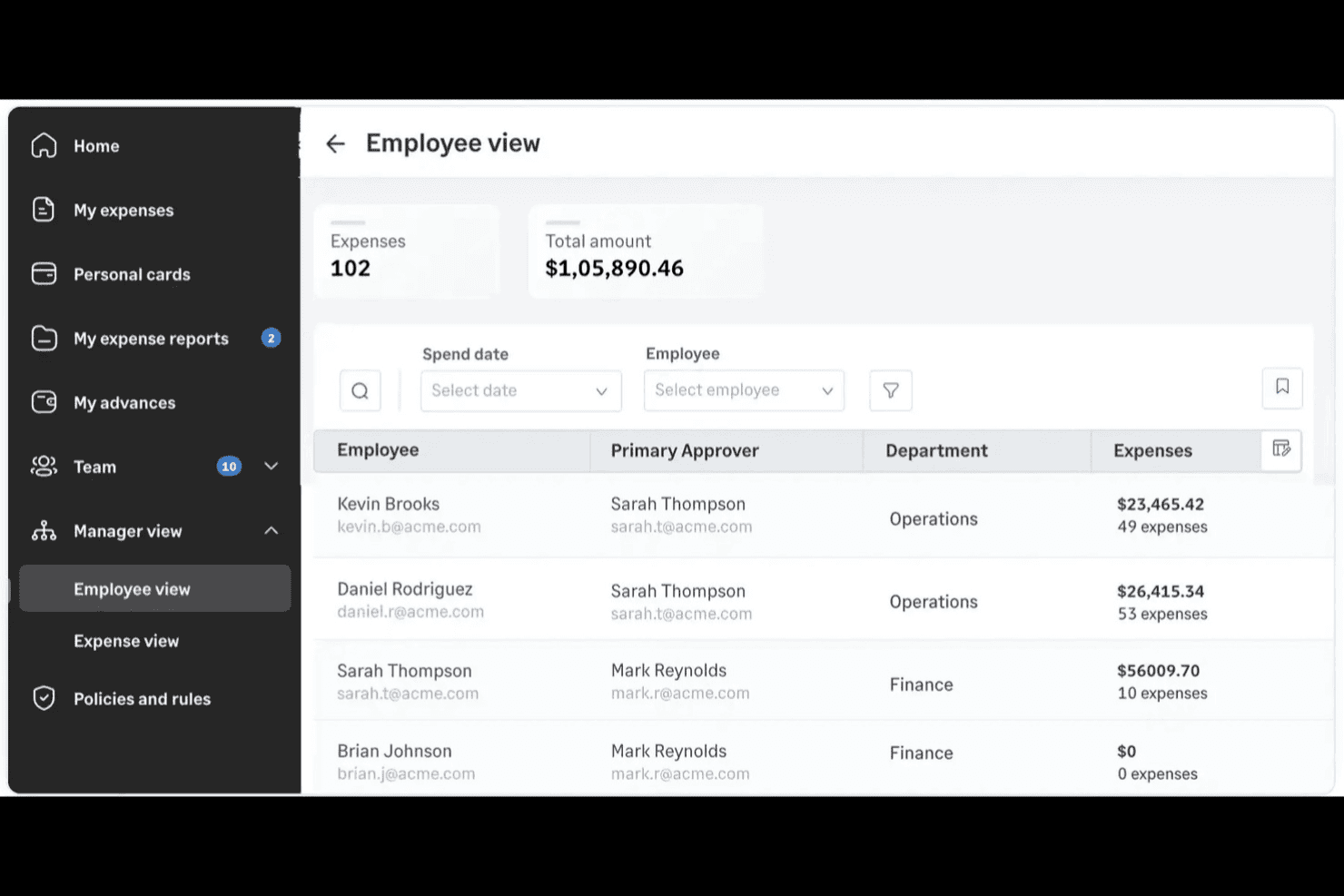
Sage Expense Management (in precedenza Fyle) aiuta i team sanitari a monitorare le spese dei dipendenti, controllare le uscite tra i dipartimenti e gestire le approvazioni delle spese. Sage Expense Management è una piattaforma per la gestione delle spese che si collega alle carte aziendali esistenti — Visa, Mastercard e Amex — e automatizza la raccolta delle ricevute, i flussi di approvazione multilivello, l'applicazione delle policy e la riconciliazione contabile tra dipartimenti e strutture.
Per chi è più adatto Sage Expense Management?
Sage Expense Management è particolarmente adatto a strutture sanitarie di medie dimensioni e gruppi con più strutture che necessitano di visibilità in tempo reale sulle carte aziendali e di un'accurata assegnazione ai centri di costo senza cambiare il programma delle carte.
Perché ho scelto Sage Expense Management
Ho scelto Sage Expense Management come una delle soluzioni migliori perché offre ai team finanziari del settore sanitario visibilità in tempo reale sulle spese effettuate con le carte aziendali senza richiedere il cambio del programma delle carte. Nel momento in cui una carta viene utilizzata, i dipendenti ricevono un messaggio di testo a cui rispondere con la foto della ricevuta, così le ricevute mancanti vengono individuate immediatamente invece che a fine mese. Apprezzo anche i campi personalizzati per i centri di costo, che un gruppo sanitario con 13 strutture ha utilizzato per raggiungere una precisione del 99% nella codifica delle spese tra i dipartimenti.
Funzionalità principali di Sage Expense Management
- Strumento per la creazione di flussi di approvazione multilivello: Uno strumento visivo consente di configurare livelli di approvazione illimitati con regole basate su importo, categoria, dipartimento o progetto.
- Monitoraggio del budget per centro di costo: Imposta budget per dipartimento, progetto, categoria o centro di costo, con avvisi automatici al raggiungimento di soglie di spesa come l'80% o il 90%.
- Ruolo di revisore con accesso in sola lettura: Concedi ai revisori un accesso a tempo limitato e in sola lettura ai dati delle spese, ai registri di controllo e alla cronologia delle approvazioni senza fornire loro autorizzazioni di modifica.
- Monitoraggio del chilometraggio basato sul GPS: Il chilometraggio viene calcolato utilizzando Google Maps per percorsi con più fermate, con supporto per tariffe personalizzate, viaggi ricorrenti e detrazioni per gli spostamenti casa-lavoro.
Integrazioni di Sage Expense Management
Sage Expense Management offre sei integrazioni contabili documentate: QuickBooks Online, Xero, QuickBooks Desktop, Sage Intacct, Sage 300 Construction and Real Estate e Sage 50 (beta). Un'API supporta connessioni personalizzate.
Pros and Cons
Pros:
- I messaggi di testo sulle ricevute individuano la documentazione mancante delle carte
- I campi delle strutture migliorano la precisione della codifica dei centri di costo
- Gli avvisi in tempo reale sulle carte chiariscono la spesa dei dipartimenti
Cons:
- Le garanzie di conformità sanitaria restano non documentate
- I revisori segnalano problemi e arresti anomali durante la scansione
Learn more about Sage Expense Management (formerly Fyle): 3Ideale per l'acquisizione e l'instradamento automatici delle fatture
BILL
- Piano gratuito + demo gratuita disponibile
- Da $49/utente/mese
Visit WebsiteCustomer Rating:4.5/5
BILL traccia lo stato delle transazioni, i dettagli dei fornitori e i costi per i team sanitari. BILL è una piattaforma di automazione AP e gestione delle spese che gestisce la raccolta delle fatture, i flussi di approvazione, i pagamenti ai fornitori e le spese dei dipendenti, con controlli specifici per il settore sanitario tra cui salvaguardie a supporto HIPAA e restrizioni di accesso ai dati sanitari elettronici (ePHI).
Per chi è più adatto BILL?
BILL è una scelta adatta per i team finanziari sanitari che gestiscono grandi volumi di fatture dei fornitori, flussi di lavoro AP su più sedi o spese del personale tra studi medici e sistemi sanitari.
Perché ho scelto BILL
Ho incluso BILL tra le mie scelte migliori perché la sua acquisizione automatica delle fatture, basata su IA, estrae i dati direttamente dalle fatture inviate via email o caricate, indirizzandole lungo catene di approvazione personalizzate senza necessità di passaggi manuali. In ambito sanitario, posso impostare le politiche di approvazione in base al tipo di fornitore, alla soglia di importo o al dipartimento, quindi una fattura di forniture per una sede ambulatoriale non finisce mai nella coda di approvazione sbagliata. Questo livello di precisione nell'instradamento riduce il rimpallo che rallenta i cicli di chiusura.
Funzionalità chiave di BILL
- Gestione di più entità: Gestisci i flussi AP e le spese su più sedi ambulatoriali o entità legali da un unico account.
- Controlli di accesso basati sui ruoli: Limita l'accesso ai dati finanziari e agli ePHI in base al ruolo dell'utente, supportando i requisiti di conformità HIPAA.
- Monitoraggio del budget in tempo reale: Tieni traccia delle spese rispetto ai budget man mano che avvengono le transazioni, con avvisi quando ci si avvicina ai limiti.
- Gestione carte aziendali: Emetti carte virtuali e fisiche allo staff con limiti di spesa preimpostati e restrizioni per categoria.
Integrazioni di BILL
Le integrazioni comprendono QuickBooks, Sage Intacct, Oracle NetSuite, Microsoft Dynamics, Xero e Acumatica.
Pros and Cons
Pros:
- Supporta le salvaguardie ePHI conformi a HIPAA
- Pagamenti a fornitori multipli da un'unica coda
- L'acquisizione automatica delle fatture riduce l'inserimento manuale
Cons:
- Richiede commissioni separate per ogni entità
- Personalizzazione dei report limitata
Learn more about BILL: 4Ideale per applicazione automatizzata delle policy
Ramp
- Piano gratuito + prova gratuita di 30 giorni + demo gratuita disponibile
- Da $15/utente/mese
Visit WebsiteCustomer Rating:4.8/5
Ramp offre gestione delle spese per team finanziari sanitari, con visibilità in tempo reale e controlli di conformità. Ramp offre una piattaforma moderna di gestione delle spese progettata per i team finanziari delle organizzazioni sanitarie che necessitano di controlli rigorosi e visibilità in tempo reale. Si rivolge ai responsabili che desiderano automatizzare i processi manuali di gestione delle spese e ridurre le violazioni delle policy tra i diversi reparti o sedi. La piattaforma aiuta i professionisti finanziari nel settore sanitario a centralizzare il monitoraggio delle spese e a mantenere la conformità in un ambiente frenetico e regolamentato.
Per chi è ideale Ramp?
Ramp è adatto ai team finanziari del settore sanitario di organizzazioni di medie e grandi dimensioni che necessitano di controlli spese automatizzati e applicazione delle policy.
Perché ho scelto Ramp
Ho scelto Ramp perché i suoi strumenti di applicazione automatica delle policy risolvono una delle principali sfide per i team finanziari del settore sanitario: mantenere la conformità e il controllo delle spese tra più reparti. Ramp permette di impostare policy di spesa dettagliate che segnalano o bloccano automaticamente in tempo reale le transazioni fuori policy, riducendo la revisione manuale e il rischio di non conformità. Mi piace anche che Ramp offra abbinamento delle ricevute automatizzato e tracciabilità degli audit, aiutando le organizzazioni sanitarie a rispondere ai severi requisiti normativi. Queste funzionalità rendono Ramp particolarmente adatto alle realtà sanitarie che devono applicare regole di spesa senza rallentare le operazioni.
Funzionalità principali di Ramp
Oltre all'applicazione automatica delle policy, Ramp offre diverse funzionalità a supporto della gestione delle spese nel settore sanitario:
- Analisi delle spese in tempo reale: Ottieni analisi sempre aggiornate delle spese per reparto, fornitore o categoria per monitorare i budget e individuare anomalie.
- Flussi di approvazione personalizzati: Configura catene di approvazione multilivello su misura per la struttura e le esigenze di conformità della tua organizzazione.
- Carta fisica e virtuale: Emetti carte con limiti personalizzati per personale, collaboratori o reparti per controllare la spesa aziendale e dei dipendenti all'origine.
- Integrazioni dirette con la contabilità: Sincronizza i dati delle spese con piattaforme contabili come QuickBooks, NetSuite e Sage Intacct per una riconciliazione più veloce.
Integrazioni di Ramp
Le integrazioni includono NetSuite, Sage Intacct, QuickBooks, Microsoft Dynamics Business Central, Xero e Oracle Fusion Cloud.
Pros and Cons
Pros:
- Sicurezza dei dati conforme HIPAA
- Automatizza approvazioni cliniche complesse
- Esportazione report pronta per CMS per audit
Cons:
- I limiti dinamici possono variare improvvisamente
- Non invia file direttamente al CMS
 Ideale per il monitoraggio della conformità al Sunshine Act
- Prova gratuita di 14 giorni
- Da $3/utente/mese (fatturazione annuale)
Visit WebsiteCustomer Rating:4.5/5
Zoho Expense automatizza la rendicontazione delle spese sanitarie con controlli di conformità. Zoho Expense offre alle organizzazioni sanitarie un modo per gestire e automatizzare la rendicontazione delle spese con controlli integrati per esigenze normative. È progettato per ospedali, cliniche e gruppi medici che necessitano di monitorare le spese tra i vari reparti e garantire la conformità alle politiche. I team finanziari possono utilizzare Zoho Expense per semplificare le approvazioni, monitorare le spese e ridurre gli errori di inserimento manuale.
Per chi è pensato Zoho Expense?
Zoho Expense è adatto a team finanziari sanitari e responsabili della conformità in ospedali e gruppi medici che devono monitorare e rendicontare le spese in base a rigorosi requisiti normativi.
Perché ho scelto Zoho Expense
Ho scelto Zoho Expense perché offre strumenti integrati per tracciare e rendicontare le spese sanitarie in linea con i requisiti del Sunshine Act. La piattaforma consente di categorizzare e segnalare i pagamenti a medici e ospedali universitari, facilitando la raccolta dei dati necessari per la rendicontazione federale sulla trasparenza. Apprezzo come Zoho Expense consenta di impostare campi personalizzati e flussi di lavoro di approvazione che rispecchiano le politiche di conformità sanitaria. Questa attenzione al monitoraggio normativo lo rende particolarmente adatto alle organizzazioni che devono gestire obblighi di rendicontazione dettagliati nel settore sanitario.
Caratteristiche principali di Zoho Expense
Altre funzionalità che rendono Zoho Expense utile per la gestione delle spese sanitarie includono:
- Scansione automatica delle ricevute: Gli utenti possono caricare ricevute via mobile o web e il sistema estrae automaticamente i dati principali.
- Flussi di approvazione multi-livello: Configura catene di approvazione complesse in base alle politiche di ospedali o cliniche.
- Avvisi di violazione delle politiche: La piattaforma segnala le spese che esulano dalle linee guida stabilite per una verifica ulteriore.
- Monitoraggio chilometraggio e viaggi: Tieni traccia delle spese relative a chilometraggio e viaggi con strumenti GPS e di mappatura integrati.
Integrazioni di Zoho Expense
Le integrazioni includono Zoho Books, Zoho CRM, Zoho People, Slack, QuickBooks e Xero.
Pros and Cons
Pros:
- App mobile per la cattura delle ricevute in mobilità
- Approvazioni multi-livello per la conformità alle politiche ospedaliere
- Avvisi automatici di violazione delle politiche per le spese sanitarie
Cons:
- Le funzionalità avanzate richiedono piani di livello superiore
- I tempi di risposta del servizio clienti possono variare
Learn more about Zoho Expense: Il migliore per automazione globale dei pagamenti e della contabilità fornitori
- Demo gratuita disponibile
- Da $99/mese
Visit WebsiteCustomer Rating:4.5/5
Tipalti automatizza la contabilità fornitori per i team sanitari che gestiscono pagamenti complessi e conformi. Tipalti è una piattaforma di automazione dei pagamenti contabili progettata per le organizzazioni sanitarie che gestiscono pagamenti a fornitori complessi e requisiti di conformità. Si rivolge ai team finanziari di ospedali, cliniche e reti sanitarie che devono gestire grandi volumi di transazioni e rigorosi standard normativi. La piattaforma aiuta a ridurre il lavoro manuale e a minimizzare gli errori di pagamento in ambienti dove sono fondamentali precisione e tracciabilità delle verifiche.
Per chi è Tipalti?
Tipalti è particolarmente adatto a organizzazioni sanitarie di medie e grandi dimensioni che necessitano di automatizzare pagamenti fornitori e processi di contabilità fornitori a livello globale.
Perché ho scelto Tipalti
Ciò che fa distinguere Tipalti nella gestione delle spese sanitarie è la capacità di automatizzare i pagamenti globali e i processi di contabilità fornitori su larga scala. Ho scelto Tipalti perché supporta pagamenti in più valute a fornitori in oltre 190 paesi, caratteristica essenziale per le organizzazioni sanitarie che operano con fornitori o partner di ricerca internazionali. La piattaforma include anche funzionalità integrate per la conformità fiscale e la riconciliazione dei pagamenti, aiutando i team finanziari a gestire gli obblighi normativi e a ridurre le attività manuali. Queste capacità rendono Tipalti una scelta solida per i team finanziari sanitari che devono gestire pagamenti complessi e voluminosi con rigidità nelle verifiche e nei controlli.
Caratteristiche principali di Tipalti
Altre funzionalità che rendono Tipalti utile per la gestione delle spese sanitarie includono:
- Acquisizione automatica delle fatture: La piattaforma utilizza tecnologia OCR per estrarre e validare i dati delle fatture, velocizzando l'elaborazione.
- Portale di onboarding fornitori: I fornitori possono registrarsi autonomamente e aggiornare le proprie informazioni, riducendo l'inserimento manuale dei dati per i team finanziari.
- Monitoraggio stato dei pagamenti: Sia gli utenti interni che i fornitori possono visualizzare in tempo reale lo stato dei pagamenti tramite una dashboard centralizzata.
- Flussi di approvazione pronti per audit: Catene di approvazione personalizzabili aiutano a garantire la conformità con i controlli interni e gli obblighi normativi.
Integrazioni di Tipalti
Le integrazioni includono Oracle NetSuite, Sage Intacct, Microsoft Dynamics 365, Xero, SAP Business One e LinkTrust.
Pros and Cons
Pros:
- Pagamenti globali in oltre 120 valute
- Ottima integrazione con NetSuite e Sage
- Raccolta automatica di moduli fiscali
Cons:
- I report richiedono download manuali
- Implementazione iniziale lenta
Learn more about Tipalti: Ideale per flussi di approvazione personalizzabili
- Prova gratuita disponibile
- Da $6.00/inserzionista attivo/mese
Visit WebsiteCustomer Rating:4.4/5
SutiExpense aiuta i team sanitari ad automatizzare la gestione delle spese e garantire la conformità. SutiExpense è una piattaforma di gestione delle spese progettata per le organizzazioni sanitarie che necessitano di controlli flessibili e supporto alla conformità. I team finanziari di ospedali, cliniche e gruppi medici possono utilizzarla per automatizzare l'acquisizione delle spese, applicare le policy e gestire i rimborsi. Il sistema aiuta ad affrontare sfide come la spesa decentralizzata, i requisiti normativi e la necessità di dettagliati percorsi di audit.
Per chi è più adatto SutiExpense?
SutiExpense è adatto a organizzazioni sanitarie di medie e grandi dimensioni che richiedono processi di approvazione personalizzati e un'applicazione rigorosa delle policy.
Perché ho scelto SutiExpense
Ciò che mi ha colpito di SutiExpense è il modo in cui consente alle organizzazioni sanitarie di progettare flussi di approvazione che rispecchiano le proprie strutture operative uniche. È possibile impostare instradamenti multilivello, approvazioni condizionali e regole specifiche per reparto, particolarmente utili per ospedali e cliniche con gerarchie complesse. Apprezzo il fatto che la piattaforma permetta di automatizzare sia l'applicazione delle policy sia i percorsi di escalation, riducendo la supervisione manuale e il rischio di non conformità. Queste opzioni di personalizzazione dei flussi di lavoro rendono SutiExpense una scelta valida per i team finanziari sanitari che necessitano di controllo dettagliato sulle approvazioni delle spese.
Caratteristiche principali di SutiExpense
Altre funzionalità che rendono SutiExpense utile per la gestione delle spese in ambito sanitario includono:
- Acquisizione automatica delle ricevute: Gli utenti possono caricare le ricevute da mobile o desktop e il sistema le abbina automaticamente alle transazioni per una riconciliazione più semplice.
- Avvisi di violazione delle policy: La piattaforma segnala in tempo reale le spese fuori policy, aiutando i team finanziari a mantenere la conformità.
- Supporto multivaluta: SutiExpense gestisce le spese in più valute, caratteristica utile per organizzazioni con attività o fornitori internazionali.
- Integrazione con sistemi ERP e HR: Il software si collega direttamente alle principali piattaforme ERP e HR, consentendo un flusso dati e una reportistica più fluida.
Integrazioni di SutiExpense
Le integrazioni includono QuickBooks Online, NetSuite, Sage Intacct, ADP, Blackbaud e Twilio.
Pros and Cons
Pros:
- Flussi di approvazione altamente personalizzabili
- Potente sistema di audit & alert frodi basato su AI
- Acquisizione ricevute tramite mobile con voice bot
Cons:
- La sezione amministrativa risulta spesso confusa
- Occasionali problemi nell'app mobile
Learn more about SutiExpense: Ideale per integrazioni con sistemi EHR ed ERP
- Demo gratuita disponibile
- Prezzo su richiesta

SAP Concur aiuta i team sanitari a gestire le spese, garantire la conformità e monitorare i costi. Le organizzazioni sanitarie che desiderano un modo unificato per gestire le spese tra i vari reparti spesso si affidano a SAP Concur. Questa piattaforma è pensata per ospedali, cliniche e grandi reti sanitarie che necessitano di collegare i dati delle spese con altri sistemi principali. Aiuta i team finanziari a garantire la conformità, automatizzare le approvazioni e ottenere visibilità sui modelli di spesa.
Per chi è ideale SAP Concur?
SAP Concur è adatto a grandi organizzazioni sanitarie e sistemi ospedalieri che devono integrare la gestione delle spese con piattaforme EHR ed ERP già esistenti.
Perché ho scelto SAP Concur
Ho scelto SAP Concur perché offre integrazioni profonde con i sistemi EHR ed ERP, aspetto fondamentale per le organizzazioni sanitarie che gestiscono dati finanziari complessi. La piattaforma collega i flussi di lavoro delle spese direttamente ai sistemi clinici e operativi, riducendo l’inserimento manuale e migliorando l’accuratezza dei dati. Apprezzo il modo in cui le sue capacità di integrazione aiutano i team finanziari a mantenere la conformità e a semplificare la riconciliazione tra più reparti. Grazie alla sincronizzazione automatica dei dati, SAP Concur offre visibilità in tempo reale sia sulle spese cliniche che su quelle non cliniche.
Funzionalità principali di SAP Concur
Alcune altre funzionalità che rendono SAP Concur utile per la gestione delle spese sanitarie includono:
- Acquisizione delle ricevute tramite mobile: Gli utenti possono caricare le ricevute delle spese di lavoro direttamente dai dispositivi mobili, facilitando la documentazione delle spese in mobilità.
- Flussi di approvazione personalizzati: Possibilità di configurare processi di approvazione multi-livello che rispettano i controlli interni e i requisiti di conformità dell’organizzazione.
- Strumenti di audit e conformità: Le funzionalità di audit integrate aiutano a garantire che le spese rispettino le normative sanitarie e le policy organizzative.
- Reportistica sulle spese in tempo reale: Accesso a dashboard e report aggiornati per monitorare le tendenze di spesa tra reparti e sedi.
Integrazioni SAP Concur
Le integrazioni includono SAP, ADP, NetSuite, QuickBooks, Xero e Oracle NetSuite.
Pros and Cons
Pros:
- Offre acquisizione delle ricevute via mobile per i clinici
- Fornisce tracciabilità delle verifiche per la conformità normativa
- Permette un monitoraggio dettagliato delle spese per reparto
Cons:
- L’implementazione può richiedere molto tempo in sistemi di grandi dimensioni
- Personalizzazione limitata per i report specifici del settore sanitario
Learn more about SAP Concur: Ideale per l'integrazione con database delle spese dei medici
- Demo gratuita disponibile
- Prezzi su richiesta

Emburse aiuta i team sanitari a gestire le spese con controllo e conformità. Emburse offre soluzioni di gestione delle spese pensate per le organizzazioni sanitarie che devono gestire la complessa spesa di medici e personale. È ideale per i team finanziari che cercano maggiore controllo, trasparenza e conformità in un ambiente altamente regolamentato. La piattaforma aiuta i fornitori di servizi sanitari a centralizzare i dati sulle spese e automatizzare i flussi di lavoro per ridurre errori manuali e oneri amministrativi, aumentando l'efficienza operativa.
Per chi è ideale Emburse?
Emburse è adatto alle organizzazioni sanitarie e ai team finanziari ospedalieri che necessitano di gestire le spese di medici e personale con supervisione centralizzata.
Perché ho scelto Emburse
Ciò che rende Emburse particolare è la sua capacità di integrarsi direttamente con i database delle spese dei medici, una necessità specifica per molte organizzazioni sanitarie. Questa integrazione consente ai team finanziari di monitorare, categorizzare e rendicontare le spese specifiche dei medici senza inserimento dati manuale o riconciliazione. Apprezzo che Emburse supporti controlli di policy dettagliati e tracciamenti di audit adattati ai requisiti di conformità sanitaria. Queste funzionalità rendono più facile gestire schemi di spesa complessi e assicurare l'allineamento normativo per le spese di medici e personale.
Funzionalità principali di Emburse
Altre funzionalità che rendono Emburse una scelta solida per la gestione delle spese in ambito sanitario:
- Acquisizione automatica delle ricevute: Gli utenti possono caricare ricevute tramite cellulare o email, e il sistema le abbina automaticamente alle transazioni.
- Controlli di accesso basati sui ruoli: Gli amministratori possono impostare permessi per utente, dipartimento o sede per proteggere i dati finanziari sensibili.
- Flussi di approvazione personalizzati: I team finanziari possono progettare processi di approvazione a più fasi che riflettono le strutture organizzative sanitarie.
- Avvisi in tempo reale sulle violazioni delle policy: La piattaforma notifica immediatamente utenti e autorizzatori quando le spese non rispettano le policy impostate.
Integrazioni di Emburse
Le integrazioni includono NetSuite, Sage Intacct, QuickBooks, Microsoft Dynamics Business Central, Xero, Workday Financial Management e Oracle Fusion Cloud.
Pros and Cons
Pros:
- Sicurezza dei dati conforme a HIPAA
- Logica integrata per i tassi di diaria GSA
- App mobile eccellente per il personale clinico
Cons:
- Costoso rispetto ai tracker di base
- I report possono risultare troppo tecnici
Learn more about Emburse: Ideale per la tracciabilità delle spese mobile conforme a HIPAA
- Demo gratuita disponibile
- Da $400/mese

DATABASICS aiuta i team sanitari a gestire le spese in modo sicuro e a rimanere conformi. Le organizzazioni sanitarie che cercano una gestione delle spese sicura e orientata al mobile spesso scelgono DATABASICS. La piattaforma è progettata per ospedali, cliniche e gruppi medici che hanno bisogno di gestire le spese rispettando rigorosi requisiti di privacy dei dati. I team finanziari possono utilizzarla per semplificare la registrazione delle spese, automatizzare le approvazioni e mantenere la conformità in un ambiente regolamentato.
Per chi è più indicato DATABASICS?
DATABASICS è una soluzione ideale per le organizzazioni sanitarie che richiedono una tracciabilità delle spese mobile conforme a HIPAA e un'elevata sicurezza dei dati.
Perché ho scelto DATABASICS
Ciò che distingue DATABASICS è il suo impegno verso la tracciabilità delle spese mobile conforme a HIPAA, fondamentale per le organizzazioni sanitarie che gestiscono dati sensibili. Ho scelto questo strumento perché offre app mobili sicure che consentono al personale di registrare e inviare le spese ovunque si trovi, garantendo che tutti i dati siano criptati e protetti secondo le normative sanitarie. La piattaforma fornisce anche tracciabilità degli audit e controlli di accesso granulari, così i team finanziari possono monitorare le attività e limitare l’accesso alle informazioni sensibili quando necessario. Queste funzionalità rendono DATABASICS un’opzione affidabile per i fornitori di servizi sanitari che non possono scendere a compromessi sulla privacy dei dati o sulla conformità.
Funzionalità principali di DATABASICS
Altre funzionalità che rendono DATABASICS utile per la gestione delle spese nel settore sanitario includono:
- Applicazione automatica delle policy: Il sistema segnala le spese fuori policy e avvisa utenti e approvatori in tempo reale.
- Supporto multivaluta e multilingue: Le organizzazioni con operazioni internazionali possono gestire le spese in diverse valute e lingue.
- Flussi di approvazione personalizzabili: I team finanziari possono configurare catene di approvazione multilivello per adattarsi alle gerarchie aziendali.
- Integrazione con sistemi contabili ed ERP: DATABASICS si collega direttamente a piattaforme come Sage Intacct, Microsoft Dynamics e QuickBooks per un flusso dati semplificato.
Integrazioni DATABASICS
Le integrazioni includono Sage Intacct, Microsoft Dynamics, Oracle NetSuite, QuickBooks e SAP.
Pros and Cons
Pros:
- Altamente flessibile per flussi di lavoro complessi
- Team di supporto reattivo e premiato
- Tracciamento di tempi e spese tutto-in-uno
Cons:
- Il generatore di report interno è difficile
- L’interfaccia può sembrare datata per gli utenti
Learn more about DATABASICS:
Altri software per la gestione delle spese nel settore sanitario
Ecco alcune opzioni aggiuntive di software per la gestione delle spese nel settore sanitario che non sono state incluse nel mio elenco ristretto, ma che vale comunque la pena valutare:
Come Valuto il Software di Gestione delle Spese per il Settore Sanitario
Divido la mia valutazione in due livelli: i requisiti di base che ogni strumento deve soddisfare e i fattori differenzianti come i flussi di rimborso per i clinici e la reportistica conforme al Sunshine Act che distinguono le opzioni migliori.
Funzionalità di Base (Requisiti Fondamentali per Questa Lista)
Quando seleziono gli strumenti per la mia lista, valuto ciascuno su una scala da 0 (non offre la funzionalità) a 5 (eccelle in quest'area) per ogni funzionalità principale elencata di seguito. Poi, calcolo il punteggio totale dello strumento in percentuale. Ogni strumento deve raggiungere un punteggio minimo totale del 55% per essere preso in considerazione.
- Classificazione delle Spese Sanitarie: Verifico se uno strumento può etichettare le spese per medico, struttura, centro di costo e linea di servizio—non solo codici contabili generici.
- Sicurezza dei Dati Conforme a HIPAA: Qualsiasi piattaforma che gestisce ricevute di clinici contenenti dati relativi ai pazienti dovrebbe offrire crittografia, accesso basato sui ruoli e disponibilità di BAA.
- Ricezione & Rimborso Automatizzati: Cerco la cattura delle ricevute tramite OCR e flussi di lavoro di rimborso automatizzati per evitare che infermieri itineranti e partecipanti a CME debbano attendere settimane.
- Conformità alle Policy & Regolamentazioni: Gli strumenti devono far rispettare le policy di spesa e supportare la tracciabilità per i requisiti di reportistica del Sunshine Act, Stark Law e IRS.
- Integrazione con ERP/Contabilità Sanitaria: Valuto come ogni piattaforma si collega ai sistemi ERP e di contabilità comuni nelle strutture sanitarie, come Workday, Oracle, Sage Intacct o NetSuite.
- Flussi di Approvazione Multi-Entità: I sistemi sanitari con più ospedali e cliniche richiedono flussi di approvazione che coprano diverse entità, quindi cerco deleghe a più livelli e logica condizionale.
Dopo aver individuato gli strumenti che soddisfano questi criteri, considero ciò che distingue ciascuna piattaforma.
Fattori Differenzianti (Cosa Distingue i Fornitori)
Ecco come confronto e valuto i diversi fornitori:
Funzionalità Distintive
La tracciabilità delle spese per sovvenzioni e ricerca è cruciale quando il tuo sistema sanitario svolge studi clinici con finanziamenti vincolati. Cerco strumenti che isolino questi costi dalla spesa operativa, così la contabilità dei fondi rimane ordinata. I cruscotti di budget in tempo reale sono anch'essi utili, soprattutto quando i responsabili finanziari hanno bisogno di una visibilità tempestiva sul tasso di consumo delle risorse fra le diverse linee di servizio durante il trimestre. Un'esperienza mobile efficace per i clinici è altrettanto importante, poiché medici e infermieri itineranti che inviano richieste di CME o rimborso chilometrico raramente lavorano da desktop.
Oltre le Funzionalità
La scalabilità rappresenta un importante fattore di differenziazione. Un gruppo medico di 10 cliniche e una rete sanitaria integrata con 50 ospedali hanno esigenze molto diverse, quindi valuto se una piattaforma gestisce la contabilità intersocietaria e la reportistica consolidata tra entità diverse. Anche il supporto all'implementazione conta—cerco fornitori con team di onboarding specifici per il settore sanitario, in grado di comprendere i flussi di lavoro finanziari ospedalieri e non semplici manuali SaaS generici. Infine, considero la trasparenza dei prezzi, in particolare se i modelli per utente hanno senso per organizzazioni con un numero variabile di clinici.
Come scegliere un software per la gestione delle spese nel settore sanitario
È facile perdersi in lunghi elenchi di funzionalità e strutture tariffarie complesse. Per aiutarti a rimanere concentrato mentre affronti il tuo processo di selezione del software, ecco una lista di fattori da tenere presenti:
| Fattore | Cosa considerare |
| Scalabilità | Il software sarà in grado di gestire i volumi attuali e previsti di fatture e pagamenti man mano che la tua organizzazione cresce? |
| Integrazioni | Lo strumento si connette nativamente al tuo sistema EHR, ERP, di contabilità e di approvvigionamento? |
| Personalizzazione | Puoi adattare i flussi di approvazione, i ruoli degli utenti e la reportistica alle policy e alla struttura della tua organizzazione? |
| Facilità d'uso | Il personale finanziario e non finanziario sarà in grado di utilizzare il sistema con una formazione o un supporto IT minimi? |
| Implementazione e configurazione iniziale | Quanto tempo sarà necessario per rendere operativo il sistema e quali risorse o forme di supporto fornisce il fornitore durante il lancio? |
| Costo | Tutti i costi sono trasparenti, inclusi configurazione, licenze utente e commissioni sulle transazioni? Il modello tariffario è adatto al tuo budget e ai tuoi modelli di utilizzo? |
| Misure di sicurezza | Il software offre una gestione dei dati conforme all'HIPAA, registri di controllo e controlli degli accessi degli utenti per proteggere le informazioni sensibili? |
| Requisiti di conformità | Il sistema è in grado di supportare le tue specifiche esigenze normative, come la rendicontazione fiscale specifica del settore sanitario o la documentazione per gli audit? |
Che cos'è un software per la gestione delle spese nel settore sanitario?
Il software per la gestione delle spese nel settore sanitario è uno strumento digitale che aiuta le organizzazioni sanitarie a monitorare, elaborare e controllare le spese relative ai pagamenti ai fornitori, alle fatture e ai costi operativi. Questi sistemi automatizzano i flussi di lavoro di approvazione, garantiscono la conformità alle normative sanitarie e forniscono registri pronti per gli audit. Centralizzando i dati sulle spese, supportano una reportistica accurata e aiutano i team finanziari a gestire i budget, ridurre gli errori e mantenere la trasparenza nelle complesse attività sanitarie.
Funzionalità del software per la gestione delle spese nel settore sanitario
Quando selezioni un software per la gestione delle spese nel settore sanitario, presta attenzione alle seguenti funzionalità chiave:
- Acquisizione ed elaborazione delle fatture: digitalizza le fatture in entrata, estrae i dati chiave e le inoltra per l'approvazione, riducendo l'inserimento manuale e minimizzando gli errori.
- Flussi di lavoro di approvazione automatizzati: consente di configurare catene di approvazione multilivello in linea con le politiche della tua organizzazione, garantendo conformità e responsabilità.
- Gestione dei fornitori: centralizza le informazioni sui fornitori, monitora lo storico dei pagamenti e aiuta a mantenere aggiornati i registri di tutti i fornitori e prestatori di servizi.
- Applicazione delle politiche sulle spese: applica automaticamente le regole di spesa della tua organizzazione, segnalando le spese non conformi alle politiche e supportando i controlli interni.
- Tracciamento degli audit e reportistica: mantiene un registro dettagliato di tutte le azioni e modifiche, facilitando la preparazione agli audit e la generazione di report pronti per la verifica della conformità.
- Multi-valuta e pagamenti internazionali: supporta i pagamenti in valute e paesi diversi, una funzionalità essenziale per le organizzazioni che collaborano con fornitori o partner di ricerca internazionali.
- Integrazione con i sistemi contabili: si collega direttamente al software contabile o ERP esistente, sincronizzando i dati sulle spese e riducendo il lavoro di riconciliazione.
- Controlli degli accessi degli utenti: consente di definire ruoli e autorizzazioni, garantendo che solo il personale autorizzato possa visualizzare o approvare informazioni finanziarie sensibili.
Funzionalità comuni dell'IA nei software per la gestione delle spese nel settore sanitario
Oltre alle funzionalità standard dei software per la gestione delle spese nel settore sanitario elencate sopra, molte di queste soluzioni stanno integrando l'IA con funzionalità come:
- Rilevamento delle anomalie: utilizza l'IA per segnalare automaticamente modelli di spesa o transazioni insoliti che potrebbero indicare frodi, pagamenti duplicati o violazioni delle politiche.
- Analisi predittiva del flusso di cassa: sfrutta l'IA per prevedere le spese future e il fabbisogno di liquidità sulla base dei dati storici, aiutando i team finanziari a pianificare con maggiore precisione.
- Riconciliazione intelligente delle fatture: applica algoritmi di IA per abbinare le fatture agli ordini di acquisto e alle ricevute, riducendo la riconciliazione manuale e rilevando le discrepanze.
- Estrazione automatizzata dei dati: utilizza il riconoscimento ottico dei caratteri basato sull'IA per estrarre e classificare con elevata precisione i dati da fatture, ricevute e altri documenti.
- Categorizzazione delle spese in linguaggio naturale: impiega l'IA per interpretare e categorizzare le descrizioni delle spese scritte in linguaggio comune, migliorando l'accuratezza della classificazione e della reportistica.
Vantaggi del software per la gestione delle spese nel settore sanitario
L'implementazione di un software per la gestione delle spese nel settore sanitario offre diversi vantaggi al tuo team e alla tua attività. Ecco alcuni dei benefici che puoi aspettarti:
- Maggiore conformità: i flussi di lavoro automatizzati e i registri degli audit aiutano a garantire il rispetto delle normative sanitarie e delle politiche interne.
- Elaborazione più rapida delle fatture: l'acquisizione digitale e l'estrazione dei dati basata sull'IA riducono l'inserimento manuale e accelerano i cicli di approvazione.
- Maggiore visibilità finanziaria: i dashboard centralizzati e la reportistica in tempo reale offrono ai team finanziari una visione chiara delle spese nei diversi reparti e presso i diversi fornitori.
- Riduzione del rischio di errori e frodi: il rilevamento delle anomalie basato sull'IA e l'applicazione delle politiche riducono al minimo i pagamenti duplicati e le spese non autorizzate.
- Gestione semplificata dei fornitori: i registri centralizzati dei fornitori e l'onboarding automatizzato semplificano i rapporti con i fornitori del settore sanitario.
- Preparazione più semplice agli audit: i registri dettagliati e i report pronti per la verifica della conformità rendono più semplice rispondere agli audit e alle revisioni normative.
- Operazioni scalabili: i processi automatizzati e il supporto per più valute consentono alla tua organizzazione di gestire volumi di transazioni in crescita e pagamenti internazionali.
Costi e prezzi del software per la gestione delle spese nel settore sanitario
La selezione di un software per la gestione delle spese in ambito sanitario richiede la comprensione dei vari modelli di prezzo e dei piani disponibili. I costi variano in base alle funzionalità, alle dimensioni del team, ai componenti aggiuntivi e ad altri fattori. La tabella seguente riassume i piani più comuni, i relativi prezzi medi e le funzionalità tipicamente incluse nelle soluzioni software per la gestione delle spese in ambito sanitario:
Tabella comparativa dei piani per i software di gestione delle spese in ambito sanitario
| Tipo di piano | Prezzo medio | Funzionalità comuni |
| Piano gratuito | $0 | Acquisizione di base delle fatture, flussi di approvazione limitati, inserimento manuale dei dati e reportistica di base. |
| Piano personale | $3-$6/utente/mese | Accesso per un singolo utente, monitoraggio delle spese, gestione semplice dei fornitori e assistenza standard. |
| Piano aziendale | $4-$15/utente/mese | Accesso multiutente, approvazioni automatizzate, integrazione con i sistemi contabili e reportistica avanzata. |
| Piano per grandi imprese | $15+/utente/mese | Flussi di lavoro personalizzati, sicurezza avanzata, strumenti per la conformità, assistenza dedicata e gestione di più entità. |
Domande frequenti sui software di gestione delle spese in ambito sanitario
Ecco alcune risposte alle domande comuni sui software di gestione delle spese in ambito sanitario:
Il software per la gestione delle spese può integrarsi con i sistemi di cartelle cliniche elettroniche (EHR)?
Sì, molte soluzioni software per la gestione delle spese offrono integrazioni con i sistemi EHR e altre piattaforme sanitarie. Ciò consente una condivisione fluida dei dati, riduce l’inserimento manuale e contribuisce a mantenere allineati i dati finanziari e le cartelle cliniche.
Cosa dovrebbero cercare le organizzazioni sanitarie nelle funzionalità di gestione dei fornitori?
È consigliabile cercare registri centralizzati dei fornitori, procedure di inserimento automatizzate e strumenti per monitorare la cronologia dei pagamenti e i termini contrattuali. Queste funzionalità aiutano le organizzazioni sanitarie a gestire un numero elevato di fornitori, mantenere registri accurati e supportare la conformità alle politiche di approvvigionamento.
È possibile automatizzare le approvazioni multilivello per le spese sanitarie?
Sì, la maggior parte dei software per la gestione delle spese in ambito sanitario consente di configurare flussi di approvazione multilivello. Ciò garantisce che le spese siano esaminate dalle persone appropriate in ogni fase, supportando i controlli interni e i requisiti di conformità.
Quanto è sicuro il software per la gestione delle spese quando tratta dati sanitari sensibili?
Le soluzioni affidabili offrono solide misure di sicurezza, tra cui la crittografia dei dati, i controlli degli accessi degli utenti e i registri di controllo. Molte forniscono inoltre una gestione dei dati conforme all’HIPAA per proteggere le informazioni dei pazienti e quelle finanziarie da accessi non autorizzati o violazioni.
Quanto tempo richiede l'implementazione di un software per la gestione delle spese in un'organizzazione sanitaria?
I tempi di implementazione variano, ma molte soluzioni basate sul cloud possono essere configurate in poche settimane. Fattori come la migrazione dei dati, le esigenze di integrazione e la formazione del personale possono influire sulle tempistiche; è quindi importante pianificare l’inserimento e l’assistenza durante la distribuzione.