

Regnskapsprogramvare for ingeniørvirksomheter er en verdifull ressurs for alle selskaper. Med riktig programvare kan team forbedre kostnadsstyringen av prosjekter og øke nøyaktigheten i økonomirapporteringen. Det kan imidlertid være utfordrende å finne riktig regnskapsprogramvare for ingeniørvirksomheter, særlig når det finnes så mange alternativer.
Med utgangspunkt i min erfaring med økonomi- og regnskapsprogramvare testet og sammenlignet jeg flere av de beste tilgjengelige regnskapsprogrammene for ingeniørvirksomheter. Deretter samlet jeg resultatene i detaljerte vurderinger for å hjelpe deg med å finne den beste programvaren for dine behov.
Hvorfor du kan stole på våre programvareanbefalinger
6,700+
Reviews
20
Industry experts
16+
Evaluation factors
14
Years
Teamet vårt har testet og anmeldt programvare siden 2012. Vi er selv økonomiledere, så vi vet hvor vanskelig og hvor viktig det er å velge riktig programvare.
I denne guiden har vi vurdert verktøyene gjennom praktisk testing og uavhengig research og gitt dem poeng ut fra våre utvelgelseskriterier.
Anmeldelsene våre bygger på vår egen redaksjonelle vurdering. De er ikke et salgsargument.
Sammenligningstabell for regnskapsprogramvare for ingeniørvirksomheter
Denne sammenligningstabellen oppsummerer prisdetaljene for mine beste utvalgte regnskapsprogrammer for ingeniørvirksomheter.
| Tool | Best For | Trial Info | Price | ||
|---|---|---|---|---|---|
| 1 | Best for multi-entity engineering firm billing | Free demo available | From $1,495/month | Website | |
| 2 | Best for time-tracking integration | Free demo available | Pricing upon request | Website | |
| 3 | Best for real-time financial insights | Free demo available | From £1,200/month | Website | |
| 4 | Best for project workflow automation across entities | Free demo available | Pricing upon request | Website | |
| 5 | Best for A&E firms scaling project billing | Free demo available | Pricing upon request | Website | |
| 6 | Best for AEC firms managing project-to-profit | Free demo available | Pricing upon request | Website | |
| 7 | Best for government-contracting engineering firms | Free demo available | Pricing upon request | Website | |
| 8 | Best for global scalability | Free demo available | Pricing upon request | Website | |
| 9 | Best for Microsoft 365-native project accounting | Free trial available | From $135/user/month (billed annually) | Website | |
| 10 | Best for large engineering firms | Not available | Pricing upon request | Website |


Anmeldelser av den beste regnskapsprogramvaren for ingeniørvirksomheter
Nedenfor finner du mine detaljerte sammendrag av de beste regnskapsprogrammene for ingeniørvirksomheter som kom med på kortlisten. Anmeldelsene mine gir et detaljert innblikk i de viktigste funksjonene, fordelene og ulempene, integrasjonene og de ideelle bruksområdene for hvert verktøy, slik at du kan finne det beste alternativet for deg.
 Best for multi-entity engineering firm billing
- Free demo available
- From $1,495/month
Visit WebsiteCustomer Rating:4.4/5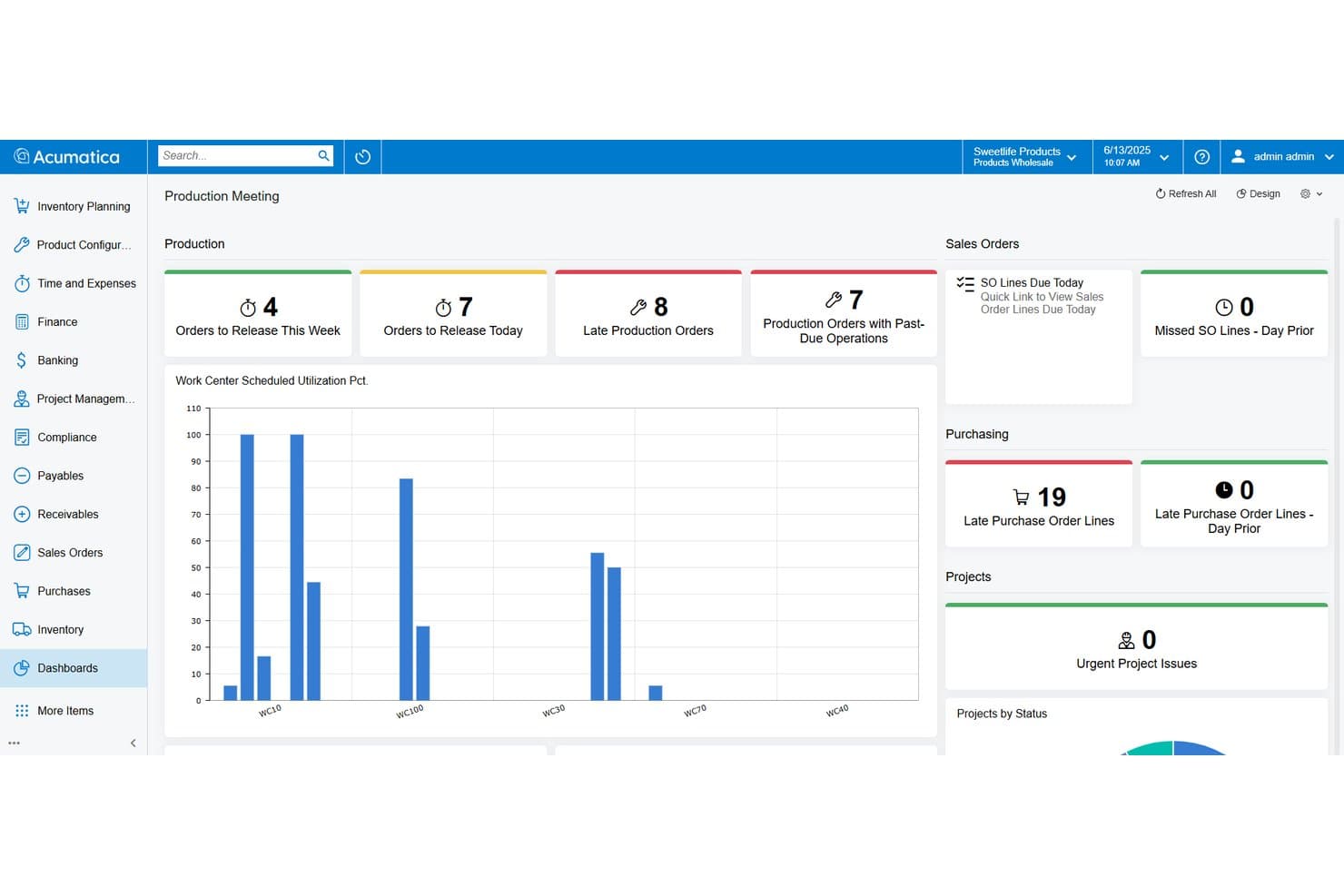
Acumatica tracks production orders, purchasing, and project status in one dashboard. Acumatica is a cloud ERP platform with a dedicated Professional Services Edition built for engineering, architecture, and consulting firms, offering project accounting, multi-method contract billing, WIP reporting, time and expense tracking, and multi-entity financial management.
Who Is Acumatica Best For?
Acumatica fits mid-market engineering firms managing multiple offices or subsidiaries that need unified billing, intercompany accounting, and project financials in one platform.
Why I Picked Acumatica
I picked Acumatica as one of the best because its multi-entity and intercompany accounting capabilities are genuinely built for engineering firms running multiple offices or subsidiaries. Automated intercompany transactions, consolidated statements with elimination, and drill-down reporting across entities all live in one platform. I also like that its Project 360 Dashboard gives real-time billing visibility across every active engagement, so nothing slips through when managing complex, overlapping contracts.
Acumatica Key Features
- Multi-method contract billing: Supports T&M, fixed-price, cost-plus, milestone, and percentage-of-completion billing structures natively within the same platform.
- Web-based labor timer: Lets employees clock in and out on specific project tasks directly, with entries flowing automatically into project accounting and payroll.
- Unbilled project revenue aging report: Surfaces billable amounts that haven't yet been invoiced, helping you catch revenue gaps before they affect cash flow.
- Consolidated financial statements with elimination: Generates cross-entity financial statements with automated intercompany eliminations, supporting multi-office or multi-subsidiary reporting.
Acumatica Integrations
Acumatica has a native Procore integration, plus marketplace integrations with ProjectManager and JAMIS Prime. It also lists Autodesk Construction Cloud and BuildingConnected connections, with an open API for custom integrations.
Pros and Cons
Pros:
- Flexible billing for complex engineering contracts
- Unlimited users without per-seat charges
- Real-time project profitability and WIP tracking
Cons:
- DCAA compliance requires a paid add-on
- No native earned value management dashboards
Learn more about Acumatica: Best for time-tracking integration
- Free demo available
- Pricing upon request
Visit WebsiteCustomer Rating:4.5/5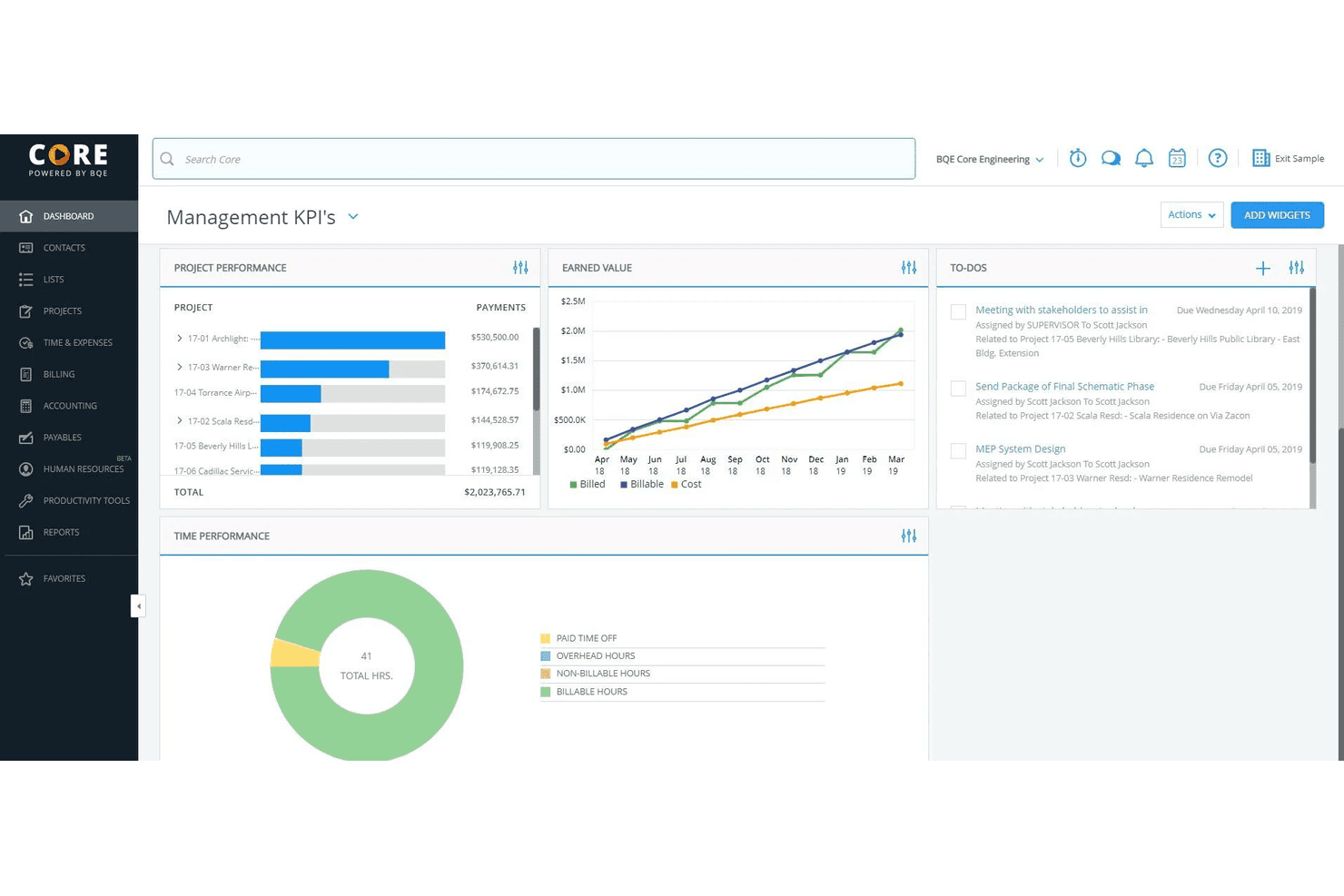
BQE Core helps service firms with time tracking, billing, and project management. BQE Core is an all-in-one firm management and accounting platform built specifically for architecture and engineering firms, covering project accounting, time and expense tracking, billing, invoicing, and financial reporting.
Who Is BQE Core Best For?
BQE Core is a strong fit for small to mid-sized architecture, engineering, and consulting firms that manage projects, track billable time, and need integrated accounting in one platform.
Why I Picked BQE Core
I've included BQE Core in my top picks because its time-tracking features don't exist in isolation—they feed directly into project budgets, billing, and the general ledger in real time. As time entries hit a project, budget tracking updates automatically, so there's no lag between what your team logs and what the financials reflect. I also like that Core supports pause-and-play timers, automatic timesheet reminders, and pre-populated timesheets that pull from recent activity, which cuts down on the manual data entry that causes incomplete records at billing time.
BQE Core Key Features
- Project accounting: Manage a full general ledger, P&L statements, balance sheets, and trial balance within project workflows.
- Flexible billing and invoicing: Generate invoices across multiple fee structures, including fixed fee, time and materials, and hourly rates.
- Expense tracking: Capture and categorize project expenses with receipt uploads linked directly to client billing.
- Resource management: Assign staff to projects, monitor utilization rates, and adjust allocations by project workload.
Pros and Cons
Pros:
- Automated time tracking
- Detailed project reports
- Strong billing integration
Cons:
- Steep learning curve
- Complex feature set
Learn more about BQE Core: Best for real-time financial insights
- Free demo available
- From £1,200/month
Visit WebsiteCustomer Rating:4.3/5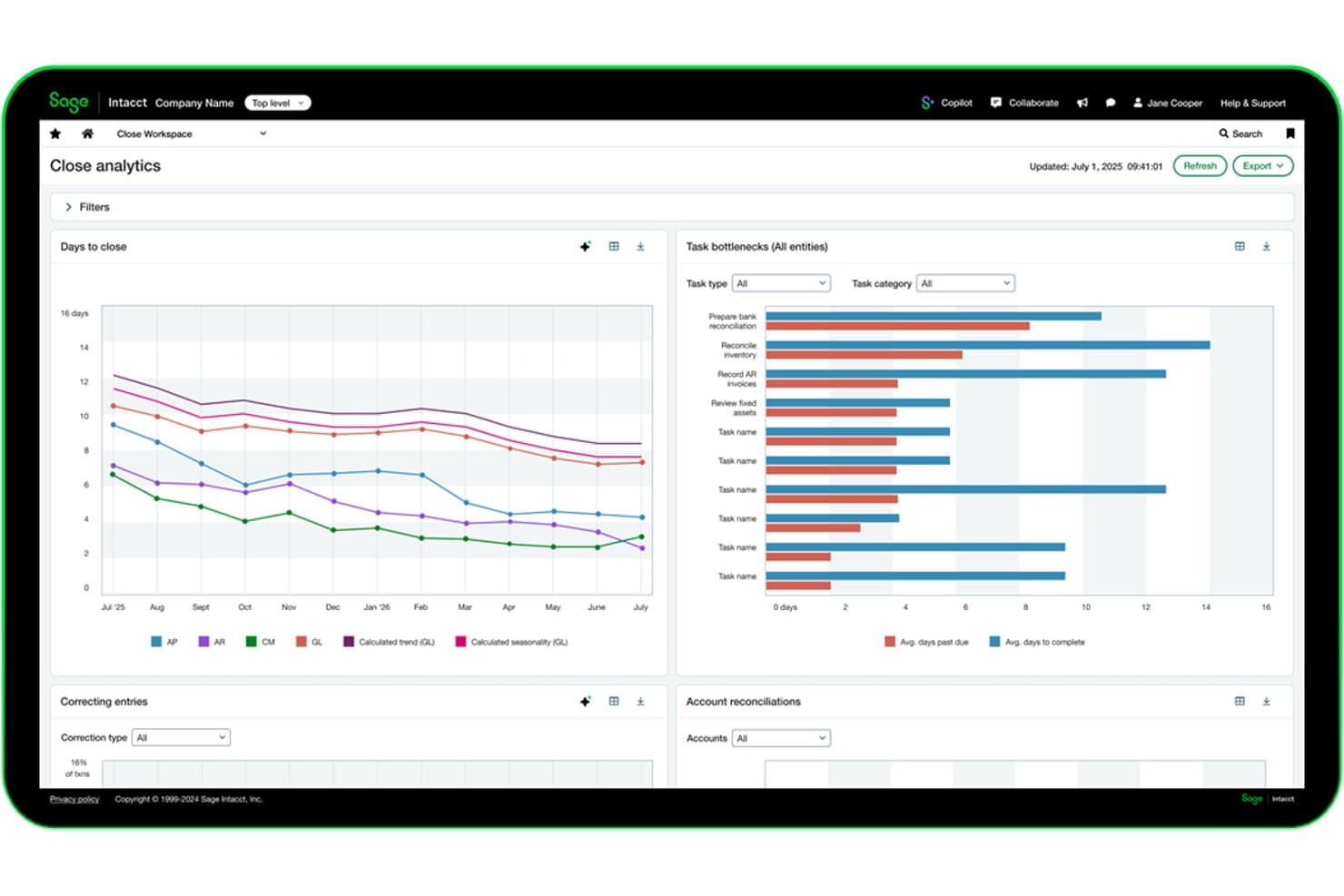
Sage Intacct tracks close cycle analytics and task bottlenecks in real time. Sage Intacct is a cloud financial management platform built for project-based organizations, combining general ledger, project accounting, contract billing, WIP tracking, revenue recognition, and multi-entity consolidation in one system.
Who Is Sage Intacct Best For?
Sage Intacct is a strong fit for mid-market engineering and AEC firms that need live project financial visibility across multiple entities, contracts, and billing structures.
Why I Picked Sage Intacct
Sage Intacct earns its spot on my shortlist because real-time financial visibility isn't just a dashboard feature here—it's built into how the system handles project data. I particularly like how dimensional reporting lets you slice live P&L by project, client, or department without waiting on a manual pull. Sage Intelligent Time reconstructs billable hours from calendar and email activity automatically, which closes the gap between time worked and time billed on active contracts.
Sage Intacct Key Features
- Multi-entity consolidation: Consolidates hundreds of legal entities in minutes with automated intercompany eliminations and multi-currency translation.
- ASC 606/IFRS 15 revenue recognition: Configurable recognition schedules tied to project milestones or percent-complete track earned revenue separately from cash billing.
- WIP schedule tracking: Monitors overbilling, underbilling, and sub-job rollups with automated WIP relief to eliminate manual journal entries on long-duration contracts.
- PSA resource and capacity planning: AI-driven forecasting of resource demand and workload tied directly to project delivery timelines and profitability targets.
Sage Intacct Integrations
Sage Intacct offers 350+ marketplace integrations, including BigTime, Kimble PSA, Salesforce, Expensify, and Nexonia. Its Web Services API supports custom integrations with engineering project and operational systems.
Pros and Cons
Pros:
- Multi-entity consolidation with automated eliminations
- AI timesheets capture missed billable hours
- Real-time project financial dashboards for controllers
Cons:
- No native earned value management tools
- No turnkey workflows for DCAA compliance
Learn more about Sage Intacct: Best for project workflow automation across entities
- Free demo available
- Pricing upon request
Visit WebsiteCustomer Rating:4.5/5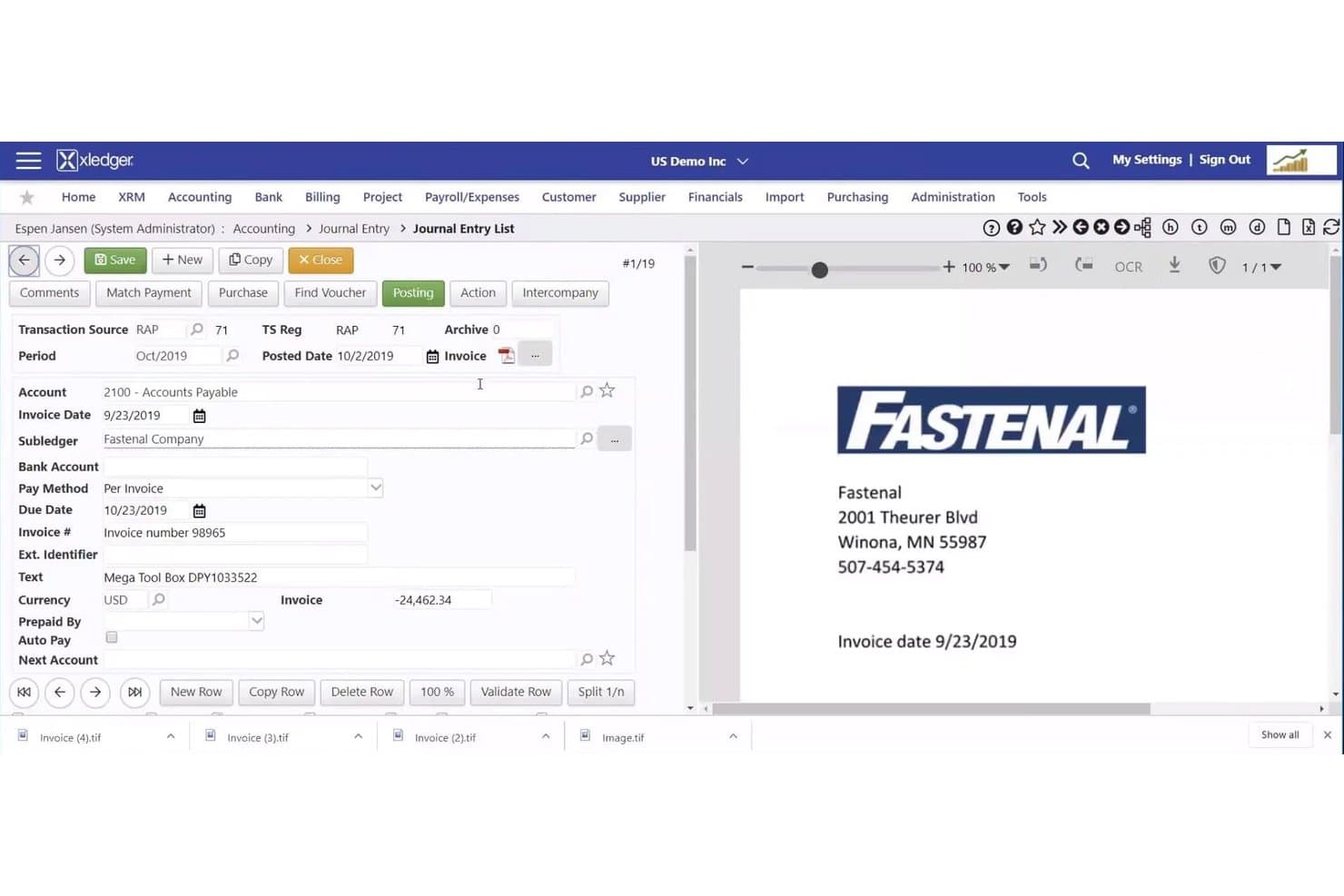
Xledger streamlines invoice entry with vendor and payment details. Xledger is a cloud-based project accounting platform that combines multi-entity financial management, automated billing, timesheets, expense tracking, and a built-in resource planner for mid-market professional services and engineering firms.
Who Is Xledger Best For?
Xledger fits mid-market engineering consultancies and professional services firms managing multiple entities that need automated billing workflows and consolidated financial reporting across a group structure.
Why I Picked Xledger
Xledger earns its spot on my shortlist because of how well it handles project workflow automation across multi-entity structures. I particularly like that time entries automatically convert to billables and route through configurable approval chains, so invoices generate without manual hand-offs between entities. The built-in Resource Planner ties staffing directly to project financials, which means utilization data and billing workflows live in the same system rather than across disconnected tools.
Xledger Key Features
- Multi-entity project billing: Invoice at any project or subproject level across entities, with automated intercompany postings handling the background accounting.
- OCR-driven AP processing: Captures and validates supplier invoices with up to three AI-assisted passes, claiming 95%+ accuracy before approval routing.
- Configurable GL dimensions: User-defined dimensions across departments, projects, and funds let you slice financial data without restructuring your chart of accounts.
- Budget-vs-actuals reporting: Nearly 300 configurable reports surface real-time variance data across project, task, and activity levels for ongoing performance monitoring.
Xledger Integrations
Xledger’s documented integrations include Salesforce, Microsoft Dynamics CRM, HubSpot, Microsoft Power BI, Stripe, PayPal, GoCardless, JPMorgan Chase Bank, Wells Fargo, and Bank of America. It also offers an Open API and Zapier.
Pros and Cons
Pros:
- Resource planner ties staffing to project financials
- Automated workflow converts time to billable invoices
- Full project hierarchy with real-time margin tracking
Cons:
- No native earned value management tools
- No DCAA or AIA billing compliance
Learn more about Xledger: Best for A&E firms scaling project billing
- Free demo available
- Pricing upon request
Visit WebsiteCustomer Rating:3.9/5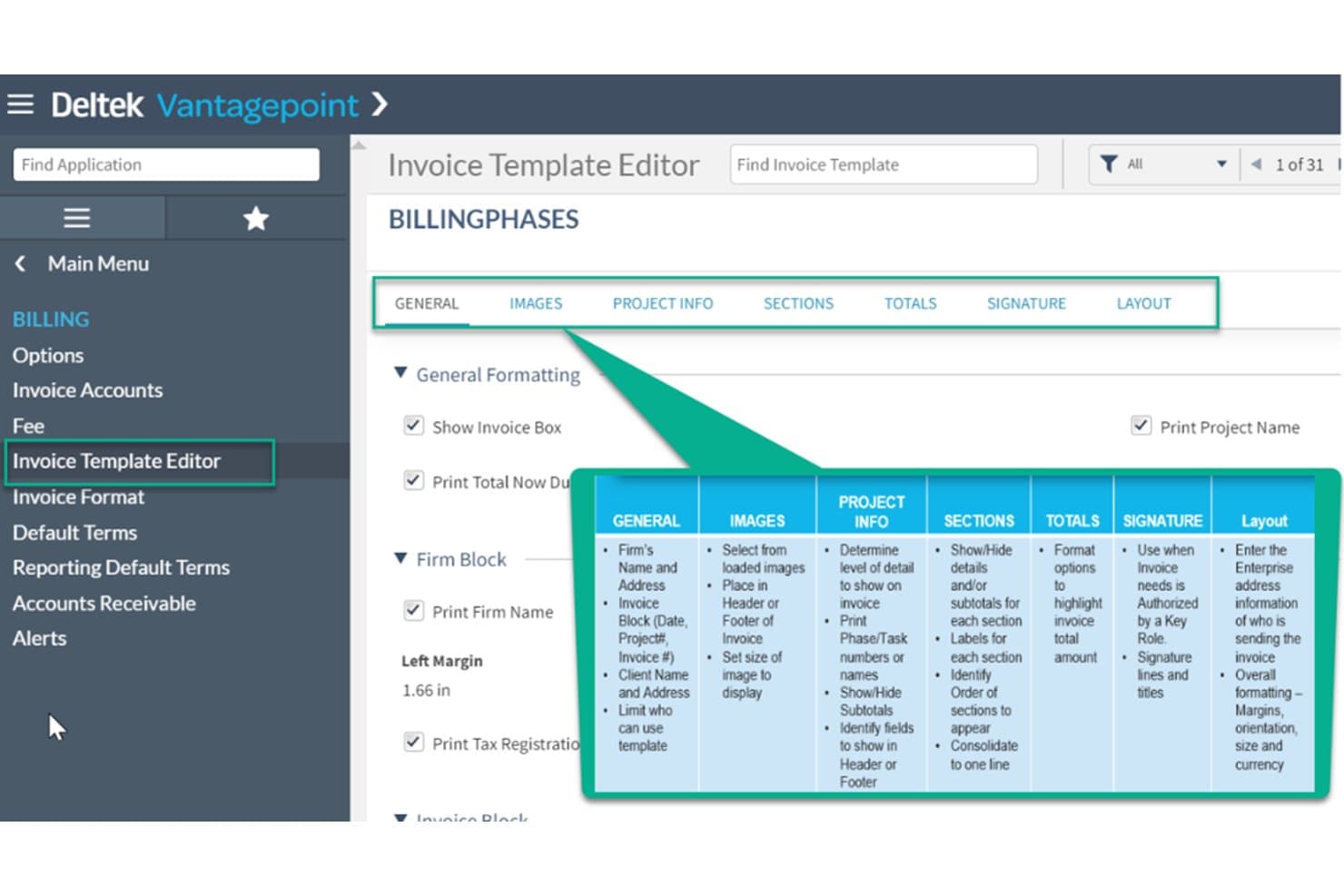
Deltek Vantagepoint streamlines billing with customizable invoice templates. Deltek Vantagepoint is a purpose-built ERP for architecture, engineering, and consulting firms that covers project accounting, WBS-driven billing, resource management, CRM, and core financials in a single platform.
Who Is Deltek Vantagepoint Best For?
Deltek Vantagepoint is built for mid-to-large architecture and engineering firms that need project billing, resource planning, and financial management in one connected system.
Why I Picked Deltek Vantagepoint
Deltek Vantagepoint earns its spot on my shortlist because no other platform comes close to matching its depth of project billing flexibility for A&E firms. I love that billing terms are configured at the WBS level, meaning a single project can run T&M at one phase, fixed-fee at another, and percent-of-construction at a third. The Pay When Paid functionality for subconsultants is equally impressive, automatically holding AP vouchers until the client pays, which is exactly how engineering firms actually operate.
Deltek Vantagepoint Key Features
- Multi-company account groups: View and manage financials across multiple entities or offices in a single consolidated dashboard.
- Dela AI assistant: A built-in AI tool that suggests timesheet entries, captures expense receipts, drafts client communications, and answers project queries in natural language.
- Skills-based resource matching: Search and assign staff to projects based on qualifications, availability, and utilization to manage workload across the firm.
- Revenue Generation module: Supports multiple revenue recognition methods—including percent complete, job-to-date, and milestone—tracked at the project, phase, or task level.
Deltek Vantagepoint Integrations
Deltek Vantagepoint has native integrations with GovWin IQ, Deltek PIM, Deltek ArchiSnapper, UKG, Microsoft Outlook, Gmail, and Deltek Talent Management. Its open API and iPaaS-compatible connectors support custom integrations.
Pros and Cons
Pros:
- Pipeline, resource, and financial data unified
- Native pay when paid subconsultant workflows
- WBS-driven billing terms by project phase
Cons:
- Mobile app limited to time and expense
- Reporting setup is clunky and confusing
Learn more about Deltek Vantagepoint: Best for AEC firms managing project-to-profit
- Free demo available
- Pricing upon request
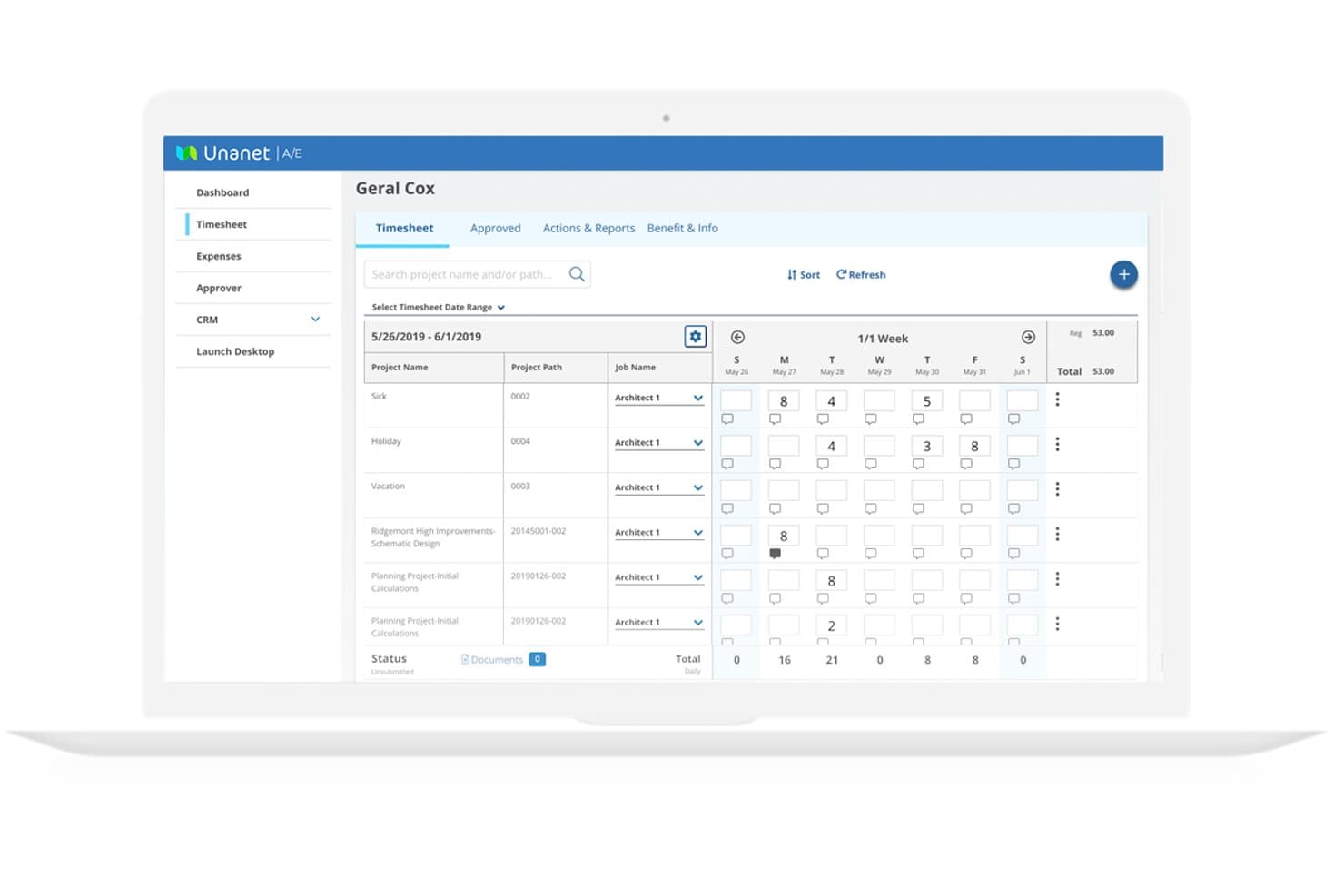
Unanet lets engineers log hours across projects in a weekly timesheet view. Unanet is an ERP platform purpose-built for AEC and government contracting firms, unifying project accounting, time and expense tracking, billing, WIP management, resource planning, and core financials in a single system.
Who Is Unanet Best For?
Unanet is a strong fit for mid-sized AEC and government contracting firms that need a single system to connect project financials, billing, and compliance from pursuit to invoice.
Why I Picked Unanet
Unanet earns its spot on my shortlist because it's built entirely around how AEC firms move from project pursuit to final invoice, without needing separate systems to stitch that journey together. I particularly like its WIP dashboards, which flag billing risk in real time when unbilled work sits too long without an invoice, and its native support for Fixed-Fee, T&M, Cost-Plus, and milestone billing in one place. The EVM tracking with ETC and EAC calculations is genuinely useful for long-duration projects where cost overruns can quietly compound before anyone notices.
Unanet Key Features
- Resource and capacity planning: Built-in tools show real-time staff availability, skills, and workload across your firm, tied directly to project budgets and financials.
- Indirect rate management: Configurable cost pool allocations and what-if scenario modeling calculate indirect rates for compliance and accurate project costing.
- Multi-entity accounting: Tracks intercompany transactions, allocations, and consolidated financials across multiple legal entities within a single system.
- CRM and pipeline integration: Unanet's native AEC CRM connects business development opportunities directly to project records, giving you visibility from pursuit through final billing.
Unanet Integrations
Unanet Connect offers 100+ pre-built integrations, including Salesforce, ADP, Newforma Project Center, Procore, Power BI, and Tableau. An open API supports custom integrations and multi-directional data syncs.
Pros and Cons
Pros:
- Tracks every billing structure in one system
- In-depth WIP and earned value management
- Purpose-built for AEC and GovCon workflows
Cons:
- Performance issues reported during invoicing and time tracking
- Custom reports require significant manual adjustments
Learn more about Unanet: Best for government-contracting engineering firms
- Free demo available
- Pricing upon request
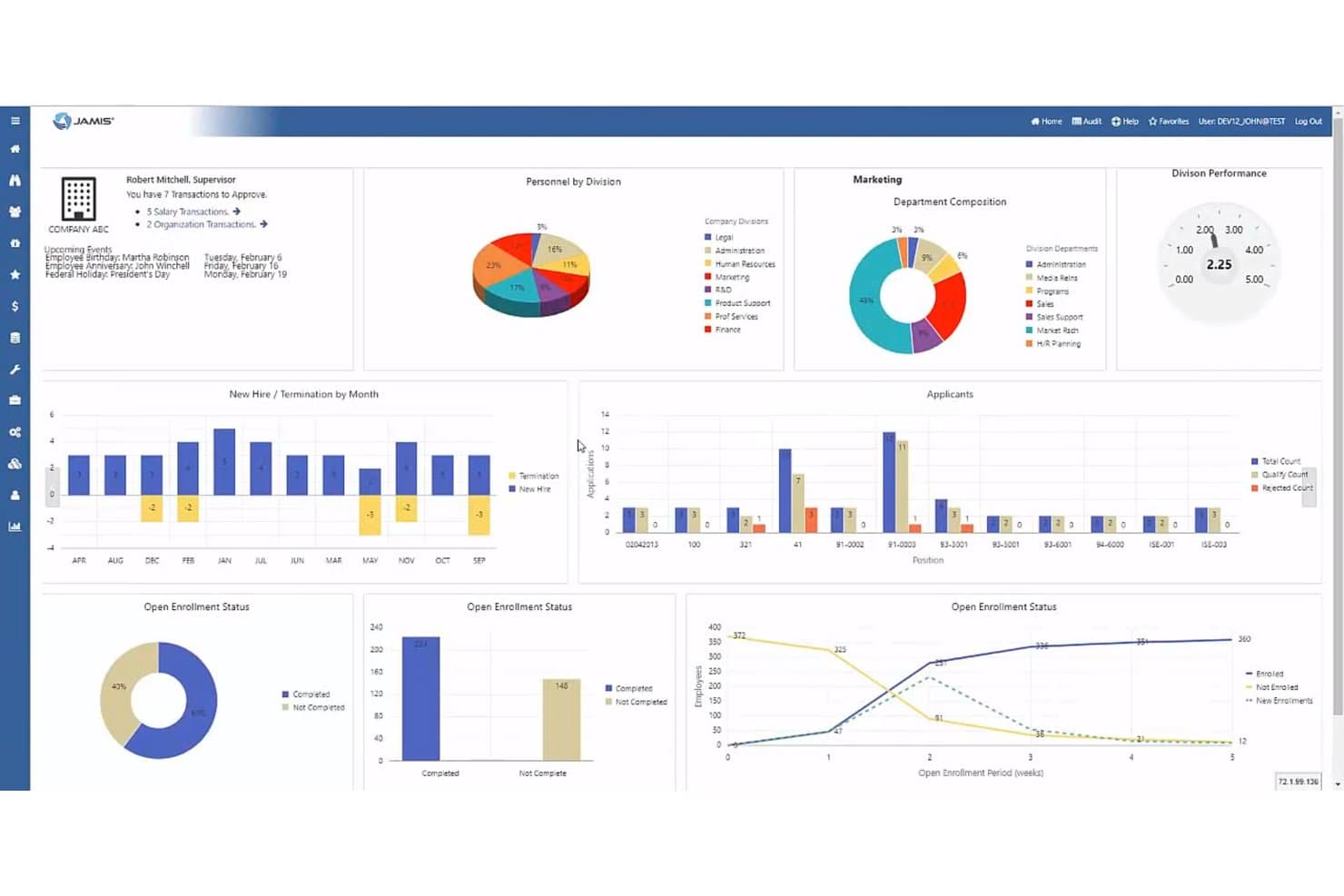
Jamis Prime ERP centralizes HR, enrollment, and hiring data in one dashboard. Jamis Prime ERP is a government contractor-focused ERP and project accounting platform that covers contract billing, DCAA-compliant timekeeping, indirect cost allocation, multi-entity financial management, and earned value management.
Who Is Jamis Prime ERP Best For?
Jamis Prime ERP is built for engineering firms that hold federal government contracts and need DCAA-compliant project accounting, contract billing, and cost allocation in one platform.
Why I Picked Jamis Prime ERP
I've included Jamis Prime ERP in my top picks because it's the only tool on this list built from the ground up for federal government contractors, where DCAA compliance and FAR Part 31 cost accounting aren't optional add-ons but core architecture. I particularly like how it handles indirect cost allocation across separate indirect jobs at the contract, project, and subtask level, which is exactly what engineering firms need when segregating direct, indirect, and unallowable costs for audit purposes. Its native support for Cost-Reimbursable, T&M, and FFP billing, complete with ACRN funding tracking and automated retention withholdings, covers contract structures that most general-purpose accounting tools simply can't handle.
Jamis Prime ERP Key Features
- DCAA-compliant timekeeping: Enforces labor charging rules, prevents charges outside a contract's period of performance, and supports total time accounting including uncompensated overtime calculations.
- Earned value management (EVM) via WBS: Lets you configure Direct Jobs as EVM tasks and subtasks within the work breakdown structure for tracking schedule and cost performance.
- Business Planning Suite: Provides EAC forecasting with unlimited saved versions, what-if scenario planning, and win-probability-weighted revenue forecasting for new business bids.
- JAMIS Advanced Analytics: Combines an automated SQL Data Warehouse with native Microsoft Power BI dashboards for role-based reporting across project, contract, and financial data.
Jamis Prime ERP Integrations
Documented integrations include Microsoft Power BI, SharePoint, Box.com, Deltek GovWin IQ, BambooHR, Paylocity, Workday HCM, and GovConPay. Jamis Prime ERP also supports REST and SOAP APIs, plus the Acumatica integration ecosystem for custom connectivity.
Pros and Cons
Pros:
- Deep government contractor compliance support
- Automated contract and project billing types
- DCAA-compliant timekeeping with audit trail
Cons:
- All modules not included in base product
- Limited support for commercial AEC workflows
Learn more about Jamis Prime ERP: Best for global scalability
- Free demo available
- Pricing upon request
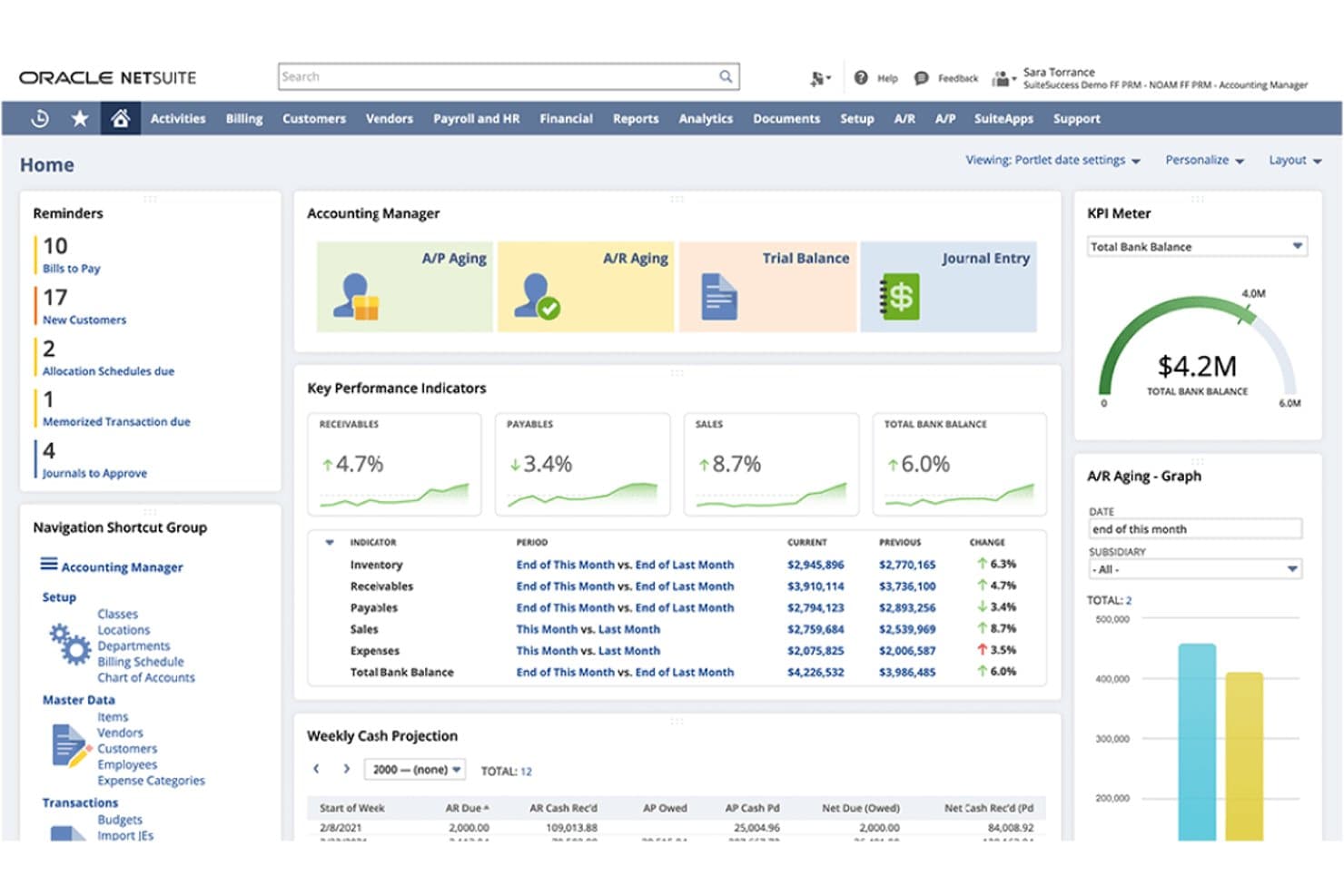
NetSuite gives accounting managers a centralized view of financial KPIs, accounts receivable and payable, cash projections, and outstanding tasks. NetSuite Cloud Accounting is an ERP-grade accounting platform that combines general ledger, project-based accounting, multi-entity consolidations, flexible billing, revenue recognition, and time and expense tracking in a single cloud suite.
Who Is NetSuite Cloud Accounting Best For?
NetSuite Cloud Accounting is the strongest fit for mid-market to enterprise engineering firms managing multiple entities, currencies, or legal structures across more than one geography.
Why I Picked NetSuite Cloud Accounting
NetSuite Cloud Accounting earns its spot on my shortlist because no other platform I've reviewed handles multi-entity, multi-currency consolidations as natively as this one. I'm particularly impressed by how it lets engineering firms running offices across multiple countries generate consolidated financial statements in real time, without manual workarounds. Its billing rules engine also supports the full range of contract structures, from T&M to fixed-fee and progress billing, within a single project record.
NetSuite Cloud Accounting Key Features
- Resource management module: Assigns engineers to projects based on skills, availability, and experience, with a real-time timeline for workload balancing.
- ASC 606/IFRS 15-compliant revenue recognition: Recognizes revenue separately from billing using labor-based, fixed, percent-complete, or charge-based methods on a per-project basis.
- Automated close management: Automates journal entries, reconciliations, variance analysis, and intercompany transactions to accelerate the financial close cycle.
- SuiteApp marketplace: Provides certified third-party add-ons, including DCAA-On-Demand for government contractor compliance and PLM integrations for Autodesk tools.
NetSuite Cloud Accounting Integrations
NetSuite Cloud Accounting has a documented native Salesforce Connector, while its SuiteApp marketplace offers Autodesk PLM Integrations and DCAA-On-Demand. SuiteTalk REST and SOAP APIs, SuiteCloud, and iPaaS partners such as Celigo support custom connections to engineering and finance systems.
Pros and Cons
Pros:
- Resource planning tied to project financials
- Flexible project billing and revenue recognition
- Real-time financials across global entities
Cons:
- Not purpose-built for engineering workflows
- High setup and implementation complexity
Learn more about NetSuite Cloud Accounting: Best for Microsoft 365-native project accounting
- Free trial available
- From $135/user/month (billed annually)
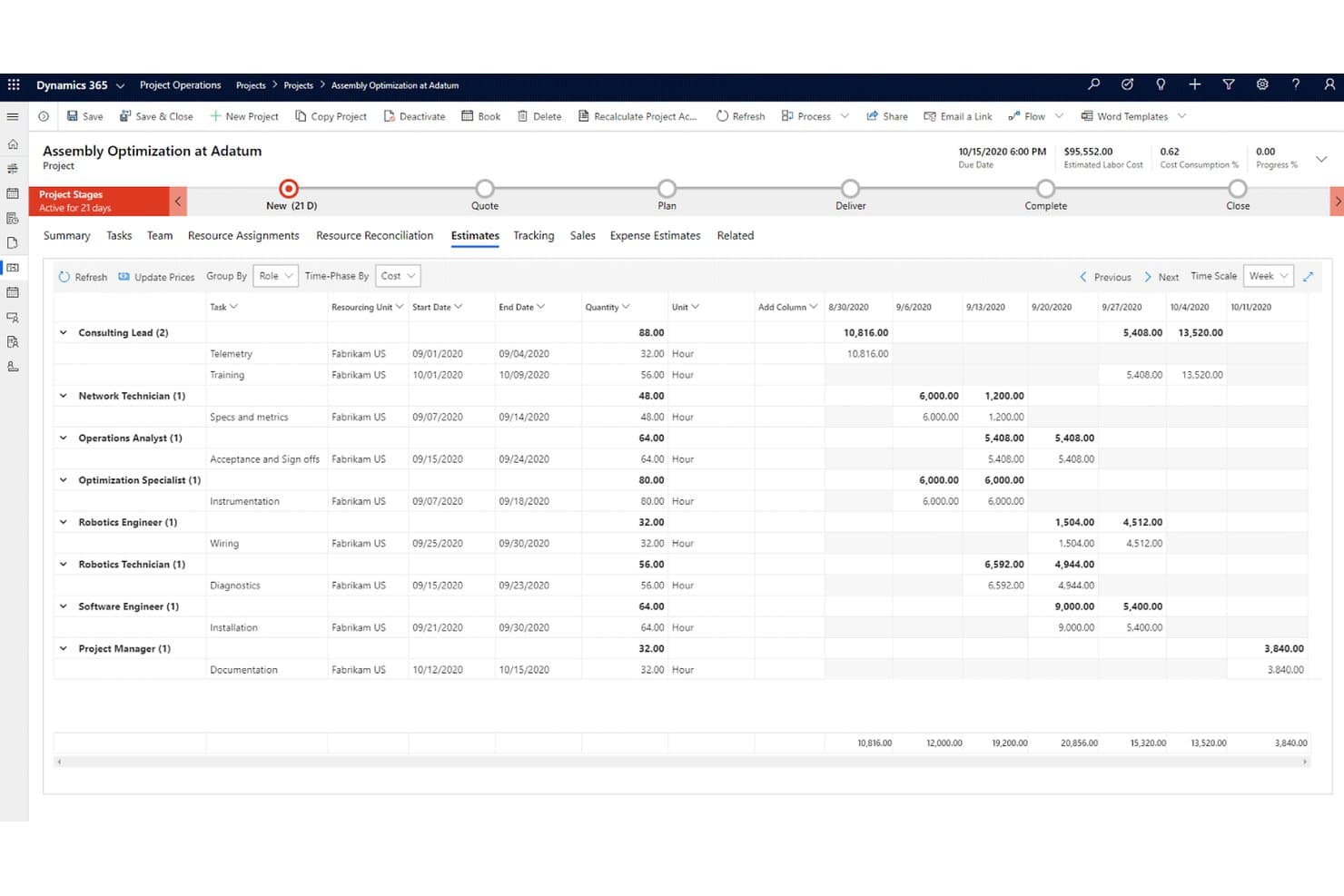
Dynamics 365 Project Operations tracks labor costs and estimates by role and task weekly. Dynamics 365 Project Operations is a Microsoft project accounting platform that covers the full project lifecycle—from deal management and resource scheduling to time and expense tracking, contract billing, WIP accounting, and revenue recognition.
Who Is Dynamics 365 Project Operations Best For?
It's a strong fit for mid-market to enterprise engineering and AEC firms already running on Microsoft 365 that need ERP-grade project accounting in one connected environment.
Why I Picked Dynamics 365 Project Operations
Dynamics 365 Project Operations earns its spot on my shortlist because it's the only tool here that runs project accounting directly inside the Microsoft 365 environment your team already works in. I like that revenue recognition, WIP accrual, and earned value metrics (CPI, SPI) aren't bolt-ons—they're built into the same platform handling your GL, AP, and AR via Dynamics 365 Finance. On a fixed-price engagement, that means percentage-of-completion calculations and proforma invoicing happen in one connected workflow, not across two systems.
Dynamics 365 Project Operations Key Features
- Universal Resource Scheduling: A built-in scheduling engine that matches resources to project needs based on skills, proficiency levels, availability, and workload across your project portfolio.
- Subcontractor management: A dedicated module for vendor onboarding, subcontract line tracking, and three-way invoice matching across purchase orders, receipts, and vendor invoices.
- Multi-entity intercompany accounting: Supports separate legal entities with automated intercompany cost and revenue posting, enabling financial consolidation across multi-office engineering operations.
- Earned value management (EVM): Calculates cost variance (CV), schedule variance (SV), CPI, and SPI at the project level, with EVM data postable directly to ledger accounts for structured project financial control.
Dynamics 365 Project Operations Integrations
Dynamics 365 Project Operations offers native integrations across the Microsoft ecosystem, including Dynamics 365 Finance, Dynamics 365 Sales, Teams, Power BI, SharePoint, and Microsoft Planner. Dataverse APIs and Power Automate support custom connectivity, while marketplace solutions include OnePlan, GovCon365, and aec360.
Pros and Cons
Pros:
- Includes built-in earned value management
- Supports multi-entity and intercompany transactions
- Handles project accounting and WIP natively
Cons:
- No native connectors to Deltek or Autodesk
- Full features require Dynamics Finance integration
Learn more about Dynamics 365 Project Operations: Best for large engineering firms
- Not available
- Pricing upon request
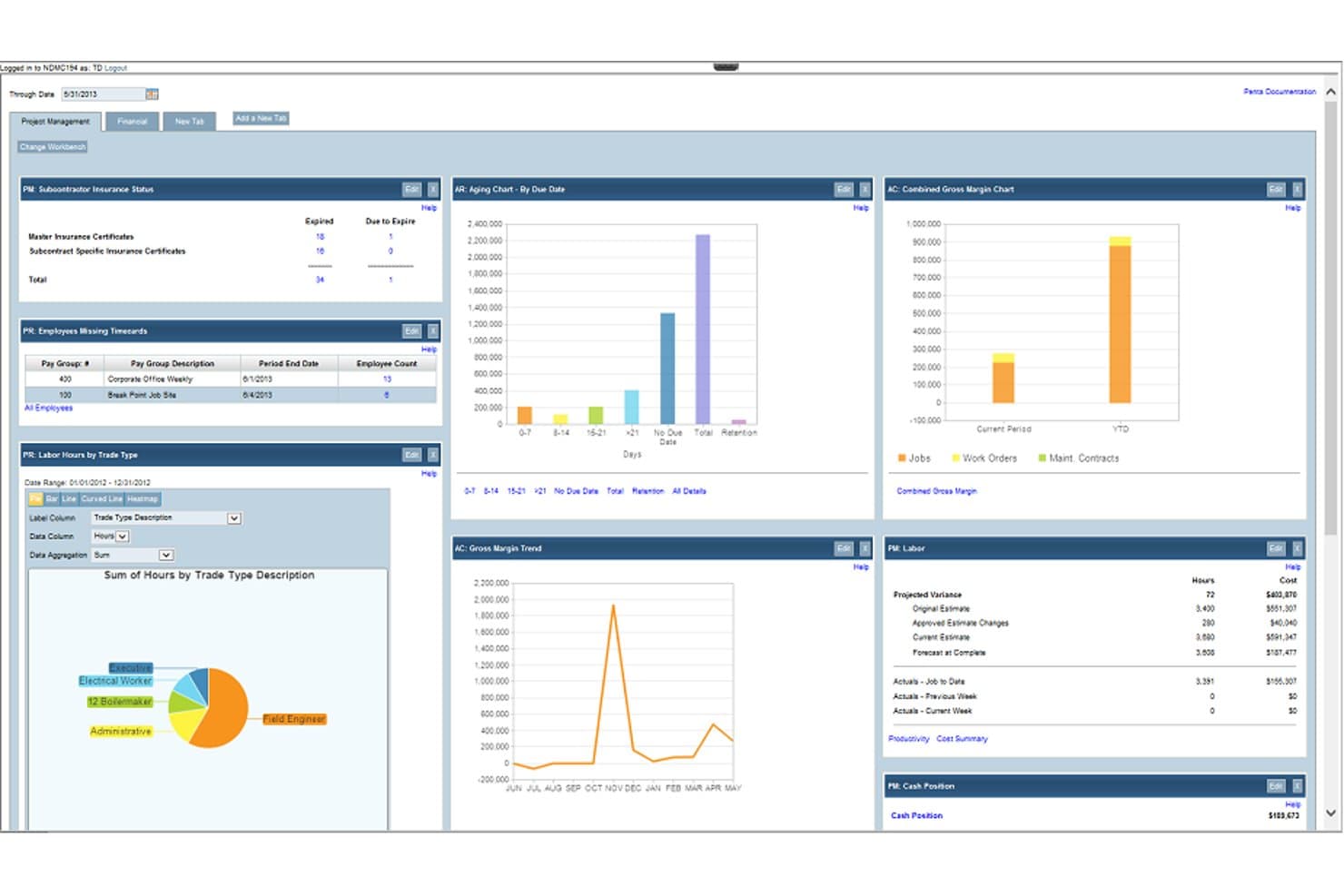
PENTA Project Accounting simplifies multi-project management, cost control, and tracking. PENTA is a project accounting and ERP platform built specifically for specialty contractors, with modules covering job costing, financial management, construction payroll, and field service management.
Who Is PENTA Project Accounting Best For?
PENTA is a strong fit for large specialty contractors and engineering firms that need integrated project accounting, multi-company financials, and construction payroll in one platform.
Why I Picked PENTA Project Accounting
I picked PENTA as one of the best because it's purpose-built for the scale and complexity that large engineering firms actually deal with. I especially like the multi-level reporting with unlimited parent/child relationships, which lets you drill from consolidated financials all the way down to individual cost codes without hitting a ceiling. Add intercompany automation that posts entries across business units in real time, and large multi-entity engineering operations get a level of financial control that generic accounting tools simply can't replicate.
PENTA Project Accounting Key Features
- Daily job costing: Tracks labor, material, and equipment costs as they're incurred and generates automated cost-to-complete forecasts.
- Automated revenue recognition: Calculates earned revenue and over/under-billed amounts using cost-to-complete data tied directly to each project.
- Construction payroll: Handles multi-union payroll, prevailing wage calculations, and certified payroll reporting with direct job cost integration.
- Role-based workbench panels: Surfaces financial data relevant to each user's specific role, from project managers to executives.
Pros and Cons
Pros:
- Handles multi-company accounting
- Advanced cost management
- Real-time dashboard insights
Cons:
- Complex implementation process
- Requires extensive training
Learn more about PENTA Project Accounting:
Annen regnskapsprogramvare for ingeniørvirksomheter
Her er noen flere alternativer for regnskapsprogramvare for ingeniørvirksomheter som ikke kom med på kortlisten, men som likevel er verdt å undersøke:
- 11BigTimeBest for quote-to-cash billing on T&M contracts
- 12KantataBest for resource-to-financials project accounting
- 13SYSPROBest for manufacturing industries
- 14ProjectworksBest for engineering consultancy billing and resourcing
Related Reviews
How I Evaluate Engineering Accounting Software
I split my evaluation into baseline requirements—like project-level cost tracking and flexible contract billing—and the differentiators that separate a good fit from the right one.
Core Functionality (Table Stakes For This List)
When I'm selecting tools for my list, I rank each one on a scale from 0 (does not offer the functionality) to 5 (excels in this area) for each core functionality listed below. I then calculate the tool's total score into a percentage, using 65% as a benchmark to help assess its overall fit for the list.
- Project-Based Accounting: I look for whether the platform tracks revenue, costs, budgets, and margins at the project and phase level—not just across the general ledger.
- Time & Expense Tracking: I evaluate how well the platform captures billable hours and reimbursable expenses against specific projects, phases, or tasks for accurate job costing.
- Project & Contract Billing: I check for native support across multiple billing structures—time-and-materials, fixed-fee, milestone, and cost-plus—since engineering firms rarely work with just one contract type.
- WIP & Revenue Management: I assess whether the platform handles WIP tracking and project revenue recognition for long-duration or multi-phase engagements, not just at invoice time.
- Core Financial Management: I look for a full financial system of record—GL, AP, AR, and standard financial reporting—rather than a project tool with accounting bolted on.
- Multi-Entity & Financial Controls: I consider support for organizational complexity, including multi-entity accounting, indirect cost allocation, audit trails, and where relevant, regulatory frameworks like DCAA compliance.
Once I have a list of tools that meet the criteria, I consider what sets each platform apart.
Differentiating Factors (What Sets Vendors Apart)
Here's how I compare and contrast different vendors:
Standout Features
Subconsultant management is one I look at closely—specifically whether the platform automates markup calculations and pay-when-paid workflows, since manually reconciling sub invoices against client billings is where errors tend to creep in. I also evaluate earned value management depth: not just whether EVM exists, but whether CPI and SPI dashboards are native and actionable. Finally, I check how well the CRM pipeline connects to project financials—tools that convert opportunities into staffing plans and revenue forecasts save project accountants real coordination effort.
Beyond Features
Firm size and practice fit matter more than most buyers expect. A tool that works well for a 10-person civil engineering firm often buckles under the complexity of a multi-office AEC enterprise managing dozens of concurrent projects. I also look closely at compliance and audit readiness—specifically whether a platform supports DCAA-compliant timekeeping and FAR Part 31 indirect cost structuring, since firms doing government work can't afford gaps there. Deployment model and total cost of ownership round out my evaluation, because module-based pricing can make an affordable-looking platform expensive once you add the features you actually need.
Slik velger du regnskapsprogramvare for ingeniørvirksomheter
Det er lett å gå seg vill i lange funksjonslister og komplekse prismodeller. For å hjelpe deg med å holde fokus mens du arbeider deg gjennom den unike prosessen med å velge programvare, har jeg laget en sjekkliste over faktorer du bør ha i tankene:
| Faktor | Hva bør du vurdere? |
| Skalerbarhet | Vil denne programvaren vokse sammen med teamet ditt? |
| Integrasjoner | Kan den integreres med de eksisterende verktøyene dine (for eksempel ERP-programvare for ingeniørvirksomheter og CRM-systemer)? |
| Tilpasningsmuligheter | Kan du tilpasse programvaren etter behovene dine? |
| Brukervennlighet | Er programvaren brukervennlig for teamet ditt? |
| Budsjett | Passer prisen innenfor budsjettbegrensningene dine? |
| Sikkerhetstiltak | Er økonomidataene dine tilstrekkelig beskyttet? |
| Brukerstøtte | Er kundestøtte tilgjengelig når du trenger den? |
| Samsvar | Er løsningen i tråd med bransjens regelverk? |
Trender innen regnskapsprogramvare for ingeniørvirksomheter
I undersøkelsene mine hentet jeg inn utallige produktoppdateringer, pressemeldinger og lanseringslogger fra ulike leverandører av regnskapsprogramvare for ingeniørvirksomheter. Her er noen av trendene som er i ferd med å vokse frem, og som jeg følger med på:
- AI-drevne innsikter: Leverandører integrerer AI for å gi innsikt i sanntid og prediktiv analyse. Dette hjelper brukerne med å ta informerte beslutninger ved å analysere store datasett raskt. Noen verktøy bruker for eksempel AI til å identifisere forbruksmønstre og foreslå kostnadsbesparende tiltak.
- Blokkjedeintegrasjon: Blokkjedeteknologi brukes til å forbedre datasikkerhet og åpenhet. Den blir nyttig for å spore transaksjoner og sikre integriteten til økonomiske oppføringer. Leverandører undersøker hvordan blokkjeder kan brukes til å forbedre tillit og nøyaktighet i regnskapssystemer.
- Samarbeid i skyen: Flere verktøy fokuserer på å forbedre samarbeid på avstand ved å utnytte skyteknologi. Dette gjør det mulig for team å samarbeide fra hvor som helst og dele data og økonomiske rapporter i sanntid. Noen løsninger tilbyr prosjektstyrings funksjoner i skyen for å legge til rette for denne utviklingen.
- Sporing av bærekraft: Det er en økende etterspørsel etter funksjoner som gjør det mulig for virksomheter å spore og rapportere bærekraftsindikatorer. Denne trenden drives av økte regulatoriske krav og mål knyttet til samfunnsansvar. Leverandører legger til moduler som hjelper selskaper med å måle miljøpåvirkningen sin.
- Tilpassbar rapportering: Brukerne ønsker større fleksibilitet i hvordan de oppretter og viser rapporter. Tilpassbar rapportering gjør det mulig for virksomheter å tilpasse økonomiske oppstillinger til sine spesifikke behov. Noen programvarer tilbyr dra-og-slipp-grensesnitt for å opprette personlige dashbord og rapporter.
Hva er regnskapsprogramvare for ingeniørvirksomheter?
Regnskapsprogramvare for ingeniørvirksomheter er utviklet for å håndtere den økonomiske siden av ingeniørprosjekter. Den brukes vanligvis av prosjektledere, næringsentreprenører, regnskapsførere og finansanalytikere i ingeniørfirmaer for å spore utgifter, budsjetter og den samlede økonomiske ytelsen.
Viktige funksjoner som tidsregistrering, fakturering og rapportering bidrar til å håndtere prosjektkostnader, sikre overholdelse av krav og gi innsikt i den økonomiske helsen. Disse verktøyene forbedrer nøyaktigheten til økonomiske data og støtter mer effektiv prosjektstyring.
Funksjoner
Når du velger regnskapsprogramvare for ingeniørvirksomheter, bør du se etter følgende viktige funksjoner:
- Prosjektbudsjettering: Hjelper med å spore og håndtere prosjektkostnader for å sikre at de holder seg innenfor budsjettet.
- Tidsregistrering: Overvåker hvor mange timer som brukes på prosjekter, noe som bidrar til nøyaktig fakturering og ressursallokering.
- Fakturering: Automatiserer oppretting og håndtering av fakturaer for å effektivisere faktureringsprosessene.
- Økonomisk rapportering: Genererer detaljerte økonomiske rapporter for å gi innsikt i prosjektets og selskapets resultater.
- Overholdelse av regelverk: Sikrer overholdelse av bransjespesifikke regler og standarder. Dette er verdifullt hvis du arbeider innen luftfart, olje og gass eller lastebiltransport.
- Utgiftshåndtering: Sporer og kontrollerer forbruket for å opprettholde økonomisk disiplin i prosjektene.
- Tilpassbare dashbord: Gjør det mulig for brukerne å tilpasse dashbord slik at de viser relevante økonomiske nøkkeltall.
- AI-drevne innsikter: Tilbyr prediktiv analyse for å hjelpe med å ta informerte økonomiske beslutninger.
- Støtte for flere valutaer: Tilrettelegger for transaksjoner og rapportering i flere valutaer for internasjonale prosjekter.
- Samarbeid i skyen: Gjør det mulig for team å samarbeide på avstand ved å dele økonomiske data i sanntid.
Fordeler
Implementering av regnskapsprogramvare for ingeniørvirksomheter gir flere fordeler for teamet og virksomheten din. Her er noen av fordelene du kan se frem til:
- Bedre kostnadshåndtering: Bidrar til å holde prosjektutgiftene under kontroll gjennom effektiv budsjettering og utgiftssporing.
- Større økonomisk nøyaktighet: Reduserer feil i økonomiske data med automatiserte funksjoner for fakturering og rapportering.
- Tidsbesparelser: Automatiserer rutineoppgaver som tidsregistrering og fakturering, slik at teamet ditt får mer tid til strategisk arbeid.
- Bedre etterlevelse: Sikrer overholdelse av bransjeregler med funksjoner som er utviklet for å håndtere krav til etterlevelse. For virksomheter innen petroleumsingeniørfag, for eksempel olje- og gasselskaper, er dette en stor fordel.
- Økt samarbeid: Tilrettelegger for teamarbeid med samarbeidsverktøy i skyen som muliggjør datadeling i sanntid.
- Informerte beslutninger: Gir innsikt og prediktiv analyse for å hjelpe med å ta strategiske økonomiske beslutninger.
- Fleksibel rapportering: Tilbyr tilpassbare dashbord og rapporter som dekker virksomhetens unike behov.
Kostnader og priser
Ved valg av regnskapsprogramvare for ingeniørvirksomheter er det nødvendig å forstå de ulike prismodellene og tilgjengelige abonnementene. Kostnadene varierer basert på funksjoner, teamstørrelse, tillegg og mer. Tabellen nedenfor oppsummerer vanlige abonnementer, gjennomsnittsprisene deres og typiske funksjoner som er inkludert i regnskapsprogramvareløsninger for ingeniørvirksomheter:
Sammenligningstabell for regnskapsprogramvare for ingeniørvirksomheter
| Abonnementstype | Gjennomsnittspris | Vanlige funksjoner |
| Gratisabonnement | $0 | Grunnleggende fakturering, utgiftssporing og begrenset rapportering |
| Personlig abonnement | $10-$30 per bruker/måned | Tidssporing, grunnleggende rapportering, fakturering og grunnleggende kundestøtte |
| Bedriftsabonnement | $30-$60 per bruker/måned | Prosjektbudsjettering, støtte for flere valutaer, økonomifunksjoner og avansert kundestøtte |
| Foretaksabonnement | $60-$100 per bruker/måned | Avansert analyse, tilpassbare oversikter, funksjoner for overholdelse av regelverk og prioritert kundestøtte |
Vanlige spørsmål om regnskapsprogramvare for ingeniørvirksomheter
Her er noen svar på vanlige spørsmål om regnskapsprogramvare for ingeniørvirksomheter.
Hvorfor velge regnskapsprogramvare som er spesielt utviklet for ingeniørfirmaer?
Regnskapsprogramvare som er utviklet for ingeniørfirmaer, tilbyr spesialiserte funksjoner som dekker disse virksomhetenes unike behov. Du kan dra nytte av prosjektbasert regnskapsføring, som gjør det enklere å håndtere kostnader og lønnsomhet per prosjekt. Disse verktøyene omfatter ofte funksjoner som tidssporing, budsjettstyring og ressursallokering. Denne spesialiseringen sikrer at programvaren støtter firmaets arbeidsflyt på en sømløs måte.
Hvordan kan regnskapsprogramvare for ingeniørvirksomheter bidra til overholdelse av regelverk?
Regnskapsprogramvare for ingeniørvirksomheter kan bidra til å sikre overholdelse av regelverk ved å tilby verktøy for håndtering av bransjespesifikke regulatoriske krav. Den omfatter ofte funksjoner for sporing av utgifter og generering av rapporter som oppfyller bransjestandarder. Dette kan være avgjørende ved revisjoner og for å sikre at økonomiske regler følges. Ved å automatisere rapporteringsprosessene reduserer programvaren risikoen for feil og manglende etterlevelse.
Hvordan kan regnskapsprogramvare for ingeniørvirksomheter forbedre prosjektbudsjetteringen?
Regnskapsprogramvare for ingeniørvirksomheter kan forbedre prosjektbudsjetteringen betydelig ved å tilby verktøy for å overvåke og kontrollere kostnader i sanntid. Den lar deg fastsette budsjetter for bestemte prosjekter og følge utgiftene opp mot disse budsjettene. Dette hjelper deg med å identifisere områder der du kan komme til å overskride budsjettet, og gjøre nødvendige justeringer. Programvaren kan også generere detaljerte økonomiske rapporter som gir innsikt i prosjektets økonomiske status.
Related Reviews