

Software-ul de gestionare a cheltuielilor pentru domeniul sănătății vă ajută organizația să urmărească, controleze și raporteze cheltuielile în toate departamentele, locațiile și rețelele de furnizori, respectând în același timp reglementările stricte din domeniu. Dacă sunteți în căutarea celui mai bun software de gestionare a cheltuielilor și plăților pentru domeniul sănătății, probabil că trebuie să găsiți un echilibru între cerințele de conformitate, fluxurile complexe de aprobare și nevoia de vizibilitate în timp real asupra costurilor.
Alegerea unei singure platforme potrivite pentru aceste cerințe vă poate ajuta să gestionați rambursările medicilor, să automatizați aplicarea politicilor și să susțineți operațiunile cu mai multe entități, reducând în același timp erorile manuale și riscurile de audit. Această listă vă va ajuta să comparați soluțiile de top, astfel încât să găsiți opțiunea potrivită pentru procesele financiare ale organizației dumneavoastră din domeniul sănătății.
Why Trust Our Software Recommendations
6,700+
Reviews
20
Industry experts
16+
Evaluation factors
14
Years
Our team has been testing and reviewing software since 2012. As finance leaders ourselves, we know how difficult—and important—it is to choose the right software.
For this guide, we evaluated tools using hands-on testing and independent research, scoring tools using our selection criteria.
Our reviews reflect our human editorial judgment, not a sales pitch.
Tabel comparativ al software-ului de gestionare a cheltuielilor pentru domeniul sănătății
Acest tabel comparativ sintetizează detaliile privind prețurile pentru selecțiile mele de top de software de gestionare a cheltuielilor pentru domeniul sănătății:
Sorted by: Default
| Tool | Starting Price | Website | |
|---|---|---|---|
Best for payroll-integrated clinician reimbursement | 4.8 out of 5 | Pricing upon request Free demo available | Website |
Best for real-time corporate card expense visibility | 4.6 out of 5 | $11.99/user/month Free demo available | Website |
Best for automated invoice capture and routing | 4.5 out of 5 | $49/user/month Free plan available | Book Demo |
Best with automated policy enforcement | 4.8 out of 5 | $15/user/month Free plan available; 30-day free trial | Website |
Best for Sunshine Act compliance tracking | 4.5 out of 5 | $4/user/month 14-day free trial | Website |
Best with global payment and AP automation | 4.5 out of 5 | $99/month Free demo available | Website |
Best for customizable approval workflows | 4.4 out of 5 | $6.00/active submitter/month Free trial available | Website |
Best with EHR and ERP system integrations | Not rated | $7/report Free demo available | Website |
Best for physician expense database integration | Not rated | Pricing upon request Free demo available | Website |
Best for HIPAA-compliant mobile expense tracking | Not rated | $400/month Free demo available | Website |


Recenzii ale software-ului de gestionare a cheltuielilor pentru domeniul sănătății
Mai jos găsiți rezumatele mele detaliate ale software-ului de gestionare a cheltuielilor pentru domeniul sănătății care a fost inclus în lista mea scurtă. Recenziile mele oferă o analiză detaliată a funcțiilor, integrărilor și celor mai potrivite cazuri de utilizare pentru fiecare platformă, pentru a vă ajuta să o găsiți pe cea mai bună pentru dumneavoastră.
 Best for payroll-integrated clinician reimbursement
- Free demo available
- Pricing upon request
Visit WebsiteCustomer Rating:4.8/5
Rippling Spend automates expense approval and payroll reimbursement. Rippling Spend is a unified spend management platform that combines corporate cards, expense reimbursement, bill pay, and payroll-integrated disbursement with a configurable policy engine and multi-entity approval workflows.
Who Is Rippling Spend Best For?
Rippling Spend is a strong fit for medical practices, physician groups, and MSOs that want payroll-integrated clinician reimbursement without managing separate finance tools.
Why I Picked Rippling Spend
I've included Rippling Spend in my top picks because its payroll-integrated reimbursement is the best I've seen for clinician-heavy organizations. When a physician submits a CME travel expense, approved reimbursements sync directly into the next payroll cycle automatically, no manual data transfer required. I also like that its policy engine can restrict spend by role or department in real time, so a practice manager can enforce separate card limits for clinical staff versus administrative staff without any manual intervention.
Rippling Spend Key Features
- AI-powered receipt capture: OCR automatically extracts vendor, amount, and date from receipts submitted via mobile photo, email forwarding, or SMS.
- Multi-entity approval routing: Configurable approval chains route expenses across departments, facilities, or physician groups using employee attributes and transaction data.
- Corporate card controls: Physical and virtual Visa cards auto-issue and auto-revoke based on employee lifecycle events, with real-time spend limit enforcement by role or department.
- Accounting system sync: Native integrations with NetSuite, Sage Intacct, QuickBooks, and Xero automatically sync approved expenses to the GL.
Rippling Spend Integrations
Rippling Spend has native integrations with QuickBooks Online, Xero, NetSuite, and Sage Intacct. Oracle and SAP connect through API or file-based workflows; Epic, Cerner, MEDITECH, and Infor integrations aren't documented.
Pros and Cons
Pros:
- AI-powered receipt capture and mobile support
- Customizable multi-entity approval workflows
- Payroll-integrated reimbursement for clinician expenses
Cons:
- No prebuilt healthcare expense categories
- Lacks healthcare regulatory reporting features
Learn more about Rippling Spend: Best for real-time corporate card expense visibility
- Free demo available
- From $11.99/user/month (billed annually)
Visit WebsiteCustomer Rating:4.6/5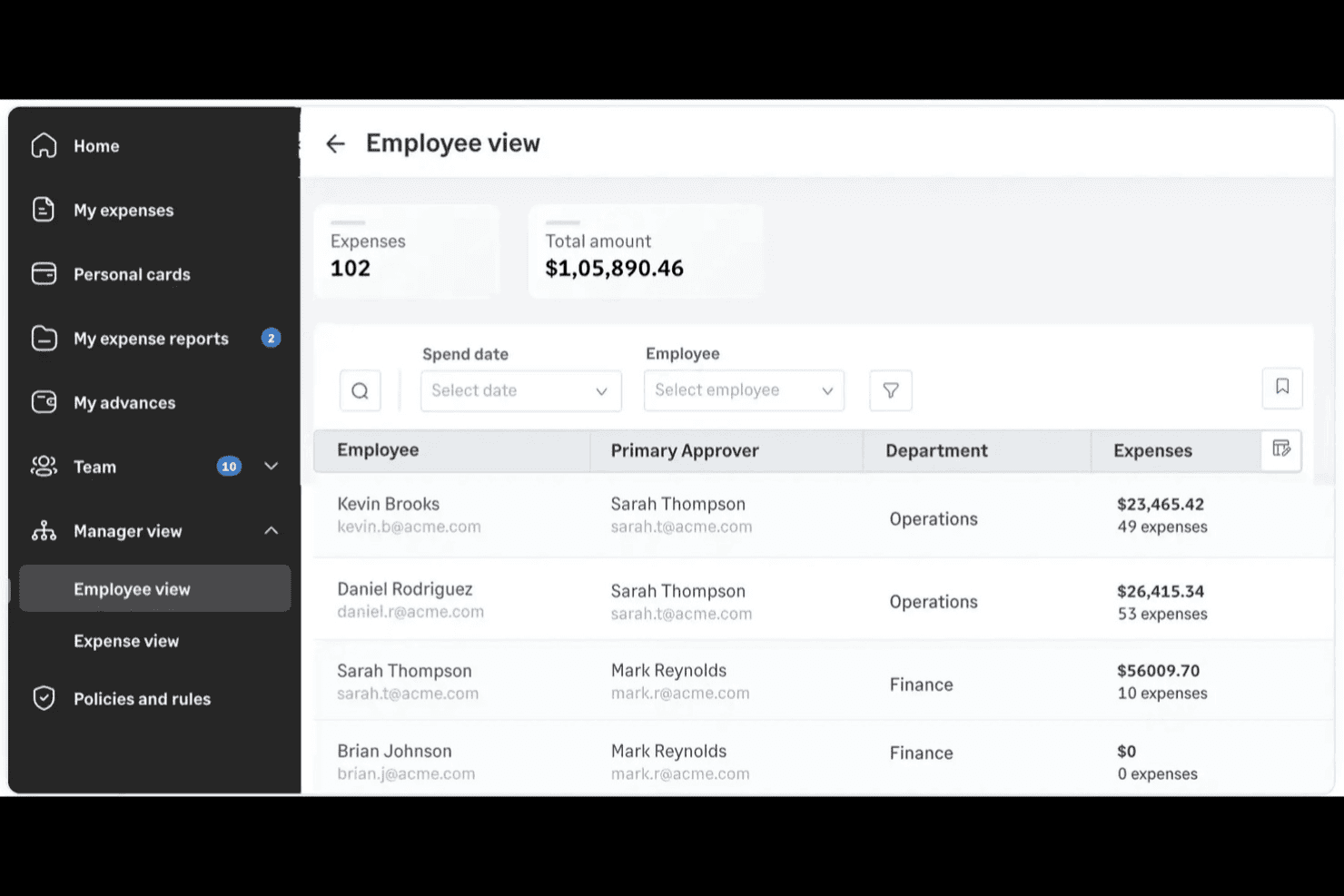
Sage Expense Management (formerly Fyle) helps healthcare teams track employee expenses, monitor spending across departments, and manage expense approvals. Sage Expense Management is an expense management platform that connects to your existing corporate cards—Visa, Mastercard, and Amex—and automates receipt capture, multi-level approval workflows, policy enforcement, and accounting reconciliation across departments and facilities.
Who Is Sage Expense Management Best For?
Sage Expense Management is a strong fit for mid-sized healthcare practices and multi-facility groups that need real-time corporate card visibility and accurate cost-center allocation without switching card programs.
Why I Picked Sage Expense Management
I picked Sage Expense Management as one of the best because it gives healthcare finance teams real-time visibility into corporate card spend without requiring a card program switch. The moment a card is swiped, employees get a text prompt to reply with a receipt photo, so missing receipts are caught immediately rather than at month-end. I also like the custom cost-center fields, which a 13-facility healthcare group used to hit 99% expense coding accuracy across departments.
Sage Expense Management Key Features
- Multi-level approval workflow builder: A visual builder lets you configure unlimited approval levels with rules based on amount, category, department, or project.
- Budget tracking by cost center: Set budgets by department, project, category, or cost center, with automated alerts at spend thresholds like 80% or 90%.
- Read-only auditor role: Grant auditors time-limited, read-only access to expense records, audit logs, and approval history without giving them edit permissions.
- GPS-based mileage tracking: Mileage is calculated using Google Maps across multiple stops, with support for custom rates, recurring trips, and commute deductions.
Sage Expense Management Integrations
Sage Expense Management offers six documented accounting integrations: QuickBooks Online, Xero, QuickBooks Desktop, Sage Intacct, Sage 300 Construction and Real Estate, and Sage 50 (beta). An API supports custom connections.
Pros and Cons
Pros:
- Real-time card alerts clarify departmental spend
- Facility fields improve cost-center coding accuracy
- Receipt texts catch missing card documentation
Cons:
- Reviewers report scanning glitches and crashes
- Healthcare compliance assurances remain undocumented
Learn more about Sage Expense Management (formerly Fyle): 3Best for automated invoice capture and routing
BILL
- Free plan available
- From $49/user/month
Visit WebsiteCustomer Rating:4.5/5
BILL tracks transaction status, merchant details, and costs for healthcare teams. BILL is an AP automation and spend management platform that handles invoice capture, approval workflows, vendor payments, and employee expenses, with healthcare-specific controls including HIPAA-supportive safeguards and ePHI access restrictions.
Who Is BILL Best For?
BILL is a good fit for healthcare finance teams managing high volumes of vendor invoices, multi-location AP workflows, or staff expenses across medical practices and health systems.
Why I Picked BILL
I've included BILL in my top picks because its AI-powered invoice capture pulls data directly from emailed or uploaded invoices and routes them through custom approval chains without any manual handoff. In a healthcare setting, I can set approval policies by vendor type, dollar threshold, or department, so a supply invoice for a clinic location never hits the wrong approver's queue. That level of routing precision cuts down on the back-and-forth that slows down close cycles.
BILL Key Features
- Multi-entity management: Manage AP workflows and expenses across multiple clinic locations or legal entities from one account.
- Role-based access controls: Restrict access to financial data and ePHI based on user role, supporting HIPAA compliance requirements.
- Real-time budget tracking: Monitor spend against budgets as transactions occur, with alerts when limits are approached.
- Corporate card management: Issue virtual and physical cards to staff with preset spending limits and category restrictions.
BILL Integrations
Integrations include QuickBooks, Sage Intacct, Oracle NetSuite, Microsoft Dynamics, Xero, and Acumatica.
Pros and Cons
Pros:
- Automated invoice capture reduces manual entry
- Multi-way vendor payments from one queue
- Supports HIPAA-compliant ePHI safeguards
Cons:
- Limited reporting customization
- Requires separate fees for each entity
Learn more about BILL: 4Best with automated policy enforcement
Ramp
- Free plan available; 30-day free trial
- From $15/user/month
Visit WebsiteCustomer Rating:4.8/5
Ramp provides expense management for healthcare finance teams, with real-time visibility and compliance controls. Ramp offers a modern expense management platform designed for finance teams in healthcare organizations that need strong controls and real-time visibility. It appeals to leaders who want to automate manual expense processes and reduce policy violations across departments or locations. The platform helps healthcare finance professionals centralize expense tracking and maintain compliance in a fast-paced, regulated environment.
Who Is Ramp Best For?
Ramp fits healthcare finance teams at mid-sized to large organizations that need automated expense controls and policy enforcement.
Why I Picked Ramp
I chose Ramp because its automated policy enforcement tools address a major challenge for healthcare finance teams: maintaining compliance and controlling spend across multiple departments. Ramp lets you set granular expense policies that automatically flag or block out-of-policy transactions in real time, reducing manual review and the risk of non-compliance. I also like that Ramp provides automated receipt matching and audit trails, which help healthcare organizations meet strict regulatory requirements. These features make Ramp a strong fit for healthcare organizations that need to enforce spending rules without slowing down operations.
Ramp Key Features
In addition to automated policy enforcement, Ramp offers several features that support healthcare expense management:
- Real-time spend insights: Get up-to-date analytics on spending by department, vendor, or category to help monitor budgets and spot anomalies.
- Custom approval workflows: Set up multi-level approval chains tailored to your organization’s structure and compliance needs.
- Physical and virtual cards: Issue cards with custom limits for staff, contractors, or departments to control company spending and employee spend at the source.
- Direct accounting integrations: Sync expense data with accounting platforms like QuickBooks, NetSuite, and Sage Intacct for faster reconciliation.
Ramp Integrations
Integrations include NetSuite, Sage Intacct, QuickBooks, Microsoft Dynamics Business Central, Xero, and Oracle Fusion Cloud.
Pros and Cons
Pros:
- CMS-ready report exports for audits
- Automates complex clinical approvals
- HIPAA-compliant data security
Cons:
- Doesn't submit files to CMS directly
- Dynamic limits can shift suddenly
 Best for Sunshine Act compliance tracking
- 14-day free trial
- From $4/user/month
Visit WebsiteCustomer Rating:4.5/5
Zoho Expense automates healthcare expense reporting with compliance controls. Zoho Expense offers healthcare organizations a way to manage and automate expense reporting with built-in controls for regulatory needs. It’s designed for hospitals, clinics, and medical groups that need to track spending across departments and ensure policy compliance. Finance teams can use Zoho Expense to simplify approvals, monitor spending, and reduce manual entry errors.
Who Is Zoho Expense Best For?
Zoho Expense suits healthcare finance teams and compliance officers in hospitals and medical groups that need to track and report expenses under strict regulatory requirements.
Why I Picked Zoho Expense
I chose Zoho Expense because it offers built-in tools for tracking and reporting healthcare expenses in line with Sunshine Act requirements. The platform lets you categorize and flag payments to physicians and teaching hospitals, making it easier to capture the data needed for federal transparency reporting. I appreciate how Zoho Expense allows you to set up custom fields and approval workflows that align with healthcare compliance policies. This focus on regulatory tracking makes it a strong fit for organizations that need to manage detailed reporting obligations in the healthcare sector.
Zoho Expense Key Features
Some other features that make Zoho Expense useful for the healthcare expense management process include:
- Automated receipt scanning: Users can upload receipts via mobile or web, and the system extracts key data automatically.
- Multi-level approval workflows: Configure complex approval chains to match hospital or clinic policies.
- Policy violation alerts: The platform flags expenses that fall outside of set guidelines for further review.
- Mileage and travel tracking: Track mileage and travel-related expenses with built-in GPS and mapping tools.
Zoho Expense Integrations
Integrations include Zoho Books, Zoho CRM, Zoho People, Slack, QuickBooks, and Xero.
Pros and Cons
Pros:
- Automated policy violation alerts for healthcare spend
- Multi-level approvals for hospital policy compliance
- Mobile app supports on-the-go receipt capture
Cons:
- Customer support response times can vary
- Advanced features require higher-tier plans
Learn more about Zoho Expense: Best with global payment and AP automation
- Free demo available
- From $99/month
Visit WebsiteCustomer Rating:4.5/5
Tipalti automates AP for healthcare teams handling complex, compliant payments. Tipalti is an accounts payable automation platform designed for healthcare organizations managing complex supplier payments and compliance requirements. It appeals to finance teams in hospitals, clinics, and healthcare networks that need to handle high transaction volumes and strict regulatory standards. The platform helps reduce manual workload and minimize payment errors in environments where accuracy and auditability are essential.
Who Is Tipalti Best For?
Tipalti is a strong fit for mid-sized to large healthcare organizations that need to automate global accounts payable and supplier payments.
Why I Picked Tipalti
What makes Tipalti stand out for healthcare expense management is its ability to automate global payments and accounts payable processes at scale. I picked Tipalti because it supports multi-currency payments to suppliers in over 190 countries, which is essential for healthcare organizations with international vendors or research partners. The platform also includes built-in tax compliance and payment reconciliation features, helping finance teams manage regulatory requirements and reduce manual intervention. These capabilities make Tipalti a strong choice for healthcare finance teams that need to handle complex, high-volume payments with strict audit trails.
Tipalti Key Features
Some other features that make Tipalti useful for healthcare expense management include:
- Automated invoice capture: The platform uses OCR technology to extract and validate invoice data for faster processing.
- Supplier onboarding portal: Vendors can self-register and update their information, reducing manual data entry for finance teams.
- Payment status tracking: Both internal users and suppliers can view real-time payment statuses through a centralized dashboard.
- Audit-ready approval workflows: Customizable approval chains help ensure compliance with internal controls and regulatory requirements.
Tipalti Integrations
Integrations include Oracle NetSuite, Sage Intacct, Microsoft Dynamics 365, Xero, SAP Business One, and LinkTrust.
Pros and Cons
Pros:
- Automated tax form collection
- Strong NetSuite and Sage integration
- Global payments in 120+ currencies
Cons:
- Initial implementation is slow
- Reporting requires manual downloads
Learn more about Tipalti: Best for customizable approval workflows
- Free trial available
- From $6.00/active submitter/month
Visit WebsiteCustomer Rating:4.4/5
SutiExpense helps healthcare teams automate expenses and ensure compliance. SutiExpense is an expense management platform designed for healthcare organizations that need flexible controls and compliance support. Finance teams at hospitals, clinics, and medical groups can use it to automate expense capture, enforce policy, and manage reimbursements. The system helps address challenges like decentralized spending, regulatory requirements, and the need for detailed audit trails.
Who Is SutiExpense Best For?
SutiExpense is a good fit for mid-sized to large healthcare organizations that require tailored approval processes and strict policy enforcement.
Why I Picked SutiExpense
What drew me to SutiExpense is how it lets healthcare organizations design approval workflows that match their unique operational structures. You can set up multi-level routing, conditional approvals, and department-specific rules, which is especially useful for hospitals and clinics with complex hierarchies. I appreciate that the platform allows you to automate policy enforcement and escalation paths, reducing manual oversight and compliance risk. These workflow customization options make SutiExpense a strong choice for healthcare finance teams that need granular control over expense approvals.
SutiExpense Key Features
Some other features that make SutiExpense useful for healthcare expense management include:
- Automated receipt capture: Users can upload receipts via mobile or desktop, and the system matches them to transactions for easier reconciliation.
- Policy violation alerts: The platform flags out-of-policy expenses in real time, helping finance teams maintain compliance.
- Multi-currency support: SutiExpense handles expenses in multiple currencies, which is helpful for organizations with international operations or vendors.
- Integration with ERP and HR systems: The software connects directly to leading ERP and HR platforms, allowing for smoother data flow and reporting.
SutiExpense Integrations
Integrations include QuickBooks Online, NetSuite, Sage Intacct, ADP, Blackbaud, and Twilio.
Pros and Cons
Pros:
- Mobile receipt capture with voice bot
- Strong AI-powered audit & fraud alerts
- Highly customizable approval workflows
Cons:
- Occasional glitches in mobile app
- Admin section is often confusing
Learn more about SutiExpense:

SAP Concur helps healthcare teams manage expenses, ensure compliance, and track spending. Healthcare organizations looking for a unified way to manage expenses across departments often turn to SAP Concur. This platform is designed for hospitals, clinics, and large healthcare networks that need to connect expense data with other core systems. It helps finance teams address compliance, automate approvals, and gain visibility into spending patterns.
Who Is SAP Concur Best For?
SAP Concur is a good fit for large healthcare organizations and hospital systems that need to integrate expense management with existing EHR and ERP platforms.
Why I Picked SAP Concur
I chose SAP Concur because it offers deep integrations with EHR and ERP systems, which is essential for healthcare organizations managing complex financial data. The platform connects expense workflows directly to clinical and operational systems, reducing manual entry and improving data accuracy. I appreciate how its integration capabilities help finance teams maintain compliance and streamline reconciliation across multiple departments. With automated data syncing, SAP Concur supports real-time visibility into both clinical and non-clinical spending.
SAP Concur Key Features
Some other features that make SAP Concur useful for healthcare expense management include:
- Mobile receipt capture: Users can upload business expenses receipts directly from their mobile devices, making it easier to document expenses on the go.
- Custom approval workflows: Configure multi-level approval processes to match your organization’s internal controls and compliance requirements.
- Audit and compliance tools: Built-in audit capabilities help ensure expenses meet healthcare regulations and organizational policies.
- Real-time spend reporting: Access up-to-date dashboards and reports to monitor spending trends across departments and locations.
SAP Concur Integrations
Integrations include SAP, ADP, NetSuite, QuickBooks, Xero, and Oracle NetSuite.
Pros and Cons
Pros:
- Enables granular spend tracking by department
- Provides audit trails for regulatory compliance
- Offers mobile receipt capture for clinicians
Cons:
- Limited customization for healthcare-specific reports
- Implementation can be lengthy for large systems
Learn more about SAP Concur: Best for physician expense database integration
- Free demo available
- Pricing upon request

Emburse helps healthcare teams manage expenses with control and compliance. Emburse offers expense management solutions tailored for healthcare organizations that need to manage complex physician and staff spending. It appeals to finance teams looking for greater control, transparency, and compliance in a highly regulated environment. The platform helps healthcare providers centralize expense data and automate workflows to reduce manual errors and administrative burden, and increase operational efficiency.
Who Is Emburse Best For?
Emburse suits healthcare organizations and hospital finance teams that need to manage physician and staff expenses with centralized oversight.
Why I Picked Emburse
What stands out about Emburse is its ability to integrate directly with physician expense databases, which is a unique need for many healthcare organizations. This integration lets finance teams track, categorize, and report on physician-specific expenses without manual data entry or reconciliation. I appreciate that Emburse supports granular policy controls and audit trails tailored to healthcare compliance requirements. These features make it easier to manage complex spending patterns and ensure regulatory alignment across physician and staff expenses.
Emburse Key Features
Some other features make Emburse a strong choice for healthcare expense management:
- Automated receipt capture: Users can upload receipts via mobile or email, and the system matches them to transactions automatically.
- Role-based access controls: Administrators can set permissions by user, department, or location to protect sensitive financial data.
- Custom approval workflows: Finance teams can design multi-step approval processes that reflect healthcare organizational structures.
- Real-time policy violation alerts: The platform notifies users and approvers immediately when expenses fall outside set policies.
Emburse Integrations
Integrations include NetSuite, Sage Intacct, QuickBooks, Microsoft Dynamics Business Central, Xero, Workday Financial Management, and Oracle Fusion Cloud.
Pros and Cons
Pros:
- Great mobile app for clinical staff
- Built-in GSA per diem rate logic
- HIPAA-compliant data security
Cons:
- Reporting can feel overly technical
- Pricey compared to basic trackers
Learn more about Emburse: Best for HIPAA-compliant mobile expense tracking
- Free demo available
- From $400/month

DATABASICS helps healthcare teams manage expenses securely and stay compliant. Healthcare organizations looking for secure, mobile-first expense management often turn to DATABASICS. The platform is designed for hospitals, clinics, and medical groups that need to manage expenses while meeting strict data privacy requirements. Finance teams can use it to simplify expense capture, automate approvals, and maintain compliance in a regulated environment.
Who Is DATABASICS Best For?
DATABASICS is a strong choice for healthcare organizations that require HIPAA-compliant mobile expense tracking and strict data security.
Why I Picked DATABASICS
What stands out about DATABASICS is its commitment to HIPAA-compliant mobile expense tracking, which is essential for healthcare organizations handling sensitive data. I picked this tool because it offers secure mobile apps that let staff capture and submit expenses on the go, while ensuring all data is encrypted and protected according to healthcare regulations. The platform also provides audit trails and granular access controls, so finance teams can monitor activity and restrict sensitive information as needed. These features make DATABASICS a reliable option for healthcare providers who can’t compromise on data privacy or compliance.
DATABASICS Key Features
Some other features that make DATABASICS useful for healthcare expense management include:
- Automated policy enforcement: The system flags out-of-policy expenses and notifies users and approvers in real time.
- Multi-currency and multi-language support: Organizations with international operations can manage expenses across different currencies and languages.
- Customizable approval workflows: Finance teams can configure multi-level approval chains to match organizational hierarchies.
- Integration with accounting and ERP systems: DATABASICS connects directly to platforms like Sage Intacct, Microsoft Dynamics, and QuickBooks for streamlined data flow.
DATABASICS Integrations
Integrations include Sage Intacct, Microsoft Dynamics, Oracle NetSuite, QuickBooks, and SAP.
Pros and Cons
Pros:
- All-in-one time and expense tracking
- Award-winning responsive support team
- Highly flexible for complex workflows
Cons:
- Interface can feel dated for users
- Internal report builder is difficult
Learn more about DATABASICS:
Alte soluții software de gestionare a cheltuielilor pentru domeniul sănătății
Iată câteva opțiuni suplimentare de software de gestionare a cheltuielilor pentru domeniul sănătății care nu au fost incluse în lista mea scurtă, dar merită totuși analizate:
Related Reviews
How I Evaluate Expense Management Software for Healthcare
I split my evaluation into two layers: baseline requirements every tool must meet, and differentiators like clinician reimbursement workflows and Sunshine Act reporting that set top options apart.
Core Functionality (Table Stakes For This List)
When I'm selecting tools for my list, I rank each one on a scale from 0 (does not offer the functionality) to 5 (excels in this area) for each core functionality listed below. Then, I calculate the tool's total score into a percentage. Each tool needs to achieve a minimum total score of 55% to be considered for inclusion.
- Healthcare Expense Categorization: I check whether a tool can tag expenses by physician, facility, cost center, and service line—not just generic GL codes.
- HIPAA-Compliant Data Security: Any platform handling clinician receipts with patient-adjacent data should offer encryption, role-based access, and BAA availability.
- Automated Receipt & Reimbursement: I look for OCR-driven receipt capture and automated reimbursement workflows that keep traveling nurses and CME attendees from waiting weeks.
- Policy & Regulatory Compliance: Tools should enforce spend policies and support audit trails for Sunshine Act, Stark Law, and IRS reporting requirements.
- Healthcare ERP/Accounting Integration: I evaluate how each platform connects with ERPs and accounting systems common in health systems, like Workday, Oracle, Sage Intacct, or NetSuite.
- Multi-Entity Approval Workflows: Health systems with multiple hospitals and clinics need approval routing that spans entities, so I look for multi-tier delegation and conditional logic.
Once I have a list of tools that meet this criteria, I consider what sets each platform apart.
Differentiating Factors (What Sets Vendors Apart)
Here's how I compare and contrast different vendors:
Standout Features
Grant and research expense tracking matters when your health system runs clinical trials with restricted funding. I look for tools that isolate these costs from operational spend so fund accounting stays clean. Real-time budget dashboards also help, especially when finance directors need burn-rate visibility across service lines mid-quarter. A strong mobile experience for clinicians is equally important, since physicians and traveling nurses submitting CME or mileage claims rarely sit at a desktop.
Beyond Features
Scalability is a big differentiator. A 10-clinic physician group and a 50-hospital IDN have very different needs, so I evaluate whether a platform handles intercompany accounting and consolidated reporting across entities. Implementation support also matters—I look for vendors with healthcare-specific onboarding teams who understand hospital finance workflows, not generic SaaS rollout playbooks. Finally, I consider pricing transparency, especially whether per-user models make sense for organizations with fluctuating clinician headcount.
Cum să alegeți software-ul de gestionare a cheltuielilor pentru domeniul sănătății
Este ușor să vă pierdeți în liste lungi de funcții și structuri complexe de prețuri. Pentru a vă menține concentrarea pe măsură ce parcurgeți procesul unic de selectare a software-ului, iată o listă de verificare a factorilor de care trebuie să țineți cont:
| Factor | Ce trebuie avut în vedere |
| Scalabilitate | Va putea software-ul să gestioneze volumele actuale și preconizate de facturi și plăți pe măsură ce organizația dumneavoastră se dezvoltă? |
| Integrări | Se conectează instrumentul în mod nativ la sistemele dumneavoastră EHR, ERP, de contabilitate și de achiziții? |
| Posibilitate de personalizare | Puteți adapta fluxurile de aprobare, rolurile utilizatorilor și rapoartele pentru a corespunde politicilor și structurii organizației dumneavoastră? |
| Ușurință în utilizare | Vor putea angajații din departamentele financiar și non-financiar să navigheze în sistem cu instruire sau asistență IT minime? |
| Implementare și integrare inițială | Cât timp va dura să puneți sistemul în funcțiune și ce resurse sau asistență oferă furnizorul în timpul implementării? |
| Cost | Sunt transparente toate costurile, inclusiv configurarea, licențele pentru utilizatori și taxele de tranzacționare? Se potrivește modelul de prețuri bugetului și tiparelor dumneavoastră de utilizare? |
| Măsuri de securitate | Oferă software-ul gestionarea datelor în conformitate cu HIPAA, piste de audit și controale ale accesului utilizatorilor pentru a proteja informațiile sensibile? |
| Cerințe de conformitate | Poate sistemul să susțină nevoile dumneavoastră specifice de reglementare, cum ar fi raportarea fiscală specifică domeniului sănătății sau documentația pentru audit? |
Ce este software-ul de gestionare a cheltuielilor pentru domeniul sănătății?
Software-ul de gestionare a cheltuielilor pentru domeniul sănătății este un instrument digital care ajută organizațiile din domeniul sănătății să urmărească, proceseze și controleze cheltuielile legate de plățile către furnizori, facturi și cheltuieli operaționale. Aceste sisteme automatizează fluxurile de aprobare, asigură respectarea reglementărilor din domeniul sănătății și oferă înregistrări pregătite pentru audit. Prin centralizarea datelor privind cheltuielile, acestea susțin raportarea exactă și ajută echipele financiare să gestioneze bugetele, să reducă erorile și să mențină transparența în cadrul operațiunilor complexe din domeniul sănătății.
Funcțiile software-ului de gestionare a cheltuielilor pentru domeniul sănătății
Atunci când selectați un software de gestionare a cheltuielilor pentru domeniul sănătății, urmăriți următoarele funcții esențiale:
- Capturarea și procesarea facturilor: Digitalizează facturile primite, extrage datele esențiale și le direcționează pentru aprobare, reducând introducerea manuală a datelor și minimizând erorile.
- Fluxuri de aprobare automatizate: Vă permite să configurați lanțuri de aprobare pe mai multe niveluri, care corespund politicilor organizației dumneavoastră, asigurând conformitatea și responsabilitatea.
- Gestionarea furnizorilor: Centralizează informațiile despre furnizori, urmărește istoricul plăților și contribuie la menținerea unor evidențe actualizate pentru toți furnizorii de bunuri și servicii.
- Aplicarea politicii privind cheltuielile: Aplică automat regulile organizației dumneavoastră privind cheltuielile, semnalând cheltuielile care nu respectă politica și sprijinind controalele interne.
- Jurnal de audit și raportare: Menține un jurnal detaliat al tuturor acțiunilor și modificărilor, facilitând pregătirea pentru audituri și generarea de rapoarte pregătite pentru verificarea conformității.
- Plăți în mai multe valute și internaționale: Acceptă plăți în diferite valute și țări, ceea ce este esențial pentru organizațiile cu furnizori sau parteneri de cercetare din întreaga lume.
- Integrarea cu sistemele de contabilitate: Se conectează direct la software-ul de contabilitate sau ERP existent, sincronizând datele privind cheltuielile și reducând activitatea de reconciliere.
- Controale privind accesul utilizatorilor: Vă permite să definiți roluri și permisiuni, asigurându-vă că doar personalul autorizat poate vizualiza sau aproba informații financiare sensibile.
Funcții AI obișnuite ale software-ului de gestionare a cheltuielilor pentru domeniul sănătății
Pe lângă funcțiile standard ale software-ului de gestionare a cheltuielilor pentru domeniul sănătății enumerate mai sus, multe dintre aceste soluții integrează inteligența artificială prin funcții precum:
- Detectarea anomaliilor: Utilizează inteligența artificială pentru a semnala automat tiparele neobișnuite de cheltuieli sau tranzacțiile care pot indica fraude, plăți duplicate ori încălcări ale politicilor.
- Analiza predictivă a fluxului de numerar: Utilizează inteligența artificială pentru a prognoza cheltuielile viitoare și necesarul de numerar pe baza datelor istorice, ajutând echipele financiare să planifice mai precis.
- Potrivirea inteligentă a facturilor: Aplică algoritmi de inteligență artificială pentru a potrivi facturile cu comenzile de achiziție și chitanțele, reducând reconcilierea manuală și identificând discrepanțele.
- Extragerea automatizată a datelor: Utilizează recunoașterea optică a caracterelor bazată pe inteligență artificială pentru a extrage și clasifica cu mare precizie date din facturi, chitanțe și alte documente.
- Categorizarea cheltuielilor în limbaj natural: Utilizează inteligența artificială pentru a interpreta și clasifica descrierile cheltuielilor scrise în limbaj obișnuit, îmbunătățind precizia clasificării și a raportării.
Beneficiile software-ului de gestionare a cheltuielilor pentru domeniul sănătății
Implementarea software-ului de gestionare a cheltuielilor pentru domeniul sănătății oferă mai multe beneficii echipei și companiei dumneavoastră. Iată câteva dintre avantajele de care vă puteți bucura:
- Conformitate îmbunătățită: Fluxurile de lucru automatizate și jurnalele de audit contribuie la asigurarea respectării reglementărilor din domeniul sănătății și a politicilor interne.
- Procesarea mai rapidă a facturilor: Capturarea digitală și extragerea datelor bazată pe inteligență artificială reduc introducerea manuală și accelerează ciclurile de aprobare.
- Vizibilitate financiară sporită: Tablourile de bord centralizate și raportarea în timp real oferă echipelor financiare o imagine clară asupra cheltuielilor din toate departamentele și de la toți furnizorii.
- Reducerea riscului de erori și fraude: Detectarea anomaliilor bazată pe inteligență artificială și aplicarea politicilor reduc la minimum plățile duplicate și cheltuielile neautorizate.
- Gestionarea simplificată a furnizorilor: Evidențele centralizate ale furnizorilor și integrarea automatizată eficientizează relațiile cu furnizorii din domeniul sănătății.
- Pregătirea mai ușoară pentru audit: Jurnalele detaliate și rapoartele pregătite pentru verificarea conformității simplifică răspunsul la audituri și controale de reglementare.
- Operațiuni scalabile: Procesele automatizate și suportul pentru mai multe valute permit organizației dumneavoastră să gestioneze volume în creștere de tranzacții și plăți internaționale.
Costurile și prețurile software-ului de gestionare a cheltuielilor pentru domeniul sănătății
Alegerea software-ului de gestionare a cheltuielilor pentru domeniul sănătății necesită înțelegerea diferitelor modele și planuri de tarifare disponibile. Costurile variază în funcție de funcții, dimensiunea echipei, extensii și alți factori. Tabelul de mai jos prezintă pe scurt planurile obișnuite, prețurile medii ale acestora și funcțiile incluse de regulă în soluțiile software de gestionare a cheltuielilor pentru domeniul sănătății:
Tabel comparativ al planurilor pentru software-ul de gestionare a cheltuielilor pentru domeniul sănătății
| Tipul planului | Preț mediu | Funcții obișnuite |
| Plan gratuit | $0 | Capturarea de bază a facturilor, fluxuri de aprobare limitate, introducerea manuală a datelor și raportare de bază. |
| Plan personal | $3-$6/utilizator/lună | Acces pentru un singur utilizator, urmărirea cheltuielilor, gestionarea simplă a furnizorilor și asistență standard. |
| Plan pentru companii | $4-$15/utilizator/lună | Acces pentru mai mulți utilizatori, aprobări automatizate, integrare cu sistemele de contabilitate și raportare avansată. |
| Plan pentru întreprinderi | $15+/utilizator/lună | Fluxuri de lucru personalizate, securitate avansată, instrumente de conformitate, asistență dedicată și gestionarea mai multor entități. |
Software de gestionare a cheltuielilor pentru organizațiile medicale – întrebări frecvente
Iată câteva răspunsuri la întrebările frecvente despre software-ul de gestionare a cheltuielilor pentru organizațiile medicale:
Se poate integra software-ul de gestionare a cheltuielilor cu sistemele electronice de evidență a pacienților (EHR)?
Da, multe soluții software de gestionare a cheltuielilor oferă integrări cu sistemele EHR și alte platforme medicale. Acest lucru permite partajarea fără probleme a datelor, reduce introducerea manuală și ajută la menținerea alinierii evidențelor financiare și clinice.
Ce ar trebui să urmărească organizațiile medicale în funcționalitățile de gestionare a furnizorilor?
Căutați evidențe centralizate ale furnizorilor, integrare automatizată a furnizorilor noi și instrumente pentru urmărirea istoricului plăților și a condițiilor contractuale. Aceste funcționalități ajută organizațiile medicale să gestioneze un număr mare de furnizori, să păstreze evidențe exacte și să respecte politicile de achiziții.
Este posibilă automatizarea aprobărilor pe mai multe niveluri pentru cheltuielile medicale?
Da, majoritatea soluțiilor software de gestionare a cheltuielilor pentru organizațiile medicale vă permit să configurați fluxuri de aprobare pe mai multe niveluri. Astfel, cheltuielile sunt verificate de persoanele potrivite la fiecare etapă, sprijinind controalele interne și cerințele de conformitate.
Cât de sigur este software-ul de gestionare a cheltuielilor pentru datele medicale sensibile?
Soluțiile de încredere oferă măsuri solide de securitate, inclusiv criptarea datelor, controale ale accesului utilizatorilor și piste de audit. Multe oferă, de asemenea, gestionarea datelor conformă cu HIPAA pentru a proteja informațiile despre pacienți și cele financiare împotriva accesului neautorizat sau a breșelor de securitate.
Cât durează implementarea software-ului de gestionare a cheltuielilor într-o organizație medicală?
Durata implementării variază, dar multe soluții bazate pe cloud pot fi configurate în câteva săptămâni. Factori precum migrarea datelor, necesitățile de integrare și instruirea personalului pot influența durata, de aceea este important să planificați integrarea și asistența pe parcursul implementării.