

Ramp Testbericht: Vorteile, Nachteile, Funktionen und Preise erklärt
Ramp zeichnet sich durch seine Automatisierung und Echtzeit-Kontrollen aus und eignet sich daher ideal für schnell wachsende Unternehmen, die eine effiziente und transparente Reise- und Spesenverwaltung gegenüber herkömmlichen Lösungen bevorzugen.

Wir bewerten Tools unabhängig; Provisionen helfen, unsere Tests zu finanzieren. Siehe unsere Transparenzrichtlinie und unsere Methodik.
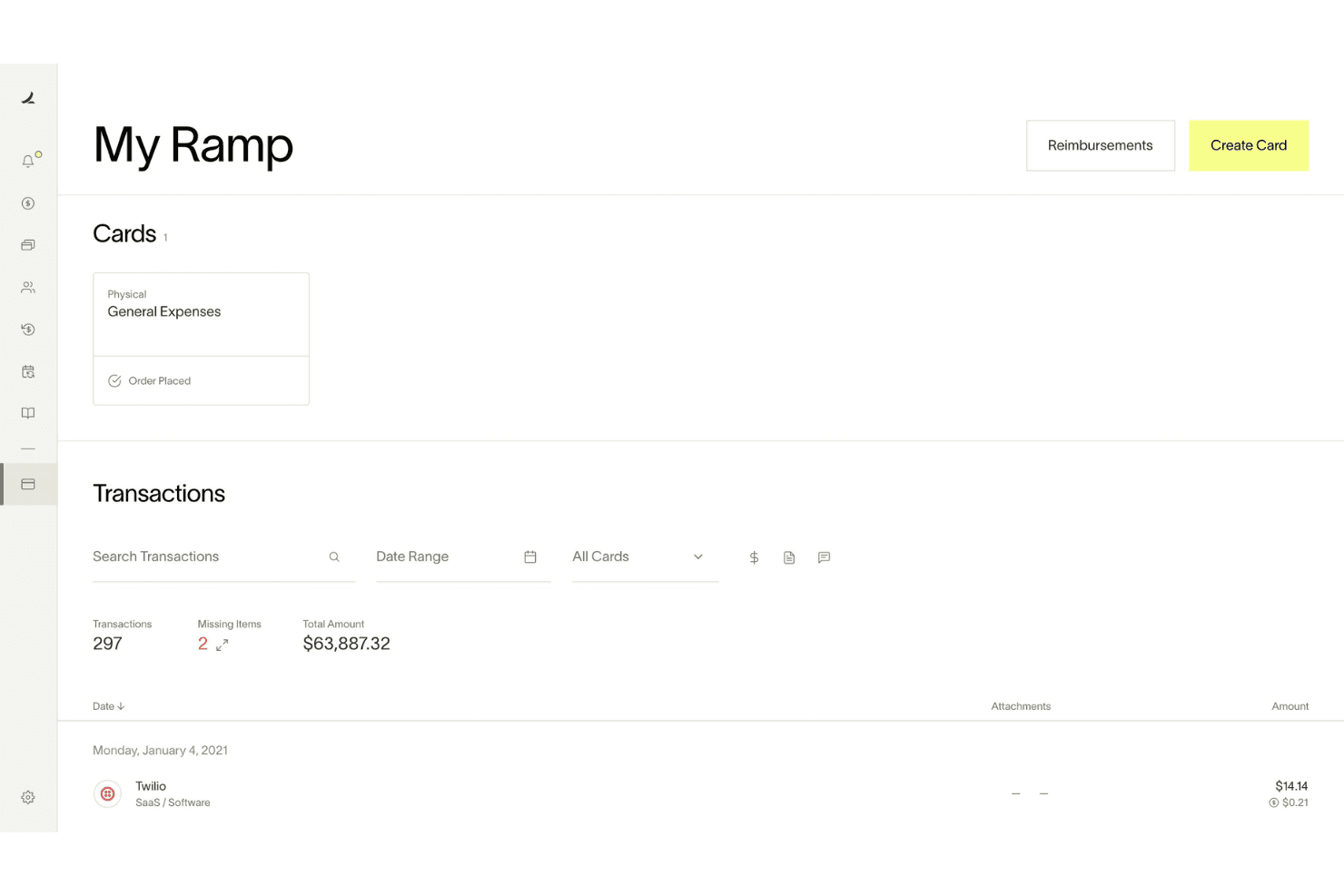
Ramp is a travel and expense management software built around corporate cards, automated expense reporting, bill pay, and vendor management. It's worth a close look when your finance team needs real-time spend visibility and automated policy enforcement without the configuration complexity of tools like SAP Concur. Where Concur often requires significant admin overhead to maintain, Ramp handles receipt matching, approval routing, and accounting sync more automatically—making it a stronger fit for teams that want tighter spend controls without adding headcount to manage them.
Ramp Evaluation Summary
4.8/5
- From $15/user/month
- Free plan + free demo available
Warum Sie unseren Software-Empfehlungen vertrauen können
6,700+
Reviews
20
Industry experts
16+
Evaluation factors
14
Years
Unsere Bewertungen spiegeln unser unabhängiges Urteilsvermögen wider – keine Verkaufsstrategie. Erfahren Sie, wie wir transparent bleiben.
Für diesen Leitfaden haben wir Tools mithilfe von praktischen Tests und unabhängiger Recherche bewertet und dabei unsere Bewertungskriterien angewendet.
Unsere Bewertungen spiegeln unser menschliches redaktionelles Urteilsvermögen wider, keine Verkaufsstrategie.
Ramp Overview
When judging Ramp as a travel and expense management software, its automation, real-time spend controls, and no-fee pricing model set it apart for finance teams seeking transparency and efficiency. The interface is user-friendly, onboarding is quick, and integrations with accounting software platforms are strong. Ramp excels for companies prioritizing policy enforcement and rapid scaling. If you're selecting a solution for a tech-forward, growth-focused environment, Ramp's card-based controls and automated workflows make it a top contender.
Pros
- AI-driven spend controls reduce manual finance and approval work.
- Unlimited virtual cards simplify secure employee and vendor spending.
- Broad integrations connect finance, HR, travel, and procurement systems.
Cons
- No native accounts receivable workflow for broader financial operations management.
- Advanced automation and ERP integrations require higher-tier paid plans.
- Administrative setup becomes complex across large multi-entity organizations.
Is Ramp Right For Your Needs?
Who Would be a Good Fit for Ramp?
Ramp is best suited for fast-growing companies, tech-forward finance teams, and organizations that want centralized control over company-wide spending. Its combination of corporate cards, procurement workflows, travel management, AI-driven automation, and real-time spend visibility makes it especially valuable for businesses managing distributed teams, recurring operational spend, or complex approval processes. Whether you're scaling financial operations for a growing startup or improving spend governance across a mid-market organization, Ramp’s strengths in automation, operational visibility, and employee-friendly workflows make it a strong fit for modern finance environments.
- Tech StartupsRamp's automation and real-time controls support rapid scaling and distributed teams.
- Mid-Sized SaaS CompaniesAI-driven expense management and approval workflows help control recurring software, travel, and operational spending.
- Finance DepartmentsCentralized spend visibility, accounting automation, and audit trails simplify financial oversight and month-end close processes.
- Multi-Entity OrganizationsShared spend controls and centralized workflows help manage budgets, approvals, and payments across multiple entities.
- Procurement-Focused TeamsIntegrated procurement, vendor management, and approval workflows reduce operational friction across purchasing processes.
- Distributed & Remote TeamsMobile approvals, virtual cards, receipt capture, and Slack-based workflows support employees working from anywhere.
Who Would be a Bad Fit for Ramp?
Ramp may not be the best choice for organizations needing advanced travel booking, complex approval hierarchies, or highly specialized expense workflows. Companies with infrequent travel, heavy international operations, or strict multi-level approvals may find Ramp's feature set limiting compared to more specialized platforms.
- Large EnterprisesLimited multi-level approval workflows may not meet complex policy needs.
- Global CorporationsInternational travel support and currency handling are less robust.
- Travel Management TeamsLacks built-in advanced travel booking and itinerary management.
- NonprofitsMay not offer grant or fund tracking required for compliance.
- Manufacturing CompaniesDoesn't support detailed project-based expense allocation.
- Government AgenciesApproval and audit features may not meet strict regulatory requirements.
Wie wir Tools testen und bewerten
Wir haben jahrelang daran gearbeitet, unser System zur Softwarebewertung zu entwickeln, zu verfeinern und stetig zu verbessern. Der Bewertungsleitfaden wurde entworfen, um die Feinheiten der Softwareauswahl und die Qualitätskriterien eines effektiven Tools präzise zu erfassen, mit Fokus auf entscheidende Aspekte im Auswahlprozess. Im Folgenden sehen Sie genau, wie unsere Prüfungen und Bewertungen nach sieben Kriterien funktioniert. So können wir eine objektive Bewertung der Software auf Grundlage der Kernfunktionalitäten, herausragenden Eigenschaften, Benutzerfreundlichkeit, Einführung, Kundensupport, Integrationen, Kundenbewertungen sowie Preis-Leistungs-Verhältnis bieten.
Kernfunktionalität (25 % der Gesamtbewertung)
Der Ausgangspunkt unserer Bewertung ist immer die Kernfunktionalität des Tools. Verfügt es über die grundlegenden Features und Funktionen, die ein Nutzer erwarten würde? Sind einige dieser Kernfunktionen auf höherpreisige Tarife beschränkt? Im Kern erwarten wir, dass ein Tool mit den Basisfunktionen seiner Wettbewerber mithalten kann.
Herausragende Funktionen (25 % der Gesamtbewertung)
Im nächsten Schritt bewerten wir ungewöhnliche, herausragende Funktionen, die über die üblichen Kernfunktionen vergleichbarer Tools hinausgehen. Eine hohe Punktzahl erhält, wer spezialisierte oder einzigartige Funktionen bietet, die das Produkt schneller, effizienter oder besonders wertvoll für den Nutzer machen. Wir prüfen auch, wie einfach sich das Tool mit anderen Programmen des typischen Tech-Stacks integrieren lässt, um den Funktionsumfang und die Nützlichkeit der Software zu erweitern. Vielseitige native Integrationen, Drittanbieter-Anbindungen sowie API-Zugänge für individuelle Integrationen schneiden am besten ab.
Benutzerfreundlichkeit (10 % der Gesamtbewertung)
Wir bewerten, wie schnell und einfach sich die wichtigsten Aufgaben im Tool erledigen lassen. Hoch bewertete Software ist gut gestaltet, intuitiv bedienbar, bietet mobile Apps, Vorlagen und macht selbst komplexere Aufgaben handhabbar.
Einführung (10 % der Gesamtbewertung)
Wir wissen, wie wichtig eine rasche Teamakzeptanz bei neuen Plattformen ist. Deshalb prüfen wir, wie einfach sich ein Tool mit minimalem Trainingsaufwand erlernen und bedienen lässt. Wir bewerten auch, wie schnell ein Teammitglied ohne vorherige Erfahrung startklar ist. Hoch bewertete Lösungen benötigen wenig oder gar keinen Support.
Kundensupport (10 % der Gesamtbewertung)
Wir prüfen, wie leicht und schnell Sie mit Telefon, Live-Chat oder Wissensdatenbank Hilfe erhalten können. Tools und Unternehmen, die Echtzeit-Support bieten, erzielen die besten Ergebnisse, während Chatbots am schlechtesten abschneiden.
Kundenbewertungen (10 % der Gesamtbewertung)
Neben unseren eigenen Tests berücksichtigen wir den Net-Promoter-Score aktueller und ehemaliger Kunden. Wir prüfen, wie wahrscheinlich sie sich erneut für das Tool entscheiden würden, basierend auf der Kernfunktionalität. Hoch bewertete Software spiegelt einen hohen Net-Promoter-Score wider.
Preis-Leistungs-Verhältnis (10 % der Gesamtbewertung)
Abschließend vergleichen wir alle Kriterien und bewerten den Durchschnittspreis der Einstiegstarife im Verhältnis zu den Kernfunktionen und dem Nutzen der weiteren Bewertungskriterien. Software, die mehr für weniger bietet, erhält die besten Bewertungen.
Core Features
Automated Receipt Capture
Ramp automatically matches receipts to transactions and fills in memos and categories, reducing manual entry and errors.
Real-Time Spend Controls
Admins set spending limits, merchant restrictions, and policy rules enforced before purchases happen.
Policy Enforcement at Booking
Custom travel policies are enforced at the time of booking, so team members know what's allowed and requests are routed for approval instantly.
Mobile Expense Submission
Employees submit expenses and receipts via web, mobile app, SMS, or chat tools, making on-the-go reporting simple.
Automated Expense Review
Ramp's policy agent reviews 100% of expenses, approves compliant items, and flags exceptions for human review, saving time for finance teams.
Hotel Rate Monitoring and Rebooking
Ramp monitors hotel rates after booking and automatically rebooks if the price drops, delivering direct savings.

Ease of Use
Ramp is widely praised for its clean, user-friendly interface and fast onboarding process, making it accessible even for non-finance users. Expense submission is streamlined through mobile, web, and chat apps, while automated receipt matching and policy enforcement reduce manual work. Users consistently highlight how quickly team members adapt to Ramp, with minimal training required. The platform's clear navigation and real-time controls make managing travel and business expenses straightforward for both cardholders and administrators, and proactive notifications keep everyone aligned on spend status.
Integrations
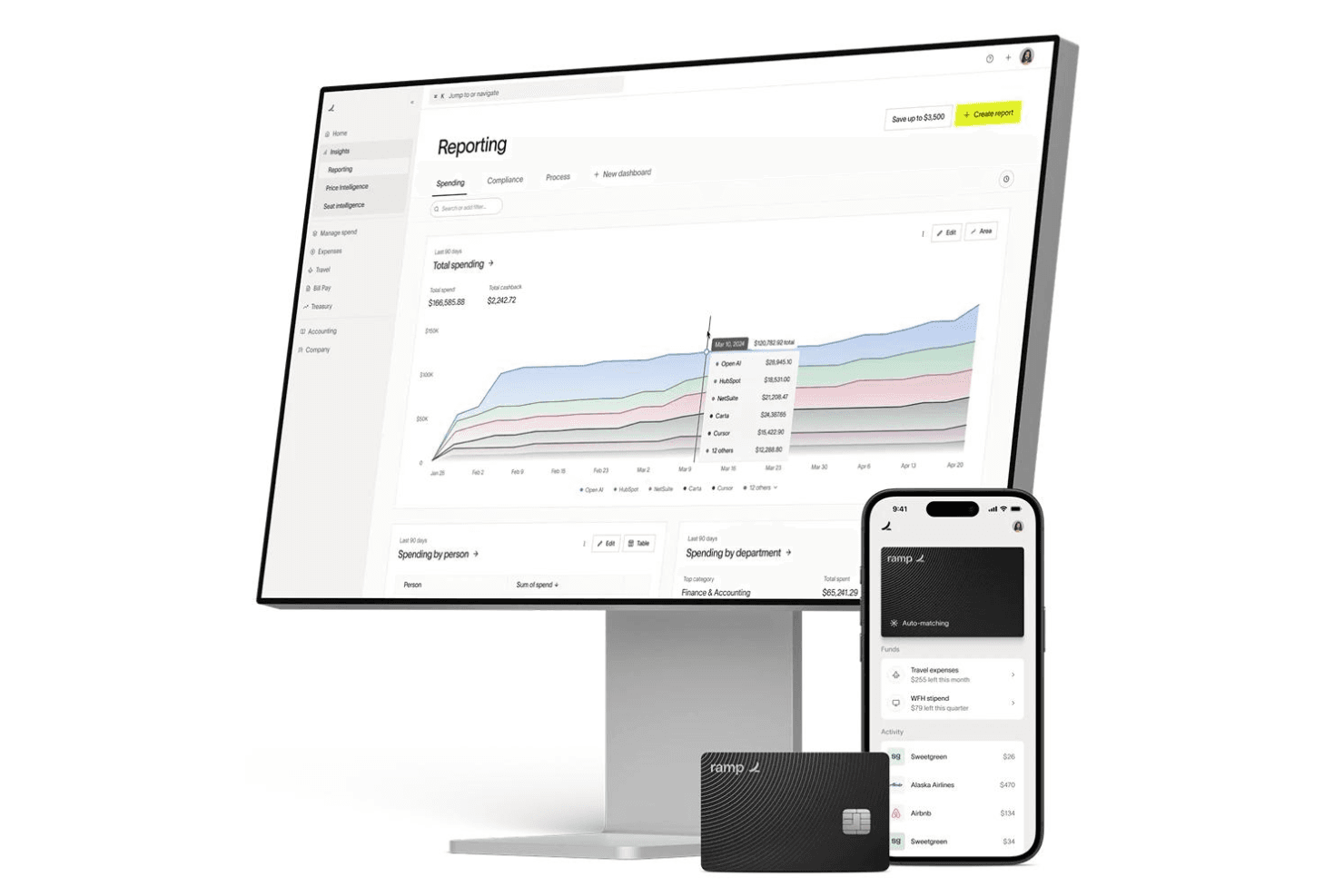
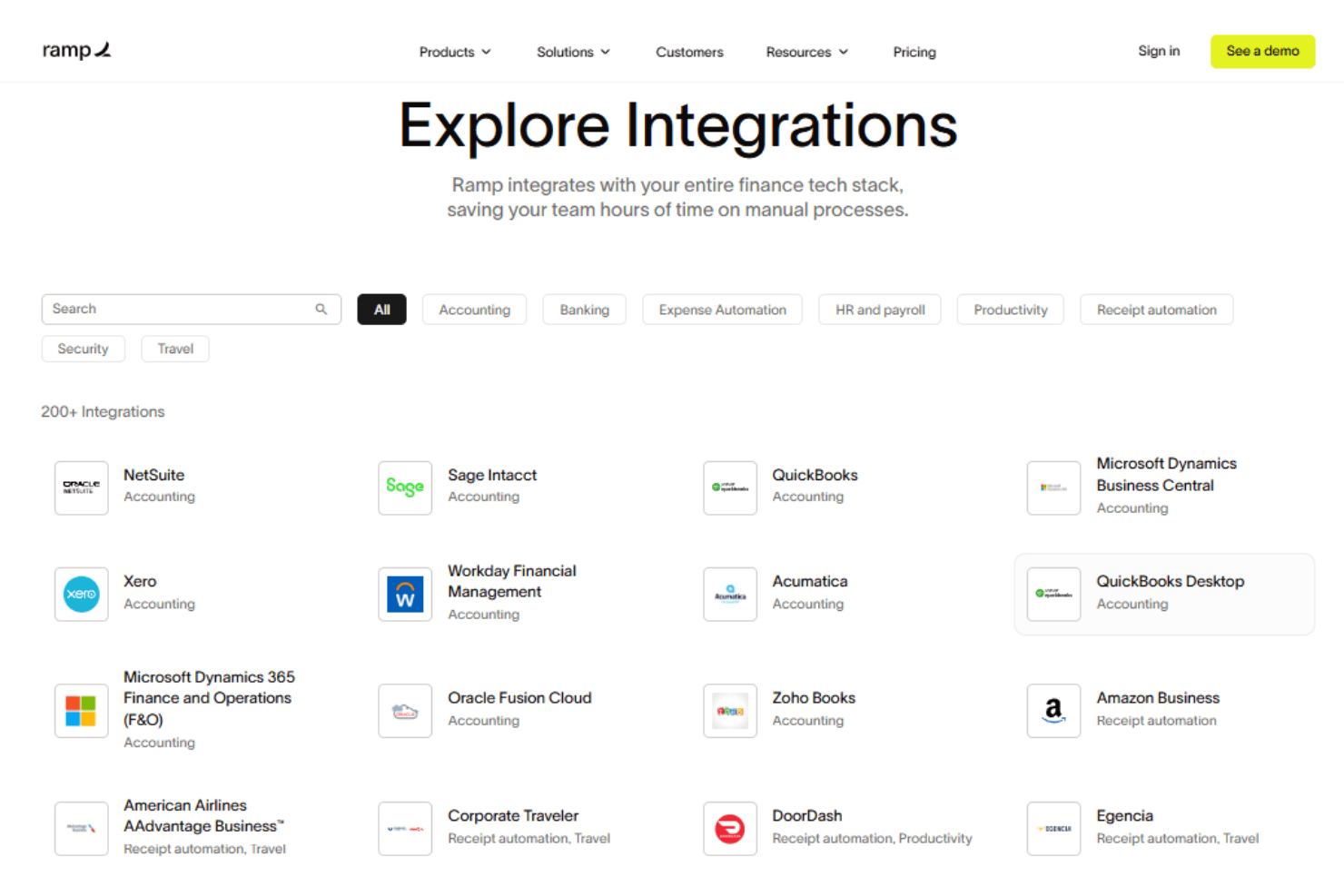
Ramp integrates with Oracle NetSuite, Sage Intacct, QuickBooks, Microsoft Dynamics Business Central, Xero, Slack, and Zoho Books, among others.
Ramp also offers an API and supports connections with third-party integration tools.
New Product Updates from Ramp
 Opens new window
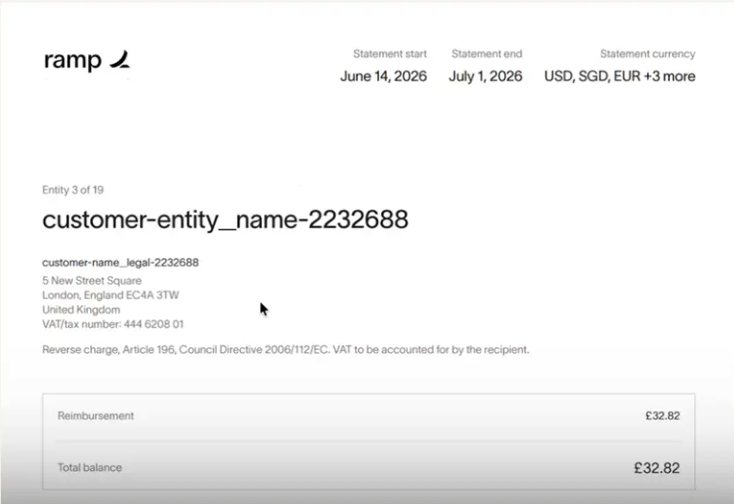
Ramp Adds VAT-Compliant Reimbursement Statements
Ramp updated reimbursement statements to include the information needed for VAT reclaim workflows. The change gives international finance teams more complete documentation and reduces the need to gather VAT and address details separately. Highlights include:
- VAT Details: Include entity VAT information directly on reimbursement statements.
- Entity Address Information: Add business address details to support VAT reclaim documentation.
- Simplified VAT Reclaims: Give teams in the EU, UK, and Canada the information they need without extra paperwork.
Visit Ramp’s official site for more details.
 Opens new window
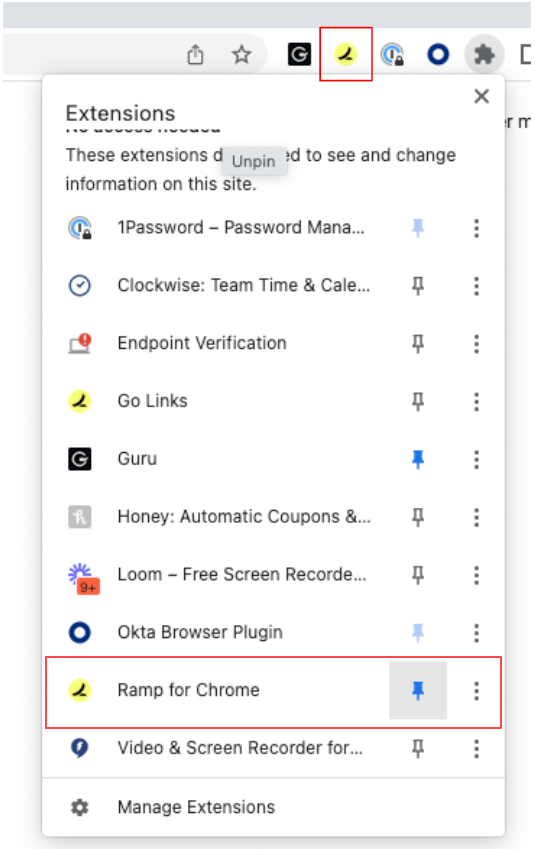
Ramp Adds Auto-Capture Receipts via Chrome Extension
Ramp introduces auto-capture receipts and enhanced receipt submission through its Chrome extension. These updates streamline expense management by reducing manual uploads and ensuring receipts are matched to transactions in real time. Here are the details of the update:
- Auto-Capture Receipts: Automatically captures receipts from supported merchants like Amazon and Uber during checkout.
- One-Click Receipt Submission: Enables quick screenshot or upload of receipts directly from the browser with automatic matching.
- Embedded Expense Policy Access: Displays company expense policies on travel sites to support compliant booking decisions.
Visit Ramp's official site for more details.
Ramp Specs
- 2-Factor Authentication: Yes
- API: Yes
- Approval Workflows: Yes
- Audit Trail: Yes
- Balance Sheet: No
- Billing/Invoicing: Yes
- Budgeting: Yes
- Calendar Management: No
- Compliance Tracking: Yes
- Contact Management: Yes
- CRM Integration: No
- Custom Reports: Yes
- Customer Management: No
- Dashboard: Yes
- Data Export: Yes
- Data Import: Yes
- Data Visualization: Yes
- Document Management: Yes
- Expense Tracking: Yes
- External Integrations: Yes
- Forecasting: Yes
- Inventory Tracking: No
- Multi-Currency: Yes
- Multi-User: Yes
- Notifications: Yes
- P&L: No
- Risk Assessment: Yes
- SAP Integration: Yes
- Scheduling: Yes
- Supplier Management: Yes
- Workflow Management: Yes


