

Ramp-arvostelu: hyvät ja huonot puolet, ominaisuudet ja hinnoittelu selitettynä
Ramp erottuu edukseen automaationsa ja reaaliaikaisten hallintatoimintojensa ansiosta, mikä tekee siitä ihanteellisen nopeasti kasvaville yrityksille, jotka etsivät tehokasta ja läpinäkyvää matka- ja kuluhallintaa perinteisten ratkaisujen sijaan.

We review tools independently, and commissions help fund our testing. See our transparency policy, our methodology, or suggest a tool.
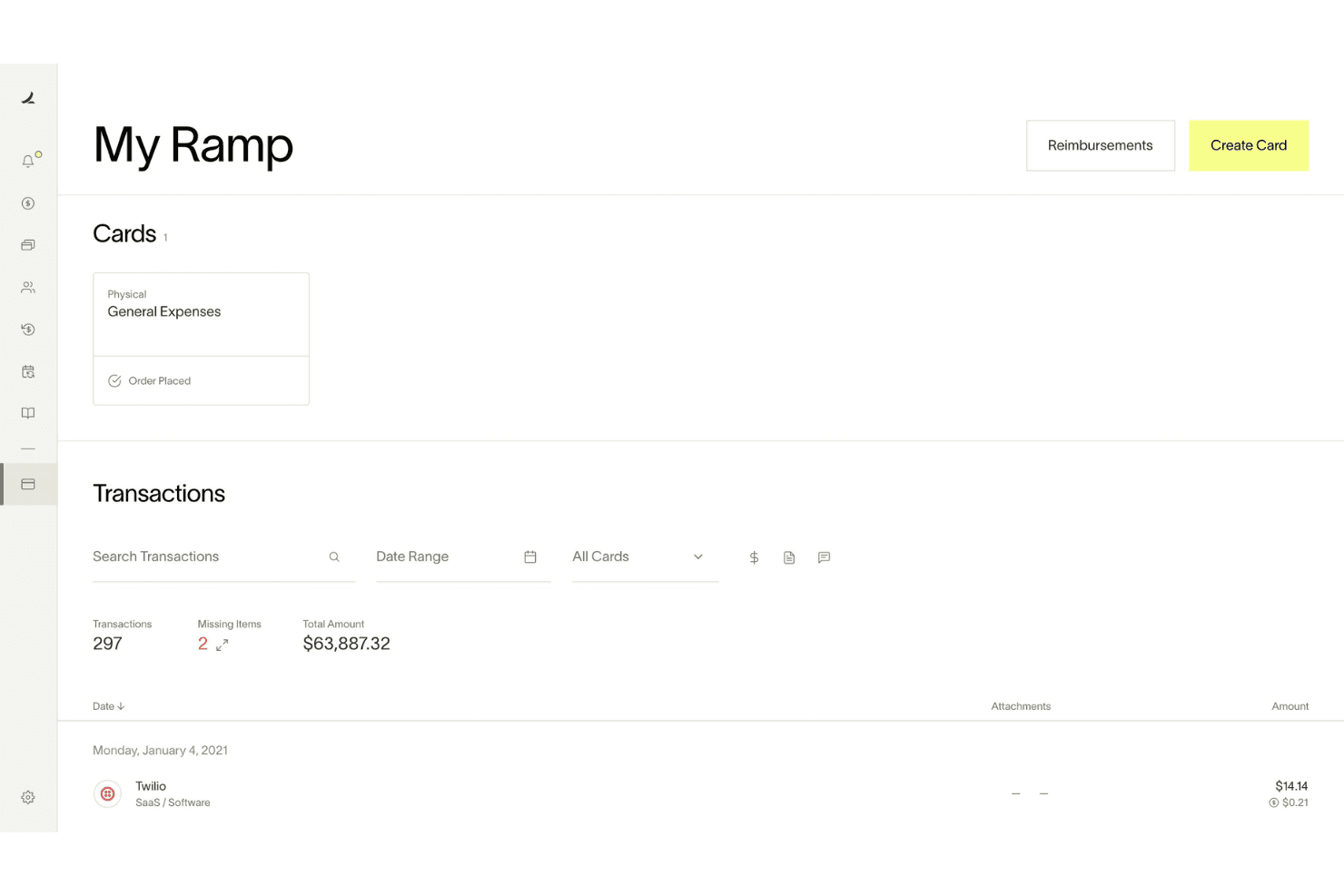
Ramp is a travel and expense management software built around corporate cards, automated expense reporting, bill pay, and vendor management. It's worth a close look when your finance team needs real-time spend visibility and automated policy enforcement without the configuration complexity of tools like SAP Concur. Where Concur often requires significant admin overhead to maintain, Ramp handles receipt matching, approval routing, and accounting sync more automatically—making it a stronger fit for teams that want tighter spend controls without adding headcount to manage them.
Ramp Evaluation Summary
4.8/5
- From $15/user/month
- Free plan + free demo available
Miksi luottaa ohjelmistosuosituksiimme
6,700+
Reviews
20
Industry experts
16+
Evaluation factors
14
Years
Tiimimme on testannut ja arvioinut ohjelmistoja vuodesta 2012 lähtien. Talousjohtajina tiedämme itse, kuinka vaikeaa — ja tärkeää — oikean ohjelmiston valitseminen on.
Tätä opasta varten arvioimme työkaluja käytännön testauksen ja itsenäisen tutkimuksen avulla, pisteyttäen työkalut valintakriteeriemme perusteella.
Arvostelumme perustuvat inhimilliseen toimitukselliseen harkintaamme, eivät myyntipuheeseen.
Ramp Overview
When judging Ramp as a travel and expense management software, its automation, real-time spend controls, and no-fee pricing model set it apart for finance teams seeking transparency and efficiency. The interface is user-friendly, onboarding is quick, and integrations with accounting software platforms are strong. Ramp excels for companies prioritizing policy enforcement and rapid scaling. If you're selecting a solution for a tech-forward, growth-focused environment, Ramp's card-based controls and automated workflows make it a top contender.
Pros
- AI-driven spend controls reduce manual finance and approval work.
- Unlimited virtual cards simplify secure employee and vendor spending.
- Broad integrations connect finance, HR, travel, and procurement systems.
Cons
- No native accounts receivable workflow for broader financial operations management.
- Advanced automation and ERP integrations require higher-tier paid plans.
- Administrative setup becomes complex across large multi-entity organizations.
Is Ramp Right For Your Needs?
Who Would be a Good Fit for Ramp?
Ramp is best suited for fast-growing companies, tech-forward finance teams, and organizations that want centralized control over company-wide spending. Its combination of corporate cards, procurement workflows, travel management, AI-driven automation, and real-time spend visibility makes it especially valuable for businesses managing distributed teams, recurring operational spend, or complex approval processes. Whether you're scaling financial operations for a growing startup or improving spend governance across a mid-market organization, Ramp’s strengths in automation, operational visibility, and employee-friendly workflows make it a strong fit for modern finance environments.
- Tech StartupsRamp's automation and real-time controls support rapid scaling and distributed teams.
- Mid-Sized SaaS CompaniesAI-driven expense management and approval workflows help control recurring software, travel, and operational spending.
- Finance DepartmentsCentralized spend visibility, accounting automation, and audit trails simplify financial oversight and month-end close processes.
- Multi-Entity OrganizationsShared spend controls and centralized workflows help manage budgets, approvals, and payments across multiple entities.
- Procurement-Focused TeamsIntegrated procurement, vendor management, and approval workflows reduce operational friction across purchasing processes.
- Distributed & Remote TeamsMobile approvals, virtual cards, receipt capture, and Slack-based workflows support employees working from anywhere.
Who Would be a Bad Fit for Ramp?
Ramp may not be the best choice for organizations needing advanced travel booking, complex approval hierarchies, or highly specialized expense workflows. Companies with infrequent travel, heavy international operations, or strict multi-level approvals may find Ramp's feature set limiting compared to more specialized platforms.
- Large EnterprisesLimited multi-level approval workflows may not meet complex policy needs.
- Global CorporationsInternational travel support and currency handling are less robust.
- Travel Management TeamsLacks built-in advanced travel booking and itinerary management.
- NonprofitsMay not offer grant or fund tracking required for compliance.
- Manufacturing CompaniesDoesn't support detailed project-based expense allocation.
- Government AgenciesApproval and audit features may not meet strict regulatory requirements.
How We Test & Score Tools
We’ve spent years building, refining, and improving our software testing and scoring system. The rubric is designed to capture the nuances of software selection and what makes a tool effective, focusing on critical aspects of the decision-making process.
Below, you can see exactly how our testing and scoring works across seven criteria. It allows us to provide an unbiased evaluation of the software based on core functionality, standout features, ease of use, onboarding, customer support, integrations, customer reviews, and value for money.
Core Functionality (25% of final scoring)
The starting point of our evaluation is always the core functionality of the tool. Does it have the basic features and functions that a user would expect to see? Are any of those core features locked to higher-tiered pricing plans? At its core, we expect a tool to stand up against the baseline capabilities of its competitors.
Standout Features (25% of final scoring)
Next, we evaluate uncommon standout features that go above and beyond the core functionality typically found in tools of its kind. A high score reflects specialized or unique features that make the product faster, more efficient, or offer additional value to the user.
We also evaluate how easy it is to integrate with other tools typically found in the tech stack to expand the functionality and utility of the software. Tools offering plentiful native integrations, 3rd party connections, and API access to build custom integrations score best.
Ease of Use (10% of final scoring)
We consider how quick and easy it is to execute the tasks defined in the core functionality using the tool. High scoring software is well designed, intuitive to use, offers mobile apps, provides templates, and makes relatively complex tasks seem simple.
Onboarding (10% of final scoring)
We know how important rapid team adoption is for a new platform, so we evaluate how easy it is to learn and use a tool with minimal training. We evaluate how quickly a team member can get set up and start using the tool with no experience. High scoring solutions indicate little or no support is required.
Customer Support (10% of final scoring)
We review how quick and easy it is to get unstuck and find help by phone, live chat, or knowledge base. Tools and companies that provide real-time support score best, while chatbots score worst.
Customer Reviews (10% of final scoring)
Beyond our own testing and evaluation, we consider the net promoter score from current and past customers. We review their likelihood, given the option, to choose the tool again for the core functionality. A high scoring software reflects a high net promoter score from current or past customers.
Value for Money (10% of final scoring)
Lastly, in consideration of all the other criteria, we review the average price of entry level plans against the core features and consider the value of the other evaluation criteria. Software that delivers more, for less, will score higher.
Core Features
Automated Receipt Capture
Ramp automatically matches receipts to transactions and fills in memos and categories, reducing manual entry and errors.
Real-Time Spend Controls
Admins set spending limits, merchant restrictions, and policy rules enforced before purchases happen.
Policy Enforcement at Booking
Custom travel policies are enforced at the time of booking, so team members know what's allowed and requests are routed for approval instantly.
Mobile Expense Submission
Employees submit expenses and receipts via web, mobile app, SMS, or chat tools, making on-the-go reporting simple.
Automated Expense Review
Ramp's policy agent reviews 100% of expenses, approves compliant items, and flags exceptions for human review, saving time for finance teams.
Hotel Rate Monitoring and Rebooking
Ramp monitors hotel rates after booking and automatically rebooks if the price drops, delivering direct savings.

Ease of Use
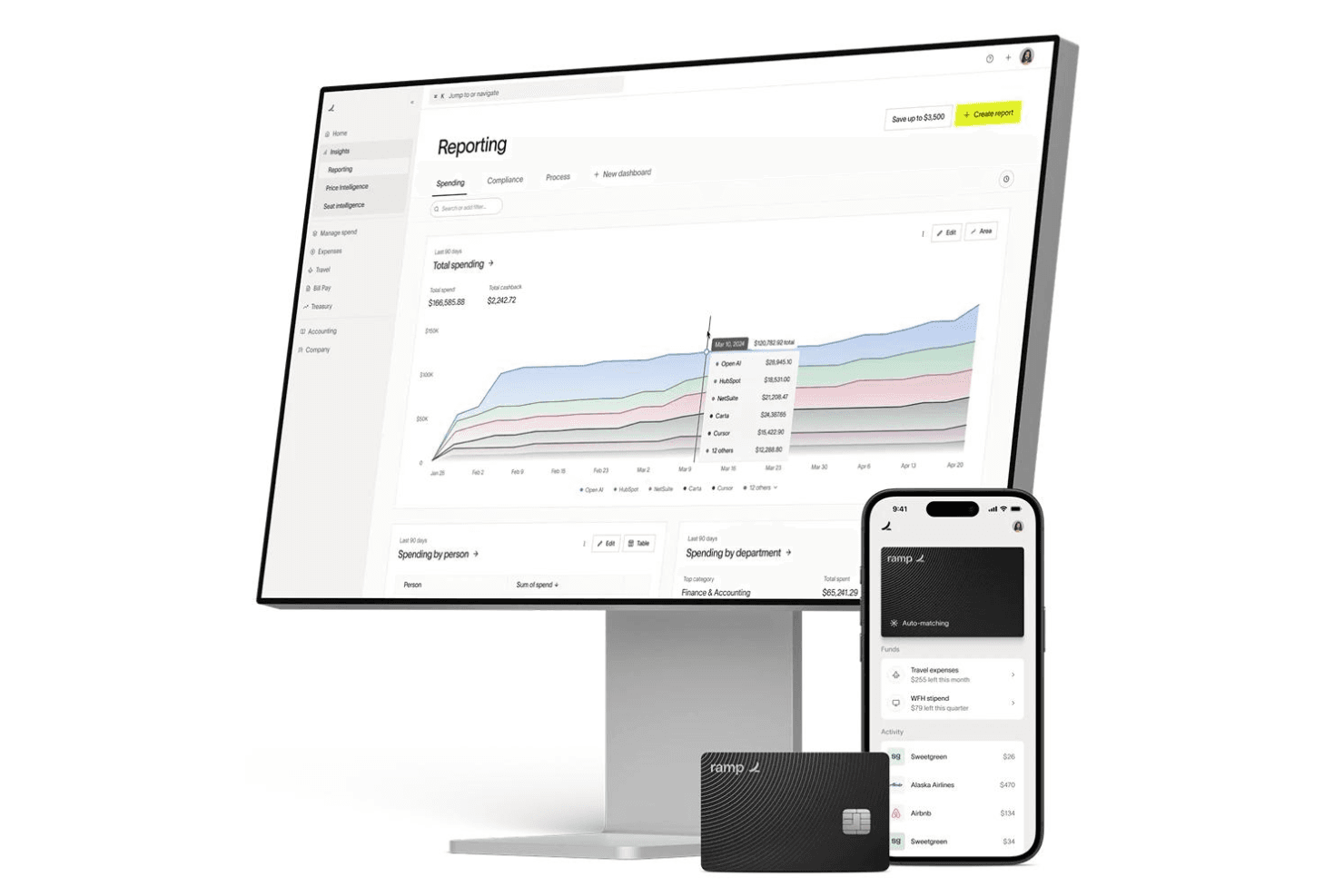
Ramp is widely praised for its clean, user-friendly interface and fast onboarding process, making it accessible even for non-finance users. Expense submission is streamlined through mobile, web, and chat apps, while automated receipt matching and policy enforcement reduce manual work. Users consistently highlight how quickly team members adapt to Ramp, with minimal training required. The platform's clear navigation and real-time controls make managing travel and business expenses straightforward for both cardholders and administrators, and proactive notifications keep everyone aligned on spend status.
Integrations
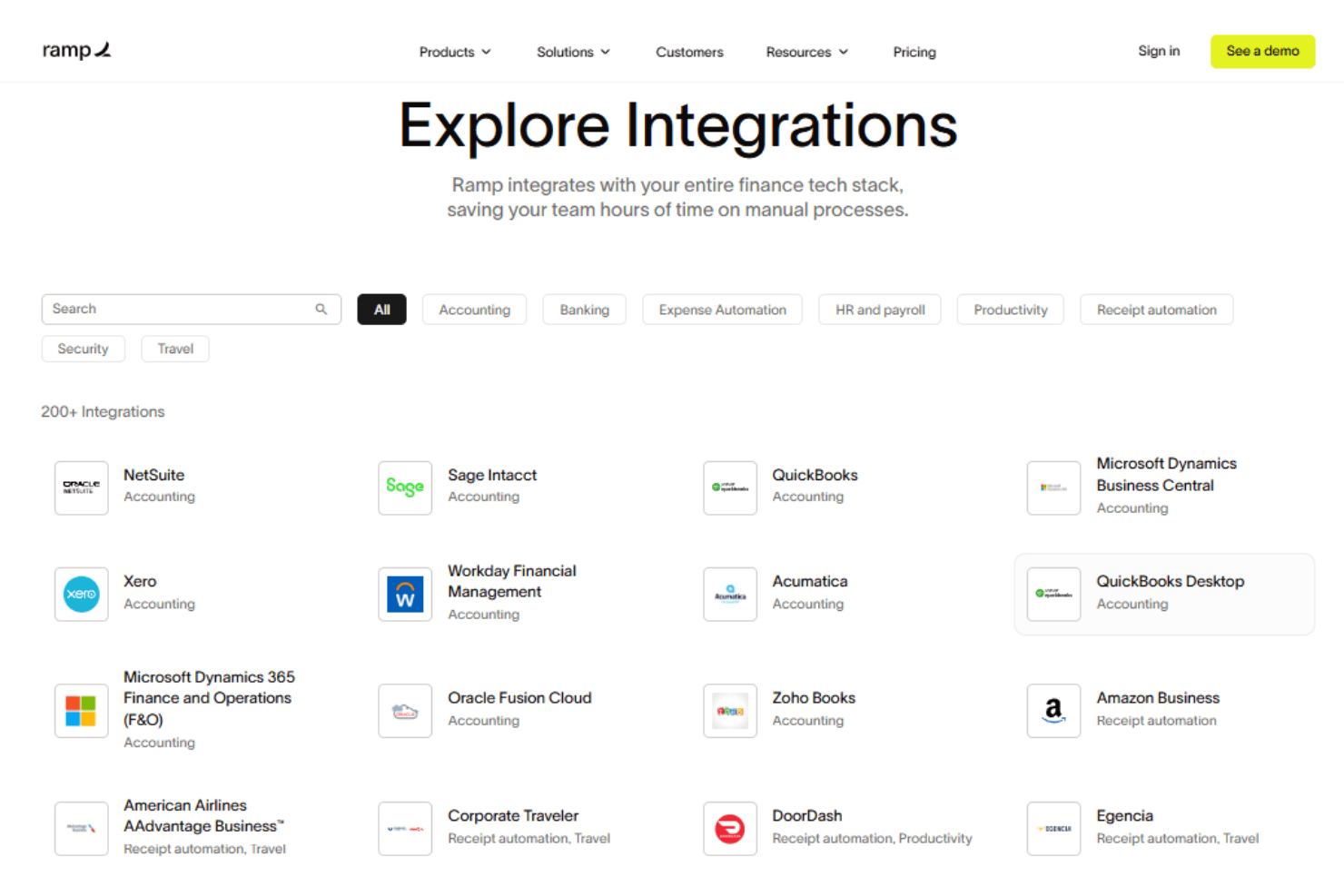
Ramp integrates with Oracle NetSuite, Sage Intacct, QuickBooks, Microsoft Dynamics Business Central, Xero, Slack, and Zoho Books, among others.
Ramp also offers an API and supports connections with third-party integration tools.
Ramp Specs
- 2-Factor Authentication: Yes
- API: Yes
- Approval Workflows: Yes
- Audit Trail: Yes
- Balance Sheet: No
- Billing/Invoicing: Yes
- Budgeting: Yes
- Calendar Management: No
- Compliance Tracking: Yes
- Contact Management: Yes
- CRM Integration: No
- Custom Reports: Yes
- Customer Management: No
- Dashboard: Yes
- Data Export: Yes
- Data Import: Yes
- Data Visualization: Yes
- Document Management: Yes
- Expense Tracking: Yes
- External Integrations: Yes
- Forecasting: Yes
- Inventory Tracking: No
- Multi-Currency: Yes
- Multi-User: Yes
- Notifications: Yes
- P&L: No
- Risk Assessment: Yes
- SAP Integration: Yes
- Scheduling: Yes
- Supplier Management: Yes
- Workflow Management: Yes


