

Odoo-beoordeling: Voordelen, nadelen, functies & prijzen
Odoo biedt een uitgebreide reeks bedrijfsapps die kunnen worden aangepast aan de unieke behoeften van je team, waardoor het een uitstekende keuze is onder ERP-softwareoplossingen.

We review tools independently, and commissions help fund our testing. See our transparency policy, our methodology, or suggest a tool.
Odoo is a modular CFO ERP software built for finance teams that need accounting, procurement, inventory, and operations management in one connected platform. I'd consider it if you need something more affordable and customizable than NetSuite, without sacrificing the financial controls and reporting depth that mid-market organizations actually need. It's a strong fit if your team is outgrowing entry-level tools but isn't ready—or willing—to take on the cost and complexity of a legacy enterprise ERP.
Odoo Evaluation Summary
4.2/5
- From $8.95/user/month (billed annually)
- Free plan available
Waarom u onze softwareaanbevelingen kunt vertrouwen
6,700+
Reviews
20
Industry experts
16+
Evaluation factors
14
Years
Onze reviews weerspiegelen ons onafhankelijke oordeel — geen verkooppraatje. Ontdek hoe we transparant blijven.
Voor deze gids hebben we tools geëvalueerd met behulp van praktijktests en onafhankelijk onderzoek, waarbij we tools beoordeelden aan de hand van onze selectiecriteria.
Onze reviews weerspiegelen ons menselijke redactionele oordeel, geen verkooppraatje.
Odoo Overview
What makes Odoo stand out is its modular design and high level of customization. You can build the system around your specific needs, adding apps as your business grows. This flexibility is great for companies that don’t fit neatly into one-size-fits-all software. While the platform can be complex without technical support, its broad capabilities, integrations, and competitive pricing make it a strong option for growing businesses.
Pros
- You can customize Odoo to fit your team's specific needs.
- It offers a wide range of modules for different business functions.
- All Odoo apps are natively integrated, reducing data silos.
Cons
- Your team might find the initial setup a bit complex.
- For some setups, Odoo can be resource-intensive.
- Some third-party apps or modules may lack polish or support.
Is Odoo Right For Your Needs?
Who Would be a Good Fit for Odoo?
Odoo is a great fit for small to medium-sized businesses in industries like retail, manufacturing, and services where you need a flexible and customizable ERP software. If your team values the ability to tailor modules to specific business operations, Odoo's extensive range of applications can efficiently meet those needs. Its user-friendly interface makes it ideal for teams that want to streamline their workflow without extensive training.
- Retail BusinessesOdoo's inventory and sales modules streamline your operations, helping you manage stock efficiently.
- Manufacturing CompaniesYou’ll benefit from Odoo’s production planning and quality control features to optimize your processes.
- Service ProvidersOdoo's project management and CRM tools help you manage client relationships and projects seamlessly.
- Ecommerce StoresYou can integrate Odoo with your online platforms to manage orders and customer interactions effectively.
- Finance TeamsOdoo’s accounting features allow you to track financial performance and automate routine tasks easily.
- Human Resources DepartmentsOdoo’s HR tools enable you to manage employee records, payroll, and recruitment in one place.
Who Would be a Bad Fit for Odoo?
Odoo might not suit large enterprise with highly complex and specialized processes that require extensive customization and dedicated support. If your team relies on rapid response times from customer support or needs highly specialized features not covered by Odoo’s modules, you might face challenges. Additionally, businesses with limited IT resources might struggle with the initial setup and maintenance.
- Large EnterprisesOdoo may fall short in handling extensive customization and complex processes required by large enterprises.
- Highly Regulated IndustriesIndustries needing specific compliance features might find Odoo lacking in built-in regulatory tools.
- Tech-averse TeamsIf your team isn’t tech-savvy, the initial setup and configuration might be overwhelming.
- Specialized ManufacturingHighly specialized manufacturers might find Odoo’s production modules too generic for their needs.
- Healthcare ProvidersHealthcare providers may struggle with Odoo’s lack of specific healthcare management features.
- Government AgenciesGovernment agencies needing specialized reporting and compliance features might find Odoo insufficient.
How We Test & Score Tools
We’ve spent years building, refining, and improving our software testing and scoring system. The rubric is designed to capture the nuances of software selection and what makes a tool effective, focusing on critical aspects of the decision-making process.
Below, you can see exactly how our testing and scoring works across seven criteria. It allows us to provide an unbiased evaluation of the software based on core functionality, standout features, ease of use, onboarding, customer support, integrations, customer reviews, and value for money.
Core Functionality (25% of final scoring)
The starting point of our evaluation is always the core functionality of the tool. Does it have the basic features and functions that a user would expect to see? Are any of those core features locked to higher-tiered pricing plans? At its core, we expect a tool to stand up against the baseline capabilities of its competitors.
Standout Features (25% of final scoring)
Next, we evaluate uncommon standout features that go above and beyond the core functionality typically found in tools of its kind. A high score reflects specialized or unique features that make the product faster, more efficient, or offer additional value to the user.
We also evaluate how easy it is to integrate with other tools typically found in the tech stack to expand the functionality and utility of the software. Tools offering plentiful native integrations, 3rd party connections, and API access to build custom integrations score best.
Ease of Use (10% of final scoring)
We consider how quick and easy it is to execute the tasks defined in the core functionality using the tool. High scoring software is well designed, intuitive to use, offers mobile apps, provides templates, and makes relatively complex tasks seem simple.
Onboarding (10% of final scoring)
We know how important rapid team adoption is for a new platform, so we evaluate how easy it is to learn and use a tool with minimal training. We evaluate how quickly a team member can get set up and start using the tool with no experience. High scoring solutions indicate little or no support is required.
Customer Support (10% of final scoring)
We review how quick and easy it is to get unstuck and find help by phone, live chat, or knowledge base. Tools and companies that provide real-time support score best, while chatbots score worst.
Customer Reviews (10% of final scoring)
Beyond our own testing and evaluation, we consider the net promoter score from current and past customers. We review their likelihood, given the option, to choose the tool again for the core functionality. A high scoring software reflects a high net promoter score from current or past customers.
Value for Money (10% of final scoring)
Lastly, in consideration of all the other criteria, we review the average price of entry level plans against the core features and consider the value of the other evaluation criteria. Software that delivers more, for less, will score higher.
Core Features
Accounting Management
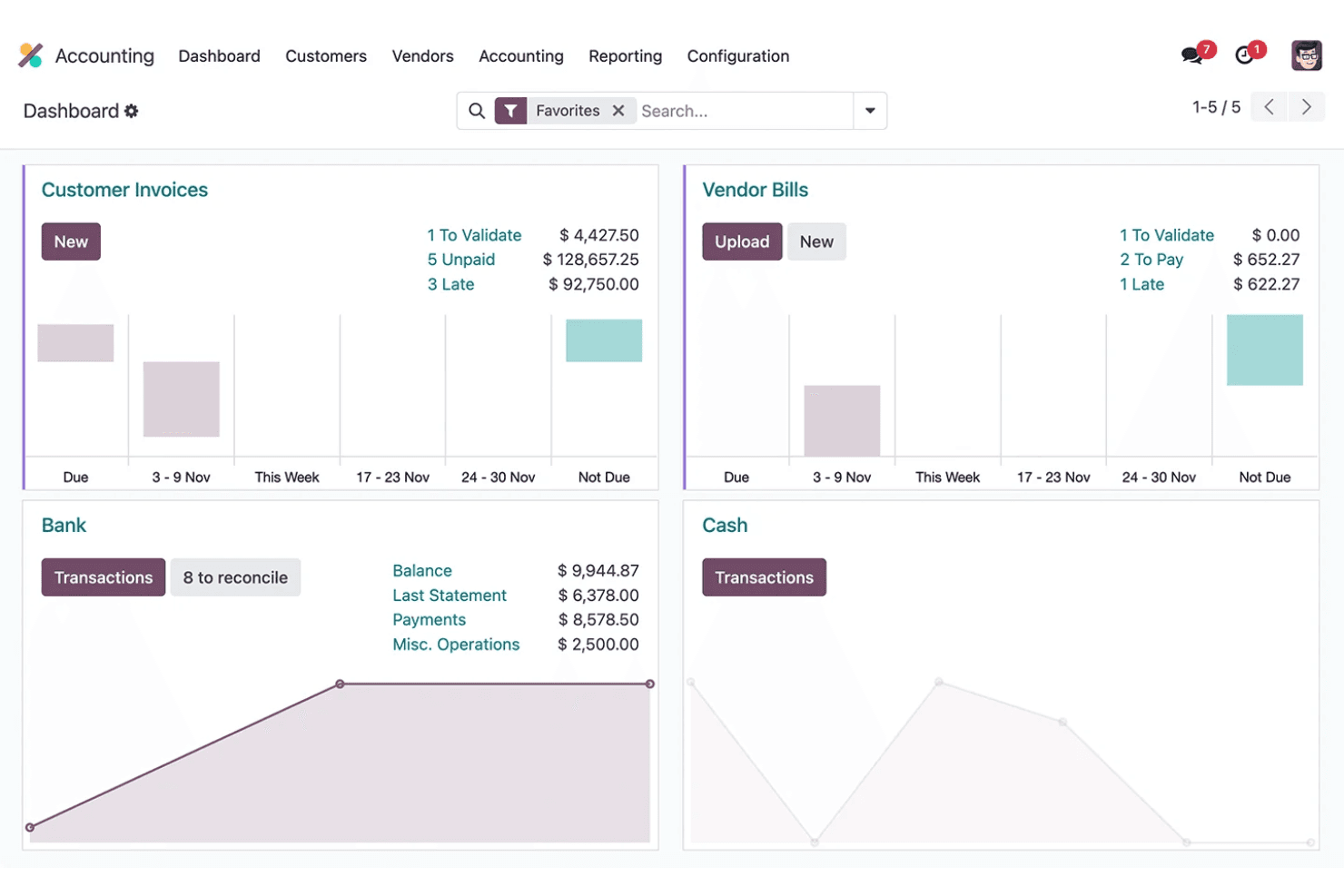
Odoo's accounting software features automate your invoicing, billing, and financial reporting, helping you stay on top of your finances. It stands out for its ability to integrate with other modules for seamless financial operations.
Inventory Management
With Odoo, you can track stock levels, manage warehouses, and automate restocking. This feature helps you maintain optimal inventory levels and reduce waste.
Sales Management
Odoo’s sales module allows you to manage your sales pipeline, track leads, and close deals efficiently. It integrates with CRM to enhance your sales team's productivity.
Human Resources Management
You can handle employee records, payroll, and recruitment processes with Odoo's HR tools. It simplifies HR tasks, allowing your team to focus on strategic initiatives.
Project Management
Odoo’s project management feature lets you plan, track, and collaborate on projects in real-time. It helps your team meet deadlines and improve project outcomes.
Manufacturing Management
This feature supports production planning, work orders, and quality control. It ensures your manufacturing processes are efficient and meet quality standards.
E-commerce Integration
With Odoo, businesses can merge their online stores, maintaining a constant synchronization between inventory and sales.
Ease of Use
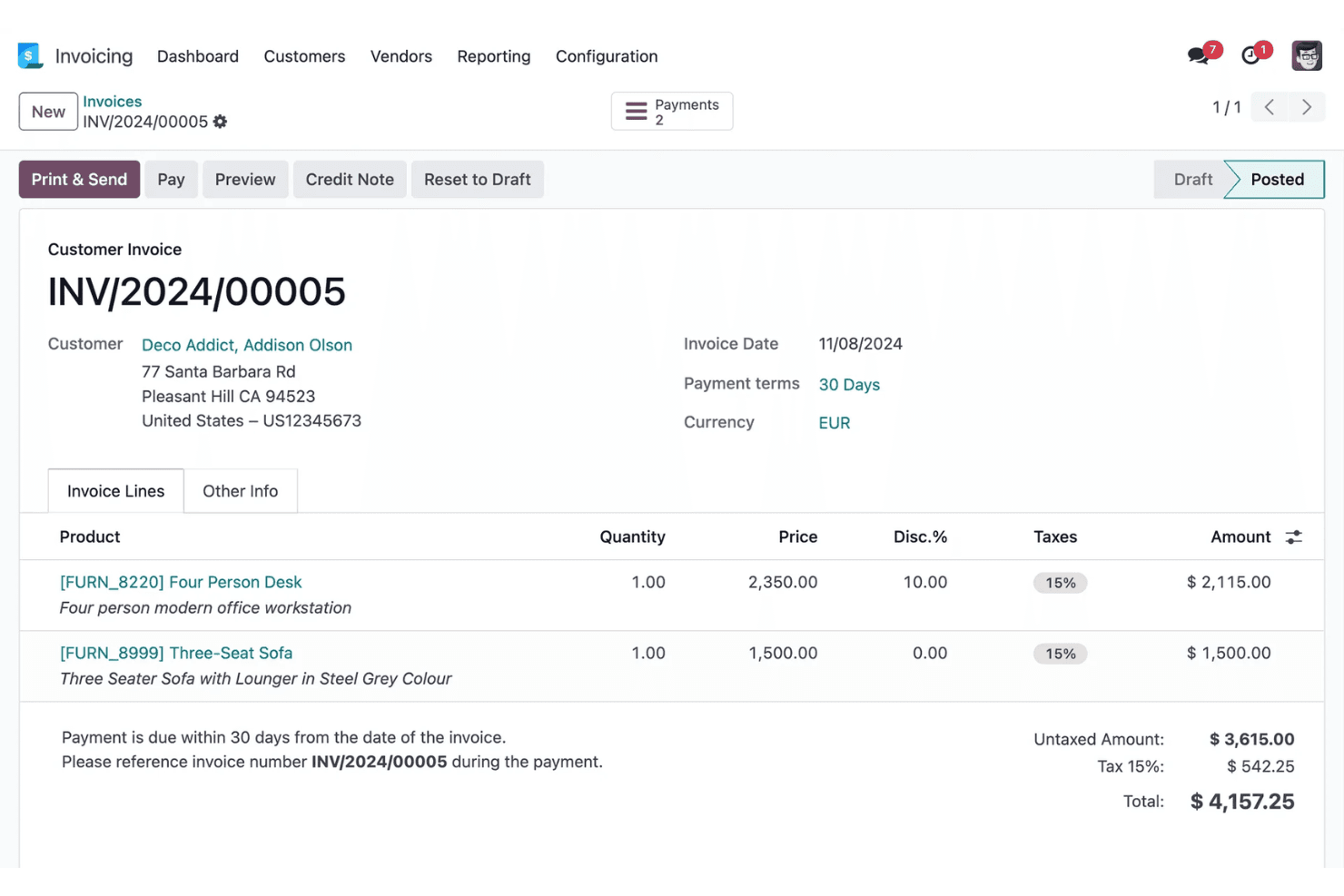
Odoo offers a clean and intuitive interface with drag-and-drop functionality. However, given the platform’s vast capabilities, some users might experience a steep learning curve. While the initial setup might be complex, once configured, Odoo's system simplifies your daily tasks with its seamless integration across functions.
Integrations
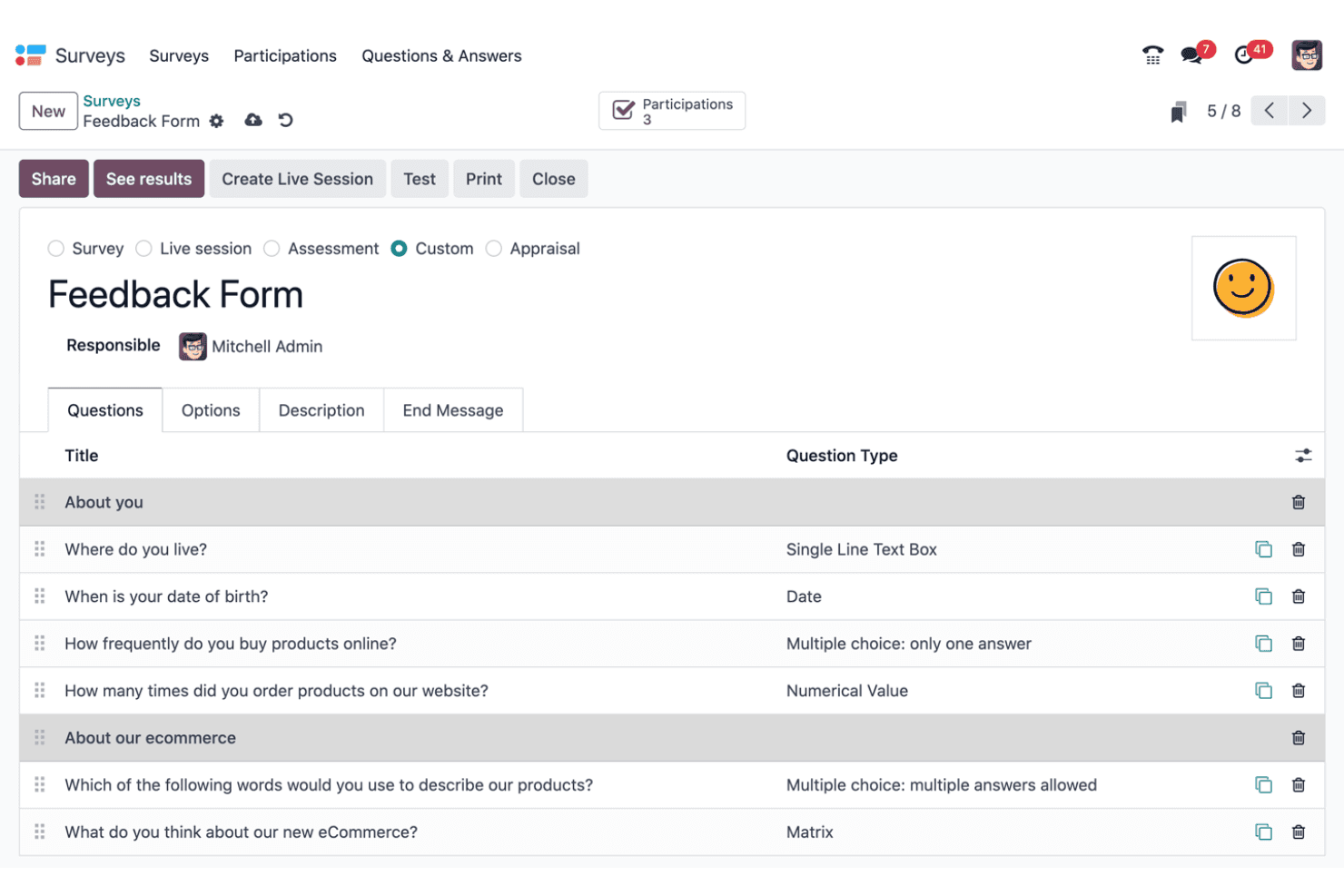
All Odoo apps are natively integrated. Third-party integrations must be paid for and include a range of apps, such as Tap Payment Acquirer, Pipedrive, Website Google reCAPTCHA, Zendesk, Zoho, QuickBooks, and Freshdesk.

Odoo Specs
- 360 Degree Feedback: Yes
- API: Yes
- Attendance Tracking: Yes
- Batch Permissions & Access: Yes
- Budgeting: Yes
- Calendar Management: Yes
- Dashboard: Yes
- Data Export: Yes
- Data Import: Yes
- Data Visualization: Yes
- Employee Database: Yes
- Employee Engagement: Yes
- Employee Incentive Management: Yes
- Employee Onboarding: Yes
- Expense Tracking: Yes
- External Integrations: Yes
- Feedback Management: Yes
- Forecasting: Yes
- Multi-Currency: Yes
- Multi-User: Yes
- Notifications: Yes
- Scheduling: Yes
- Timesheets: Yes
- Travel Management: Yes
- Vacation & Absence Calendar: Yes
Odoo FAQs
Wat is de volgende stap?
Klaar om je vaardigheden als financiële professional verder uit te bouwen? Abonneer je op onze gratis nieuwsbrief voor deskundig advies, handleidingen en inzichten van financiële leiders die de technologie-industrie vormgeven.