


QuickBooks-beoordeling: voordelen, nadelen, functies & prijzen



QuickBooks is a accounting software built for small to mid-sized businesses that need invoicing, payroll, expense tracking, and financial reporting in one place. I'd consider it over Xero if your team depends on a wide range of third-party app integrations—QuickBooks connects to a larger ecosystem and offers more granular reporting options. That combination tends to matter when you're managing a close cycle or building financial workflows across departments.
QuickBooks Evaluation Summary
- From $38/month
- 30-day free trial
Waarom u onze softwareaanbevelingen kunt vertrouwen
Onze reviews weerspiegelen ons onafhankelijke oordeel — geen verkooppraatje. Ontdek hoe we transparant blijven.
Voor deze gids hebben we tools geëvalueerd met behulp van praktijktests en onafhankelijk onderzoek, waarbij we tools beoordeelden aan de hand van onze selectiecriteria.
Onze reviews weerspiegelen ons menselijke redactionele oordeel, geen verkooppraatje.
QuickBooks Overview
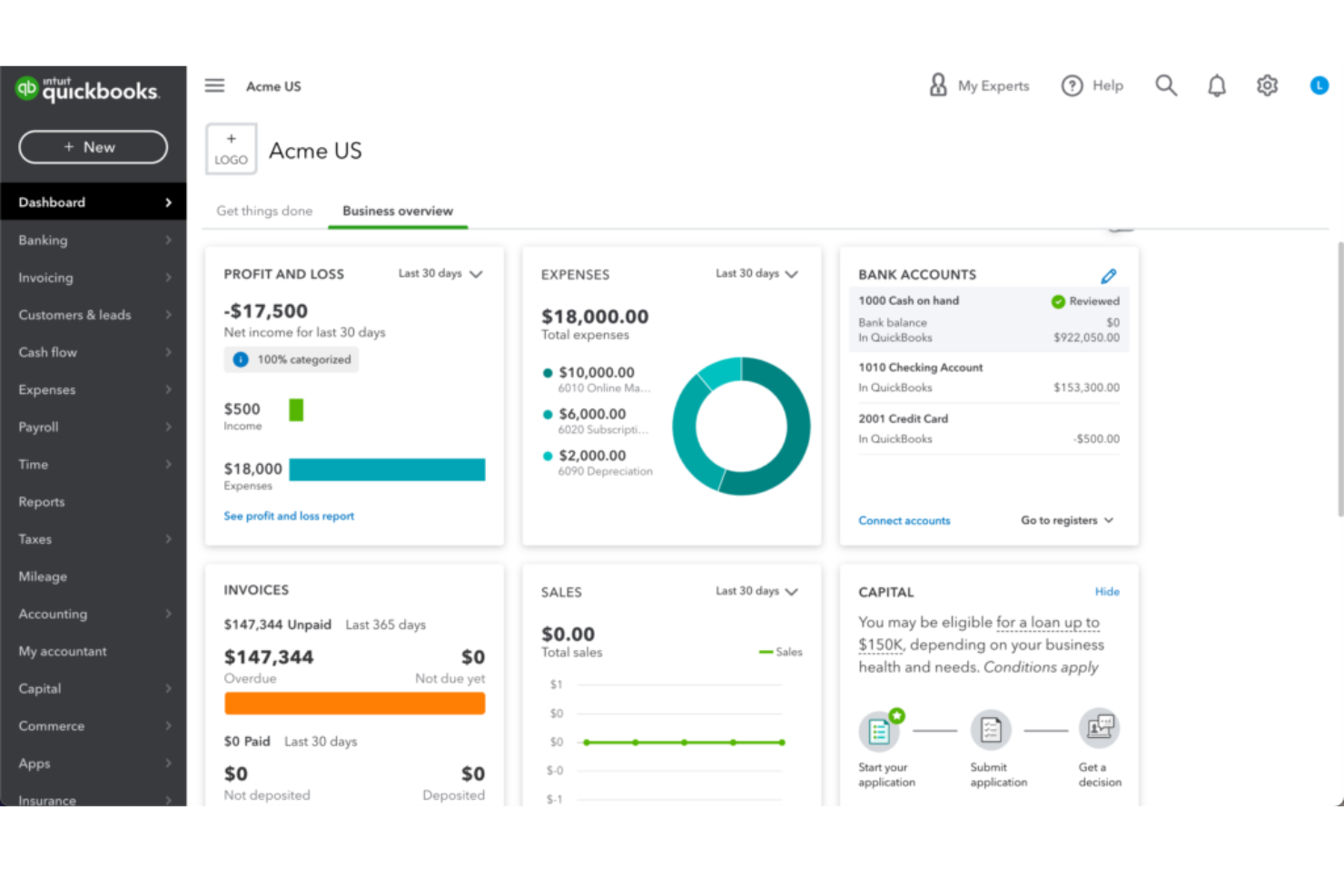
QuickBooks simplifies the hard parts of running a business—tracking expenses, managing invoices, running payroll, and generating reports—into one clean, connected system. It’s built for small to mid-sized teams, freelancers, and accountants who need serious financial oversight without the complexity of a full-scale ERP.
pros
-
The mobile app lets you manage your finances on the go.
-
You can easily track expenses and income, making financial management straightforward.
-
It offers comprehensive reporting tools that help you understand your business's financial health.
cons
-
You’ll hit limits if you manage multiple business entities.
-
Doesn't accommodate businesses needing high accounting customization.
-
The interface can feel clunky when switching between views.
-

Rippling Spend
Visit WebsiteThis rating combines scores from multiple user review sites to reflect overall customer sentiment about the product.4.8 -
DealHub AI
Visit WebsiteThis rating combines scores from multiple user review sites to reflect overall customer sentiment about the product.4.7 -
LiveFlow
Visit WebsiteThis rating combines scores from multiple user review sites to reflect overall customer sentiment about the product.4.9


Core Features
Invoicing
You can create and send custom invoices fast, and track when clients open and pay them. It makes it easier to stay on top of cash flow.
Expense Tracking
QuickBooks automatically pulls in expenses from bank accounts and cards. You’ll always see where your money goes without manual entry.
Payroll
It runs payroll in just a few clicks, handling taxes and direct deposits. Your team gets paid on time without the headache.
Reporting
You get real-time financial reports like profit and loss or balance sheets. They’re easy to generate and useful for spotting trends.
Time Tracking
QuickBooks lets you log hours directly against projects or clients. It’s simple to see billable work and charge accurately.
Inventory Management
It tracks stock levels, alerts you when items run low, and updates automatically with sales. You won’t lose money on stockouts or overbuying.

Ease of Use
QuickBooks feels easy to pick up, even if you’re not an accountant. The dashboard is clear, menus are simple, and you can find what you need fast. Tasks like sending invoices, running payroll, or checking reports only take a few clicks. Automation cuts down on manual work, and the mobile app lets you handle your books anywhere. You spend less time learning the tool and more time running your business.
QuickBooks Specs
- 2-Factor Authentication
- Accounts Payable
- Accounts Receivable
- API
- Balance Sheet
- Billing/Invoicing
- BitCoin
- Budgeting
- Calendar Management
- Contact Management
- CRM Integration
- Customer Management
- Dashboard
- Data Export
- Data Import
- Data Visualization
- Expense Tracking
- External Integrations
- Forecasting
- General Account Ledger
- Inventory Tracking
- Multi-Currency
- Multi-User
- Notifications
- P&L
- PayPal
- Payroll
- SAP Integration
- Stripe
- Supplier Management
- Tax Management
Alternatives to QuickBooks


- 10 snelle QuickBooks-alternatieven die ik aanbeveel in 2026Opens new window
- Beoordeling van QuickBooks Online 2026: Voordelen, nadelen & prijzenOpens new window
- QuickBooks Workforce-beoordeling: belangrijkste functies, plus- en minpunten en prijzen uitgelegdOpens new window
- QuickBooks-beoordeling: voordelen, nadelen, functies & prijzenOpens new window
QuickBooks FAQs
What is QuickBooks?
Is there a mobile app for QuickBooks?
Is QuickBooks HIPAA compliant?
Is QuickBooks SOC 2 compliant?
Is QuickBooks secure?
Is QuickBooks FedRAMP certified?
Is QuickBooks GDPR compliant?
Can QuickBooks handle multi-currency transactions?
Wat is de volgende stap?
Klaar om je vaardigheden als financiële professional verder te ontwikkelen? Abonneer je op onze gratis nieuwsbrief.