


Sage Intacct vs. QuickBooks: Comparison and Expert Reviews for 2026

We review tools independently, and commissions help fund our testing. See our transparency policy, our methodology, or suggest a tool.
Choosing between Sage Intacct and QuickBooks Online can feel overwhelming when you’re under pressure to keep your books accurate, compliant, and easy to manage. You want accounting software that fits your workflow, supports your team, and won’t slow you down—especially when every minute counts. Both Sage and QuickBooks promise to simplify your finances, but they take different approaches to features, pricing, and support.
In this article, you’ll get a clear, side-by-side comparison of Sage and QuickBooks. I’ll break down the pros and cons, use cases, pricing, security, and usability so you can confidently decide which solution is right for your business.
Sage Intacct

4.3/5
- Free demo available
- From £1,200/month
QuickBooks
4.4/5
- 30-day free trial
- From $38/month
Why Trust Our Software Recommendations
6,700+
Reviews
20
Industry experts
16+
Evaluation factors
14
Years
Our team has been testing and reviewing software since 2012. As finance leaders ourselves, we know how difficult—and important—it is to choose the right software.
For this guide, we evaluated tools using hands-on testing and independent research, scoring tools using our selection criteria.
Our reviews reflect our human editorial judgment, not a sales pitch.
| Sage Intacct | QuickBooks | |
|---|---|---|
| Free Trial | Free demo available | 30-day free trial |
| Pricing | From £1,200/month | From $38/month |
Sage Intacct vs. QuickBooks Pricing & Hidden Costs
Sage and QuickBooks both use subscription-based pricing, but their models differ in flexibility and add-on options. Sage often offers tiered plans based on business size and feature needs, with extra fees for advanced modules or additional users. QuickBooks also uses tiered plans, but some features—like payroll—may require separate subscriptions or incur extra charges.
To choose the right pricing model, start by mapping out your current and future accounting needs, including the number of users, required features, and any integrations with other systems. Ask vendors for a detailed breakdown of what’s included in each plan and clarify costs for add-ons or upgrades. This approach helps you avoid surprises and ensures you’re comparing the true total cost of ownership for each solution.
Sage and QuickBooks both cover the essentials you expect from accounting software, including invoicing, expense tracking, bank reconciliation, and financial reporting. Each platform also supports multi-user access, basic inventory management functionality, and integration with popular business apps. These shared key features help you manage day-to-day finances and keep your records organized.
Sage stands out with its strong multi-currency support and advanced project accounting tools, making it a favorite for businesses with international operations or complex projects. QuickBooks, on the other hand, shines with its user-friendly interface and seamless payroll integration, which can save you time if you handle payroll in-house. These unique strengths can tip the scales depending on your business’s specific needs.
| Sage Intacct | QuickBooks | |
|---|---|---|
| 2-Factor Authentication | Yes | Yes |
| Accounts Payable | Yes | Yes |
| Accounts Receivable | Yes | Yes |
| API | Yes | Yes |
| Balance Sheet | Yes | Yes |
| Billing/Invoicing | Yes | Yes |
| BitCoin | Yes | No |
| Budgeting | Yes | Yes |
| Calendar Management | No | No |
| Contact Management | Yes | No |
| CRM Integration | Yes | Yes |
| Customer Management | Yes | No |
| Dashboard | Yes | Yes |
| Data Export | Yes | Yes |
| Data Import | Yes | Yes |
| Data Visualization | Yes | Yes |
| Expense Tracking | Yes | Yes |
| External Integrations | Yes | Yes |
| Forecasting | Yes | Yes |
| General Account Ledger | Yes | Yes |
| Inventory Tracking | Yes | Yes |
| Multi-Currency | Yes | Yes |
| Multi-User | Yes | Yes |
| Notifications | Yes | Yes |
| P&L | Yes | No |
| PayPal | Yes | No |
| Payroll | Yes | No |
| SAP Integration | Yes | No |
| Stripe | Yes | No |
| Supplier Management | Yes | No |
| Tax Management | Yes | Yes |
| Integration | Sage | QuickBooks |
| Salesforce | ✅ | ✅ |
| Expensify | ✅ | ✅ |
| Procore | ✅ | ❌ |
| Dext Prepare | ❌ | ✅ |
| Gusto | ✅ | ❌ |
| AvidXchange | ✅ | ❌ |
| Fathom | ❌ | ✅ |
| API | ✅ | ✅ |
| Zapier | ✅ | ✅ |
Both Sage and QuickBooks offer a wide range of integrations with popular third-party applications, but QuickBooks stands out for its broader marketplace, while Sage offers unique connections like Procore and AvidXchange. With API and Zapier support on both platforms, you can connect to hundreds of additional apps, so most businesses will find the integrations they need.
| Factor | Sage | QuickBooks |
| Data Encryption | Uses advanced encryption for data at rest and in transit. | Encrypts data both in transit and at rest using industry standards. |
| Regulatory Compliance | Supports GDPR, SOC 2, and other regional compliance requirements. | Complies with GDPR, SOC 2, and IRS security guidelines. |
| Access Controls | Offers customizable user roles and multi-factor authentication. | Provides granular user permissions and multi-factor authentication. |
| Data Backup | Performs automated daily backups with disaster recovery options. | Runs automatic backups and offers data recovery for account holders. |
| Uptime Guarantee | Maintains high uptime with global data centers and redundancy. | Delivers 99.9% uptime with robust infrastructure and monitoring. |
Both providers deliver strong security and compliance, but Sage’s customizable access controls and global compliance support give it an edge for international or highly regulated businesses, while QuickBooks excels with its reliable uptime and IRS-focused safeguards. I find Sage’s flexibility and compliance breadth reassuring for complex organizations, while QuickBooks’s reliability and straightforward security features are a great fit for fast-moving teams.
| Factor | Sage | QuickBooks |
| User Interface | Offers a clean dashboard but can feel complex for new users. | Features an intuitive, modern interface that’s easy to navigate. |
| Onboarding | Provides guided setup and tutorials, but may require more training. | Delivers step-by-step onboarding and helpful in-app tips. |
| Customization | Allows deep customization of workflows and reports. | Offers simple customization for invoices and dashboards. |
| Customer Support | Includes live chat, phone, and a knowledge base. | Provides 24/7 chat, phone support, and a large online community. |
| Mobile Access | Mobile app covers core features but is less polished. | Mobile app is highly rated for usability and functionality. |
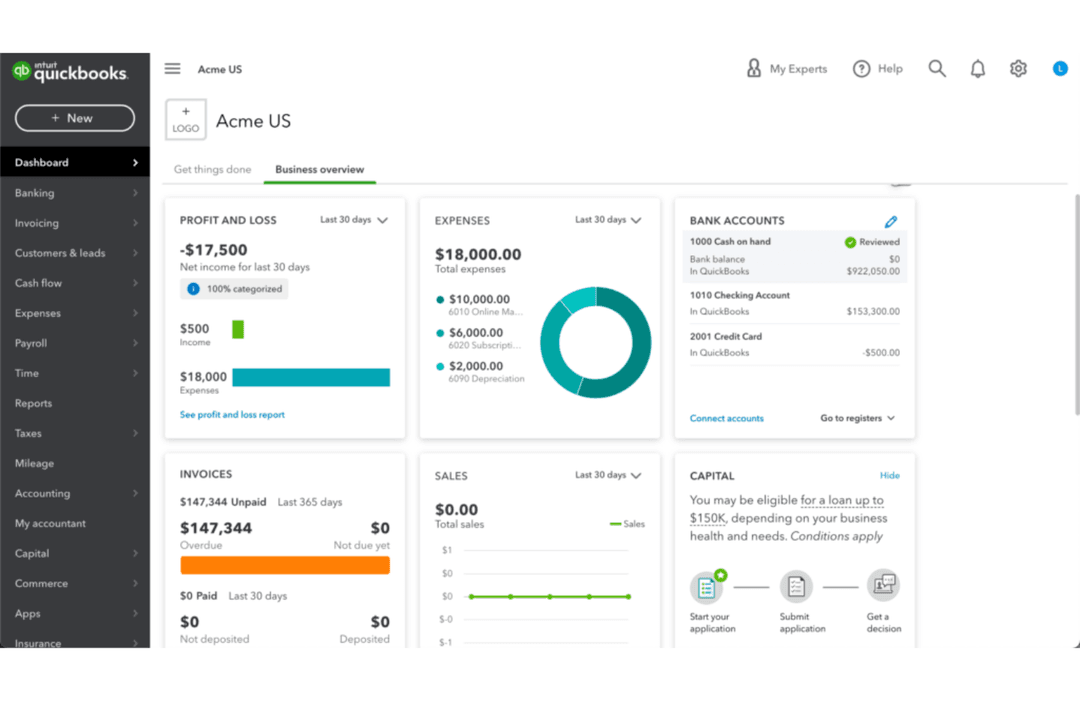
QuickBooks is generally easier for beginners to pick up, while Sage offers more customization but comes with a steeper learning curve. I find QuickBooks’s interface and mobile app especially user-friendly, while Sage’s flexibility is a real advantage for teams with complex needs.
Sage Intacct
- Handles multi-entity consolidations without ERP-level complexity
- Offers granular dimensional reporting for detailed financial analysis
- Automates approvals, invoice coding, and close tasks for stricter financial controls
- Advanced reporting and workflow setup usually needs partner or admin help
- Not built for manufacturing, warehousing, or supply chain operations
- No on-premises option for teams with local hosting requirements
QuickBooks
- The mobile app lets you manage your finances on the go.
- You can easily track expenses and income, making financial management straightforward.
- It offers comprehensive reporting tools that help you understand your business's financial health.
- You’ll hit limits if you manage multiple business entities.
- Doesn't accommodate businesses needing high accounting customization.
- The interface can feel clunky when switching between views.
Sage Intacct
- Multi-Entity OrganizationsSage Intacct simplifies consolidations, intercompany transactions, and multi-currency workflows for businesses operating across subsidiaries or global entities.
- Healthcare ProvidersAudit-ready tracking, dimensional reporting, and support for strict HIPAA-eligible configurationss help healthcare finance teams uphold regulatory requirements and control costs.
- SaaS CompaniesYou can automate revenue recognition, manage complex contracts, and integrate with Salesforce for clear, GAAP-compliant SaaS reporting.
- Nonprofit OrganizationsDimensional chart of accounts, strong fund accounting, and grant tracking features make it much easier for nonprofits to manage restricted funds and donor reporting.
- Professional Services FirmsProject accounting, expense management, and real-time dashboards help project-based teams bill accurately and keep a close eye on profitability.
- Fast-Growth Mid-MarketsRapidly scaling companies with layered structures and evolving systems benefit from Sage Intacct’s flexible modules, integrations, and scalable user-based pricing.
- Nonprofit OrganizationsDimensional chart of accounts, strong fund accounting, grant tracking, and prebuilt FASB-compliant statements make it much easier for nonprofits to manage restricted funds.
QuickBooks
- Small BusinessesQuickBooks offers an easy-to-use interface perfect for small business owners needing efficient financial management.
- FreelancersThe software provides essential tools for freelancers to track income and expenses without needing extensive accounting knowledge.
- Retail StoresWith features like inventory tracking, QuickBooks helps retail businesses manage stock levels and sales efficiently.
- StartupsQuickBooks supports startups with limited budgets by offering essential accounting functionalities without overwhelming complexity.
- NonprofitsThe reporting capabilities in QuickBooks help nonprofits maintain transparency and accountability in their financial dealings.
- AccountantsQuickBooks' extensive reporting and financial analysis tools make it a valuable asset for accountants managing multiple clients.
Who Should Use Sage Intacct, and Who Should Use QuickBooks?
Sage Intacct is a better fit for medium-sized to larger businesses that need more advanced features, industry-specific capabilities, or room to scale into more complex financial systems. Companies in sectors like manufacturing, construction, or those with more detailed reporting and compliance needs will benefit most from Sage’s depth. It’s also ideal for teams that have accounting expertise and require more customization and control.
QuickBooks is best suited for small businesses, freelancers, and startups that want an easy-to-use, quick-to-implement accounting solution. Its intuitive interface, strong integrations, and widespread accountant familiarity make it a practical choice for users without deep financial backgrounds. Businesses that prioritize simplicity, affordability, and speed will typically find QuickBooks the better option if the goal is to streamline day-to-day processes.
| Sage Intacct | QuickBooks | |
|---|---|---|
| Financial Reporting | Sage Intacct Advanced reporting, forecasting, and multi-entity consolidation. | QuickBooks Standard reporting with some customization, less depth. |
| Multi-Entity Support | Sage Intacct Robust support for multi-entity and multi-location businesses. | QuickBooks Limited multi-entity support without workarounds or add-ons. |
| Product Ecosystem | Sage Intacct Broad suite (Sage 50, 100, 300, Sage Intacct, X3) covering SMB to enterprise. | QuickBooks Streamlined lineup with QuickBooks Online, QuickBooks Desktop, QuickBooks Payroll, and Intuit Enterprise Suite. |
| Scalability | Sage Intacct Highly scalable across multiple products as businesses grow. | QuickBooks Scales within platform but often requires migration at higher complexity. |
| Target Business Size | Sage Intacct Designed for mid-sized businesses, enterprise organizations, and growing businesses with complex needs. | QuickBooks Primarily built for small businesses and freelancers. |
| Automation | Both platforms automate routine tasks like invoicing, expense tracking, and bank reconciliation to save time and reduce manual work. |
|---|---|
| Cloud-Access | Each provides secure, cloud-based access so teams can work remotely and collaborate in real time. |
| Core Accounting | Both offer invoicing, data entry, bookkeeping, expense tracking, bank reconciliation, and financial reporting for daily financial management operations. |
| Integration Options | Both connect with popular business tools like Salesforce, Shopify, and Zapier for expanded functionality. |
| Mobile Access | Both offer mobile apps (iOS and Android) that allow users to send invoices, track expenses, and monitor finances on the go. |
| Tax Management | Each platform helps businesses calculate, track, and prepare for tax obligations, including sales tax and reporting. |