10 QuickBooks Alternatives I Recommend In 2026

Best QuickBooks Alternatives Shortlist


The best QuickBooks alternatives offer streamlined accounting solutions tailored to your specific business needs, no matter if you're a rapidly growing startup, a mid-market business managing complex workflows, or a small enterprise seeking simpler financial management.
If QuickBooks feels overly complicated, costly, or limited, exploring alternatives can lead to better customization, smoother integrations, and substantial efficiency gains. Drawing from my extensive experience managing financial operations and software evaluations, I've identified the top alternatives to help you regain control of your accounting processes and maximize financial clarity.
What Are QuickBooks Alternatives?
QuickBooks alternatives are accounting software platforms designed to provide businesses with specialized features, simpler interfaces, or more affordable solutions compared to QuickBooks.
These alternatives cater to various business needs, including invoicing, payroll processing, expense tracking, financial reporting, and inventory management. Companies typically seek QuickBooks alternatives to overcome limitations like complex user experiences, high subscription costs, or insufficient customization capabilities.
Why Trust Our Software Recommendations
Our team has been testing and reviewing software since 2012. As finance leaders ourselves, we know how difficult—and important—it is to choose the right software.
For this guide, we evaluated tools using hands-on testing and independent research, scoring tools using our selection criteria.
Our reviews reflect our human editorial judgment, not a sales pitch.
QuickBooks Alternatives Comparison Table
This comparison table summarizes pricing details for my top QuickBooks alternative selections:
| Tool | Best For | Trial Info | Price | ||
|---|---|---|---|---|---|
| 1 | Best for payroll and HR automation | Free demo available | From $49/month + $6/month/user | Website | |
| 2 | Best for advanced accounting automation | Free demo available | Pricing upon request | Website | |
| 3 | Best for real-time ERP syncing | Free plan + free demo available | From $15/user/month | Website | |
| 4 | Best for advanced global financial consolidation | Free demo available | Pricing upon request | Website | |
| 5 | Best for advanced cloud accounting | 30-day free trial available | From $2.50/month | Website | |
| 6 | Best for small business invoicing | Free demo + 30-day free trial available | From $12/month (billed annually) | Website | |
| 7 | Best for workflow automation | Free plan + free demo available | From $15/month (billed annually) | Website | |
| 8 | Best for multi-entity financial management | Free demo available | Pricing upon request | Website | |
| 9 | Best for managing small business finances | 30-day free trial | From $40/month | Website | |
| 10 | Best for integrated payroll and compliance | Free demo available | Pricing upon request | Website |


Best QuickBooks Alternatives Reviews
In this analysis, I will review various QuickBooks alternatives. I’ll cover the pros and cons of each tool, their features, and their best use cases.

Gusto
Best for payroll and HR automation

For those exploring QuickBooks alternatives, Gusto offers a solution that caters to businesses of all sizes, particularly startups and small enterprises. This platform facilitates payroll, tax, and HR management through automation and easy integration with other business tools. By simplifying tasks such as compliance and benefits management, Gusto allows you to focus on growth and operational efficiency.
Why I Picked Gusto
I chose Gusto as a top QuickBooks alternative due to its focus on payroll and HR automation, which is crucial for businesses seeking efficiency in these areas. Gusto's automated payroll system allows you to sync hours, PTO, and benefits deductions with just a click, simplifying complex processes and reducing manual errors. The platform also handles all tax calculations, filings, and payments, ensuring compliance without the hassle. Additionally, Gusto's integrated HR tools, such as onboarding workflows and benefits administration, make it an attractive choice for businesses looking to streamline both payroll and HR functions in one place.
Gusto Key Features
In addition to its payroll and HR automation capabilities, Gusto offers a range of features that make it a competitive alternative to QuickBooks.
- Guided Health Benefits Shopping: Gusto provides personalized in-app plan recommendations based on business data, simplifying the selection process for health benefits.
- 401(k) Integrations: The platform integrates with Vestwell and other platforms to automate 401(k) management, reducing manual errors and saving time.
- Guardian Insurance Automations: It streamlines the process of renewing and adding health benefits with Guardian, automating paperwork and ensuring accurate processing.
- Expert Guidance: Gusto pairs businesses with dedicated advisors to navigate benefits, ensuring a smooth experience for insurance buyers.
Gusto Integrations
Integrations include Brightwheel, ChildPilot, Digits, DocuSign, Jobber, OpenComp, Guideline, and tools for time tracking and project management.
Pros and Cons
Pros:
- Includes compliance support
- Automates payroll and tax filing
- Comprehensive payroll and HR features
Cons:
- Benefits only available in some states
- No direct integration with all banks
New Product Updates from Gusto
Gusto Adds Solo Advisory Tools and Mobile Money Features
Gusto adds Solo S-Corp Advisory Tools and Gusto Money on Mobile for tax guidance, invoicing, and bill payments. These updates help accountants advise solopreneurs and let users manage business finances from their phones. For more information, visit Gusto’s official site.

Best for advanced accounting automation

Navigating the world of financial management doesn't have to be daunting, especially when DualEntry is on your side. Tailored for businesses scaling from mid-market to IPO, this AI-driven ERP solution offers the tools you need to manage multi-entity and multi-currency accounting seamlessly. With automation at its heart, DualEntry empowers you to optimize financial operations by providing AI-driven insights and extensive integrations, all while ensuring compliance with financial regulations.
Why I Picked DualEntry
I picked DualEntry because it excels in advanced accounting automation, making it an ideal QuickBooks alternative for those seeking to enhance their financial operations. The software's AI-driven capabilities, such as automatic bank matching and OCR reading, significantly reduce manual entry and reconciliation tasks, thus saving time and minimizing errors. Additionally, DualEntry's ability to manage multi-entity and multi-currency accounting caters to complex business structures, providing seamless financial management across subsidiaries. These features not only optimize accounting processes but also ensure compliance and offer insightful analytics, making it a compelling choice for businesses aiming to elevate their financial management.
DualEntry Key Features
In addition to its advanced accounting automation, DualEntry offers a variety of features that make it a compelling QuickBooks alternative for your business.
- General Ledger Management: This feature provides a robust framework for recording all financial transactions, ensuring that your business's financial data is comprehensive and organized.
- Cash Management: DualEntry enables you to oversee and manage cash flows effectively, allowing for better planning and allocation of financial resources.
- Tax Management: The software simplifies tax-related processes by automating calculations and ensuring compliance with various tax regulations.
- Predictive Analytics: This feature provides real-time insights and forecasts, helping you make informed decisions based on current financial data.
DualEntry Integrations
Integrations include Ramp, Rippling, Salesforce, Stripe, and more, with over 200 native options available for seamless connectivity across your tech stack.
Pros and Cons
Pros:
- Advanced AI features help with complex accounting tasks
- Supports multi-entity and multi-currency operations
- Automated revenue recognition ensures compliance with standards
Cons:
- Customization options require careful setup
- As an ERP, it may offer more features than needed for simpler accounting needs

Ramp
Best for real-time ERP syncing

For businesses seeking an alternative to QuickBooks, Ramp offers a compelling spend management solution that integrates corporate cards, bill payments, and accounting tools. Designed to enhance financial operations, Ramp appeals to finance teams looking to replace outdated systems with a unified platform that automates expense management and streamlines processes. With features like AI-driven insights and quick global payment capabilities, Ramp enables businesses to focus on strategic tasks and improve workflow efficiency, making it a strong contender in the financial management space.
Why I Picked Ramp
I picked Ramp because it excels in providing real-time ERP syncing, which is crucial for businesses looking for a robust alternative to QuickBooks. With its seamless integration capabilities, Ramp allows you to automate expense tracking and reporting, offering AI-driven insights that help in cost reduction and financial oversight. The platform's ability to sync in real-time with your existing ERP systems ensures that your team always has access to the most current financial data, reducing manual entry errors and improving decision-making. Additionally, features like customizable corporate cards and automated receipt management streamline your financial operations, making Ramp a compelling choice for enhancing efficiency and control over company spending.
Ramp Key Features
In addition to its real-time ERP syncing capabilities, Ramp offers several other features that make it an attractive QuickBooks alternative for your business.
- Unlimited Cards: You can issue both virtual and physical cards with customizable spending limits, allowing precise control over expenses.
- Automated Receipt Scanning: This feature enables real-time tracking of expenses and ensures compliance by automatically capturing and logging receipts.
- Procurement Workflows: With vendor management and contract tracking, your procurement processes become more streamlined and efficient.
- Policy Enforcement: Automated controls help prevent out-of-policy spending, ensuring adherence to your company’s financial guidelines.
Ramp Integrations
Integrations include Xero, QuickBooks, NetSuite, Sage, Slack, Google Workspace, Dropbox, Microsoft Teams, Stripe, and Salesforce.
Pros and Cons
Pros:
- Comprehensive reporting features
- Ability to issue multiple virtual cards with customizable controls
- Automated expense reporting and receipt matching
Cons:
- Mostly focuses on accounts payable and spend management
- Could offer more advanced accounting features
New Product Updates from Ramp

Ramp Adds VAT-Compliant Reimbursement Statements
Ramp added VAT and entity address details to reimbursement statements, helping teams in the EU, UK, and Canada reclaim VAT with less manual paperwork. For more information, visit Ramp’s official site.
 .
.
NetSuite
Best for advanced global financial consolidation
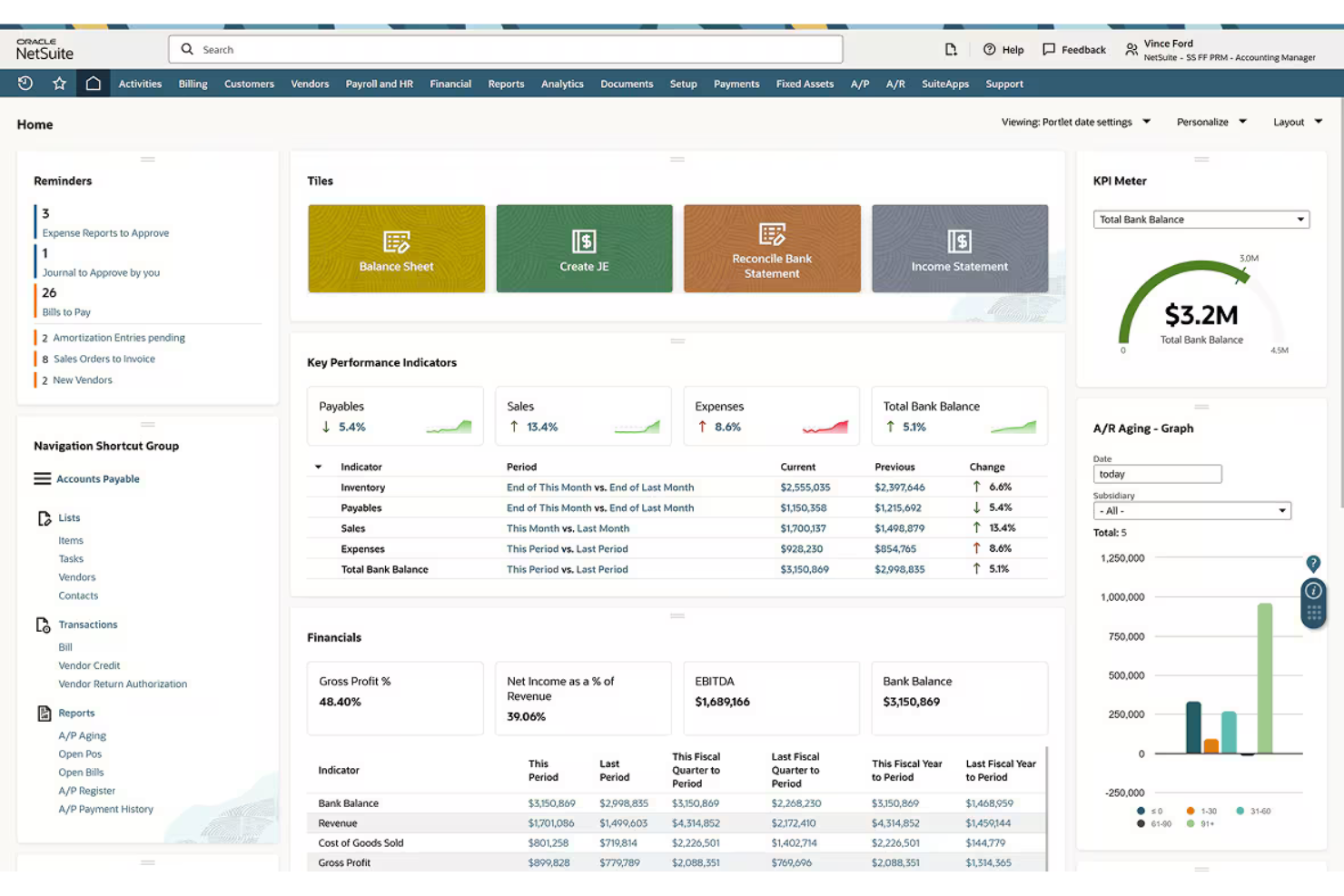
NetSuite is a cloud-based ERP and financial management platform built for mid-market and enterprise businesses that need to manage multi-entity accounting, complex revenue recognition, and real-time financial visibility across multiple subsidiaries or geographies.
Who Is NetSuite Best For?
NetSuite is a strong fit for mid-sized to large companies managing multiple entities, subsidiaries, or international operations that have outgrown standalone accounting tools.
Why NetSuite Is a Good QuickBooks Alternative
I picked NetSuite because its multi-entity financial consolidation goes well beyond what QuickBooks can handle. I can consolidate financials across dozens of subsidiaries in different currencies, with automated intercompany eliminations and real-time exchange rate adjustments built directly into the close process. NetSuite's consolidated balance sheets and P&Ls pull across all entities simultaneously, which cuts out the manual spreadsheet merging that QuickBooks users typically rely on.
NetSuite Key Features
- Revenue recognition: Automates ASC 606 and IFRS 15 deferral schedules and revenue allocation rules tied directly to contracts and billing milestones.
- Accounts payable automation: Routes vendor invoices through configurable approval workflows before scheduling and executing payment runs.
- SuiteAnalytics: Provides a built-in reporting workspace with real-time GL data access, custom saved searches, and role-based financial dashboards.
- Audit trail: Logs every transaction change, user action, and approval across the system with timestamps for compliance and internal controls review.
NetSuite Integrations
NetSuite offers prebuilt connectors through both its Connector add-on and its Integration Platform for applications like Shopify, BigCommerce, Adobe Commerce, WooCommerce, Amazon, eBay, Walmart, Salesforce, ShipStation, and Square.
Pros and Cons
Pros:
- Scales with multi-entity business growth
- Supports 190 currencies and 27 languages
- Real-time financial reporting across subsidiaries
Cons:
- Interface feels dense for new users
- Often requires consultants for initial setup

Xero
Best for advanced cloud accounting

Xero is a cloud-based accounting software designed for small and medium-sized businesses. Its advanced suite of features and integration capabilities grow with businesses as they increase in volume and size.
Why it's a good QuickBooks alternative: Xero’s advanced features and easy integration with over 1,000 apps make it a strong contender for businesses looking to move away from QuickBooks. It offers seamless integrations with a wide range of third-party apps, enhancing workflow efficiency for businesses of all sizes. Additionally, Xero’s straightforward pricing and unlimited user access make it a budget-friendly and scalable option for growing businesses.
Standout features & integrations:
Features include essential account management tools, including invoicing, bank reconciliation, and expense tracking. Its intuitive interface and real-time financial data make it user-friendly and efficient for managing business finances.
Integrations include Hubdoc, Stripe, Shopify, HubSpot CRM, Square, PayPal, Gusto, Trello, GoCardless, and Receipt Bank.
Pros and Cons
Pros:
- User-friendly interface
- Excellent integration capabilities
- Comprehensive feature set
Cons:
- Occasional syncing issues with bank feeds
- Limited offline access

Best for small business invoicing
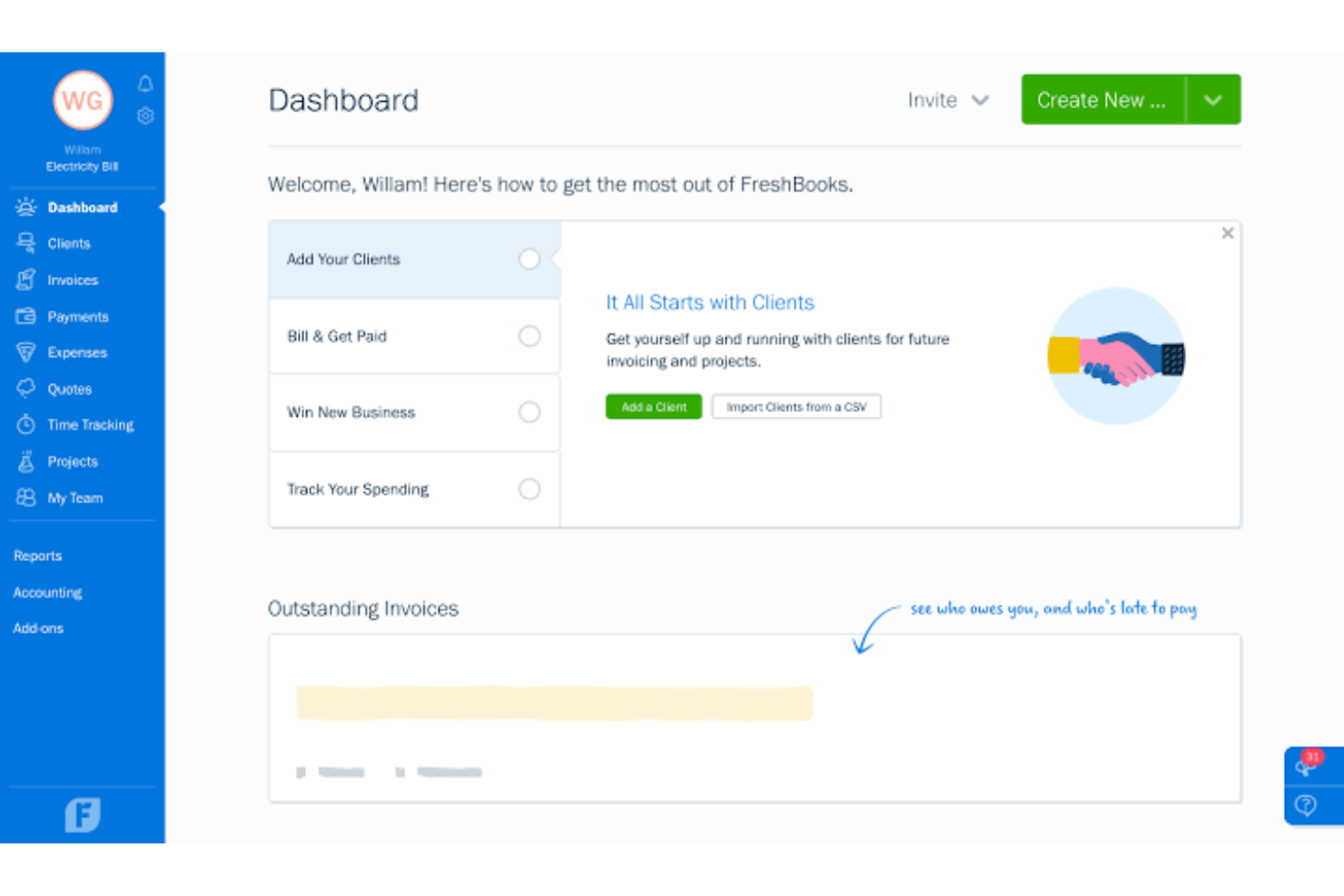
FreshBooks is a cloud-based accounting software built for freelancers, solopreneurs, and small businesses that need to manage invoicing, expenses, time tracking, and payroll without relying on a dedicated finance team.
Who Is FreshBooks Best For?
FreshBooks is a strong fit for self-employed professionals and small service-based businesses that bill clients regularly and need simple, accurate books.
Why FreshBooks Is a Good QuickBooks Alternative
I picked FreshBooks as one of the best QuickBooks alternatives because of how tightly its time tracking and invoicing features connect. You start a timer on a project, and when work wraps up, you convert those logged hours directly into a client invoice in one click. I also like FreshBooks' automated billing workflows, which handle recurring invoices, card-on-file charges, and late fee reminders without any manual follow-up.
FreshBooks Key Features
- Expense tracking: Capture and categorize business expenses by photographing receipts directly from the mobile app.
- Double-entry accounting: Record every transaction with corresponding debit and credit entries to keep books audit-ready.
- Financial reporting: Generate profit and loss statements, balance sheets, and tax summaries directly from your dashboard.
- Client portal: Give clients a dedicated space to view invoices, make payments, and access shared project files.
FreshBooks Integrations
FreshBooks offers over 100 integrations through its App Store, including Gusto, Wagepoint, HubSpot, Shopify, Squarespace, Acuity Scheduling, and Zapier. An API is also available for custom integrations.
Pros and Cons
Pros:
- Built for non-accountants to manage books
- Converts tracked hours into invoices automatically
- Automated payment reminders and late fees
Cons:
- Billable client caps on lower plans
- Report customization options are limited

Best for workflow automation
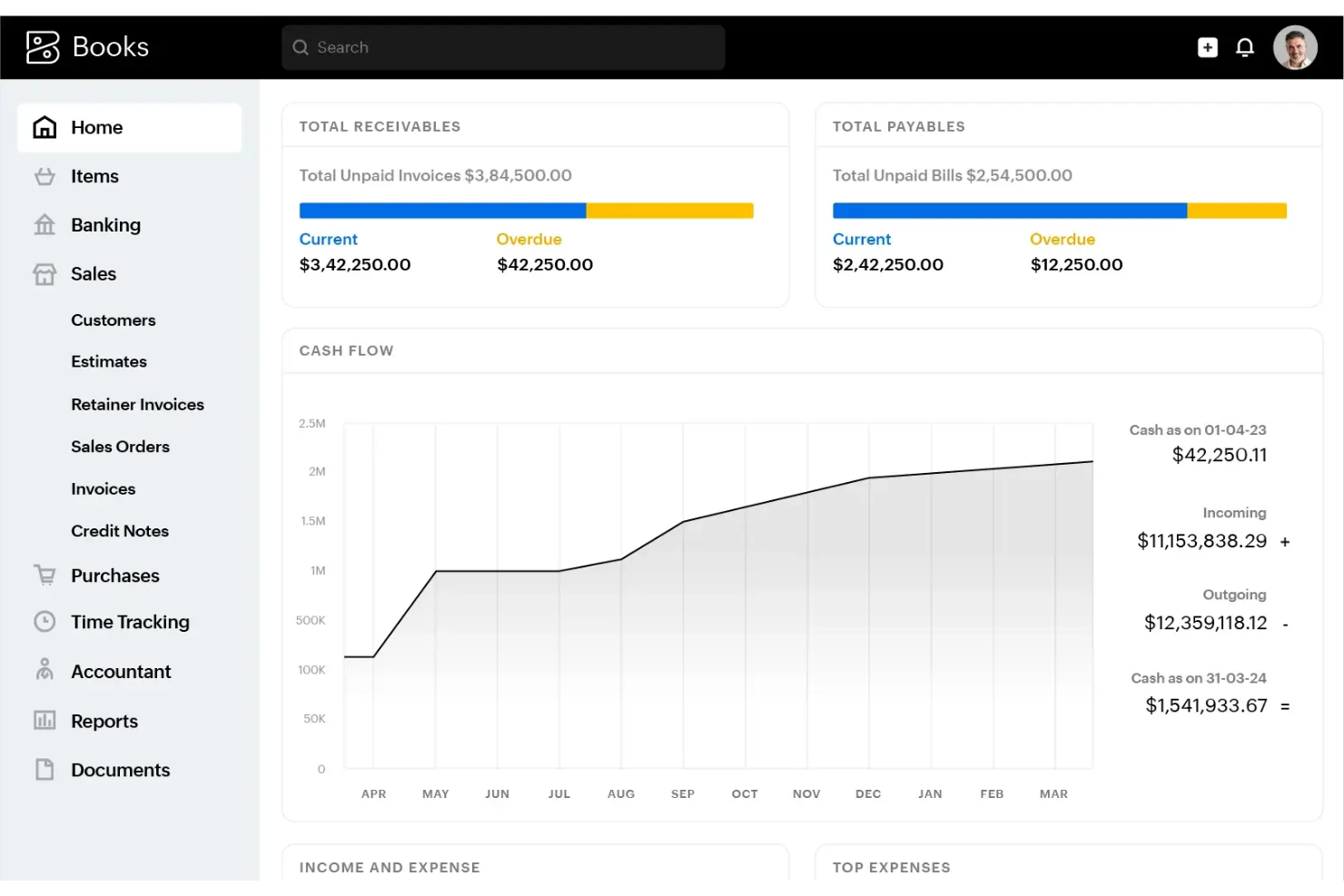
Zoho Books is a cloud-based accounting platform for small to mid-sized businesses that want to automate financial workflows, handle invoicing, and manage compliance without leaning on manual processes.
Who Is Zoho Books Best For?
Zoho Books is a strong fit for small business owners and growing teams that are already in the Zoho ecosystem or want tightly automated financial processes without enterprise-level complexity.
Why Zoho Books Is a Good QuickBooks Alternative
I picked Zoho Books for this list because its workflow automation goes well beyond what QuickBooks offers out of the box. You can build custom workflow rules that trigger automatic notifications, field updates, or validations based on any transaction event, like when a quote is approved or a payment is overdue. I also like that recurring transactions (invoices, bills, expenses) run automatically on whatever schedule you set, and the multi-level approval flows for sales and purchase transactions give you real controls without manual follow-up.
Zoho Books Key Features
- Client and vendor portals: Give customers a self-service portal to accept quotes, review transactions, and make payments, while vendors can receive purchase orders and upload invoices directly.
- Project billing and timesheet tracking: Log time against projects using a built-in timer, then bill clients based on hours, tasks, or total cost, with both internal and client approval options for timesheets.
- 70+ built-in reports: Run real-time reports across sales, expenses, purchases, inventory, and taxes, with the option to customize columns, filters, and date ranges and schedule automated delivery.
- Fixed asset management: Track asset life cycles, auto-calculate depreciation, manage disposals, and pull detailed asset reports without a separate tool.
Zoho Books Integrations
Zoho Books has native integrations across the Zoho ecosystem, including Zoho CRM, Zoho Inventory, Zoho Payroll, and Zoho People.
Pros and Cons
Pros:
- Includes a free plan for micro-businesses
- Handles multi-currency with real-time rate updates
- Configurable workflow rules for transaction automation
Cons:
- Mobile app lacks full desktop functionality
- Bank reconciliation slows with high volumes

Best for multi-entity financial management
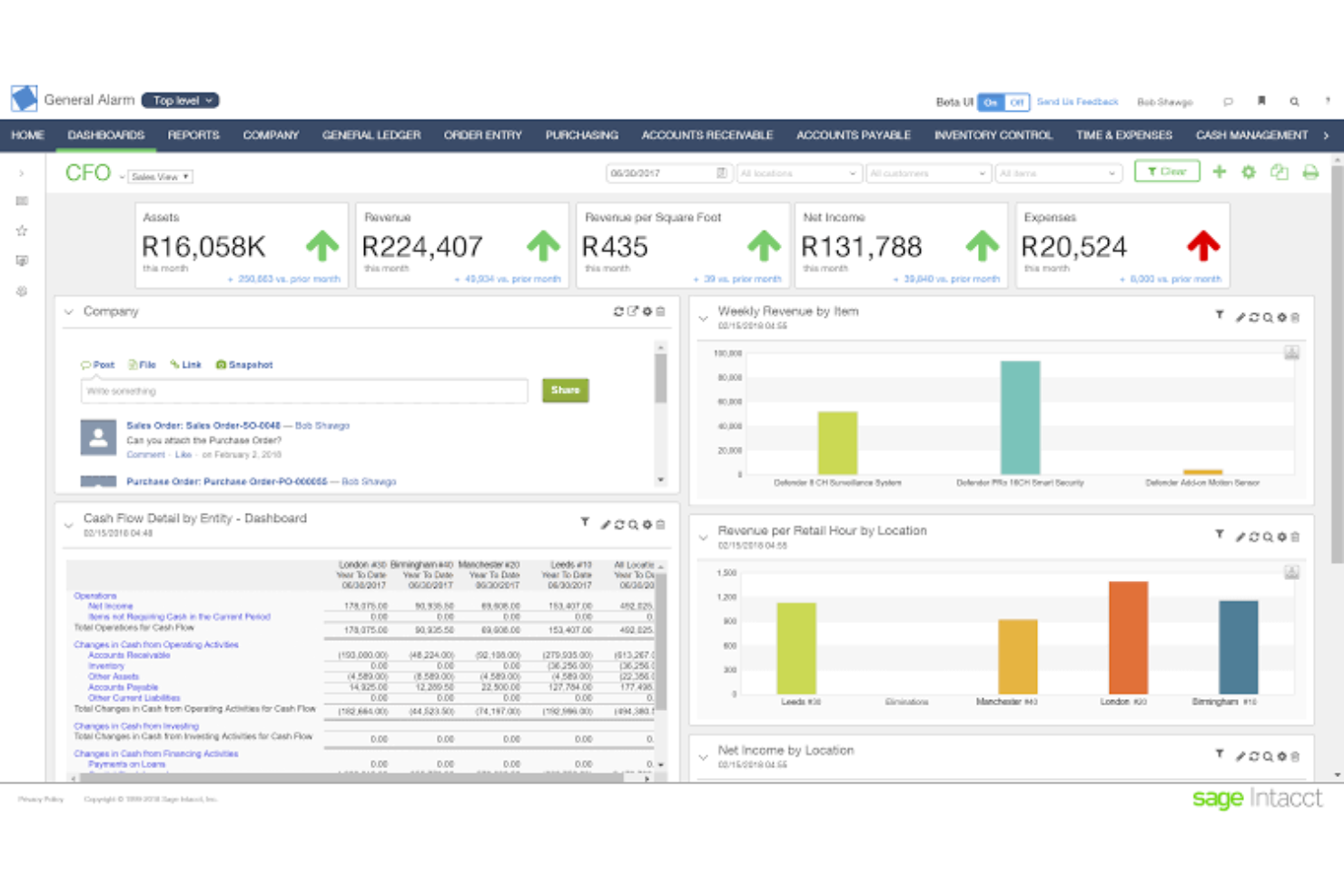
Sage Intacct is a cloud accounting platform built for scaling and mid-sized businesses that need to handle complex financials, including multi-entity consolidation, AP automation, and AI-assisted close management.
Who Is Sage Intacct Best For?
Sage Intacct is a strong fit for mid-sized and growing businesses that manage financials across multiple entities, subsidiaries, or locations.
Why Sage Intacct Is a Good QuickBooks Alternative
I picked Sage Intacct as one of the best QuickBooks alternatives because of how it handles multi-entity accounting at a level QuickBooks simply can't match. You can manage hundreds of entities across different currencies and geographies and consolidate them in minutes, with a real-time global view and the ability to drill into any individual entity on demand. I also like the AP Automation agent, which handles bill entry, vendor matching, PO matching, and duplicate detection automatically, so my team is reviewing and approving rather than doing manual data entry.
Sage Intacct Key Features
- Financial Assurance agent: Scans journal entries as they post, flagging anomalies and unusual transactions against historical patterns before they hit your books.
- Close agent: Tracks month-end close tasks, identifies bottlenecks, and guides your team through the close process step by step.
- Multi-dimensional reporting: Run hundreds of reports and dashboards that slice financial data across multiple dimensions in real time.
- Finance Intelligence agent: Answer plain-language questions about any report, record, or transaction without building a custom query or pulling a manual export.
Sage Intacct Integrations
Sage Intacct offers 350+ marketplace integrations from verified partners, covering areas like AP automation, CRM, HCM, payroll, expense management, and tax compliance. Notable integrations include Salesforce, ADP Workforce Now, Ramp, Tipalti, FloQast, Velixo, Corpay, and DataBlend.
Pros and Cons
Pros:
- Built-in audit trails and approval workflows
- Dimensional GL simplifies chart of accounts design
- Multi-currency consolidation with live FX conversion
Cons:
- Add-on module fees increase total cost
- Implementation often requires outside consultants

Wave
Best for managing small business finances

Wave is a small business accounting software that offers a comprehensive suite of tools for managing your business finances. Whether you're handling invoicing, accounting, or payroll, Wave provides a reliable platform that simplifies these tasks, making it a great option for small business owners.
Why it's a good QuickBooks alternative: I picked Wave as a QuickBooks alternative because it offers essential accounting features like invoicing, payment processing, and receipt management. These tools help you manage cash flow and prepare for tax time, all without needing extensive accounting knowledge. Additionally, Wave's smart dashboard organizes your financial information, making it easier for you to track the health of your business.
Another reason to consider Wave is its Pro Plan, which enhances your experience by enabling automatic transaction imports and categorization. This means you can connect unlimited bank and credit card accounts, reducing the need for manual entry and ensuring your data is always up-to-date. Plus, Wave provides 256-bit encryption to keep your financial data secure, so you can focus on running your business without worrying about data breaches.
Standout features & integrations:
Features include the ability to import data from other accounting apps, making transitions smooth when you switch to Wave. You can also set different account privileges for collaborators, allowing your team to access only the information they need. Another fantastic feature is the suite of money management tools, such as payroll, which helps you keep track of your employees' wages and tax obligations.
Integrations include Stripe, Google Sheets, Mailchimp, Square, HubSpot, Slack, Shopify, Jotform, HoneyBook, ShipStation, Formstack Documents, and eBay.
Pros and Cons
Pros:
- Built-in payroll and receipt management
- Automatic transaction import and categorization
- Comprehensive invoicing and payment tools
Cons:
- Limited scalability for growing businesses
- Customer support can be slow

ADP Run
Best for integrated payroll and compliance
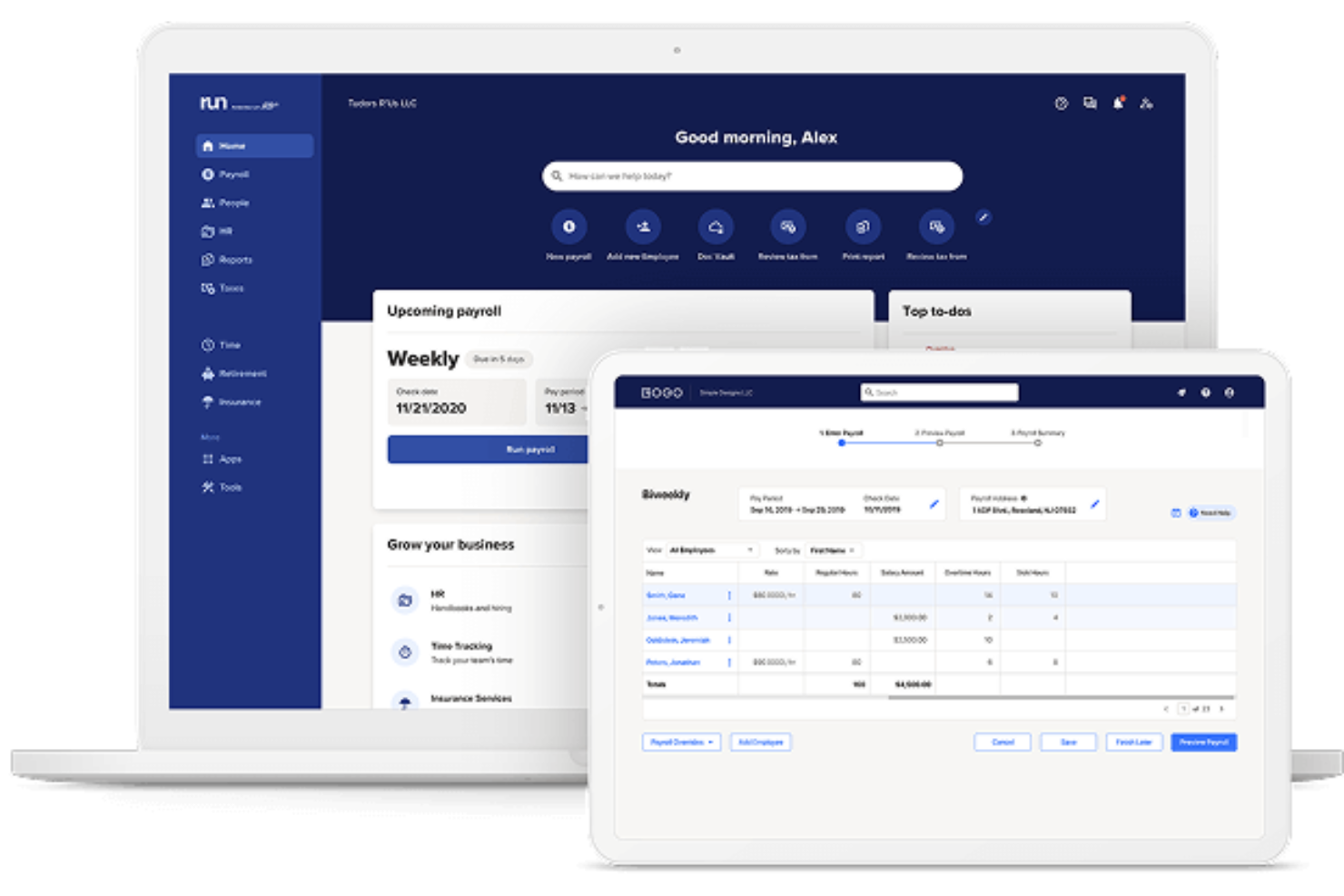
ADP is a payroll and HR platform built for businesses that need to manage employee compensation, tax filings, benefits administration, and workforce compliance in one place.
Who Is ADP Best For?
ADP is a strong fit for mid-sized to enterprise businesses that need payroll, tax compliance, and HR management handled within a single platform.
Why ADP Is a Good QuickBooks Alternative
I picked ADP because it handles payroll tax filing and remittance automatically, which QuickBooks requires more manual oversight to manage. I appreciate that ADP's built-in compliance tools update continuously for federal, state, and local tax law changes. Its new hire reporting and workers' compensation audit support are features I find genuinely useful when managing a growing headcount across multiple jurisdictions.
ADP Key Features
- General ledger sync: Export payroll data directly to your accounting system to keep financial records aligned after each pay run.
- Time and attendance tracking: Record employee hours through timecards, schedules, and time-off requests within the same platform.
- Benefits administration: Manage health, dental, and retirement plan enrollment alongside payroll inside a single employee record.
- On-demand pay: Let employees access earned wages before payday without manual payroll adjustments.
ADP Integrations
ADP offers hundreds of marketplace integrations through ADP Marketplace, including QuickBooks, Xero, Wave, ClockShark, Synerion, WEX, Trusaic, and Points North.
Pros and Cons
Pros:
- Scales from small business to enterprise
- Covers payroll, HR, and benefits together
- Handles multi-state payroll tax filing automatically
Cons:
- Customer support response times vary widely
- No transparent or published pricing
Other QuickBooks Alternatives
Below is a list of additional QuickBooks alternatives that I shortlisted. While they didn’t make the top 10, they’re still valuable and worth further research.
- Zoho Invoice
For free invoicing with online payments
- AccountEdge
For desktop accounting on Mac and Windows
- Sage
For growing businesses
- Puzzle
For AI-driven bookkeeping
- Tiller Money
For spreadsheet-based financial tracking
- ZipBooks
For unlimited invoicing in free plan
- Square Invoices
For integrated payment processing
- Patriot Software
For affordable payroll solutions
- Pilot
For dedicated bookkeeping teams


How I Evaluate QuickBooks Alternatives
I split my evaluation into baseline criteria—like double-entry GL, bank reconciliation, and core reporting—and differentiating factors that separate a good fit from the right one.
Core Functionality (Table Stakes For This List)
When I'm selecting tools for my list, I rank each one on a scale from 0 (does not offer the functionality) to 5 (excels in this area) for each core functionality listed below. Then, I calculate the tool's total score into a percentage. Each tool needs to achieve a minimum total score of 75% to be considered for inclusion.
- General Ledger & Double-Entry: I check whether the GL supports a fully editable chart of accounts and journal entries, since tools like FreshBooks historically leaned single-entry and limited what bookkeepers could do.
- Invoicing & Accounts Receivable: Every tool I evaluate should let you create recurring invoices, accept online payments, and track AR aging—basics for any business billing clients on terms.
- Expense & Accounts Payable: I look at how each platform handles the full bill-to-payment cycle, from entering vendor bills and scheduling due dates to actually issuing payments without leaving the app.
- Bank Reconciliation & Feeds: Live bank feeds and guided reconciliation matter here. I evaluate how each tool handles transaction matching and whether it supports rules-based categorization to cut down on manual sorting each month.
- Financial Reporting: The tool should generate a P&L, balance sheet, and cash flow statement at minimum. I also look for filtering by date range, class, or department so you can pull segment-level reports at close.
- Tax & Compliance Support: I evaluate whether the platform tracks sales tax on transactions and produces tax-ready reports, since this is where a lot of small business owners get tripped up during filing season.
Once I have a list of tools that meet this criteria, I consider what sets each platform apart.
Differentiating Factors (What Sets Vendors Apart)
Here's how I compare and contrast different vendors:
Standout Features
Industry-specific modules matter a lot here. A contractor needs job costing while a nonprofit needs fund accounting—platforms like Xero and Sage Intacct take different approaches to vertical functionality. I also check whether payroll is built in, since a separate payroll vendor adds cost and friction to every pay run. For growing businesses, multi-entity consolidation is worth evaluating—running reports across several companies from one login saves real time at month-end close.
Beyond Features
Migration support is a big one for me. Switching accounting platforms mid-year is stressful, so I look at whether a vendor offers QuickBooks data import tools or guided migration services. Integrations also carry a lot of weight—your accounting software needs to connect with payment processors, ecommerce platforms, and payroll tools you're already using. Platforms like Xero and Wave handle this differently, so I evaluate each vendor's app marketplace and API access. Pricing transparency matters too, especially for freelancers and small teams watching every line item on the bill.
Why Look for a QuickBooks Alternative?
Although QuickBooks is a valuable accounting software, there are several options on the market that may better suit your needs. Here are some of the reasons why you may be searching for a QuickBooks alternative.
- Cost: QuickBooks pricing can be steep, making it less ideal for small businesses looking to manage expenses effectively. Budget-conscious users may find more affordable options that still offer essential features.
- Complexity: The interface and features of QuickBooks can be complicated, creating a steep learning curve. Those looking for an easy-to-use, streamlined solution may prefer simpler alternatives.
- Customer Support: Users frequently encounter delays and less-than-ideal assistance when reaching out to QuickBooks support. This can be frustrating for businesses needing quick resolutions to technical issues.
- Customization: With limited flexibility, QuickBooks may not allow users to tailor the software to their specific workflows. Alternatives often provide greater customization for unique business needs.
- Integration: QuickBooks might not seamlessly integrate with all other tools and software you rely on. Seeking an alternative could improve workflow efficiency through better compatibility.
Features of QuickBooks Alternatives
When evaluating QuickBooks alternatives, look for software that can match, or even improve upon, the platform’s core functionality. Strong alternatives should support smooth day-to-day accounting workflows, provide clear financial visibility, and offer flexibility as your business grows. Key features include:
- Invoicing: Your alternative should make it easy to create, customize, and send invoices quickly. Automated reminders and payment tracking help ensure customers pay on time and reduce administrative follow-up.
- Expense tracking: Look for tools that allow you to categorize expenses, attach receipts, and monitor spending in real time. This keeps your books accurate and simplifies budgeting and tax preparation.
- Bank feeds: Automatic bank transaction imports are essential. Reliable bank feeds reduce manual entry, speed up reconciliation, and provide a continuously updated view of cash flow.
- Payroll management: If payroll is part of your workflow, choose a solution that can calculate wages, manage deductions, handle tax filings, and integrate smoothly with your general ledger.
- Inventory management: Good alternatives should track stock levels, manage reorder points, and sync inventory changes with sales and purchasing activity to keep operations running smoothly.
- Project profitability: Tracking income, expenses, and labor at the project level helps you understand which work is profitable and where costs may be creeping.
- Time tracking: Integrated time tracking ensures billable hours are captured accurately and can flow directly into invoicing or payroll without manual re-entry.
- Tax preparation: Automated tax calculations, up-to-date tax tables, and filing support simplify compliance and reduce the risk of costly errors.
- Mobile app: A strong mobile app gives you access to financial data, invoicing tools, receipt capture, and approvals from anywhere—ideal for busy teams on the go.
- Reporting: Comprehensive, customizable financial reports help you analyze performance, spot trends, and make informed decisions with greater confidence.
Common QuickBooks Alternative Software AI Features
Many QuickBooks alternatives now incorporate AI capabilities that enhance accuracy, streamline processes, and improve forecasting, including:
- Smart transaction categorization: AI learns your accounting patterns and automatically classifies expenses and income, reducing cleanup work and improving ledger accuracy.
- Predictive cash flow insights: AI models project future cash positions by analyzing historical trends, upcoming bills, and receivables, helping businesses stay ahead of potential liquidity gaps.
- Automated invoice and receipt capture: Machine learning extracts data from invoices, bills, and receipts with high accuracy, eliminating manual entry and speeding up bookkeeping tasks.
- Anomaly detection: AI flags unusual transactions—like duplicate charges or unexpected vendor activity—to help prevent errors and catch fraud early.
- AI-assisted reporting and insights: AI can generate narrative explanations of financial performance, highlight key drivers behind variances, and surface trends that may otherwise go unnoticed.
QuickBooks Alternatives FAQs
Here are some commonly asked questions about QuickBooks alternatives:
Which QuickBooks alternative is best for growing businesses with complex needs?
The best QuickBooks alternatives for growing businesses include Xero or Sage Intacct. Both offer advanced features like multi-entity support, detailed reporting, and integrations.
If your operations are complex or you need scalability, look for a platform with flexible user roles, custom automation, and strong analytics. Always seek to match your unique needs when choosing an alternative.
How easy is it to migrate data from QuickBooks to an alternative platform?
Migrating data from QuickBooks to another platform can be straightforward if your new software offers built-in import tools or concierge onboarding.
Most alternatives to QuickBooks provide step-by-step import options for customers, vendors, transactions, and chart of accounts. Back up your data and test a sample migration first to avoid errors and downtime.
Do QuickBooks alternatives offer integrations with payroll, ecommerce, or CRM tools?
Yes, most leading QuickBooks alternatives offer integrations with payroll providers, ecommerce shops, and popular CRMs. Platforms like Xero, FreshBooks, and Zoho Books connect with Shopify, Square, HubSpot, Gusto, and more. Before switching, check which integrations matter most to your business and verify they’re available on your chosen platform.
Can I find a free or low-cost QuickBooks alternative that’s reliable?
Yes, you can find reliable low-cost or even free QuickBooks alternatives for small businesses. Popular options, like Wave and Zoho Books, offer entry-level plans.
These tools handle basic invoicing and expense tracking for small teams. Check for limits on features or users, since free versions may not support payroll, integrations, or advanced reports.
What security features do QuickBooks alternatives provide to protect my financial data?
QuickBooks Online alternatives invest in advanced security, like encryption, multi-factor authentication, and regular backups. Many comply with industry standards and offer role-based access controls.
If you handle sensitive financial or client data, confirm that your chosen platform supports secure data storage and allows you to set permissions for your team.
Is there a Canadian alternative to QuickBooks?
Yes, Wave is a top Canadian alternative to QuickBooks, with support tailored for Canadian taxes, currency, and banking. Other options like FreshBooks and Sage 50cloud also have strong Canadian user bases. Check if local tax rates, sales tax codes, and bilingual support are included to meet your compliance needs.