


Ramp Review: Pros, Cons, Features, and Pricing Explained


Ramp is a travel and expense management software designed to help finance leaders control spend, automate expense reporting, and gain real-time visibility into company travel and expenses. For CFOs balancing compliance, cost control, and operational efficiency, Ramp offers a unified platform that integrates corporate cards, automated workflows, and policy enforcement.
This review covers Ramp's features, best and worst use cases, pros and cons, and pricing to help you decide if it fits your organization's travel and expense management needs.
Ramp Evaluation Summary
- From $15/user/month + platform-based fee
- 30-day free trial + free plan + free demo available
Why Trust Our Software Reviews
We’ve been testing and reviewing financial software since 2023. As finance specialists ourselves, we know how critical and difficult it is to make the right decision when selecting software.
We invest in deep research to help our audience make better software purchasing decisions. We’ve tested more than 2,000 tools for different finance use cases and written over 1,000 comprehensive software reviews. Learn how we stay transparent & our software review methodology.
Ramp Overview
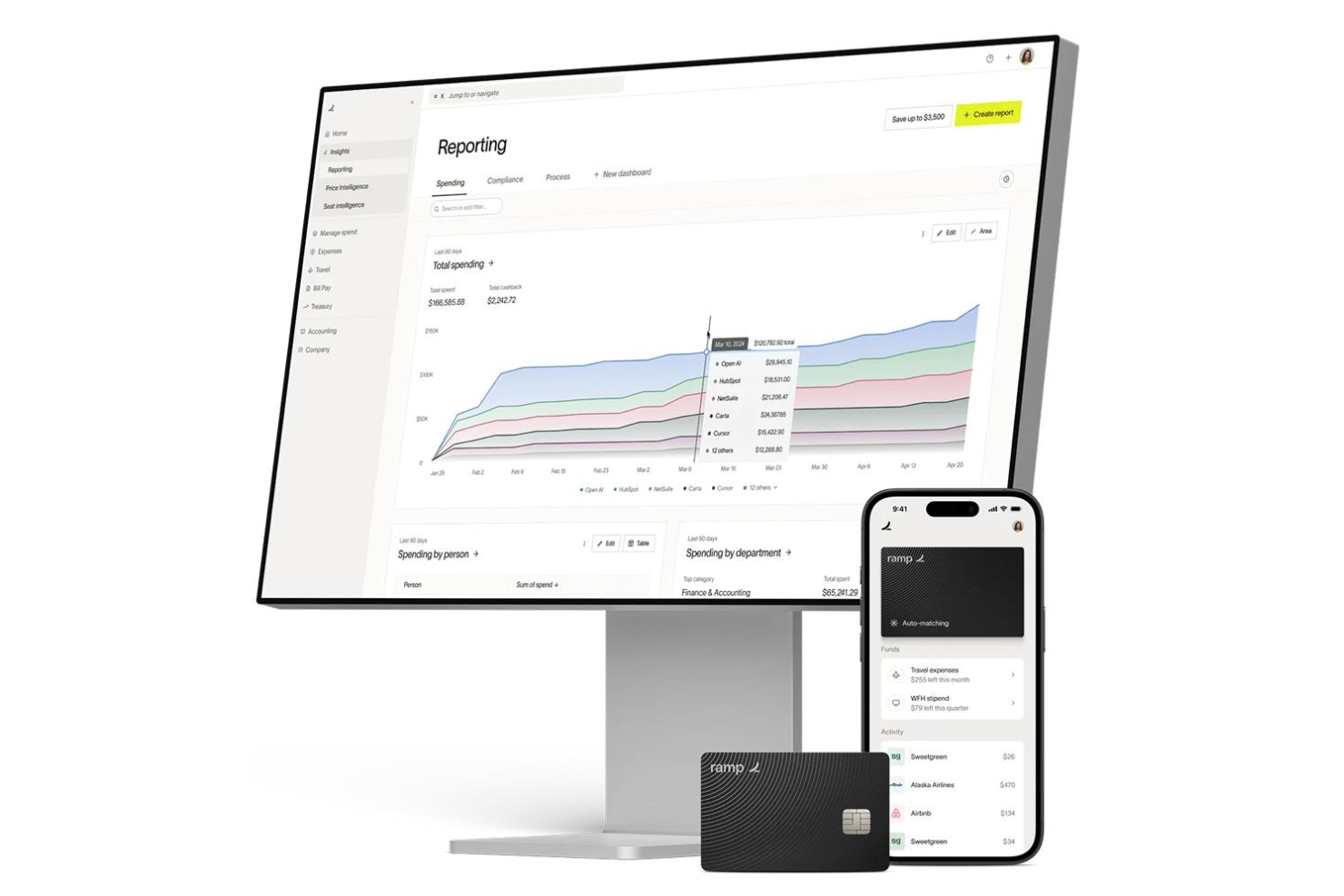
When judging Ramp as a travel and expense management software, its automation, real-time spend controls, and no-fee pricing model set it apart for finance teams seeking transparency and efficiency. The interface is user-friendly, onboarding is quick, and integrations with accounting software platforms are strong. Ramp excels for companies prioritizing policy enforcement and rapid scaling. If you're selecting a solution for a tech-forward, growth-focused environment, Ramp's card-based controls and automated workflows make it a top contender.
pros
-
Real-time spend tracking and policy enforcement controls.
-
Automated receipt matching and expense categorization.
-
No user or card fees for core expense management.
cons
-
Limited advanced travel booking and itinerary management.
-
Support response times can be slow during high demand.
-
Approval workflows lack multi-level review for travel requests.
-

Creatio CRM
Visit WebsiteThis is an aggregated rating for this tool including ratings from Crozdesk users and ratings from other sites.4.7 -
DealHub AI
Visit WebsiteThis is an aggregated rating for this tool including ratings from Crozdesk users and ratings from other sites.4.7 -
LiveFlow
Visit WebsiteThis is an aggregated rating for this tool including ratings from Crozdesk users and ratings from other sites.4.9


How We Test & Score Tools
We’ve spent years building, refining, and improving our software testing and scoring system. The rubric is designed to capture the nuances of software selection and what makes a tool effective, focusing on critical aspects of the decision-making process.
Below, you can see exactly how our testing and scoring works across seven criteria. It allows us to provide an unbiased evaluation of the software based on core functionality, standout features, ease of use, onboarding, customer support, integrations, customer reviews, and value for money.
Core Functionality (25% of final scoring)
The starting point of our evaluation is always the core functionality of the tool. Does it have the basic features and functions that a user would expect to see? Are any of those core features locked to higher-tiered pricing plans? At its core, we expect a tool to stand up against the baseline capabilities of its competitors.
Standout Features (25% of final scoring)
Next, we evaluate uncommon standout features that go above and beyond the core functionality typically found in tools of its kind. A high score reflects specialized or unique features that make the product faster, more efficient, or offer additional value to the user.
We also evaluate how easy it is to integrate with other tools typically found in the tech stack to expand the functionality and utility of the software. Tools offering plentiful native integrations, 3rd party connections, and API access to build custom integrations score best.
Ease of Use (10% of final scoring)
We consider how quick and easy it is to execute the tasks defined in the core functionality using the tool. High scoring software is well designed, intuitive to use, offers mobile apps, provides templates, and makes relatively complex tasks seem simple.
Onboarding (10% of final scoring)
We know how important rapid team adoption is for a new platform, so we evaluate how easy it is to learn and use a tool with minimal training. We evaluate how quickly a team member can get set up and start using the tool with no experience. High scoring solutions indicate little or no support is required.
Customer Support (10% of final scoring)
We review how quick and easy it is to get unstuck and find help by phone, live chat, or knowledge base. Tools and companies that provide real-time support score best, while chatbots score worst.
Customer Reviews (10% of final scoring)
Beyond our own testing and evaluation, we consider the net promoter score from current and past customers. We review their likelihood, given the option, to choose the tool again for the core functionality. A high scoring software reflects a high net promoter score from current or past customers.
Value for Money (10% of final scoring)
Lastly, in consideration of all the other criteria, we review the average price of entry level plans against the core features and consider the value of the other evaluation criteria. Software that delivers more, for less, will score higher.
Core Features
Automated Receipt Capture
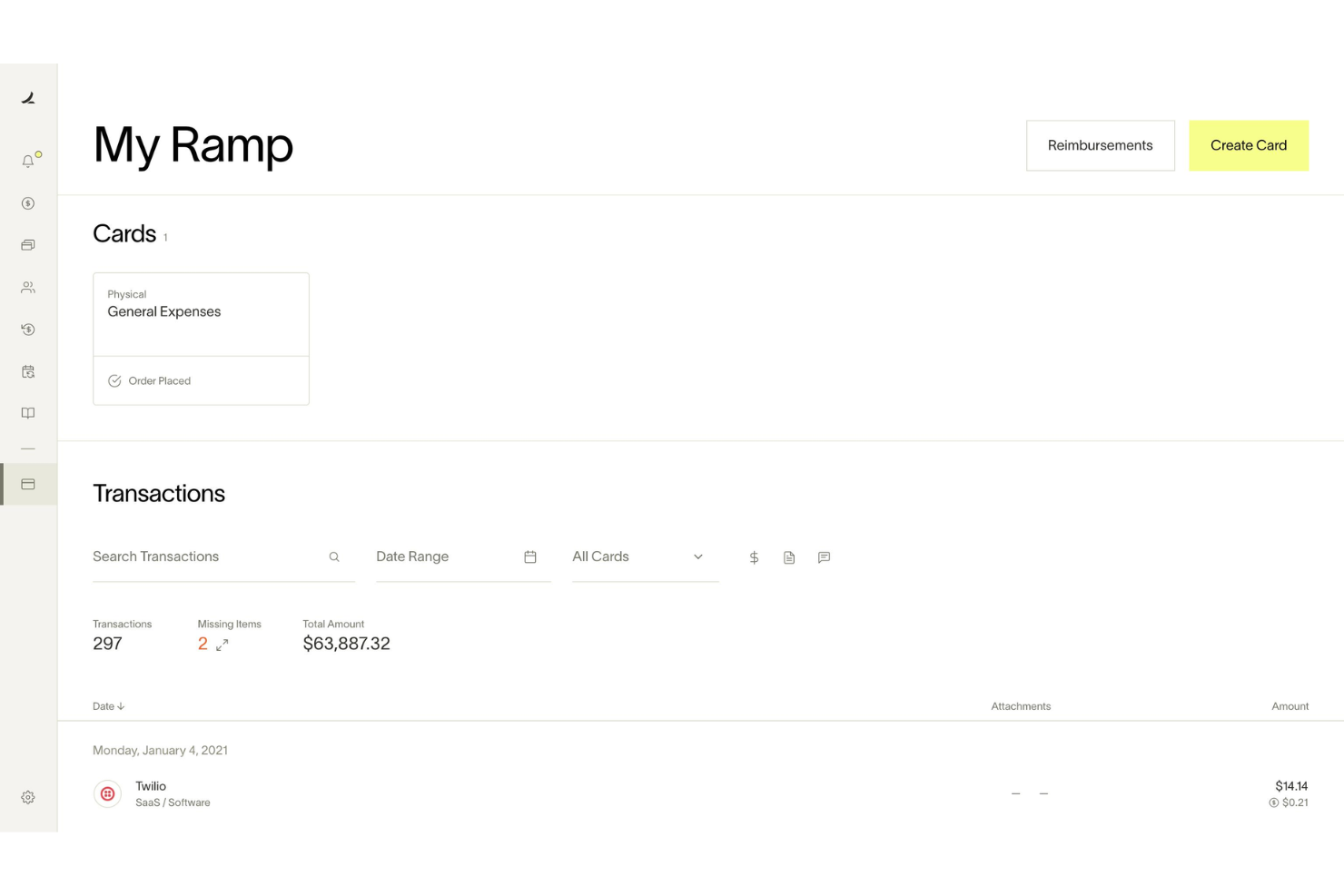
Ramp automatically matches receipts to transactions and fills in memos and categories, reducing manual entry and errors.
Real-Time Spend Controls
Admins set spending limits, merchant restrictions, and policy rules enforced before purchases happen.
Policy Enforcement at Booking
Custom travel policies are enforced at the time of booking, so team members know what's allowed and requests are routed for approval instantly.
Mobile Expense Submission
Employees submit expenses and receipts via web, mobile app, SMS, or chat tools, making on-the-go reporting simple.
Automated Expense Review
Ramp's policy agent reviews 100% of expenses, approves compliant items, and flags exceptions for human review, saving time for finance teams.
Hotel Rate Monitoring and Rebooking
Ramp monitors hotel rates after booking and automatically rebooks if the price drops, delivering direct savings.

Ease of Use
Ramp is widely praised for its clean, user-friendly interface and fast onboarding process, making it accessible even for non-finance users. Expense submission is streamlined through mobile, web, and chat apps, while automated receipt matching and policy enforcement reduce manual work. Users consistently highlight how quickly team members adapt to Ramp, with minimal training required. The platform's clear navigation and real-time controls make managing travel and business expenses straightforward for both cardholders and administrators, and proactive notifications keep everyone aligned on spend status.
Integrations
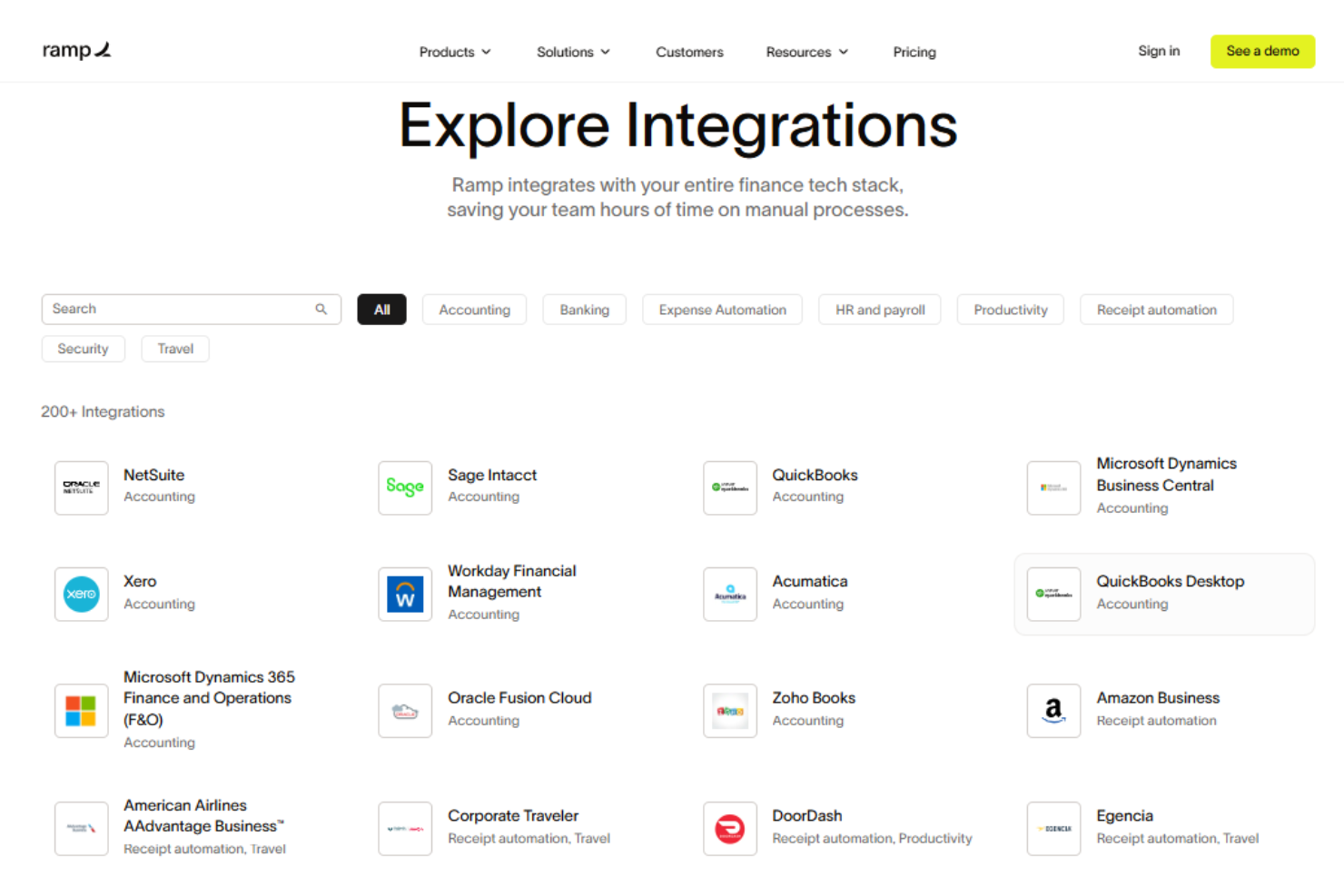
Ramp integrates with Oracle NetSuite, Sage Intacct, QuickBooks, Microsoft Dynamics Business Central, Xero, Slack, and Zoho Books, among others.
Ramp also offers an API and supports connections with third-party integration tools.
New Product Updates from Ramp

Ramp Adds Auto-Capture Receipts via Chrome Extension
Ramp introduces auto-capture receipts and enhanced receipt submission through its Chrome extension. These updates streamline expense management by reducing manual uploads and ensuring receipts are matched to transactions in real time. Here are the details of the update:
- Auto-Capture Receipts: Automatically captures receipts from supported merchants like Amazon and Uber during checkout.
- One-Click Receipt Submission: Enables quick screenshot or upload of receipts directly from the browser with automatic matching.
- Embedded Expense Policy Access: Displays company expense policies on travel sites to support compliant booking decisions.
Visit Ramp's official site for more details.
 for more details.
Ramp Specs
- 2-Factor Authentication
- API
- Approval Workflows
- Audit Trail
- Balance Sheet
- Billing/Invoicing
- Budgeting
- Calendar Management
- Compliance Tracking
- Contact Management
- CRM Integration
- Custom Reports
- Customer Management
- Dashboard
- Data Export
- Data Import
- Data Visualization
- Document Management
- Expense Tracking
- External Integrations
- Forecasting
- Inventory Tracking
- Multi-Currency
- Multi-User
- Notifications
- P&L
- Risk Assessment
- SAP Integration
- Scheduling
- Supplier Management
- Workflow Management


