

The best Google Sheets alternatives offer flexible data analysis, reliable sharing, and tailored workflow features you can’t get from Google Sheets alone. If you’re comparing options, you’re probably bumping into limits—maybe with advanced analytics, integrations, or even offline editing.
Different teams need purpose-built tools that fit how they manage, sync, and protect their data. This list will help you quickly size up top alternatives, highlighting what each does best so you can pick the right fit for your business.
What Are Google Sheets?
Google Sheets are a cloud-based spreadsheet platform for creating, editing, and sharing data in real time. It’s popular for collaborative features, basic data analysis, and integration with other Google Workspace tools. Teams use Google Sheets to manage budgets, track project progress, and analyze operational data. While they're accessible and easy to use, some businesses need more advanced functions, offline capabilities, or specialized integrations than Google Sheets provide.
Why Trust Our Software Recommendations
6,700+
Reviews
20
Industry experts
16+
Evaluation factors
14
Years
Our team has been testing and reviewing software since 2012. As finance leaders ourselves, we know how difficult—and important—it is to choose the right software.
For this guide, we evaluated tools using hands-on testing and independent research, scoring tools using our selection criteria.
Our reviews reflect our human editorial judgment, not a sales pitch.
Google Sheets Alternatives Comparison Table
This comparison table summarizes pricing details for my top google sheets alternative selections:
| Tool | Best For | Trial Info | Price | ||
|---|---|---|---|---|---|
| 1 | Best for live syncing spreadsheets | 30-day free trial | From $49/month | Website | |
| 2 | Best for consolidating business payments and data | Free demo available | From $24000/year (billed annually) | Website | |
| 3 | Best for API-native data integrations | Free plan available | From $8/user/month | Website | |
| 4 | Best for handling large-scale data sets in grids | Free plan available | From $18/user/month (billed annually) | Website | |
| 5 | Best for scalable reporting for data sources | Free plan available | From $12/user/month | Website | |
| 6 | Best for blending spreadsheets and database fields | Free plan available; 14-day free trial | From $20/user/month (billed annually) | Website | |
| 7 | Best for advanced financial modeling needs | 1-month free trial | From $9.99/month | Website | |
| 8 | Best for built-in data validation and automation | Free plan available | Pricing upon request | Website | |
| 9 | Best for offline spreadsheet editing | Free plan available | Pricing upon request | Website | |
| 10 | Best for on-premise spreadsheet deployment | Free plan available | From $1,500 (billed annually) | Website |


Best Google Sheets Alternatives Reviews
Below are my detailed summaries of the best Google Sheets alternatives that made it onto my shortlist. My reviews offer a detailed look at the features, integrations, and best use cases of each platform to help you find the best one for you.

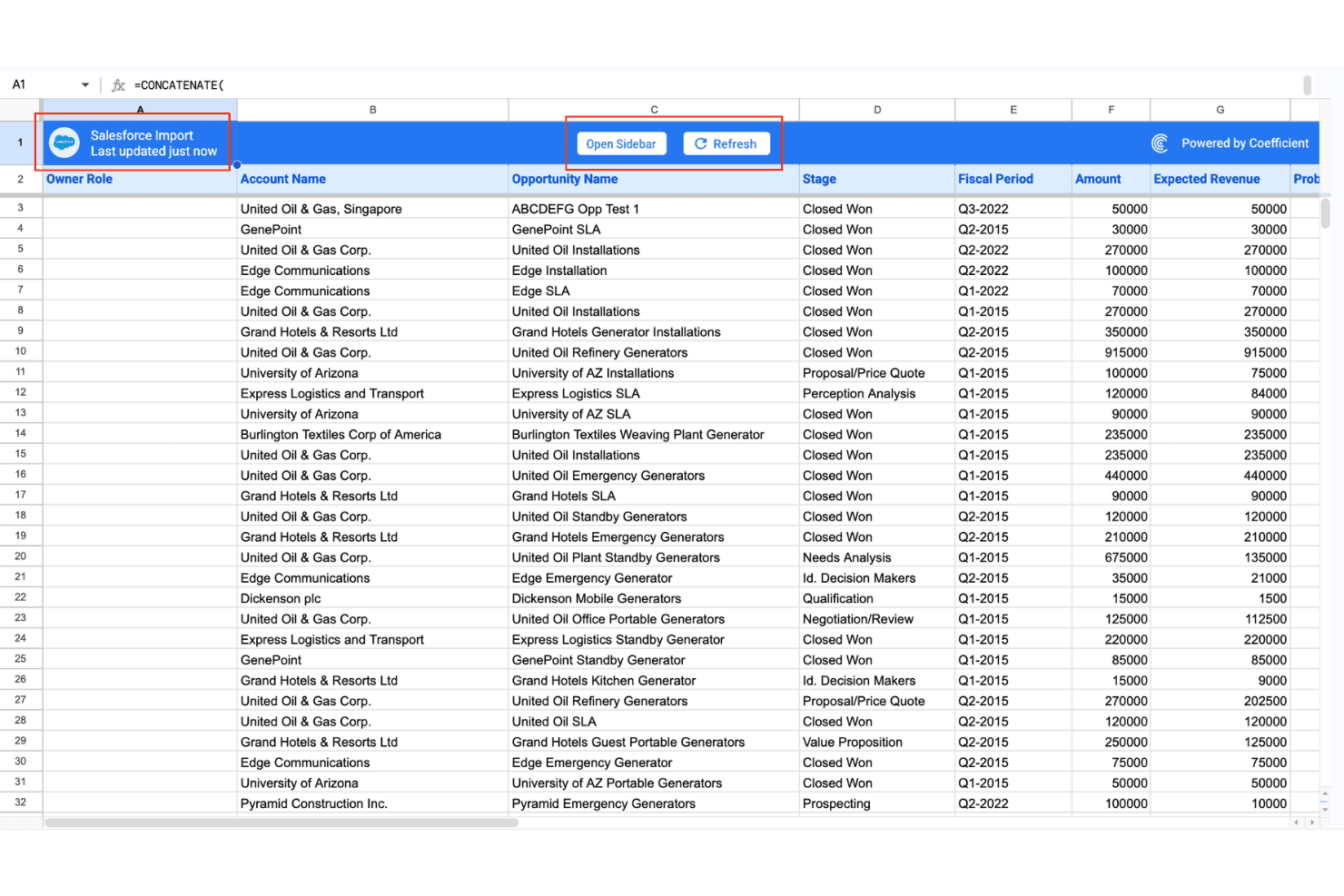
Coefficient imports Salesforce opportunity data directly into Google Sheets with live sync and sidebar controls. Coefficient is a Google Sheets and Excel add-on for finance and operations teams who need live connections to ERPs, CRMs, and databases without migrating away from the spreadsheet environment they already work in.
Who Is Coefficient Best For?
It's a strong fit for FP&A analysts and revenue operations teams at small to mid-size companies that run reporting and forecasting out of Google Sheets or Excel.
Why Coefficient Is a Good Google Sheets Alternative
I picked Coefficient as one of the best because it solves the core problem of stale spreadsheet data. Its Import Agent keeps your Google Sheets or Excel workbooks synced with sources like Salesforce, NetSuite, and Snowflake on an hourly schedule, so your financial models always reflect current numbers. The Monitoring Agent then watches those live values and fires a Slack or email alert the moment a metric crosses a threshold you define.
Coefficient Key Features
- Browser Agent: Lets you extract and sync data from any web page directly into your spreadsheet without requiring API access.
- Sheets Assistant (AI): Helps you clean, format, and analyze data using AI-powered prompts within Google Sheets or Excel.
- Dashboard Agent: Lets you create interactive, embeddable dashboards using your spreadsheet data for real-time decision support.
- Monitoring Agent: Triggers automated Slack or email alerts when tracked metrics hit predefined values or conditions you set.
Coefficient Integrations
Coefficient offers over 150 native integrations, including Salesforce, HubSpot, QuickBooks, NetSuite, Xero, Sage Intacct, Snowflake, BigQuery, PostgreSQL, and Shopify. An API is available for custom integrations.
Pros and Cons
Pros:
- Write-back syncs edits to source systems
- Scheduled auto-refresh pulls live data in
- Keeps your existing spreadsheet workflows intact
Cons:
- Not a standalone spreadsheet application
- Inherits Sheets' row and cell limits
Learn more about Coefficient: Best for consolidating business payments and data
- Free demo available
- From $24000/year (billed annually)
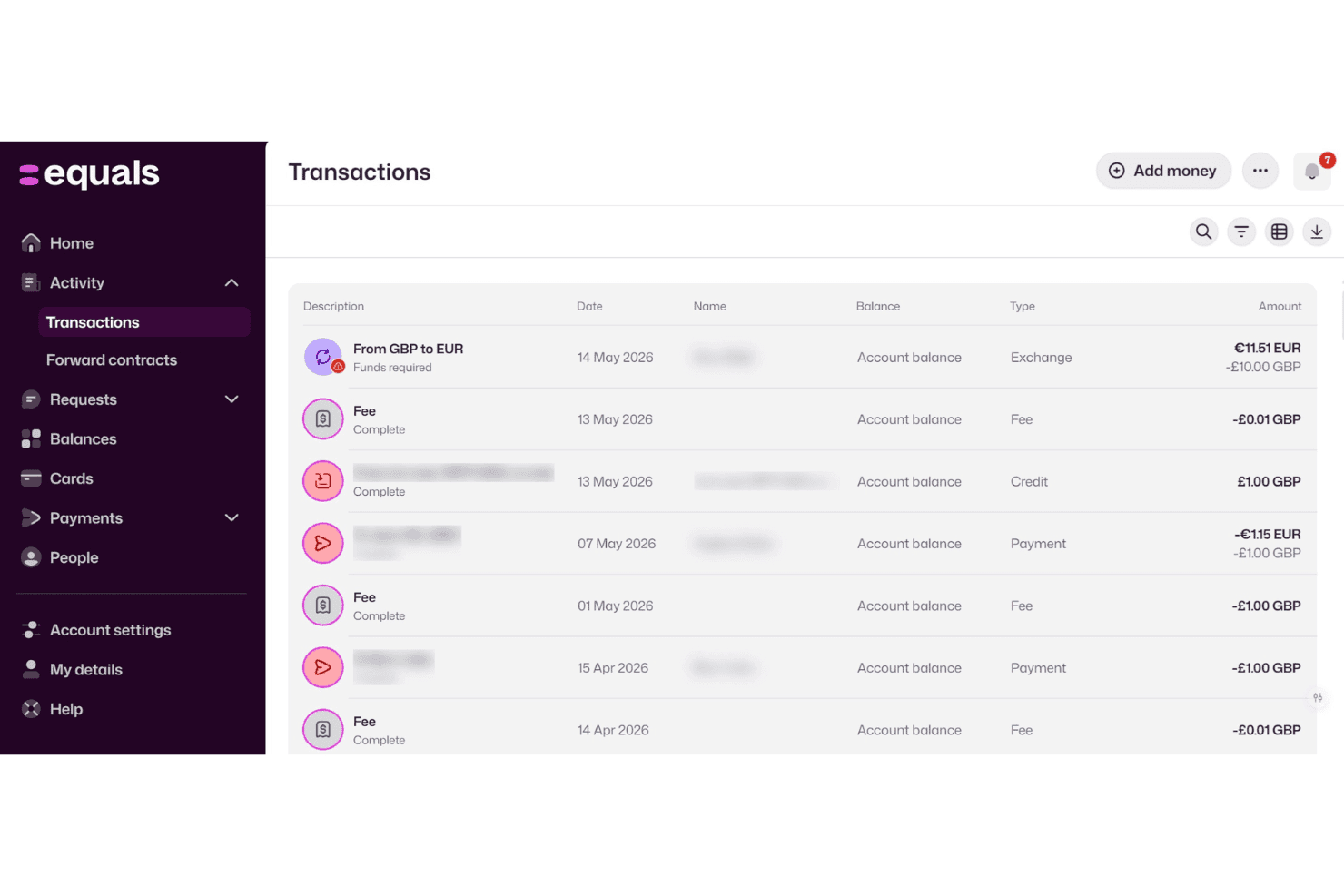
Equals Money displays a detailed transactions page showing exchanges, fees, credits, and payments across GBP and EUR currencies. Equals is a cloud-native spreadsheet built for finance and analytics teams who need live database connections, AI-assisted analysis, and enterprise-grade controls that Google Sheets can't deliver.
Who Is Equals Money Best For?
Equals is a strong fit for growth-stage startup teams where FP&A analysts and operators need a live, connected workspace to replace static spreadsheet reporting.
Why Equals Money Is a Good Google Sheets Alternative
I picked Equals as one of the best because it solves the exact problem that makes Sheets frustrating for finance teams: keeping payment and business data current. Instead of exporting CSVs from Stripe, NetSuite, or Salesforce and manually pasting them into a workbook, I can connect those sources directly, with syncs running as frequently as every 15 minutes. The Writeback feature then lets me push calculated values from the spreadsheet back into Salesforce, which closes the loop rather than just pulling data in one direction.
Equals Money Key Features
- AI-powered spreadsheet assistant: Generate, debug, and explain complex formulas or queries directly from your workbook using natural language.
- Managed data warehouse: Connects and syncs your key SaaS tools and databases to a dedicated Snowflake-powered warehouse for analytics-ready reporting.
- Role-based access and audit trail: Enforce granular permissions on workbooks, dashboards, and connectors with full version history and audit logging.
- Unlimited editors and viewers: Add as many users as you need with no per-seat restriction on collaboration or data access.
Equals Money Integrations
Equals offers native integrations with NetSuite, QuickBooks, Xero, Salesforce, HubSpot, Stripe, Paddle, Postgres, MySQL, SQL Server, Google Analytics, and Mixpanel. An API is available for custom integrations.
Pros and Cons
Pros:
- AI assistant generates and debugs formulas natively
- Handles datasets beyond Google Sheets row limits
- Live data syncs every 15 minutes
Cons:
- Limited offline and mobile access options
- No free tier or self-serve plan
Learn more about Equals Money:
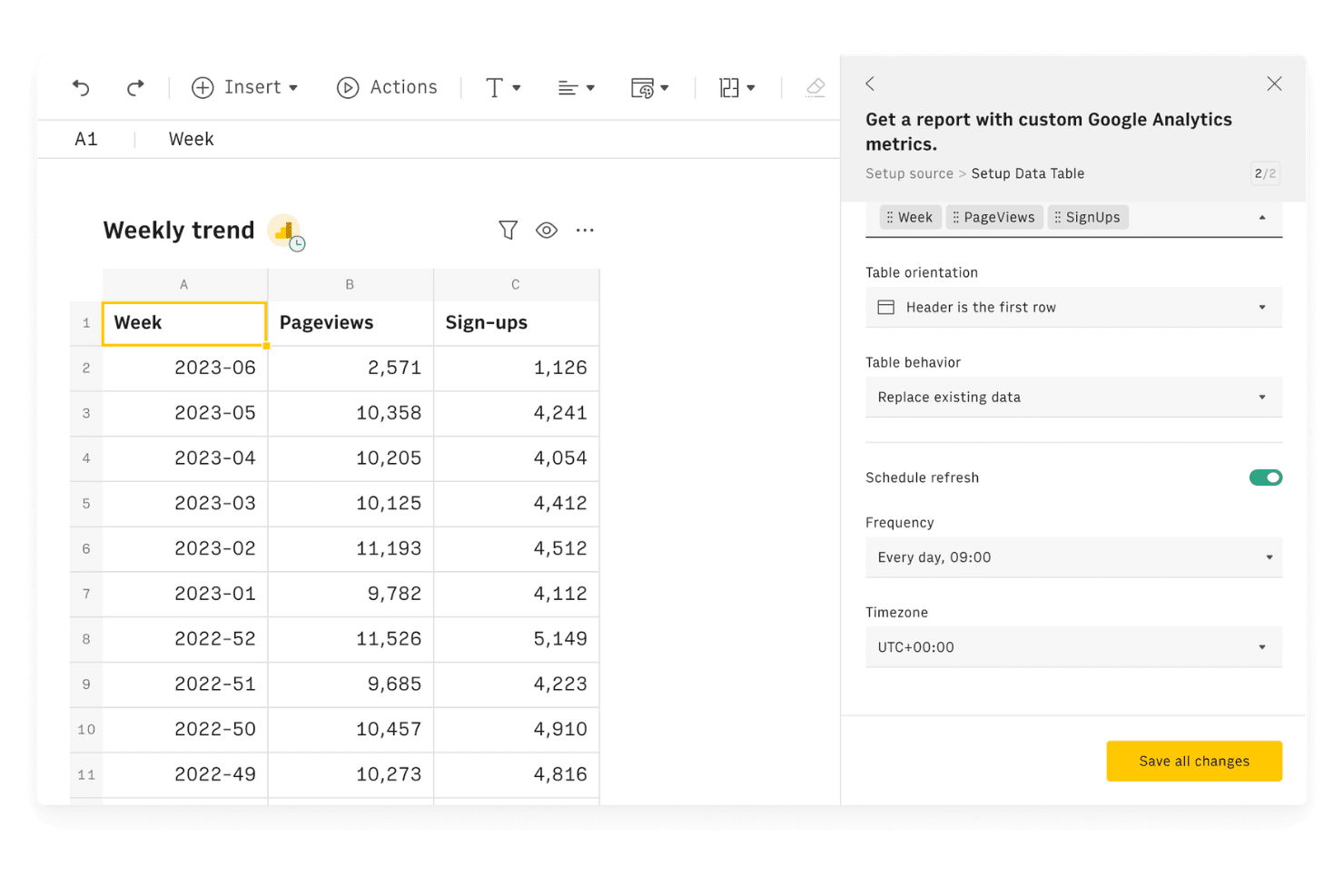
Rows allows users to connect Google Analytics data and schedule automatic refreshes directly within a spreadsheet interface. Rows is a cloud-based spreadsheet platform built for data-driven teams who need to pull live data from APIs, databases, and SaaS tools directly into their workbooks without relying on manual exports or third-party ETL tools.
Who Is Rows Best For?
Rows is a good fit for analysts and operations teams at SMBs who work across multiple data sources and need a spreadsheet that connects directly to APIs and business tools.
Why Rows Is a Good Google Sheets Alternative
I picked Rows as one of the best because its API-native architecture lets you query live endpoints directly from spreadsheet cells, something Google Sheets can't do natively. I use the built-in HTTP connector to pull from any REST API without middleware or Zapier. The auto-refresh scheduler then keeps that data current on a set cadence, down to every minute on paid plans, so reports always reflect the latest numbers without manual re-pulls.
Rows Key Features
- Real-time collaboration: Multiple users can edit, comment, and work on the same spreadsheet at once with live presence indicators.
- Version history: Roll back to previous versions and view detailed edit logs for every workbook.
- Custom function support: Write and use Python scripts directly inside spreadsheets to extend functionality as needed.
- SAML SSO integration: Secure user authentication and single sign-on for organizations on Pro and Enterprise plans.
Rows Integrations
Rows offers 50+ native integrations, including Google Analytics, Salesforce, HubSpot, Stripe, Facebook Ads, LinkedIn Ads, Google Sheets, Notion, Snowflake, and BigQuery. It connects with Zapier and provides an API for custom integrations.
Pros and Cons
Pros:
- Shareable reports with a public URL
- Scheduled data refresh runs automatically
- Live API data pulls without middleware
Cons:
- No native ERP or GL connectors
- Pivot table support is notably limited
Learn more about Rows: Best for handling large-scale data sets in grids
- Free plan available
- From $18/user/month (billed annually)
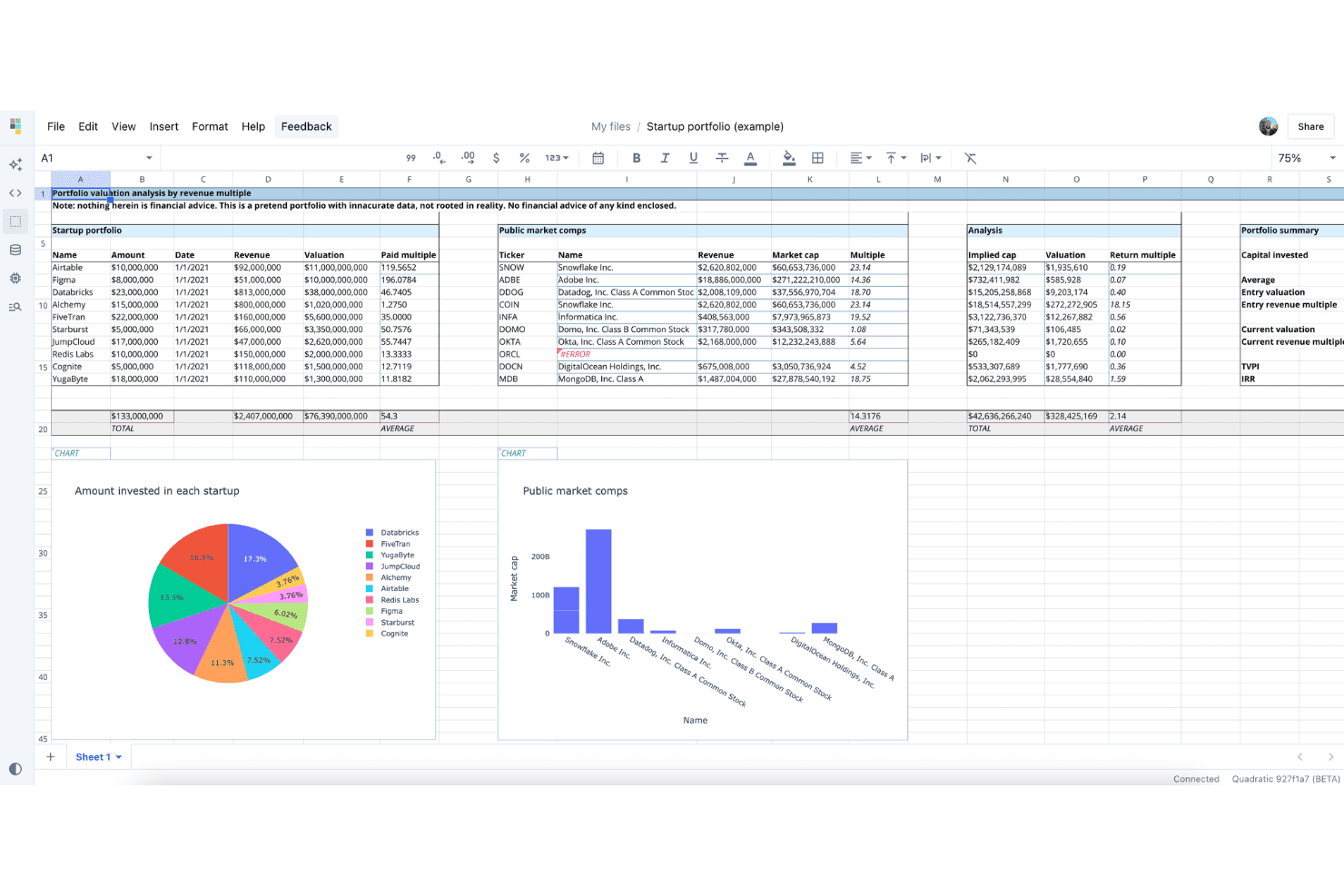
Quadratic displays a spreadsheet-style interface with startup portfolio valuation analysis, public market comps, and embedded charts. Quadratic is an AI-native spreadsheet platform for technical finance and data teams who need to run Python, SQL, and JavaScript directly in cells while connecting live to databases, data warehouses, and business apps.
Who Is Quadratic Best For?
Quadratic suits FP&A analysts and data-fluent finance teams who've outgrown Sheets but don't want to leave the spreadsheet environment behind.
Why Quadratic Is a Good Google Sheets Alternative
I picked Quadratic as one of the best because its Rust and WebGL engine handles large datasets at a scale where Google Sheets starts to buckle. Running Python directly in cells means I can pull millions of rows from a live Snowflake or Postgres connection and manipulate them without leaving the grid. The infinite canvas also lets me lay out complex data transformations spatially, rather than squeezing everything into a single rigid sheet.
Quadratic Key Features
- AI-powered formula generation: Create Python, SQL, or spreadsheet formulas using natural language prompts built into each cell.
- Integrated Python and SQL cells: Execute Python and SQL code directly inside spreadsheet cells for advanced workflow automation.
- Model Context Protocol (MCP) support: Enable direct reading and writing via agents like Claude, Cursor, and ChatGPT.
- Enterprise-level compliance options: Access SOC 2 and HIPAA-certified security features and dedicated SSO on higher-tier plans.
Quadratic Integrations
Quadratic offers 60+ native integrations with platforms like PostgreSQL, Snowflake, BigQuery, Databricks, QuickBooks, Salesforce, Airtable, Stripe, Plaid, and GitHub. An API is available for custom integrations.
Pros and Cons
Pros:
- Live database connections update automatically
- Native Python and SQL in cells
- Handles millions of rows without lag
Cons:
- Collaboration features still maturing compared to Sheets
- No Excel-parity pivot table functionality
Learn more about Quadratic: Best for scalable reporting for data sources
- Free plan available
- From $12/user/month
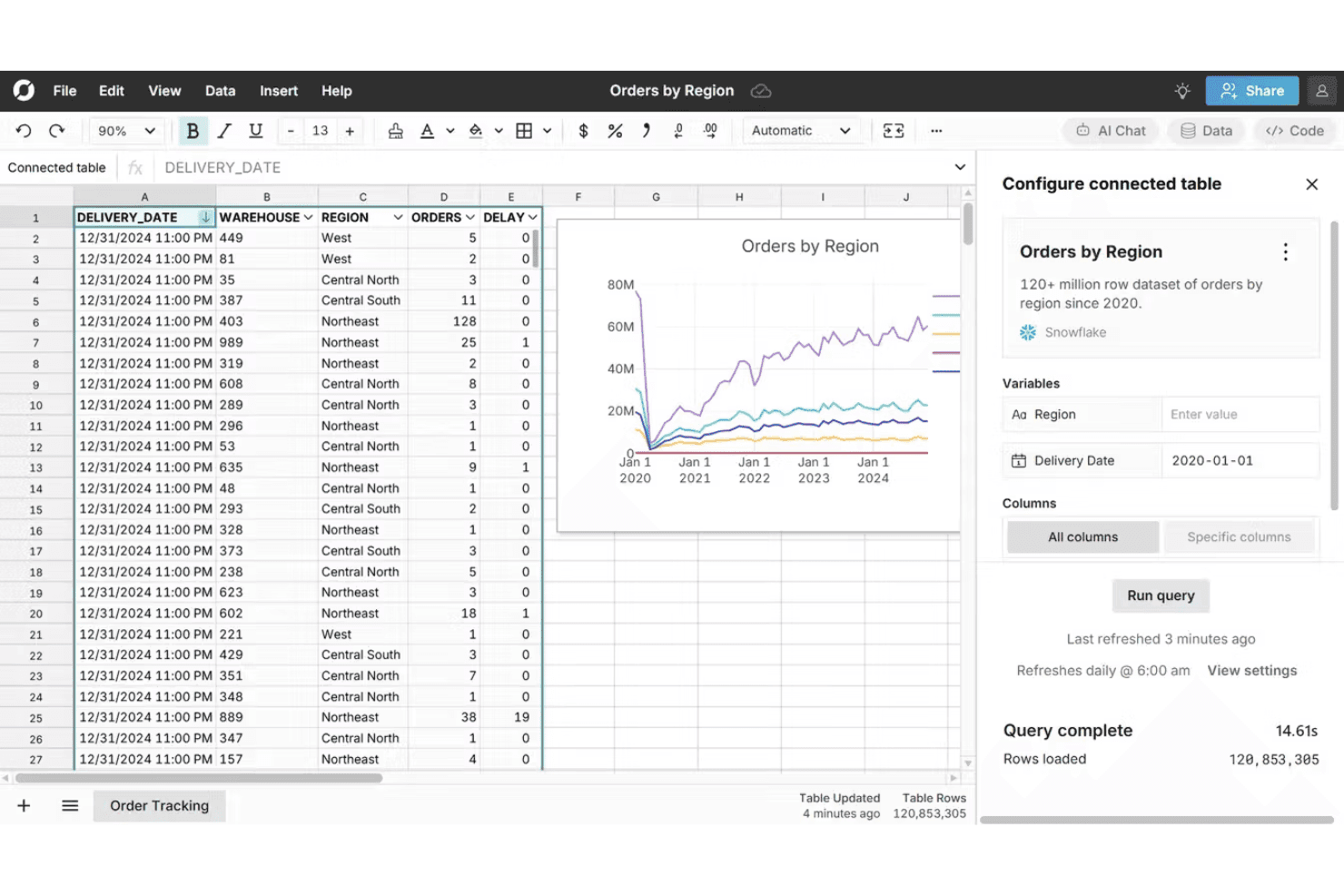
Row Zero connects to Snowflake to display 120+ million rows of order data in a spreadsheet interface with live charts and query configuration. Row Zero is a cloud-based spreadsheet built for finance and data teams who need to work with datasets far beyond what Google Sheets or Excel can handle, with native connections to data warehouses like Snowflake, BigQuery, and Databricks.
Who Is Row Zero Best For?
Row Zero is a strong fit for FP&A analysts and finance teams whose reporting workflows rely on data warehouse sources like Snowflake, BigQuery, or Redshift.
Why Row Zero Is a Good Google Sheets Alternative
I picked Row Zero because it closes the gap Google Sheets can't: connecting directly to Snowflake, BigQuery, or Redshift and pulling live warehouse data into a familiar spreadsheet grid. In practice, my team can run reports across tens of millions of rows without hitting a wall. The automated data refresh on Business plans means reporting workbooks stay current without manual exports.
Row Zero Key Features
- Native Python functions: Define and call custom Python logic from any spreadsheet cell.
- Row-level security controls: Set granular data access down to the row for sensitive financial data.
- Support for multi-GB CSV imports: Quickly import and work with massive CSV files directly in the spreadsheet interface.
- SOC 2 Type II, HIPAA, and GDPR compliance: Meets strict security and regulatory requirements for handling financial and personal data.
Row Zero Integrations
Row Zero offers native integrations with Snowflake, Databricks, BigQuery, Redshift, Postgres, Oracle, and Amazon S3. An API is available for custom integrations.
Pros and Cons
Pros:
- Excel-compatible functions work without relearning
- Live warehouse data in a spreadsheet grid
- Handles billions of rows without performance issues
Cons:
- Collaboration lags on very large models
- No offline mode or mobile app access
Learn more about Row Zero: Best for blending spreadsheets and database fields
- Free plan available; 14-day free trial
- From $20/user/month (billed annually)
Visit WebsiteCustomer Rating:4.6/5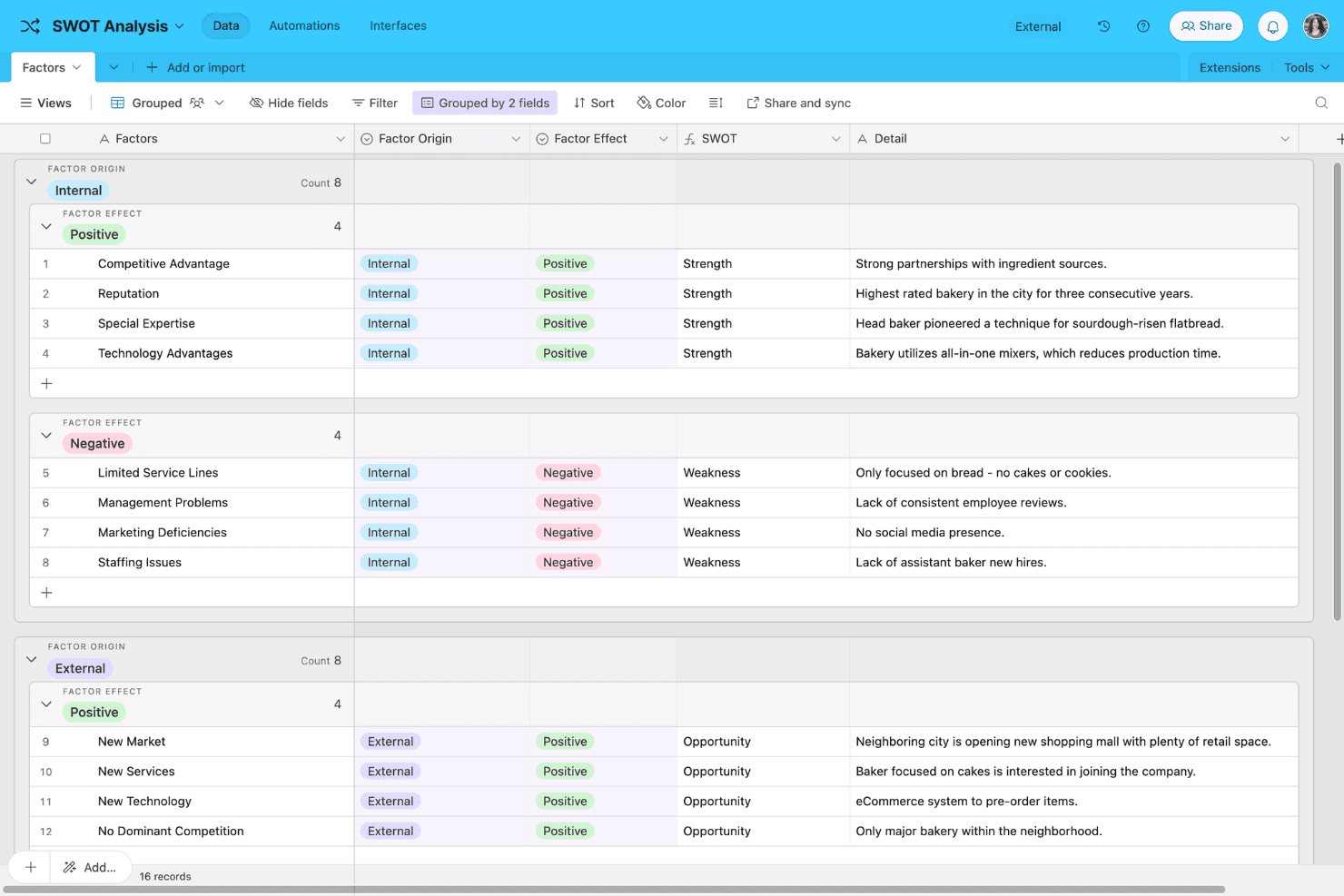
Airtable offers a SWOT Analysis template with grouped data views, displaying internal and external factors categorized by strength, weakness, and opportunity. Airtable is a no-code platform that blends a spreadsheet-style grid with a relational database, making it a practical pick for teams that need to organize and connect data across multiple tables without writing code.
Who Is Airtable Best For?
Airtable suits small to mid-sized teams in marketing, operations, and product management who need more structure than a spreadsheet but less complexity than a full database.
Why Airtable Is a Good Google Sheets Alternative
I've included Airtable in my top picks because the way it blends a spreadsheet grid with a real relational database is something Google Sheets simply can't replicate. I use linked records to connect a Clients table to a Projects table, then pull totals across both with rollup fields. Field types like attachments, dropdowns, and checkboxes replace freeform cell entry with structured, validated data from the start.
Airtable Key Features
- Multiple view types: Switch between grid, kanban, calendar, and gallery views to visualize and organize your data in different ways.
- Custom interfaces: Build personalized, no-code dashboards that let users interact directly with data through tailored layouts and controls.
- Automations builder: Set up workflow triggers, automated updates, and notifications based on changes to your tables—no coding required.
- Rich field types: Use fields for attachments, checkboxes, links, and collaborator assignments to capture a variety of data formats beyond text and numbers.
Airtable Integrations
Airtable offers native integrations with Salesforce, Microsoft 365, Slack, Google Drive, Dropbox, Jira, GitHub, Tableau, and Twilio. It connects with Zapier and provides an API for custom integrations.
Pros and Cons
Pros:
- No-code automations without Apps Script
- Multiple views beyond standard grid layout
- Relational data linking across multiple tables
Cons:
- No offline editing mode available
- Lacks Excel-parity financial formula functions
Learn more about Airtable: Best for advanced financial modeling needs
- 1-month free trial
- From $9.99/month
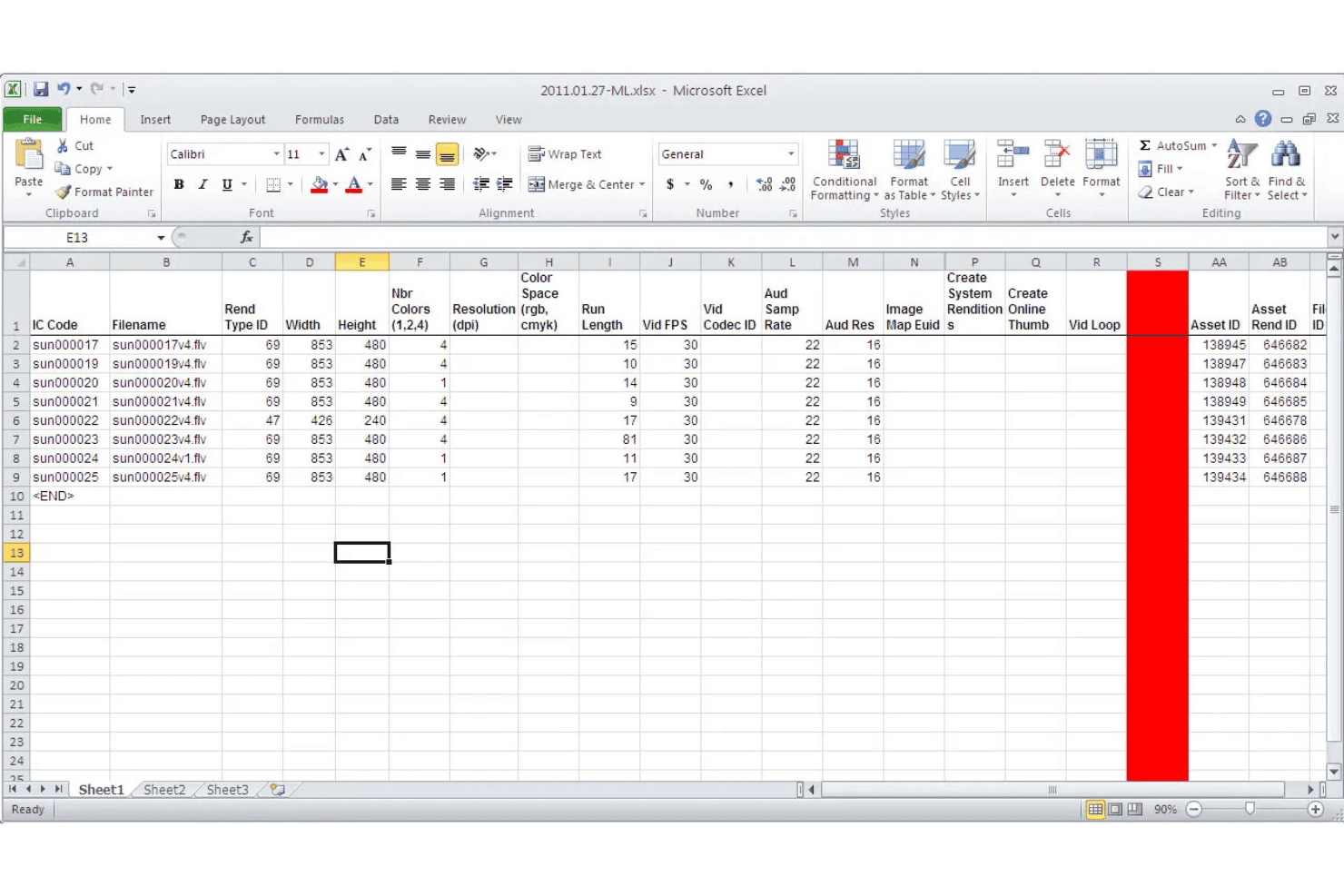
Microsoft Excel displays a spreadsheet with media asset metadata including filenames, dimensions, resolution, and asset IDs across multiple columns. Microsoft Excel is a spreadsheet application built for finance professionals who need deeper modeling capabilities, more complex formula support, and tighter data integration than Google Sheets can deliver.
Who Is Microsoft Excel Best For?
Excel is a strong fit for FP&A analysts, controllers, and accounting managers who build complex financial models and need more analytical depth than Google Sheets supports.
Why Microsoft Excel Is a Good Google Sheets Alternative
Microsoft Excel earns its spot as one of the best on my shortlist because of how far it goes for financial modeling. I rely on it to build multi-scenario models using XIRR, XNPV, and dynamic array formulas that Google Sheets simply can't replicate at scale. Power Query lets me pull and reshape data from multiple source systems directly in the workbook, and Copilot's Agent Mode executes multi-step analysis tasks like restructuring tables and generating charts without manual setup.
Microsoft Excel Key Features
- PivotTable analysis: Summarize, group, and slice large data sets to surface insights quickly in customizable views.
- Sheet and range permissions: Assign access controls to specific worksheets or ranges for granular data security within a workbook.
- Native Power BI integration: Push Excel data and models directly into Power BI for advanced visual analysis and dashboarding.
- Full mobile and offline access: Edit and access spreadsheets from any device with dedicated iOS, Android, browser, and desktop apps.
Microsoft Excel Integrations
Microsoft Excel has native integrations across the Microsoft ecosystem, including Microsoft 365 and Azure. It connects directly with Power BI, SQL Server, SharePoint, Salesforce, and offers an API for custom integrations.
Pros and Cons
Pros:
- Offline desktop editing always available
- LAMBDA and dynamic array formulas unmatched
- Handles massive datasets without performance issues
Cons:
- Requires Microsoft 365 subscription for full features
- Real-time collaboration weaker than Google Sheets
Learn more about Microsoft Excel: Best for built-in data validation and automation
- Free plan available
- Pricing upon request
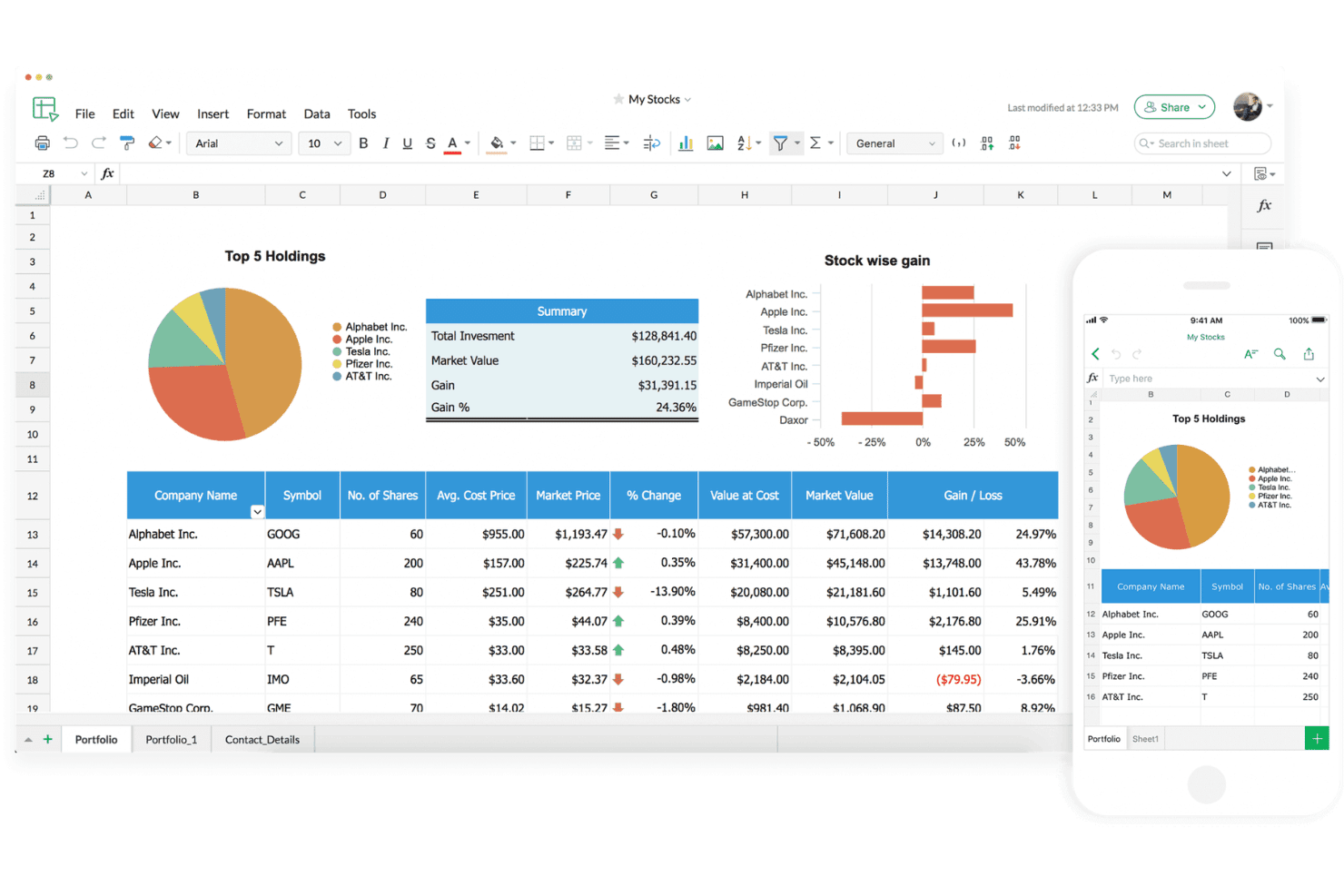
Zoho Sheet offers a spreadsheet interface with stock portfolio tracking, pie charts, bar graphs, and a mobile preview panel. Zoho Sheet is a cloud-based spreadsheet tool built for finance and operations teams who need granular data controls, real-time collaboration, and deep integration with accounting and CRM platforms like Zoho Books and Zoho CRM.
Who Is Zoho Sheet Best For?
Zoho Sheet suits SMBs and small finance teams that want a free, capable spreadsheet environment with built-in governance and audit controls from day one.
Why Zoho Sheet Is a Good Google Sheets Alternative
I picked Zoho Sheet as one of the best because its data validation tools go well beyond what Google Sheets offers natively. I particularly like attaching pick lists, date pickers, and checkboxes directly to cells, which keeps financial inputs clean without manual policing. On the automation side, I use Deluge scripting and macro recording to handle recurring tasks like inspection tracking and inventory updates automatically, rather than rebuilding the same logic every reporting cycle.
Zoho Sheet Key Features
- Zia AI assistant: Offers auto-generated formulas, sample datasets, and chart recommendations for faster spreadsheet building.
- Pivot tables and advanced charts: Enables dynamic data analysis with nearly 40 different chart types and robust pivot table tools.
- Version history and audit trails: Tracks all edits with detailed logs and allows you to revert to previous versions easily.
- Zoho ecosystem integrations: Connects natively to Zoho CRM, Books, WorkDrive, and cloud drives like Google Drive and Dropbox.
Zoho Sheet Integrations
Zoho Sheet offers native integrations with Zoho CRM, Zoho Books, Zoho WorkDrive, Google Drive, OneDrive, Box, Dropbox, and Zoho Forms. An API is available for custom integrations.
Pros and Cons
Pros:
- Zia AI generates formulas from natural language
- Cell-level locking unavailable in Google Sheets
- Built-in data validation surpasses Google Sheets natively
Cons:
- ERP connectivity limited outside the Zoho ecosystem
- Performance lags with large, complex datasets
Learn more about Zoho Sheet: Best for offline spreadsheet editing
- Free plan available
- Pricing upon request
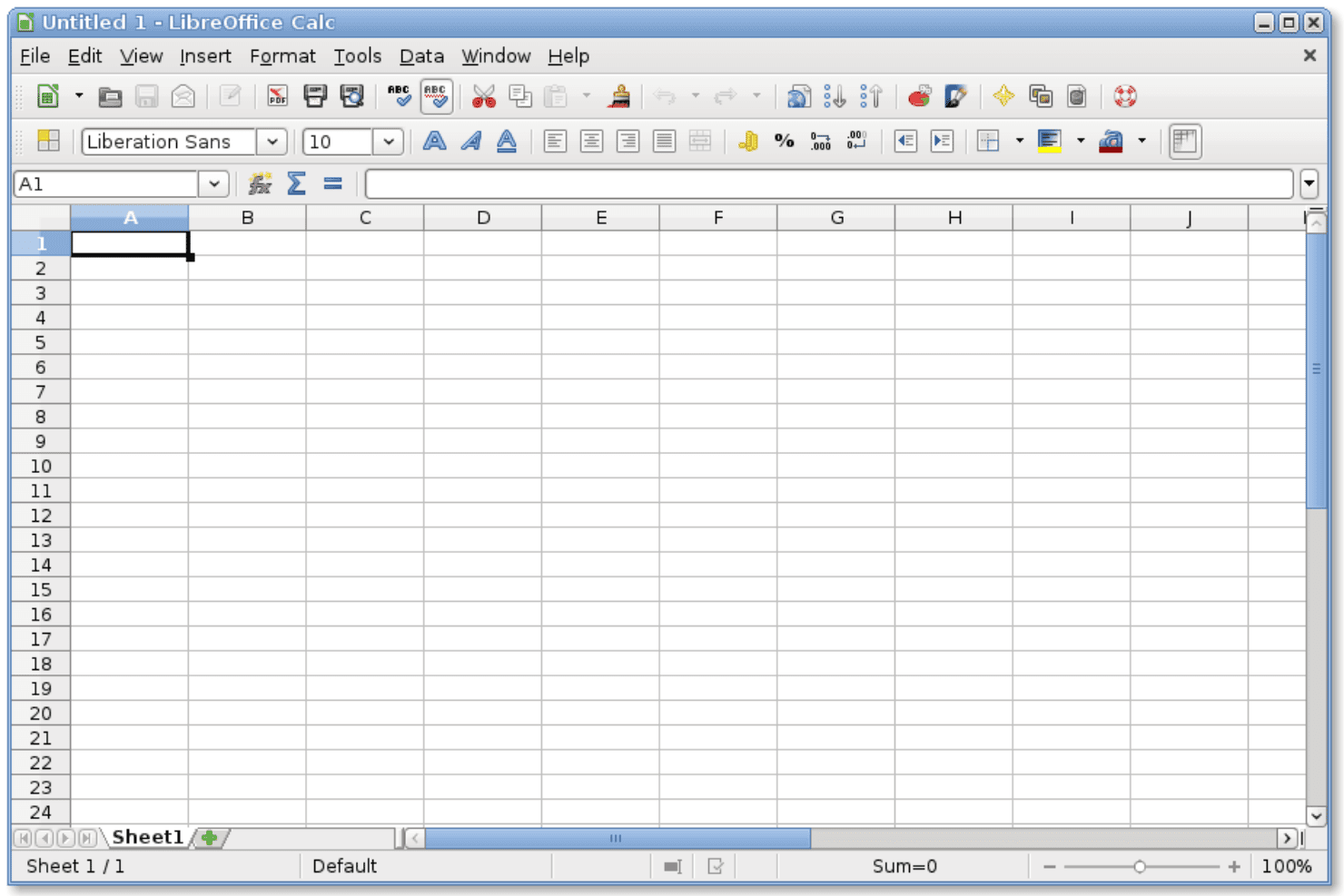
LibreOffice Calc displays a blank spreadsheet with standard toolbar, column headers, and sheet tab ready for data entry. LibreOffice Calc is a free, open-source spreadsheet application that gives budget-conscious finance professionals and SMB teams a fully featured, offline-first alternative to cloud-based tools like Google Sheets.
Who Is LibreOffice Calc Best For?
It's a natural fit for small teams and individual contributors who need a capable, cost-free spreadsheet tool and work primarily on local files.
Why LibreOffice Calc Is a Good Google Sheets Alternative
I picked LibreOffice Calc because it gives you a full spreadsheet environment with zero dependency on an internet connection or a vendor account. I really appreciate how Calc handles what-if analysis and statistical functions locally, so I can build and run complex models without a browser tab, a sync delay, or a session timeout. When I'm working with large CSV files, Calc's import dialog lets me control delimiter settings and encoding before the data ever lands in a cell.
LibreOffice Calc Key Features
- Pivot table creation: Build pivot tables to analyze and summarize large data sets quickly within your spreadsheet.
- Extensive function library: Access a broad set of built-in math, logical, financial, and statistical formulas required for financial modeling.
- Advanced charting tools: Create a range of chart types, including 3D charts and dynamic visualizations, directly from your data.
- File format compatibility: Open, edit, and save in multiple formats, including .ods, .xlsx, and .csv, to ensure smooth data exchange.
LibreOffice Calc Integrations
Native integrations are not clearly documented. LibreOffice Calc supports file format compatibility with .ods, .xlsx, and .csv, and offers an API for custom integrations through extensions.
Pros and Cons
Pros:
- Supports macros via Basic and Python scripting
- No usage limits on rows or cells
- Works fully offline without internet dependency
Cons:
- UI feels dated compared to modern alternatives
- No built-in real-time co-editing feature
Learn more about LibreOffice Calc: Best for on-premise spreadsheet deployment
- Free plan available
- From $1,500 (billed annually)
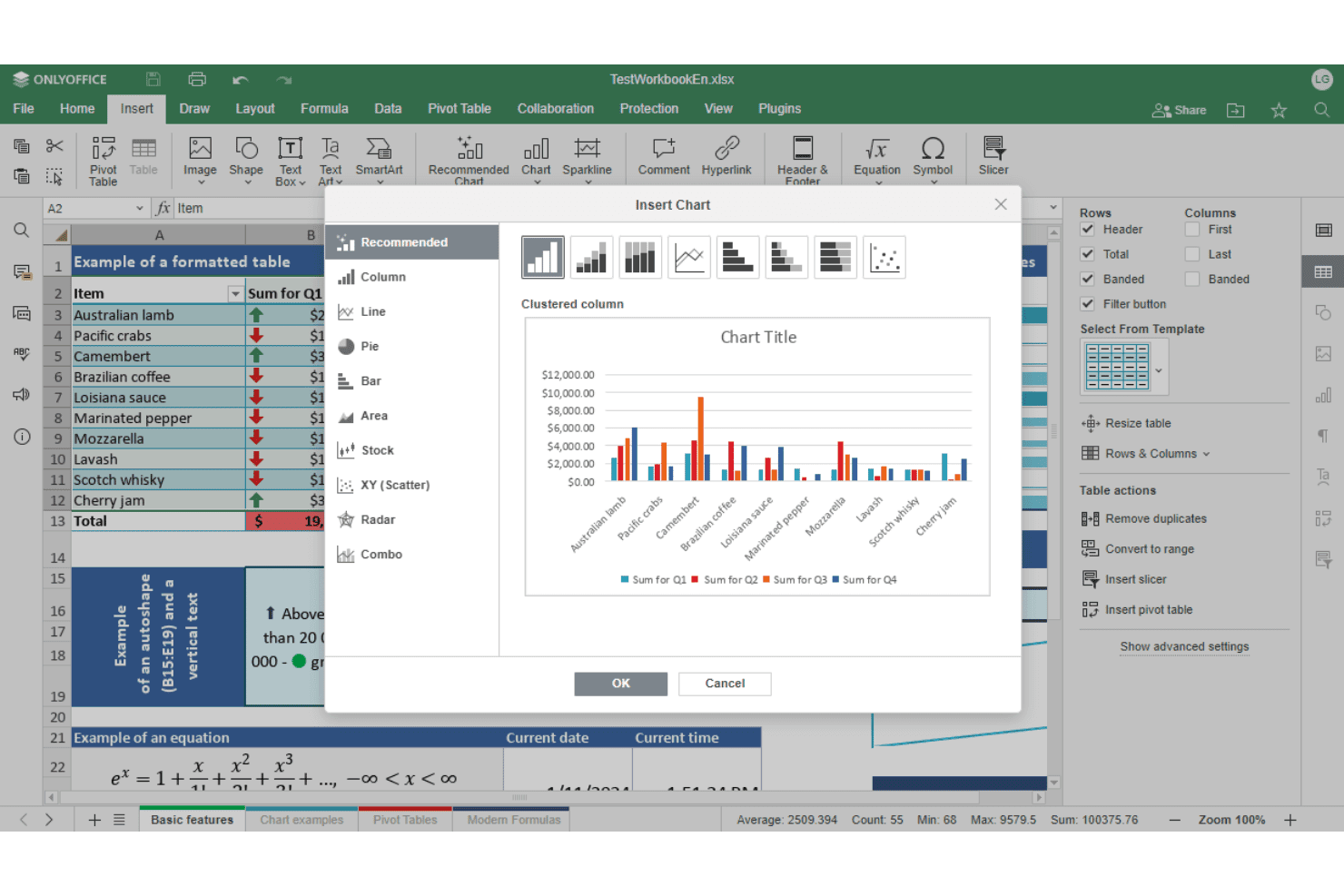
OnlyOffice Spreadsheet Editor offers an Insert Chart dialog with multiple chart types and a live clustered column chart preview. ONLYOFFICE Spreadsheet Editor is an open-source spreadsheet tool that finance and IT teams use when they need Excel-compatible editing, real-time collaboration, and full control over where their data lives.
Who Is OnlyOffice Spreadsheet Editor Best For?
It's a strong fit for IT-conscious finance teams and SMBs in regulated industries that need self-hosted spreadsheet infrastructure with no reliance on third-party cloud storage.
Why OnlyOffice Spreadsheet Editor Is a Good Google Sheets Alternative
I've included ONLYOFFICE Spreadsheet Editor in my top picks because it's the only open-source option on this list you can deploy entirely on your own servers, under AGPL 3.0. I appreciate that you get range-level permissions and room-based access controls without routing any financial data through a third-party cloud. The JavaScript macro engine also lets you automate recurring workbook tasks with no cloud dependency whatsoever.
OnlyOffice Spreadsheet Editor Key Features
- Pivot tables and slicers: Quickly visualize and analyze structured data sets using built-in pivot tables and interactive slicers.
- AI assistant integration: Leverage AI assistants like ChatGPT and DeepSeek for formula generation and in-editor analysis tasks.
- Extensive file format support: Open, edit, and export a wide range of spreadsheet formats including XLSX, ODS, NUMBERS, and CSV.
- Freehand drawing and SmartArt tools: Annotate spreadsheets or illustrate data with freehand drawing, SmartArt graphics, and embedded media.
OnlyOffice Spreadsheet Editor Integrations
ONLYOFFICE Spreadsheet Editor offers 40+ native integrations, including Nextcloud, Odoo, Confluence, Redmine, WordPress, Alfresco, SuiteCRM, ownCloud, Seafile, SharePoint, and Moodle. An API is available for custom integrations.
Pros and Cons
Pros:
- Range-level permissions for sensitive financial workbooks
- Strong Excel file format compatibility out-of-the-box
- Full on-premise deployment keeps financial data local
Cons:
- Real-time collaboration less fluid than Google Sheets
- No native ERP or accounting system connectors
Learn more about OnlyOffice Spreadsheet Editor:
Other Google Sheets Alternatives
Here are some additional Google Sheets alternatives options that didn’t make it onto my shortlist, but are still worth checking out:
- 11SourcetableBest for automating recurring workflows
- 12SmartsheetBest for project-driven financial collaboration
- 13CubeBest for fast, collaborative FP&A planning
- 14Vena SolutionsBest for scaling Excel-based enterprise planning
How I Evaluate Google Sheets Alternatives
I start by checking whether a tool covers what Google Sheets handles—formulas, real-time co-editing, cloud access, and data imports. From there, I evaluate differentiators like automation, advanced connectors, and governance controls.
Core Functionality (Table Stakes For This List)
When I'm selecting tools for my list, I rank each one on a scale from 0 (does not offer the functionality) to 5 (excels in this area) for each core functionality listed below. Then, I calculate the tool's total score into a percentage. Each tool needs to achieve a minimum total score of 75% to be considered for inclusion.
- Spreadsheet Interface: I evaluate whether the grid supports formulas, formatting, and structures like pivot tables that finance teams rely on for building models and workbooks.
- Real-Time Collaboration: Multiple users should be able to edit the same workbook simultaneously, with presence indicators and comments visible during budget review cycles.
- Cloud Accessibility: I check for browser-based access with auto-save and cross-device parity, so teams can work from anywhere without managing local file versions.
- Data Import & Integration: The tool should connect to external sources like ERPs, accounting systems, or databases to pull live financial data into the workbook.
- Formula & Function Library: I look for a broad set of built-in functions—financial, statistical, logical, and lookup—comparable to what you'd use in Excel or Google Sheets for FP&A work.
- Sharing & Permission Controls: Granular sharing settings matter, especially role-based access at the sheet or range level, to protect sensitive financial data during reporting workflows.
Once I have a list of tools that meet the criteria, I consider what sets each platform apart.
Differentiating Factors (What Sets Vendors Apart)
Here's how I compare and contrast different vendors:
Standout Features
Advanced data connectors are a big differentiator—I look for native two-way sync with databases like Snowflake or BigQuery and scheduled refresh so consolidated reports stay current. Built-in automations also matter. A tool that can trigger month-end reconciliation reminders or auto-generate recurring reports removes the need for external scripting. AI-assisted formula generation is worth evaluating too, especially for teams where not everyone writes complex array formulas from scratch.
Beyond Features
Scalability is a key factor—I check whether a tool can handle 100K+ row datasets without lag, since large consolidation models and GL exports will quickly expose performance limits. Security and governance also carry weight. Audit logs, version history, and certifications like SOC 2 or ISO 27001 matter when your workbooks contain sensitive financial data. Migration support is worth evaluating too, especially import fidelity for existing Sheets or Excel files with complex formulas and pivot tables.
Why Look For A Google Sheets Alternative?
While Google Sheets are a good choice among Best Google Sheets Alternatives, there are several reasons why some users seek out alternative solutions. You might be looking for a Google Sheets alternative because…
- Handling large datasets makes your models slow or crash
- You need finance-focused permissions and audit trails
- Consolidating data from ERPs or databases is a hassle
- Google Sheets doesn’t support database-style structuring
- You want automated workflows built in
- Offline access or on-premise hosting is a must
If any of these sound like you, you’ve come to the right place. My list contains several Best Google Sheets Alternatives options that are better suited for teams facing these challenges with Google Sheets and looking for alternative solutions.
Google Sheets Key Features
Here are some of the key features of Google Sheets to help you contrast and compare what alternative solutions offer:
- Spreadsheet interface: A familiar grid layout where you enter and organize data using cells, rows, and columns just like traditional spreadsheets.
- Real-time collaboration: Multiple users can edit, comment, and view changes simultaneously, with cursors marked by name for quick teamwork and feedback.
- Formula and function library: Supports a wide variety of formulas covering math, logic, lookups, and financial calculations needed for day-to-day accounting and business needs.
- Cloud-based accessibility: Access, edit, and share sheets from any browser or mobile device, with all changes automatically saved to your Google Drive.
- Import and export options: Bring in CSV, XLSX, and other common file formats or export your workbooks for sharing or backup.
- Commenting and notes: Add, resolve, and track comments tied to specific cells for collaboration and approval workflows.
- Add-ons and integrations: Connect to hundreds of external apps for workflow automation, reporting, or to pull in data from other tools.
- Conditional formatting: Apply rules that change cell appearance based on value—helpful for highlighting key variances or compliance flags.
- Version history: Roll back to previous versions of a sheet, see edit histories, and restore earlier data or structures with a click.
- Sharing and permission controls: Manage access with view, comment, or edit rights for individuals or groups to keep sensitive data protected.