
15 alternatives à Wrike pour 2026

Liste restreinte d’alternatives à Wrike
Voici ma liste restreinte d’alternatives à Wrike :


Une solide alternative à Wrike offre des fonctionnalités de gestion de projet flexibles, des outils de collaboration intuitifs et des options de personnalisation adaptées au mode de fonctionnement de votre équipe. Si vous recherchez des alternatives à Wrike, vous cherchez probablement un logiciel capable de gérer des projets complexes, de soutenir des équipes transversales et de s’adapter aux processus propres à votre organisation. Cette liste vous aidera à comparer les principales plateformes de gestion de projet, en mettant en avant ce qui distingue chacune d’entre elles afin que vous puissiez choisir en toute confiance la solution idéale pour les besoins de votre entreprise en 2026.
Qu’est-ce que Wrike ?
Wrike est une plateforme de gestion de projet conçue pour aider les équipes à planifier, suivre et gérer leur travail en un seul endroit. Elle propose des outils pour l’affectation de tâches, l’automatisation des flux de travail, le partage de documents et la collaboration en temps réel. Wrike est utilisé par des chefs de projet, des leaders d’équipe et des organisations qui ont besoin de visibilité sur l’avancement des projets et l’allocation des ressources. Sa flexibilité permet de gérer différents types de projets, des campagnes marketing aux initiatives informatiques.
Résumé des meilleures alternatives à Wrike
Ce tableau comparatif résume les détails tarifaires de mes principales alternatives à Wrike pour vous aider à trouver celle adaptée à votre budget et à vos besoins professionnels.
| Tool | Best For | Trial Info | Price | ||
|---|---|---|---|---|---|
| 1 | Best for real-time project reporting | 30-day free trial + free demo available | From $14/user/month (billed annually) | Website | |
| 2 | Best with Microsoft 365 integration | Free trial available | From $10/user/month (billed annually) | Website | |
| 3 | Best for cross-team workflow automation | Free plan available | From $10.99/user/month (billed annually) | Website | |
| 4 | Best for advanced issue tracking | 14-day free trial + free plan available | From $7.91/user/month | Website | |
| 5 | Best for built-in approval workflows | 14-day free trial + free demo available | From $45/month (billed annually) | Website | |
| 6 | Best for simple team communication tools | 30-day free trial + + free plan + free demo available | From $15/user/month | Website | |
| 7 | Best for visual task organization | Free plan available | From $5/user/month (billed annually) | Website | |
| 8 | Best for all-in-one workspace consolidation | Free plan + free demo available | From $7/user/month (billed annually) | Website | |
| 9 | Best for combining notes and project tasks | Free plan + free demo available | From $10/member/month (billed annually) | Website | |
| 10 | Best for spreadsheet-style project tracking | Free trial + free demo available | From $9/member/month (billed annually) | Website |
Why Trust Our Software Reviews
-

LiveFlow
Visit WebsiteThis is an aggregated rating for this tool including ratings from Crozdesk users and ratings from other sites.4.9 -
Float Financial
Visit WebsiteThis is an aggregated rating for this tool including ratings from Crozdesk users and ratings from other sites.4.1 -
Rippling Spend
Visit WebsiteThis is an aggregated rating for this tool including ratings from Crozdesk users and ratings from other sites.4.8


Avis sur les alternatives à Wrike
Vous trouverez ci-dessous mes résumés détaillés des meilleures alternatives à Wrike figurant sur ma liste restreinte. Mes avis fournissent un aperçu complet des principales fonctionnalités, avantages et inconvénients, intégrations et cas d’utilisation idéaux de chaque outil pour vous aider à faire le meilleur choix.

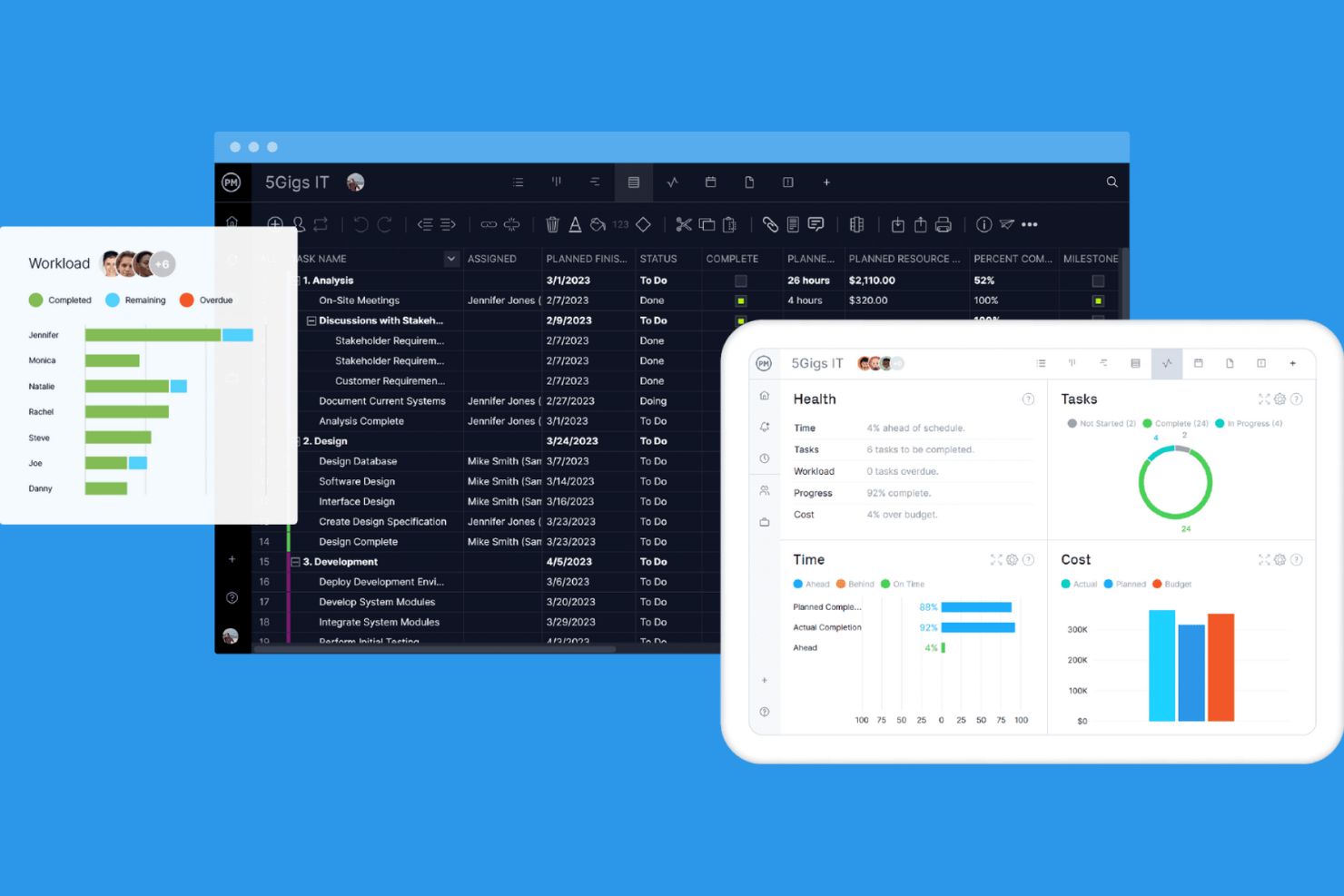
ProjectManager is built for teams that need up-to-the-minute visibility into project progress and resource allocation. It’s especially useful for project managers and operations leads who want to track performance metrics and make data-driven decisions as work unfolds. With its real-time dashboards and reporting tools, ProjectManager helps you spot issues and adjust plans quickly—something not all Wrike alternatives offer.
Why ProjectManager Is a Good Wrike Alternative
For teams that need instant insight into project health, ProjectManager delivers real-time reporting that goes beyond what many competitors offer. I picked ProjectManager because its live dashboards update automatically as tasks progress, giving you a clear view of project status at any moment. The platform also includes customizable reports that let you drill into resource allocation, timelines, and workload distribution without waiting for manual updates. If you want to make fast, informed decisions based on current data, ProjectManager is a strong Wrike alternative.
ProjectManager Key Features
Some other features in ProjectManager can help your team manage projects more efficiently:
- Gantt Chart Planning: Build and adjust project timelines with interactive Gantt charts.
- Kanban Boards: Organize tasks visually and move them through custom workflow stages.
- Timesheet Management: Track team hours and approve timesheets directly within the platform.
- Document Sharing: Store, share, and collaborate on project files in a centralized location.
ProjectManager Integrations
Integrations include Microsoft Teams, Slack, Jira, MS Project, Power BI, Acumatica, Excel, Azure DevOps, Google, and OneDrive.
Pros and Cons
Pros:
- Resource management for workload balancing
- Multiple views: Gantt, Kanban, and list available
- Built-in timesheet management for tracking hours
Cons:
- Reporting exports only available in certain formats
- No built-in budgeting or cost tracking

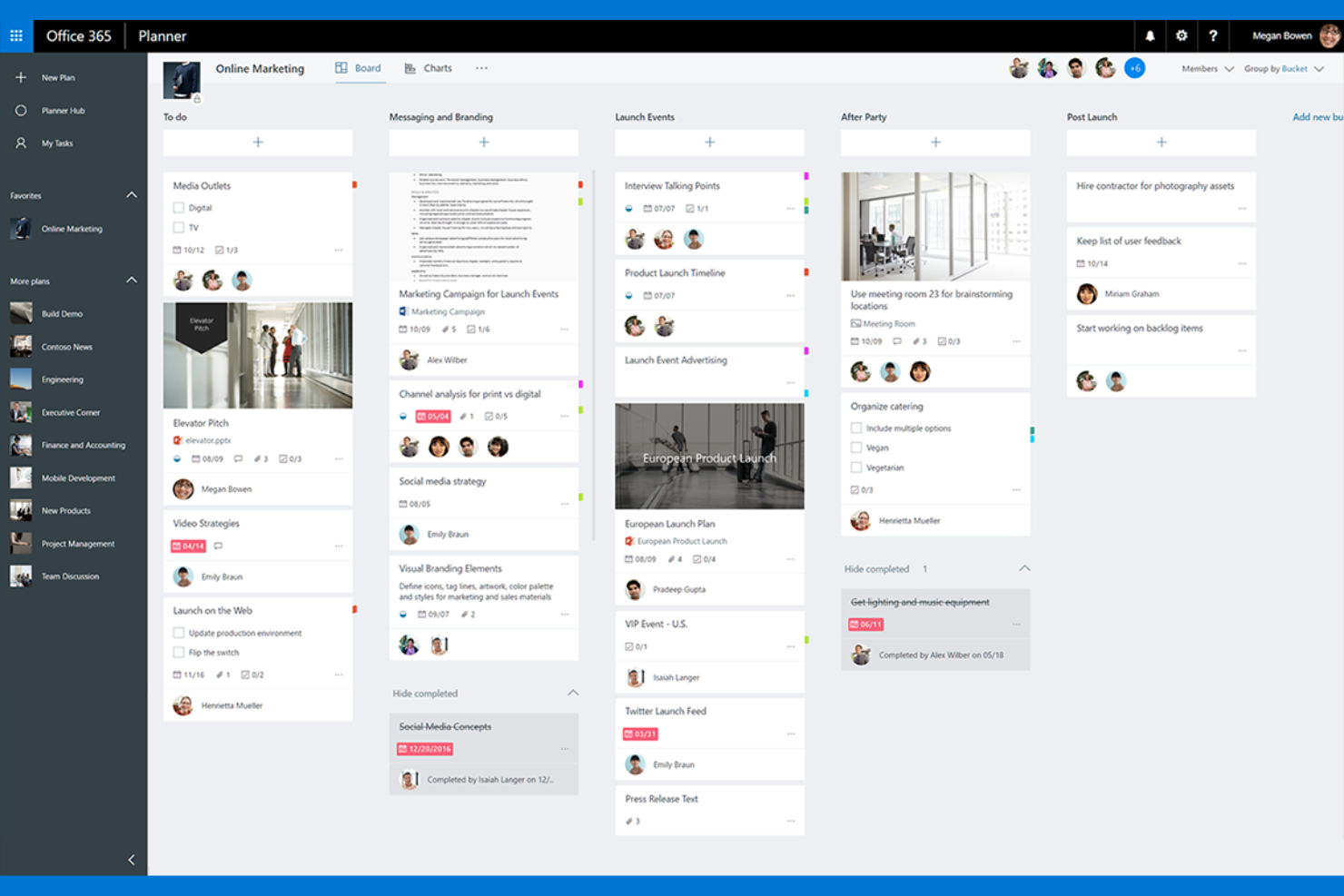
Teams already using Microsoft 365 will find Microsoft Planner fits naturally into their workflow. It’s designed for organizations that want to manage tasks, share files, and collaborate directly within familiar Microsoft apps like Teams and Outlook. Microsoft Planner stands out for its deep integration with the Microsoft ecosystem, making it easy to coordinate projects without switching platforms.
Why Microsoft Planner Is a Good Wrike Alternative
If your organization relies on Microsoft 365, Microsoft Planner offers a project management experience that’s tightly woven into the apps you already use. I picked Microsoft Planner because it lets you create and manage tasks directly from Teams, Outlook, and SharePoint, so project updates and assignments are always visible where your team works. The ability to attach files from OneDrive and collaborate on documents in real time helps keep everything connected and accessible. For teams looking to manage projects without leaving the Microsoft environment, Microsoft Planner is a practical Wrike alternative.
Microsoft Planner Key Features
Some other features in Microsoft Planner can help your team organize and track work more efficiently:
- Kanban Boards: Visualize tasks and progress using drag-and-drop boards for each project.
- Task Labels: Categorize and filter tasks with customizable color-coded labels.
- Due Date Reminders: Receive automated notifications for upcoming task deadlines.
- Checklist Items: Break down tasks into smaller, actionable steps within each card.
Microsoft Planner Integrations
Integrations include Microsoft Teams, Outlook, SharePoint, OneDrive, Microsoft To Do, Microsoft Loop, Power Automate, Power BI, Viva Goals, and Microsoft Project.
Pros and Cons
Pros:
- Built-in checklist items for subtask tracking
- Task labels support color-coded organization
- Automatic syncing with Outlook calendar events
Cons:
- Limited automation compared to other platforms
- Cannot assign multiple users to one task
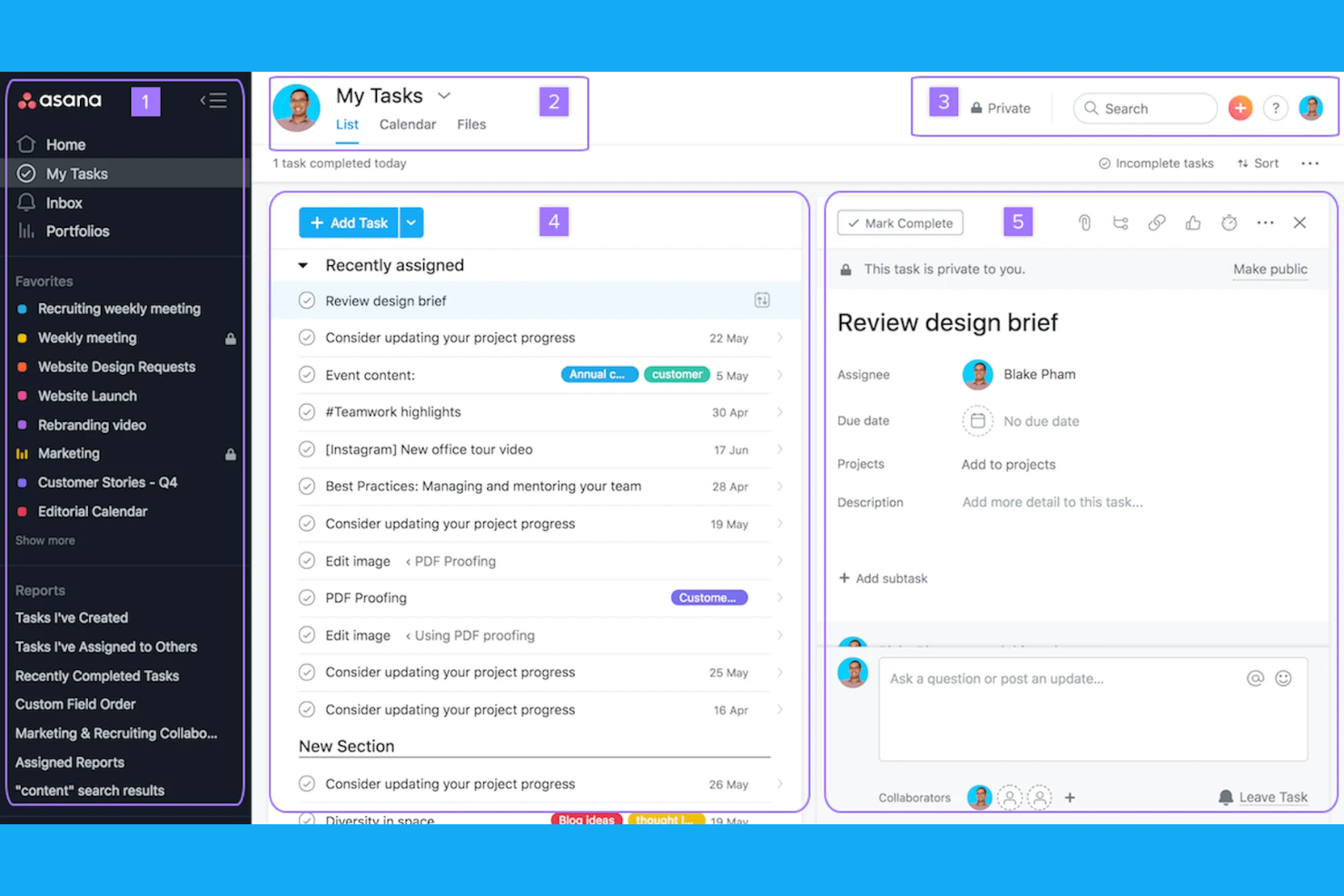
If your team needs to automate workflows across departments, Asana offers a flexible approach to project management. It’s a strong fit for organizations juggling complex, multi-team projects that require clear task dependencies and real-time updates. Asana is special because of its automation features and customizable workflows, which help you coordinate work without manual follow-up.
Why Asana Is a Good Wrike Alternative
Asana stands out for teams that need to automate and coordinate workflows across multiple departments. I picked Asana because its workflow builder lets you create custom automations for recurring tasks and approvals, reducing manual work. The platform’s rules engine helps route tasks, trigger updates, and keep projects moving without constant oversight. These features make Asana a strong choice if your projects depend on cross-team collaboration and automated processes.
Asana Key Features
Some other features in Asana can help your team manage projects more efficiently:
- Timeline View: Visualize project schedules and task dependencies using a Gantt-style timeline.
- Portfolios: Monitor multiple projects at once and track progress from a single dashboard.
- Goals: Set, track, and align team or company objectives directly within the platform.
- Forms: Collect and standardize work requests with customizable intake forms.
Asana Integrations
Integrations include Slack, Microsoft Teams, Google Drive, Dropbox, Salesforce, Jira Cloud, Zoom, Outlook, GitHub, and Box.
Pros and Cons
Pros:
- Portfolio view tracks multiple projects at once
- Easy-to-set task dependencies and milestones
- Workflow automation builder for complex processes
Cons:
- Advanced automation requires higher-tier plans
- Guest access permissions can be restrictive

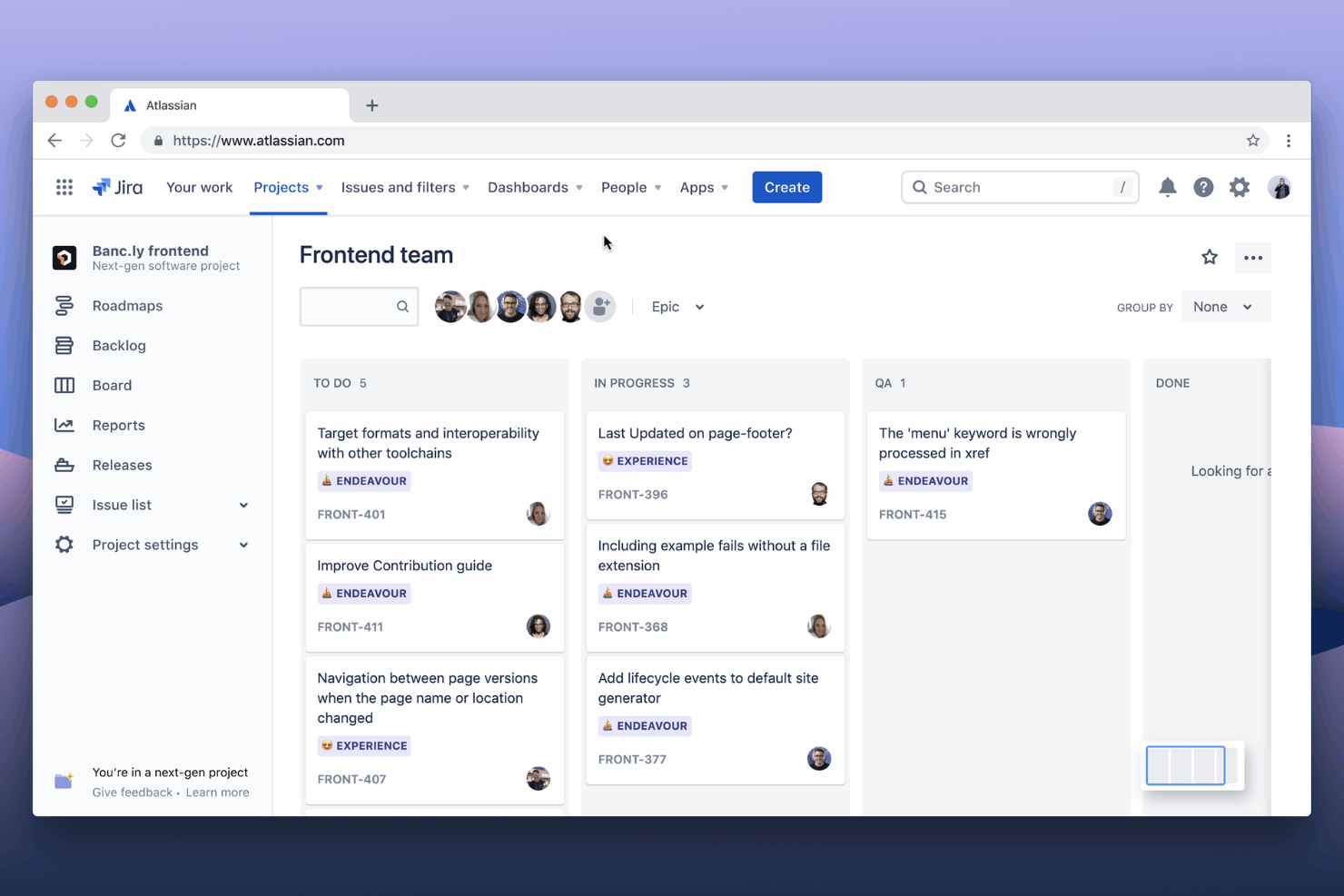
Jira is a go-to choice for teams that need advanced issue tracking and workflow customization. It’s especially well-suited for software development groups, IT departments, and any business managing complex projects with detailed requirements. Jira stands out for its granular control over issues, custom fields, and automation rules that help teams track, prioritize, and resolve work at scale.
Why Jira Is a Good Wrike Alternative
For teams that need to manage complex issues and workflows, Jira offers a level of detail that’s hard to match. I picked Jira because it lets you create custom issue types, set up advanced workflows, and automate repetitive actions with granular triggers. The platform’s issue tracking system supports detailed status updates, priorities, and dependencies, making it ideal for technical teams. If your projects require precise tracking and control over every task, Jira is a strong alternative to Wrike.
Jira Key Features
Some other features in Jira can help your team manage projects and collaborate more effectively:
- Agile Boards: Use Scrum and Kanban boards to visualize and manage work in sprints or continuous flows.
- Advanced Reporting: Access built-in and custom reports for burndown charts, velocity, and project progress.
- Permissions Management: Set granular permissions for users, groups, and roles across projects.
- Marketplace Apps: Extend Jira’s functionality with thousands of add-ons from the Atlassian Marketplace.
Jira Integrations
Integrations include Slack, Microsoft Teams, Google Drive, Figma, Zoom, Salesforce, GitHub, Miro, QMetry, and Google Docs.
Pros and Cons
Pros:
- Advanced permissions for project-level access control
- Marketplace apps to expand core features
- Bulk editing for multiple updates at once
Cons:
- Time tracking requires third-party add-ons
- Email notifications can overwhelm large teams

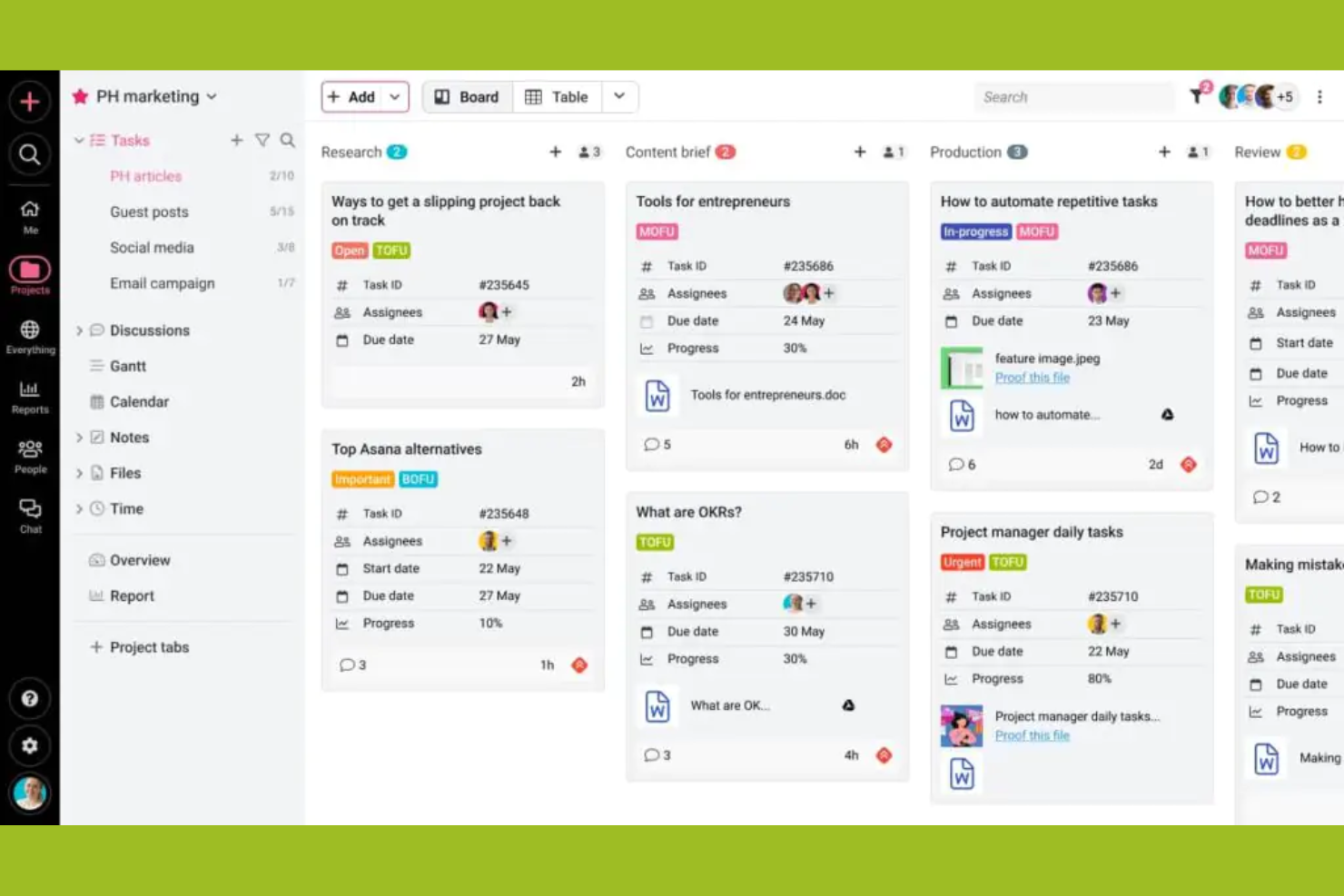
Creative teams and agencies looking for a project management platform with built-in approval workflows often turn to ProofHub. The tool is designed to simplify feedback, proofing, and sign-off processes for teams handling design, content, or client deliverables. Unlike Wrike, ProofHub puts markup, review, and approval tools front and center, so you can keep creative projects moving without switching between apps.
Why ProofHub Is a Good Wrike Alternative
When you need a project management tool that streamlines creative approvals, ProofHub stands out for its built-in workflow features. I picked ProofHub because it lets you annotate files, request feedback, and manage approvals directly within the platform—no need for extra proofing tools or email chains. The markup and version control features help teams keep feedback organized and ensure everyone is working from the latest file. If your projects involve frequent reviews and sign-offs, ProofHub offers a more integrated approach than Wrike.
ProofHub Key Features
Some other features in ProofHub can help your team manage projects from start to finish:
- Task Management: Assign tasks, set deadlines, and track progress using lists or boards.
- Project Templates: Create and reuse templates for recurring project types to save setup time.
- Time Tracking: Log billable and non-billable hours directly within each project.
- Discussions: Start topic-based discussion threads to keep project communication organized.
ProofHub Integrations
Integrations include Slack, Box, Dropbox, Google Calendar, iCal, OneDrive, FreshBooks, and QuickBooks.
Pros and Cons
Pros:
- In-app chat and discussion threads
- Flat-rate pricing for unlimited users
- Built-in proofing and markup for files
Cons:
- Gantt chart features are basic
- No advanced automation for task workflows

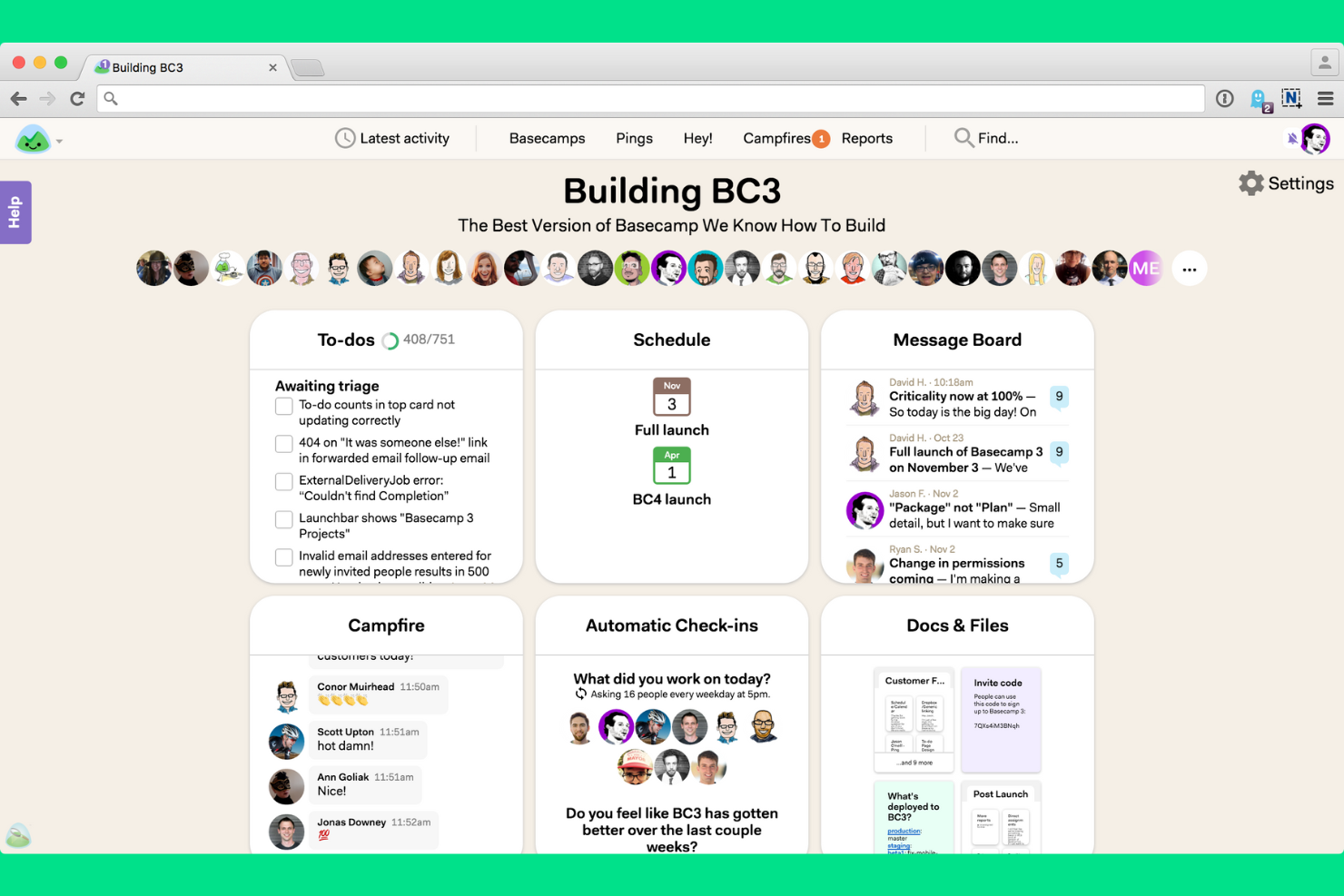
If your team needs a straightforward way to manage projects and communicate, Basecamp is worth a look. It’s a strong fit for small businesses, agencies, and teams that want built-in chat, message boards, and task lists without extra complexity. Basecamp stands out for its focus on keeping conversations, files, and project updates together in one simple interface.
Why Basecamp Is a Good Wrike Alternative
For teams that want simple, built-in communication tools, Basecamp offers a different approach than Wrike. I picked Basecamp because it combines group chat, message boards, and direct messaging right inside each project, so conversations stay organized and easy to find. The tool’s Campfire chat and project message boards help teams keep discussions and decisions visible to everyone involved. If you’re looking for project management software that puts communication front and center, Basecamp is a strong option.
Basecamp Key Features
Some other features in Basecamp can help your team stay organized and on track:
- To-do Lists: Assign tasks, set due dates, and track progress for each project.
- Docs & Files Storage: Upload, share, and organize project documents and files in one place.
- Automatic Check-ins: Schedule recurring questions to gather team updates without meetings.
- Schedule Tool: View project milestones, deadlines, and events on a shared calendar.
Basecamp Integrations
Integrations include Slack, Google Hangouts Chat, GitHub, Jira, Asana, Trello, Clockify, Harvest, Evernote, and Zendesk.
Pros and Cons
Pros:
- To-do lists support basic task assignment
- Flat pricing model suits growing teams
- Recurring questions replace status meetings
Cons:
- Permissions are set only at the project level
- No Gantt chart or timeline view
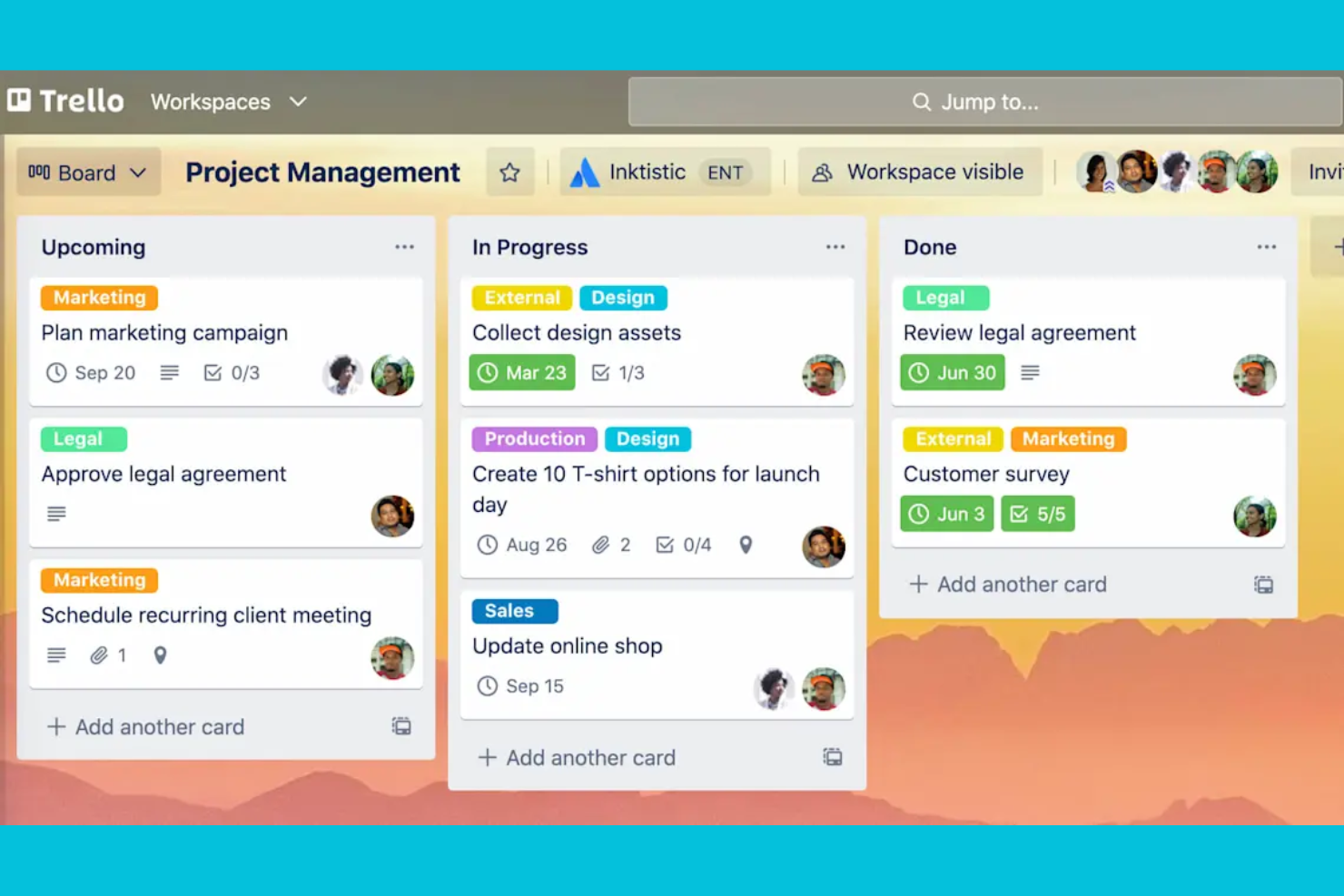
If you’re looking for a highly visual way to organize tasks, Trello offers a flexible board-and-card system that’s easy to adapt. It’s a strong fit for small teams, marketing teams, creative agencies, and growing businesses that want a lightweight project management solution to map out projects at a glance. Trello stands out for its drag-and-drop interface and customizable boards that make tracking progress and priorities simple for any workflow, with a free version for basic use and paid plans that unlock advanced features and team collaboration tools.
Why Trello Is a Good Wrike Alternative
Trello’s visual task organization makes it a strong choice for teams that want to see project progress at a glance. I like how its board-and-card layout lets you map out workflows, assign tasks, and move items through stages with simple drag-and-drop actions. You can add checklists, labels, and attachments directly to cards, which helps teams keep all project details in one place. For anyone who values a clear, visual overview of tasks and priorities, Trello is a practical alternative to Wrike.
Trello Key Features
Some other features in Trello can help your team manage projects more efficiently:
- Power-Ups: Add extra functionality to boards, such as calendar views, voting, or integrations with other tools.
- Butler Automation: Automate repetitive actions with rule-based triggers, buttons, and scheduled commands.
- Team Workspaces: Organize multiple boards under a shared workspace for better team collaboration.
- Card Templates: Create reusable templates for common tasks or processes to save setup time.
Trello Integrations
Integrations include Slack, Jira, Miro, Google Calendar, Hootsuite, IBM Connect, CloudApp, Confluence Cloud, Aha!, and Droplr.
Pros and Cons
Pros:
- Card checklists track subtasks within projects
- Power-Ups add features like calendar views
- Butler automation handles recurring task actions
Cons:
- Limited reporting tools for project analytics
- No native Gantt chart for timeline planning

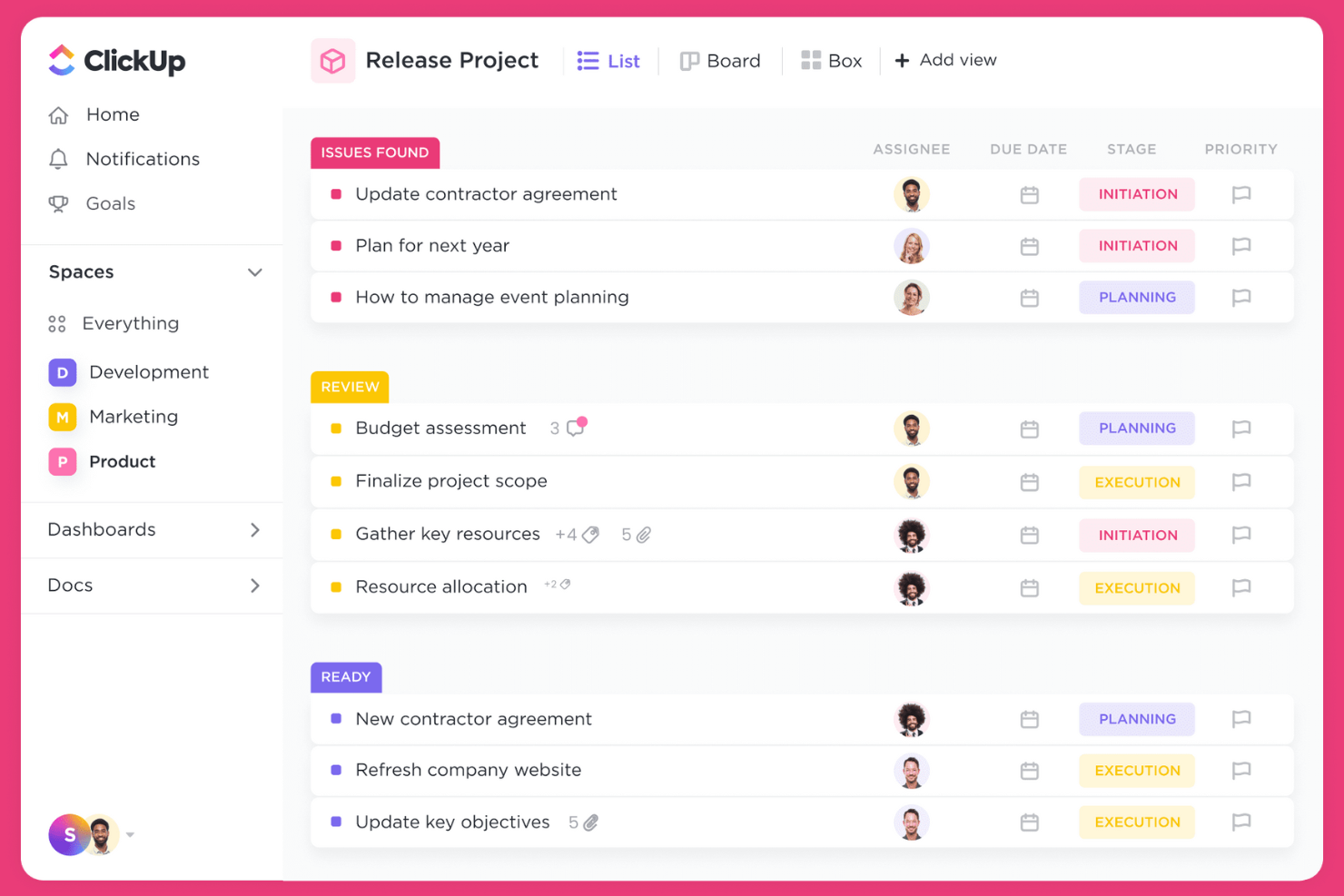
If your team wants to bring tasks, docs, goals, and chat into one place, ClickUp offers a unified workspace for project management. It’s a strong fit for fast-growing businesses, agencies, and cross-functional teams juggling multiple workflows and tools. As a flexible task management tool, ClickUp stands out for its deep customization, intuitive interface, and overall ease of use, allowing teams to centralize everything from project tracking to document collaboration in a user-friendly platform without switching systems.
Why ClickUp Is a Good Wrike Alternative
For teams that want to consolidate all their work into a single platform, ClickUp brings together project management, document editing, and team communication in one workspace. I picked ClickUp because it lets you manage tasks, create and share docs, and set goals without jumping between different tools. Its customizable dashboards and built-in chat make it easy to centralize project updates and discussions. If you’re looking to reduce tool sprawl and keep everything in one place, ClickUp is a strong Wrike alternative.
ClickUp Key Features
Some other features in ClickUp can help your team manage projects more efficiently:
- Time Tracking: Track time spent on tasks directly within the platform.
- Whiteboards: Collaborate visually with digital whiteboards for brainstorming and planning.
- Custom Task Statuses: Create and manage unique task statuses tailored to your workflows.
- Automation Builder: Set up automated actions and triggers to reduce repetitive manual work.
ClickUp Integrations
Integrations include Slack, GitHub, GitLab, HubSpot, Everhour, Toggl, Google Drive, Outlook, Figma, and Zoom.
Pros and Cons
Pros:
- Automation builder reduces repetitive manual work
- Whiteboards support visual project planning
- Built-in docs allow in-app knowledge sharing
Cons:
- Importing large projects may cause slowdowns
- Mobile app lacks some desktop features

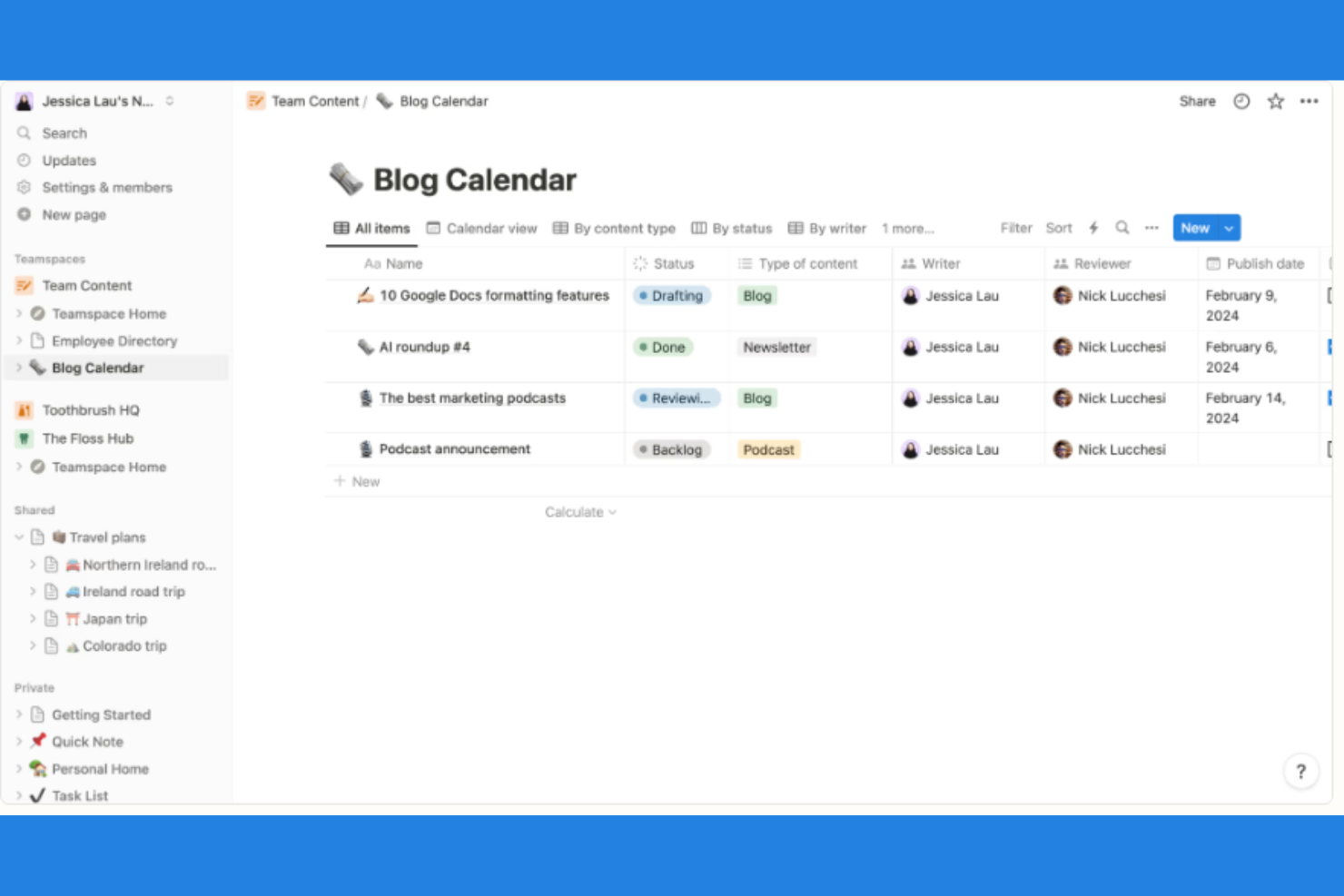
Teams looking to blend project management with flexible note-taking often turn to Notion. It’s especially useful for startups, creative agencies, and knowledge-driven organizations that want to connect tasks, docs, and wikis in one place. Notion stands out for its ability to link project tasks directly to meeting notes, documentation, and databases, making it easier to keep context and content together.
Why Notion Is a Good Wrike Alternative
Unlike many project management tools, Notion lets you combine project tasks and detailed notes in a single workspace. I picked Notion because it allows you to link tasks directly to meeting notes, project documentation, and knowledge bases, so your team always has the right context. Its flexible database structure means you can organize projects, docs, and wikis however you want. If you need a tool that connects actionable tasks with rich, collaborative content, Notion is a strong Wrike alternative.
Notion Key Features
Some other features in Notion can help your team manage projects and information more effectively:
- Kanban Boards: Visualize and move tasks through customizable workflow columns.
- Calendar View: Schedule and track tasks or events on a shared calendar.
- Template Gallery: Access pre-built templates for project plans, meeting notes, and more.
- Permission Controls: Set granular access levels for pages, databases, and workspaces.
Notion Integrations
Integrations include Slack, Jira, GitHub, Asana, Google Drive, Figma, Trello, GitLab, Webex, and Typeform.
Pros and Cons
Pros:
- Markdown support enables fast note formatting
- Template gallery speeds up workspace setup
- Database feature links tasks, docs, and wikis
Cons:
- Offline access is limited and inconsistent
- No native time tracking for tasks

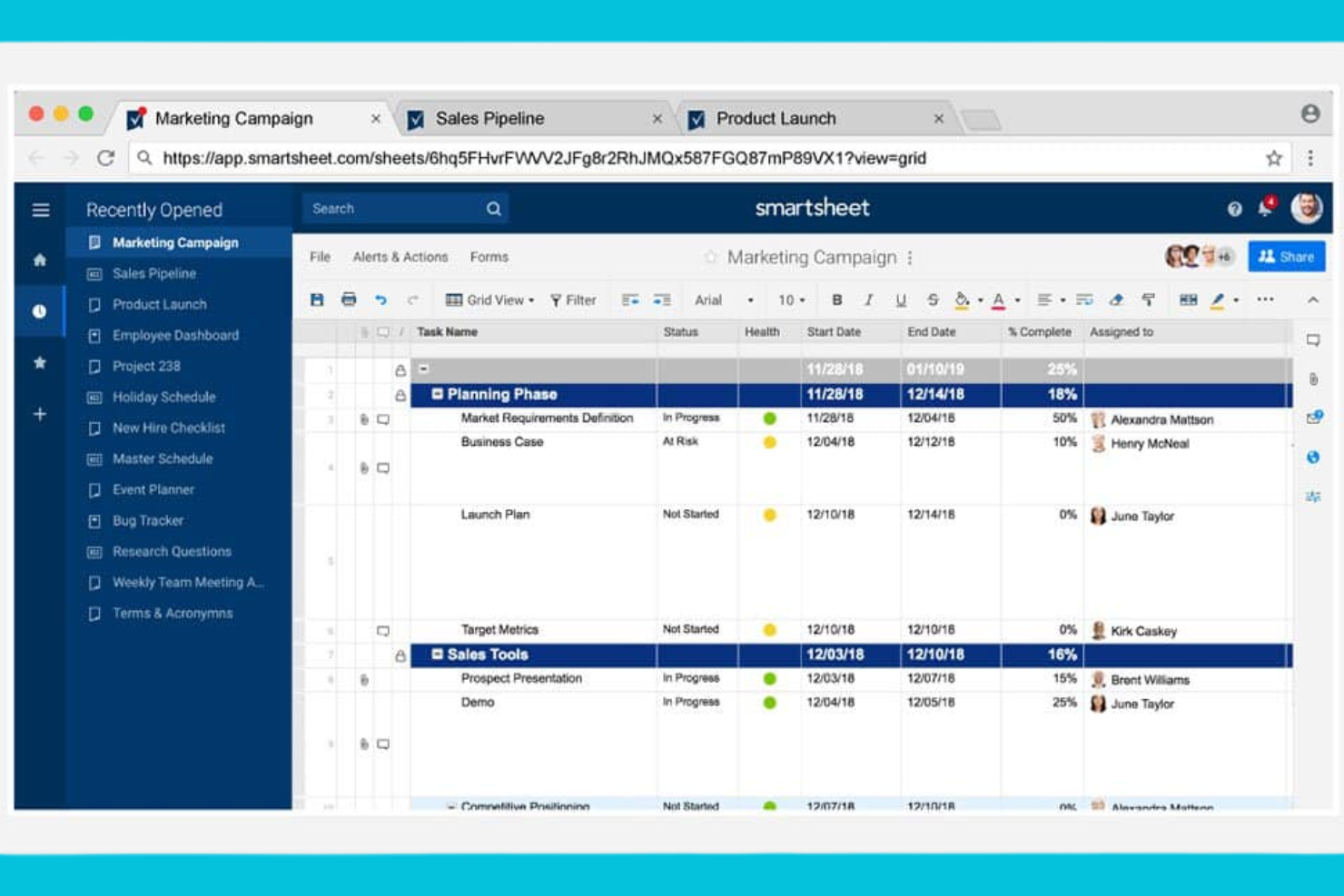
For teams that prefer working in a familiar spreadsheet format, Smartsheet brings project management into a grid-based environment. It’s especially useful for operations, finance, and project leads who need to manage complex schedules, dependencies, and resource allocations. Smartsheet stands out for its ability to combine spreadsheet flexibility with project tracking, automation, and reporting tools.
Why Smartsheet Is a Good Wrike Alternative
If you’re looking for project management software that feels like working in a spreadsheet, Smartsheet is a strong option. I picked it because its grid-based interface lets you manage tasks, dependencies, and timelines in a format that’s familiar to anyone who uses spreadsheets. You can set up automated workflows and conditional formatting to keep projects on track and highlight key changes. For teams that want the flexibility of spreadsheets with the structure of project management, Smartsheet offers a practical alternative to Wrike.
Smartsheet Key Features
Some other features in Smartsheet can help your team manage projects more effectively:
- Resource Management: Allocate team members to tasks and monitor workload across projects.
- Gantt Chart View: Visualize project timelines and dependencies with interactive Gantt charts.
- Form Builder: Collect project requests or updates through customizable forms linked directly to sheets.
- Document Attachment: Attach files and documents directly to rows for easy reference and collaboration.
Smartsheet Integrations
Integrations include Microsoft Teams, Slack, Jira Software, Salesforce, Power BI, Tableau, Google Drive, Adobe Creative Cloud, ServiceNow, and DocuSign.
Pros and Cons
Pros:
- Automated workflows to reduce manual project updates
- Spreadsheet interface for complex data manipulation
- Gantt charts for visual project timelines
Cons:
- Mobile app lacks full desktop functionality
- Conditional logic in forms is limited
New Product Updates from Smartsheet

Smartsheet Adds Direct Data Import to Existing Sheets
Smartsheet introduces direct data import to existing sheets in table view. This update lets you import CSV, XLS, and XLSX files directly into sheets, reducing manual work and speeding up data setup. For more information, visit Smartsheet's official site.
 .
.Autres alternatives à Wrike
Voici d’autres alternatives à Wrike qui ne figurent pas dans ma liste restreinte, mais qui méritent quand même d’être découvertes :
- Adobe Workfront
For enterprise-grade resource management
- monday.com
With customizable dashboard views
- Aha!
For product roadmap planning
- Teamwork.com
For client-facing project billing
- Acorn
With automated project time tracking


Critères de sélection des alternatives à Wrike
Pour sélectionner les meilleures alternatives à Wrike dans cette liste, j’ai pris en compte les besoins et points de douleur courants des acheteurs concernant les solutions de gestion de projet, comme la gestion de plannings complexes et la coordination d’équipes transversales. J’ai également utilisé le cadre suivant pour structurer et équitablement évaluer chaque solution :
Fonctionnalité principale (25 % de la note totale)
Pour figurer dans cette liste, chaque solution devait répondre à ces cas d’usage communs :
- Créer et attribuer des tâches
- Suivre l’avancée des projets
- Définir des échéances et jalons
- Collaborer avec les membres de l’équipe
- Générer des rapports de projet
Fonctionnalités supplémentaires remarquables (25 % de la note totale)
Pour affiner davantage la sélection, j’ai aussi recherché des fonctionnalités uniques, telles que :
- Planification de scénarios pour l’allocation des ressources
- Workflow d’approbation automatisé
- Fonctionnalités de gestion de portefeuilles
- Formulaires de demande de projet personnalisables
- Gestion documentaire intégrée
Facilité d’utilisation (10 % de la note totale)
Pour évaluer l’ergonomie de chaque système, j’ai pris en compte les éléments suivants :
- Navigation et disposition intuitives
- Nombre minimal de clics pour effectuer les actions courantes
- Hiérarchie visuelle et étiquetage clairs
- Design réactif adapté à tous les appareils
- Tableaux de bord et vues personnalisables
Intégration (10 % du score total)
Pour évaluer l’expérience d’intégration de chaque plateforme, j’ai pris en compte les éléments suivants :
- Disponibilité de vidéos de formation et de tutoriels
- Accès à des modèles prédéfinis
- Visites interactives du produit pour les nouveaux utilisateurs
- Chatbots intégrés ou aide guidée
- Webinaires d’intégration en direct ou enregistrés
Service client (10 % du score total)
Pour évaluer les services d’assistance de chaque fournisseur de logiciel, j’ai pris en compte les critères suivants :
- Multiplicité des canaux de support disponibles
- Délais de réponse rapides aux demandes
- Accès à un centre d’aide consultable
- Disponibilité de gestionnaires de compte dédiés
- Forums communautaires ou groupes d’utilisateurs
Rapport qualité/prix (10 % du score total)
Pour juger du rapport qualité/prix de chaque plateforme, j’ai pris en considération :
- Tarification transparente et flexible
- Fonctionnalités incluses à chaque niveau de prix
- Réductions pour un paiement annuel ou en volume
- Absence de frais cachés ou de surcoûts inattendus
- Période d’essai ou démonstration gratuite disponible
Avis clients (10 % du score total)
Pour évaluer la satisfaction globale des clients, j’ai prêté attention aux points suivants lors de la lecture des avis utilisateurs :
- Récurrence des retours positifs
- Fréquence des plaintes concernant des bugs ou des pannes
- Louanges pour certaines fonctionnalités ou le support
- Retours sur l’intégration réussie des nouveaux utilisateurs
- Preuves d’une fidélité client sur le long terme
Pourquoi chercher une alternative à Wrike ?
Bien que Wrike soit un bon choix de logiciel de gestion de projet, il existe plusieurs raisons pour lesquelles certains utilisateurs cherchent des solutions alternatives. Vous recherchez peut-être une alternative à Wrike parce que…
- Vous avez besoin d’outils de gestion des ressources plus avancés
- Votre équipe requiert des fonctionnalités de gestion de portefeuille plus poussées
- Vous souhaitez une tarification plus transparente ou flexible
- Vous avez besoin d’intégrations natives plus puissantes avec d’autres outils métier
- Votre organisation a des exigences strictes en matière de localisation des données
- Vous préférez une interface plus simple pour des utilisateurs non techniques
Si vous vous reconnaissez dans l’une de ces situations, vous êtes au bon endroit. Ma sélection comprend plusieurs solutions de gestion de projet mieux adaptées aux équipes confrontées à ces problématiques avec Wrike et en recherche d’alternatives.
Principales fonctionnalités de Wrike
Voici quelques-unes des fonctionnalités clés de Wrike, pour vous aider à comparer et contraster avec ce que proposent les alternatives :
- Gestion des tâches et sous-tâches
- Tableaux de bord et rapports personnalisables
- Diagrammes de Gantt et vues chronologiques
- Processus de flux de travail et d’approbation automatisés
- Gestion du temps et de la charge de travail
- Partage de documents et contrôle de version
- Collaboration en temps réel et
- Formulaires de demande pour l’entrée de projet
- Allocation des ressources et planification des capacités
- Intégration avec les outils métiers populaires
Et maintenant :
Si vous êtes en train de comparer des alternatives à Wrike, contactez un conseiller SoftwareSelect pour recevoir gratuitement des recommandations personnalisées.
Vous remplissez un formulaire puis échangez rapidement pour leur exposer vos besoins concrets. Vous recevrez alors une liste restreinte de logiciels à examiner. Ils vous accompagnent même durant tout le processus d’achat, y compris lors de la négociation des tarifs.