

Recensione di QuickBooks Workforce: Caratteristiche Principali, Pro e Contro, e Prezzi Spiegati



La scadenza delle buste paga si avvicina, le dichiarazioni fiscali si accumulano e i numeri nei tuoi libri contabili devono corrispondere a quanto appena pagato ai dipendenti. Vuoi un software per la contabilità e le buste paga che lavori insieme senza fogli di calcolo extra o correzioni manuali.
Qui entra in gioco questa recensione di QuickBooks Workforce. Analizzo come gestisce le buste paga, le tasse, i prezzi e le integrazioni così puoi capire se semplifica davvero il tuo flusso di lavoro o aggiunge un altro livello di complessità.
QuickBooks Workforce Evaluation Summary
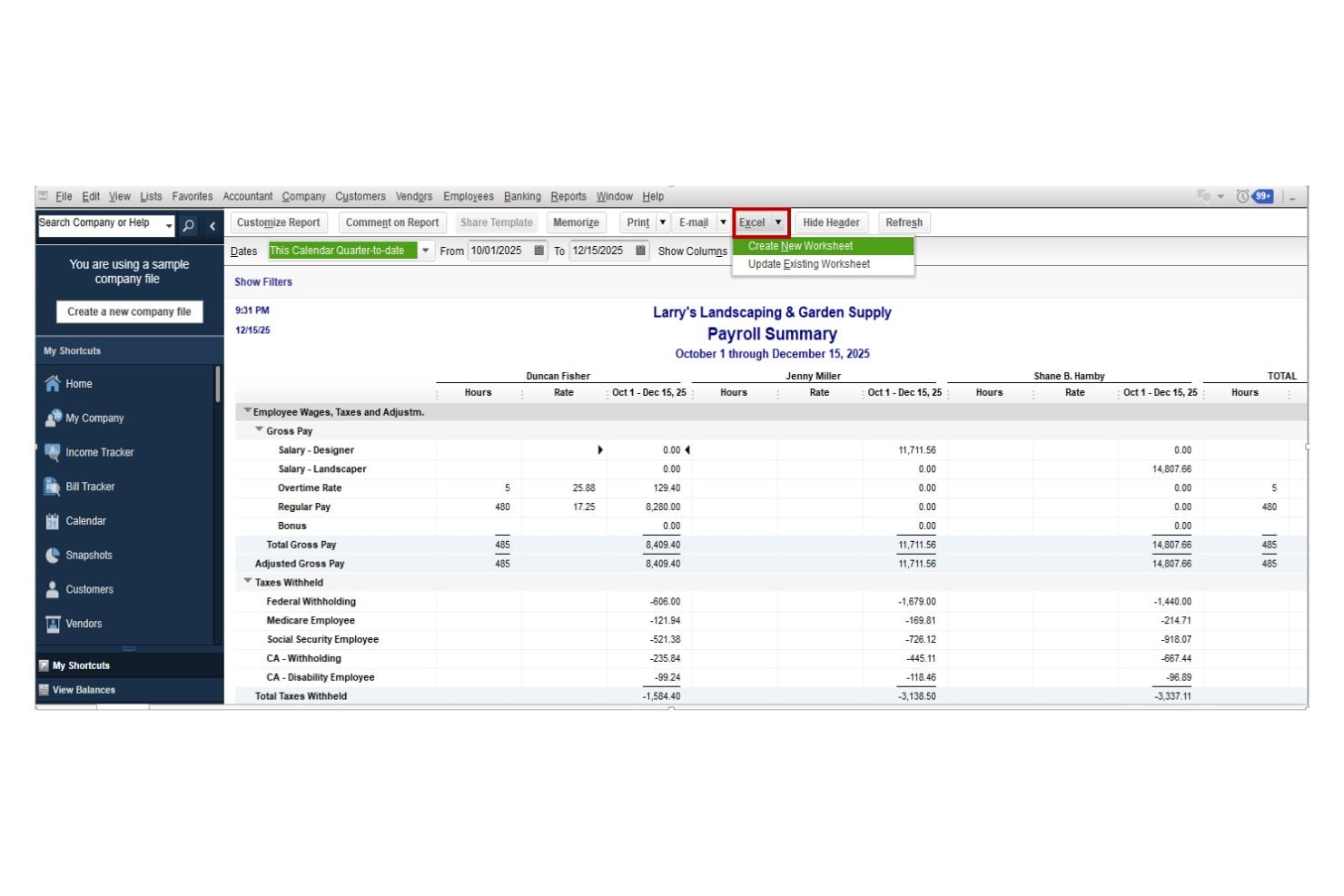
- From $88/month
- 30-day free trial
Perché fidarsi dei nostri consigli sui software
Le nostre recensioni riflettono il nostro giudizio indipendente, non un discorso di vendita. Scopri come manteniamo la trasparenza.
Per questa guida, abbiamo valutato gli strumenti attraverso test pratici e ricerche indipendenti, assegnando un punteggio agli strumenti in base ai nostri criteri di selezione.
Le nostre recensioni riflettono il nostro giudizio editoriale umano, non un discorso di vendita.
QuickBooks Workforce Overview
pros
-
User-friendly interface designed for easy setup and management, even without extensive accounting experience.
-
Automated payroll calculations and tax filings help reduce manual work.
-
Clear payroll workflows and task tracking make pay runs easier to manage.
cons
-
Customer support experiences can vary, particularly during complex payroll issues.
-
Best suited for those already using QuickBooks Online; otherwise, it may feel restrictive.
-
May not suit complex payroll scenarios that require high customization.
Is QuickBooks Workforce Right For Your Needs?
Who Would be a Good Fit for QuickBooks Workforce?
QuickBooks Workforce works best for small to mid-sized businesses that want automated payroll inside the QuickBooks ecosystem. It is especially suitable for companies that value tax compliance automation, streamlined workflows, contractor support, and direct deposit flexibility without needing a full accounting platform.
-
Small Businesses Using QuickBooks Online
If you’re already running your books in QuickBooks Online, adding payroll keeps everything synced in one system. Payroll expenses, tax payments, and reports flow directly into your accounting without manual reconciliation.
-
Businesses Without a Dedicated HR Team
QuickBooks Workforce’s guided setup, automated tax filings, and employee self-service tools make it manageable for small teams that don’t have in-house payroll or HR specialists.
-
Employers Who Want Automated Tax Handling
Companies that prefer payroll taxes calculated, filed, and paid automatically will benefit from full-service payroll options and tax penalty protection on higher tiers.
-
Companies With Employees and Contractors
Businesses with mixed workforces can pay W-2 employees and 1099 contractors in the same system, with built-in 1099 e-file support.
-
Growing Businesses That Need Faster Payroll
Companies with tighter payroll timelines can take advantage of next-day or same-day direct deposit options to ensure employees are paid on time.
-
QuickBooks Desktop Users Who Want Payroll Add-On
Businesses using QuickBooks Desktop can add payroll services designed specifically for that environment.
Who Would be a Bad Fit for QuickBooks Workforce?
QuickBooks Workforce may not be ideal for large enterprises, globally distributed teams, or organizations that require advanced HR and accounting systems, complex compensation logic, or deep workforce analytics. Businesses operating outside the QuickBooks accounting environment may also find less value in its integrated structure.
-
Large Enterprises With Complex Global Payroll
QuickBooks Workforce has separate products for the US, Canada, UK, and Australia, designed to align with each of those countries’ compliance requirements. It doesn’t have a native global payroll system to enable paying multiple countries in one place.
-
Companies Needing a Full HR Suite
If you require advanced HR features like performance management, talent development, and structured onboarding workflows, this platform may feel limited.
-
Highly Complex Compensation Structures
Organizations with intricate pay rules, union requirements, or advanced labor costing may outgrow their standard payroll framework.
-
Businesses Not Using QuickBooks for Accounting
If your accounting system is not QuickBooks, you lose the main integration advantage and may face additional reconciliation work.
-
Organizations Requiring Advanced Workforce Analytics
If your strategy depends on deep people analytics and predictive reporting, QuickBooks Workforce’s reporting capabilities may not be robust enough.
-
Very Small Businesses Seeking the Lowest Cost Option
Companies with only one or two employees and very simple payroll needs may find lower cost payroll tools more suitable, especially if they don’t need automated tax handling or additional payroll features.
Come testiamo e valutiamo gli strumenti
Abbiamo impiegato anni a costruire, perfezionare e migliorare il nostro sistema di test e valutazione dei software. Il nostro schema è progettato per cogliere le sfumature della scelta del software e ciò che rende uno strumento efficace, concentrandosi sugli aspetti critici del processo decisionale. Di seguito puoi vedere esattamente come funzionano i nostri test e le nostre valutazioni in base a sette criteri. Questo ci permette di offrire una valutazione imparziale del software basata su funzionalità di base, caratteristiche distintive, facilità d’uso, onboarding, assistenza clienti, integrazioni, recensioni dei clienti e rapporto qualità-prezzo.
Funzionalità principali (25% del punteggio finale)
Il punto di partenza della nostra valutazione è sempre la funzionalità principale dello strumento. Dispone delle funzionalità base che un utente si aspetterebbe di trovare? Alcune di queste funzionalità sono riservate ai piani a pagamento più elevati? In sostanza, ci aspettiamo che uno strumento sia all’altezza delle capacità minime dei concorrenti.
Caratteristiche distintive (25% del punteggio finale)
Successivamente, valutiamo le caratteristiche distintive che vanno oltre la funzionalità principale normalmente presente negli strumenti di questo tipo. Un punteggio elevato riflette funzionalità specializzate o uniche che rendono il prodotto più rapido, efficiente o offrono valore aggiunto all’utente. Valutiamo inoltre quanto sia semplice integrare il software con altri strumenti tipicamente presenti nello stack tecnologico, per estenderne la funzionalità e l’utilità. Gli strumenti che offrono numerose integrazioni native, connessioni di terze parti e accesso API per creare integrazioni personalizzate ottengono il punteggio migliore.
Facilità d’uso (10% del punteggio finale)
Consideriamo quanto sia rapido e semplice eseguire le attività fondamentali previste dallo strumento. Un software con punteggio elevato è ben progettato, intuitivo da usare, offre app mobile, modelli predefiniti e semplifica operazioni complesse.
Onboarding (10% del punteggio finale)
Sappiamo quanto sia importante l’adozione rapida da parte del team quando si introduce una nuova piattaforma: per questo valutiamo quanto sia facile imparare e utilizzare lo strumento con una formazione minima. Valutiamo la rapidità con cui un membro del team può impostare e iniziare a utilizzare lo strumento senza esperienza pregressa. Le soluzioni con punteggio alto richiedono poco o nessun supporto.
Assistenza clienti (10% del punteggio finale)
Analizziamo quanto sia semplice e veloce ottenere aiuto tramite telefono, live chat o knowledge base. Gli strumenti e le aziende che offrono supporto in tempo reale ottengono i punteggi migliori, mentre i chatbot ricevono i punteggi più bassi.
Recensioni dei clienti (10% del punteggio finale)
Oltre ai nostri test e valutazioni, consideriamo il net promoter score dei clienti attuali e passati. Verifichiamo la probabilità che i clienti scelgano nuovamente lo strumento per le funzionalità di base. Un software con punteggio elevato riflette un net promoter score alto da parte dei clienti vecchi e attuali.
Rapporto qualità-prezzo (10% del punteggio finale)
Infine, considerando tutti gli altri criteri, valutiamo il prezzo medio dei piani base rispetto alle funzionalità principali e agli altri criteri di valutazione. I software che offrono di più, a un costo inferiore, ottengono punteggi migliori.
Core Features
Full-Service Payroll
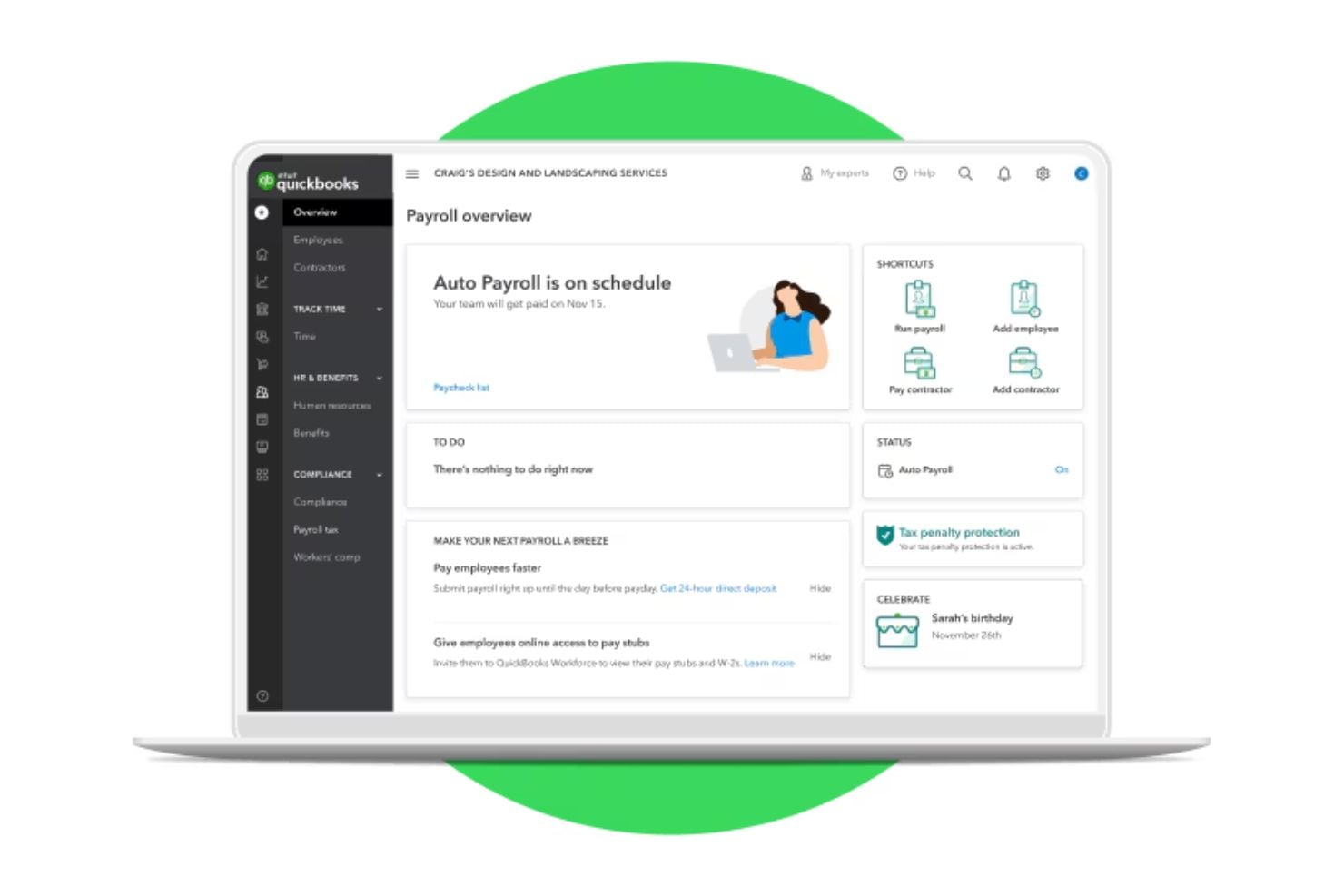
Handles payroll runs, tax calculations, and payments in one place so you don’t have to manually manage each step.
Direct Deposit Options
Lets you pay employees directly into their bank accounts with fast next-day processing included on most plans.
Employee Self-Service (Workforce App)
Employees can access pay stubs, tax forms, and payroll information online, reducing administrative workload.
1099 E-File
Allows you to generate and electronically file 1099 forms for contractors directly through the payroll system.
Contractor Payments
Supports paying contractors and managing contractor tax documentation within the platform.
Paycheck Calculator
Estimate take-home pay after taxes and deductions before running payroll to help avoid errors.
Standout Features
Tax Penalty Protection
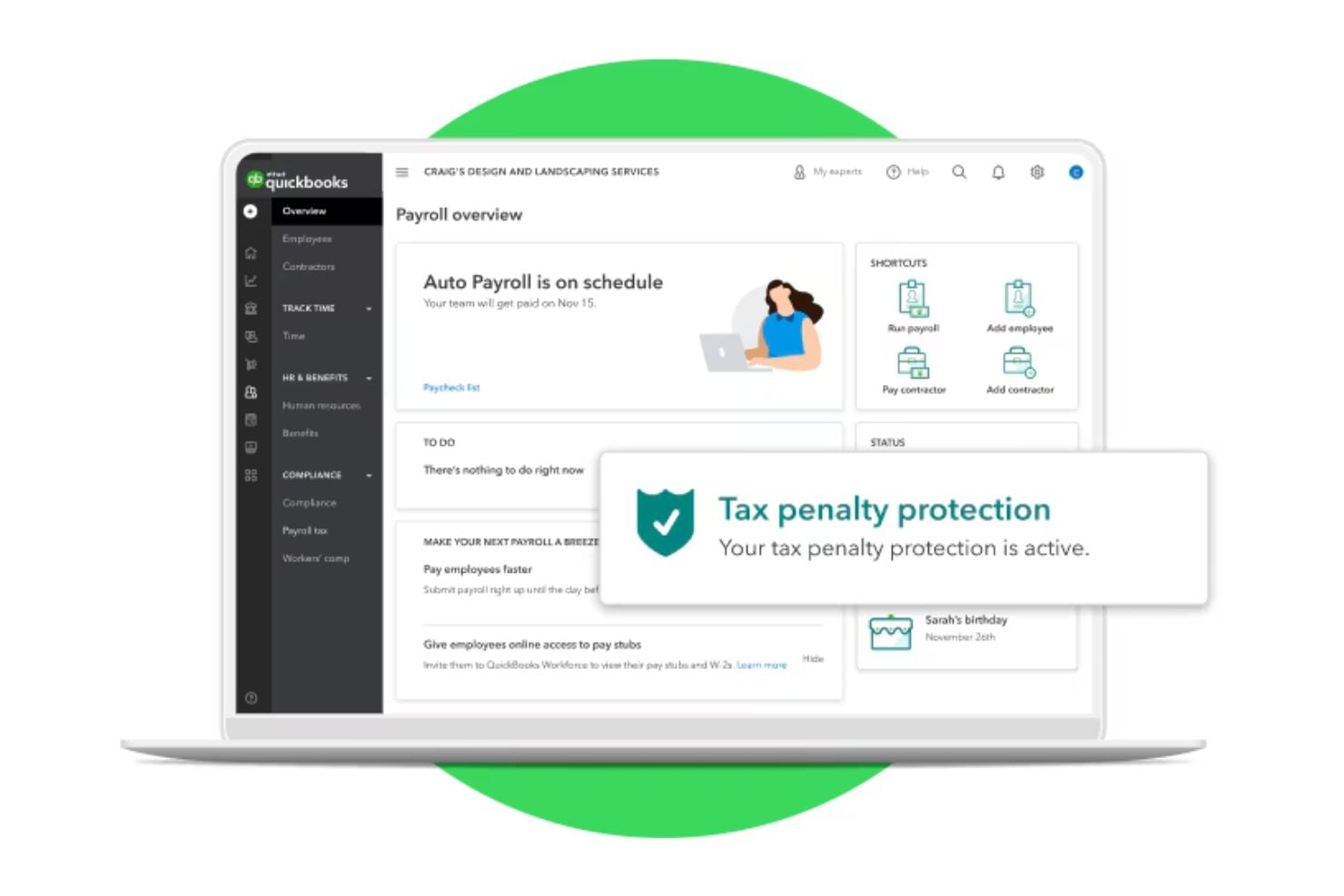
Provides coverage if certain payroll tax filing errors occur, offering peace of mind for compliance risk.
Intuit Assist
QuickBooks’ AI-powered Payroll Agent that proactively collects employee time and attendance, flags inconsistencies, and alerts admins so payroll can be run quickly and confidently from anywhere.
Ease of Use
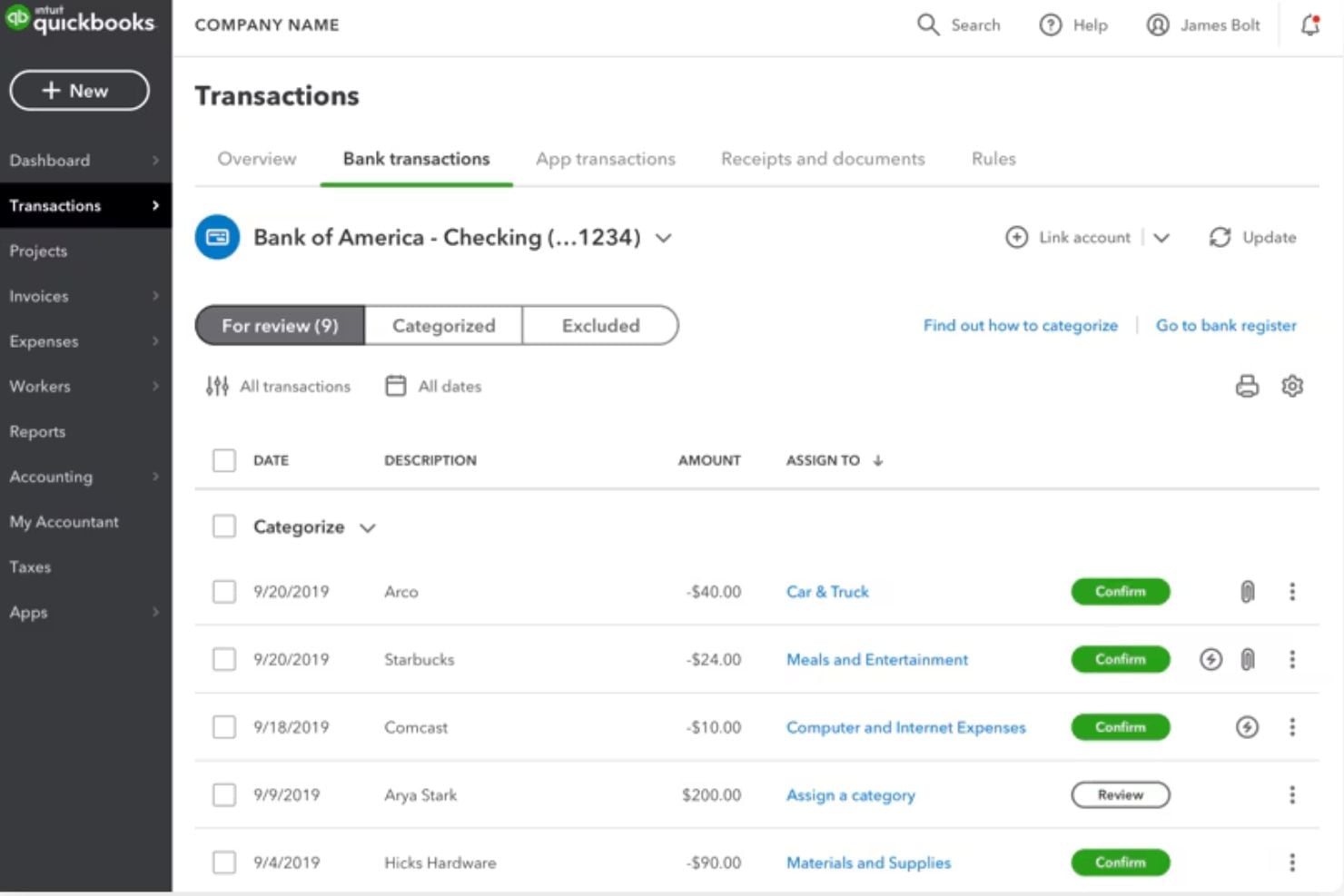
QuickBooks Workforce offers an intuitive interface for running and tracking payroll, with automated calculations that simplify each pay cycle.
Navigation is customizable, allowing users to prioritize frequently used tools, and role-based permissions help control access for administrators and staff. Reporting is organized within a dedicated dashboard, making payroll summaries and tax records easy to locate.
Onboarding
You’ll start by signing in as the primary admin and following a guided setup that walks you through entering your business details, choosing your first payroll date, and confirming whether you’ve already paid employees this year. You’ll then add your employees and their pay and tax information, connect your bank account for direct deposit, and set up your federal and state tax details — with the option to get help from a QuickBooks expert to ensure you’re ready to confidently run your first payroll.
Customer Support
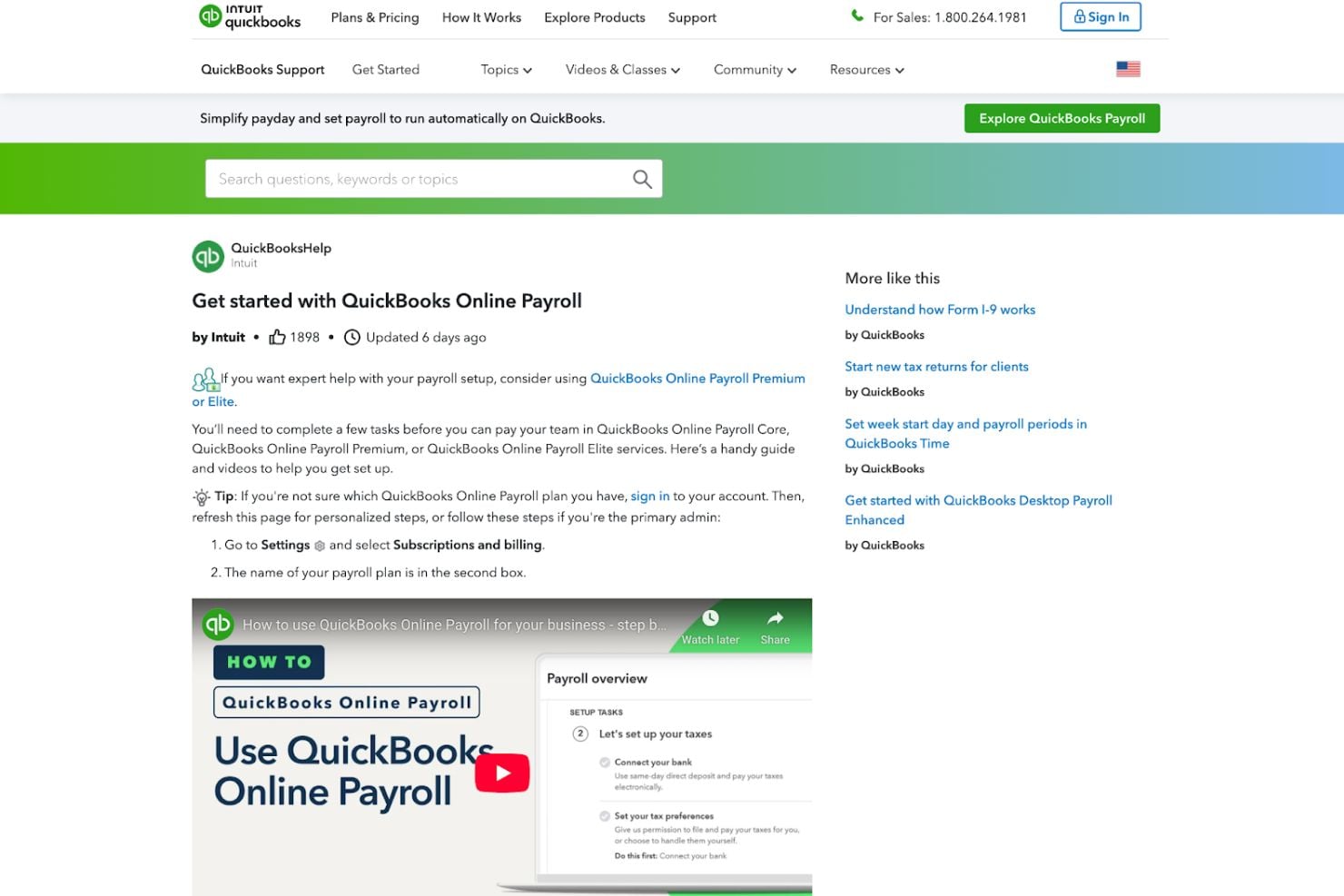
You can access a dedicated QuickBooks Online Payroll help hub as well as payroll troubleshooting resources for urgent issues. Higher-tier plans also include HR advisory services, while broader account-related concerns are handled through the general QuickBooks support portal.
Together, these resources provide structured self-service guidance with access to live support when needed.
Integrations
Payroll data syncs directly with QuickBooks Online, keeping wages, taxes, and expenses aligned with your accounting records.
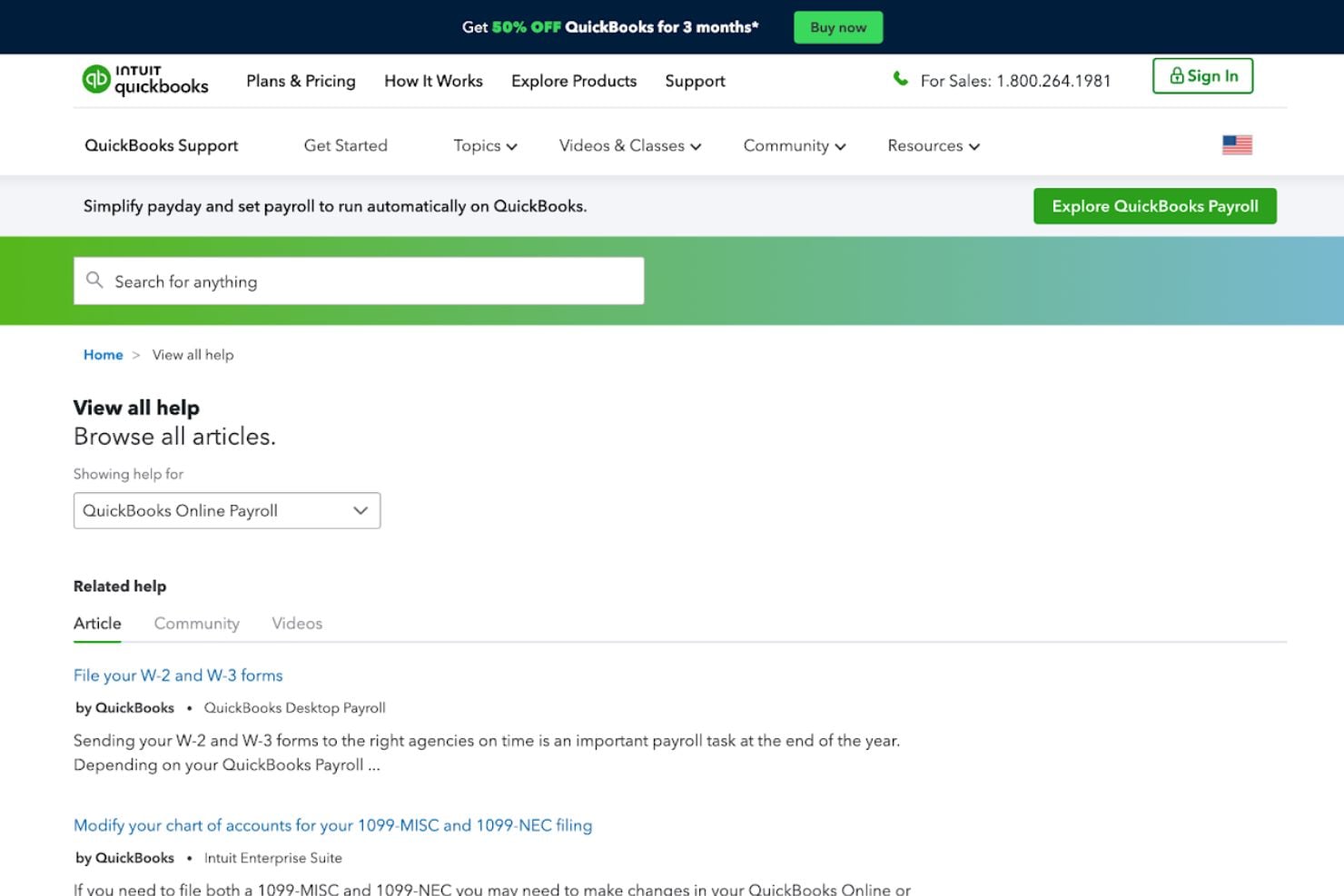
It also connects with payroll and workforce apps through the QuickBooks App Store, including tools like RUN Powered by ADP, Square Payroll, Patriot Payroll, Hour Timesheet, and Jibble.
Value for Money
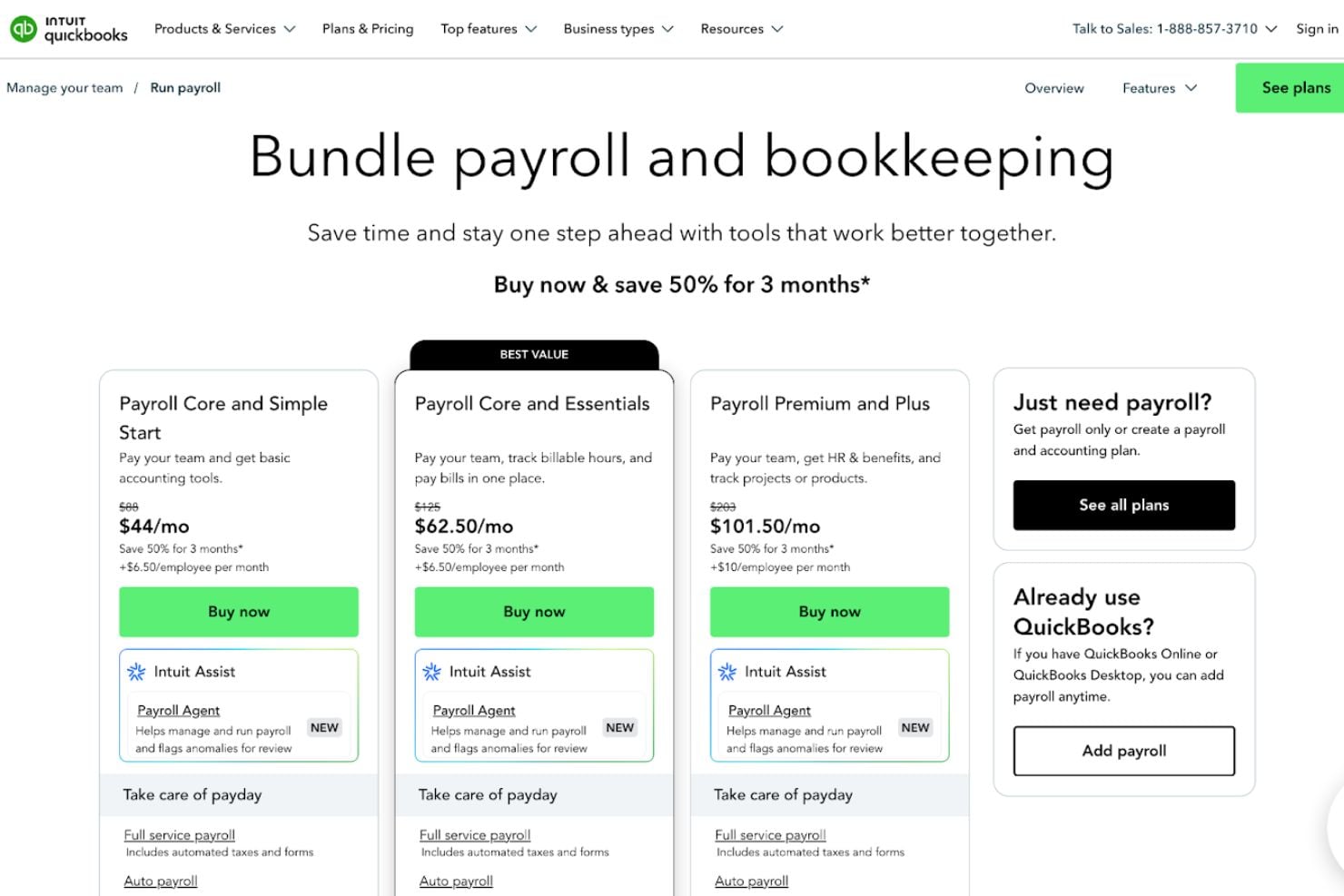
QuickBooks Workforce is offered in tiered plans that bundle payroll features with bookkeeping, with additional options for businesses that only need payroll.
- Payroll Core and Simple Start: Combines payroll with basic bookkeeping features, including automated payroll, tax calculations and filings, employee self-service, and standard reporting.
- Payroll Core and Essentials: Includes everything in the Core bundle, with expanded bookkeeping capabilities such as bill management and additional reporting tools.
- Payroll Premium and Plus: Adds enhanced payroll features such as faster direct deposit options, time tracking, workers’ comp administration support, and access to HR resources and compliance tools.
- Just Payroll: A standalone payroll option for businesses that already use QuickBooks and want to add payroll without switching accounting plans.
Plans scale based on the level of bookkeeping features, payroll speed options, and HR support included.
QuickBooks Workforce Specs
- API
- Application Tracking
- Approval Workflows
- Attendance Tracking
- Budgeting
- Calendar Management
- Compliance Tracking
- Dashboard
- Data Export
- Data Import
- Data Visualization
- Employee Database
- Employee Incentive Management
- Employee Onboarding
- Expense Tracking
- External Integrations
- Feedback Management
- Forecasting
- Multi-Currency
- Multi-User
- Notifications
- Payroll
- Scheduling
- Tax Management
- Time Management
- Timesheets
- Travel Management
- Vacation & Absence Calendar
QuickBooks Workforce FAQs
Can QuickBooks Workforce handle both salaried and hourly employees?
How does QuickBooks Workforce manage payroll tax compliance?
What data security measures does QuickBooks Workforce use to protect sensitive information?
How quickly can employees receive their pay with direct deposit?
What kind of customer support is available if I have payroll issues?
Can I access QuickBooks Workforce from mobile devices?
QuickBooks Workforce Company Overview & History
QuickBooks Workforce is part of the broader QuickBooks product family developed by Intuit Inc., a financial software company founded in 1983 by Scott Cook and Tom Proulx in Mountain View, California. QuickBooks itself was later introduced in the early 1990s as an easy-to-use accounting solution for small and midsize businesses.
QuickBooks Workforce Major Milestones
- 1983: Intuit Inc. is founded, eventually becoming known for financial and business software.
- 1992: QuickBooks accounting software is launched, bringing accessible bookkeeping and payroll functions to small businesses.
- 1999: Intuit introduces the QuickBooks Online Payroll service, which allowed QuickBooks users to connect with banks and tax agencies for online payroll processing.
- 2005: QuickBooks Online Payroll Edition is launched as an integrated payroll solution tied to QuickBooks Online, expanding payroll capabilities for cloud users.
- 2019: Intuit expands QuickBooks Payroll with automated tax penalty protection and on-demand HR services.
- 2020: Enhanced automation features and faster direct deposit options are introduced to support small businesses.
- 2021–2022: Payroll plans are structured into Core, Premium, and Elite tiers, adding expanded HR support and compliance services.
- 2026: QuickBooks Payroll gets rebranded as QuickBooks Workforce.