

10 Best NetSuite Alternatives for Accounting & ERP in 2026

10 Best NetSuite Alternatives Shortlist


NetSuite is a popular enterprise resource planning (ERP) system that’s known for its scalability and detailed financial management tools. But some users might find it complex to set up or too costly for smaller organizations. Others might look for alternatives due to its limited customization options for niche industries.
Using my experience with software reviews, I tested and compared several of the top NetSuite alternatives available. From there, I compiled my results into detailed reviews to help you find the best software for your unique needs.
What Is NetSuite?
NetSuite is an enterprise resource planning (ERP) system that helps businesses manage core processes like finance, inventory, and ecommerce in one platform. It's commonly used by finance teams, operations managers, and mid-sized companies looking to scale. Features like real-time financial reporting, integrated inventory tracking, and customizable dashboards help with improving visibility, efficiency, and decision-making. Overall, NetSuite provides a centralized solution to keep your business operations running smoothly.
Best NetSuite Alternatives Summary
This comparison chart summarizes pricing details for my top NetSuite alternative selections to help you find the best one for your budget and business needs.
| Tool | Best For | Trial Info | Price | ||
|---|---|---|---|---|---|
| 1 | Best for customizable workflows | 90-day free trial | From $35/user/month | Website | |
| 2 | Best for small manufacturers | 30-day free trial | From $49/user/month | Website | |
| 3 | Best for small batch manufacturers | Free plan available | From $299/month | Website | |
| 4 | Best for flexible industrial supply chains | Free demo available | Pricing upon request | Website | |
| 5 | Best for food and beverage companies | Free demo available | Pricing available upon request | Website | |
| 6 | Best for scalable CRM and ERP | 30-day free trial | From $65/user/month (billed annually) | Website | |
| 7 | Best for cloud-based growth management | Free demo available | Pricing upon request | Website | |
| 8 | Best for open-source ERP with extensive modular flexibility | Free plan available | From $8.95/user/month (billed annually) | Website | |
| 9 | Best for discrete manufacturing processes | Free demo available | Pricing upon request | Website | |
| 10 | Best for complex multinational operations | Free demo available | Pricing upon request | Website |
Why Trust Our Software Recommendations
Our team has been testing and reviewing software since 2012. As finance leaders ourselves, we know how difficult—and important—it is to choose the right software.
For this guide, we evaluated tools using hands-on testing and independent research, scoring tools using our selection criteria.
Our reviews reflect our human editorial judgment, not a sales pitch.
Best NetSuite Alternatives Reviews
Below are my detailed summaries of the best NetSuite alternatives that made it onto my shortlist. My reviews offer a detailed look at the key features, pros & cons, integrations, and ideal use cases of each tool to help you find the best one for you.

Striven
Best for customizable workflows
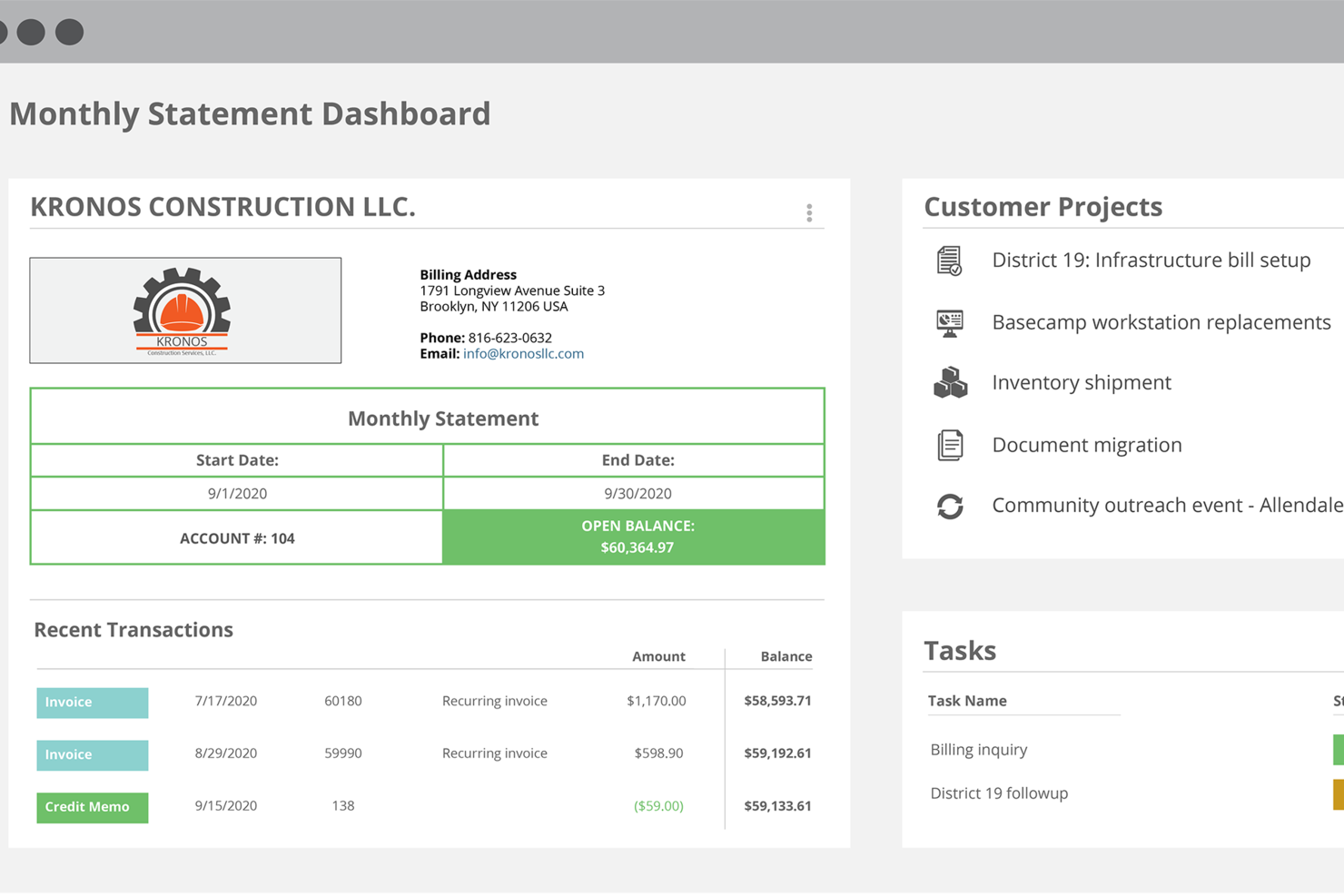
Striven is a cloud ERP solution designed for teams that want to unify accounting, operations, and project management. If you’re looking for an alternative to NetSuite that’s easier to use and handles more of your daily business in one platform, Striven is worth a look.
Who Is Striven Best For?
Striven suits operations and finance teams at businesses wanting to automate unique processes without relying on external developers.
Why Striven Is a Good NetSuite Alternative
Customizable workflows are where Striven genuinely earns its place as a NetSuite alternative. I use Striven's workflow automation tools to trigger actions based on specific business rules, like automatically routing an invoice for approval when it exceeds a set threshold. My team is also able to build custom fields and forms across modules, so the system reflects how we actually operate rather than forcing us to adapt to a rigid structure. For teams that find NetSuite's workflow configuration too complex or consultant-dependent, Striven lets you make those changes in-house.
Striven Key Features
- Job costing: Assign and track costs against specific jobs or projects to monitor profitability in real time.
- Customer portal: Give clients a self-service portal to view invoices, make payments, and check order status.
- Recurring billing: Set up automated billing schedules for subscription-based or retainer-style customer agreements.
- Sales pipeline tracking: Manage leads and opportunities through configurable sales stages within the CRM module.
Striven Integrations
Striven offers native integrations with QuickBooks, Mailchimp, Google Calendar, Microsoft Outlook, and Avalara. An API is available for custom integrations.
Pros and Cons
Pros:
- Flexible permissions for finance and operations
- Direct QuickBooks and Google Calendar integrations
- Built-in project management supports service teams
Cons:
- Mobile app functionality is basic for field use
- No built-in multi-entity financial consolidation

MRPeasy
Best for small manufacturers
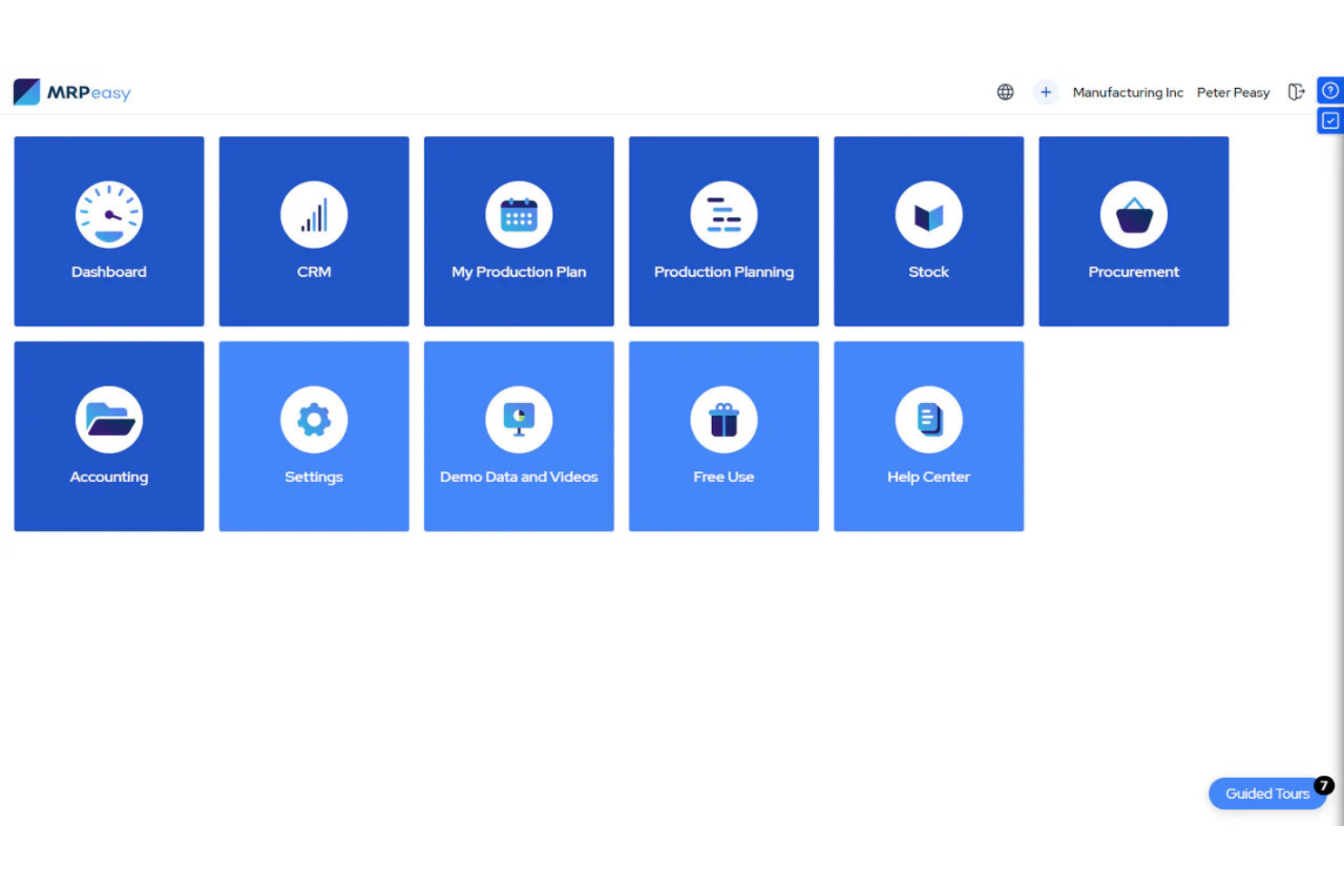
MRPeasy is a cloud-based manufacturing ERP system designed for small manufacturers. It helps your team manage production planning, inventory tracking, and order management all in one place.
Why MRPeasy Is a Good NetSuite Alternative:
It’s tailored specifically for small manufacturing businesses, offering easy-to-use tools for production scheduling and real-time inventory control. Its intuitive interface ensures quick setup without the complexity, helping your team save time on manual tasks. You’ll also get built-in features like BOM management and shop floor reporting, perfect for optimizing your manufacturing processes.
Standout Features & Integrations:
Features include automated purchase order creation to prevent stockouts, precise cost analytics for tracking production expenses, and barcode scanning to simplify inventory updates. These features help you keep your shop floor running smoothly and efficiently. You can also easily handle product traceability, ensuring compliance with industry standards.
Integrations include Xero, QuickBooks Online, WooCommerce, Shopify, Zapier, Pipedrive, Salesforce, Katana, and HubSpot.
Pros and Cons
Pros:
- Real-time tracking of manufacturing costs
- Efficient production scheduling tools
- Easy setup with minimal IT support
- Real-time tracking of manufacturing costs
- Efficient production scheduling tools
- Easy setup with minimal IT support
Cons:
- Lacks advanced analytics features
- Limited customization for complex needs
- Lacks advanced analytics features
- Limited customization for complex needs
New Product Updates from MRPeasy
MRPeasy Expands REST API v2 With New Data Endpoints
MRPeasy expands REST API v2 with new endpoints for reports, dashboard data, production resources, stock, and settings. This gives users broader programmatic access to operational data. For more information, visit MRPeasy’s official site.
 .
.
Katana
Best for small batch manufacturers
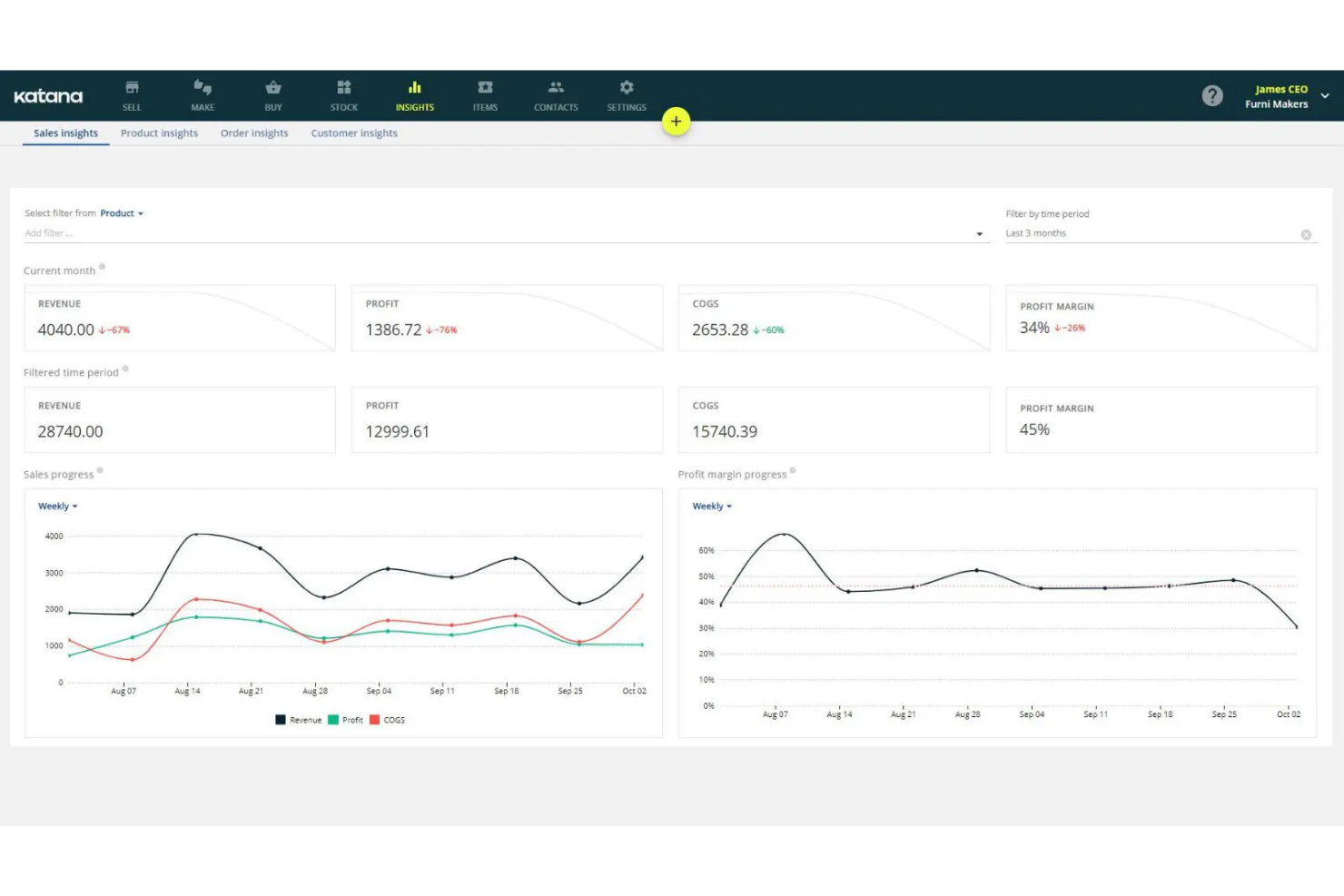
Katana gives growing manufacturers an ERP platform designed for real-time inventory, order, and production management. If your business needs to unify sales, stock, and shop floor data without the complexity of legacy ERPs, Katana is worth a look.
Who Is Katana Best For?
Small manufacturers and makers running inventory-heavy operations who need to connect sales channels, production, and fulfillment in one system.
Why Katana Is a Good NetSuite Alternative
Katana is my pick for small batch manufacturers because it's built specifically for make-to-order production, not adapted from a distribution-focused ERP. I appreciate how Katana's visual production planning board lets my team drag and drop work orders in real time, adjusting priorities as orders come in without manual rescheduling. The live inventory tracking feature automatically deducts materials the moment a production run starts, so I always know what stock is actually available versus what's committed to open orders. For small manufacturers juggling custom orders and tight material budgets, that level of visibility is genuinely hard to find in a tool at this price point.
Katana Key Features
- Bill of materials management: Build multi-level bills of materials to define exactly what components and quantities go into each finished product.
- Batch and expiry tracking: Assign batch numbers and expiry dates to ingredients or materials for full lot traceability.
- Sales order management: Manage and prioritize customer orders, linking each order directly to available stock and production capacity.
- Purchase order automation: Automatically generate purchase orders when stock levels drop below reorder points.
Katana Integrations
Katana offers native integrations with Shopify, WooCommerce, Xero, QuickBooks Online, BigCommerce, HubSpot, and Zapier. An API is available for custom integrations.
Pros and Cons
Pros:
- Visual workflow status across sales and manufacturing
- Live inventory tracking down to raw materials
- Clear production scheduling board for work orders
Cons:
- No built-in advanced reporting dashboards
- Limited customization of automation rules

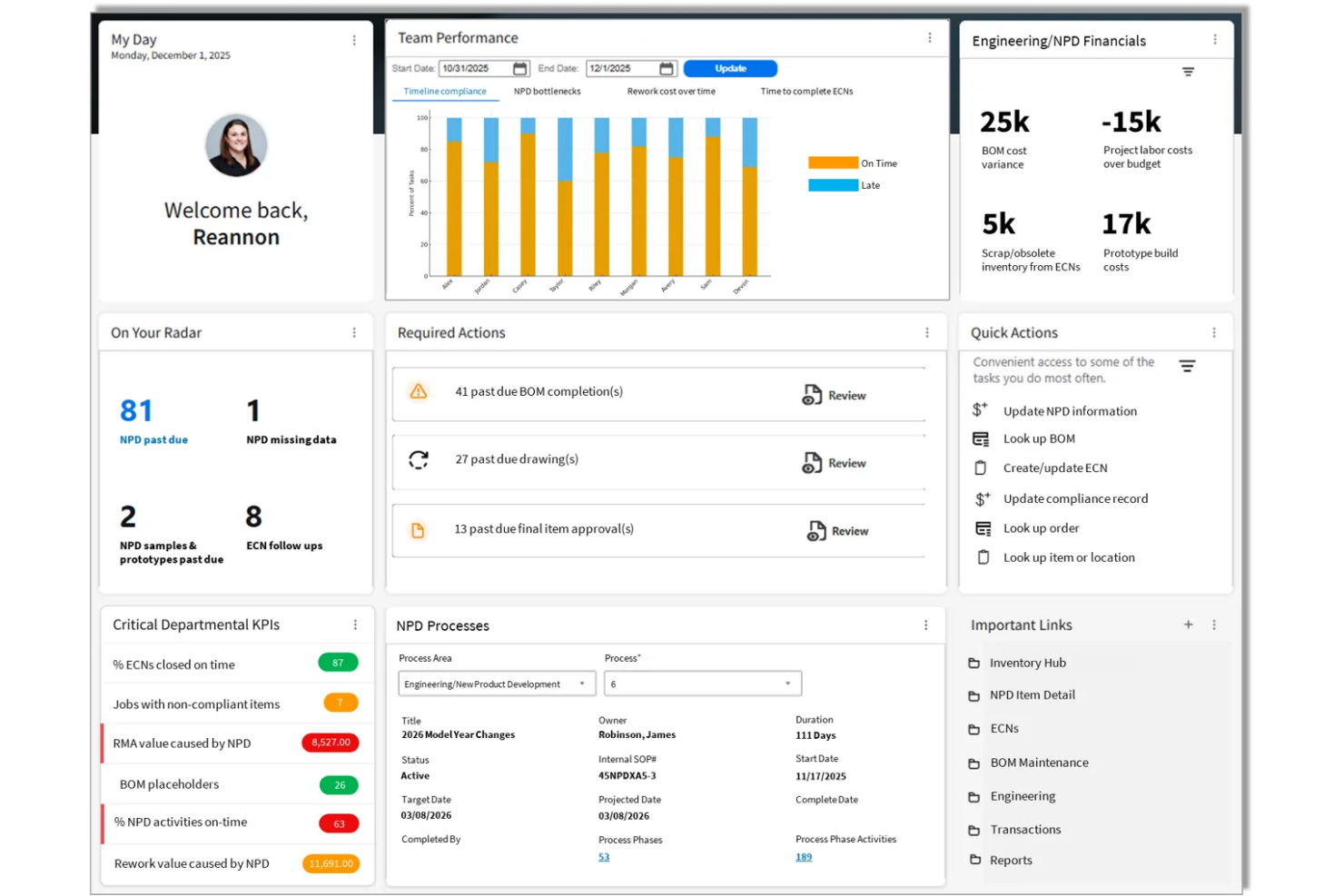
Infor CloudSuite Industrial gives manufacturers and distributors a modern ERP platform designed for complex operations and multi-site organizations. I find it especially appealing to teams who need to coordinate global supply chains, advanced production scheduling, and mixed-mode manufacturing.
Who Is Infor CloudSuite Industrial Best For?
Infor CloudSuite Industrial suits midsize to large manufacturers and distributors managing complex, multi-location supply chains and highly regulated operations.
Why Infor CloudSuite Industrial Is a Good NetSuite Alternative
I picked Infor CloudSuite Industrial because it's built around supply chain flexibility in a way that most generic ERP platforms aren't. The platform handles mixed production modes natively—so my team can run make-to-order, make-to-stock, and engineer-to-order workflows side-by-side without workarounds. I also appreciate the built-in Supply Chain Planning module, which connects real-time inventory, supplier coordination, and production scheduling into a single view. For industrial manufacturers managing rapidly shifting supply chains across multiple sites, that level of coordination is where it really earns its place as a NetSuite alternative.
Infor CloudSuite Industrial Key Features
- Advanced planning and scheduling: Build production schedules that account for capacity, materials, and demand shifts across multiple sites.
- Product configurator: Configure engineer-to-order and make-to-order products with rules-based pricing, routing, and bill of materials generation.
- Aftermarket service management: Track customer equipment, warranties, and service contracts alongside core production and financials.
- Role-based dashboards and analytics: Give each user a personalized view of the KPIs and operational data most relevant to their function.
Infor CloudSuite Industrial Integrations
Infor CloudSuite Industrial offers native integrations with Salesforce, Amazon Web Services, CADLink, Adobe Sign, and has native integrations across the Microsoft ecosystem, including Microsoft 365 and Azure. An API is available for custom integrations.
Pros and Cons
Pros:
- Industry-specific compliance management tools
- CAD integration for engineering workflows
- Advanced MES for real-time production tracking
Cons:
- Custom reporting requires technical expertise
- Complex setup for multi-plant operations


Aptean is an ERP solution designed specifically for the food and beverage industry. It helps your team manage production, inventory, and quality control to ensure compliance and efficiency.
Why Aptean Is a Good NetSuite Alternative:
It offers specialized features like lot traceability, recipe management, and automated compliance checks tailored to food and beverage businesses. Your team can monitor production quality and optimize supply chain processes for perishable goods. Its focus on industry-specific challenges ensures better control over safety standards and regulatory compliance. Aptean’s integrated solutions make it ideal if you need an ERP that supports industry-specific needs.
Standout Features & Integrations:
Features include advanced batch processing that lets you optimize production schedules and reduce waste. Real-time inventory tracking helps your team manage stock levels and prevent shortages. Built-in quality control tools ensure that your products consistently meet industry standards.
Integrations include Microsoft Dynamics 365, Salesforce, SAP, Oracle, QuickBooks, Amazon Web Services, Shopify, Adobe Commerce, Google Workspace, and Slack.
Pros and Cons
Pros:
- Customizable for specific production workflows
- Supports batch processing and traceability
- Great for food and beverage manufacturing
Cons:
- Not ideal for small businesses
- Limited flexibility for non-food industries

Best for scalable CRM and ERP

Microsoft Dynamics 365 is a cloud-based solution combining CRM and ERP capabilities for mid-sized to large enterprises. It helps your team manage sales, customer service, finance, and operations all in one platform.
Why Microsoft Dynamics 365 Is a Good NetSuite Alternative:
It offers scalable solutions that grow with your business, making it ideal for companies expanding their operations. Your team can leverage AI-driven insights for better decision-making and customer engagement. The system’s flexibility supports custom workflows, making it adaptable to your unique business needs. Microsoft Dynamics 365’s native integration with other Microsoft tools ensures a smooth experience for organizations already using their products.
Standout Features & Integrations:
Features include built-in AI capabilities that help your team analyze customer data and generate actionable insights. Real-time financial reporting gives you a clear view of your company’s performance, helping you make informed decisions. Automated workflows streamline your business processes, reducing manual tasks and improving efficiency.
Integrations include Microsoft Teams, Outlook, SharePoint, Power BI, Excel, Azure, LinkedIn, Salesforce, Adobe, and Google Workspace.
Pros and Cons
Pros:
- Supports both CRM and ERP needs
- AI-driven insights for better decision-making
- Strong integration with other Microsoft tools
Cons:
- Learning curve for non-Microsoft users
- High customization may require technical expertise
Best for cloud-based growth management


Odoo
Best for open-source ERP with extensive modular flexibility

Best for discrete manufacturing processes
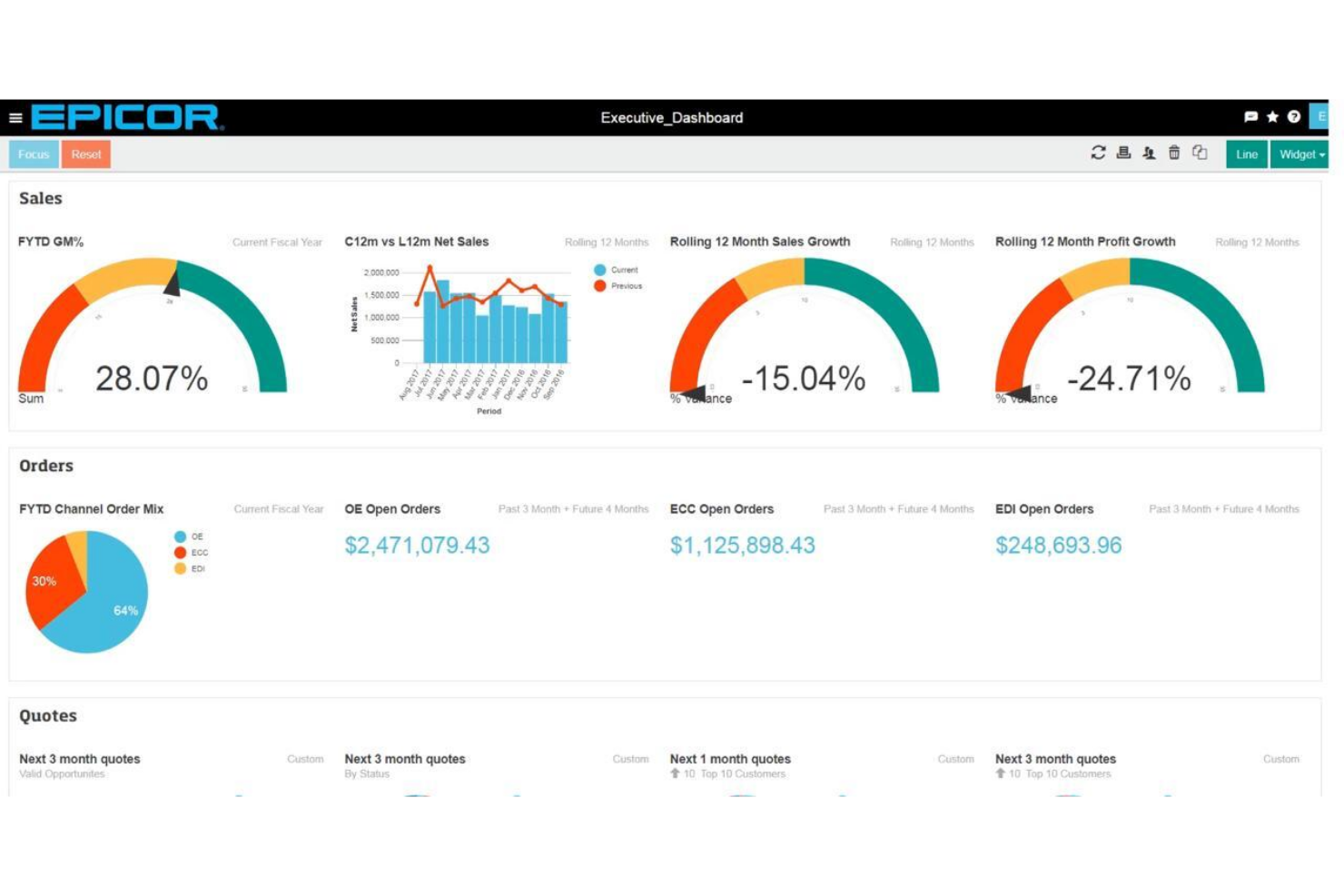
Epicor Kinetic is a purpose-built ERP platform for manufacturers needing precise control over complex shop floors, supply chains, and compliance. Discrete manufacturing businesses looking to modernize operations will find robust tools for managing products, orders, and production workflows.
Who Is Epicor Kinetic Best For?
Epicor Kinetic is a strong fit for midsize to large discrete manufacturing companies seeking advanced shop floor management and industry-specific ERP capabilities.
Why Epicor Kinetic Is a Good NetSuite Alternative
I picked Epicor Kinetic because it's built around how discrete manufacturers actually operate—think engineer-to-order, make-to-order, and configure-to-order workflows that NetSuite handles only at a surface level. My team uses the Advanced MES module to track real-time job progress directly on the shop floor, which gives us visibility that generic ERP platforms rarely match. I also appreciate the built-in Product Configurator, which lets us manage complex product variants and customer-specific configurations without custom code. For manufacturers with intricate production processes, that depth is hard to find elsewhere.
Epicor Kinetic Key Features
- Financial management: Handle multi-company accounting, budgeting, and financial reporting across legal entities.
- Supply chain management: Manage procurement, supplier relationships, and inventory replenishment across multiple warehouses.
- Project management: Track project costs, milestones, and resource allocation for job-based manufacturing operations.
- Quality management: Define inspection plans, track non-conformances, and manage corrective actions directly within production workflows.
Epicor Kinetic Integrations
Epicor Kinetic offers native integrations with Salesforce, Microsoft Dynamics 365, Avalara, CADLink, Adobe Sign, Amazon Web Services, and the Microsoft ecosystem, including Microsoft 365 and Azure. An API is available for custom integrations.
Pros and Cons
Pros:
- Industry-specific compliance management tools
- CAD integration for engineering workflows
- Advanced MES for real-time production tracking
Cons:
- Custom reporting requires technical expertise
- Complex setup for multi-plant operations

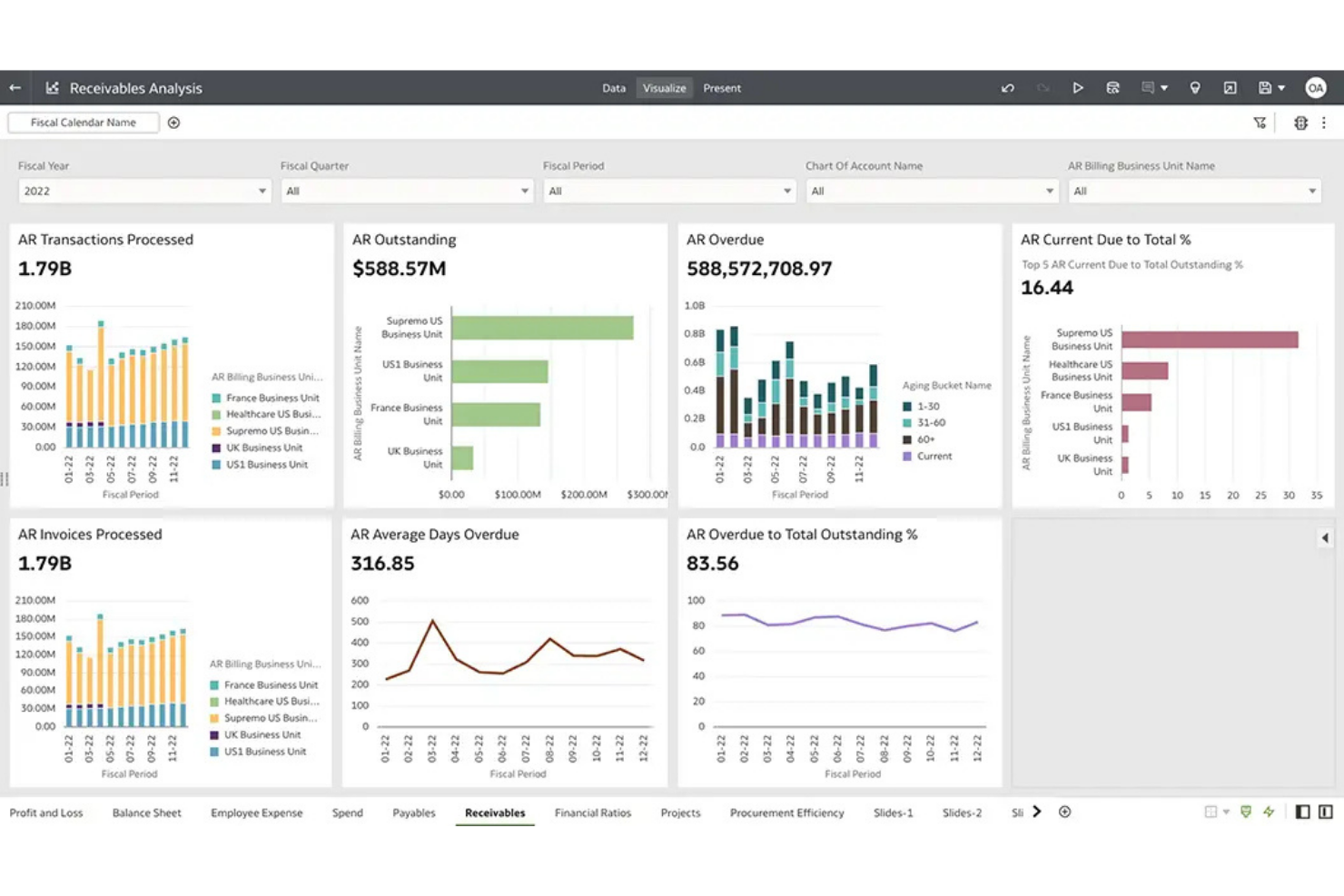
Oracle Fusion Cloud ERP is a unified cloud-based ERP platform designed for large enterprises with complex operations or international footprints. It’s a strong fit for finance teams who need deep automation, multi-currency capabilities, and global compliance controls in one scalable solution.
Who Is Oracle Fusion Cloud ERP Best For?
Global enterprises or corporate groups managing complex, multi-entity operations and strict regulatory requirements across multiple countries.
Why Oracle Fusion Cloud ERP Is a Good NetSuite Alternative
I picked Oracle Fusion Cloud ERP because it handles the kind of multinational complexity that NetSuite can struggle with at scale. Where NetSuite has limits with global consolidation, Oracle Fusion gives my team true multi-ledger accounting across subsidiaries, with built-in support for local statutory reporting in dozens of countries. I also appreciate the Advanced Financial Controls module, which lets us set real-time transaction monitoring rules across entities—something that matters a lot when you're managing compliance across jurisdictions. For large organizations running parallel close cycles across regions, that combination of global consolidation and embedded controls is hard to match.
Oracle Fusion Cloud ERP Key Features
- Accounts payable automation: Automatically match invoices to purchase orders and receipts, then route exceptions for approval.
- Revenue management: Recognize revenue across contracts and performance obligations in line with ASC 606 and IFRS 15.
- Cash flow forecasting: Generate rolling cash flow projections using real-time transactional data from across your entities.
- Expense management: Submit, approve, and audit employee expenses with configurable policy rules and receipt scanning.
Oracle Fusion Cloud ERP Integrations
Oracle Fusion Cloud ERP offers native integrations across the Oracle ecosystem, including Oracle HCM, Oracle SCM, and Oracle CX, as well as native integrations with Salesforce, Microsoft 365, and SAP. An API is available for custom integrations.
Pros and Cons
Pros:
- Delivers process automation for enterprise-scale finance operations
- Supports parallel global accounting and reporting workflows
- Handles multi-entity consolidations with statutory compliance
Cons:
- Complex configuration options require specialized expertise
- Implementation process is lengthy and resource-intensive
Other NetSuite Alternatives
Here are some additional NetSuite alternatives that didn’t make it onto my shortlist, but are still worth checking out:
- ERPNext
For open-source ERP
- Plex
For shop floor production control
- Deacom
For process manufacturers
- Deskera
For integrated MRP systems
- SAP S/4HANA Cloud
For large enterprises
- Acumatica
For growing mid-sized businesses
- Epicor
For discrete manufacturing
- Sage X3
For process manufacturing operations
- SAP Business One
For managing subsidiaries and branches
- Katana Manufacturing ERP
For production floor control
- Cin7
For inventory-based businesses
- Odoo
For full-suite modular customization
- IFS Cloud
For asset-intensive industry needs
- Absolute ERP
For midsize distributors needing flexible ERP
- QTM ERP
For regulated industries
- SYSPO ERP
For cloud and on-premise manufacturing solutions


How I Evaluate NetSuite Alternatives
I first check whether a platform handles the same core finance workflows NetSuite covers—multi-entity GL, automated close, consolidation, and FP&A. Then I weigh differentiators like total cost, implementation speed, and audit readiness.
Core Functionality (Table Stakes For This List)
When I'm selecting tools for my list, I rank each one on a scale from 0 (does not offer the functionality) to 5 (excels in this area) for each core functionality listed below. Then, I calculate the tool's total score into a percentage. Each tool needs to achieve a minimum total score of 75% to be considered for inclusion.
- General Ledger & Core Accounting: I look for a full double-entry GL with native AP, AR, cash management, and fixed assets—enough to serve as a company's sole financial system of record.
- Financial Reporting & Consolidation: I check whether the platform can generate standard financial statements and roll up results across entities with intercompany eliminations.
- Multi-Currency & Multi-Entity Support: Platforms need to handle subsidiaries, multiple currencies, and local tax rules so a finance team can close books across regions from one system.
- Automated Financial Close: I evaluate how much of the close a tool automates—recurring journal entries, account reconciliations, accruals, and task tracking all factor in.
- Budgeting & Planning: FP&A teams need native or tightly integrated budgeting, forecasting, and variance analysis rather than exporting everything to spreadsheets.
- Third-Party Integrations & API: I look at prebuilt connectors to CRMs, payroll, banking, and expense tools, plus whether there's an open API for custom builds.
Once I have a list of tools that meet the criteria, I consider what sets each platform apart.
Differentiating Factors (What Sets Vendors Apart)
Here's how I compare and contrast different vendors:
Standout Features
Industry-specific modules matter a lot here. A SaaS company needs automated ASC 606 revenue recognition, while a manufacturer needs inventory and BOM tracking—platforms like Sage Intacct and Acumatica handle this differently. I also evaluate AI-powered automation for tasks like transaction coding and anomaly detection, which can save accounting teams hours during month-end. Embedded approval workflows with full audit trails round out the picture, especially for teams preparing for SOX compliance or external audits.
Beyond Features
Total cost of ownership is a big reason teams leave NetSuite. I look at pricing transparency—whether a vendor charges per module, per user, or by transaction volume, and how costs shift as you add entities. Implementation speed matters just as much. A platform that takes six months to deploy won't solve the urgency driving your switch. I also evaluate scalability. A company at 50 employees today might reach 500 in a few years, and the right platform should handle that growth in transaction volume and users without forcing another migration.
Why Look For a NetSuite Alternative?
While NetSuite Is a Good choice for enterprise resource planning (ERP) software, there are a number of reasons why some users seek out alternative solutions. For example, you might be looking for a NetSuite alternative because…
- It's too costly for smaller businesses
- Setup and implementation take too long
- It’s too complex for non-technical users
- Limited customization for niche industries
- Customer support response times can be slow
- It doesn’t fully support global compliance needs
If any of these sound like you, you’ve come to the right place. My list contains several enterprise resource planning (ERP) options that are better suited for teams facing these challenges with NetSuite and looking for alternative solutions.
NetSuite Key Features
Here are some of the key features of NetSuite ERP to help you contrast and compare what alternative ERP solutions and management software may offer:
- Financial management: Supports end-to-end accounting solutions, budgeting, and reporting, centralizing your financial data in one place.
- Inventory control: Lets you track stock levels, optimize reordering, and reduce excess inventory, all helpful for medium-sized businesses and SMBs.
- Order management: Automates order processing, speeding up fulfillment and reducing errors, which can help improve supply chain management efficiency.
- Project management: Allows you to plan, schedule, and track projects, ensuring timely delivery and alignment with business needs.
- CRM integration: Provides a centralized view of customer interactions, enhancing customer relationship management and helping to boost both sales and service.
- Billing automation: Improve your invoicing process, ensuring accurate billing for clients and boosting your overall business management.
- Multi-currency support: Eases global transactions by handling automated currency conversion, a valuable feature for professional services with international clients.
- Advanced analytics: Delivers business intelligence insights in real-time, enabling data-driven decisions.
- Supply chain management: Lets you optimize procurement and vendor management to reduce costs, especially useful for medium-sized businesses.
- Customizable dashboards: Tailors dashboards to improve visibility into key metrics, giving you a clear view of KPIs and specific needs.
What’s Next?
Ready to compound your abilities as a finance professional? Subscribe to our free newsletter for expert advice, guides, and insights from finance leaders shaping the tech industry.