

Expense management software for healthcare helps your organization track, control, and report spending across departments, locations, and providers while meeting strict industry regulations. If you’re searching for the best expense and spend management software for healthcare, you’re likely balancing compliance requirements, complex approval workflows, and the need for real-time visibility into costs.
Choosing the right, single platform for these requirements can help you manage physician reimbursements, automate policy enforcement, and support multi-entity operations—all while reducing manual errors and audit risks. This list will help you compare top solutions so you can find the right fit for your healthcare organization’s financial processes.
Why Trust Our Software Recommendations
6,700+
Reviews
20
Industry experts
16+
Evaluation factors
14
Years
Our team has been testing and reviewing software since 2012. As finance leaders ourselves, we know how difficult—and important—it is to choose the right software.
For this guide, we evaluated tools using hands-on testing and independent research, scoring tools using our selection criteria.
Our reviews reflect our human editorial judgment, not a sales pitch.
Expense Management Software for Healthcare Comparison Table
This comparison table summarizes pricing details for my top expense management software for healthcare selections:
| Tool | Best For | Trial Info | Price | ||
|---|---|---|---|---|---|
| 1 | Best for payroll-integrated clinician reimbursement | Free demo available | Pricing upon request | Website | |
| 2 | Best for real-time corporate card expense visibility | Free demo available | From $11.99/user/month (billed annually) | Website | |
| 3 | Best for automated invoice capture and routing | Free plan available | From $49/user/month | Website | |
| 4 | Best with automated policy enforcement | Free plan available; 30-day free trial | From $15/user/month | Website | |
| 5 | Best for Sunshine Act compliance tracking | 14-day free trial | From $3/user/month (billed annually) | Website | |
| 6 | Best with global payment and AP automation | Free demo available | From $99/month | Website | |
| 7 | Best for customizable approval workflows | Free trial available | From $6.00/active submitter/month | Website | |
| 8 | Best with EHR and ERP system integrations | Free demo available | Pricing upon request | Website | |
| 9 | Best for physician expense database integration | Free demo available | Pricing upon request | Website | |
| 10 | Best for HIPAA-compliant mobile expense tracking | Free demo available | From $400/month | Website |


Expense Management Software for Healthcare Reviews
Below are my detailed summaries of the expense management software for healthcare that made it onto my shortlist. My reviews offer a detailed look at the features, integrations, and best use cases of each platform to help you find the best one for you.
 Best for payroll-integrated clinician reimbursement
- Free demo available
- Pricing upon request
Visit WebsiteCustomer Rating:4.8/5
Rippling Spend automates expense approval and payroll reimbursement. Rippling Spend is a unified spend management platform that combines corporate cards, expense reimbursement, bill pay, and payroll-integrated disbursement with a configurable policy engine and multi-entity approval workflows.
Who Is Rippling Spend Best For?
Rippling Spend is a strong fit for medical practices, physician groups, and MSOs that want payroll-integrated clinician reimbursement without managing separate finance tools.
Why I Picked Rippling Spend
I've included Rippling Spend in my top picks because its payroll-integrated reimbursement is the best I've seen for clinician-heavy organizations. When a physician submits a CME travel expense, approved reimbursements sync directly into the next payroll cycle automatically, no manual data transfer required. I also like that its policy engine can restrict spend by role or department in real time, so a practice manager can enforce separate card limits for clinical staff versus administrative staff without any manual intervention.
Rippling Spend Key Features
- AI-powered receipt capture: OCR automatically extracts vendor, amount, and date from receipts submitted via mobile photo, email forwarding, or SMS.
- Multi-entity approval routing: Configurable approval chains route expenses across departments, facilities, or physician groups using employee attributes and transaction data.
- Corporate card controls: Physical and virtual Visa cards auto-issue and auto-revoke based on employee lifecycle events, with real-time spend limit enforcement by role or department.
- Accounting system sync: Native integrations with NetSuite, Sage Intacct, QuickBooks, and Xero automatically sync approved expenses to the GL.
Rippling Spend Integrations
Rippling Spend has native integrations with QuickBooks Online, Xero, NetSuite, and Sage Intacct. Oracle and SAP connect through API or file-based workflows; Epic, Cerner, MEDITECH, and Infor integrations aren't documented.
Pros and Cons
Pros:
- AI-powered receipt capture and mobile support
- Customizable multi-entity approval workflows
- Payroll-integrated reimbursement for clinician expenses
Cons:
- No prebuilt healthcare expense categories
- Lacks healthcare regulatory reporting features
Learn more about Rippling Spend: Best for real-time corporate card expense visibility
- Free demo available
- From $11.99/user/month (billed annually)
Visit WebsiteCustomer Rating:4.6/5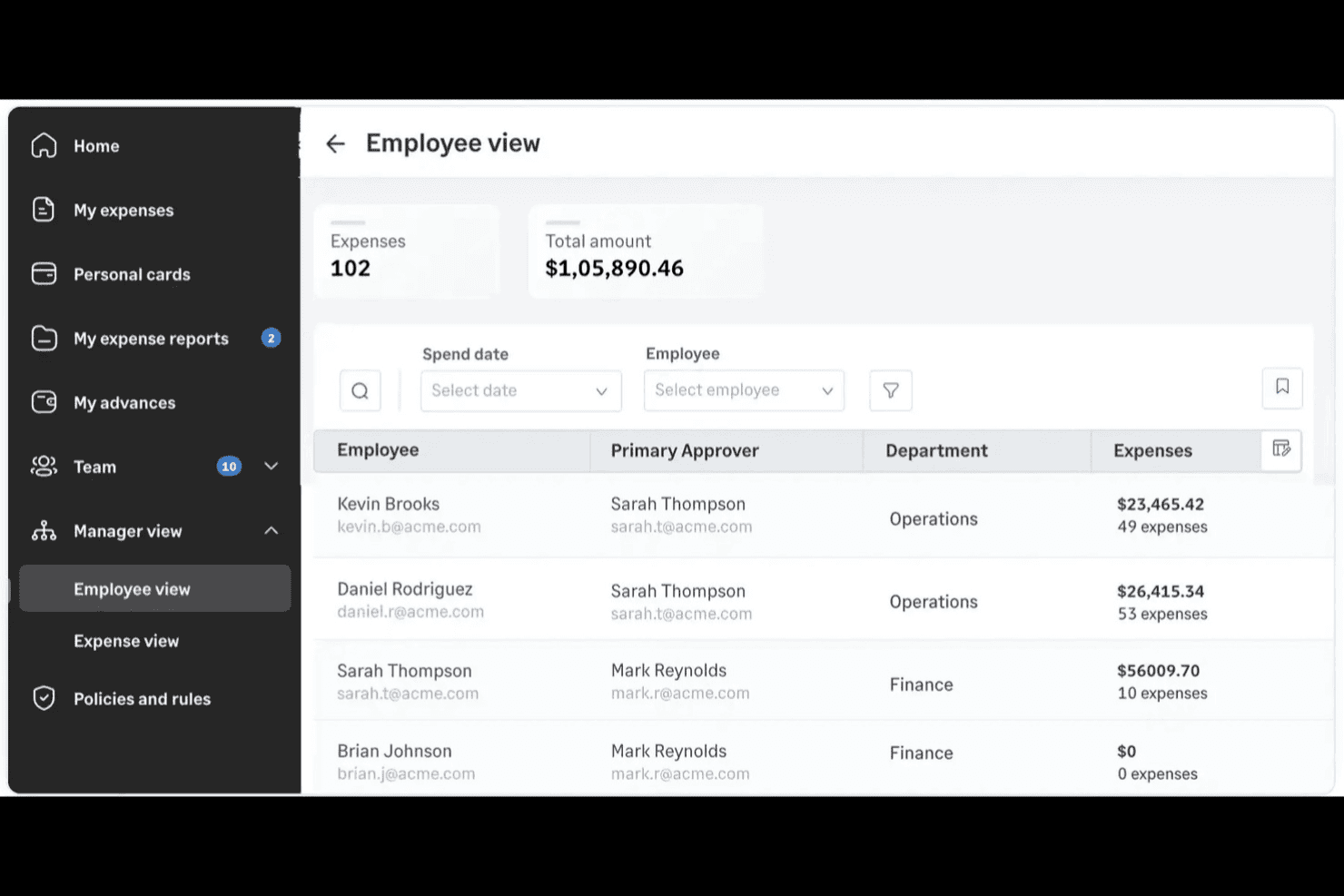
Sage Expense Management (formerly Fyle) helps healthcare teams track employee expenses, monitor spending across departments, and manage expense approvals. Sage Expense Management is an expense management platform that connects to your existing corporate cards—Visa, Mastercard, and Amex—and automates receipt capture, multi-level approval workflows, policy enforcement, and accounting reconciliation across departments and facilities.
Who Is Sage Expense Management Best For?
Sage Expense Management is a strong fit for mid-sized healthcare practices and multi-facility groups that need real-time corporate card visibility and accurate cost-center allocation without switching card programs.
Why I Picked Sage Expense Management
I picked Sage Expense Management as one of the best because it gives healthcare finance teams real-time visibility into corporate card spend without requiring a card program switch. The moment a card is swiped, employees get a text prompt to reply with a receipt photo, so missing receipts are caught immediately rather than at month-end. I also like the custom cost-center fields, which a 13-facility healthcare group used to hit 99% expense coding accuracy across departments.
Sage Expense Management Key Features
- Multi-level approval workflow builder: A visual builder lets you configure unlimited approval levels with rules based on amount, category, department, or project.
- Budget tracking by cost center: Set budgets by department, project, category, or cost center, with automated alerts at spend thresholds like 80% or 90%.
- Read-only auditor role: Grant auditors time-limited, read-only access to expense records, audit logs, and approval history without giving them edit permissions.
- GPS-based mileage tracking: Mileage is calculated using Google Maps across multiple stops, with support for custom rates, recurring trips, and commute deductions.
Sage Expense Management Integrations
Sage Expense Management offers six documented accounting integrations: QuickBooks Online, Xero, QuickBooks Desktop, Sage Intacct, Sage 300 Construction and Real Estate, and Sage 50 (beta). An API supports custom connections.
Pros and Cons
Pros:
- Real-time card alerts clarify departmental spend
- Facility fields improve cost-center coding accuracy
- Receipt texts catch missing card documentation
Cons:
- Reviewers report scanning glitches and crashes
- Healthcare compliance assurances remain undocumented
Learn more about Sage Expense Management (formerly Fyle): 3Best for automated invoice capture and routing
BILL
- Free plan available
- From $49/user/month
Visit WebsiteCustomer Rating:4.5/5
BILL tracks transaction status, merchant details, and costs for healthcare teams. BILL is an AP automation and spend management platform that handles invoice capture, approval workflows, vendor payments, and employee expenses, with healthcare-specific controls including HIPAA-supportive safeguards and ePHI access restrictions.
Who Is BILL Best For?
BILL is a good fit for healthcare finance teams managing high volumes of vendor invoices, multi-location AP workflows, or staff expenses across medical practices and health systems.
Why I Picked BILL
I've included BILL in my top picks because its AI-powered invoice capture pulls data directly from emailed or uploaded invoices and routes them through custom approval chains without any manual handoff. In a healthcare setting, I can set approval policies by vendor type, dollar threshold, or department, so a supply invoice for a clinic location never hits the wrong approver's queue. That level of routing precision cuts down on the back-and-forth that slows down close cycles.
BILL Key Features
- Multi-entity management: Manage AP workflows and expenses across multiple clinic locations or legal entities from one account.
- Role-based access controls: Restrict access to financial data and ePHI based on user role, supporting HIPAA compliance requirements.
- Real-time budget tracking: Monitor spend against budgets as transactions occur, with alerts when limits are approached.
- Corporate card management: Issue virtual and physical cards to staff with preset spending limits and category restrictions.
BILL Integrations
Integrations include QuickBooks, Sage Intacct, Oracle NetSuite, Microsoft Dynamics, Xero, and Acumatica.
Pros and Cons
Pros:
- Automated invoice capture reduces manual entry
- Multi-way vendor payments from one queue
- Supports HIPAA-compliant ePHI safeguards
Cons:
- Limited reporting customization
- Requires separate fees for each entity
Learn more about BILL: 4Best with automated policy enforcement
Ramp
- Free plan available; 30-day free trial
- From $15/user/month
Visit WebsiteCustomer Rating:4.8/5
Ramp provides expense management for healthcare finance teams, with real-time visibility and compliance controls. Ramp offers a modern expense management platform designed for finance teams in healthcare organizations that need strong controls and real-time visibility. It appeals to leaders who want to automate manual expense processes and reduce policy violations across departments or locations. The platform helps healthcare finance professionals centralize expense tracking and maintain compliance in a fast-paced, regulated environment.
Who Is Ramp Best For?
Ramp fits healthcare finance teams at mid-sized to large organizations that need automated expense controls and policy enforcement.
Why I Picked Ramp
I chose Ramp because its automated policy enforcement tools address a major challenge for healthcare finance teams: maintaining compliance and controlling spend across multiple departments. Ramp lets you set granular expense policies that automatically flag or block out-of-policy transactions in real time, reducing manual review and the risk of non-compliance. I also like that Ramp provides automated receipt matching and audit trails, which help healthcare organizations meet strict regulatory requirements. These features make Ramp a strong fit for healthcare organizations that need to enforce spending rules without slowing down operations.
Ramp Key Features
In addition to automated policy enforcement, Ramp offers several features that support healthcare expense management:
- Real-time spend insights: Get up-to-date analytics on spending by department, vendor, or category to help monitor budgets and spot anomalies.
- Custom approval workflows: Set up multi-level approval chains tailored to your organization’s structure and compliance needs.
- Physical and virtual cards: Issue cards with custom limits for staff, contractors, or departments to control company spending and employee spend at the source.
- Direct accounting integrations: Sync expense data with accounting platforms like QuickBooks, NetSuite, and Sage Intacct for faster reconciliation.
Ramp Integrations
Integrations include NetSuite, Sage Intacct, QuickBooks, Microsoft Dynamics Business Central, Xero, and Oracle Fusion Cloud.
Pros and Cons
Pros:
- CMS-ready report exports for audits
- Automates complex clinical approvals
- HIPAA-compliant data security
Cons:
- Doesn't submit files to CMS directly
- Dynamic limits can shift suddenly
 Best for Sunshine Act compliance tracking
- 14-day free trial
- From $3/user/month (billed annually)
Visit WebsiteCustomer Rating:4.5/5
Zoho Expense automates healthcare expense reporting with compliance controls. Zoho Expense offers healthcare organizations a way to manage and automate expense reporting with built-in controls for regulatory needs. It’s designed for hospitals, clinics, and medical groups that need to track spending across departments and ensure policy compliance. Finance teams can use Zoho Expense to simplify approvals, monitor spending, and reduce manual entry errors.
Who Is Zoho Expense Best For?
Zoho Expense suits healthcare finance teams and compliance officers in hospitals and medical groups that need to track and report expenses under strict regulatory requirements.
Why I Picked Zoho Expense
I chose Zoho Expense because it offers built-in tools for tracking and reporting healthcare expenses in line with Sunshine Act requirements. The platform lets you categorize and flag payments to physicians and teaching hospitals, making it easier to capture the data needed for federal transparency reporting. I appreciate how Zoho Expense allows you to set up custom fields and approval workflows that align with healthcare compliance policies. This focus on regulatory tracking makes it a strong fit for organizations that need to manage detailed reporting obligations in the healthcare sector.
Zoho Expense Key Features
Some other features that make Zoho Expense useful for the healthcare expense management process include:
- Automated receipt scanning: Users can upload receipts via mobile or web, and the system extracts key data automatically.
- Multi-level approval workflows: Configure complex approval chains to match hospital or clinic policies.
- Policy violation alerts: The platform flags expenses that fall outside of set guidelines for further review.
- Mileage and travel tracking: Track mileage and travel-related expenses with built-in GPS and mapping tools.
Zoho Expense Integrations
Integrations include Zoho Books, Zoho CRM, Zoho People, Slack, QuickBooks, and Xero.
Pros and Cons
Pros:
- Automated policy violation alerts for healthcare spend
- Multi-level approvals for hospital policy compliance
- Mobile app supports on-the-go receipt capture
Cons:
- Customer support response times can vary
- Advanced features require higher-tier plans
Learn more about Zoho Expense: Best with global payment and AP automation
- Free demo available
- From $99/month
Visit WebsiteCustomer Rating:4.5/5
Tipalti automates AP for healthcare teams handling complex, compliant payments. Tipalti is an accounts payable automation platform designed for healthcare organizations managing complex supplier payments and compliance requirements. It appeals to finance teams in hospitals, clinics, and healthcare networks that need to handle high transaction volumes and strict regulatory standards. The platform helps reduce manual workload and minimize payment errors in environments where accuracy and auditability are essential.
Who Is Tipalti Best For?
Tipalti is a strong fit for mid-sized to large healthcare organizations that need to automate global accounts payable and supplier payments.
Why I Picked Tipalti
What makes Tipalti stand out for healthcare expense management is its ability to automate global payments and accounts payable processes at scale. I picked Tipalti because it supports multi-currency payments to suppliers in over 190 countries, which is essential for healthcare organizations with international vendors or research partners. The platform also includes built-in tax compliance and payment reconciliation features, helping finance teams manage regulatory requirements and reduce manual intervention. These capabilities make Tipalti a strong choice for healthcare finance teams that need to handle complex, high-volume payments with strict audit trails.
Tipalti Key Features
Some other features that make Tipalti useful for healthcare expense management include:
- Automated invoice capture: The platform uses OCR technology to extract and validate invoice data for faster processing.
- Supplier onboarding portal: Vendors can self-register and update their information, reducing manual data entry for finance teams.
- Payment status tracking: Both internal users and suppliers can view real-time payment statuses through a centralized dashboard.
- Audit-ready approval workflows: Customizable approval chains help ensure compliance with internal controls and regulatory requirements.
Tipalti Integrations
Integrations include Oracle NetSuite, Sage Intacct, Microsoft Dynamics 365, Xero, SAP Business One, and LinkTrust.
Pros and Cons
Pros:
- Automated tax form collection
- Strong NetSuite and Sage integration
- Global payments in 120+ currencies
Cons:
- Initial implementation is slow
- Reporting requires manual downloads
Learn more about Tipalti: Best for customizable approval workflows
- Free trial available
- From $6.00/active submitter/month
Visit WebsiteCustomer Rating:4.4/5
SutiExpense helps healthcare teams automate expenses and ensure compliance. SutiExpense is an expense management platform designed for healthcare organizations that need flexible controls and compliance support. Finance teams at hospitals, clinics, and medical groups can use it to automate expense capture, enforce policy, and manage reimbursements. The system helps address challenges like decentralized spending, regulatory requirements, and the need for detailed audit trails.
Who Is SutiExpense Best For?
SutiExpense is a good fit for mid-sized to large healthcare organizations that require tailored approval processes and strict policy enforcement.
Why I Picked SutiExpense
What drew me to SutiExpense is how it lets healthcare organizations design approval workflows that match their unique operational structures. You can set up multi-level routing, conditional approvals, and department-specific rules, which is especially useful for hospitals and clinics with complex hierarchies. I appreciate that the platform allows you to automate policy enforcement and escalation paths, reducing manual oversight and compliance risk. These workflow customization options make SutiExpense a strong choice for healthcare finance teams that need granular control over expense approvals.
SutiExpense Key Features
Some other features that make SutiExpense useful for healthcare expense management include:
- Automated receipt capture: Users can upload receipts via mobile or desktop, and the system matches them to transactions for easier reconciliation.
- Policy violation alerts: The platform flags out-of-policy expenses in real time, helping finance teams maintain compliance.
- Multi-currency support: SutiExpense handles expenses in multiple currencies, which is helpful for organizations with international operations or vendors.
- Integration with ERP and HR systems: The software connects directly to leading ERP and HR platforms, allowing for smoother data flow and reporting.
SutiExpense Integrations
Integrations include QuickBooks Online, NetSuite, Sage Intacct, ADP, Blackbaud, and Twilio.
Pros and Cons
Pros:
- Mobile receipt capture with voice bot
- Strong AI-powered audit & fraud alerts
- Highly customizable approval workflows
Cons:
- Occasional glitches in mobile app
- Admin section is often confusing
Learn more about SutiExpense: Best with EHR and ERP system integrations
- Free demo available
- Pricing upon request

SAP Concur helps healthcare teams manage expenses, ensure compliance, and track spending. Healthcare organizations looking for a unified way to manage expenses across departments often turn to SAP Concur. This platform is designed for hospitals, clinics, and large healthcare networks that need to connect expense data with other core systems. It helps finance teams address compliance, automate approvals, and gain visibility into spending patterns.
Who Is SAP Concur Best For?
SAP Concur is a good fit for large healthcare organizations and hospital systems that need to integrate expense management with existing EHR and ERP platforms.
Why I Picked SAP Concur
I chose SAP Concur because it offers deep integrations with EHR and ERP systems, which is essential for healthcare organizations managing complex financial data. The platform connects expense workflows directly to clinical and operational systems, reducing manual entry and improving data accuracy. I appreciate how its integration capabilities help finance teams maintain compliance and streamline reconciliation across multiple departments. With automated data syncing, SAP Concur supports real-time visibility into both clinical and non-clinical spending.
SAP Concur Key Features
Some other features that make SAP Concur useful for healthcare expense management include:
- Mobile receipt capture: Users can upload business expenses receipts directly from their mobile devices, making it easier to document expenses on the go.
- Custom approval workflows: Configure multi-level approval processes to match your organization’s internal controls and compliance requirements.
- Audit and compliance tools: Built-in audit capabilities help ensure expenses meet healthcare regulations and organizational policies.
- Real-time spend reporting: Access up-to-date dashboards and reports to monitor spending trends across departments and locations.
SAP Concur Integrations
Integrations include SAP, ADP, NetSuite, QuickBooks, Xero, and Oracle NetSuite.
Pros and Cons
Pros:
- Enables granular spend tracking by department
- Provides audit trails for regulatory compliance
- Offers mobile receipt capture for clinicians
Cons:
- Limited customization for healthcare-specific reports
- Implementation can be lengthy for large systems
Learn more about SAP Concur: Best for physician expense database integration
- Free demo available
- Pricing upon request

Emburse helps healthcare teams manage expenses with control and compliance. Emburse offers expense management solutions tailored for healthcare organizations that need to manage complex physician and staff spending. It appeals to finance teams looking for greater control, transparency, and compliance in a highly regulated environment. The platform helps healthcare providers centralize expense data and automate workflows to reduce manual errors and administrative burden, and increase operational efficiency.
Who Is Emburse Best For?
Emburse suits healthcare organizations and hospital finance teams that need to manage physician and staff expenses with centralized oversight.
Why I Picked Emburse
What stands out about Emburse is its ability to integrate directly with physician expense databases, which is a unique need for many healthcare organizations. This integration lets finance teams track, categorize, and report on physician-specific expenses without manual data entry or reconciliation. I appreciate that Emburse supports granular policy controls and audit trails tailored to healthcare compliance requirements. These features make it easier to manage complex spending patterns and ensure regulatory alignment across physician and staff expenses.
Emburse Key Features
Some other features make Emburse a strong choice for healthcare expense management:
- Automated receipt capture: Users can upload receipts via mobile or email, and the system matches them to transactions automatically.
- Role-based access controls: Administrators can set permissions by user, department, or location to protect sensitive financial data.
- Custom approval workflows: Finance teams can design multi-step approval processes that reflect healthcare organizational structures.
- Real-time policy violation alerts: The platform notifies users and approvers immediately when expenses fall outside set policies.
Emburse Integrations
Integrations include NetSuite, Sage Intacct, QuickBooks, Microsoft Dynamics Business Central, Xero, Workday Financial Management, and Oracle Fusion Cloud.
Pros and Cons
Pros:
- Great mobile app for clinical staff
- Built-in GSA per diem rate logic
- HIPAA-compliant data security
Cons:
- Reporting can feel overly technical
- Pricey compared to basic trackers
Learn more about Emburse: Best for HIPAA-compliant mobile expense tracking
- Free demo available
- From $400/month

DATABASICS helps healthcare teams manage expenses securely and stay compliant. Healthcare organizations looking for secure, mobile-first expense management often turn to DATABASICS. The platform is designed for hospitals, clinics, and medical groups that need to manage expenses while meeting strict data privacy requirements. Finance teams can use it to simplify expense capture, automate approvals, and maintain compliance in a regulated environment.
Who Is DATABASICS Best For?
DATABASICS is a strong choice for healthcare organizations that require HIPAA-compliant mobile expense tracking and strict data security.
Why I Picked DATABASICS
What stands out about DATABASICS is its commitment to HIPAA-compliant mobile expense tracking, which is essential for healthcare organizations handling sensitive data. I picked this tool because it offers secure mobile apps that let staff capture and submit expenses on the go, while ensuring all data is encrypted and protected according to healthcare regulations. The platform also provides audit trails and granular access controls, so finance teams can monitor activity and restrict sensitive information as needed. These features make DATABASICS a reliable option for healthcare providers who can’t compromise on data privacy or compliance.
DATABASICS Key Features
Some other features that make DATABASICS useful for healthcare expense management include:
- Automated policy enforcement: The system flags out-of-policy expenses and notifies users and approvers in real time.
- Multi-currency and multi-language support: Organizations with international operations can manage expenses across different currencies and languages.
- Customizable approval workflows: Finance teams can configure multi-level approval chains to match organizational hierarchies.
- Integration with accounting and ERP systems: DATABASICS connects directly to platforms like Sage Intacct, Microsoft Dynamics, and QuickBooks for streamlined data flow.
DATABASICS Integrations
Integrations include Sage Intacct, Microsoft Dynamics, Oracle NetSuite, QuickBooks, and SAP.
Pros and Cons
Pros:
- All-in-one time and expense tracking
- Award-winning responsive support team
- Highly flexible for complex workflows
Cons:
- Interface can feel dated for users
- Internal report builder is difficult
Learn more about DATABASICS:
Other Expense Management Software for Healthcare
Here are some additional expense management software for healthcare options that didn’t make it onto my shortlist, but are still worth checking out:
Related Reviews
How I Evaluate Expense Management Software for Healthcare
I split my evaluation into two layers: baseline requirements every tool must meet, and differentiators like clinician reimbursement workflows and Sunshine Act reporting that set top options apart.
Core Functionality (Table Stakes For This List)
When I'm selecting tools for my list, I rank each one on a scale from 0 (does not offer the functionality) to 5 (excels in this area) for each core functionality listed below. Then, I calculate the tool's total score into a percentage. Each tool needs to achieve a minimum total score of 55% to be considered for inclusion.
- Healthcare Expense Categorization: I check whether a tool can tag expenses by physician, facility, cost center, and service line—not just generic GL codes.
- HIPAA-Compliant Data Security: Any platform handling clinician receipts with patient-adjacent data should offer encryption, role-based access, and BAA availability.
- Automated Receipt & Reimbursement: I look for OCR-driven receipt capture and automated reimbursement workflows that keep traveling nurses and CME attendees from waiting weeks.
- Policy & Regulatory Compliance: Tools should enforce spend policies and support audit trails for Sunshine Act, Stark Law, and IRS reporting requirements.
- Healthcare ERP/Accounting Integration: I evaluate how each platform connects with ERPs and accounting systems common in health systems, like Workday, Oracle, Sage Intacct, or NetSuite.
- Multi-Entity Approval Workflows: Health systems with multiple hospitals and clinics need approval routing that spans entities, so I look for multi-tier delegation and conditional logic.
Once I have a list of tools that meet this criteria, I consider what sets each platform apart.
Differentiating Factors (What Sets Vendors Apart)
Here's how I compare and contrast different vendors:
Standout Features
Grant and research expense tracking matters when your health system runs clinical trials with restricted funding. I look for tools that isolate these costs from operational spend so fund accounting stays clean. Real-time budget dashboards also help, especially when finance directors need burn-rate visibility across service lines mid-quarter. A strong mobile experience for clinicians is equally important, since physicians and traveling nurses submitting CME or mileage claims rarely sit at a desktop.
Beyond Features
Scalability is a big differentiator. A 10-clinic physician group and a 50-hospital IDN have very different needs, so I evaluate whether a platform handles intercompany accounting and consolidated reporting across entities. Implementation support also matters—I look for vendors with healthcare-specific onboarding teams who understand hospital finance workflows, not generic SaaS rollout playbooks. Finally, I consider pricing transparency, especially whether per-user models make sense for organizations with fluctuating clinician headcount.
How to Choose Expense Management Software for Healthcare
It’s easy to get bogged down in long feature lists and complex pricing structures. To help you stay focused as you work through your unique software selection process, here’s a checklist of factors to keep in mind:
| Factor | What to Consider |
| Scalability | Will the software handle your current and projected invoice and payment volumes as your organization grows? |
| Integrations | Does the tool connect natively with your EHR, ERP, accounting, and procurement systems? |
| Customizability | Can you tailor approval workflows, user roles, and reporting to match your organization’s policies and structure? |
| Ease of use | Will finance and non-finance staff be able to navigate the system with minimal training or IT support? |
| Implementation and onboarding | How long will it take to get up and running, and what resources or support does the vendor provide during rollout? |
| Cost | Are all costs transparent, including setup, user licenses, and transaction fees? Does the pricing model fit your budget and usage patterns? |
| Security safeguards | Does the software offer HIPAA-compliant data handling, audit trails, and user access controls to protect sensitive information? |
| Compliance requirements | Can the system support your specific regulatory needs, such as healthcare-specific tax reporting or audit documentation? |
What Is Expense Management Software for Healthcare?
Expense management software for healthcare is a digital tool that helps healthcare organizations track, process, and control spending related to vendor payments, invoices, and operational expenses. These systems automate approval workflows, enforce compliance with healthcare regulations, and provide audit-ready records. By centralizing expense data, they support accurate reporting and help finance teams manage budgets, reduce errors, and maintain transparency across complex healthcare operations.
Features of Expense Management Software for Healthcare
When selecting expense management software for healthcare, keep an eye out for the following key features:
- Invoice capture and processing: Digitizes incoming invoices, extracts key data, and routes them for approval, reducing manual entry and minimizing errors.
- Automated approval workflows: Allows you to set up multi-level approval chains that match your organization’s policies, ensuring compliance and accountability.
- Vendor management: Centralizes vendor information, tracks payment histories, and helps maintain up-to-date records for all suppliers and service providers.
- Expense policy enforcement: Applies your organization’s spending rules automatically, flagging out-of-policy expenses and supporting internal controls.
- Audit trail and reporting: Maintains a detailed log of all actions and changes, making it easier to prepare for audits and generate compliance-ready reports.
- Multi-currency and international payments: Supports payments in different currencies and countries, which is essential for organizations with global vendors or research partners.
- Integration with accounting systems: Connects directly to your existing accounting or ERP software, syncing expense data and reducing reconciliation work.
- User access controls: Lets you define roles and permissions, ensuring that only authorized staff can view or approve sensitive financial information.
Common Expense Management Software for Healthcare AI Features
Beyond the standard expense management software for healthcare features listed above, many of these solutions are incorporating AI with features like:
- Anomaly detection: Uses AI to automatically flag unusual spending patterns or transactions that may indicate fraud, duplicate payments, or policy violations.
- Predictive cash flow analysis: Leverages AI to forecast future expenses and cash needs based on historical data, helping finance teams plan more accurately.
- Smart invoice matching: Applies AI algorithms to match invoices with purchase orders and receipts, reducing manual reconciliation and catching discrepancies.
- Automated data extraction: Uses AI-powered optical character recognition to extract and categorize data from invoices, receipts, and other documents with high accuracy.
- Natural language expense categorization: Employs AI to interpret and categorize expense descriptions written in plain language, improving classification and reporting accuracy.
Benefits of Expense Management Software for Healthcare
Implementing expense management software for healthcare provides several benefits for your team and your business. Here are a few you can look forward to:
- Improved compliance: Automated workflows and audit trails help ensure adherence to healthcare regulations and internal policies.
- Faster invoice processing: Digital capture and AI-powered data extraction reduce manual entry and speed up approval cycles.
- Greater financial visibility: Centralized dashboards and real-time reporting give finance teams a clear view of spending across departments and vendors.
- Reduced risk of errors and fraud: AI-driven anomaly detection and policy enforcement minimize duplicate payments and unauthorized expenses.
- Simplified vendor management: Centralized supplier records and automated onboarding streamline relationships with healthcare vendors.
- Easier audit preparation: Detailed logs and compliance-ready reports make it simpler to respond to audits and regulatory reviews.
- Scalable operations: Automated processes and multi-currency support allow your organization to handle growing transaction volumes and international payments.
Costs and Pricing of Expense Management Software for Healthcare
Selecting expense management software for healthcare requires an understanding of the various pricing models and plans available. Costs vary based on features, team size, add-ons, and more. The table below summarizes common plans, their average prices, and typical features included in expense management software for healthcare solutions:
Plan Comparison Table for Expense Management Software for Healthcare
| Plan Type | Average Price | Common Features |
| Free Plan | $0 | Basic invoice capture, limited approval workflows, manual data entry, and basic reporting. |
| Personal Plan | $3-$6/user/month | Single-user access, expense tracking, simple vendor management, and standard support. |
| Business Plan | $4-$15/user/month | Multi-user access, automated approvals, integration with accounting systems, and advanced reporting. |
| Enterprise Plan | $15+/user/month | Custom workflows, advanced security, compliance tools, dedicated support, and multi-entity management. |
Expense Management Software for Healthcare FAQs
Here are some answers to common questions about expense management software for healthcare:
Can expense management software integrate with electronic health record (EHR) systems?
Yes, many expense management software solutions offer integrations with EHR systems and other healthcare platforms. This allows for seamless data sharing, reduces manual entry, and helps ensure that financial and clinical records stay aligned.
What should healthcare organizations look for in vendor management features?
Look for centralized vendor records, automated onboarding, and tools for tracking payment histories and contract terms. These features help healthcare organizations manage a large number of suppliers, maintain accurate records, and support compliance with procurement policies.
Is it possible to automate multi-level approvals for healthcare expenses?
Yes, most expense management software for healthcare allows you to set up multi-level approval workflows. This ensures that expenses are reviewed by the right people at each stage, supporting internal controls and compliance requirements.
How secure is expense management software for sensitive healthcare data?
Reputable solutions offer strong security safeguards, including data encryption, user access controls, and audit trails. Many also provide HIPAA-compliant data handling to protect patient and financial information from unauthorized access or breaches.
How long does it take to implement expense management software in a healthcare organization?
Implementation timelines vary, but many cloud-based solutions can be set up in a few weeks. Factors like data migration, integration needs, and staff training can affect the timeline, so it’s important to plan for onboarding and support during rollout.