

Payroll software for accountants is a type of platform that lets your firm manage payroll, automate tax filings, and handle multi-client payroll services securely in one place. If you need to support accurate payroll processing across multiple clients, keep up with compliance changes, or integrate payroll data straight into your general ledger, finding the right solution matters.
The right payroll software for accountants will help you avoid errors, scale your client services, and strengthen your firm’s value. This guide compares top options so you can quickly see which platforms fit your needs and take control of your payroll operations.
Why Trust Our Software Recommendations
6,700+
Reviews
20
Industry experts
16+
Evaluation factors
14
Years
Our team has been testing and reviewing software since 2012. As finance leaders ourselves, we know how difficult—and important—it is to choose the right software.
For this guide, we evaluated tools using hands-on testing and independent research, scoring tools using our selection criteria.
Our reviews reflect our human editorial judgment, not a sales pitch.
Payroll Software for Accountants Comparison Table
This comparison table summarizes pricing details for my top payroll software for accountants selections:
| Tool | Best For | Trial Info | Price | ||
|---|---|---|---|---|---|
| 1 | Best for growing a CAS practice at scale | Free demo available | From $49/month | Website | |
| 2 | Best for multi-client payroll with GL auto-sync | Free demo available | Pricing upon request | Website | |
| 3 | Best for white-label global payroll delivery | Free demo available | Pricing upon request | Website | |
| 4 | Best for IRS-certified multi-client payroll filing | Free demo available | From $79/user/month | Website | |
| 5 | Best for GL sync across client books | Free demo available | Pricing upon request | Website | |
| 6 | Best for white-label payroll as a firm service | Not available | From $29/month | Website | |
| 7 | Best for affordable multi-client payroll at scale | 30-day free trial | From $17/month | Website | |
| 8 | Best for multi-client batch payroll at CPA firms | Free demo available | Pricing upon request | Website | |
| 9 | Best for firms earning revenue share on client payroll | Free demo available | Pricing upon request | Website | |
| 10 | Best for QBO-native payroll with tax penalty cover | Not available | From $50 + $7/employee | Website |


Best Payroll Software for Accountants Reviews
Below are my detailed summaries of the best payroll software for accountants that made it onto my shortlist. My reviews offer a detailed look at the features, best use cases, and integrations of each platform to help you find the best one for you.
 Best for growing a CAS practice at scale
- Free demo available
- From $49/month
Visit WebsiteCustomer Rating:4.6/5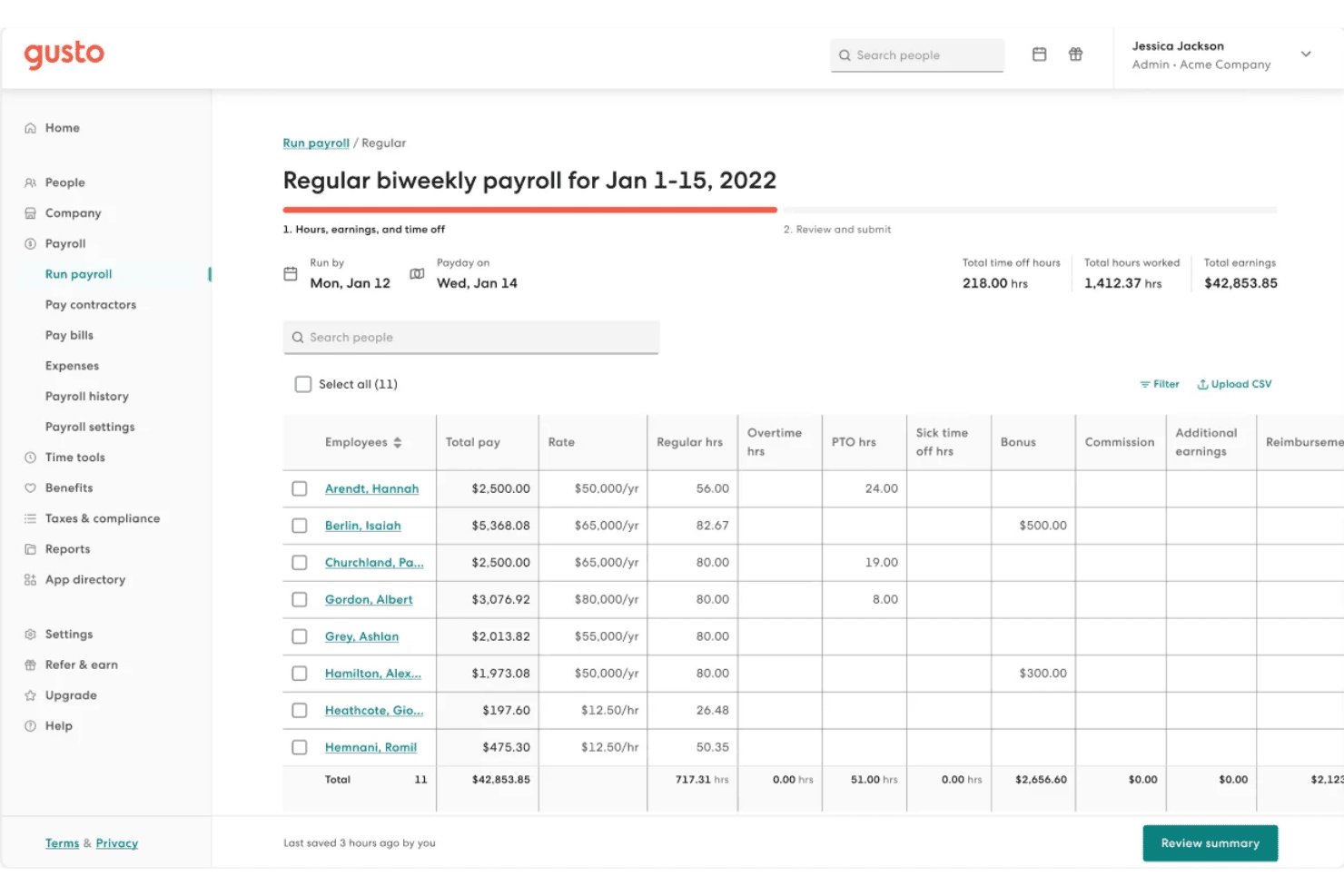
Gusto lets users review and manage employee payroll hours and earnings. Gusto is a payroll platform for accountants that combines multi-client payroll processing, automated tax filing across all 50 states, W-2 and 1099 management, and HR and benefits administration under a single firm dashboard called Gusto Pro.
Who Is Gusto Best For?
Gusto is a strong fit for accounting firms building or expanding a client accounting services practice around payroll, HR, and benefits for small business clients.
Why I Picked Gusto
Gusto Pro is one of my top picks because I love what it does for firms actively building out a CAS practice: it gives you a single free dashboard to manage payroll, HR, and benefits across your entire client book, plus three billing models (including a firm-billed option where you set your own rate) that let you package payroll as a real revenue line. The AutoPilot feature quietly handles recurring salaried payrolls on its own, and the up-to-20% revenue share compounds as you add clients.
Gusto Key Features
- AutoPilot payroll: Automatically runs recurring payroll for salaried employees each pay period without manual intervention.
- Global contractor payments: Pay contractors in 120+ countries directly through the platform as an add-on.
- Native time tracking with payroll sync: Employees clock in and out via browser or mobile app, with hours feeding directly into payroll runs on Plus and Premium plans.
- Three-billing-model flexibility: Choose client-billed with revenue share, client-billed with discount, or firm-billed arrangements on a per-client basis.
Gusto Integrations
Gusto offers native integrations with QuickBooks Online, Xero, FreshBooks, Aplos, ZipBooks, Autobooks, and Expensify; QuickBooks Desktop uses manual exports. The Gusto Embedded Payroll API supports custom payroll integrations.
Pros and Cons
Pros:
- Automated tax filing in all 50 states
- Flexible billing options for CAS practices
- Multi-client dashboard for firm-wide oversight
Cons:
- Reporting customization limited on lower tiers
- No white-label client portal option
 Best for multi-client payroll with GL auto-sync
- Free demo available
- Pricing upon request
Visit WebsiteCustomer Rating:4.9/5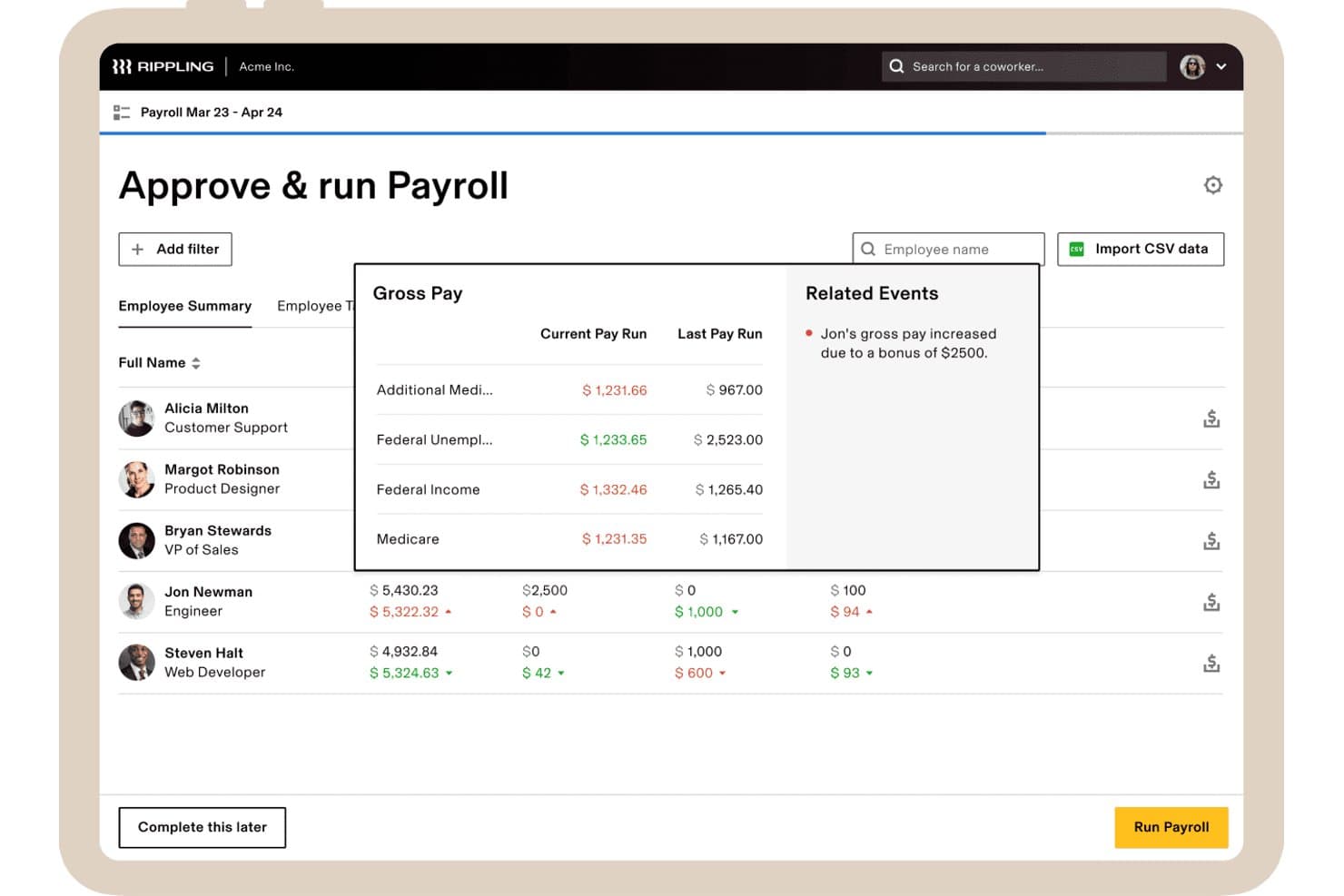
Rippling flags payroll anomalies with gross pay comparisons and alerts. Rippling is a payroll and HR platform built for accounting firms that need to run, manage, and reconcile payroll across multiple client companies—with native GL sync to QuickBooks Online, Xero, NetSuite, and Sage Intacct, automated multi-state tax filing, and a centralized Client Command Center for managing all clients from a single login.
Who Is Rippling Best For?
Rippling is a strong fit for accounting firms running payroll across multiple client companies that need automatic GL sync to QuickBooks Online, Xero, NetSuite, or Sage Intacct.
Why I Picked Rippling
I picked Rippling as one of the best because its Client Command Center is purpose-built for running payroll across an entire client book from a single login, with native GL auto-sync to QuickBooks Online, Xero, NetSuite, and Sage Intacct. After each payroll run, journal entries push automatically with customizable sub-department and class/location mapping already applied. I also like the 100% tax filing accuracy guarantee, which covers federal, state, and local filings across all 50 states.
Rippling Key Features
- Auto-pilot payroll: Changes in HR, benefits, and time tracking flow automatically into each pay cycle, reducing manual data entry before each run.
- Unlimited off-cycle payroll runs: Run bonus, correction, or adjustment payrolls at any time with no extra charge.
- Workflow Studio: A no-code automation builder for creating custom approval chains, pay code triggers, and compliance alerts across client accounts.
- Role-based permissions: Granular access controls let you delegate specific payroll tasks and approvals across your team with appropriate segregation of duties.
Rippling Integrations
Rippling offers native integrations with QuickBooks Online, Xero, NetSuite, and Sage Intacct, plus 650+ app integrations. An API supports custom integrations through developer.rippling.com.
Pros and Cons
Pros:
- Deep GL sync with class/location mapping
- Auto-pilot payroll reduces manual work
- Multi-client payroll from centralized dashboard
Cons:
- No white-label firm branding options
- Payroll requires full HRIS subscription
 Best for white-label global payroll delivery
- Free demo available
- Pricing upon request
Visit WebsiteCustomer Rating:4.9/5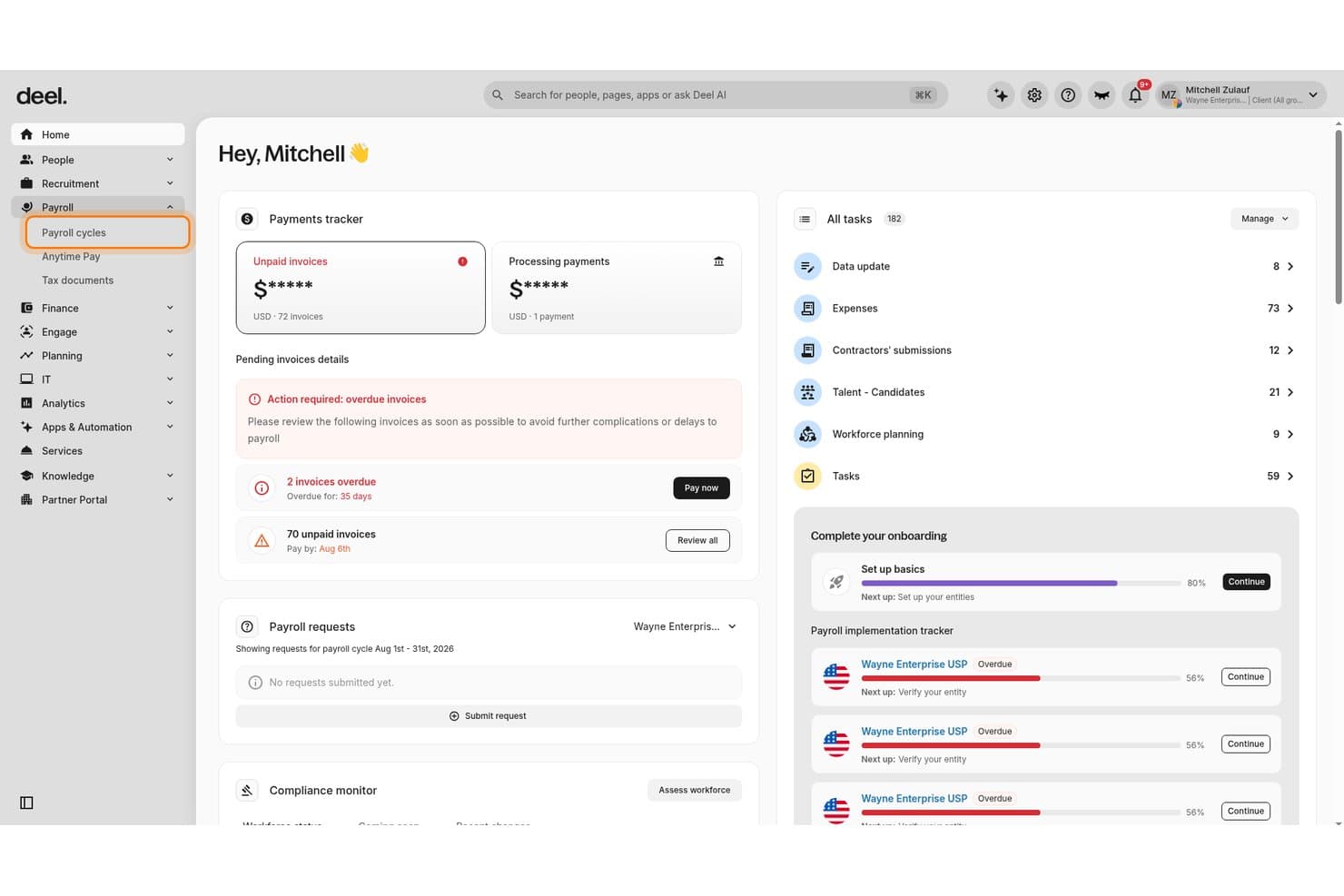
Deel Payroll centralizes invoice tracking and payroll cycle management for accountants. Deel is a global payroll platform that handles contractor payments, W-2 employee payroll, EOR, and PEO across 150+ countries, with a dedicated Partner Portal and white-label tools built for accounting firms managing multi-client payroll.
Who Is Deel Payroll Best For?
Accounting firms that manage payroll for clients with international contractors, EOR employees, or globally distributed workforces will get the most out of Deel.
Why I Picked Deel Payroll
I've included Deel Payroll in my top picks because the white-label program lets accounting firms deliver payroll under their own branding, which is a genuine practice-builder for CAS offerings. The Partner Portal supports three client relationship types (referral, child org, and partner org), so you can manage dozens of clients without separate logins. I also like that the Managed Payroll tier assigns a dedicated Deel Payroll Manager to complex clients, covering multi-state and hourly worker scenarios without adding internal headcount.
Deel Payroll Key Features
- Compliance Hub: Monitors regulatory updates in real time and flags payroll anomalies with AI before each approval cycle.
- Off-cycle payroll runs: Processes bonuses, corrections, and last-minute payments outside the standard schedule at no additional charge.
- GL Sync plugin: Maps payroll line items to specific GL accounts and tracking categories, then posts journal entries directly to QuickBooks, Xero, NetSuite, Sage, SAP, or Microsoft Dynamics Finance.
- Mixed workforce support: Manages W-2 employees, 1099 contractors, EOR workers, and PEO employees within a single platform.
Deel Payroll Integrations
Deel offers 8 documented accounting integrations, including QuickBooks, Xero, NetSuite, Sage, SAP, and Microsoft Dynamics Finance, plus marketplace integrations with Acumatica and TRES Finance. Its open API supports custom integrations.
Pros and Cons
Pros:
- Partner Portal supports multi-client switching
- Manages employees, contractors, EOR, and PEO together
- White-label payroll lets firms use their branding
Cons:
- GL Sync setup and triggering are manual
- Frequent issues reported with US payroll reliability
Learn more about Deel Payroll: Best for IRS-certified multi-client payroll filing
- Free demo available
- From $79/user/month
Visit WebsiteCustomer Rating:4.6/5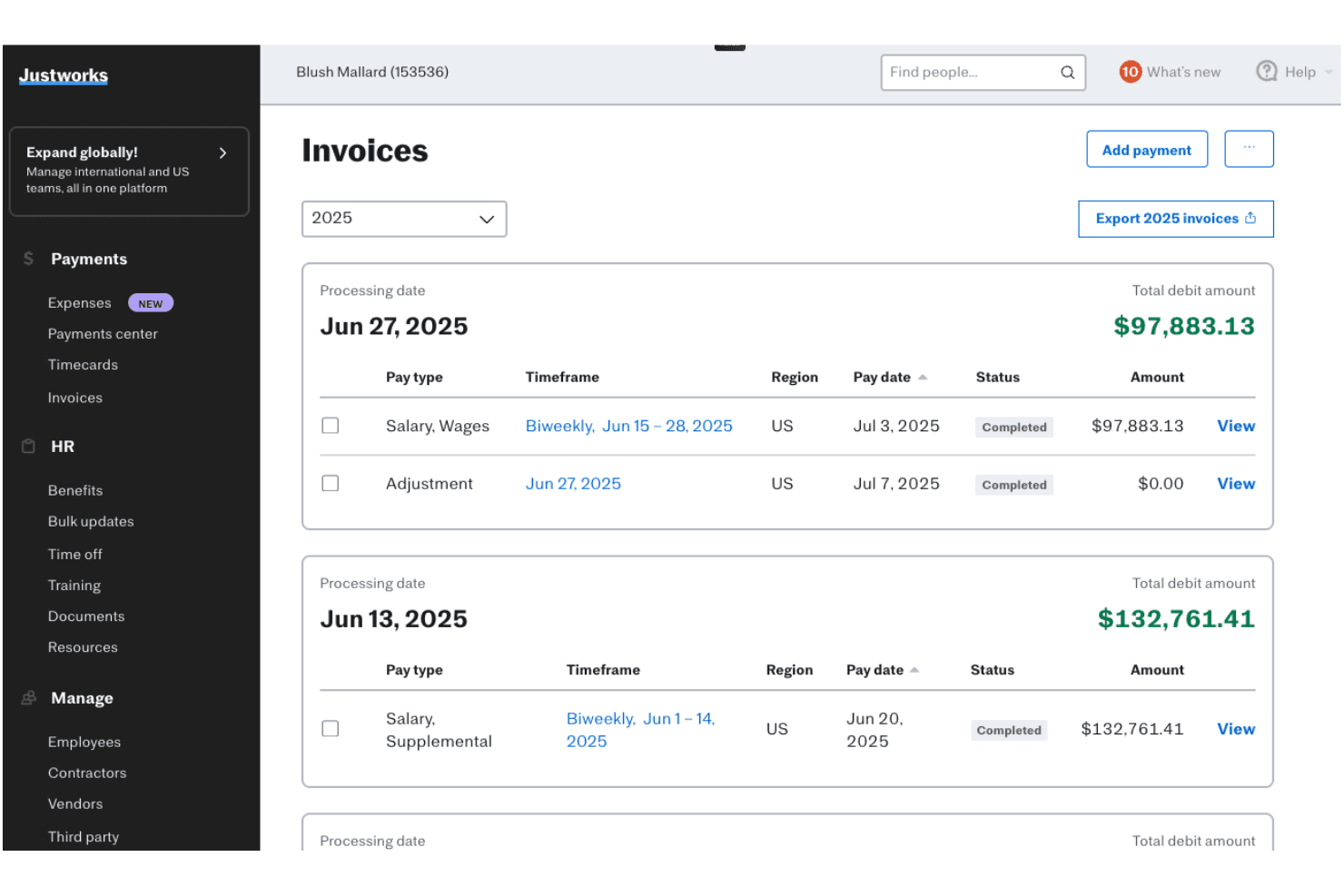
Justworks displays a detailed Invoices page showing payroll processing dates, pay types, timeframes, statuses, and debit amounts. Justworks is a payroll and PEO platform built for accounting firms to manage multi-client payroll processing, automated tax filings, and GL integrations across QuickBooks, Xero, NetSuite, and Sage Intacct from a single Advisor Dashboard.
Who Is Justworks Best For?
Justworks works best for accounting firms managing payroll across a portfolio of small business clients who need IRS-certified tax filing and GL sync in one place.
Why I Picked Justworks
I've included Justworks in my top picks because its IRS Certified PEO (CPEO) status is something I don't see often—it means Justworks takes on direct federal payroll tax liability for your clients, not just filing on their behalf. In practice, that covers automated 940, 941, W-2, and 1099 filings across all 50 states and 4,000+ tax localities, which is a real differentiator when you're managing payroll compliance across a varied client portfolio. The Advisor Dashboard ties it together with single sign-in access, role-based team permissions, and client switching across both PEO and standalone payroll accounts.
Justworks Key Features
- Accountant Partner Program: A formal partner program that gives your firm a dedicated relationship manager, a partner relationship management tool for tracking referrals, and revenue-share or client rebate options.
- Role-based team permissions: Assign specific firm members to individual client accounts with granular access controls directly within the Advisor Dashboard.
- Multi-state payroll filing: Handles direct deposit, state withholding, and unemployment filings across all 50 states and 4,000+ tax localities for every client on your roster.
- Time tracking add-on: A native time tracking module that syncs directly into payroll runs at $8/month per employee, eliminating manual data entry between systems.
Justworks Integrations
Justworks offers four native accounting integrations: QuickBooks Online, Xero, NetSuite, and Sage Intacct. QuickBooks Online and Xero support Payroll and PEO plans, while NetSuite and Sage Intacct require PEO plans.
Pros and Cons
Pros:
- Native time tracking syncs directly to payroll
- Advisor Dashboard manages multiple client accounts
- IRS CPEO status shifts tax liability
Cons:
- No white-label or firm-branded client experience
- No cross-client batch payroll runs
Learn more about Justworks: Best for GL sync across client books
- Free demo available
- Pricing upon request
Visit WebsiteCustomer Rating:4.3/5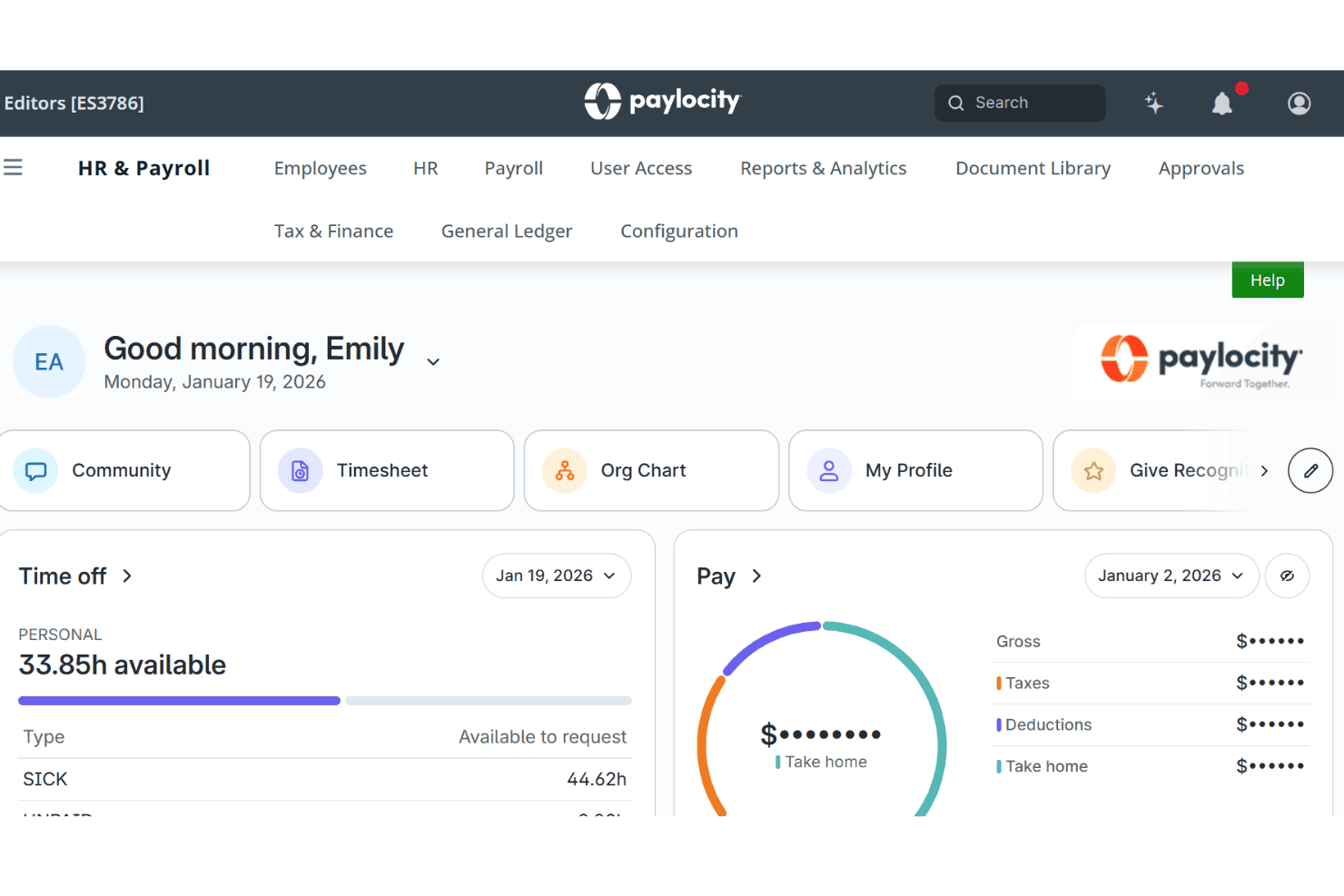
Paylocity lets employees track time off and pay summaries in one dashboard. Paylocity is an HCM-based payroll platform for accounting firms that combines full-service payroll processing, automated tax filing across all 50 states, multi-client reporting, and native GL integrations with QuickBooks Online and NetSuite.
Who Is Paylocity Best For?
Paylocity is a strong fit for accounting firms managing mid-market clients who need automated GL sync into QuickBooks Online or NetSuite alongside full-service payroll and tax filing.
Why I Picked Paylocity
I've included Paylocity in my top picks because its native GL sync into QuickBooks Online and NetSuite is genuinely one of the strongest I've seen in this category. The June 2025 update added guided GL mapping, real-time validation, and dynamic journal entry rules that pull department, location, and cost center data automatically. I also rely on its 30+ automated payroll audits and the Payroll Readiness Dashboard to catch errors before filing, which matters when you're managing multiple client books at once.
Paylocity Key Features
- Accountant Advantage Program: A dedicated partner program that gives accounting firms access to a partner portal, revenue-share or reseller arrangements, and CPE-eligible training through Wolters Kluwer.
- Ignite AI anomaly detection: An AI layer that flags unexpected pay changes and compliance issues before payroll is processed, with citations pulled from tax and regulatory sources.
- Multi-state tax geolocation: Automatically verifies employee tax jurisdiction accuracy across all 50 states, Puerto Rico, the Virgin Islands, and Guam.
- On-demand pay: Lets employees access earned wages before payday with no impact on employer cash flow, managed directly within the payroll platform.
Paylocity Integrations
Paylocity offers native integrations with QuickBooks Online and Oracle NetSuite, plus marketplace integrations with Xero, Sage, and SAP Concur. Its 350+ marketplace integrations and REST API, EDI, and SFTP support connect additional client systems.
Pros and Cons
Pros:
- 30+ automated payroll audit checks
- Dedicated partner support for accounting firms
- Native GL sync with QuickBooks and NetSuite
Cons:
- No white-label branding for firm delivery
- No batch payroll across multiple clients
Learn more about Paylocity: Best for white-label payroll as a firm service
- Not available
- From $29/month
Visit WebsiteCustomer Rating:4.2/5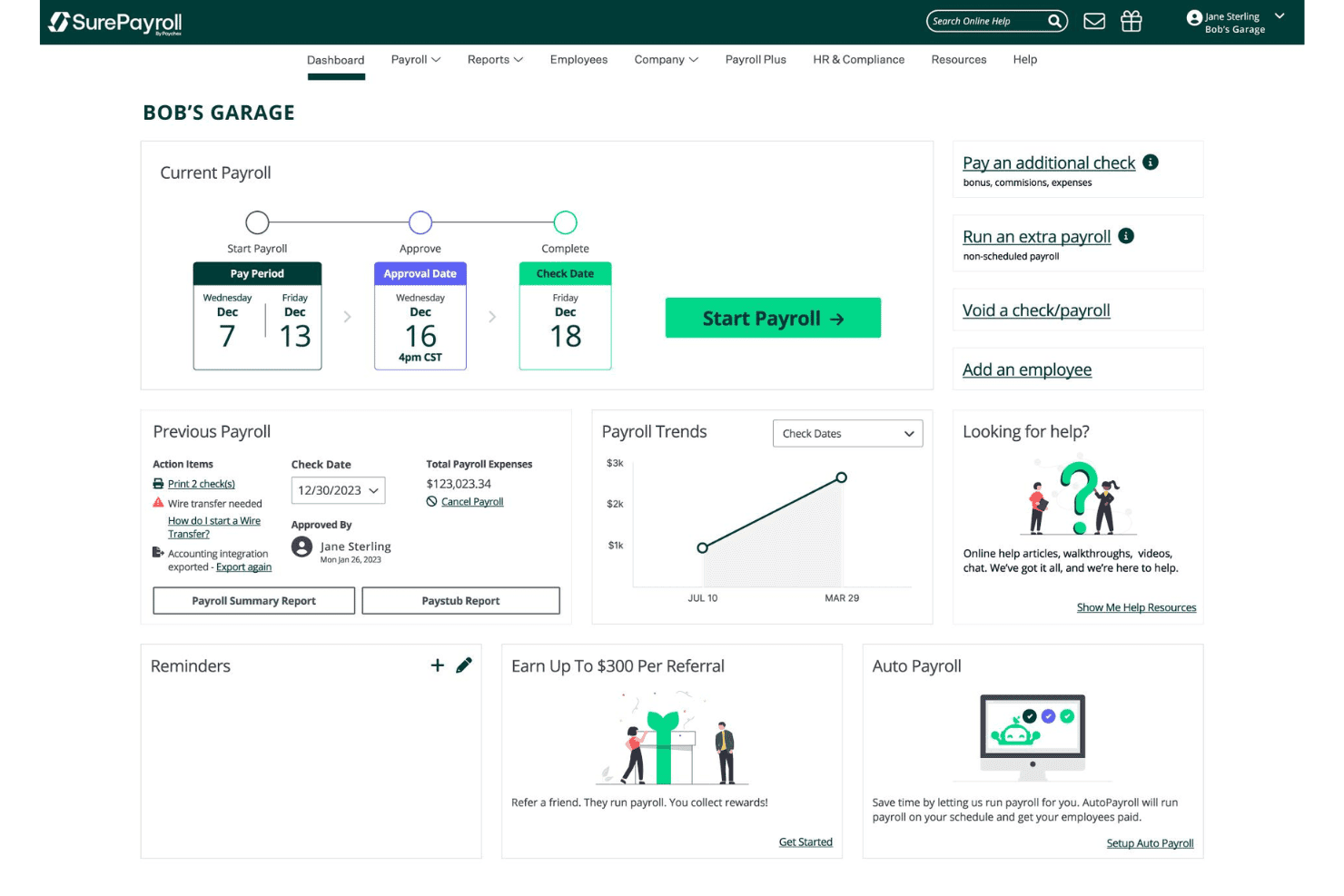
SurePayroll's dashboard lets users manage and start payroll runs easily. SurePayroll is a full-service payroll platform built for accounting firms, offering multi-client management, automated tax filing, white-label client portals, and integrations with QuickBooks Online, Xero, and Sage.
Who Is SurePayroll Best For?
SurePayroll is a strong fit for accounting firms that want to offer payroll under their own brand without building a payroll infrastructure from scratch.
Why I Picked SurePayroll
I've included SurePayroll in my top picks because its white-label reseller program lets accounting firms offer payroll under their own brand, with no SurePayroll branding visible to clients. I love that firms get wholesale volume pricing they can mark up independently, plus a dedicated Accountant Care Team. The Tax Penalty Guarantee, which covers fines caused by SurePayroll's own filing errors, is a specific accountability feature firms can communicate directly to clients.
SurePayroll Key Features
- AutoPayroll scheduling: Set recurring payroll runs on a fixed schedule, with automated reminders and deadline alerts sent before each processing date.
- Multi-state payroll add-on: Run payroll across any number of states for a flat $9.99/month fee, regardless of how many states are involved.
- Employee self-service portal: Employees access pay stubs, W-2s, and direct deposit settings through web and mobile apps without contacting your firm.
- Role-based staff access: Assign firm employees specific permission levels within the partner dashboard to control what each team member can view or edit.
SurePayroll Integrations
SurePayroll offers 12 documented integrations, including QuickBooks Online, Xero, Sage Intacct, Sage 50, AccountEdge, Less Accounting, Homebase, Buddy Punch, StratusTime, and Novatime. Accounting and time-tracking integrations are paid add-ons.
Pros and Cons
Pros:
- Flat multi-state payroll fee for all clients
- Tax penalty guarantee covers payroll filing errors
- White-label payroll for firm-branded client experience
Cons:
- Year-end W-2 and 1099 filing fees apply
- General ledger integration requires paid add-on
Learn more about SurePayroll: Best for affordable multi-client payroll at scale
- 30-day free trial
- From $17/month
Visit WebsiteCustomer Rating:5/5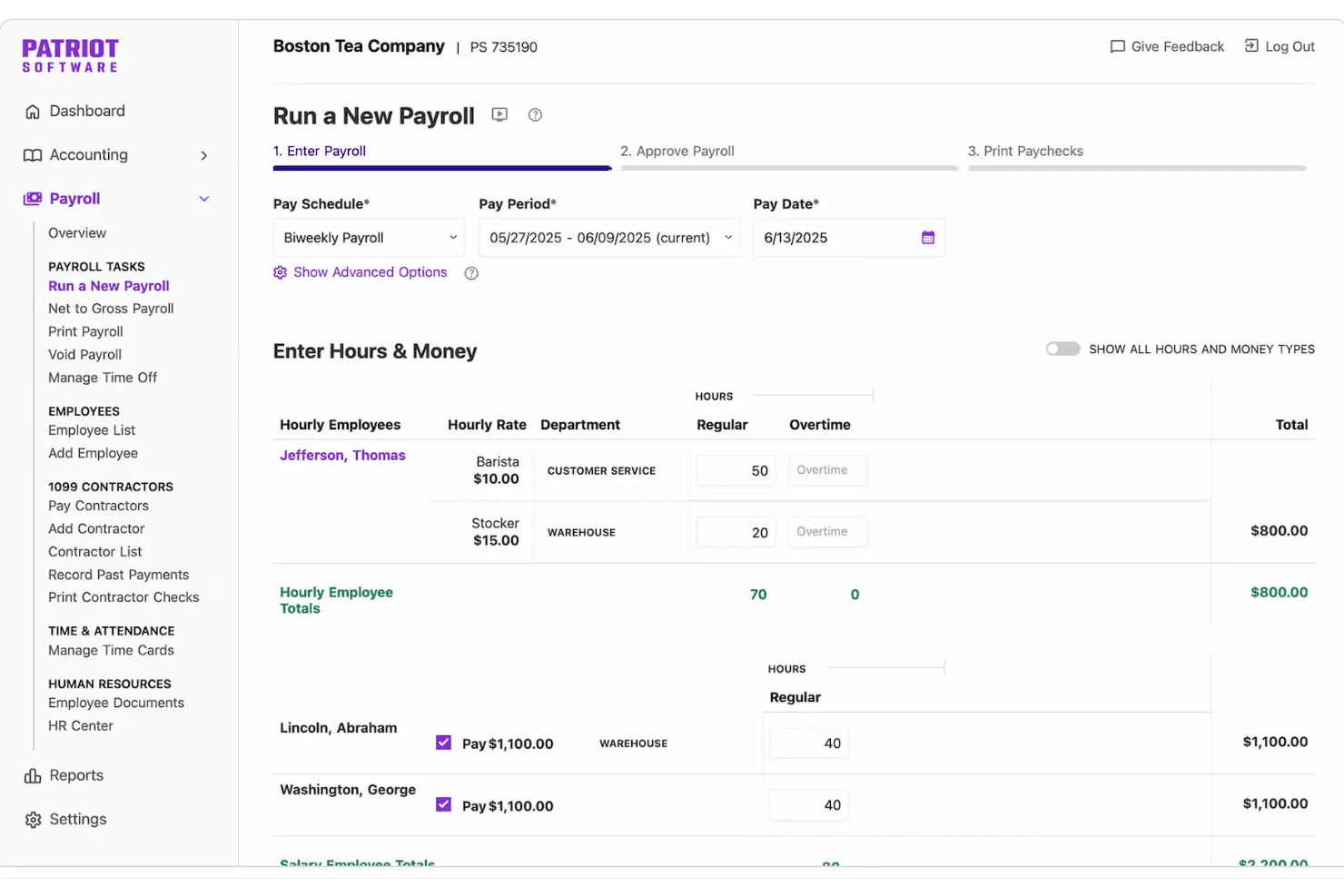
Patriot Software lets users enter employee hours and wages to run payroll. Patriot Software is a US-based payroll platform built for accounting firms, offering multi-client payroll processing, automated tax filing across all 50 states, and a dedicated accountant partner program with tiered discounts and consolidated billing.
Who Is Patriot Software Best For?
Patriot Software is a strong fit for small to mid-sized accounting firms managing payroll for a growing book of small business clients on a tight budget.
Why I Picked Patriot Software
I picked Patriot Software as one of the best because it's built to grow with your book of clients without growing your costs at the same rate. The tiered Accountant Partner Program scales discounts up to 30% as you add clients, and firms managing six or more clients get their own payroll and accounting software free. I particularly like the Umbrella Login, which lets me switch between client accounts instantly, and Auto Payroll, which automates recurring salaried runs and sends advance notifications before each scheduled run so I can catch anything unusual.
Patriot Software Key Features
- Full-service tax filing guarantee: Patriot automatically files federal, state, and local payroll taxes across all 50 states and covers any penalties caused by a filing error on its end.
- Consolidated billing with custom client rates: Your firm receives a single monthly bill for all clients, and you set your own pricing when invoicing clients directly.
- SOC 2 Type II compliance: Patriot meets enterprise-grade data security standards, including encryption, MFA, and role-based permissions across all client accounts.
- Employee self-onboarding portal: Employees complete their own W-4, direct deposit setup, and personal information directly in the platform, reducing manual data entry for your team.
Patriot Software Integrations
Patriot Software has six documented native integrations, including Patriot Accounting, QuickBooks Online, QuickBooks Desktop, SimplyInsured, Vestwell, and ERGO NEXT. It also supports an API for custom integrations and third-party time tracking with QuickBooks Time, Buddy Punch, and TimeRack.
Pros and Cons
Pros:
- Auto Payroll handles recurring salaried runs
- Automated tax filing penalty guarantee included
- Consolidated billing for all client accounts
Cons:
- Does not support garnishments or child support
- No white-label portal or branding options
Learn more about Patriot Software: Best for multi-client batch payroll at CPA firms
- Free demo available
- Pricing upon request
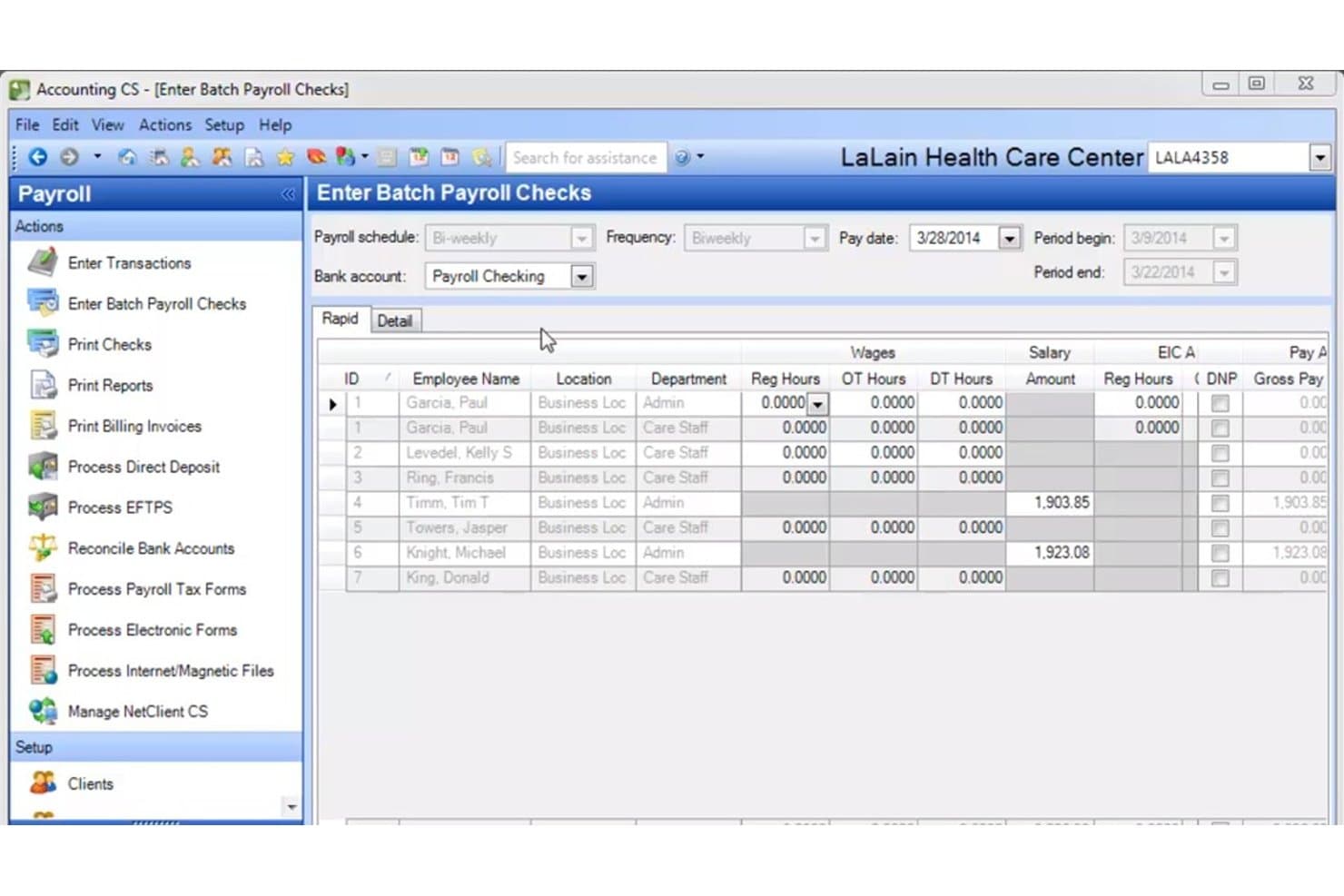
Accounting CS Payroll lets users enter batch payroll checks efficiently. Accounting CS Payroll is a payroll module within Thomson Reuters' CS Professional Suite, built specifically for CPA firms to handle multi-client payroll processing, automated tax form filing, direct deposit, employee self-service, and compliance management across all 50 states.
Who Is Accounting CS Payroll Best For?
Accounting CS Payroll is built for mid-to-large CPA firms that manage payroll on behalf of many clients and need to run batch processing across all of them without switching between systems.
Why I Picked Accounting CS Payroll
Accounting CS Payroll earns its spot on my shortlist because it's one of the few payroll platforms built from the ground up for CPA firms running payroll across dozens of clients. I love that batch processing lets my team run payroll for multiple clients simultaneously, with several staff members working on different client files at the same time. The tax form library is also genuinely deep, covering W-2s, 940/941/943/944/945 series, and 20-plus 1099 variants with automated federal, state, and local e-filing across all 50 states.
Accounting CS Payroll Key Features
- Multi-state employee withholding: Set up individual employees for tax withholding calculations across multiple states within a single payroll record.
- NetClient CS employee self-service portal: Employees access pay stubs, W-2s, and 1099-NECs and submit W-4 updates directly through a secure, client-branded portal.
- Fee calculation and client invoicing: Calculate payroll service fees and generate client invoices from within the same platform you use to run payroll.
- InsurePay workers' compensation integration: Automatically calculate and collect pay-as-you-go workers' comp premiums each pay cycle based on live payroll data.
Accounting CS Payroll Integrations
Accounting CS Payroll has native integrations with UltraTax CS, GoSystem Tax RS, Practice CS, QuickBooks Desktop and Online, Timerack, InsurePay, Kotapay, and NetClient CS. Its strongest connectivity is within the Thomson Reuters CS Professional Suite.
Pros and Cons
Pros:
- Automated compliance with new payroll legislation
- Customizable client portals for firms and employees
- Processes payroll across multiple clients simultaneously
Cons:
- No formal partner program with revenue sharing
- No direct email of reports to clients
Learn more about Accounting CS Payroll: Best for firms earning revenue share on client payroll
- Free demo available
- Pricing upon request
Visit WebsiteCustomer Rating:4.2/5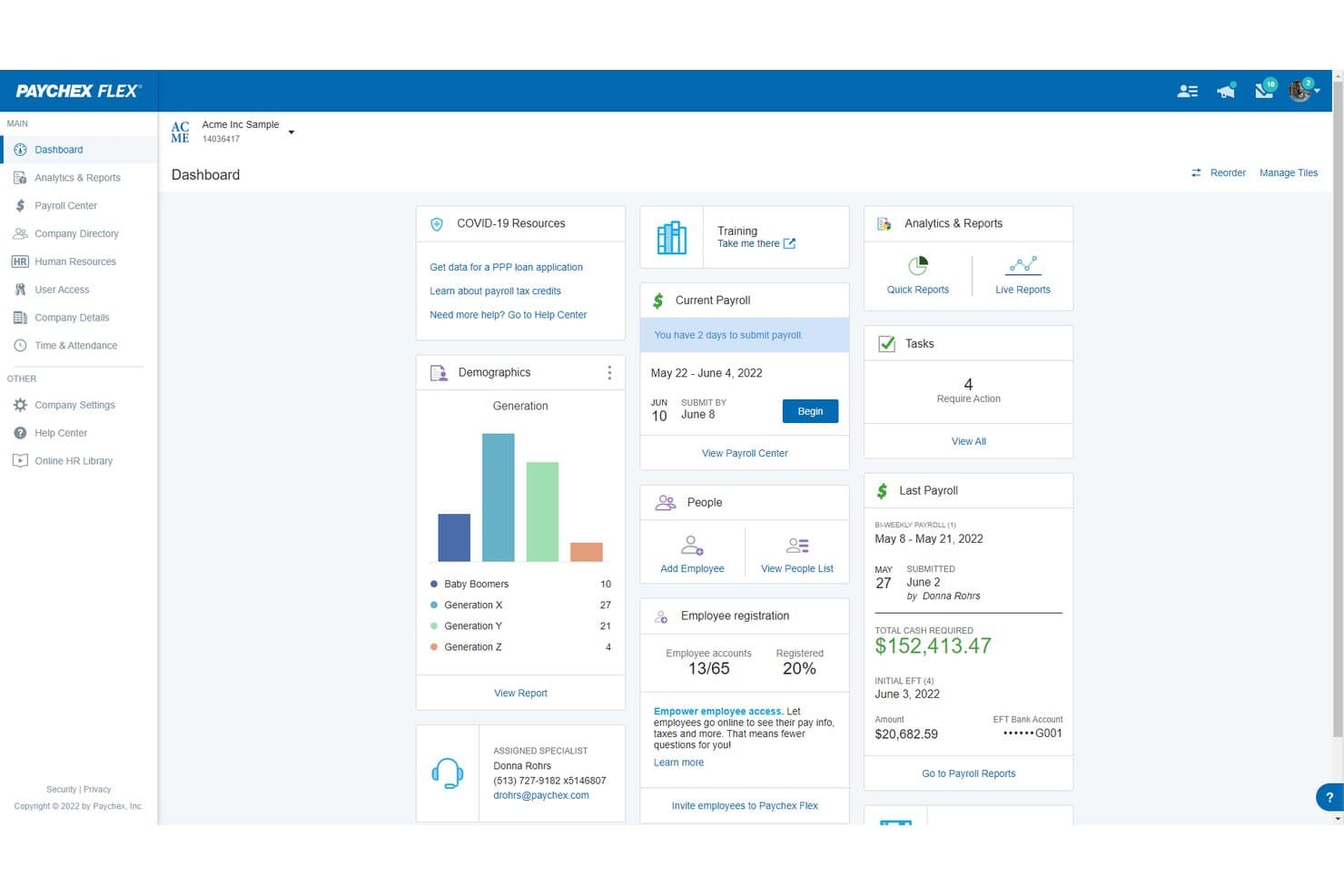
Paychex Flex centralizes payroll, HR, and workforce data in one dashboard. Paychex Flex is a full-service payroll platform for accounting firms that combines multi-client payroll processing, automated tax filing via Taxpay®, GL sync with QuickBooks Online, Xero, Sage Intacct, and NetSuite, and a tiered accountant partner program with revenue share options.
Who Is Paychex Flex Best For?
Paychex Flex is a strong fit for accounting firms that want to earn recurring revenue by referring clients to a full-service payroll provider backed by AICPA endorsement.
Why I Picked Paychex Flex
I picked Paychex Flex because its three-tier Accountant Benefits Program is the most structured revenue-share model I've seen in this category, paying up to 50% on new client sales plus 10% residuals over three years. What I find genuinely compelling is the Acquisition Program: if your firm wants to exit payroll processing entirely, Paychex will buy your book of business and return a valuation within 48 hours. Its AICPA/CPA.com preferred-partner status adds institutional credibility that matters when positioning payroll services to clients.
Paychex Flex Key Features
- Taxpay automated tax filing: Automatically calculates, files, and remits federal, state, and local payroll taxes across all client accounts, plus handles W-2 and 1099 generation at year-end.
- Paychex WISE AI compliance monitoring: Continuously scans regulatory changes across every state where your clients operate and flags compliance risks before payroll is submitted.
- Paychex Pre-check: Lets employees review their paychecks before payday, reducing correction requests and off-cycle adjustments for your team.
- Paychex Partner Pro dashboard: A centralized portal where you can search clients, receive proactive alerts for missing tax IDs or missed payroll dates, and manage referrals in one place.
Paychex Flex Integrations
Paychex Flex offers native GL integrations with QuickBooks Online, Xero, Sage Intacct, Oracle NetSuite, and Jirav. Its marketplace includes additional integrations, and its developer API supports custom connections.
Pros and Cons
Pros:
- AI-powered compliance and error flagging tools
- Includes white-label payroll option for firms
- Offers three-tier accountant revenue share program
Cons:
- No documented batch payroll run capability
- Limits dashboard pinning to five clients
Learn more about Paychex Flex: Best for QBO-native payroll with tax penalty cover
- Not available
- From $50 + $7/employee
Visit WebsiteCustomer Rating:4.4/5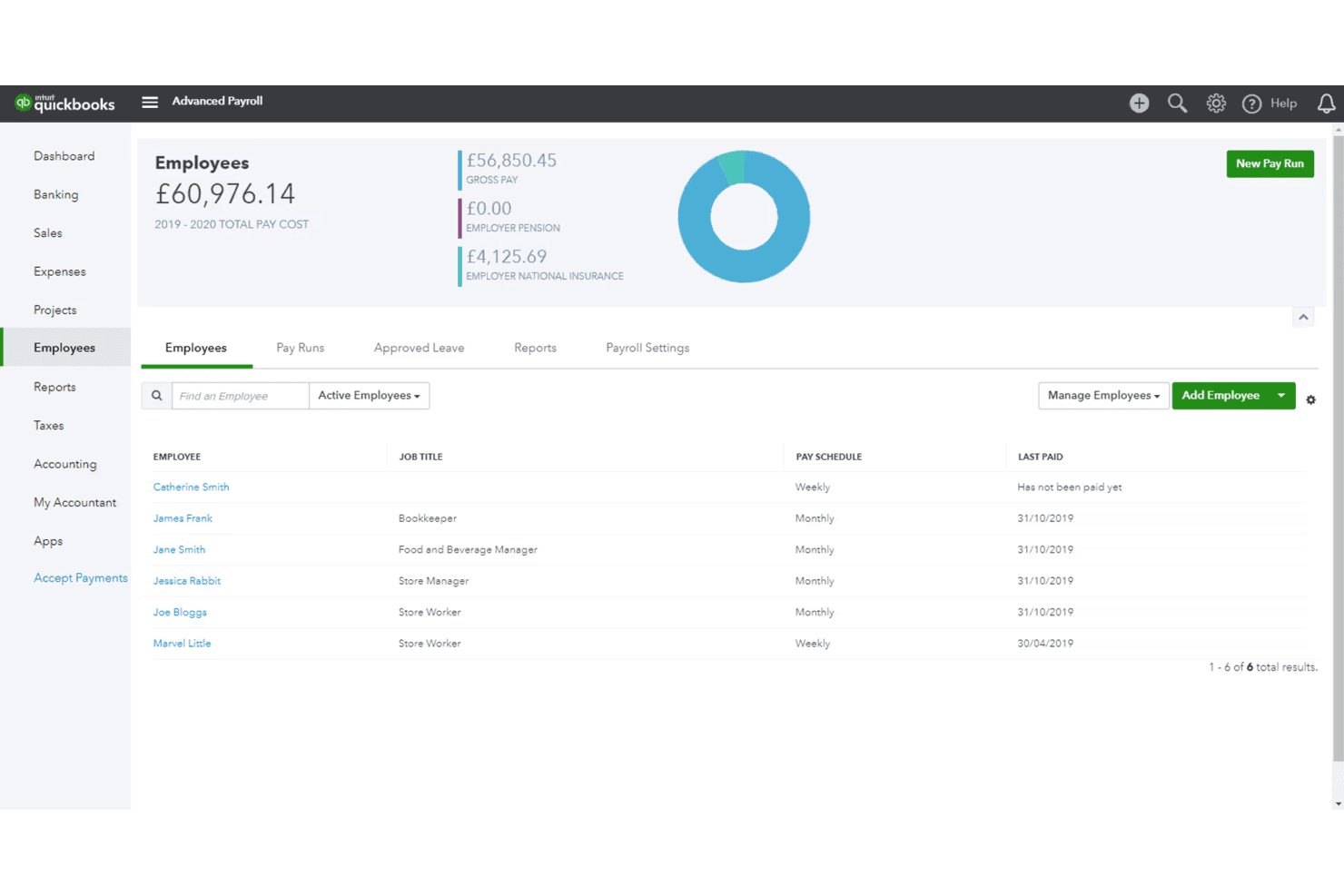
QuickBooks Payroll tracks employee pay schedules and total payroll costs. QuickBooks Payroll is a full-service payroll platform built natively into the QuickBooks ecosystem, covering automated tax filing, W-2 and 1099 processing, multi-state payroll, direct deposit, and multi-client management through QuickBooks Online Accountant.
Who Is QuickBooks Payroll Best For?
QuickBooks Payroll is a natural fit for accounting firms whose clients are already on QuickBooks Online and need a payroll layer that syncs directly to the books without any extra reconciliation work.
Why I Picked QuickBooks Payroll
QuickBooks Payroll earns its spot on my shortlist because it's the only payroll tool where the payroll run and the GL entry are genuinely the same action—no export, no mapping, no reconciliation for any client on QuickBooks Online. I particularly like the Tax Penalty Protection on the Elite plan, which covers up to $25,000 per year in IRS or state payroll tax penalties, giving firms a real backstop on compliance risk. The fully automated federal, state, and local tax filing (mandatory as of July 2026) and same-day direct deposit on Premium and Elite round out a strong case for QBO-native firms.
QuickBooks Payroll Key Features
- Auto payroll: Automatically runs payroll for salaried employees each period after the initial run is completed, without manual input.
- Payroll AI: Collects time and attendance data, drafts payroll runs for review, and supports run approval via SMS.
- 1099 dashboard: Gives accountants a centralized view for managing contractor W-9 collection, bulk uploads, and 1099 e-filing across clients.
- Role-based access controls: Lets firms set granular user permissions per client within QuickBooks Online Accountant.
QuickBooks Payroll Integrations
QuickBooks Payroll has native integrations with QuickBooks Online, QuickBooks Desktop, QuickBooks Time, and Intuit ProConnect Tax, plus partner integrations with Checkr, Mineral, Allstate, Vestwell, and NEXT Insurance. It has no native payroll GL integrations for Xero, Sage Intacct, or NetSuite.
Pros and Cons
Pros:
- ProAdvisor program includes free firm payroll
- Automated tax filing and penalty protection
- Native QuickBooks GL sync with no reconciliation
Cons:
- No non-QuickBooks accounting platform GL sync
- No batch payroll runs across clients
Learn more about QuickBooks Payroll:
Other Payroll Software for Accountants
Here are some additional payroll software for accountants options that didn’t make it onto my shortlist, but are still worth checking out:
- 11OnPayBest for flat-rate multi-client tax filing
- 12RUN Powered by ADPBest for tax penalty protection at scale
- 13PaycorBest for mid-market clients needing HCM beyond payroll
- 14FingercheckBest for hourly and construction client payroll
- 15XeroBest for Xero-native payroll-to-GL sync
- 16ApspayrollBest for white-label payroll reselling
- 17ConnectPayBest for outsourced payroll with client oversight
- 18Drake AccountingBest for flat-rate multi-client payroll filing
How I Evaluate Payroll Software for Accountants
I split my evaluation into baseline requirements—multi-client dashboards, automated tax filing, GL sync—and the differentiators, like partner program economics and white-label options, that separate good tools from the right ones.
Core Functionality (Table Stakes for This List)
When I'm selecting tools for my list, I rank each one on a scale from 0 (does not offer the functionality) to 5 (excels in this area) for each core functionality listed below. I then calculate the tool's total score into a percentage, using 65% as a benchmark to help assess its overall fit for the list.
- Multi-client management: I evaluate how each platform handles client switching, batch actions, and cross-client visibility from a single login—like running payroll for dozens of entities without toggling between separate accounts.
- Automated payroll tax filing: Each tool gets checked for its ability to calculate, file, and remit taxes across jurisdictions, plus generate year-end W-2s and 1099s without manual intervention.
- General ledger integration: I look for native sync with major accounting platforms like QuickBooks, Xero, and Sage, and whether the tool supports per-client GL mapping so journal entries land in the right accounts automatically.
- Full-service payroll processing: The platform should handle direct deposits, contractor payments, multi-state payroll, deductions, and off-cycle runs end to end—not just calculate pay and leave the rest to you.
- Accountant partner program: I check whether the vendor offers a dedicated partner portal with options like wholesale pricing, revenue sharing, or white-label branding—features that let firms offer payroll as their own service.
- Compliance and reporting: Audit-ready reports, customizable payroll registers, and compliance alerts all factor into my evaluation, especially the ability to pull per-client reports during tax season or an audit.
Once I have a list of tools that meet the criteria, I consider what sets each platform apart.
Differentiating Factors (What Sets Vendors Apart)
Here's how I compare and contrast different vendors:
Standout Features
Batch payroll runs matter when you're managing dozens of clients each cycle. I check whether a platform lets you process multiple clients in one workflow or forces you to run each separately. Real-time GL sync is equally important—I look for per-client chart-of-accounts mapping with class and location tracking so journal entries land correctly in QuickBooks Online, Xero, or NetSuite without manual adjustments. White-label branding is a differentiator for firms packaging payroll as their own service, since client-facing portals and pay stubs carry your firm's identity.
Beyond Features
Partner program economics matter—I check whether a vendor offers revenue sharing, wholesale pricing, or firm-billed options, since how you package payroll fees directly affects your margins as you scale clients. Tax penalty guarantees are equally worth evaluating, especially whether the platform reimburses your clients for filing errors it caused. I also look at onboarding support, like bulk migration tools that let you move an entire client book at once instead of setting up each entity one by one. Security credentials round things out; SOC 1 and SOC 2 attestations, role-based permissions, and client data isolation are non-negotiable when you're handling sensitive payroll data across dozens of businesses.
How to Choose Payroll Software for Accountants
Use the following table to select a payroll tool to manage multi-client complexity, automate tax filings, and support growing advisory services without risky manual workarounds:
| If your priority is... | Look for... |
|---|---|
| If your priority is...Scaling multi-client operations | Look for...Bulk payroll processing and a unified partner dashboard |
| If your priority is...Protecting clients from tax compliance risks | Look for...Automatic e-filing, error reimbursement, and notice tracking |
| If your priority is...Minimizing double entry into accounting tools | Look for...Native GL integrations with client-level mapping |
| If your priority is...Offering payroll as your own branded service | Look for...White-label options and custom portal branding |
How to Vet Your Shortlist
- Test bulk workflows: Complete payroll runs for two or more clients in a single session during a vendor demo.
- Confirm tax filing guarantees: Request the error reimbursement policy or a contract clause outlining vendor liability for tax mistakes.
- Validate GL sync mapping: Map actual client accounts in a 14-day trial, exporting payroll journal entries for two accounting platforms.
- Check white-label capabilities: Ask for a sample client-facing portal or pay stub with your firm’s branding, not the vendor’s.
- Decide on direct support vs. true white-label: Weigh whether you want your clients calling the vendor or reaching out only to your firm for payroll help.
What Is Payroll Software for Accountants?
Payroll software for accountants is a digital platform that lets accounting professionals manage payroll processing, automate tax filings, and support multiple clients within a unified dashboard. It connects payroll data to general ledger systems and provides audit-ready reports to help firms reduce manual work and improve accuracy. These tools are designed for firms that handle complex, multi-client payroll needs, ensuring compliance and efficiency in payroll operations.
Features of Payroll Software for Accountants
When selecting payroll software for accountants, keep an eye out for the following key features:
- Multi-client management: Lets you run payroll, switch between clients, and organize multiple businesses from a single dashboard. This is especially useful if you support dozens of client payrolls and want to avoid logging in and out of separate accounts all day.
- Automated payroll tax filing: Calculates, files, and remits payroll taxes at local, regional, and national levels for every client. This helps you stay compliant and reduces manual tax work during busy periods.
- General ledger integration: Syncs payroll data directly with major accounting platforms like QuickBooks Online, Xero, or Sage. This reduces double entry and ensures payroll expenses are matched to the right general ledger accounts.
- Bulk payroll processing: Lets you process payroll for multiple clients or entities at once instead of running payroll individually. This speeds up your workflow during payroll cycles and is a necessity as your client roster grows.
- Partner program and branding options: Offers wholesale pricing, white-label portals, or revenue sharing, so your firm can offer payroll under its own brand and control client relationships.
- Compliance and audit-ready reporting: Provides customizable, audit-ready payroll reports and real-time compliance alerts. This makes audits, tax season, and client inquiries faster and easier to manage.
- Direct deposit and contractor payments: Supports direct deposit for employee and contractor pay, handles deductions, and can process off-cycle runs or reimbursements. This adds flexibility for different client payroll needs.
- User roles and permissions: Lets you define who in your firm or at the client has access to payroll information, with granular, role-based controls to safeguard sensitive payroll data.
- Year-end form generation: Prepares and distributes W-2s, 1099s, and other required year-end tax documents automatically for each client, helping you close out payroll tax obligations smoothly.
- Bulk client onboarding: Provides tools to quickly import and set up multiple clients at once, saving hours compared to manual setup and helping your firm scale payroll operations faster.
Benefits of Payroll Software for Accountants
Implementing payroll software for accountants provides several benefits for your team and your business. Here are a few you can look forward to:
- Multi-client management: Handle payroll for dozens of clients from a single dashboard, switch between clients quickly, and reduce time spent logging in and out of separate accounts.
- Automated payroll tax filing: Automate tax calculations, filings, and remittances across jurisdictions, including year-end form generation, cutting down on manual errors and compliance headaches.
- General ledger integration: Sync payroll data directly with accounting platforms like QuickBooks Online, Xero, or Sage to eliminate double entry and keep financial records up to date with per-client mapping.
- Bulk payroll processing: Run payroll for multiple clients or entities at once, simplifying repetitive tasks and making your entire payroll cycle more efficient as your client list grows.
- Custom branding and partner programs: Use white-label portals and wholesale pricing to offer payroll under your firm’s brand, maintain client relationships, and control the entire payroll experience.
- Audit-ready compliance and reporting: Access customizable payroll reports, compliance alerts, and audit trails to respond quickly to client questions, audits, and tax season requirements.
- Granular user roles and permissions: Set role-based access to protect sensitive payroll data and give the right people in your firm or at your clients’ organizations appropriate access.
Costs and Pricing of Payroll Software for Accountants
Selecting payroll software for accountants requires an understanding of the various pricing models and plans available. Costs vary based on features, team size, add-ons, and more. The table below summarizes common plans, their average prices, and typical features included in payroll software for accountants solutions:
Plan Comparison Table
| Plan Type | Average Price | Common Features |
|---|---|---|
| Plan TypeFree Plan | Average Price$0 | Common FeaturesBasic payroll calculations, limited client support, basic reporting, and email support. |
| Plan TypePersonal Plan | Average Price$30-$50/month | Common FeaturesSingle-client payroll processing, tax filing for one entity, direct deposit, and standard support. |
| Plan TypeBusiness Plan | Average Price$90-$200/month | Common FeaturesMulti-client management, automated tax filing, general ledger integration, bulk payroll runs, and audit-ready reporting. |
| Plan TypeEnterprise Plan | Average Price$300-$700/month | Common FeaturesAdvanced user permissions, white-label branding, bulk client onboarding, dedicated account manager, and priority support. |
Payroll Software for Accountants FAQs
Here are some answers to common questions about payroll software for accountants:
Can payroll software for accountants handle payroll for clients in multiple states?
Yes, most payroll software for accountants supports multi-state payroll processing. This means you can calculate and file payroll taxes for clients with employees in different states without manual calculations. You should check whether a vendor automatically manages state-specific forms, tax rates, and filing deadlines, so your firm doesn’t have to track those rules separately.
How does general ledger integration work in payroll software for accountants?
General ledger integration syncs payroll data directly from your payroll software to accounting platforms like QuickBooks Online, Xero, or Sage. You can map payroll expenses, taxes, and deductions to specific accounts for each client, which keeps financial records clean and reduces the risk of double entry or manual posting errors.
Can I white-label payroll software for my firm’s brand?
Yes, some payroll platforms offer white-label options so your firm’s branding appears on client portals and pay stubs. This lets you control the client experience and present payroll as your firm’s service. Ask for a sample during evaluation to see if the branding options fit your needs.
What kind of support is available for accountants using these platforms?
Most vendors offer dedicated partner support through account managers, phone lines, or live chat. Higher-tier plans sometimes include priority support and bulk onboarding help. Check if you get onboarding resources, direct access to product support, or special partner portals to resolve payroll issues quickly for your clients.
Are tax filing guarantees included in payroll software for accountants?
Some payroll vendors offer tax penalty guarantees, meaning they cover penalties if a filing error occurs on their end. Always review the terms, as guarantees may apply only if your firm provides accurate, timely information. Request a copy of the reimbursement or liability policy before committing.
How can I migrate multiple clients into new payroll software?
Look for platforms with bulk client onboarding tools. These tools let you import client data, employee records, and historical payrolls from spreadsheets or integrations, so you don’t have to manually set up each client. Ask vendors about onboarding support and migration timelines during your evaluation.
What security measures are standard in payroll software for accountants?
Reputable payroll software uses SOC 1 or SOC 2 certifications, role-based access controls, and data encryption to protect sensitive payroll data. Make sure user permissions can be set at both the firm and client levels. This prevents unauthorized access and helps your firm meet strict data security requirements.