

10 beste Bonsai-Alternativen für die Finanzen von Freiberuflern im Jahr 2026

Auswahl der besten Bonsai-Alternativen


Bonsai vereint Rechnungsstellung, Verträge, Zeiterfassung und Projektmanagement auf einer Plattform, ist aber nicht für jedes Unternehmen die richtige Lösung. Vielleicht benötigen Sie eine flexiblere Abrechnung, aussagekräftigere Finanzberichte, bessere Buchhaltungsintegrationen oder eine Plattform, die mit dem Wachstum Ihres Unternehmens komplexere Anforderungen unterstützen kann.
Bei der Bewertung von Bonsai-Alternativen achte ich besonders auf die finanziellen und administrativen Abläufe, die mit dem Wachstum eines Unternehmens schnell umständlich werden können. Rechnungsstellung und Zahlungen, abrechenbare Arbeitszeit und Ausgaben, Berichte sowie Buchhaltungsintegrationen sind ebenso wichtig wie Verträge, Kundenverwaltung und Workflow-Werkzeuge, die dafür sorgen, dass der tägliche Betrieb reibungslos läuft.
In diesem Leitfaden habe ich die besten Bonsai-Alternativen in diesen Bereichen verglichen, damit Sie eine Plattform finden, die das richtige Gleichgewicht zwischen finanzieller Kontrolle, Kundenverwaltung und betrieblicher Flexibilität bietet.
Was ist Bonsai?
Bonsai ist eine Software zur Geschäftsverwaltung für Freiberufler, die Freiberuflern und Kleinunternehmern dabei hilft, ihre Projekte, Rechnungen und Verträge zu verwalten. Sie wird häufig von Kreativprofis, Beratern und unabhängigen Auftragnehmern eingesetzt, die ihre Geschäftsabläufe organisiert halten müssen. Funktionen wie Zeiterfassung, Rechnungsstellung und Vertragsverwaltung helfen dabei, administrative Aufgaben zu vereinfachen, sodass Sie sich auf Ihre Arbeit konzentrieren können. Insgesamt bietet Bonsai eine zentrale Plattform, um Ihre freiberuflichen Geschäftsabläufe zentral zu verwalten.
Zusammenfassung der besten Bonsai-Alternativen
\u003cspan style=\u0022font-weight: 400\u0022\u003eDiese Vergleichstabelle fasst die\u003c/span\u003e\u003cspan style=\u0022font-weight: 400\u0022\u003e Preisdaten\u003c/span\u003e\u003cspan style=\u0022font-weight: 400\u0022\u003e meiner besten\u003c/span\u003e\u003cspan style=\u0022font-weight: 400\u0022\u003e Bonsai-Alternativen\u003c/span\u003e\u003cspan style=\u0022font-weight: 400\u0022\u003e zusammen, damit Sie die beste Lösung für Ihr Budget und Ihre\u003c/span\u003e\u003cspan style=\u0022font-weight: 400\u0022\u003e geschäftlichen Anforderungen\u003c/span\u003e\u003cspan style=\u0022font-weight: 400\u0022\u003e finden.\u003c/span\u003e
| Tool | Best For | Trial Info | Price | ||
|---|---|---|---|---|---|
| 1 | Am besten für kostenlose Rechnungstools | Kostenloser Tarif verfügbar | Ab $11.67/Monat (jährlich abgerechnet) | Website | |
| 2 | Am besten für umfassende Produktivität | Kostenloser Tarif verfügbar | Ab $7/Nutzer/Monat (jährlich abgerechnet) | Website | |
| 3 | Am besten für schnelle Dokumentenverwaltung | 14-tägige kostenlose Testversion | Ab $19/Nutzer/Monat (jährlich abgerechnet) | Website | |
| 4 | Am besten für die Verwaltung kreativer Unternehmen geeignet | Kostenlose Testversion + kostenlose Demo verfügbar | Ab $35/Monat | Website | |
| 5 | Am besten für das umfassende Dienstleistungsmanagement geeignet | Kostenlose Testversion + kostenlose Demo verfügbar | Ab $29/Monat | Website | |
| 6 | Am besten für die Verwaltung von Agenturabläufen | Kostenlose Testversion verfügbar | Ab $39/Monat (jährlich abgerechnet) | Website | |
| 7 | Am besten für die Automatisierung von Dienstleistungsunternehmen | Kostenlose Demo verfügbar | Preise auf Anfrage | Website | |
| 8 | Am besten für unabhängige Fachkräfte | Kostenlose Testversion verfügbar | Ab $29/Monat (jährlich abgerechnet) | Website | |
| 9 | Am besten für KI-gestützte Arbeitseffizienz | 14-tägige kostenlose Testversion + kostenloser Tarif verfügbar | Ab $9/Nutzer/Monat (jährlich abgerechnet) | Website | |
| 10 | Am besten für flexible Datenbankverwaltung geeignet | Kostenloser Tarif + kostenlose Demo verfügbar | Ab $20/Nutzer/Monat (jährlich abgerechnet) | Website |

Warum Sie unseren Software-Empfehlungen vertrauen können
Unsere Bewertungen spiegeln unser unabhängiges Urteilsvermögen wider – keine Verkaufsstrategie. Erfahren Sie, wie wir transparent bleiben.
Für diesen Leitfaden haben wir Tools mithilfe von praktischen Tests und unabhängiger Recherche bewertet und dabei unsere Bewertungskriterien angewendet.
Unsere Bewertungen spiegeln unser menschliches redaktionelles Urteilsvermögen wider, keine Verkaufsstrategie.
Bewertungen der besten Bonsai-Alternativen
\u003cspan style=\u0022font-weight: 400;\u0022\u003eNachfolgend finden Sie meine ausführlichen Zusammenfassungen der besten Bonsai-Alternativen, die es in meine Auswahl geschafft haben. Meine Bewertungen geben einen detaillierten Einblick in die wichtigsten Funktionen, Vor- und Nachteile, Integrationen und idealen Einsatzbereiche jedes Werkzeugs, damit Sie die beste Lösung für sich finden.\u003c/span\u003e

Am besten für kostenlose Rechnungstools
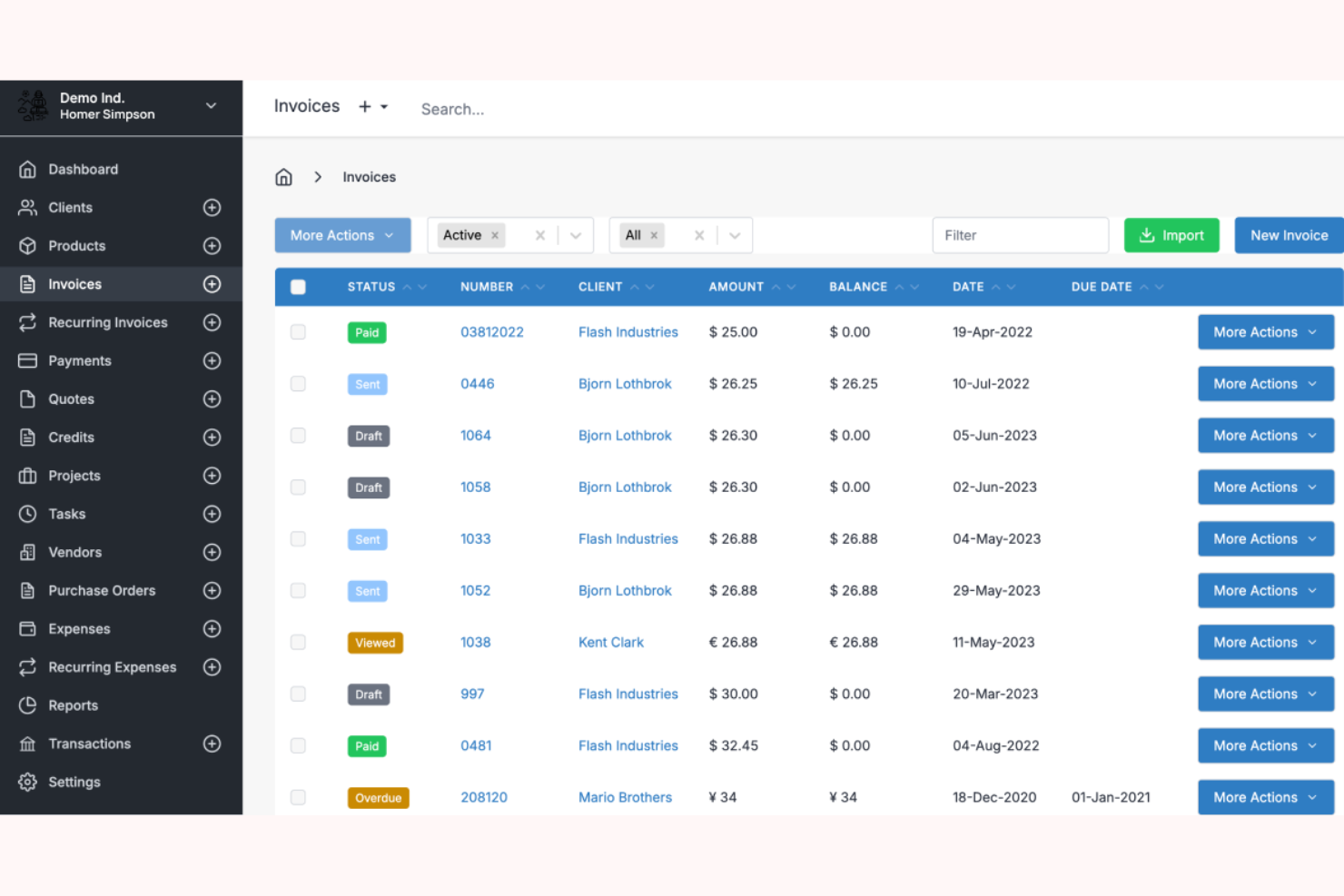
Invoice Ninja ist eine Rechnungs- und Abrechnungssoftware für Freiberufler und kleine Unternehmen. Sie bietet Tools zur Rechnungserstellung, Ausgabenverfolgung und Zahlungsverwaltung.
Warum es eine gute Bonsai-Alternative ist: Invoice Ninja hebt sich durch kostenlose Rechnungstools hervor, die ideal für kostenbewusste Freiberufler sind. Sie können problemlos professionelle Rechnungen erstellen und Ausgaben ohne zusätzliche Kosten verfolgen. Die Plattform unterstützt mehrere Zahlungsgateways und bietet dadurch Flexibilität bei der Verwaltung von Zahlungen. Die benutzerfreundliche Oberfläche von Invoice Ninja erleichtert den Einstieg und die Verwaltung Ihrer Abrechnungsprozesse.
Herausragende Funktionen & Integrationen:
Zu den Funktionen gehören anpassbare Rechnungsvorlagen zur Anpassung an Ihre Marke, Zeiterfassung zur Sicherstellung einer genauen Abrechnung und Ausgabenverwaltung zur übersichtlichen Organisation der Finanzen.
Zu den Integrationen gehören Stripe, PayPal, Authorize.Net, WePay, Braintree, Slack, Zapier, Xero, QuickBooks und Google Wallet.
Pros and Cons
Pros:
- Kostenlose Rechnungsfunktionen
- Unterstützt mehrere Zahlungsgateways
- Anpassbare und mit Branding versehbare Rechnungsvorlagen
Cons:
- Die Buchhaltung ist auf Benutzer der Unternehmensebene beschränkt
- Der Kundensupport ist auf kostenpflichtige Tarife beschränkt

ClickUp
Am besten für umfassende Produktivität

ClickUp ist ein Produktivitäts- und Projektmanagement-Tool für Teams jeder Größe. Es unterstützt Nutzer bei der Verwaltung von Aufgaben, Dokumenten, Zielen und der Zeiterfassung.
Warum es eine gute Bonsai-Alternative ist: ClickUp bietet eine Komplettplattform, die Aufgabenverwaltung mit Dokumentenzusammenarbeit und Zeiterfassung kombiniert. Die anpassbaren Funktionen erfüllen die unterschiedlichen Anforderungen von Teams und steigern die Produktivität. Sie können mehrere Projekte über eine einzige Benutzeroberfläche verwalten, wodurch der Bedarf an mehreren Tools reduziert wird. Die flexiblen Ansichten und Automatisierungsfunktionen von ClickUp unterstützen zusätzlich effiziente Teamarbeitsabläufe.
Herausragende Funktionen & Integrationen:
Funktionen umfassen die Zielverfolgung, damit Ihr Team fokussiert bleibt, benutzerdefinierte Dashboards zur Visualisierung Ihrer Projekte sowie die Zeiterfassung zur Überwachung der Produktivität.
Integrationen umfassen Slack, Google Drive, Dropbox, Microsoft Teams, Outlook, Zoom, GitHub, Salesforce, HubSpot und Evernote.
Pros and Cons
Pros:
- Werkzeuge für die Zusammenarbeit in Echtzeit
- Unterstützt die Zielverfolgung
- Umfassende Suite für Projekt- und Aufgabenverwaltung
Cons:
- Die mobile Benutzeroberfläche verfügt nicht über wichtige Bildschirme
- Zu viele Benachrichtigungen aufgrund des hohen Datenvolumens

PandaDoc
Am besten für schnelle Dokumentenverwaltung
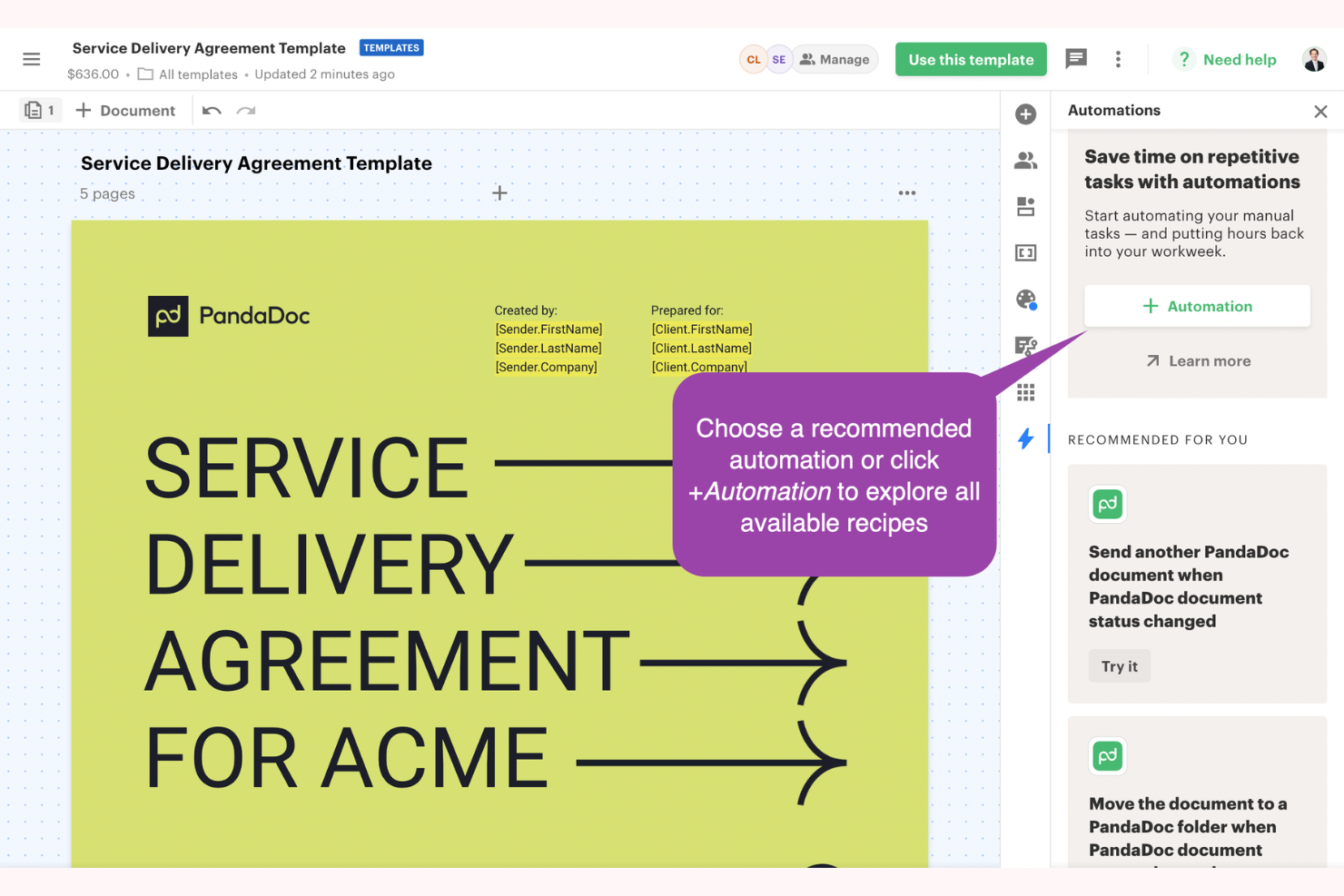
PandaDoc ist eine Software zur Dokumentenautomatisierung, die sich an Unternehmen richtet, die eine effiziente Erstellung und Verwaltung von Dokumenten benötigen. Sie unterstützt Vertriebsteams, Personalabteilungen und alle, die effiziente Dokumentenabläufe benötigen.
Warum es eine gute Bonsai-Alternative ist: PandaDoc zeichnet sich durch die Beschleunigung von Dokumentenverwaltungsprozessen mit seinen Automatisierungsfunktionen aus. Sie können Dokumente schnell erstellen, versenden und elektronisch signieren und so den Zeitaufwand für Papierkram reduzieren. Die integrierten Analysen liefern Einblicke in die Leistung von Dokumenten und helfen Ihnen zu verstehen, was am besten funktioniert. Die Vorlagen und Bearbeitungswerkzeuge der Software steigern die Effizienz zusätzlich und machen sie zu einer starken Wahl für Ihre Dokumentenanforderungen.
Herausragende Funktionen & Integrationen:
Zu den Funktionen gehören eine Bibliothek anpassbarer Vorlagen für Ihre geschäftlichen Anforderungen, Echtzeitverfolgung zur Überwachung des Dokumentenstatus sowie Funktionen für elektronische Signaturen, um Verträge schneller abzuschließen.
Zu den Integrationen gehören Salesforce, HubSpot, Zoho CRM, Pipedrive, Microsoft Dynamics, Slack, Google Drive, Dropbox, Stripe und QuickBooks.
Pros and Cons
Pros:
- Erweiterte Aktivitätsberichte und Analysen
- Integrierte Dokumentenverfolgung
- Ende-zu-Ende-Verschlüsselung und sicheres Hosting
Cons:
- Fehlende grundlegende Bearbeitungs- und Formatierungswerkzeuge
- Erweiterte Funktionen sind auf höhere Tarife beschränkt

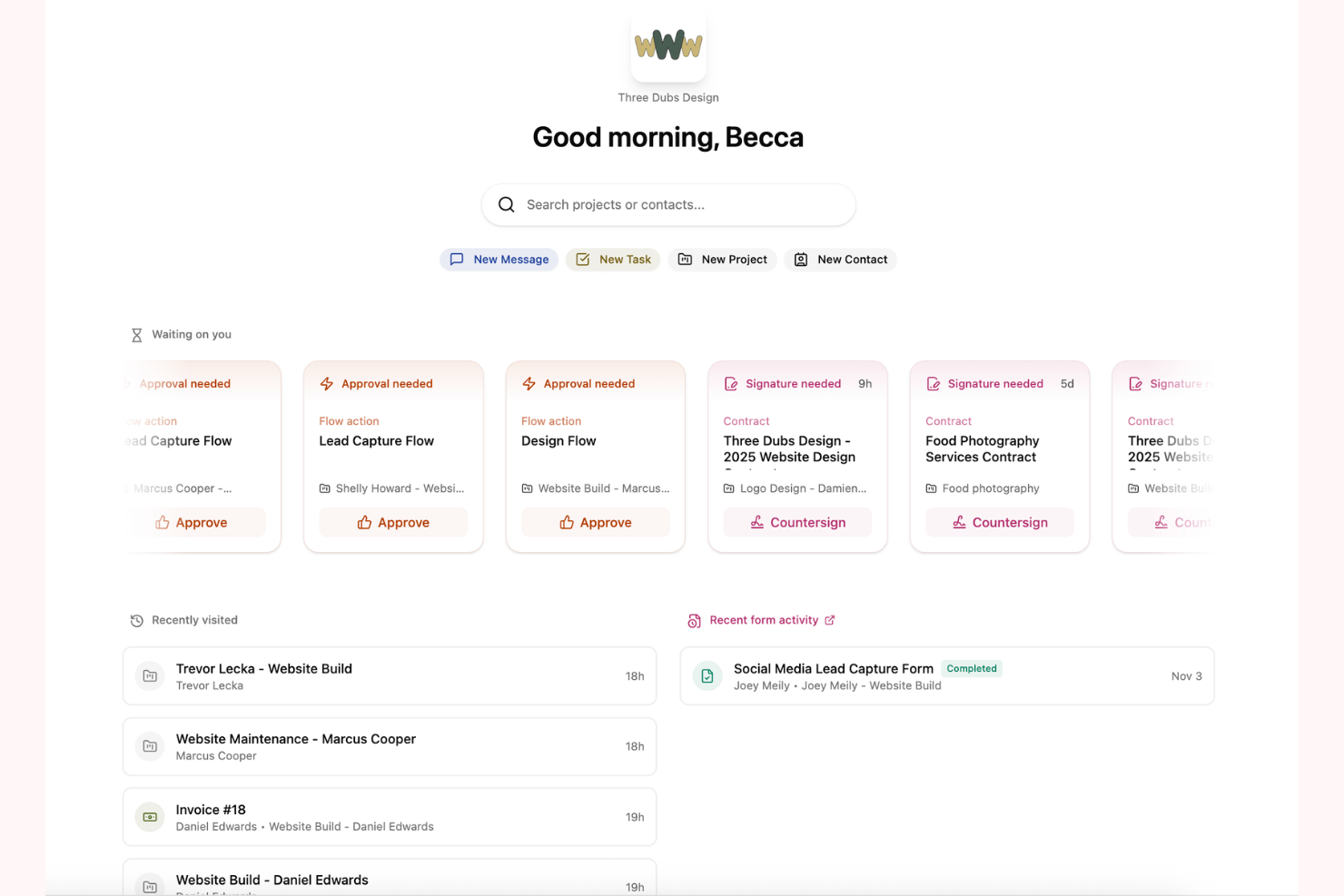
Dubsado ist eine Geschäftsverwaltungslösung für kreative Unternehmer und Freiberufler. Sie unterstützt Nutzer bei der Verwaltung von Kundenbeziehungen, Projekten und Abrechnungsprozessen.
Warum es eine gute Bonsai-Alternative ist: Dubsado bietet Funktionen für die Verwaltung kreativer Unternehmen, die auf die besonderen Bedürfnisse von Freiberuflern zugeschnitten sind. Mit den anpassbaren Workflows können Sie Prozesse an Ihre spezifischen Anforderungen anpassen. Sie können die Kundenkommunikation automatisieren und Projekte mit dem umfassenden Werkzeugsatz effizient verwalten. Die Funktionen von Dubsado für Rechnungsstellung und Vertragsverwaltung stärken zudem Ihre Geschäftsabläufe und machen die Lösung zu einer vielseitigen Wahl.
Herausragende Funktionen & Integrationen:
Funktionen umfassen anpassbare Workflows, die zu Ihrem Geschäftsmodell passen, eine automatisierte Kundenkommunikation zur Zeiteinsparung sowie umfassende Projektverwaltungstools, mit denen alles organisiert bleibt.
Integrationen umfassen QuickBooks, Xero, Stripe, Square, Zapier, Google Calendar, Gmail, Mailchimp, Zoom und Slack.
Pros and Cons
Pros:
- Anpassbare, rechtsverbindliche Vertragsvorlagen
- Kundenportale für wiederkehrende Kunden
- Dashboards mit dynamischen Aufgabenlisten
Cons:
- Grundlegende Berichte ohne erweiterte Analysen
- Keine Unterstützung mehrerer Währungen bei der Rechnungsstellung

Onesuite
Am besten für das umfassende Dienstleistungsmanagement geeignet
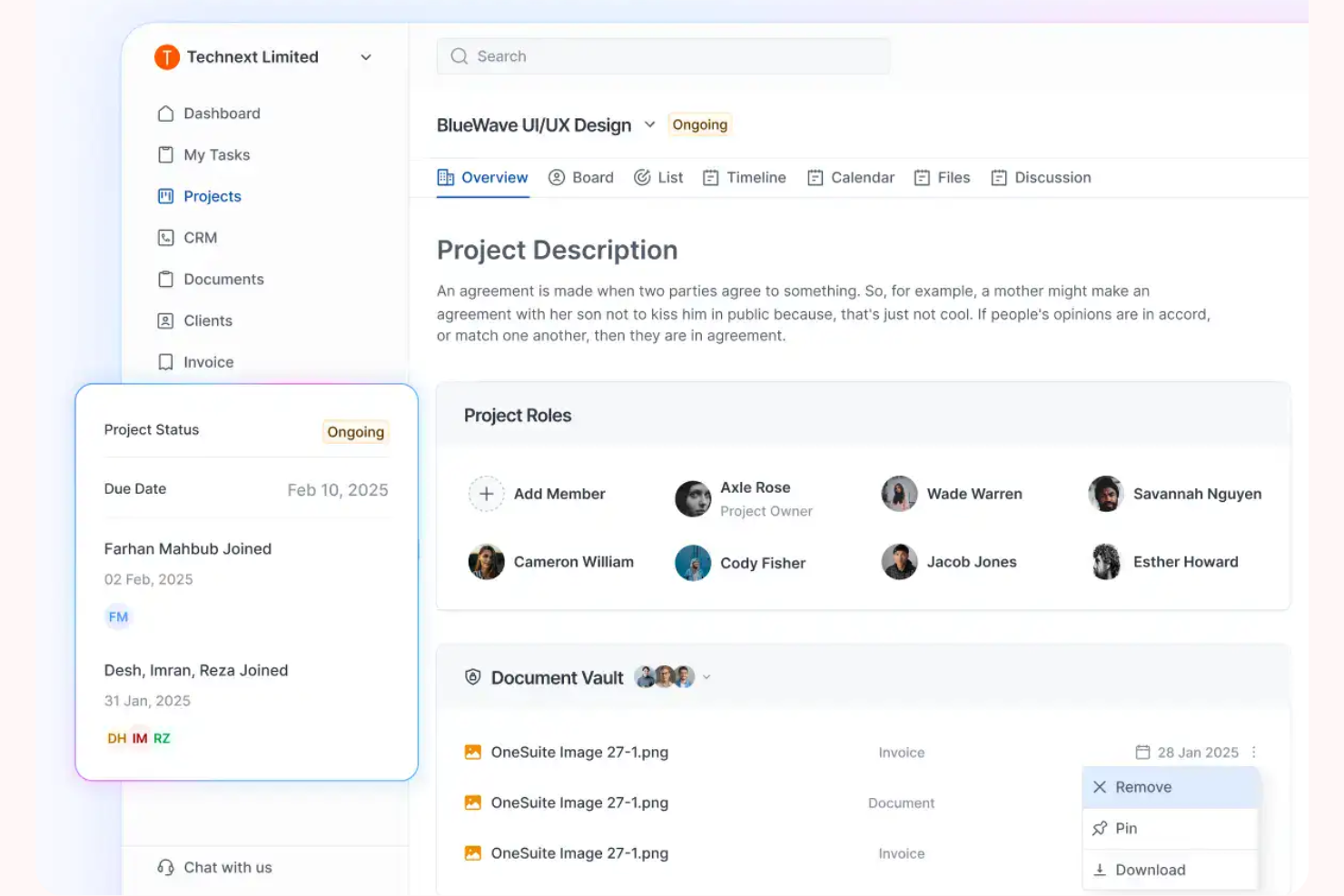
OneSuite ist eine Komplettplattform, die auf dienstleistungsbasierte Unternehmen, insbesondere Agenturen, zugeschnitten ist, um das Kundenmanagement und die betriebliche Effizienz zu verbessern. Sie bietet Tools für Projektmanagement, Kundenbeziehungsmanagement, Rechnungsstellung und Dokumentenverwaltung.
Warum es eine gute Bonsai-Alternative ist: OneSuite bietet ein umfassendes Dienstleistungsmanagement mit Funktionen, die auf die Bedürfnisse von Agenturen zugeschnitten sind. Das Kundenportal fördert Transparenz und verbessert die Interaktionen mit Kunden. Das Rechnungssystem der Plattform unterstützt Online-Zahlungen und sorgt so für reibungslosere Finanztransaktionen. Darüber hinaus helfen die Projektmanagement-Tools von OneSuite dabei, Abläufe von der Kundenaufnahme bis zur Beendigung der Zusammenarbeit zu vereinfachen, wodurch die Plattform eine vielseitige Wahl für Agenturen ist.
Herausragende Funktionen & Integrationen:
Funktionen umfassen anpassbare Rechnungsstellung für eine einfache Finanzverwaltung, eine Dokumentenzentrale zur Verwaltung von Verträgen und Angeboten sowie ein Kundenportal für sichere Zusammenarbeit.
Integrationen umfassen Stripe, PayPal, QuickBooks, Google Calendar, Zapier, Slack, Zoom, Mailchimp, Microsoft Teams und HubSpot.
Pros and Cons
Pros:
- Sichere Speicherung und Freigabe von Dateien
- Möglichkeiten zur Selbstbedienung für Kunden
- Unterstützung mehrerer Zahlungsschnittstellen
Cons:
- Die mobile App bietet nicht den vollständigen Funktionsumfang der Desktop-Version
- Eingeschränkte Funktionen zur Workflow-Automatisierung

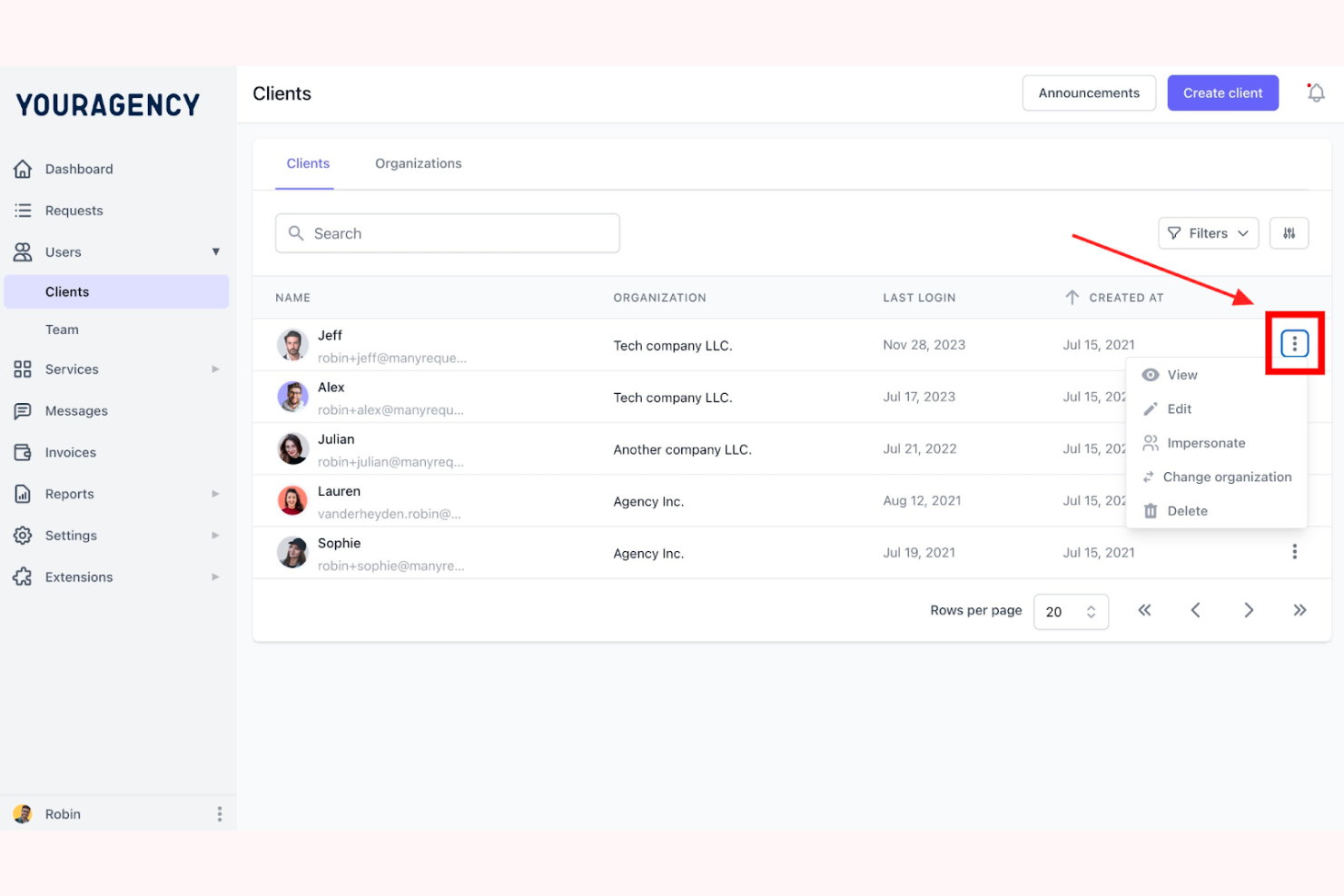
ManyRequests ist eine Plattform, die für Agenturen zur Verwaltung von Kunden, Projekten und Abrechnungen entwickelt wurde. Sie richtet sich hauptsächlich an Dienstleistungsunternehmen wie Design-, Marketing- und Entwicklungsagenturen. Zu den wichtigsten Funktionen gehören ein gebrandetes Kundenportal, Projektmanagement und Abrechnung.
Warum es eine gute Bonsai-Alternative ist: ManyRequests bietet ein gebrandetes Kundenportal, Zeiterfassung und CRM-Funktionen, die das Management von Agenturabläufen unterstützen. Sie können Kundenanfragen effizient bearbeiten und den Projektfortschritt verfolgen. Die Abrechnungsfunktionen der Plattform ermöglichen es Ihnen, Zahlungen und Projektmanagement an einem Ort zu synchronisieren, ohne zusätzliche Tools zu benötigen. Die Berichtstools liefern wertvolle Einblicke in die Kundenzufriedenheit und Finanzkennzahlen.
Herausragende Funktionen & Integrationen:
Funktionen umfassen ein Kundenportal für die zentralisierte Kundenkommunikation, Zeiterfassung für eine genaue Abrechnung und Projektmanagement-Tools, mit denen alles organisiert bleibt.
Integrationen umfassen Zapier, Calendly, HiBob, Xero, Stripe, Google Calendar, Slack, QuickBooks, Asana und HubSpot.
Pros and Cons
Pros:
- Individuell gebrandetes Kundenportal und Domains
- Rechnungsstellung mit Integration in die Abrechnung
- Mehrsprachiger Kundensupport
Cons:
- Eingeschränkte Funktionen für Berichte und Datenerfassung
- Keine Aufgabenhierarchien oder Delegierung von Unteraufgaben

Accelo
Am besten für die Automatisierung von Dienstleistungsunternehmen
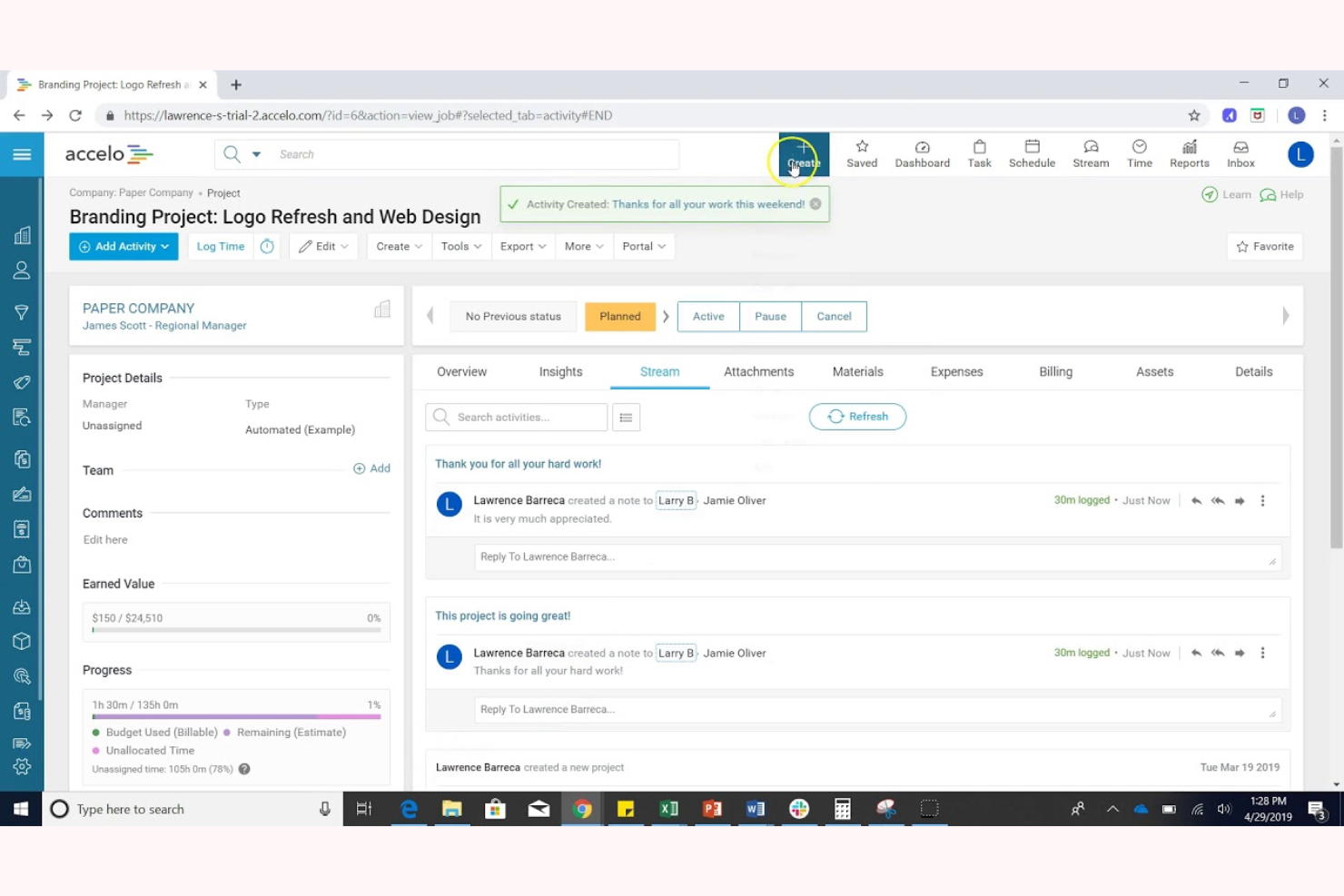
Accelo ist eine cloudbasierte Plattform zur Automatisierung von Serviceabläufen, die für Dienstleistungsunternehmen entwickelt wurde. Sie hilft dabei, Kundenarbeit zu verwalten, Abläufe zu zentralisieren und die Produktivität des Teams zu steigern.
Warum es eine gute Bonsai-Alternative ist: Accelo bietet Automatisierung für Dienstleistungsunternehmen mit Funktionen wie Projektmanagement, Kundenverfolgung und Abrechnung. Die automatisierten Workflows sorgen für eine effiziente Aufgabenverwaltung und reduzieren manuelle Arbeit. Die Echtzeitberichte der Plattform liefern Einblicke in die Leistung Ihres Unternehmens und helfen Ihnen, fundierte Entscheidungen zu treffen. Das Kundenportal von Accelo verbessert die Kommunikation und macht die Plattform zu einer umfassenden Lösung für Ihre Anforderungen als Dienstleistungsunternehmen.
Hervorstechende Funktionen & Integrationen:
Funktionen umfassen automatisierte Workflows zur Zeiteinsparung, Echtzeitberichte für bessere Entscheidungsfindung und ein Kundenportal zur Verbesserung der Kommunikation.
Integrationen umfassen QuickBooks, Xero, Slack, Google Workspace, Office 365, Salesforce, HubSpot, Mailchimp, Stripe und PayPal.
Pros and Cons
Pros:
- Integriertes Projektmanagement mit Rechnungsstellung
- Echtzeitberichte
- Tools zur Ressourcenverwaltung
Cons:
- Eingeschränkte Funktionen der mobilen App
- Projektdaten sind isoliert und fragmentiert

Am besten für unabhängige Fachkräfte
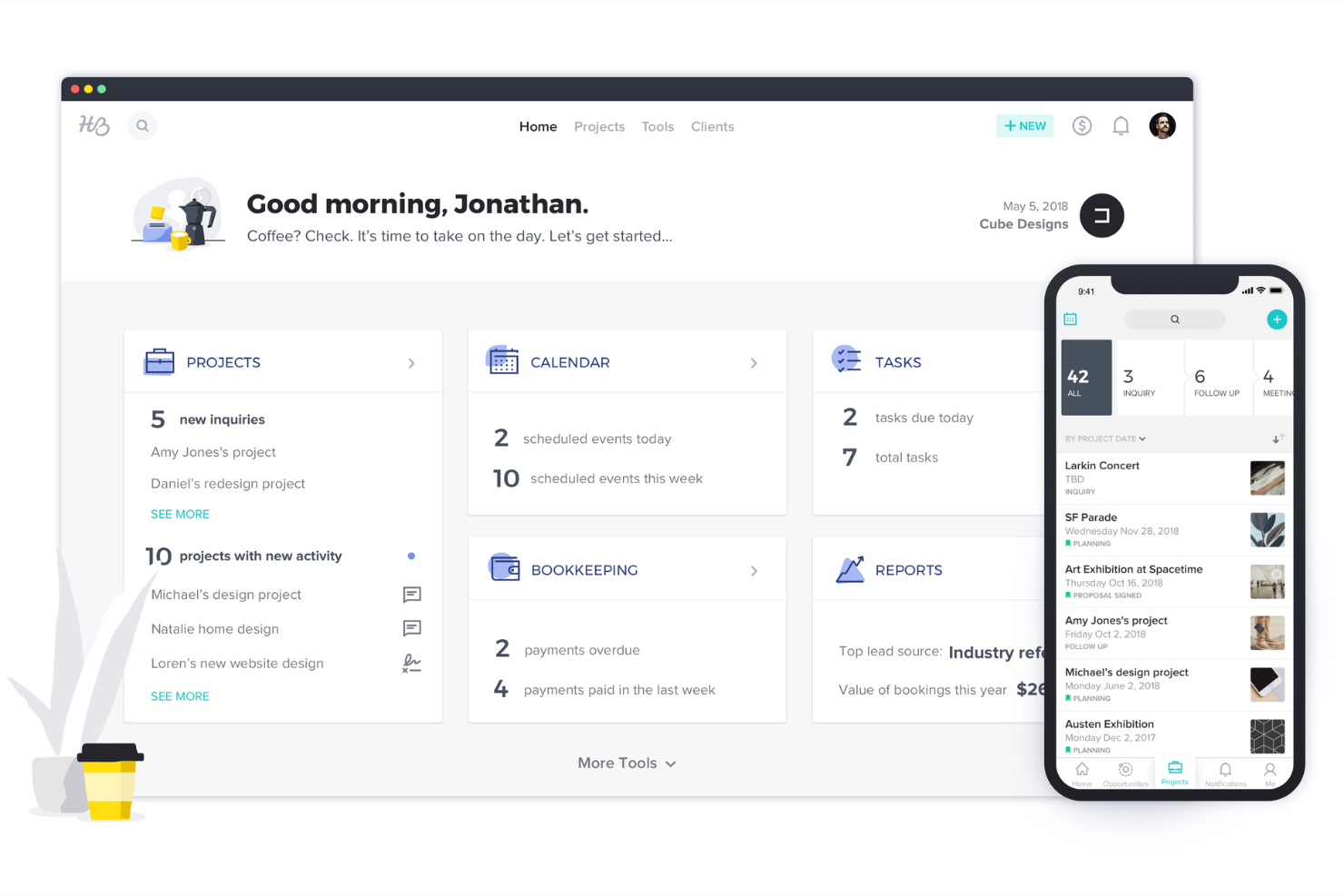
HoneyBook ist eine KI-gestützte Kundenbeziehungsplattform für unabhängige Fachkräfte in den USA und Kanada. Sie bietet Tools zur Verwaltung von Kunden, Projekten, Zahlungen und Unternehmenswachstum.
Warum es eine gute Bonsai-Alternative ist: HoneyBook bietet ein umfassendes Kundenbeziehungsmanagementsystem, das speziell auf unabhängige Fachkräfte zugeschnitten ist. Seine KI-Tools steigern die Produktivität, indem sie Aufgaben wie Angebotserstellung, Terminplanung und Rechnungsstellung automatisieren. Die CRM-Funktionen der Plattform helfen Ihnen, Kundeninteraktionen effizient zu verwalten. Darüber hinaus unterstützt der Fokus von HoneyBook auf Projekt- und Finanzmanagement das Unternehmenswachstum und die Organisation.
Herausragende Funktionen & Integrationen:
Funktionen umfassen Projektmanagement-Tools, mit denen Sie Ihre Arbeit organisiert halten, KI-gestützte Automatisierungen, die Ihnen Zeit sparen, sowie eine zentrale Plattform für Verträge und Rechnungen. Die HoneyBook Academy, die eine umfangreiche Bibliothek mit Meisterkursen, Webinaren und Tutorials bietet, ist ein zusätzlicher Vorteil.
Integrationen umfassen QuickBooks, Google Calendar, Zapier, Mailchimp, Gmail, Square, Slack, Zoom, Outlook und Stripe.
Pros and Cons
Pros:
- KI-gestützte CRM-Tools
- Zugriff auf Lernmaterialien der HoneyBook Academy
- Anpassbare Automatisierung von Arbeitsabläufen
Cons:
- Auf die USA und Kanada beschränkt
- Die Preise können sich durch Zusatzfunktionen erhöhen

Am besten für KI-gestützte Arbeitseffizienz
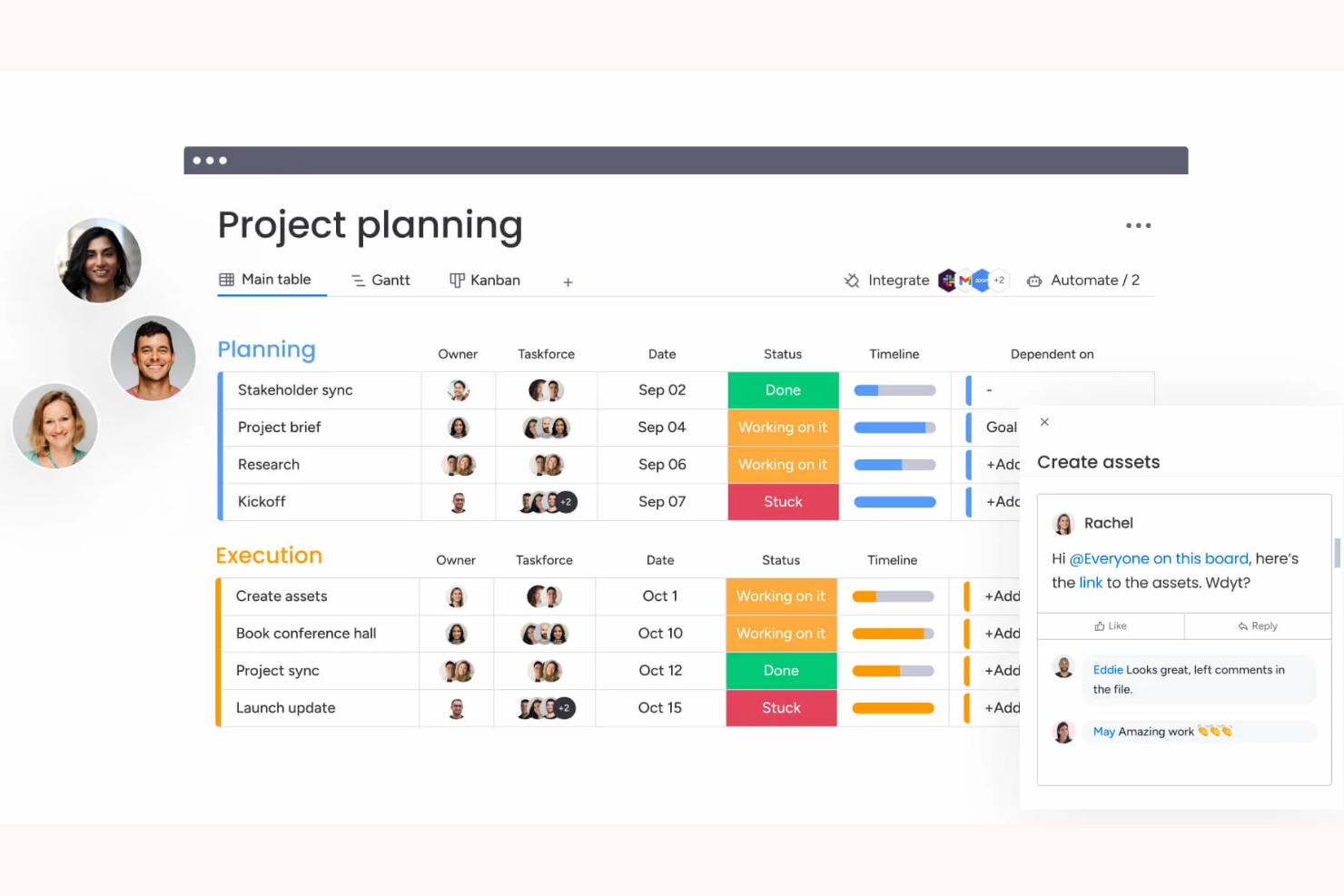
Die monday.com-Plattform für Arbeitsmanagement wurde für die Zusammenarbeit im Team und das Projektmanagement entwickelt. Sie unterstützt Unternehmen jeder Größe mit Tools zur effizienten Planung, Nachverfolgung und Umsetzung von Arbeitsaufgaben.
Warum es eine gute Bonsai-Alternative ist: Die Arbeitsmanagement-Software von monday.com bietet KI-gestützte Tools, die die Arbeitseffizienz und Zusammenarbeit steigern. Die anpassbaren Dashboards ermöglichen es Ihnen, Ansichten entsprechend den Anforderungen Ihres Teams zu gestalten. Automatisierungsfunktionen reduzieren manuelle Aufgaben und schaffen mehr Zeit für wichtigere Arbeiten. Die visuellen Zeitpläne und die Fortschrittsverfolgung der Plattform sorgen dafür, dass alle aufeinander abgestimmt sind und Termine eingehalten werden.
Herausragende Funktionen & Integrationen:
Funktionen umfassen die Automatisierung zur Reduzierung wiederkehrender Aufgaben, visuelle Zeitpläne zur Projektverfolgung und anpassbare Dashboards für Ihre spezifischen Anforderungen.
Integrationen umfassen Slack, Microsoft Teams, Google Calendar, Dropbox, Zoom, Excel, Outlook, Jira, Salesforce und Trello.
Pros and Cons
Pros:
- Visuelle Projektzeitpläne und anpassbare Dashboards
- Tools für die funktionsübergreifende Zusammenarbeit
- Portfolios und Projektaktualisierungen verfolgen
Cons:
- Administrationswerkzeuge sind nur in Premium-Tarifen verfügbar
- Erweiterte Funktionen erfordern eine Einrichtung

Airtable
Am besten für flexible Datenbankverwaltung geeignet
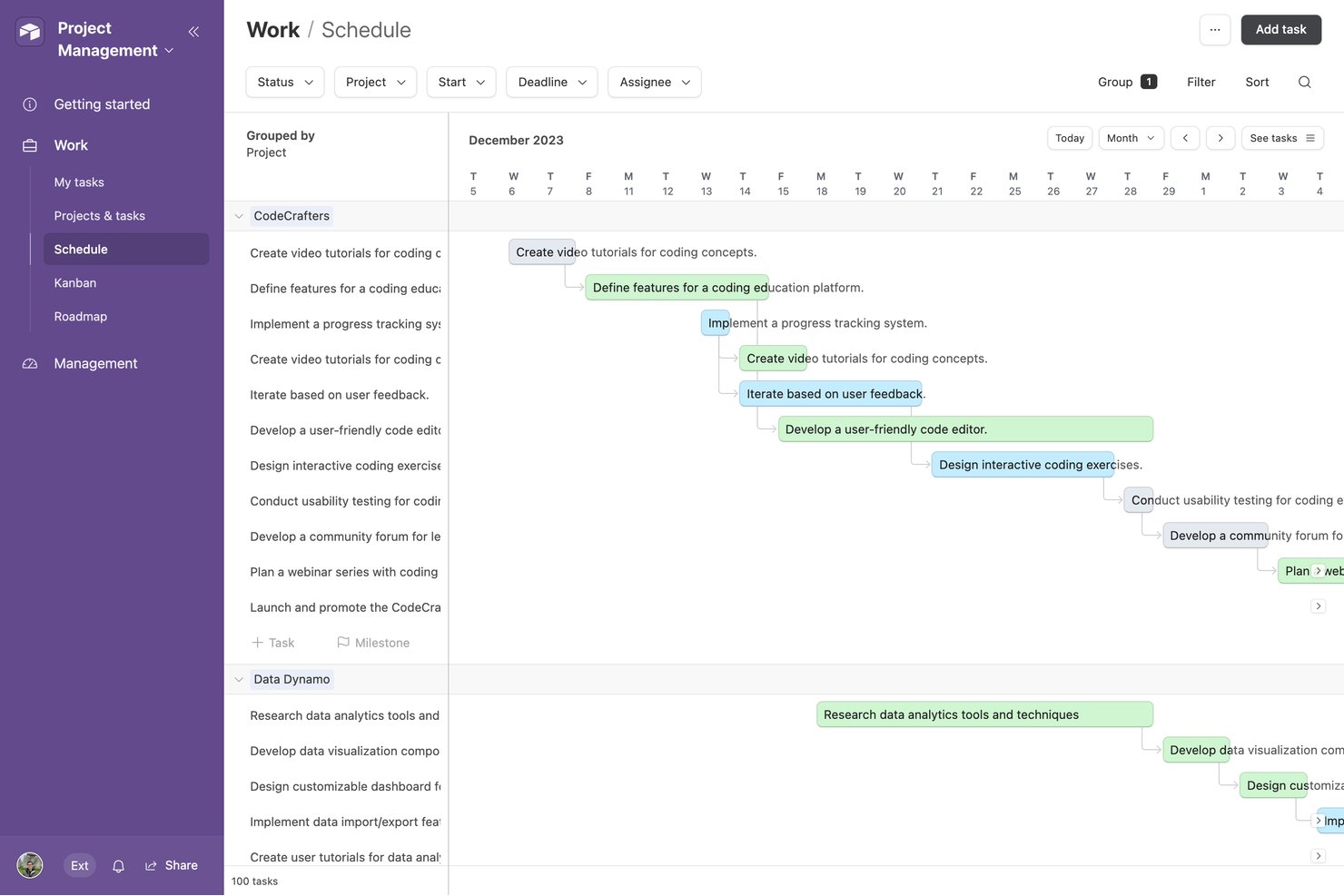
Airtable ist eine relationale Datenbankplattform ohne Code für Freiberufler, Agenturen und Betriebsteams. Sie bietet Werkzeuge zum Erstellen individueller Arbeitsabläufe, zur Nachverfolgung von Kunden und Projekten sowie zur Organisation verknüpfter Daten, ohne dass Programmierkenntnisse erforderlich sind.
Warum es eine gute Bonsai-Alternative ist: Airtable bietet durch sein relationales Datenbankmodell einen flexiblen Ansatz für die Verwaltung von Kunden, Projekten und Arbeitsabläufen. Sie können Kundendatensätze, Projekte und Liefergegenstände in Ihrem Arbeitsbereich miteinander verknüpfen, wodurch Airtable anpassungsfähiger als eine herkömmliche Tabelle ist. Die mehr als 40 Feldtypen, darunter Felder für Dauer, Währung und Barcodes, helfen Teams dabei, Daten entsprechend ihren spezifischen Prozessen zu strukturieren. Visuelle Werkzeuge wie Gantt-Diagramm- und Zeitleistenansichten erleichtern außerdem die Planung von Projekten und die Verwaltung betrieblicher Arbeitsabläufe.
Besondere Funktionen & Integrationen:
Zu den Funktionen gehören anpassbare Formulare zum Erfassen von Kunden- und Projektinformationen, granulare Berechtigungssteuerungen zur Verwaltung des Zugriffs von Mitwirkenden sowie Änderungsverläufe und Prüfprotokolle zur Nachverfolgung von Bearbeitungen und Wiederherstellung vorheriger Versionen. Airtable bietet außerdem mehrere visuelle Ansichten, darunter Gantt-Diagramm- und Zeitleistenansichten, zur Verwaltung von Projekten und Arbeitsabläufen.
Integrationen umfassen Google Workspace, Slack, Salesforce, Jira, GitHub, Dropbox und Zapier. Airtable stellt außerdem eine API zum Erstellen individueller Integrationen bereit.
Pros and Cons
Pros:
- Äußerst flexible relationale Datenbankstruktur
- Mehrere Ansichten zur Organisation von Kundendaten
- Automatisierungen reduzieren sich wiederholende Verwaltungsaufgaben
Cons:
- Keine nativen Tools für Rechnungsstellung oder Abrechnung
- Finanzberichte erfordern eine umfangreiche manuelle Einrichtung
Weitere Bonsai-Alternativen
\u003cspan style=\u0022font-weight: 400\u0022\u003eHier sind einige weitere Bonsai-Alternativen, die es nicht in meine Auswahl geschafft haben, aber dennoch einen Blick wert sind:\u003c/span\u003e
- Toggl
Am besten für einfache Zeiterfassung
- Brain Link
Am besten für Notizen und Zusammenarbeit geeignet


Wie ich Bonsai-Alternativen bewerte
Ich bewerte jedes Tool anhand von Grundanforderungen – Rechnungsstellung, elektronische Unterschriften, Zeiterfassung – und schaue dann auf Unterscheidungsmerkmale wie Steuerautomatisierung und Kundenportale.
Kernfunktionalität (Mindestanforderungen für diese Liste)
Wenn ich Tools für meine Liste auswähle, bewerte ich jedes einzelne auf einer Skala von 0 (bietet die Funktion nicht) bis 5 (hervorragend in diesem Bereich) hinsichtlich jeder der unten aufgeführten Kernfunktionen. Anschließend berechne ich die Gesamtpunktzahl des Tools als Prozentsatz. Jedes Tool muss eine Mindestgesamtpunktzahl von 65% erreichen, um in die Auswahl aufgenommen zu werden.
- Rechnungsstellung & Zahlungen: Ich prüfe, ob man individuelle Rechnungen erstellen, wiederkehrende Abrechnungszyklen einrichten und Zahlungen über verschiedene Zahlungsanbieter wie Stripe oder PayPal einziehen kann.
- Angebote & Verträge: Jedes Tool sollte ermöglichen, Angebote zu erstellen, Verträge anzuhängen und elektronische Unterschriften einzuholen, sodass Kunden freigeben und unterschreiben können, ohne die Plattform zu verlassen.
- Zeit- & Ausgabenerfassung: Ich achte auf einen integrierten Timer, die Möglichkeit, abrechenbare Stundensätze je Kunde oder Projekt zuzuweisen, und auf Spesenerfassung, die direkt in die Rechnungsstellung einfließt.
- Kunden- & Projektmanagement: Eine zentrale Kundendatenbank in Kombination mit Projektverfolgung ist hier wichtig, um Liefergegenstände, Fristen und Dateien pro Auftrag zu organisieren.
- Finanzberichte & Buchhaltung: Ich bewerte, ob das Tool Gewinn-und-Verlust-Übersichten erzeugt, Einnahmen und Ausgaben je Kategorie nachverfolgt und steuerfertige Berichte erstellt.
- Aufgaben- & Workflow-Automatisierung: Automatisierte Auslöser wie das Versenden von Zahlungserinnerungen, das Onboarding neuer Kunden oder das Erstellen von Nachverfolgungsaufgaben sparen echte Verwaltungszeit.
Wenn ich eine Liste mit Tools habe, die diese Kriterien erfüllen, schaue ich mir an, was jede Plattform besonders macht.
Unterscheidungsmerkmale (Was Anbieter voneinander abhebt)
So vergleiche und differenziere ich verschiedene Anbieter:
Herausragende Funktionen
Steuerautomatisierung ist ein großes Unterscheidungsmerkmal – ich suche nach Tools, die vierteljährliche Schätzungen, das Nachhalten von Abzügen und die Erstellung von 1099-Formularen erledigen, ohne eine separate Plattform zu benötigen. Ein Kundenportal ist ebenfalls wichtig, insbesondere für Buchhalter, die mehrere Mandate verwalten, bei denen Kunden selbstständig Rechnungen prüfen oder Dokumente hochladen können. Ich bewerte auch, wie gut jedes Tool mit Buchhaltungssoftware wie QuickBooks oder Xero integriert wird, da doppelte Dateneingaben in isolierten Systemen bei der Abstimmung erhebliche Probleme verursachen.
Über die Funktionen hinaus
Die Preisstruktur ist in dieser Kategorie ebenfalls wichtig. Ich bewerte, ob ein Tool in vertretbarem Rahmen skaliert, je mehr Kunden oder Teammitglieder hinzugefügt werden, da viele Freiberufler und Inhaber kleiner Kanzleien alleine starten und im Laufe der Zeit wachsen. Sicherheit ist ein weiterer Aspekt – beim Umgang mit sensiblen Finanzdaten prüfe ich Verschlüsselungsstandards, rollenbasierte Zugriffe und Konformitätszertifikate. Auch das Onboarding-Erlebnis fließt in meine Bewertung ein, denn ein einzelner Buchhalter ohne IT-Unterstützung braucht eine geführte Einrichtung und klare Migrationspfade von Tools wie Bonsai – nicht einen wochenlangen Implementierungsprozess.
Warum nach einer Bonsai-Alternative suchen?
Obwohl Bonsai eine gute Wahl für die Geschäftsverwaltung von Freiberuflern ist, gibt es mehrere Gründe, warum manche Nutzer nach alternativen Lösungen suchen. Vielleicht suchen Sie nach einer Bonsai-Alternative, weil …
- Sie mehr Anpassungsmöglichkeiten benötigen
- Ihr Team größer ist, als es Bonsai unterstützt
- Sie die Einhaltung bestimmter Branchenvorschriften benötigen
- Sie bessere Integrationsmöglichkeiten suchen
- Sie Unterstützung für mehrere Währungen benötigen
- Sie sich außerhalb der geografischen Verfügbarkeit von Bonsai befinden
Wenn einer dieser Punkte auf Sie zutrifft, sind Sie hier richtig. Meine Liste enthält mehrere Softwarelösungen zur Geschäftsverwaltung für Freiberufler, die besser für Teams geeignet sind, die mit diesen Herausforderungen von Bonsai konfrontiert sind und nach alternativen Lösungen suchen.
Die wichtigsten Funktionen von Bonsai
Hier sind einige der wichtigsten Funktionen von Bonsai, die Ihnen dabei helfen, die Angebote alternativer Lösungen gegenüberzustellen und zu vergleichen:
- Automatisierung: Automatisiert Aufgabenverwaltung, Rechnungsstellung und Projektabläufe, um die Produktivität zu steigern.
- Kollaborationswerkzeuge: Bietet gemeinsam genutzte Arbeitsbereiche für die Zusammenarbeit im Team und die Einbindung von Kunden.
- Zugriffskontrolle: Bietet Berechtigungsverwaltung und personalisierte Benutzerrollen für die Datensicherheit.
- Benutzerfreundliche Oberfläche: Verfügt über eine intuitive Navigation und ein responsives Design für eine einfache Nutzung auf verschiedenen Geräten.
- Rechnungsverwaltung: Ermöglicht eine personalisierte Rechnungsnummerierung und automatische Nummernfortsetzung für übersichtliche Finanzunterlagen.
- Zahlungsintegration: Unterstützt mehrere Zahlungsdienstleister und Zahlungsoptionen für sichere Transaktionen.
- Anpassbare Rechnungen: Ermöglicht individuell gestaltete Rechnungsdesigns und eine flexible Verwaltung von Rechnungspositionen.
- Personalisierte Arbeitsabläufe: Ermöglicht benutzerdefinierte Arbeitsabläufe und Automatisierungsauslöser für eine konsistente Leistungserbringung.
- Kundenportal für Zahlungen: Bietet ein sicheres Online-Portal, über das Kunden Zahlungen und Rechnungen verwalten können.
- Flexible Abrechnungszyklen: Ermöglicht anpassbare Abrechnungspläne und automatisierte Abrechnungsprozesse.
Wie geht es weiter:
Wenn Sie gerade Software für die Verwaltung eines Freelance-Unternehmens recherchieren, wenden Sie sich an einen SoftwareSelect-Berater, um kostenlos Empfehlungen zu erhalten.
Sie füllen ein Formular aus und führen ein kurzes Gespräch, in dem Ihre spezifischen Anforderungen besprochen werden. Anschließend erhalten Sie eine Auswahlliste von Softwarelösungen zur Prüfung. Die Berater unterstützen Sie sogar während des gesamten Kaufprozesses, einschließlich der Preisverhandlungen.