

Accelo Review: Pros, Cons, Features, and Pricing
Accelo stands out as a versatile tool that unifies project management, billing, and client communication, making it ideal for service-focused businesses.

We review tools independently, and commissions help fund our testing. See our transparency policy, our methodology, or suggest a tool.
Accelo is an accounting software built for professional services firms that need to track billable time, manage client billing, and handle invoicing within the same platform they use to run projects and retainers. If you're choosing between Accelo and FreshBooks, Accelo is the stronger pick when your team needs financial tracking tied directly to client work and service delivery—not just a standalone invoicing tool. It's worth a close look if disconnected billing and project data is making your revenue recognition or client reporting harder than it should be.
Accelo Evaluation Summary
4.4/5
- Pricing upon request
- Free demo available
Why Trust Our Software Recommendations
6,700+
Reviews
20
Industry experts
16+
Evaluation factors
14
Years
Our team has been testing and reviewing software since 2012. As finance leaders ourselves, we know how difficult—and important—it is to choose the right software.
For this guide, we evaluated tools using hands-on testing and independent research, scoring tools using our selection criteria.
Our reviews reflect our human editorial judgment, not a sales pitch.
Accelo Overview
In my opinion, Accelo is a solid choice for service-based and professional services businesses needing integrated project management, task management, and accounting solutions. It excels with standout features like client communication, CRM integration, and billing automation, which many competitors lack. However, its pricing can be a barrier for smaller teams, and the onboarding process requires patience. If your team values strong customer support and an intuitive user interface, Accelo could be the right fit. While it may not suit every budget, its functionality justifies the cost for those who can invest. Consider Accelo if your workspace demands seamless end-to-end project, sales, and financial management.
Pros
- You can easily manage projects and billing in one place.
- The client communication tools keep your team connected.
- Its customer support is responsive and helpful.
Cons
- Your team might be slow in the onboarding process.
- The interface can feel cluttered compared to other tools.
- Some users find the reporting features limited.
Is Accelo Right For Your Needs?
Who Would be a Good Fit for Accelo?
Accelo is a great fit for professional service businesses, such as marketing agencies and IT firms, that need to manage client relationships, projects, and billing all in one place. Its integrated CRM and client communication tools keep your team connected, making it easier to collaborate on client work and streamline workflows. The platform’s strong customer support ensures your team gets help when needed. If your work involves juggling multiple client projects and you need a way to track time and keep everything organized, Accelo can be a valuable workspace solution.
- Marketing AgenciesAccelo helps your team manage campaigns, client relationships, and billing in one place through its interconnected modules.
- IT FirmsIt makes tracking projects, tickets, and client communications seamless for your team while supporting resource management.
- Consulting ServicesYour team can efficiently handle project timelines, forecasting, and invoicing while maintaining clear client communication.
- Small BusinessesAccelo offers you a way to manage projects, sales management, and task management without needing multiple tools.
- Project ManagersYou can track project progress and billing in real time using Accelo’s dashboards and automation tools.
- Client-Focused TeamsIt keeps your team organized with integrated communication and workflow tools tailored for client relationships.
Who Would be a Bad Fit for Accelo?
Accelo may not be suitable for large enterprises that require highly customized accounting or ERP-style automation solutions. If your team needs deep customization and extensive reporting features, Accelo’s capabilities may fall short. It’s also not ideal for businesses focused purely on accounting without workflow or project management needs, as its strength lies in integrated professional services automation. If your work demands advanced financial analytics and complex forecasting, you might find Accelo lacking.
- Large EnterprisesYour team might need more customization and specialized modules than Accelo offers.
- Manufacturing CompaniesAccelo doesn’t focus on the production tracking that your business processes require.
- Retail BusinessesYour team won’t find the point-of-sale features or inventory tracking you need.
- Financial InstitutionsAccelo lacks the advanced analytics and ERP integrations your work depends on.
- Standalone AccountantsYou might not need the project management and workflow automation features that Accelo emphasizes.
- Logistics CompaniesAccelo doesn’t cater to the supply chain tracking your industry demands.
How We Test & Score Tools
We’ve spent years building, refining, and improving our software testing and scoring system. The rubric is designed to capture the nuances of software selection and what makes a tool effective, focusing on critical aspects of the decision-making process.
Below, you can see exactly how our testing and scoring works across seven criteria. It allows us to provide an unbiased evaluation of the software based on core functionality, standout features, ease of use, onboarding, customer support, integrations, customer reviews, and value for money.
Core Functionality (25% of final scoring)
The starting point of our evaluation is always the core functionality of the tool. Does it have the basic features and functions that a user would expect to see? Are any of those core features locked to higher-tiered pricing plans? At its core, we expect a tool to stand up against the baseline capabilities of its competitors.
Standout Features (25% of final scoring)
Next, we evaluate uncommon standout features that go above and beyond the core functionality typically found in tools of its kind. A high score reflects specialized or unique features that make the product faster, more efficient, or offer additional value to the user.
We also evaluate how easy it is to integrate with other tools typically found in the tech stack to expand the functionality and utility of the software. Tools offering plentiful native integrations, 3rd party connections, and API access to build custom integrations score best.
Ease of Use (10% of final scoring)
We consider how quick and easy it is to execute the tasks defined in the core functionality using the tool. High scoring software is well designed, intuitive to use, offers mobile apps, provides templates, and makes relatively complex tasks seem simple.
Onboarding (10% of final scoring)
We know how important rapid team adoption is for a new platform, so we evaluate how easy it is to learn and use a tool with minimal training. We evaluate how quickly a team member can get set up and start using the tool with no experience. High scoring solutions indicate little or no support is required.
Customer Support (10% of final scoring)
We review how quick and easy it is to get unstuck and find help by phone, live chat, or knowledge base. Tools and companies that provide real-time support score best, while chatbots score worst.
Customer Reviews (10% of final scoring)
Beyond our own testing and evaluation, we consider the net promoter score from current and past customers. We review their likelihood, given the option, to choose the tool again for the core functionality. A high scoring software reflects a high net promoter score from current or past customers.
Value for Money (10% of final scoring)
Lastly, in consideration of all the other criteria, we review the average price of entry level plans against the core features and consider the value of the other evaluation criteria. Software that delivers more, for less, will score higher.
Core Features
Time Tracking: Accelo lets your team easily log hours spent on projects, ensuring accurate billing. You can track time in real time or manually enter it later, with clear billable versus non-billable distinctions.
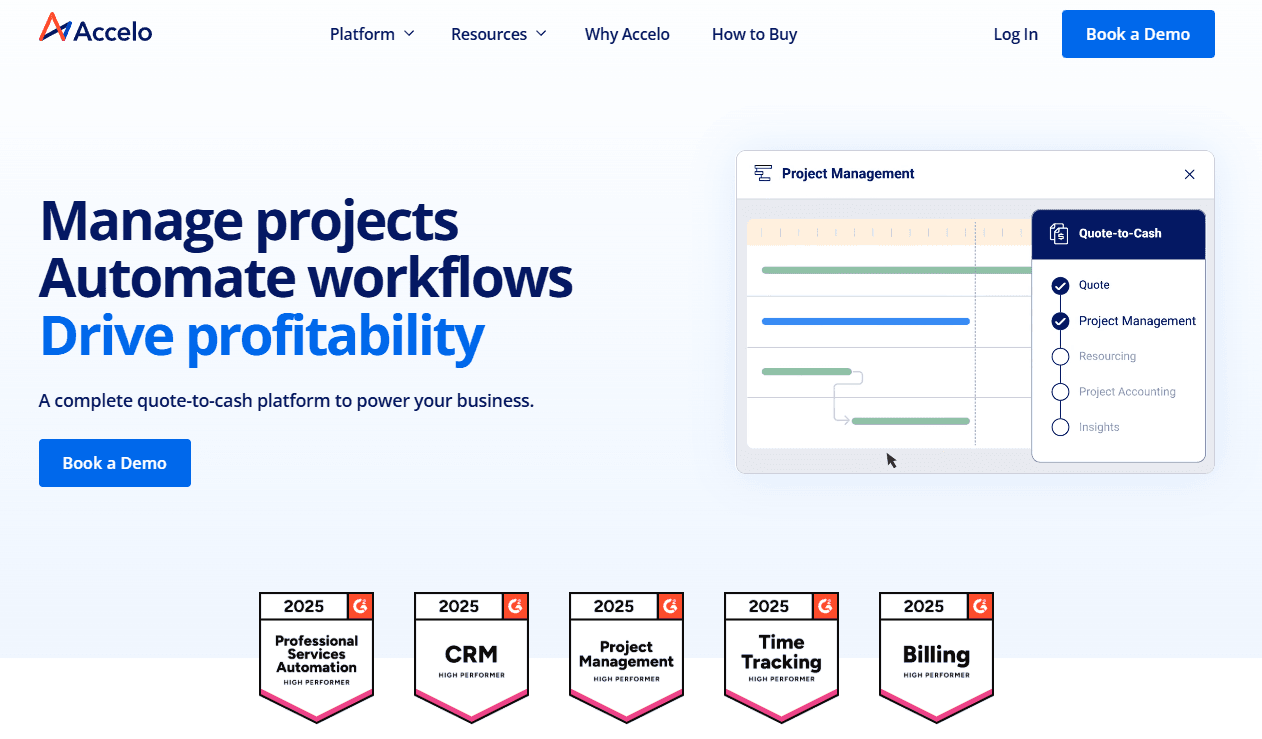
Project Management: Manage tasks, deadlines, and resources all in one workspace. This feature keeps your team organized and projects on track with real-time updates and end-to-end visibility.
Invoicing: Create and send invoices directly from Accelo, streamlining billing for professional services. Your team can customize invoices and automate recurring retainers to match your brand.
Client Portal: This feature allows your clients to view project progress, invoices, and communications. It keeps your client relationships transparent and builds trust.
Expense Tracking: You can monitor project expenses and ensure they're within budget. This helps your team maintain financial control and forecast accurately.
Reporting: Generate reports and dashboards to analyze project performance, client communication, and financial health. Your team gains insights into profitability, task efficiency, and overall resource management.

Standout Features
Automated Workflows: Accelo automates repetitive tasks and workflows, saving your team time and reducing errors. You can set up triggers for actions like sending invoices or scheduling notifications.
Client Communication Tools: Keep in touch with your clients through integrated communication features. This ensures everyone stays informed and aligned on project goals across modules.

Ease of Use
Accelo offers a user-friendly interface designed for professional service businesses. While some users mention a steep learning curve initially, the layout is intuitive once you get the hang of it. Dashboards bring essential functions together so you can easily access what you need. Features like automated workflows and time tracking simplify your work, reducing manual effort and improving forecasting accuracy. Overall, Accelo balances functionality with ease of use, making it suitable for teams looking to streamline operations.

Onboarding
Accelo’s onboarding experience is thorough, but it may seem lengthy to some team members. Your support team will find step-by-step guides and tutorials helpful for navigating modules and workflows. While setup takes time, Accelo offers live training and online resources to ease the transition. The training materials ensure your team can quickly adapt and start benefiting from the platform’s automation and CRM capabilities.

Customer Support
Accelo’s customer support stands out with its prompt and helpful responses, ensuring your team gets quick assistance when needed. Users appreciate multiple support channels, including live chat and email, which make reaching out convenient. The support team is knowledgeable and resolves issues efficiently, enhancing your overall user experience. Accelo also provides a comprehensive help center and community forums, giving you additional resources to troubleshoot and learn independently.

Integrations
Accelo integrates with Microsoft 365, Xero, QuickBooks, Continuum, Salesforce, HubSpot, Google Workspace, and various expense management platforms. Accelo also offers a RESTful API and a Forms API for custom integrations, allowing you to connect seamlessly with other applications.

Value for Money
Accelo's pricing reflects its balance between features and cost. Users appreciate the comprehensive tools for project and client management, making it a suitable choice for growing teams. The company encourages potential clients to schedule a discovery call before it shares the pricing for its three main tiers.
- Professional: Adds quote-to-cash management tools.
- Business: Includes retainer and ticket management.
- Advanced: Offers enhanced automation for scaling operations.

Accelo Specs
- API: Yes
- Billing/Invoicing: Yes
- Budgeting: Yes
- CRM Integration: Yes
- Dashboards: Yes
- Data Export: Yes
- Data Import: Yes
- Document Management: No
- Expense Tracking: Yes
- External Integrations: Yes
- Financial Analysis: No
- Forecasting: Yes
- Gantt Charts: Yes
- Inventory Tracking: No
- Multi-Currency: Yes
- Multi-User: Yes
- Notifications: Yes
- Project Management: Yes
- Resource Management: Yes
- Scheduling: Yes
- Status Notifications: Yes
- Task Scheduling/Tracking: Yes
- Time Management: Yes
- Workflow Management: Yes
Accelo FAQs
Accelo Company Overview & History
Accelo, founded in 2011 in Wollongong, Australia, is a professional services automation (PSA) tool designed to enhance operational efficiency for professional services and service-based businesses. The company has expanded globally, with offices in San Francisco and Denver in the United States. Accelo was the recipient of a majority investment by Bow River Capital in February 2024, positioning it for further growth and innovation. With a focus on CRM, client, project, and financial management, Accelo is known for high customer satisfaction and continuous innovation across its cloud-based modules.
Accelo Major Milestones
2011: Accelo was founded in Wollongong, Australia, by launching the AffinityLive Beta.
2015: Rebranded from AffinityLive to Accelo, reflecting a vision to streamline operations for professional services businesses.
2018: Opened a Denver office, expanding its presence in the United States and strengthening its North American operations.
2023: Launched Accelo v4, a major upgrade and a continuous improvement in PSA software.
2024: Acquired by Bow River Capital, expanding global reach and positioning for accelerated growth.