


ERPNext Recensione: Pro, Contro, Funzionalità e Prezzi Spiegati



ERPNext is open-source CFO ERP software for finance and operations teams that need full-cycle visibility across accounting, procurement, inventory, and payroll. I'd consider it a strong fit if your organization wants the functional depth of a platform like NetSuite. ERPNext gives you that depth as a self-hosted option without the licensing costs or a large implementation budget.
ERPNext Evaluation Summary
- From $5/month
- 14-day free trial
Perché fidarsi dei nostri consigli sui software
Le nostre recensioni riflettono il nostro giudizio indipendente, non un discorso di vendita. Scopri come manteniamo la trasparenza.
Per questa guida, abbiamo valutato gli strumenti attraverso test pratici e ricerche indipendenti, assegnando un punteggio agli strumenti in base ai nostri criteri di selezione.
Le nostre recensioni riflettono il nostro giudizio editoriale umano, non un discorso di vendita.
ERPNext Overview
ERPNext offers a rare mix of flexibility, affordability, and open-source transparency that appeals to finance teams wanting control over their ERP environment. Its modular features and strong customization options make it a top pick for organizations with unique workflows or limited budgets. While its interface and onboarding can feel less polished than some competitors, and support relies heavily on community resources, ERPNext’s pricing and adaptability often outweigh these drawbacks.
It’s best suited for teams comfortable with hands-on configuration and those who value the ability to tailor their ERP to specific business needs, such as manufacturing or multi-entity operations.
pros
-
You can easily customize ERPNext to fit your business needs.
-
ERPNext's open-source nature lets your team modify and enhance the software.
-
It supports a wide range of industries, making it versatile for your work.
cons
-
You might find the initial setup requires a significant time investment.
-
Your team may experience a learning curve with its extensive features.
-
You may encounter limited third-party integrations compared to other ERPs.
-

Rippling Spend
Visit WebsiteThis rating combines scores from multiple user review sites to reflect overall customer sentiment about the product.4.8 -
DealHub AI
Visit WebsiteThis rating combines scores from multiple user review sites to reflect overall customer sentiment about the product.4.7 -
LiveFlow
Visit WebsiteThis rating combines scores from multiple user review sites to reflect overall customer sentiment about the product.4.9


Come testiamo e valutiamo gli strumenti
Abbiamo impiegato anni a costruire, perfezionare e migliorare il nostro sistema di test e valutazione dei software. Il nostro schema è progettato per cogliere le sfumature della scelta del software e ciò che rende uno strumento efficace, concentrandosi sugli aspetti critici del processo decisionale. Di seguito puoi vedere esattamente come funzionano i nostri test e le nostre valutazioni in base a sette criteri. Questo ci permette di offrire una valutazione imparziale del software basata su funzionalità di base, caratteristiche distintive, facilità d’uso, onboarding, assistenza clienti, integrazioni, recensioni dei clienti e rapporto qualità-prezzo.
Funzionalità principali (25% del punteggio finale)
Il punto di partenza della nostra valutazione è sempre la funzionalità principale dello strumento. Dispone delle funzionalità base che un utente si aspetterebbe di trovare? Alcune di queste funzionalità sono riservate ai piani a pagamento più elevati? In sostanza, ci aspettiamo che uno strumento sia all’altezza delle capacità minime dei concorrenti.
Caratteristiche distintive (25% del punteggio finale)
Successivamente, valutiamo le caratteristiche distintive che vanno oltre la funzionalità principale normalmente presente negli strumenti di questo tipo. Un punteggio elevato riflette funzionalità specializzate o uniche che rendono il prodotto più rapido, efficiente o offrono valore aggiunto all’utente. Valutiamo inoltre quanto sia semplice integrare il software con altri strumenti tipicamente presenti nello stack tecnologico, per estenderne la funzionalità e l’utilità. Gli strumenti che offrono numerose integrazioni native, connessioni di terze parti e accesso API per creare integrazioni personalizzate ottengono il punteggio migliore.
Facilità d’uso (10% del punteggio finale)
Consideriamo quanto sia rapido e semplice eseguire le attività fondamentali previste dallo strumento. Un software con punteggio elevato è ben progettato, intuitivo da usare, offre app mobile, modelli predefiniti e semplifica operazioni complesse.
Onboarding (10% del punteggio finale)
Sappiamo quanto sia importante l’adozione rapida da parte del team quando si introduce una nuova piattaforma: per questo valutiamo quanto sia facile imparare e utilizzare lo strumento con una formazione minima. Valutiamo la rapidità con cui un membro del team può impostare e iniziare a utilizzare lo strumento senza esperienza pregressa. Le soluzioni con punteggio alto richiedono poco o nessun supporto.
Assistenza clienti (10% del punteggio finale)
Analizziamo quanto sia semplice e veloce ottenere aiuto tramite telefono, live chat o knowledge base. Gli strumenti e le aziende che offrono supporto in tempo reale ottengono i punteggi migliori, mentre i chatbot ricevono i punteggi più bassi.
Recensioni dei clienti (10% del punteggio finale)
Oltre ai nostri test e valutazioni, consideriamo il net promoter score dei clienti attuali e passati. Verifichiamo la probabilità che i clienti scelgano nuovamente lo strumento per le funzionalità di base. Un software con punteggio elevato riflette un net promoter score alto da parte dei clienti vecchi e attuali.
Rapporto qualità-prezzo (10% del punteggio finale)
Infine, considerando tutti gli altri criteri, valutiamo il prezzo medio dei piani base rispetto alle funzionalità principali e agli altri criteri di valutazione. I software che offrono di più, a un costo inferiore, ottengono punteggi migliori.
Core Features
Accounting and Finance
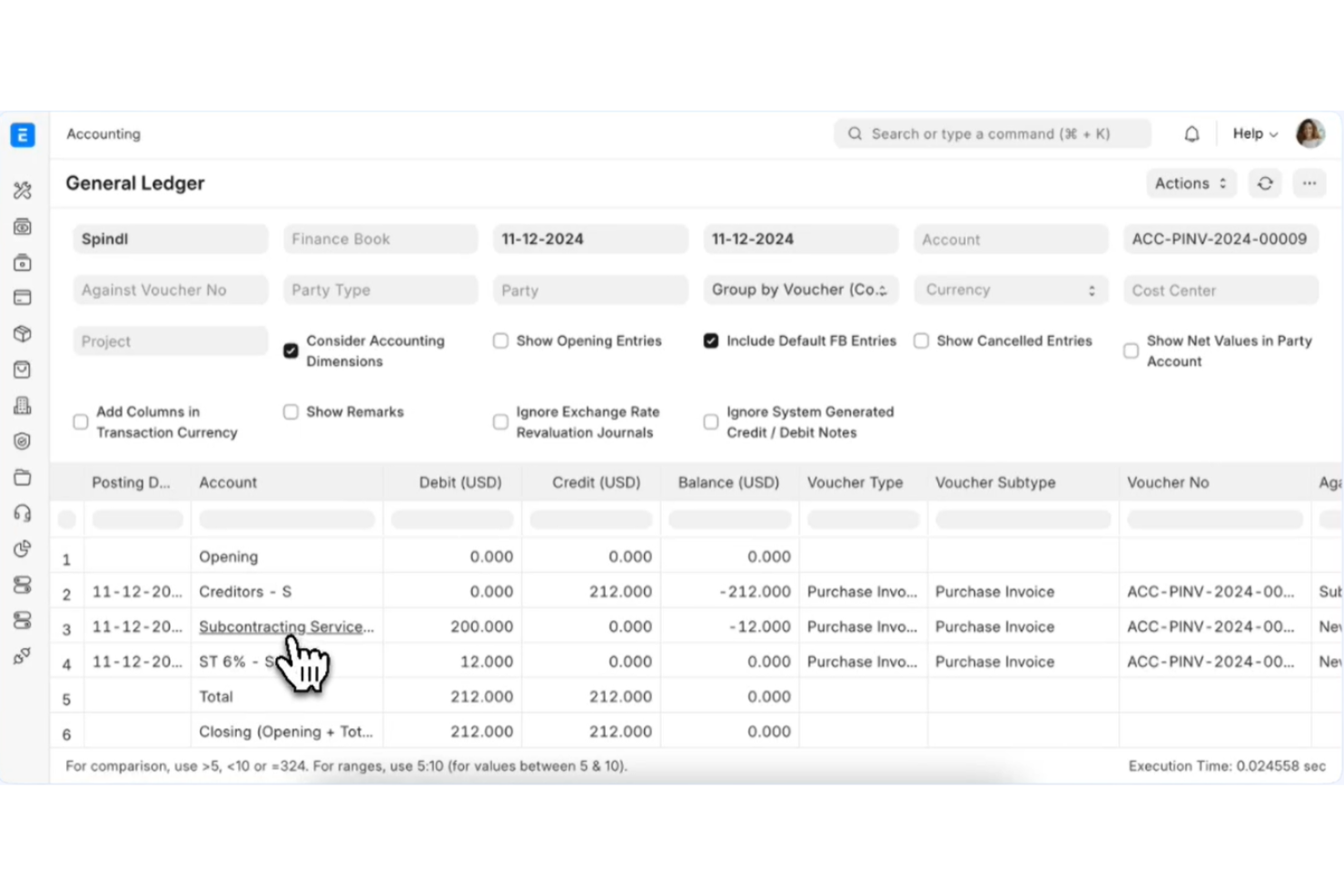
Manage general ledger, accounts payable, receivable, and automated bank reconciliation. Multi-currency support and real-time financial reporting help teams stay audit-ready.
Inventory Management
Track stock levels, warehouse transfers, and batch or serial numbers. Automated reorder points and valuation methods support complex inventory needs.
Manufacturing Module
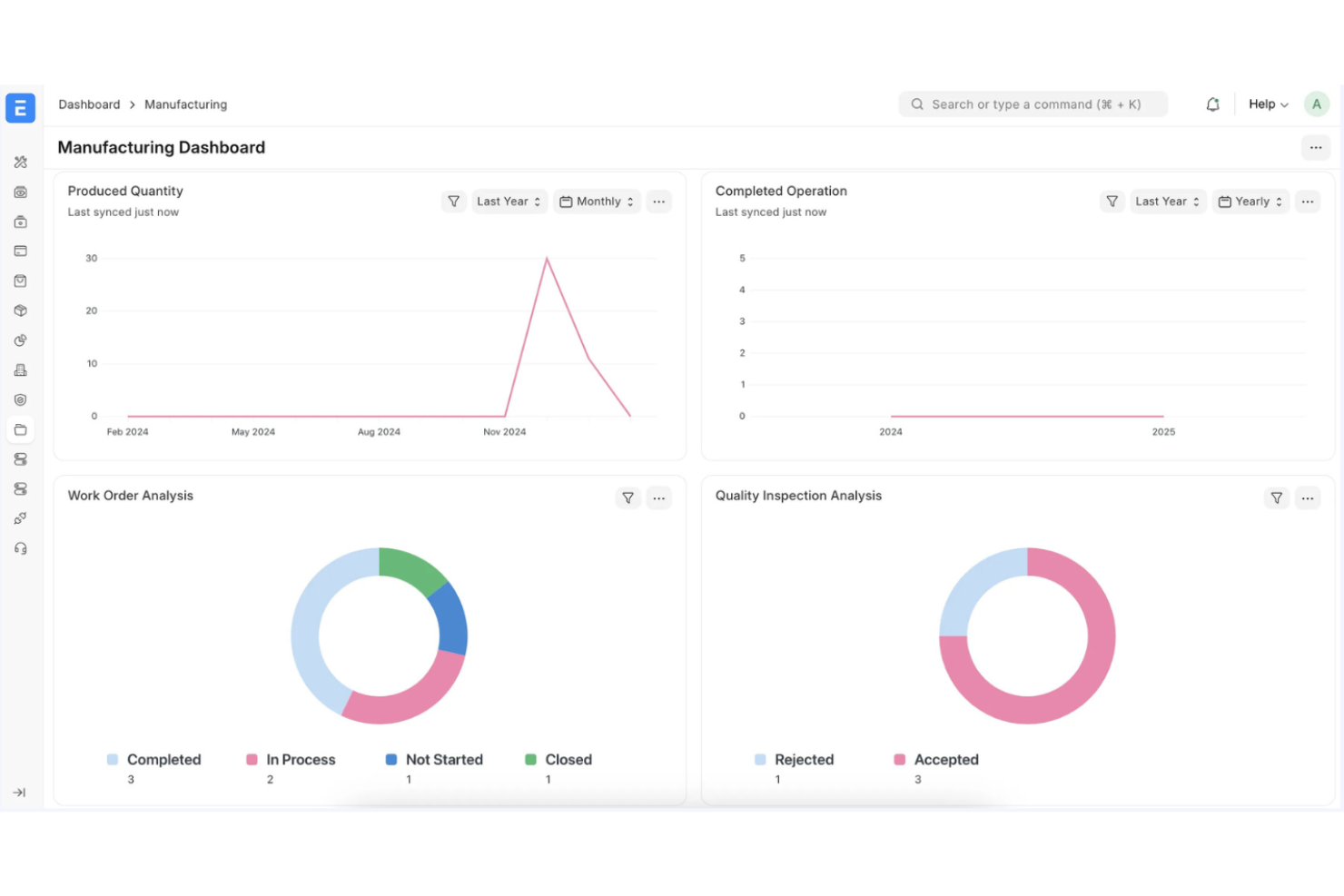
Handle bill of materials, work orders, and production planning from a single dashboard. Shop floor tracking and job cards help optimize manufacturing workflows.
HR and Payroll
Manage employee records, attendance, payroll, and leave policies in one place. Built-in payroll processing supports compliance with local tax rules.
Sales and Purchase Management
Create and track quotations, sales orders, purchase orders, and supplier invoices. Automated workflows streamline approvals and document management.
Project Management
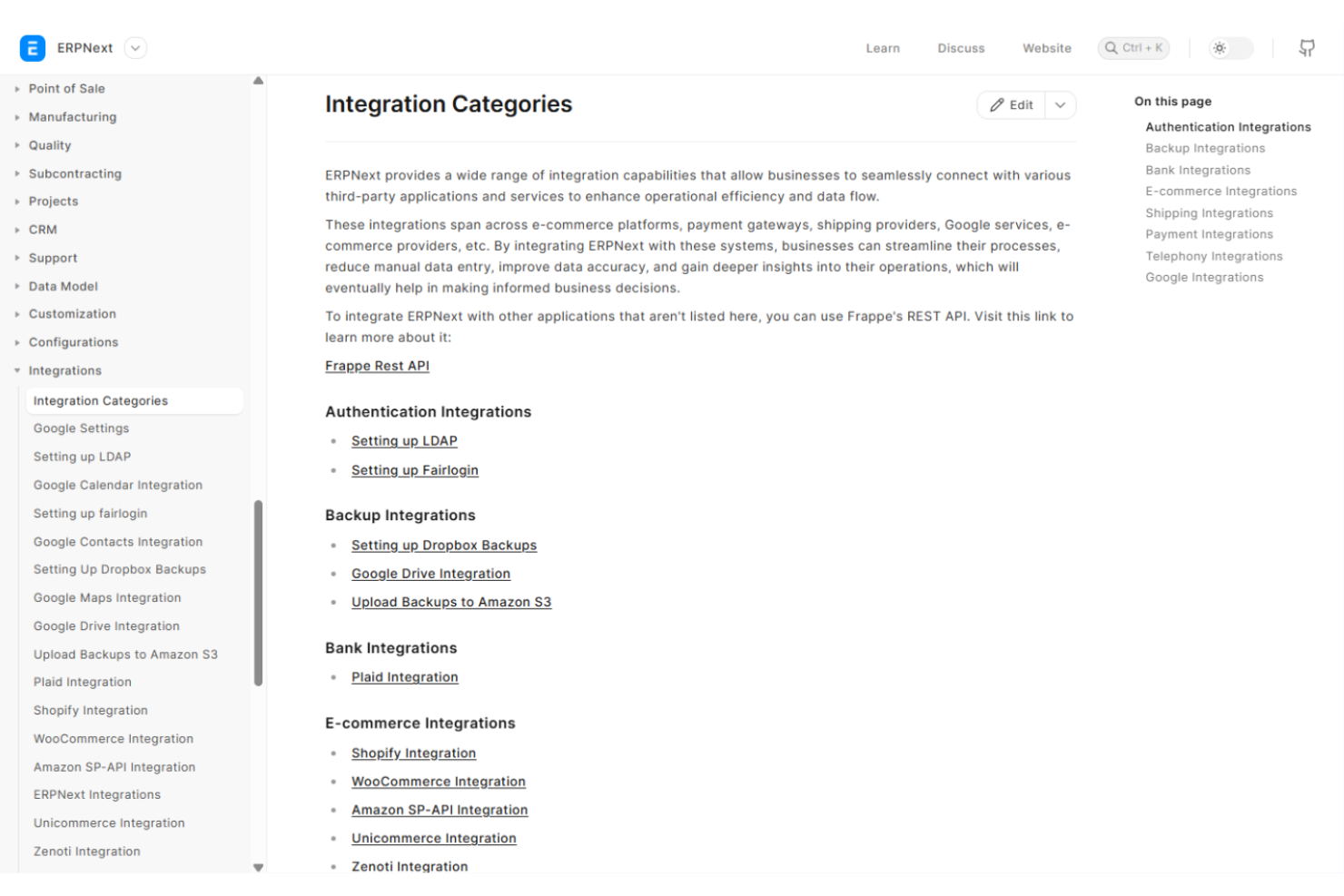
Plan, assign, and monitor tasks, milestones, and budgets for multiple projects. Integrated timesheets and cost tracking connect project work to financials.
Ease of Use
ERPNext’s interface is functional but can feel less intuitive than other ERP software, especially for new users or non-technical teams. Navigation relies on a modular layout, which some users find overwhelming at first. Documentation and in-app guidance are improving, but setup and advanced configuration often require technical skills. Users who value flexibility and are comfortable with hands-on learning will appreciate the control ERPNext offers, but others may face a steeper onboarding process.
Integrations
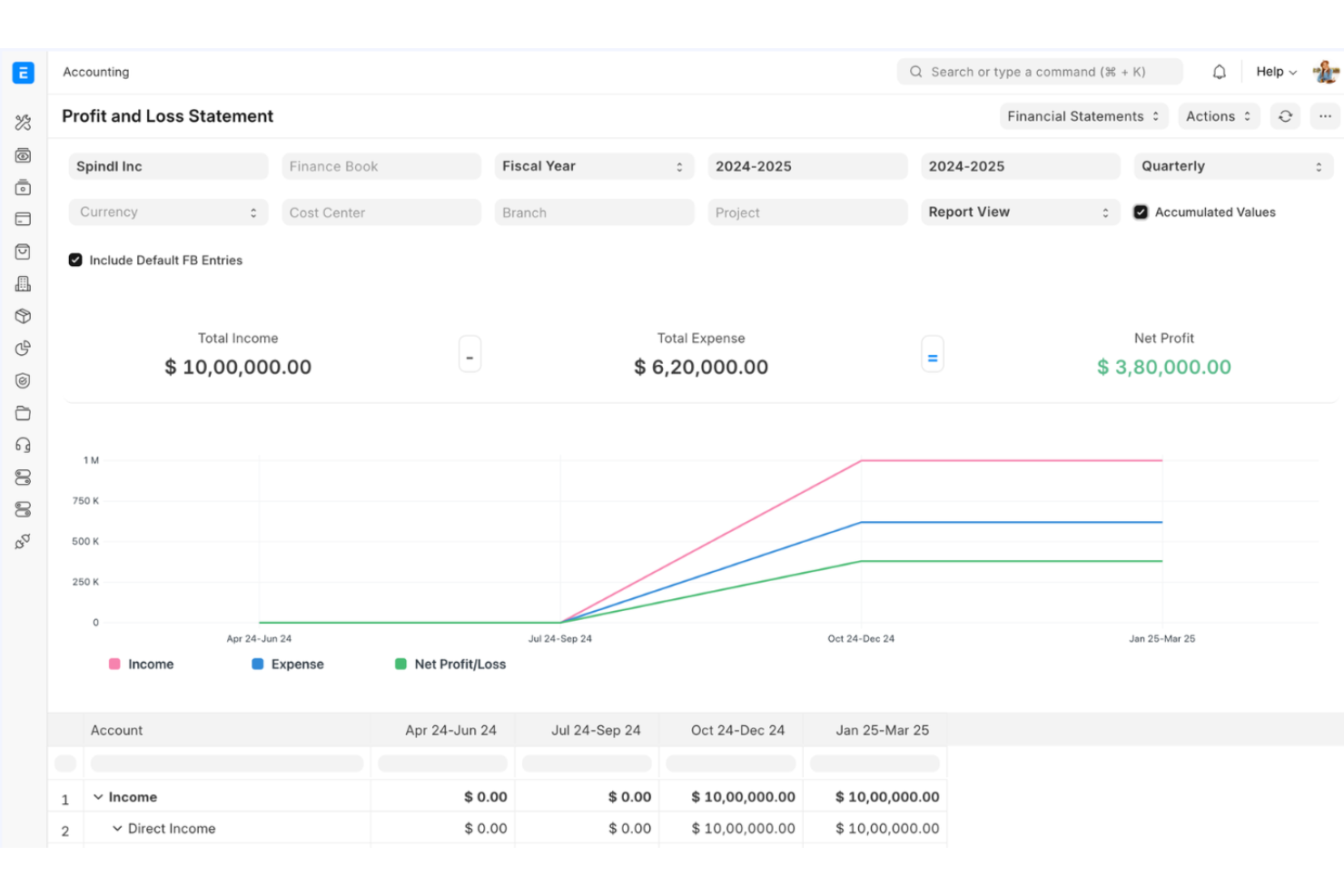
ERPNext integrates with PayPal, Stripe, Amazon Web Services, Google Drive, Dropbox, Slack, Shopify, WooCommerce, LDAP, and SMS gateways, among others.
ERPNext also offers a REST API and can connect with third-party integration tools for custom workflows.
ERPNext Specs
- Accounts Payable
- Accounts Receivable
- API
- Budgeting
- Calendar Management
- Compliance Tracking
- Customer Management
- Dashboard
- Data Export
- Data Import
- Data Visualization
- Expense Tracking
- External Integrations
- Financial Analysis
- Forecasting
- Inventory Tracking
- Multi-Currency
- Multi-User
- Notifications
- Order Management
- Payroll
- Project Management
- Purchase Orders
- Resource Management
- Scheduling
- Supplier Management
- Task Scheduling/Tracking
- Third-Party Plugins/Add-Ons
- Warehouse Management
- Workflow Management


