

Recensione Zoho Books 2026: Pro, Contro, Caratteristiche e Prezzi



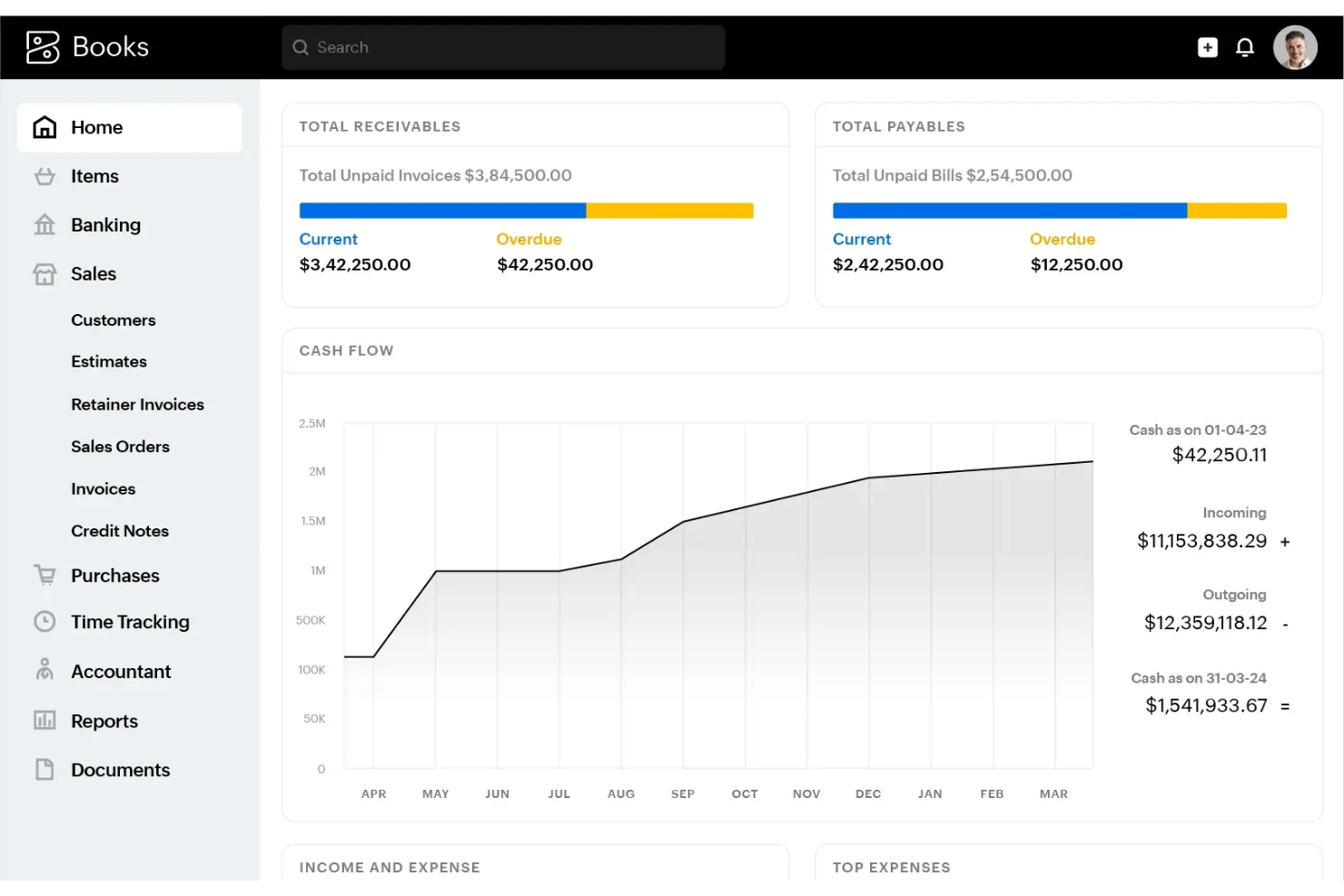
Zoho Books is an accounting software built for small and mid-sized businesses managing invoicing, expense tracking, bank reconciliation, and tax compliance. I'd especially consider it if your team is already working within the Zoho ecosystem—the native integrations across Zoho's suite give it a clear advantage over QuickBooks, which relies on third-party connectors to achieve the same level of cross-platform financial visibility.
Zoho Books Evaluation Summary
- From $15/month (billed annually)
- Free plan + free demo available
Perché fidarsi dei nostri consigli sui software
Le nostre recensioni riflettono il nostro giudizio indipendente, non un discorso di vendita. Scopri come manteniamo la trasparenza.
Per questa guida, abbiamo valutato gli strumenti attraverso test pratici e ricerche indipendenti, assegnando un punteggio agli strumenti in base ai nostri criteri di selezione.
Le nostre recensioni riflettono il nostro giudizio editoriale umano, non un discorso di vendita.
Zoho Books Overview
In my opinion, Zoho Books offers an impressive combination of automation, budgeting, and multi-currency support for the price. I find its interface easier to navigate than many competitors, and the setup process is quick even for non-experts. While integrations aren’t as extensive as some software, its built-in workflow tools and strong customer support more than make up for it.
I’d suggest Zoho Books is a great fit if you want a cost-effective, scalable solution for a small to midsize business, especially when your team values simple onboarding and reliable compliance features over specialized integrations.
pros
-
Automated bank feeds save time on manual data entry
-
Canadian and international compliance tools are built-in
-
Role-based user permissions support audit and review workflows
cons
-
Project accounting features are limited compared to peers
-
Inventory tracking lacks advanced automation options
-
Payroll is only available through third-party add-ons
-

Rippling Spend
Visit WebsiteThis rating combines scores from multiple user review sites to reflect overall customer sentiment about the product.4.8 -
DealHub AI
Visit WebsiteThis rating combines scores from multiple user review sites to reflect overall customer sentiment about the product.4.7 -
LiveFlow
Visit WebsiteThis rating combines scores from multiple user review sites to reflect overall customer sentiment about the product.4.9


Come testiamo e valutiamo gli strumenti
Abbiamo impiegato anni a costruire, perfezionare e migliorare il nostro sistema di test e valutazione dei software. Il nostro schema è progettato per cogliere le sfumature della scelta del software e ciò che rende uno strumento efficace, concentrandosi sugli aspetti critici del processo decisionale. Di seguito puoi vedere esattamente come funzionano i nostri test e le nostre valutazioni in base a sette criteri. Questo ci permette di offrire una valutazione imparziale del software basata su funzionalità di base, caratteristiche distintive, facilità d’uso, onboarding, assistenza clienti, integrazioni, recensioni dei clienti e rapporto qualità-prezzo.
Funzionalità principali (25% del punteggio finale)
Il punto di partenza della nostra valutazione è sempre la funzionalità principale dello strumento. Dispone delle funzionalità base che un utente si aspetterebbe di trovare? Alcune di queste funzionalità sono riservate ai piani a pagamento più elevati? In sostanza, ci aspettiamo che uno strumento sia all’altezza delle capacità minime dei concorrenti.
Caratteristiche distintive (25% del punteggio finale)
Successivamente, valutiamo le caratteristiche distintive che vanno oltre la funzionalità principale normalmente presente negli strumenti di questo tipo. Un punteggio elevato riflette funzionalità specializzate o uniche che rendono il prodotto più rapido, efficiente o offrono valore aggiunto all’utente. Valutiamo inoltre quanto sia semplice integrare il software con altri strumenti tipicamente presenti nello stack tecnologico, per estenderne la funzionalità e l’utilità. Gli strumenti che offrono numerose integrazioni native, connessioni di terze parti e accesso API per creare integrazioni personalizzate ottengono il punteggio migliore.
Facilità d’uso (10% del punteggio finale)
Consideriamo quanto sia rapido e semplice eseguire le attività fondamentali previste dallo strumento. Un software con punteggio elevato è ben progettato, intuitivo da usare, offre app mobile, modelli predefiniti e semplifica operazioni complesse.
Onboarding (10% del punteggio finale)
Sappiamo quanto sia importante l’adozione rapida da parte del team quando si introduce una nuova piattaforma: per questo valutiamo quanto sia facile imparare e utilizzare lo strumento con una formazione minima. Valutiamo la rapidità con cui un membro del team può impostare e iniziare a utilizzare lo strumento senza esperienza pregressa. Le soluzioni con punteggio alto richiedono poco o nessun supporto.
Assistenza clienti (10% del punteggio finale)
Analizziamo quanto sia semplice e veloce ottenere aiuto tramite telefono, live chat o knowledge base. Gli strumenti e le aziende che offrono supporto in tempo reale ottengono i punteggi migliori, mentre i chatbot ricevono i punteggi più bassi.
Recensioni dei clienti (10% del punteggio finale)
Oltre ai nostri test e valutazioni, consideriamo il net promoter score dei clienti attuali e passati. Verifichiamo la probabilità che i clienti scelgano nuovamente lo strumento per le funzionalità di base. Un software con punteggio elevato riflette un net promoter score alto da parte dei clienti vecchi e attuali.
Rapporto qualità-prezzo (10% del punteggio finale)
Infine, considerando tutti gli altri criteri, valutiamo il prezzo medio dei piani base rispetto alle funzionalità principali e agli altri criteri di valutazione. I software che offrono di più, a un costo inferiore, ottengono punteggi migliori.
Core Features
Invoicing and Billing
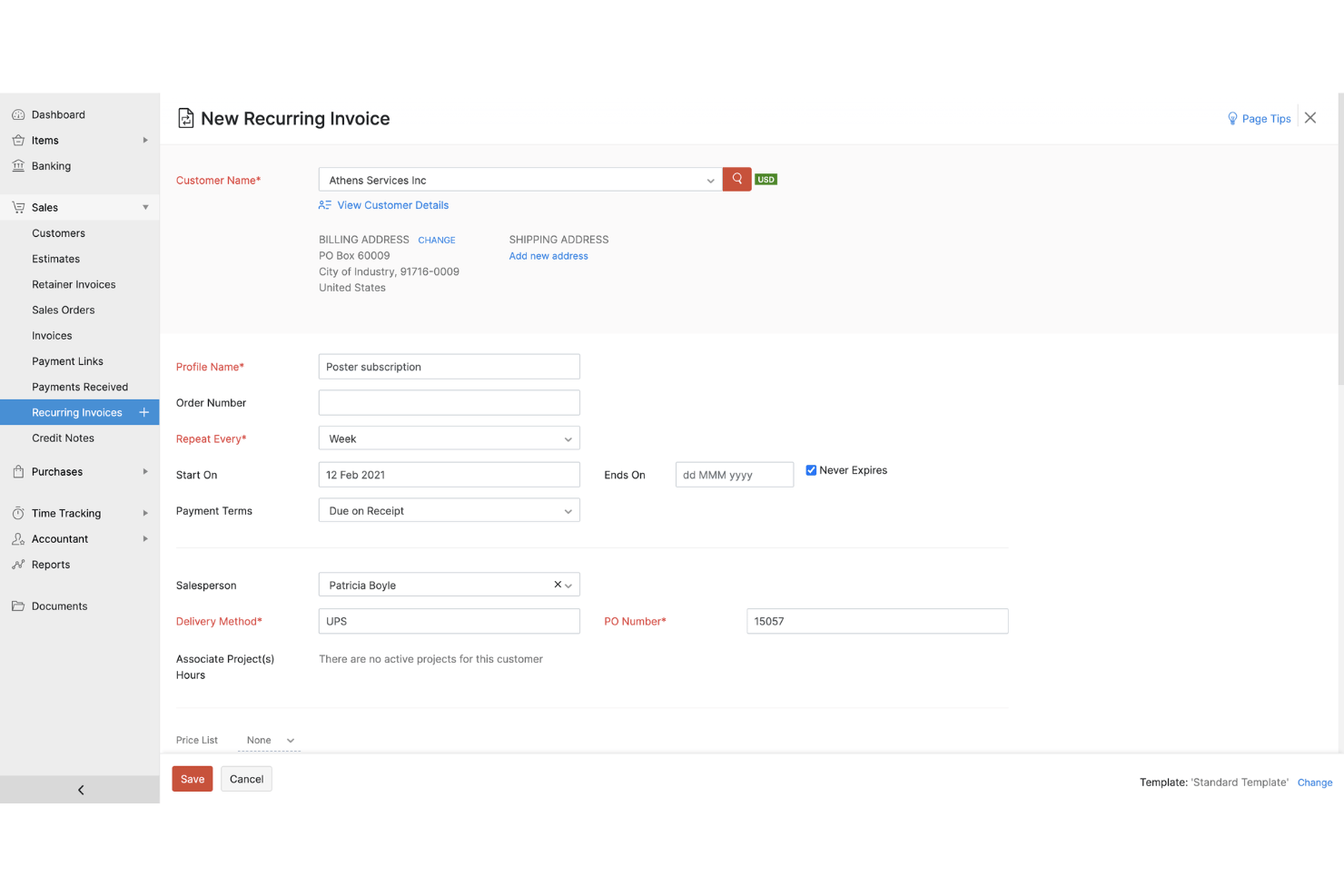
Generate and send customized invoices with automated payment reminders. Users can accept payments online and track status in real time.
Expense Tracking
Capture, categorize, and attach receipts to expenses on desktop or mobile. Real-time dashboard gives visibility into spending with built-in expense reports.
Bank Reconciliation
Connect bank accounts for automatic import and reconciliation of transactions. Quick-match suggestions minimize manual effort and speed up month-end close.
Tax Compliance and Filing
Configure tax rules by jurisdiction, automate tax calculations, and generate region-specific returns. Users can track sales taxes or VAT/QST/GST with audit-ready reports.
Inventory Management
Track inventory levels, item movements, and reorder points with real-time updates. Users can create composite items and manage stock across multiple locations.
Financial Reporting
Generate standard and custom reports for profit and loss, balance sheet, cash flows, and aging. Drill down into transactions from reports for fast audits and review.
Ease of Use
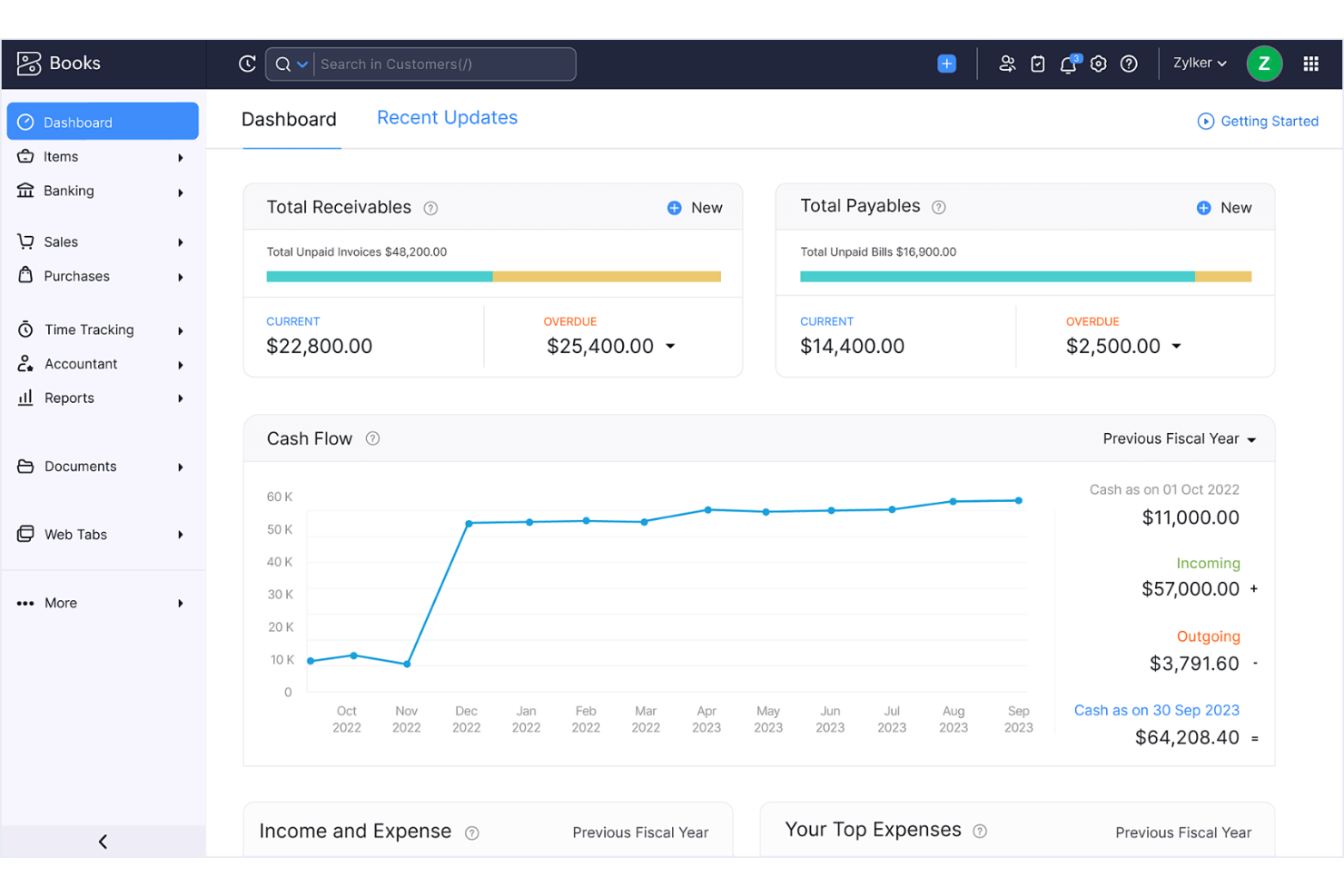
Zoho Books stands out for its clean dashboard and intuitive navigation, letting users automate tasks or customize templates with minimal effort.
In my experience and from user feedback, onboarding is painless, and even non-accountants can quickly handle invoicing, reconciliations, and compliance reports without getting lost in menus.
Integrations
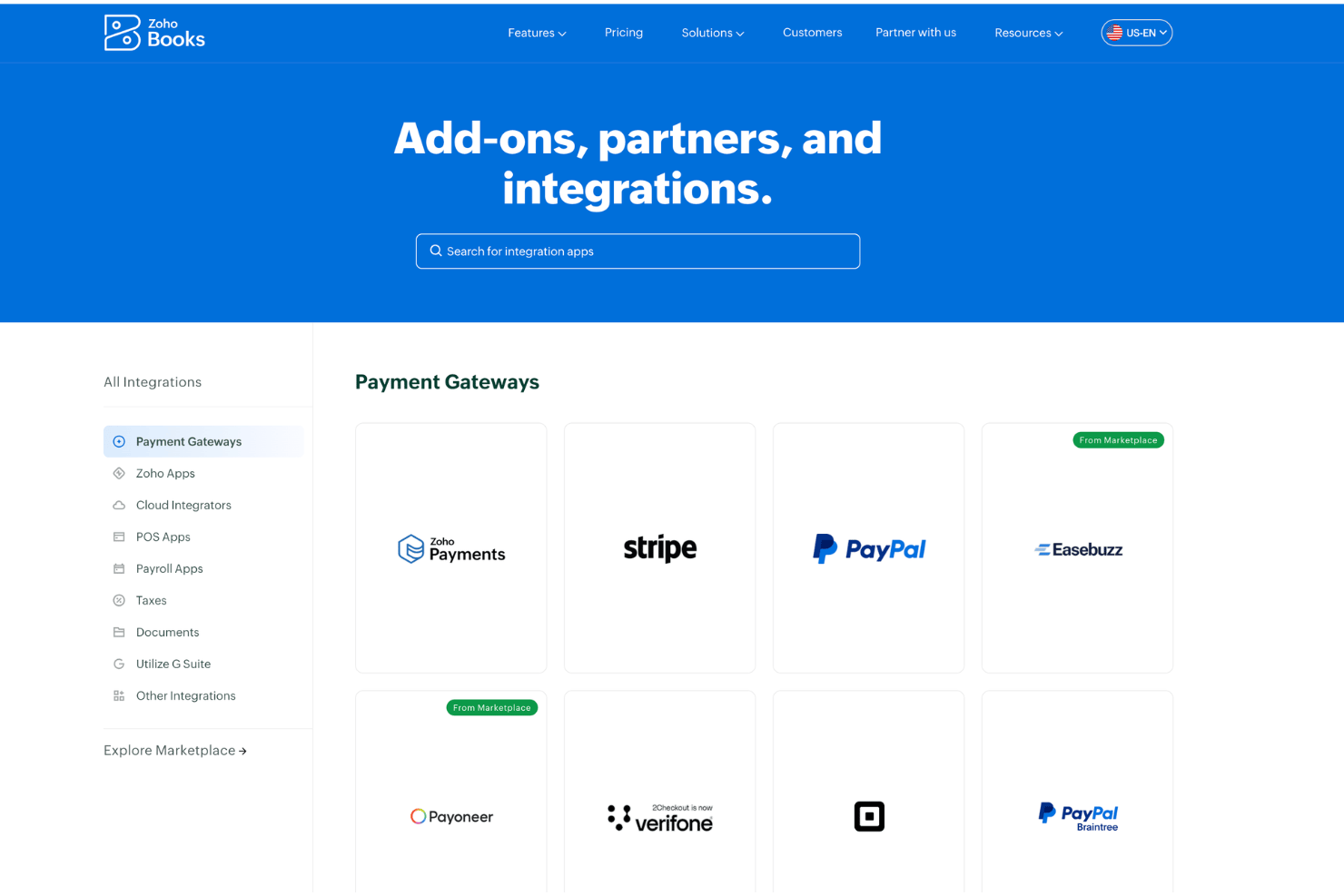
Zoho Books integrates with Zoho CRM, Zoho Inventory, Zoho Analytics, PayPal, Stripe, Razorpay, Google Drive, G Suite, Office 365, and Avalara, among others.
Zoho Books also offers an API and connects with third-party integration tools like Zapier.
Zoho Books Specs
- 2-Factor Authentication
- Accounts Payable
- Accounts Receivable
- API
- Balance Sheet
- Billing/Invoicing
- BitCoin
- Budgeting
- Calendar Management
- Contact Management
- CRM Integration
- Customer Management
- Dashboard
- Data Export
- Data Import
- Data Visualization
- Expense Tracking
- External Integrations
- Forecasting
- General Account Ledger
- Inventory Tracking
- Multi-Currency
- Multi-User
- Notifications
- P&L
- PayPal
- Payroll
- SAP Integration
- Stripe
- Supplier Management
- Tax Management