

10 Best Invoicing Software for Small Businesses in 2026

Invoicing Software for Small Business Shortlist


Online invoicing software for small businesses helps entrepreneurs create, send, and track invoices so you can manage billing and payments with less manual effort. If you’re looking for a way to reduce errors, speed up your billing cycle, or keep your accounts payable and cash flow visible, the right invoicing solution can make a real difference. This list will help you compare the top options for 2026, highlighting features, integrations, and pricing plans so you can choose the best fit for your business and stay focused on growth.
Why Trust Our Software Reviews
We’ve been testing and reviewing financial software since 2023. As finance specialists ourselves, we know how critical and difficult it is to make the right decision when selecting software.
We invest in deep research to help our audience make better software purchasing decisions. We’ve tested more than 2,000 tools for different finance use cases and written over 1,000 comprehensive software reviews. Learn how we stay transparent & our software review methodology.
Best Invoicing Software for Small Business Summary
This comparison chart summarizes pricing details for my top invoicing software for small business selections to help you find the best one for your budget and business needs.
| Tool | Best For | Trial Info | Price | ||
|---|---|---|---|---|---|
| 1 | Best with integrated payment processing | Free plan + free trial available | From $49/month | Website | |
| 2 | Best for automated recurring billing | 30-day free trial | From $23/month | Website | |
| 3 | Best for accounting integration | 30-day free trial | From $38/month | Website | |
| 4 | Best for unlimited client management | Free plan available | From $9.99/month | Website | |
| 5 | Best for SaaS subscription management | Not available | Pricing upon request | Website | |
| 6 | Best for customizable invoice templates | Free plan available | Free to use | Website | |
| 7 | Best for tracking billable hours | Free trial + free plan available | From $9/user/month (billed annually) | Website | |
| 8 | Best for unlimited free invoicing | Free plan available | From $19/month | Website | |
| 9 | Best for multi-currency support | Free demo available | Pricing upon request | Website | |
| 10 | Best for global payment gateway options | Free plan + 14-day free trial available | From $16/month (billed annually) | Website |
Invoicing Software for Small Business Reviews
Below are my detailed summaries of invoicing software for small businesses that made it onto my shortlist. My reviews offer a detailed look at the features, pricing, and integrations of each software to help you find the best one for you.

Best with integrated payment processing

If your small business needs invoicing tightly connected to payment processing, Square Invoices is built for you. This tool is especially useful for service providers, retailers, and contractors who want to send invoices and accept payments in one place. With Square Invoices, you can automate reminders, track payment status, and let clients pay online using a variety of payment methods.
Why I Picked Square Invoices
What makes Square Invoices stand out is how it combines invoicing with built-in payment processing, which is a major advantage for small businesses that want to get paid quickly and reliably. I picked it because you can send invoices and accept credit card, ACH, or digital wallet payments without needing a separate payment gateway. The platform also lets you set up recurring invoices and automatic payment reminders, so you can reduce late payments and manual follow-up. For businesses that want a single solution for both billing and payments, Square Invoices offers a tightly integrated experience.
Square Invoices Key Features
In addition to integrated payment processing, I also found these features useful for small business invoicing needs:
- Customizable Invoice Templates: Create branded invoices with your logo, colors, and custom fields.
- Mobile Invoicing App: Send, manage, and track invoices directly from your phone or tablet.
- Itemized Billing: Add multiple products or services with descriptions, quantities, and taxes to each invoice.
- Digital Estimates: Generate and send estimates that clients can approve online before you convert them to invoices.
Square Invoices Integrations
Integrations include Square Payments, QuickBooks Online, Xero, Google Calendar, Mailchimp, TSheets, WooCommerce, BigCommerce, and Wix.
Pros and Cons
Pros:
- Great for retail spaces
- No monthly subscription
- Fast payment processing
Cons:
- No project management
- Limited customization

Best for automated recurring billing
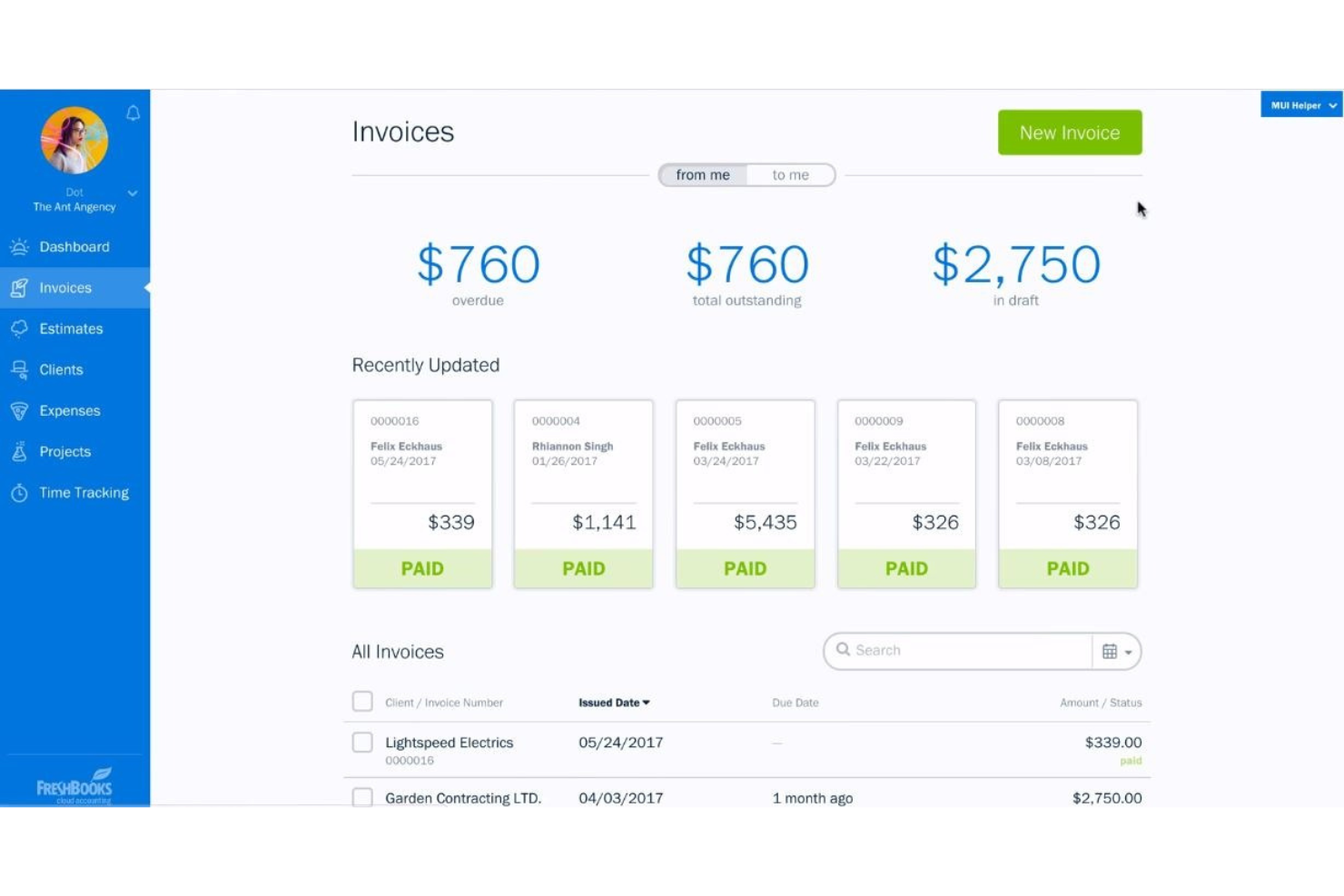
If you need invoicing software that handles recurring billing with minimal manual work, FreshBooks is worth a look. This platform is designed for small businesses and freelancers who want to automate repeat invoices and payment reminders. It’s especially useful if you manage ongoing client relationships or subscription-based services and want to reduce time spent on repetitive billing tasks.
Why I Picked FreshBooks
FreshBooks stands out for small businesses that need to automate recurring billing and reduce manual follow-up. I picked it because its recurring invoice feature lets you set up schedules for repeat clients, so invoices go out automatically each billing cycle. You can also enable automatic payment reminders, which helps you stay on top of overdue accounts without extra effort. These features make FreshBooks a strong choice if you want to streamline ongoing billing and keep cash flow predictable.
FreshBooks Key Features
Some other features in FreshBooks can help small businesses manage invoicing and payments more efficiently:
- Expense Tracking: Capture and categorize business expenses directly in the platform for easier reconciliation.
- Customizable Invoice Templates: Personalize invoice layouts with your logo, colors, and custom fields to match your brand.
- Time Tracking: Log billable hours within projects and convert them into invoices with a few clicks.
- Client Portal: Give clients access to view, pay, and comment on invoices through a secure online portal.
FreshBooks Integrations
Integrations include Stripe, PayPal, G Suite, Shopify, HubSpot, Trello, Slack, Zoom, and Zapier.
Pros and Cons
Pros:
- Good expense management
- Built-in time tracking
- Intuitive mobile app
Cons:
- Bank syncing can glitch
- Add-ons cost extra

Best for accounting integration

If you’re looking for invoicing software that connects directly with your accounting, QuickBooks is a top choice. It’s designed for small businesses that want to manage invoicing, payments, and bookkeeping in one place. QuickBooks helps you keep your financial data organized and reduces manual entry by syncing invoices with your accounting records automatically.
Why I Picked QuickBooks
What sets QuickBooks apart for small business invoicing is its deep accounting integration. I picked QuickBooks because it lets you generate invoices that automatically sync with your general ledger and financial reports, reducing manual reconciliation. You can also track invoice status, payments, and outstanding balances right alongside your other accounting data. This level of integration is especially valuable for small businesses that want to keep invoicing and bookkeeping tightly connected without extra steps.
QuickBooks Key Features
Some other features that make QuickBooks useful for small business invoicing are:
- Recurring Invoices: Set up automatic recurring invoices for clients with ongoing services or subscriptions.
- Mobile Invoicing App: Create, send, and manage invoices directly from your mobile device.
- Online Payment Processing: Accept credit card and ACH payments through integrated payment gateways.
- Sales Tax Calculation: Automatically calculate and apply sales tax to invoices based on location.
QuickBooks Integrations
Integrations include Shopify, PayPal, Square, TSheets, HubSpot, Salesforce, Expensify, Gusto, and Receipt Bank.
Pros and Cons
Pros:
- Powerful reporting
- Great tax prep features
- Deep feature ecosystem
Cons:
- Confusing navigation
- Support can be unhelpful

Best for unlimited client management
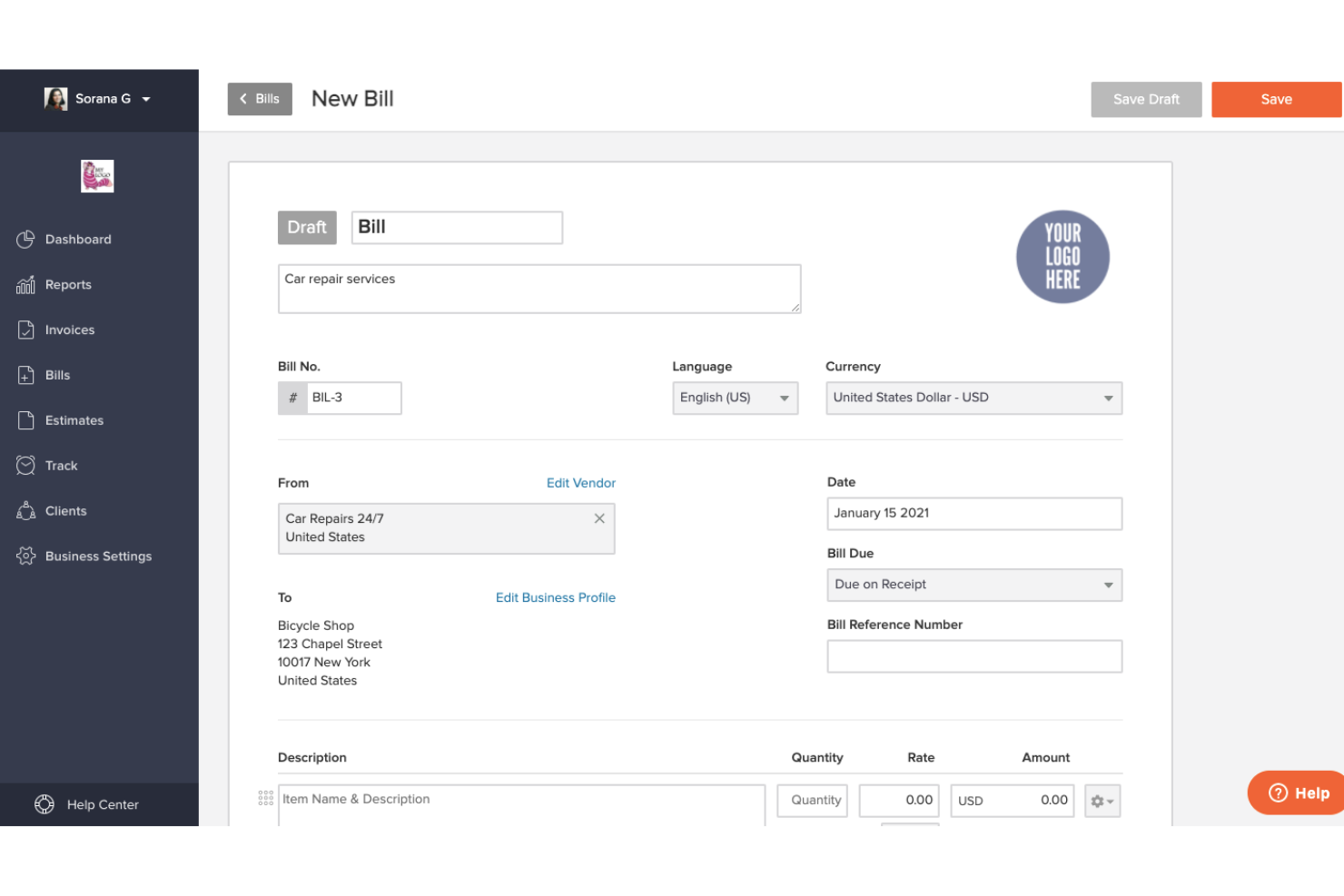
If you’re looking for invoicing software that lets you manage as many clients as your business needs, Invoicely is worth a closer look. It’s designed for small businesses and freelancers who handle a high volume of clients or projects at once. Invoicely helps you keep all your client records, invoices, and payments organized without hitting artificial limits.
Why I Picked Invoicely
Unlike many invoicing tools that cap the number of clients you can manage, Invoicely offers unlimited client management on all paid plans. I picked it because this flexibility is especially valuable for small businesses and freelancers who juggle dozens or even hundreds of clients at once. You can create detailed client profiles, track each client’s invoices and payments, and organize your client list without worrying about hitting a ceiling. For businesses that are growing or have a diverse client base, Invoicely removes the hassle of client limits from your invoicing process.
Invoicely Key Features
Some other features that make Invoicely appealing for small business invoicing are:
- Multi-Currency Invoicing: Send invoices and accept payments in over 160 currencies.
- Mileage and Expense Tracking: Record business expenses and mileage directly within the platform.
- Customizable Invoice Templates: Adjust invoice layouts, branding, and fields to match your business needs.
- Online Payment Integration: Accept payments through PayPal, Stripe, and other online payment gateways.
Invoicely Integrations
Integrations include Stripe, PayPal, Mollie, Authorize.net, and WePay.
Pros and Cons
Pros:
- Simple dashboard UI
- Built-in time tracking
- Easy multi-business setup
Cons:
- PayPal only on free tier
- Ads on free invoices

Paddle
Best for SaaS subscription management
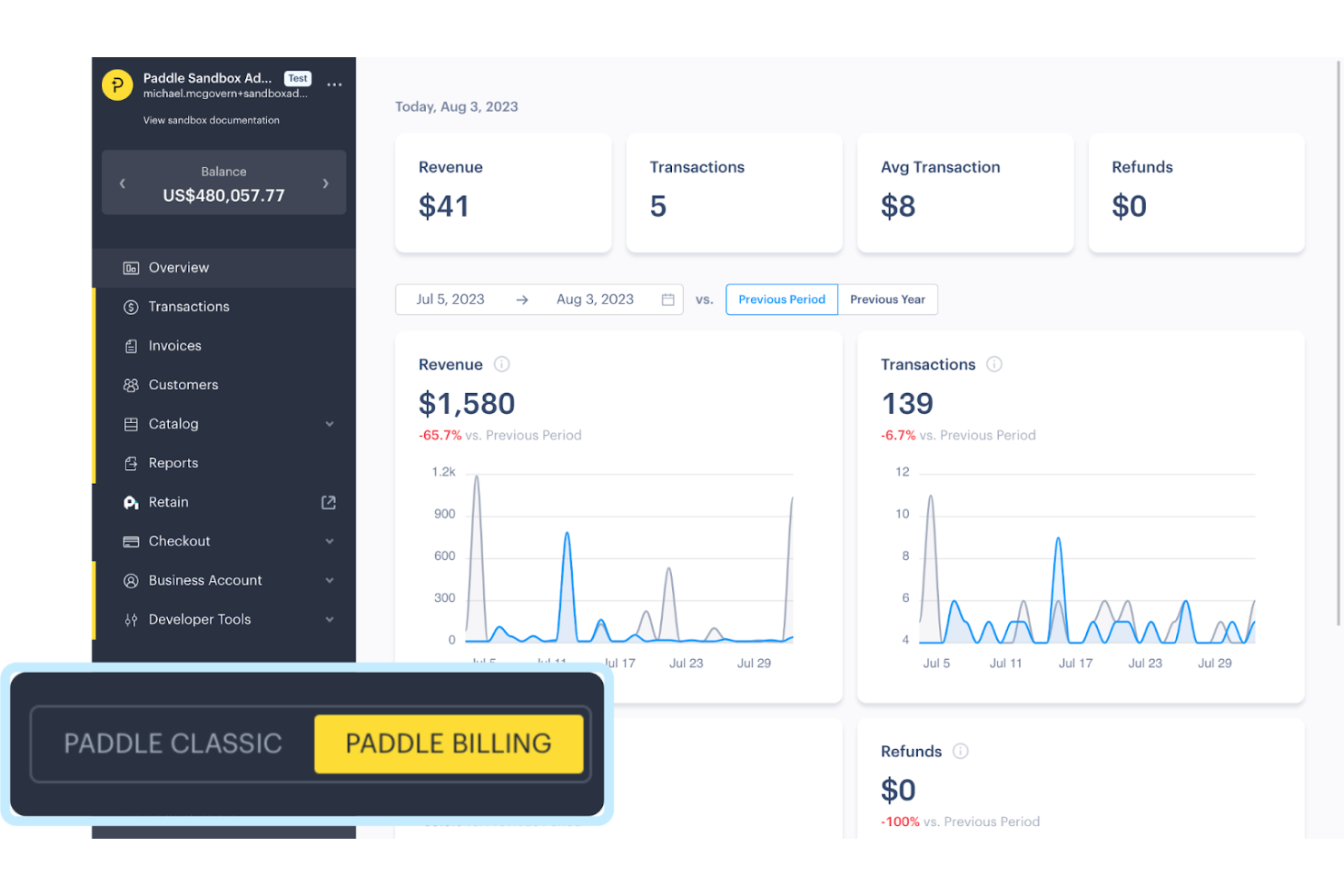
If you’re running a SaaS business and need to manage recurring billing, Paddle offers a unified platform for subscription management and payments. It’s designed for software companies that want to handle global payments, taxes, and compliance without piecing together multiple tools. Paddle helps you automate invoicing and revenue operations so you can focus on growing your subscription business.
Why I Picked Paddle
Managing SaaS subscriptions can get complicated fast, which is why Paddle’s all-in-one approach to subscription management stands out. I picked Paddle because it lets you automate recurring billing, handle upgrades and downgrades, and manage customer lifecycles without juggling multiple systems. The platform also takes care of global tax compliance and invoicing, so you don’t have to worry about the details as you scale. For small businesses offering software subscriptions, Paddle’s focus on simplifying these processes is a major advantage.
Paddle Key Features
Some other features that make Paddle useful for SaaS invoicing and payments are:
- Branded Checkout Pages: Customize checkout experiences to match your company’s branding and user flow.
- Dunning Management: Automate failed payment recovery with built-in dunning workflows.
- Real-Time Analytics Dashboard: Monitor revenue, churn, and subscription metrics in a single dashboard.
- Multi-Currency Support: Accept payments in multiple currencies for global customers.
Paddle Integrations
Integrations include Stripe, PayPal, Salesforce, HubSpot, Slack, QuickBooks, Xero, Google Analytics, Mailchimp, and Zendesk.
Pros and Cons
Pros:
- Reduces compliance risk
- Automates subscriptions
- Perfect for SaaS tools
Cons:
- Payouts can be delayed
- Strict approval process

Best for customizable invoice templates
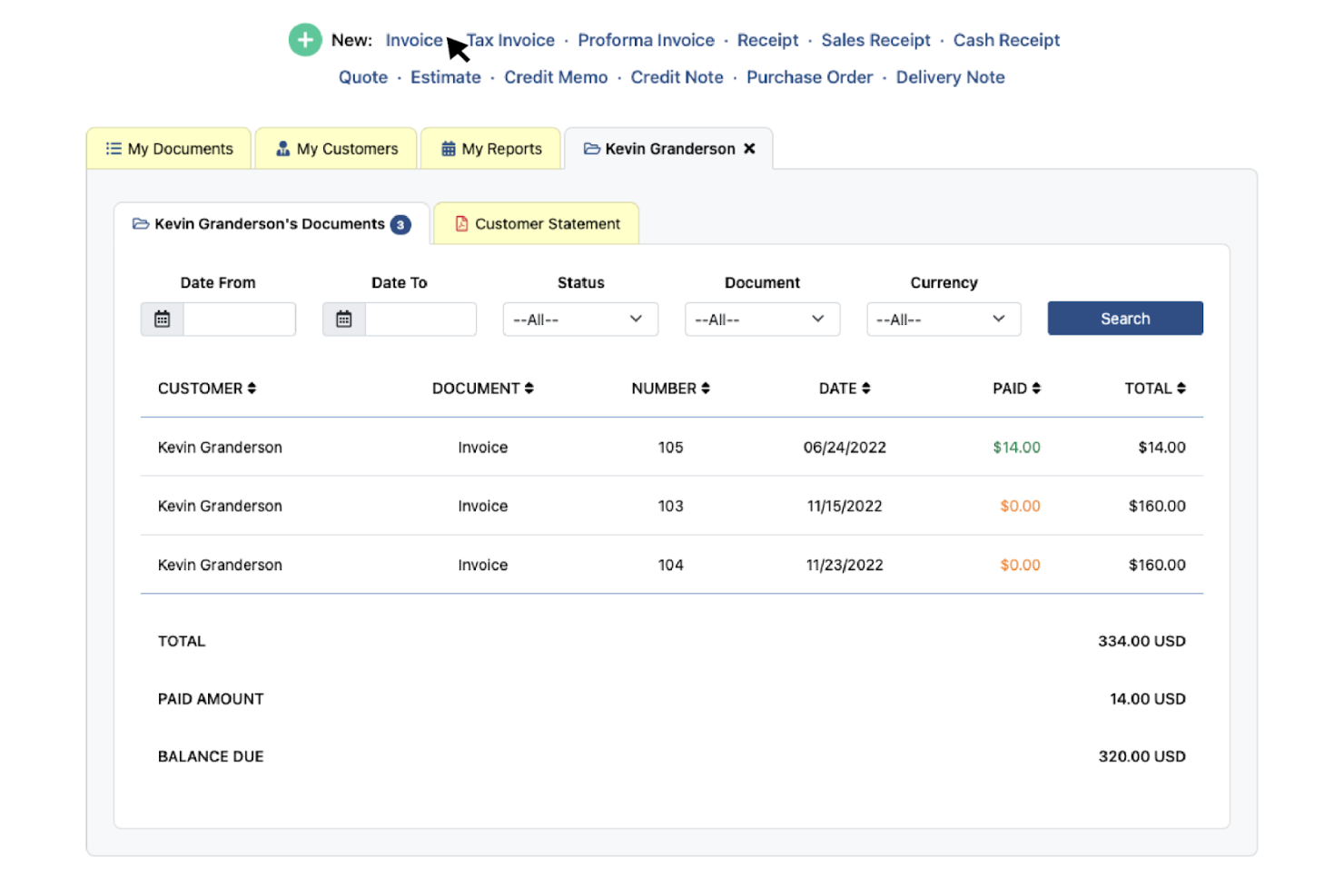
If you want to create invoices that match your brand’s style, Invoice Home gives you a wide range of customizable templates to choose from. This tool is especially useful for small businesses and freelancers who want their invoices to stand out or reflect a specific look. With Invoice Home, you can quickly generate professional invoices that fit your business identity without needing design skills.
Why I Picked Invoice Home
What drew me to Invoice Home is its focus on giving small businesses a wide selection of customizable invoice templates. If you want your invoices to reflect your brand or stand out to clients, you can choose from over 100 professionally designed templates and adjust colors, logos, and layout details. I appreciate that you can save your favorite designs for quick reuse, making it easy to keep your invoicing consistent. For small businesses that care about presentation and branding, Invoice Home offers more creative control than most invoicing tools.
Invoice Home Key Features
Some other features that make Invoice Home useful for small businesses include:
- Payment Receipt Generation: Create and send payment receipts to clients directly from the platform.
- Multi-Currency Support: Issue invoices in a variety of currencies for international clients.
- Cloud-Based Document Storage: Store and access all invoices and receipts securely online.
- Mobile App Access: Generate and manage invoices from your phone or tablet.
Invoice Home Integrations
Integrations include PayPal, Stripe, and Authorize.net.
Pros and Cons
Pros:
- Add your own branding
- Works completely offline
- Good for one-off billing
Cons:
- Looks a bit outdated
- No inventory management

Harvest
Best for tracking billable hours
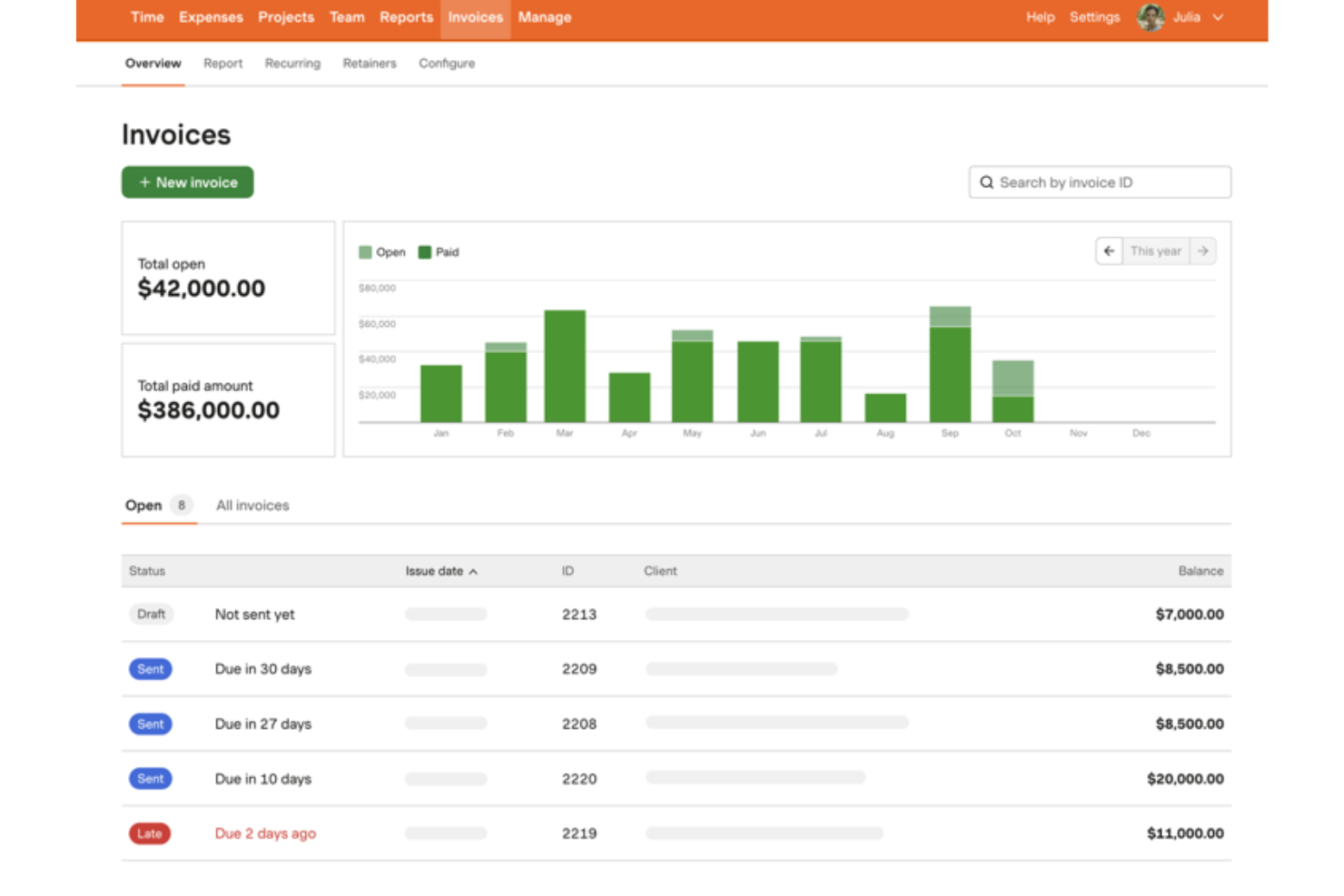
For small businesses that need to track billable hours alongside invoicing, Harvest brings time tracking and billing together in one platform. This tool is especially useful for service-based businesses, agencies, and consultants who bill clients by the hour or project. With Harvest, you can capture time, convert it into invoices, and keep a close eye on project budgets all in one place.
Why I Picked Harvest
What sets Harvest apart for small businesses is its focus on tracking billable hours and turning them directly into invoices. If your business relies on hourly or project-based billing, you can use Harvest’s built-in timers and timesheets to capture every minute of work. I like that you can generate invoices straight from tracked time, which helps reduce manual entry and errors. For small teams that need to connect time tracking with client billing, Harvest offers a clear, purpose-built solution.
Harvest Key Features
Some other features that make Harvest useful for small business invoicing include:
- Expense Tracking: Record and categorize project expenses alongside billable hours.
- Automated Payment Reminders: Send scheduled reminders to clients for outstanding invoices.
- Project Budget Monitoring: Set and track project budgets to avoid overspending.
- Mobile App Access: Track time, log expenses, and manage invoices from your phone or tablet.
Harvest Integrations
Integrations include Asana, Trello, Basecamp, Slack, Jira, GitHub, QuickBooks, Xero, and Stripe.
Pros and Cons
Pros:
- Easy expense logging
- Tracks project budgets
- Integrates with Asana
Cons:
- Too complex for retail
- Limited invoice templates

Wave
Best for unlimited free invoicing
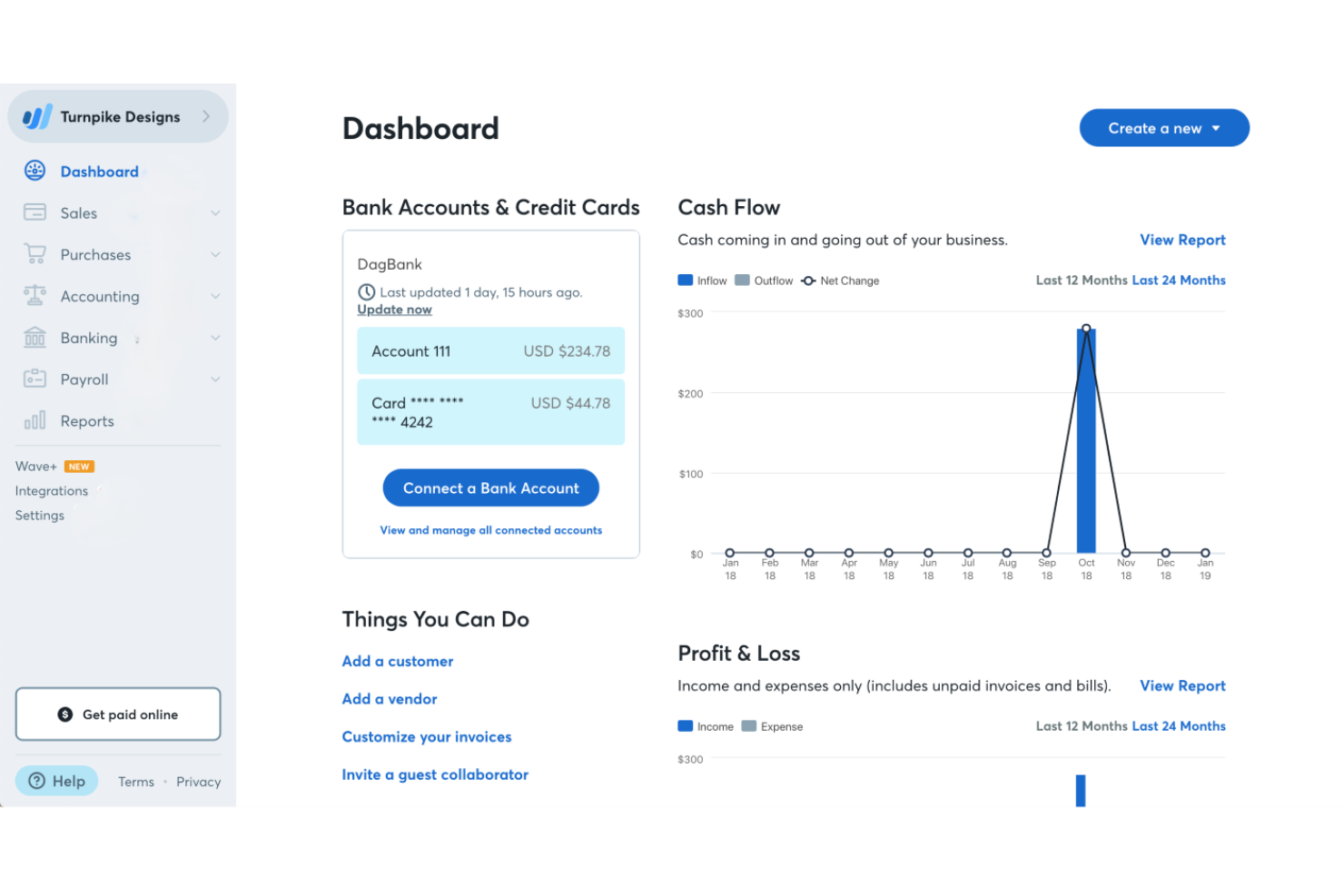
Wave gives small businesses and freelancers a way to send unlimited invoices without monthly fees. It’s especially appealing if you want to manage invoicing and payments without worrying about usage limits or hidden costs. Wave helps you keep billing simple and accessible, even as your client list grows.
Why I Picked Wave
Unlimited free invoicing is what makes Wave stand out for small businesses and freelancers. I picked Wave because you can send as many invoices as you need without ever hitting a cap or being asked to upgrade. The platform also lets you customize invoices and track their status, so you always know what’s been sent, viewed, or paid. For anyone who wants to avoid limits or extra charges as their business grows, Wave’s approach to invoicing is hard to match.
Wave Key Features
Some other features that make Wave appealing for small business invoicing are:
- Payment Processing Integration: Accept credit card and bank payments directly from your invoices.
- Automatic Payment Reminders: Send scheduled reminders to clients for unpaid invoices.
- Multi-Currency Invoicing: Create and send invoices in different currencies for international clients.
- Receipt Scanning: Upload and organize receipts to keep expense records alongside your invoicing.
Wave Integrations
Integrations include Zapier, Bluevine, Google Sheets, HubSpot, Mailchimp, and Square.
Pros and Cons
Pros:
- Built-in receipt scanner
- Clean modern interface
- Great for sole traders
Cons:
- Cannot manage inventory
- No time tracking built-in

Best for multi-currency support
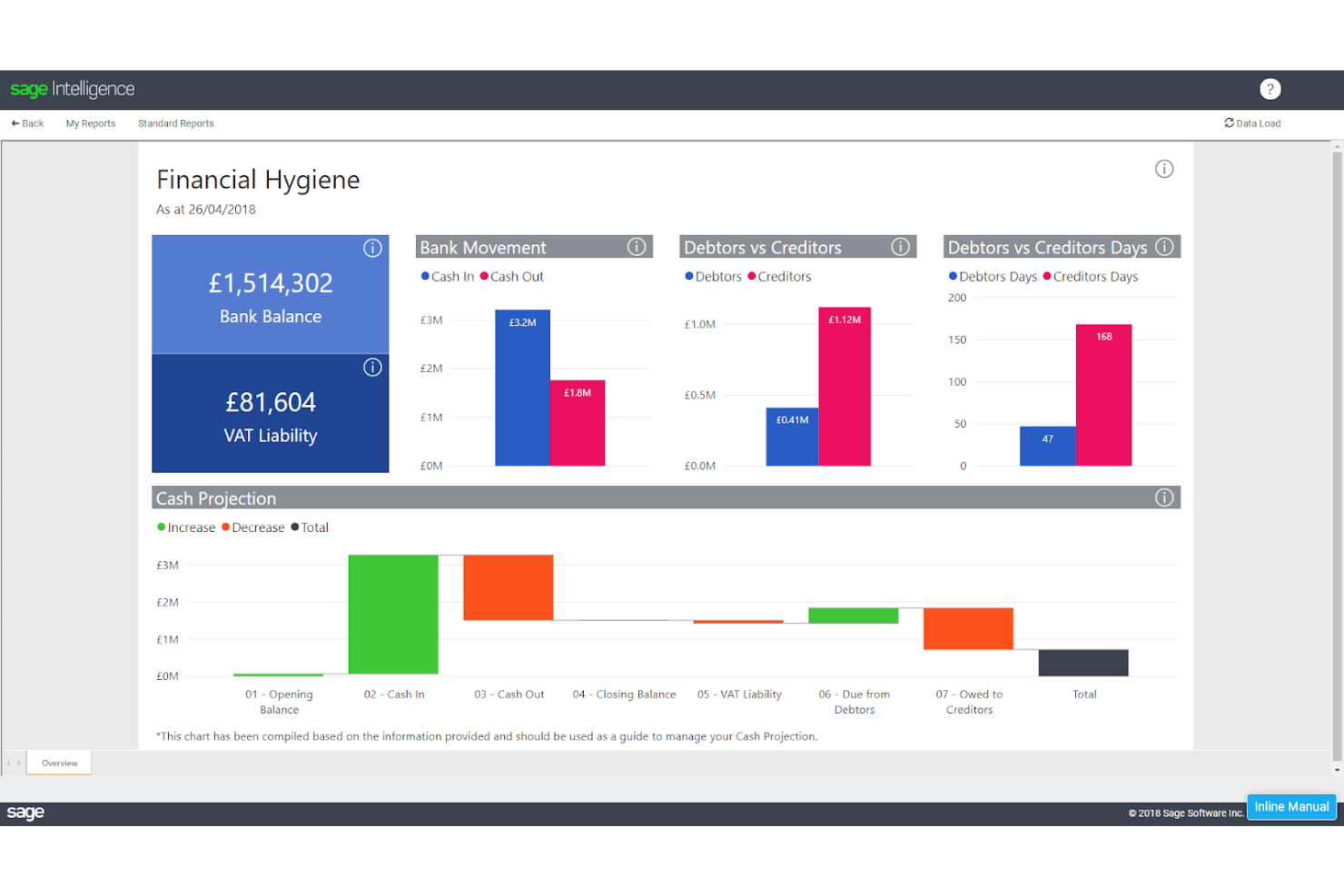
Sage Accounting is a strong fit for small businesses that invoice clients in multiple currencies or operate internationally. It’s especially useful for companies managing cross-border transactions, fluctuating exchange rates, and global customer bases. With Sage Accounting, you can send invoices, track payments, and manage finances in several currencies without manual conversions.
Why I Picked Sage Accounting
For small businesses that invoice clients around the world, Sage Accounting offers multi-currency support that’s hard to match. I picked it because you can create and send invoices in different currencies, and the software automatically handles real-time exchange rate calculations. This means you can track payments and outstanding balances in both your home currency and your client’s currency without extra manual work. If your business deals with international customers or suppliers, Sage Accounting helps you keep your invoicing accurate and up to date.
Sage Accounting Key Features
Some other features that make Sage Accounting useful for small business invoicing include:
- Automated Bank Feeds: Connect your bank accounts to automatically import and reconcile transactions.
- Customizable Invoice Templates: Personalize invoices with your business logo, colors, and custom fields.
- Recurring Invoices: Set up and schedule invoices to be sent automatically at regular intervals.
- Financial Reporting Dashboard: Access real-time financial reports and insights from a centralized dashboard.
Sage Accounting Integrations
Integrations include Stripe, AutoEntry, Zettle, PayPal, Shopify, Microsoft 365, and Square.
Pros and Cons
Pros:
- Scales well as you grow
- Solid tax compliance
- Good inventory tracking
Cons:
- Slower customer support
- Expensive higher tiers

Hiveage
Best for global payment gateway options
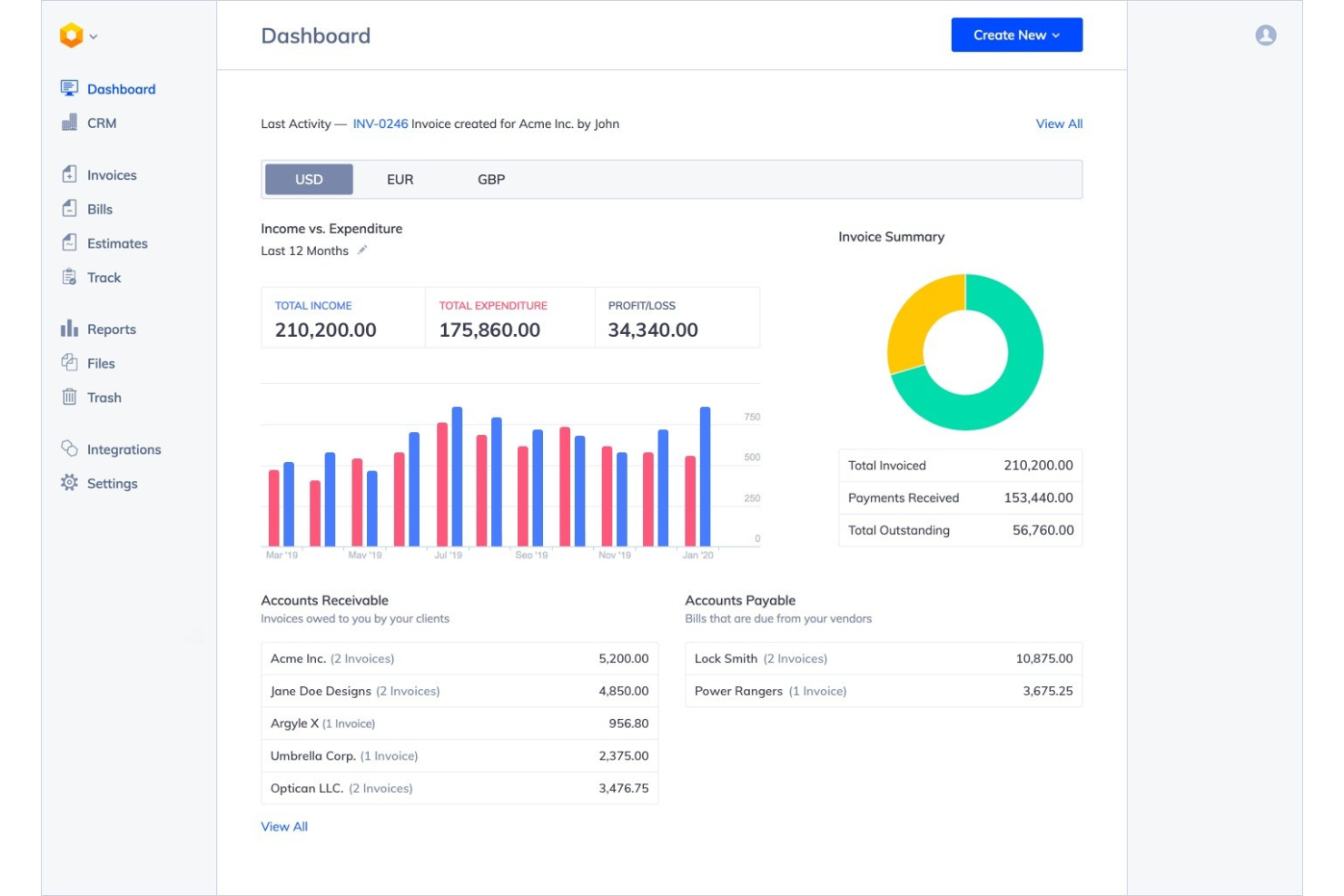
If your business needs to invoice clients across different countries, Hiveage offers flexible payment gateway options that make global transactions easier. It’s a good fit for small businesses and freelancers who want to accept payments in multiple currencies without being tied to a single provider. Hiveage helps you manage international invoicing and payments while giving you control over how you get paid.
Why I Picked Hiveage
For small businesses that work with clients around the world, having flexible payment gateway options is essential. I picked Hiveage because it supports a wide range of global payment gateways, letting you choose from providers like PayPal, Stripe, Square, and more. This flexibility means you can accept payments in different currencies and adapt to your clients’ preferences. Hiveage’s focus on global payment support makes it a strong choice for businesses that want to simplify international invoicing and collections.
Hiveage Key Features
In addition to its global payment gateway support, I also found these features helpful:
- Recurring Billing: Set up automated recurring invoices for subscription-based clients.
- Time and Expense Tracking: Track billable hours and expenses directly within the platform.
- Customizable Invoice Templates: Personalize invoice layouts and branding to match your business identity.
- Multi-User Access: Invite team members and assign different roles and permissions.
Hiveage Integrations
Integrations include PayPal, Stripe, Braintree, Authorize.net, WePay, 2Checkout, Zapier, and Razorpay.
Pros and Cons
Pros:
- Easy mileage tracking
- Supports multiple teams
- Detailed financial graphs
Cons:
- Support isn't 24/7
- Interface is a bit basic
Other Invoicing Software for Small Business
Here are some additional invoicing software for small business options that didn’t make it onto my shortlist, but are still worth checking out:
- InvoiceNinja
For open-source customization
- Paymo
For project-based time tracking
- Stripe
With developer-friendly API access
- Xero
For real-time financial reporting
- Keap
For integrated CRM and invoicing
- HoneyBook
For client workflow automation
- Zoho Invoice
For multilingual invoicing
- Float
For automated bill payments
- Thryv
For appointment-based businesses
- Paystand
For blockchain-based payment security


How I Evaluate Invoicing Software for Small Business
I split my evaluation into two layers: the baseline functionality—like invoice creation, online payments, and automated reminders—and the differentiators that separate the best options from the rest.
Core Functionality (Table Stakes for This List)
When I'm selecting tools for my list, I rank each one on a scale from 0 (does not offer the functionality) to 5 (excels in this area) for each core functionality listed below. Then, I calculate the tool's total score into a percentage. Each tool needs to achieve a minimum total score of 65% to be considered for inclusion.
- Invoice Creation & Customization: I look at how much control you get over templates, branding, and line-item detail—like adding custom fields for purchase orders or project codes.
- Online Payment Acceptance: Each tool should connect to major payment processors so clients can pay by card, ACH, or digital wallet right from the invoice.
- Recurring Invoicing & Automation: I check whether a tool can automate repeat billing cycles and send scheduled payment reminders, which matters for retainer-based or subscription billing.
- Accounts Receivable Tracking: Real-time invoice status (sent, viewed, overdue) and aging reports help you stay on top of outstanding balances without chasing clients manually.
- Tax & Multi-Currency Support: I evaluate whether the platform handles multiple tax rates and currencies—important if you invoice clients across different regions or jurisdictions.
- Client & Expense Management: A built-in client database paired with expense tracking lets you link billable costs directly to invoices, like reimbursable travel or materials.
Once I have a list of tools that meet the criteria, I consider what sets each platform apart.
Differentiating Factors (What Sets Vendors Apart)
Here's how I compare and contrast different vendors:
Standout Features
Estimate-to-invoice conversion is a big one for me. If you're a contractor or consultant sending proposals, turning an approved quote into an invoice with one click saves real time. I also look for a client portal where customers can view, pay, and download past invoices on their own. Mobile invoicing matters too, especially for field-based businesses that need to bill on-site right after completing a job.
Beyond Features
Pricing transparency matters a lot here. I check whether a tool offers a free or affordable entry tier, reasonable processing fees, and predictable costs as you add clients or users. Integration fit is equally important—your invoicing tool should sync with whatever accounting platform you already use, whether that's QuickBooks, Xero, or Wave. I also evaluate scalability, since a solo freelancer today might be a ten-person team next year and shouldn't need to migrate to a new platform just to add a second user or manage multiple businesses.
How to Choose Invoicing Software for Small Business
It’s easy to get bogged down in long feature lists and complex pricing structures. To help you stay focused as you work through your unique software selection process, here’s a checklist of factors to keep in mind:
| Factor | What to Consider |
|---|---|
| Scalability | Will the software handle more clients, invoices, or users as your business grows? Check for user limits, pricing jumps, or workflow bottlenecks. |
| Integrations | Does it connect with your accounting, CRM, or payment platforms? Confirm native integrations and avoid relying solely on third-party connectors. |
| Customizability | Can you tailor invoice templates, branding, and workflows to match your business needs? Look for flexible settings, not just logo uploads. |
| Ease of use | How quickly can your team learn and use the tool? Test the interface with non-technical users and look for clear navigation and minimal steps. |
| Implementation and onboarding | What resources are available for setup and migration? Consider the time, support, and training needed to get up and running smoothly. |
| Cost | Are pricing tiers transparent and predictable as you grow? Watch for hidden fees, per-invoice charges, or costly add-ons. |
| Security safeguards | How does the vendor protect your financial and client data? Look for encryption, access controls, and compliance with relevant standards. |
| Support availability | When and how can you reach support if issues arise? Check for live chat, phone, or email options, and review support hours and response times. |
What Is Invoicing Software for Small Business?
A dedicated billing software is a digital tool that helps companies create, send, and manage invoices for their products or services, rather than relying on outdated systems. These platforms automate tasks, track payments, and organize client information to support accurate financial records. Small business owners use an invoice generator to save time, reduce manual errors, and maintain a professional image when handling customer transactions.
Features of Invoicing Software for Small Business
When selecting invoicing software for small business, keep an eye out for the following key features:
- Invoice creation: Build and customize professional invoices with your business details, branding, and itemized charges for products or services.
- Payment tracking: Monitor which invoices have been paid, are overdue, or are outstanding, so you can follow up with clients as needed.
- Recurring billing: Set up automatic invoices for clients who are billed on a regular schedule, such as monthly retainers or subscriptions.
- Expense management: Record and categorize business expenses, then link them to specific invoices or projects for accurate billing and reporting.
- Client management: Store and organize client contact information, billing preferences, and transaction history in one place for easy access.
- Online payment processing: Allow clients to pay invoices directly through integrated payment gateways, reducing delays and manual processing.
- Tax calculation: Automatically apply the correct tax rates to invoices based on your location and client requirements, helping you stay compliant.
- Multi-currency support: Issue invoices and accept payments in different currencies to accommodate international clients and transactions.
- Reporting and analytics: Generate reports on sales, payments, outstanding balances, and other financial metrics to support business decisions.
- Mobile access: Create, send, and manage invoices from your phone or tablet, so you can handle billing tasks on the go.
Benefits of Invoicing Software for Small Business
Implementing invoicing software for small businesses provides several benefits for your team and your business. Here are a few you can look forward to:
- Faster payments: Automated invoice delivery and online payment options help clients pay you more quickly.
- Improved accuracy: Built-in tax calculations and payment tracking reduce manual errors and missed payments.
- Time savings: Automated recurring billing and expense management free up time for other business tasks.
- Better cash flow visibility: Real-time reporting and analytics give you a clear view of outstanding invoices and revenue trends.
- Professional image: Customizable invoice templates and branding help your business appear more credible to clients.
- Simplified compliance: Automated tax calculations and recordkeeping support your efforts to stay compliant with local regulations.
- Easier client management: Centralized client information and transaction history make it simple to track communications and billing status.
Costs and Pricing of Invoicing Software for Small Business
Selecting invoicing software for small business requires an understanding of the various pricing models and plans available. Some invoicing software is available for free, while other plans charge based on features, team size, and add-ons. The table below summarizes common plans, their average prices, and typical features included in invoicing software for small business solutions:
Plan Comparison Table for Invoicing Software for Small Business
| Plan Type | Average Price | Common Features |
|---|---|---|
| Free Plan | $0 | Basic invoice creation, limited client management, simple payment tracking, and basic reporting. |
| Personal Plan | $5-$30/user/month | Unlimited invoices, expense tracking, online payment integration, and basic customization options. |
| Business Plan | $15-$90/user/month | Multi-user access, advanced reporting, recurring billing, integrations with accounting tools, and branded templates. |
| Enterprise Plan | $30-$200+/user/month | Custom workflows, dedicated support, advanced security controls, API access, and custom onboarding assistance. |
Invoicing Software for Small Business FAQs
Here are some answers to common questions about invoicing software for small business:
Can invoicing software handle multiple currencies and tax rates?
Yes, many invoicing software solutions support multi-currency invoicing and let you apply different tax rates based on client location. This is especially useful if your business serves international clients or operates in regions with varying tax requirements.
How secure is invoicing software for storing client and financial data?
Most reputable invoicing software uses encryption, secure servers, and access controls to protect your data. Always check for compliance with standards like GDPR or SOC 2, and review the vendor’s security documentation before choosing a solution.
Is it possible to automate recurring invoices for subscription clients?
Yes, most invoicing software allows you to set up recurring invoices for clients who pay on a regular schedule. This feature helps reduce manual work and ensures timely billing for ongoing services or subscriptions.
What types of integrations should I look for in invoicing software?
Look for integrations with your accounting software, payment gateways, CRM, and project management tools. These connections help reduce manual data entry and keep your financial records accurate and up to date.
How long does it take to implement invoicing software for a small business?
Implementation time varies, but most small businesses can get started within a few hours to a few days. Factors like data migration, team training, and integration setup can affect the timeline, so plan accordingly.