

The best Wave Accounting alternatives offer advanced features, integrations, and support that growing businesses need to manage their finances with confidence. While Wave is a strong free option, its limitations in automation, customer support, and scalability can make it difficult to keep up as your business expands.
With over 15 years of experience as a financial controller, I’ve worked with a wide range of accounting platforms, and I know that the right software isn’t just about tracking transactions. It should simplify invoicing, payroll, and tax preparation, so you can spend less time managing spreadsheets and more time running your business.
Here are my picks for the best Wave Accounting alternatives to help you find a solution that fits your needs, streamlines your processes, and supports your business as it grows.
What Is Wave Accounting?
Wave Accounting is a free accounting software built for small businesses and freelancers. It helps entrepreneurs manage invoicing, expenses, and payroll without the complexity or cost of traditional accounting tools. Designed for ease of use, it streamlines financial management so users can spend less time on admin and more time running their business.
Why Trust Our Software Recommendations
6,700+
Reviews
20
Industry experts
16+
Evaluation factors
14
Years
Our team has been testing and reviewing software since 2012. As finance leaders ourselves, we know how difficult—and important—it is to choose the right software.
For this guide, we evaluated tools using hands-on testing and independent research, scoring tools using our selection criteria.
Our reviews reflect our human editorial judgment, not a sales pitch.
Wave Accounting Alternatives Comparison Table
This comparison table summarizes pricing details for my top Wave Accounting alternative selections:
| Tool | Best For | Trial Info | Price | ||
|---|---|---|---|---|---|
| 1 | Best for paperless records | Not available | From $27/month | Website | |
| 2 | Best for smart automation | Free plan available | From $15/month | Website | |
| 3 | Best for user privacy | 14-day free trial | From $15/month (billed annually) | Website | |
| 4 | Best for simple tracking | 14-day free trial | Pricing upon request | Website | |
| 5 | Best for multi-user support | 15-day free trial | From $20/month | Website | |
| 6 | Best for accountants serving complex clients | Free demo available | From £1,200/month | Website | |
| 7 | Best for multi-warehouse inventory control | 14-day free trial | Pricing upon request | Website | |
| 8 | Best for dual accounting | 14-day free trial | From $30/month | Website | |
| 9 | Best for open-source access | Free plan available | From $12/month | Website | |
| 10 | Best for AI bookkeeping | 30-day free trial | Pricing upon request | Website |


Best Wave Accounting Alternatives Reviews
Below are my detailed summaries of the best Wave Accounting alternatives that made it onto my shortlist. My reviews offer an in-depth look at the key features, pros & cons, integrations, and ideal use cases of each tool to help you find the best one for you.

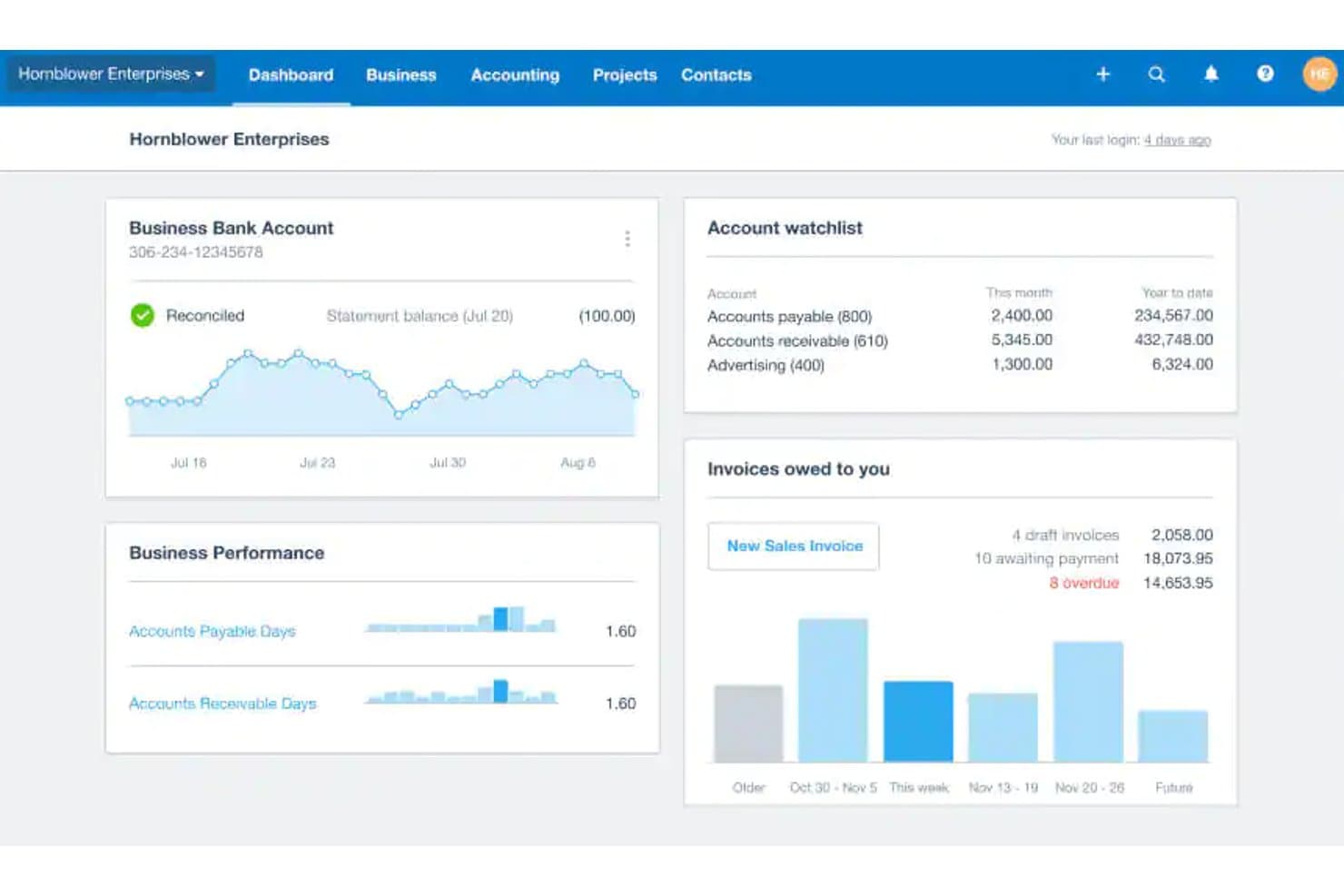
Xero's dashboard gives users a real-time financial overview. Xero is cloud accounting software for small businesses and finance teams looking to replace Wave and manage invoicing, bills, bank transactions, and financial reporting in one place.
Who Is Xero Best For?
Xero suits teams moving away from paper-based bookkeeping who want to manage invoices, receipts, and financial records online.
Why I Picked Xero
I rate Xero as a Wave alternative, and it earns my “Best for paperless records” pick. Hubdoc captures bills and receipts from photos or email, extracts key details, and sends them into Xero with source documents attached. I like having those records linked when reviewing charges or matching bills during close.
Xero Key Features
- Invoicing: Create and send invoices, then track their payment status.
- Recurring invoices: Set invoices to repeat on a schedule.
- Financial reports: View reports such as profit and loss and balance sheets.
- Fixed asset register: Record assets, depreciation, and disposals.
Xero Integrations
Xero’s App Store offers 1,000+ Xero-certified third-party apps, including Gusto, Stripe, PayPal, Square, Dext, and ApprovalMax. Xero also provides an API for custom integrations.
Pros and Cons
Pros:
- Payment reminders help chase overdue invoices
- Unlimited users support shared bookkeeping
- Receipt images stay linked to transactions
Cons:
- No live chat or inbound phone support
- Entry plan limits invoices and bills
Learn more about Xero:
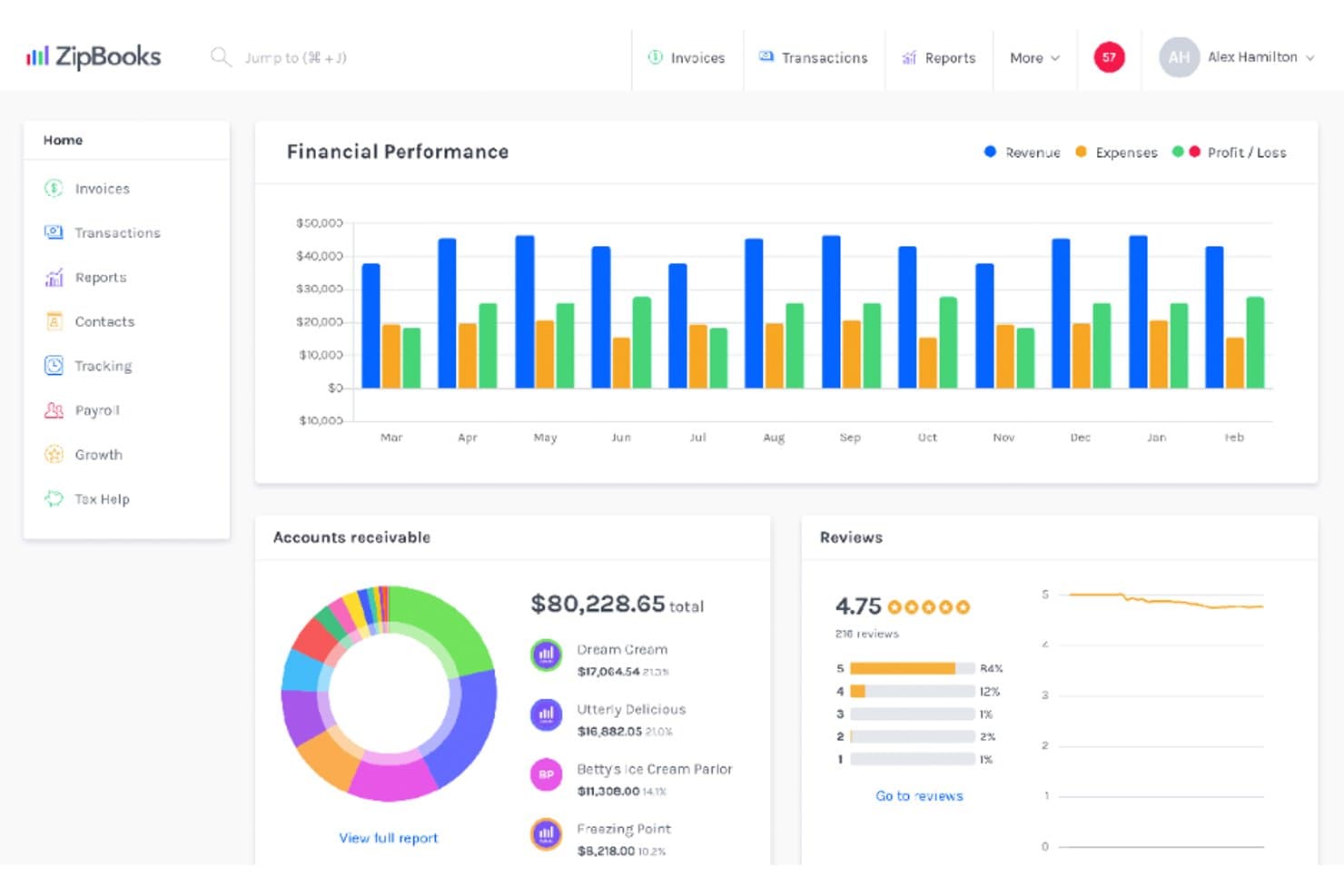
ZipBooks displays revenue, expenses, and profit on a single dashboard. ZipBooks is accounting software for churches that need to track income and expenses, manage budgets, and prepare financial reports around their organization’s finances.
Who Is ZipBooks Best For?
ZipBooks is a good fit for church treasurers and finance teams managing congregation finances and reporting.
Why I Picked ZipBooks
I picked ZipBooks as a Wave alternative because it’s best for smart automation. I like its recurring auto-bills for regular church expenses, while smart tags sort transactions by vendor, project, or location. I can then filter reports by those tags to review spending across ministries or sites.
ZipBooks Key Features
- Customized invoicing: Create invoices tailored to your church’s billing needs.
- Credit card processing: Accept credit card payments through ZipBooks.
- Budgeting: Set and manage budgets for church finances.
- Team permissions: Manage team access to financial information.
ZipBooks Integrations
ZipBooks has native integrations with Gusto and Google Drive, and Square is available through Square App Marketplace. It also supports bank connections with most U.S. and Canadian financial institutions, including PayPal, and offers an API for custom integrations.
Pros and Cons
Pros:
- Users praise clear transaction and expense tracking
- Recurring bills automate regular church expenses
- Smart tags filter ministry spending
Cons:
- Inventory tracking is unavailable
- Invoice templates offer limited branding customization
Learn more about ZipBooks: Best for user privacy
- 14-day free trial
- From $15/month (billed annually)
Visit WebsiteCustomer Rating:4.3/5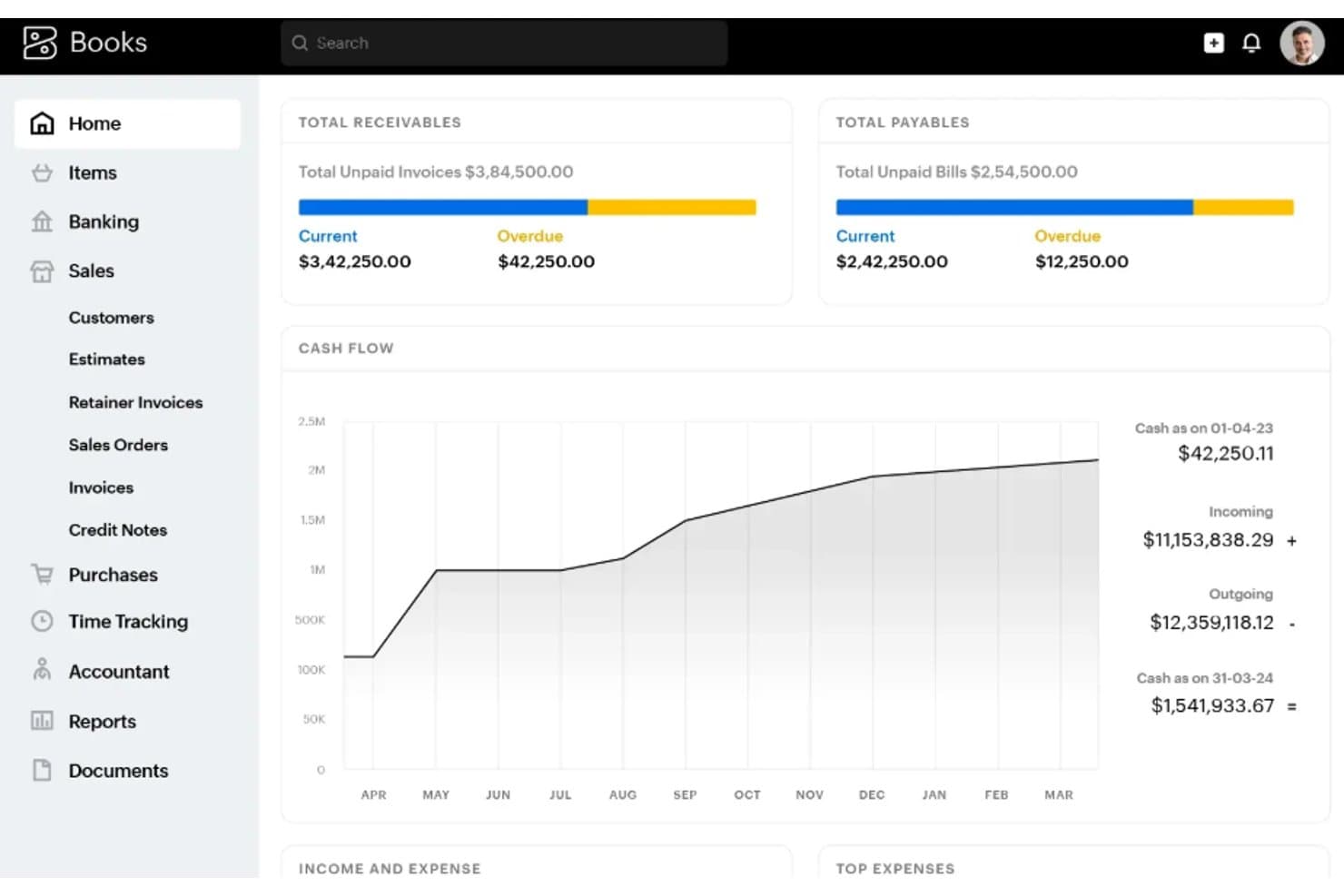
Zoho Books gives a real-time financial overview via its home dashboard. Zoho Books is cloud-based accounting software for freelancers and growing businesses that need to manage invoicing, expenses, and bank reconciliation in one system as their operations expand.
Who Is Zoho Books Best For?
Zoho Books suits small finance teams and business owners who prioritize privacy when managing their financial data.
Why I Picked Zoho Books
I rate Zoho Books as a Wave Accounting alternative because “Best for user privacy” fits its role-based permissions and audit trail. I can give an external bookkeeper access to review transactions without broad edit rights, then trace who changed a record during close.
Zoho Books Key Features
- Recurring invoices: Schedule invoices to go out automatically at set intervals.
- Bank feeds: Import bank transactions and match them with recorded entries.
- Expense tracking: Record expenses and attach receipts to transactions.
- Project time tracking: Log billable hours and add them to customer invoices.
Zoho Books Integrations
Zoho Books has native integrations with Zoho CRM, Zoho Inventory, Zoho Expense, Zoho Analytics, and Zoho Projects. It also integrates with Stripe and PayPal, connects with Zapier, and offers a REST API for custom integrations.
Pros and Cons
Pros:
- Project time converts to billable invoices
- Role permissions narrow bookkeeper access
- Audit trail identifies transaction editors
Cons:
- Transaction search can feel difficult
- Annual invoice caps can constrain growth

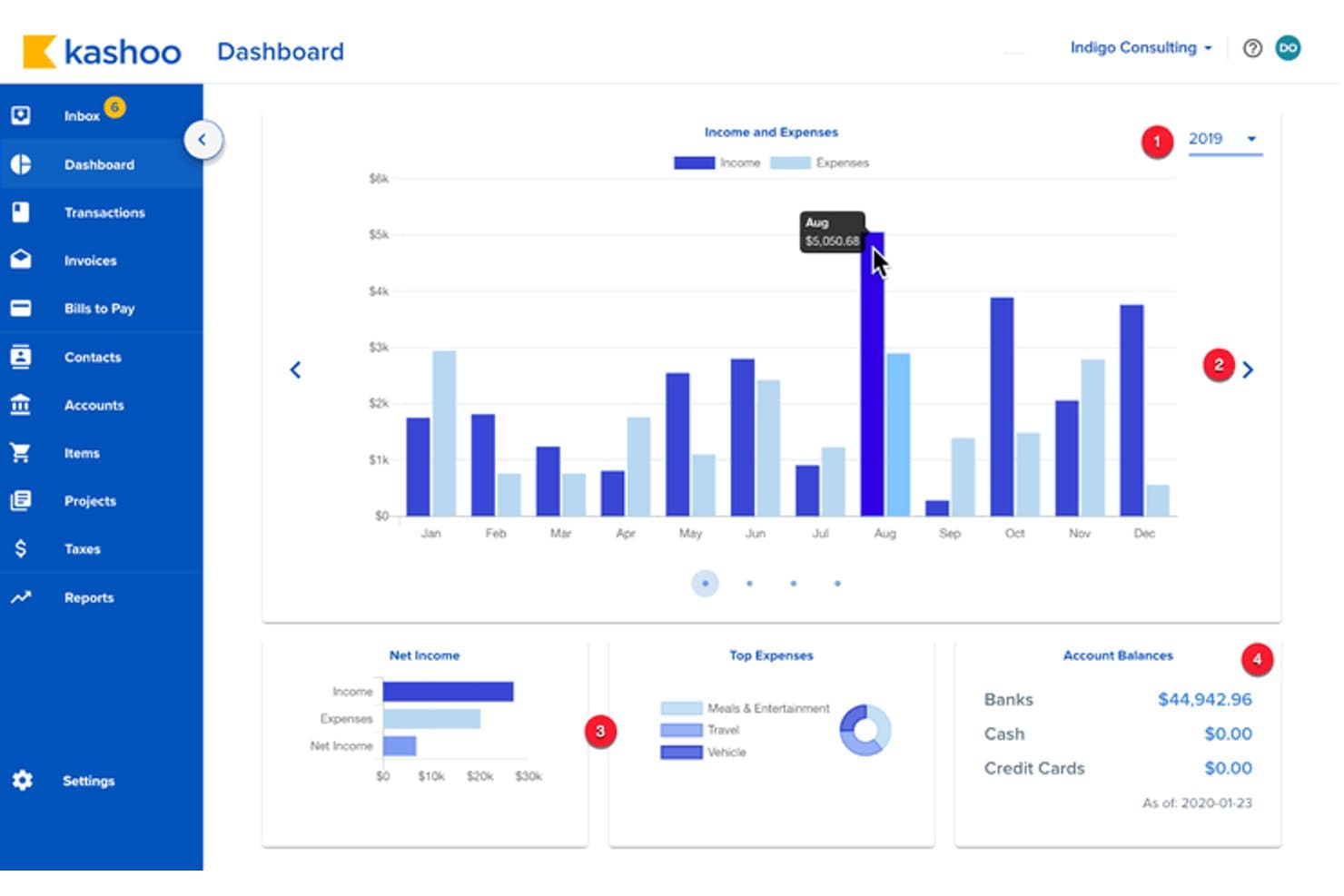
Kashoo's dashboard gives users a real-time financial overview at a glance. Kashoo is accounting software for small businesses that need a practical alternative to Wave for organizing income, expenses, invoices, and day-to-day bookkeeping.
Who Is Kashoo Best For?
Kashoo suits solo business owners who want a straightforward way to track transactions and maintain their books without a complex accounting setup.
Why I Picked Kashoo
I picked Kashoo as a Wave alternative because its focus matches “Best for simple tracking.” It lets solo owners track transactions, income, and expenses, then manage invoices and day-to-day bookkeeping in one set of books.
Kashoo Key Features
- Multi-currency support: Record financial activity in multiple currencies.
- Double-entry ledger: Record debits and credits using a double-entry accounting system.
- Receipt uploads: Upload receipts and attach files to records.
- Business reports: Generate reports to review your business finances.
Kashoo Integrations
Kashoo documents integrations with Square and Stripe, plus payroll tools PaymentEvolution, SurePayroll, and Paychex. It also provides an API for custom integrations.
Pros and Cons
Pros:
- Multi-currency support helps track international transactions
- Simple bookkeeping suits solo business owners
- Bank feeds speed up transaction reconciliation
Cons:
- Reports offer limited depth for analysis
- Bank-feed errors can create duplicate transactions
Learn more about Kashoo:
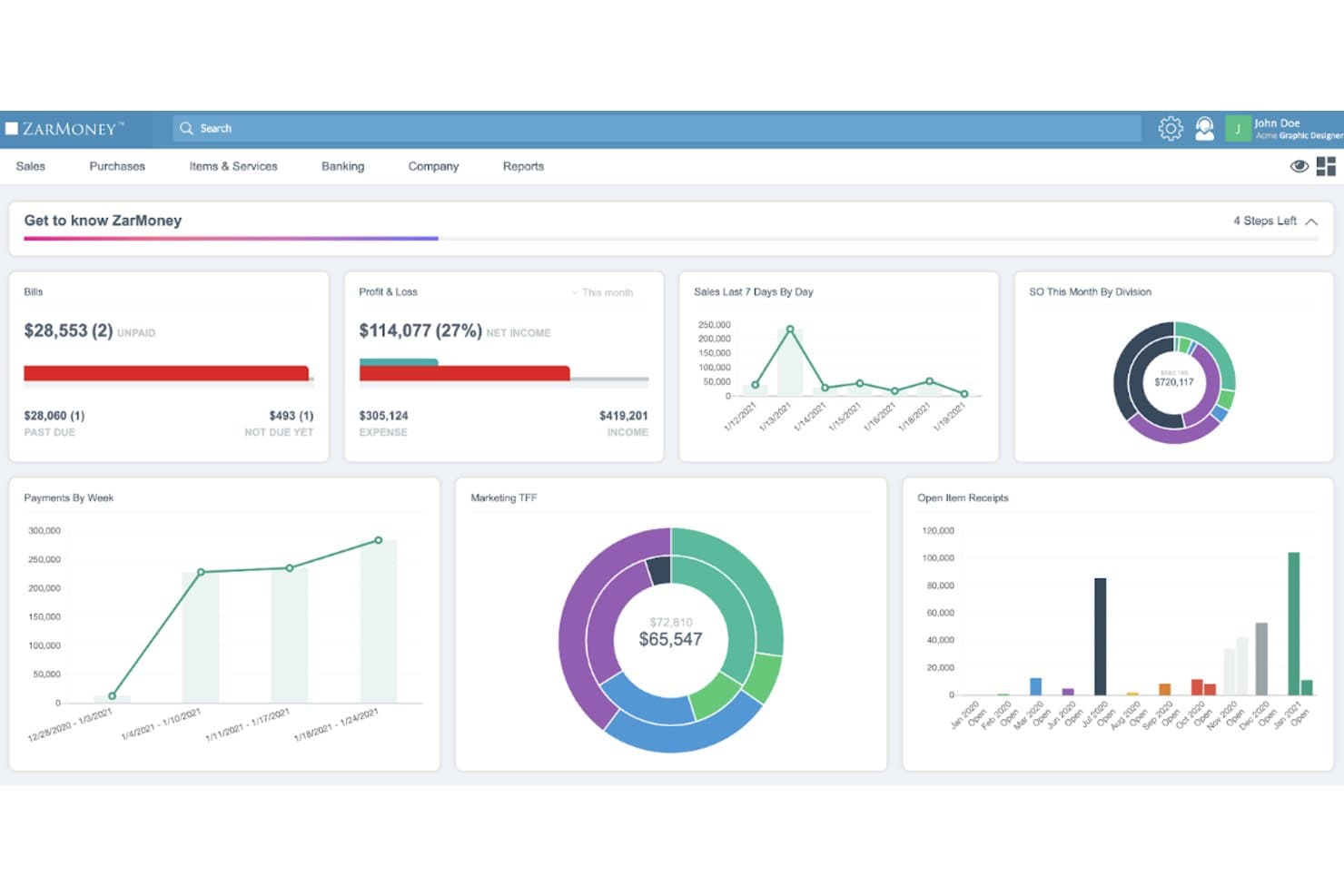
ZarMoney displays financial data across customizable dashboard widgets. ZarMoney is cloud-based accounting software for small and midsize businesses that need one place to manage invoicing, bills, inventory, and financial reporting as their bookkeeping needs grow beyond basic tools like Wave.
Who Is ZarMoney Best For?
ZarMoney suits small and midsize businesses that need multiple team members to access and manage accounting tasks in one system.
Why I Picked ZarMoney
I picked ZarMoney as a Wave accounting alternative because it’s Best for multi-user support. I like that multiple team members can manage invoicing, bills, inventory, and financial reporting in one system. A bookkeeper can update bills while operations tracks stock and finance reviews reports.
ZarMoney Key Features
- Bank feeds: Import transactions from connected financial institutions.
- Bank reconciliation: Match imported transactions against account records.
- Sales tax tools: Calculate sales taxes and prepare tax filing reports.
- Journal entries: Record accounting adjustments and other manual entries.
ZarMoney Integrations
ZarMoney lists integrations with Gusto, PayPal, Stripe, QuickBooks Payments, Braintree, Authorize.Net, CyberSource, and Zapier. It also provides a REST API for custom integrations.
Pros and Cons
Pros:
- Reviewers praise responsive, knowledgeable customer support
- Inventory tracking supports multi-location stock workflows
- Multiple users can manage shared accounting tasks
Cons:
- Tax handling and forms need more depth
- Custom reporting and inventory reports remain limited
Learn more about ZarMoney: Best for accountants serving complex clients
- Free demo available
- From £1,200/month
Visit WebsiteCustomer Rating:4.3/5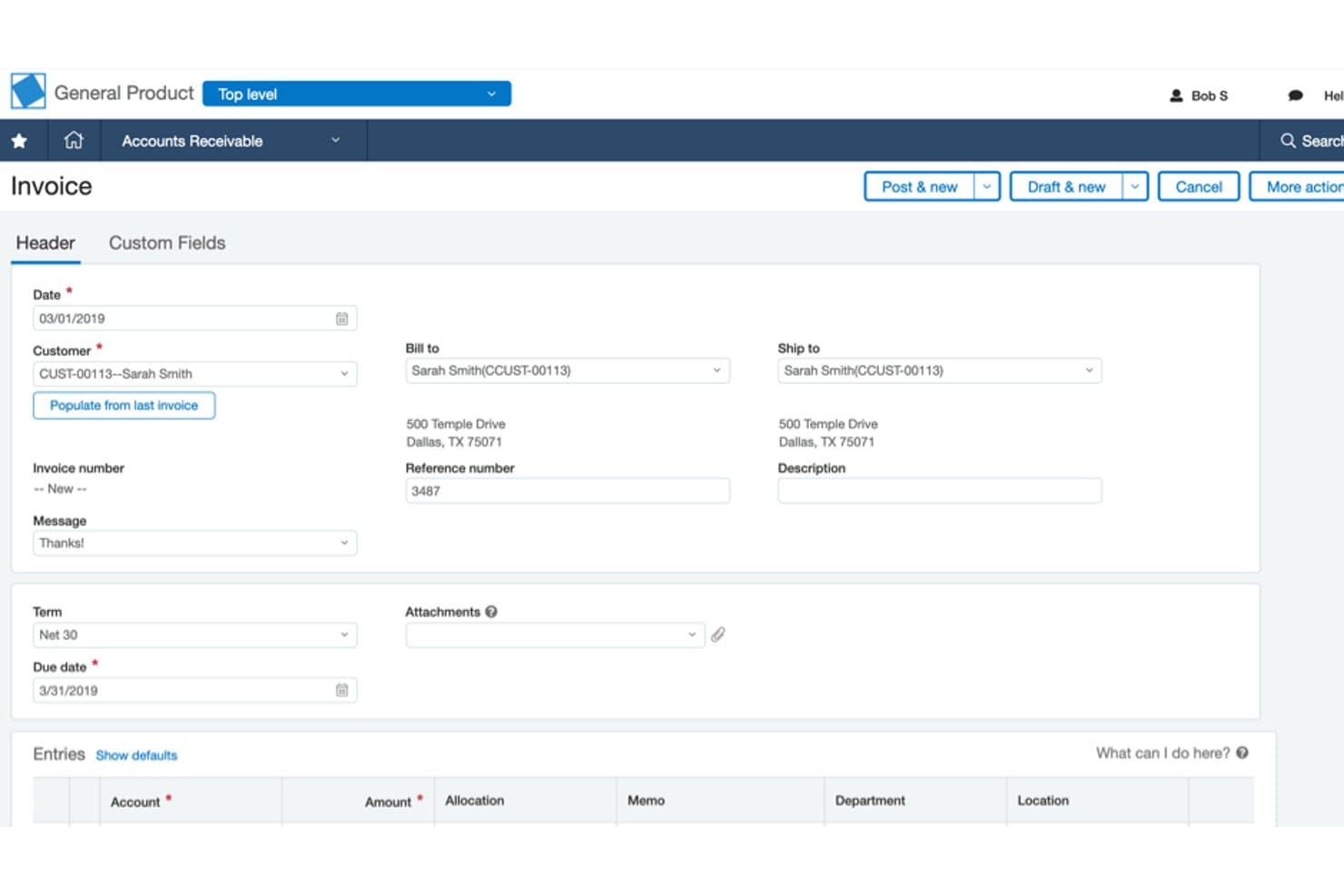
Sage Intacct streamlines invoice creation with customer and billing details. For finance teams that have outgrown Wave, Sage Intacct is cloud accounting software that supports multi-entity operations, detailed financial reporting, and greater control over complex business finances.
Who Is Sage Intacct Best For?
Sage Intacct suits growing organizations that need their finance systems to keep pace as operations expand.
Why I Picked Sage Intacct
I picked Sage Intacct as a Wave alternative because it’s Best for scalable solutions as a business adds entities and reporting needs. I like its multi-entity accounting for managing subsidiaries and detailed financial reporting for comparing results across entities. Its financial controls also give teams more oversight as operations expand.
Sage Intacct Key Features
- Accounts payable automation: Creates draft bills, matches them to purchase orders, and routes them for approval.
- Accounts receivable: Supports invoicing and collections workflows to help manage customer payments.
- Cash management: Connects bank data with the general ledger for cash tracking and reconciliation.
- Order management: Supports quote-to-cash processes, from customer orders through invoicing.
Sage Intacct Integrations
Sage Intacct has a prebuilt, Sage-supported integration with Salesforce and offers 350+ partner solutions through the Sage Intacct Marketplace. It also provides a REST API for custom integrations.
Pros and Cons
Pros:
- Automated approvals and allocations strengthen financial controls
- Dimensional reports compare departments, projects, and locations
- Multi-entity consolidation supports growth beyond Wave
Cons:
- Small teams may face excess system complexity
- Advanced reporting requires setup and training
Learn more about Sage Intacct: 7Best for multi-warehouse inventory control
MYOB
- 14-day free trial
- Pricing upon request
Visit WebsiteCustomer Rating:3.9/5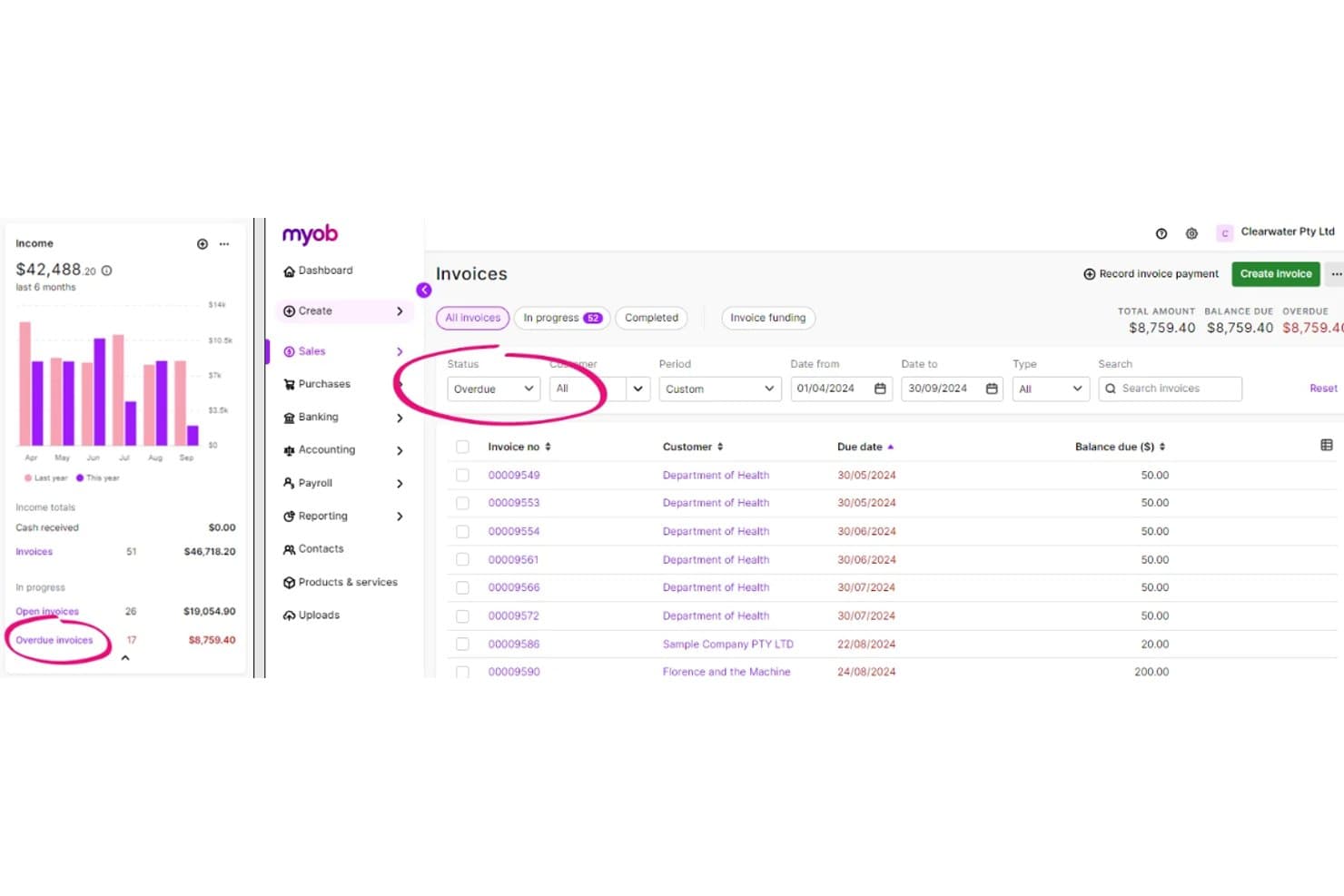
MYOB helps users track and manage overdue invoices by status. MYOB gives small and midsize businesses accounting software for invoicing, expense tracking, payroll, and reporting, helping owners and finance teams manage day-to-day bookkeeping in one system.
Who Is MYOB Best For?
MYOB suits growing businesses that need accounting and payroll tools to support more complex financial operations as their teams and reporting needs expand.
Why I Picked MYOB
I picked MYOB as one of the best Wave accounting alternatives for scalable solutions because it brings bookkeeping and payroll into one system. I like that growing businesses can track expenses, manage payroll, and use financial reports as their operations and reporting needs expand.
MYOB Key Features
- Bank feeds: Connect accounts to import transactions and match them with MYOB records.
- GST and BAS tools: Calculate GST and prepare or lodge BAS with the ATO.
- Inventory tracking: Monitor stock levels and identify items that need reordering.
- Multi-currency support: Apply live exchange rates and convert foreign-currency transactions.
MYOB Integrations
MYOB’s app marketplace lists more than 350 third-party apps, including Shopify through Amaka, Square, and the MYOB-built Salesforce Connector. MYOB also provides APIs for custom integrations.
Pros and Cons
Pros:
- Desktop option supports complex accounting workflows
- GST/BAS workflows support Australian compliance
- Native payroll and inventory support
Cons:
- Users report long phone support waits
- No consolidated statements or intercompany transactions
Learn more about MYOB:
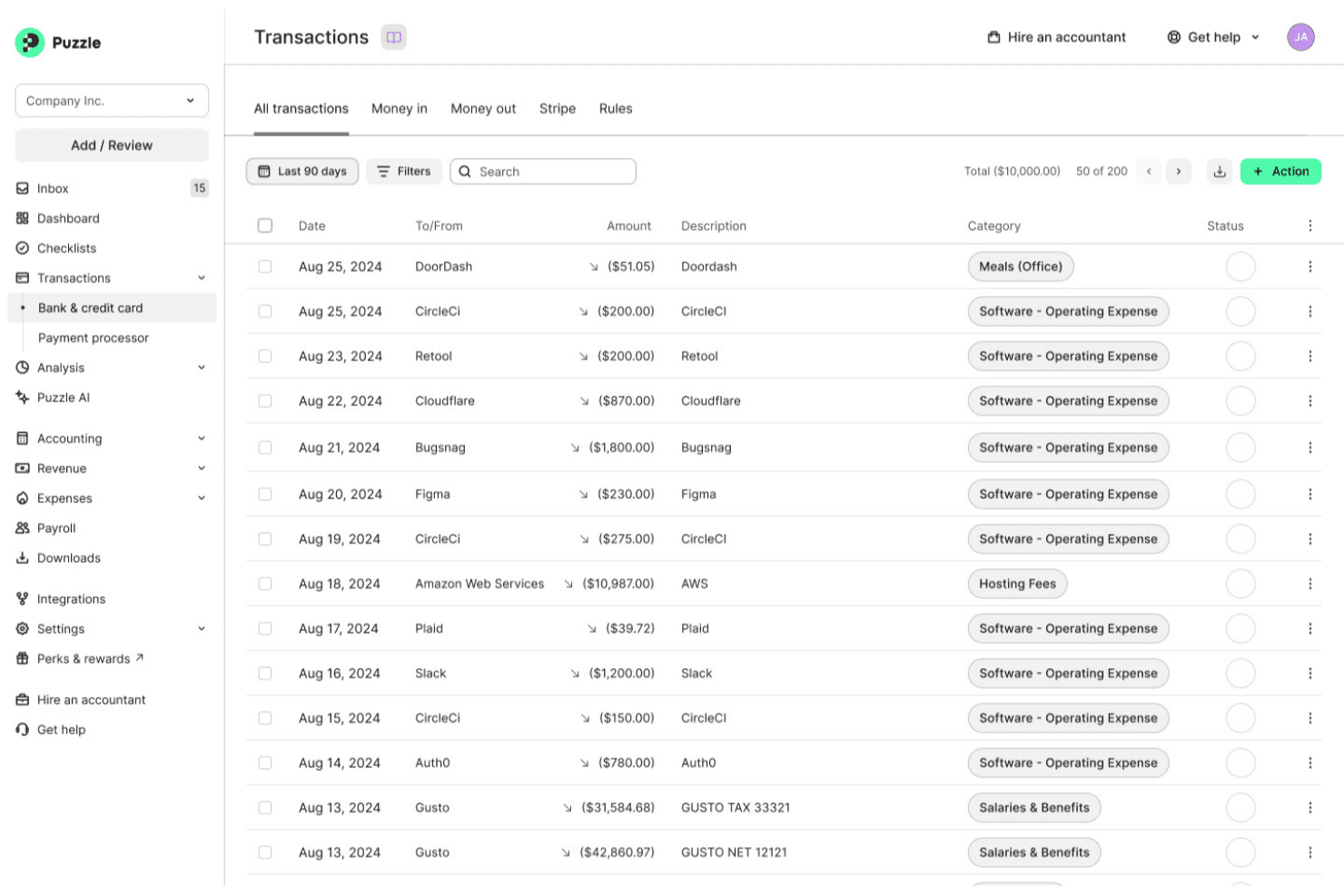
Puzzle organizes and categorizes bank transactions automatically. Puzzle is cloud accounting software for startups and finance teams that need clearer financial reporting and fewer manual bookkeeping tasks as their business grows.
Who Is Puzzle Best For?
Puzzle is a good fit for startup finance teams that need cash and accrual accounting views to support reporting and decision-making.
Why I Picked Puzzle
Puzzle earns my pick as “Best for dual accounting” among Wave Accounting alternatives. It maintains cash and accrual ledgers from the same transaction data, so I can check liquidity while preparing accrual reports. I also like its automated prepaid and deferred-revenue schedules, which create transaction-linked monthly entries for review.
Puzzle Key Features
- AI transaction categorization: Automatically categorizes most transactions for review.
- Bank and card integrations: Connects to more than 12,000 institutions through Plaid.
- AI Chat: Answers plain-language questions using your accounting records.
- AI Close: Guides accountants through a structured month-end close.
Puzzle Integrations
Puzzle offers eight native integrations: Stripe, Mercury, Brex, Ramp, Gusto, Rippling, Deel, and Bill.com. It also connects to more than 12,000 banks and cards through Plaid.
Pros and Cons
Pros:
- Automates revenue recognition and accrual schedules
- Shows live burn, runway, and ARR
- Maintains cash and accrual books together
Cons:
- Inventory accounting needs may exceed its fit
- Correcting mistaken AI categories can feel fiddly
Learn more about Puzzle:
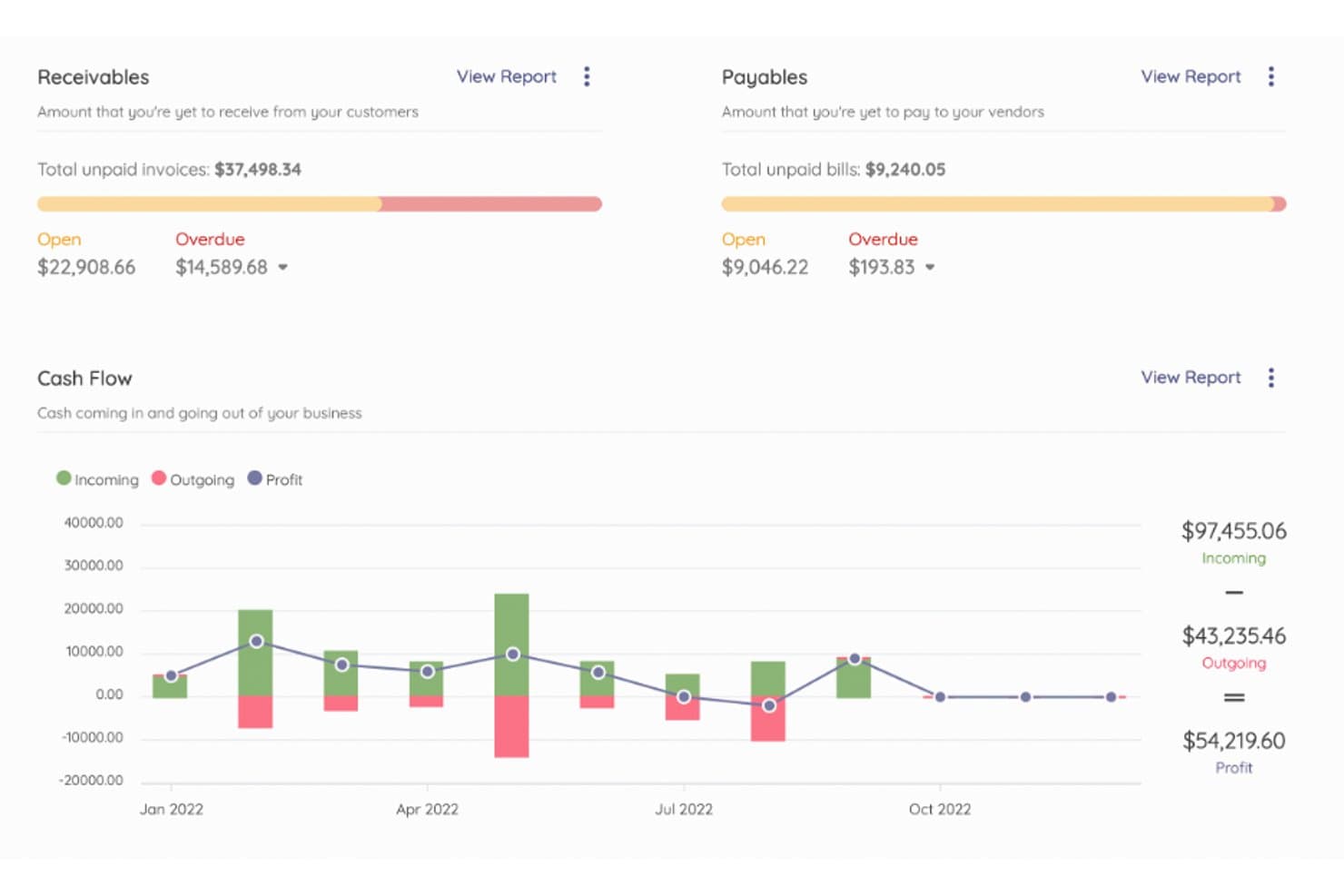
Akaunting displays receivables, payables, and cash flow at a glance. Akaunting is an accounting platform for freelancers and small businesses that combines invoicing, expense tracking, and cash-flow visibility to help owners manage day-to-day bookkeeping.
Who Is Akaunting Best For?
Akaunting suits small businesses and finance teams that want open-source accounting software they can customize or self-host.
Why I Picked Akaunting
I picked Akaunting as a Wave alternative because it fits “Best for open-source access”: its self-hosted edition provides source code, giving your team control over where financial data lives. Its Double-Entry app adds a chart of accounts, general ledger, balance sheet, and trial balance for period-end review.
Akaunting Key Features
- Client portal: Clients can view shared invoices and transactions, then make online bulk payments.
- Recurring transactions: Set invoices, revenues, bills, and payments to generate automatically.
- Multi-company management: Manage multiple companies from one admin panel and assign users to each.
- Multi-currency support: Record transactions in different currencies and convert amounts to a main currency.
Akaunting Integrations
Akaunting offers 100+ apps through its app store, including integrations with HubSpot, Slack, PayPal, WooCommerce, and Stripe. It also provides a RESTful API for custom integrations.
Pros and Cons
Pros:
- Double-entry app adds ledger and balance-sheet views
- One dashboard handles multiple businesses
- Self-hosting keeps financial data under your control
Cons:
- Support ratings lag behind ease-of-use scores
- Users report bugs in paid modules
Learn more about Akaunting:
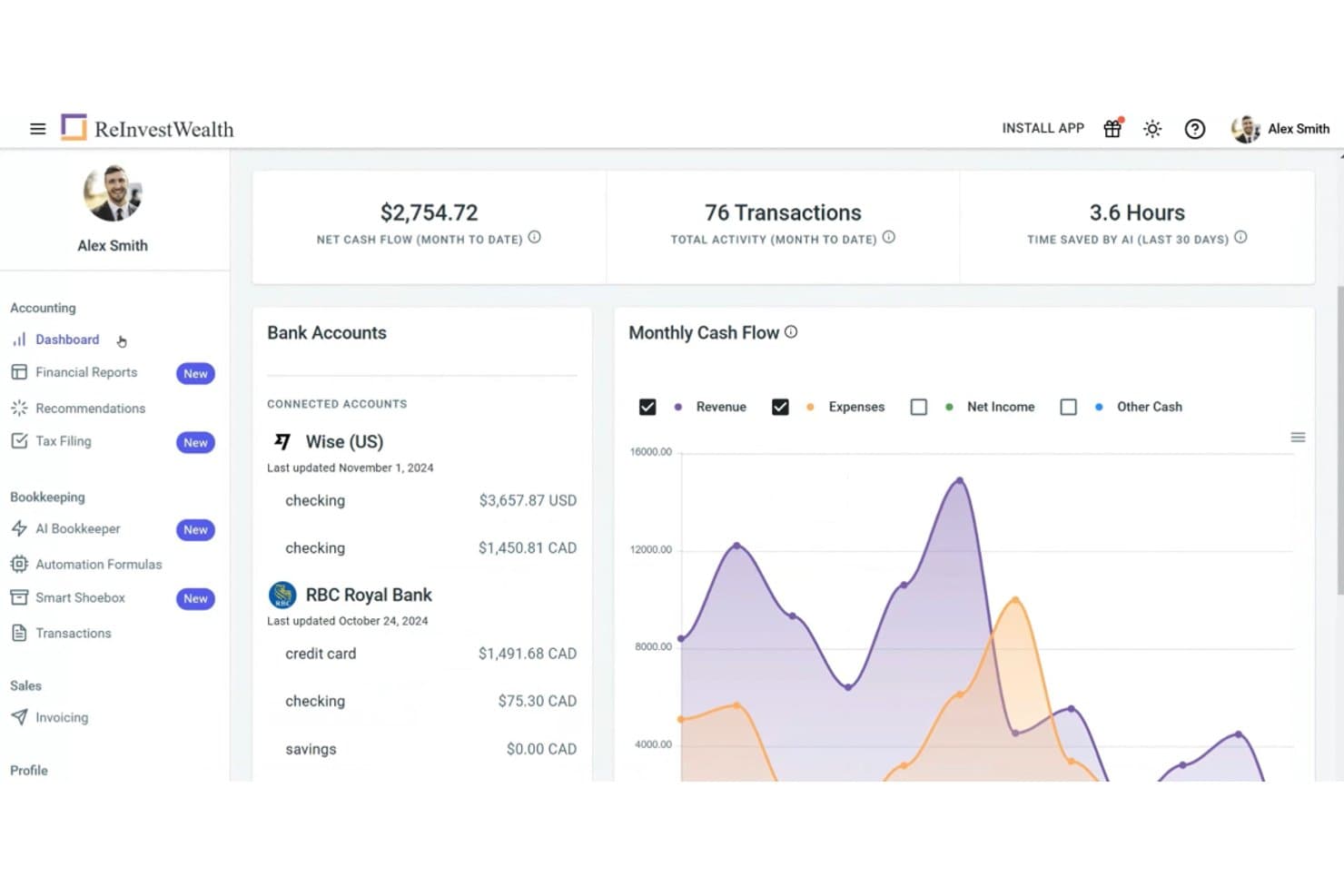
ReInvestWealth centralizes bank accounts and cash flow in one dashboard. ReInvestWealth is accounting software for Canadian entrepreneurs and small businesses that connects transactions, invoicing, and financial reports to reduce manual bookkeeping and keep records current.
Who Is ReInvestWealth Best For?
ReInvestWealth suits Canadian small-business owners who want AI-assisted bookkeeping to keep transaction records and accounts current.
Why I Picked ReInvestWealth
I picked ReInvestWealth as a Wave alternative because it’s my choice for “Best for AI bookkeeping.” Its AI-assisted bookkeeping connects transactions with invoicing and financial reports, helping Canadian small businesses keep records current. I like how that links day-to-day activity with the information owners need to review their books.
ReInvestWealth Key Features
- Receipt matching: Upload receipts by photo, email, or file, then match them to transactions.
- Tax e-filing: Prepare and e-file GST, HST, and QST returns.
- Accountant access: Invite your accountant to view your account.
- Audit trail: Review a record of changes made in your books.
ReInvestWealth Integrations
ReInvestWealth has documented integrations with Stripe and Wise, plus Mercury account connections and bank connections through Plaid. It also connects with PayPal, according to ReInvestWealth’s product comparison.
Pros and Cons
Pros:
- Reviewers praise clear reports and simple workflows
- Canadian GST, HST, and QST e-filing
- AI categorizes transactions and matches receipts
Cons:
- Fewer advanced features than mature accounting suites
- Some bank connections need reconnection
- Limited invoice branding and email customization
Learn more about ReInvestWealth :
Other Wave Accounting Alternatives
Here are some additional Wave Accounting alternatives that didn’t make it onto my shortlist, but are still worth checking out:
- 11DualEntryBest for automated revenue recognition
- 12XeroBest for GST and HST automation
- 13HoneyBookBest for workflow automation
- 14RipplingBest for integrated payroll services
- 15Odoo AccountingBest for modular business applications
- 16KeeperBest for secure document storage
- 17BudgytBest for simplified budgeting tools
- 18NetSuite Cloud AccountingBest for enterprise-level solutions
Related Reviews
How I Evaluate Wave Accounting Alternatives
I split my evaluation into baseline criteria—like double-entry accounting and bank reconciliation—and differentiators that separate tools for freelancers from those built for growing businesses.
Core Functionality (Table Stakes For This List)
When I'm selecting tools for my list, I rank each one on a scale from 0 (does not offer the functionality) to 5 (excels in this area) for each core functionality listed below. Then, I calculate the tool's total score into a percentage. Each tool needs to achieve a minimum total score of 65% to be considered for inclusion.
- Invoicing & Payment Processing: I evaluate whether a tool lets you create branded invoices, set up recurring billing, and accept online payments—things like sending a net-30 invoice with a pay-now button that deposits directly into your account.
- Expense & Income Tracking: Every tool should handle real-time categorization of transactions, and I look for extras like receipt scanning and vendor-level tracking that save time during month-end reviews.
- Bank Reconciliation: I check how many financial institutions each tool connects to and whether it auto-matches imported transactions to existing entries, rather than forcing you to reconcile line by line.
- Financial Reporting: The platform should generate at a minimum a profit & loss statement, balance sheet, and cash flow report—and I look at whether you can filter by date range or run comparative reports across periods.
- Double-Entry Accounting: I confirm the tool runs on a true double-entry engine with a general ledger and customizable chart of accounts, since single-entry systems fall short once you need accrual-basis books.
- Tax Preparation Support: Sales tax tracking and tax-ready reports matter here—I look for tools that let you apply tax rates to line items and export clean summaries your accountant can work from at filing time.
Once I have a list of tools that meet this criteria, I consider what sets each platform apart.
Differentiating Factors (What Sets Vendors Apart)
Here's how I compare and contrast different vendors:
Standout Features
Multi-currency support matters if you invoice clients abroad—I check whether a tool handles exchange rates and lets you send invoices in your client's local currency. Project and time tracking is another differentiator I evaluate, especially for freelancers and consultants who need to tie billable hours directly to client invoices. A well-built mobile app also makes a real difference, letting you snap receipt photos or send invoices from a job site without waiting to get back to your desk.
Beyond Features
Pricing structure is one of the first things I evaluate, since many Wave users are drawn to its free model—I look at whether alternatives offer a free tier or affordable entry plan that won't surprise you with per-transaction fees. Integrations also weigh heavily, particularly connections to payment processors and ecommerce platforms your business already relies on. I also consider accountant collaboration, checking whether a tool lets you invite your bookkeeper or tax preparer with role-based access so they can pull reports without full admin control.
Why Look for a Wave Accounting Alternative?
While Wave Accounting is a valuable accounting software, there are a number of reasons why some users seek out alternative solutions. You might be looking for a Wave Accounting alternative because…
- You need advanced reporting tools
- Your team requires multi-currency support
- You're looking for better customer service
- You need integration with other platforms
- Your business is scaling rapidly
- You require offline access to data
If any of these sound like you, you’ve come to the right place. My list contains several accounting software options that are better suited for teams facing these challenges.
Wave Accounting Key Features
Here are some of the key features of Wave Accounting, to help you contrast and compare what alternative solutions offer:
- Transaction Management: Automatically import transactions from your bank accounts and credit cards, saving you time on data entry.
- Invoicing and Payments: Create customizable invoice templates and accept payments online, making billing easier for your team.
- Expense Tracking: Upload receipts and categorize expenses easily, providing you with better control over your finances.
- Reporting Tools: Generate detailed financial reports like profit and loss statements to aid your decision-making process.
- Integration: Connect with other Wave Apps for added features, such as payroll and receipt management, enhancing your business operations.
- Tax Preparation: Export your financial data for accountants or use built-in tax services to simplify tax filing.
- Multi-Currency Support: Handle transactions in different currencies, which is useful if your business operates internationally.
- Recurring Billing: Set up recurring invoices for your regular clients, ensuring timely payments without manual intervention. This is great for SMBs and large corporations.
- Cash Flow Management: Monitor inflows and outflows to maintain a healthy cash flow and make informed financial decisions.